0:03
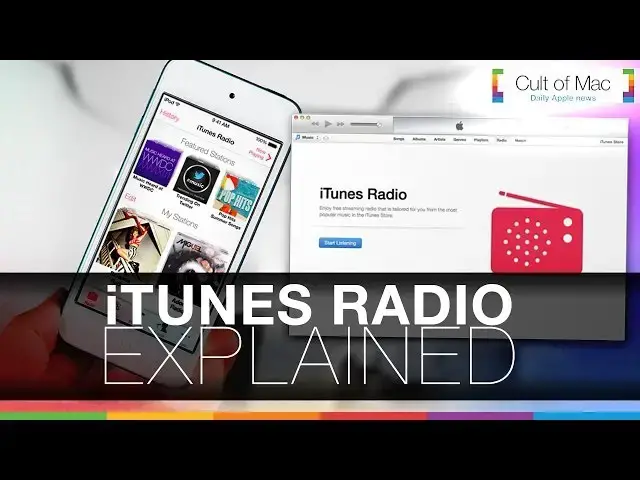
originally introduced with iOS 7 Apple's
0:06
iTunes radio is accessed to radio right
0:08
on your Apple device for free but being
0:11
naturally integrated into the
0:13
pre-existing music app its many uses and
0:15
potential have become quite
0:19
underrated now after opening the radio
0:22
tab users are able to create and enjoy
0:24
stations strictly based upon their own
0:26
music taste with even training stations
0:28
also available conveniently a part of
0:30
the stock iOS music app its design
0:33
remains clean and uncluttered with
0:35
building upon the user likes and
0:36
dislikes in mind when playing a song
0:39
users can start to have more played like
0:41
it exit to have it never play again and
0:43
even add the track to their iTunes wish
0:46
later and if the radio plays a song you
0:49
like just tap to purchase it from the
0:51
top right of the screen and if not just
0:53
skip to another a few times or with
0:55
Limitless skips with an iTunes Match
0:58
subscription the thing about the radio
1:00
experience is that listeners hear songs
1:02
straight from the iTunes Store so if it
1:04
hits the iTunes Store first you can even
1:07
hear it right on iTunes radio first an
1:09
exclusive feature not available from the
1:11
likes of Spotify radio or even
1:14
Pandora all of your stations are kept to
1:16
come back to and you can easily remove
1:18
any of them at any time create stations
1:21
from Individual songs or artists and
1:23
have them seamlessly on all of your
1:25
devices from your iPhone to your MacBook
1:30
now with apple having just acquired
1:32
Beats electronics and the beats music
1:34
service it will be interesting to see if
1:36
the two ever cross path will Beats Music
1:38
replace iTunes radio on iOS time will
1:41
only tell but for now iTunes radio just
1:44
may be something you'll want to make use
1:47
app every aspect of iTunes comes
1:50
together as a whole via iTunes radio no
1:53
matter what device you're on you can see
1:55
what you were listening to on your other
1:57
device no more having to wonder what
1:59
that one song on that radio station was
2:02
you can see it and you can buy it with
2:06
tabs there are plenty of featured
2:08
stations I ginormous collection of song
2:10
stream directly from the iTunes Store
2:12
and on top of all that the free ability
2:14
to listen on multiple devices with all
2:17
of these factors and more iTunes radio
2:19
may not be that useless feature you may
2:22
have thought it was and you can check
2:23
out more on iTunes radio and more always
2:30
now that was a look at iTunes radio but
2:32
what do you think about it do you like
2:34
iTunes radio do you use it a lot what do
2:36
you like about it or what don't you like
2:38
about it let us know on Twitter or in
2:40
the comment section below and if you
2:42
like the video don't forget to click
2:44
that like button and subscribe to see
2:45
more awesome videos like this and others
2:48
posted s days a week this has been
2:50
Joshua Smith of cmc.com