live_tv
Livestream Starting Soon
00
Hours
:
00
Minutes
:
00
Seconds
Up next in 10



More Apple news: http://www.cultofmac.com
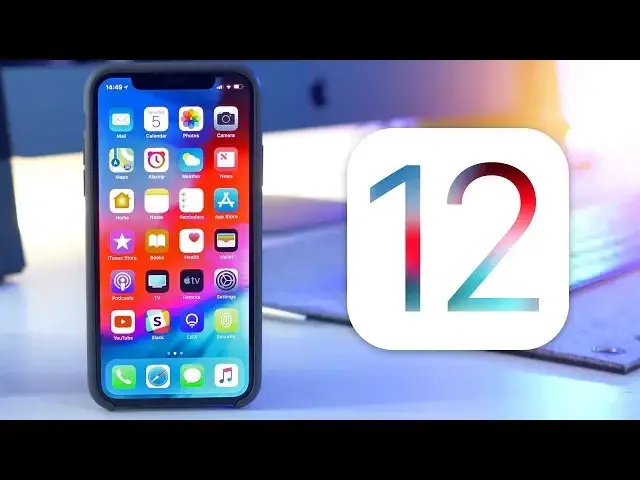
iOS 12 has finally been revealed to the world. After months of rumours and speculation, Apple has dropped all of the new details and more importantly the developer beta, so in this video I’m going to give you a hands on look at everything that’s new.
All the iOS 12 features Apple didn't mention: https://cultm.ac/2szzWRg
iOS 12 Wallpaper: https://cultm.ac/2szY46u
Follow us!
Twitter: https://twitter.com/cultofmac
Facebook: https://www.facebook.com/cultofmac
Instagram: https://instagram.com/cultofmac/
Show More Show Less View Video Transcript
0:00
What's up guys, Stephen Gulls of Mac here and iOS 12 has finally been revealed to the world
0:04
After months of rumours and speculation, Apple has dropped all the new details about iOS 12 and, more importantly, the developer beta
0:11
So in this video, I'm going to give you a hands-on look at everything that's new. Let's get started
0:19
First up, and as with every new iOS release, iOS 12 has been given a speed boost
0:24
Apps load up quicker, the camera app opens up faster and just generally makes my iPhone 10 feel that little bit snappier
0:30
Thankfully, iOS 12 is making its way to a slew of older iOS devices such as the iPhone 6S
0:35
which will see one of the biggest increases, with apps opening up 50% faster
0:39
The basic rule for compatibility is, if your device runs iOS 11 now, it will also run iOS 12
0:46
Running a geek bench on my iPhone 10 shows a small increase in the single core, and a pretty
0:50
hefty jump in the multi-core. From my day of use, I found that I actually see a speed increase on what wasn't a slow phone
0:56
to begin with, so I can't wait to try it out on an older iPhone or iPad. Whilst performance was one of the main focuses for Apple and iOS 12, that doesn't mean
1:04
that aren't some awesome new features and changes. Let's start from the lock screen and work our way in
1:10
Here you can see that Apple has finally heard our complaints about notifications and is now
1:13
grouping them together. So rather than having infinite lists of texts and Facebook notifications, iOS 12 stacks them
1:19
together to make notifications centre and the lock screen a much simpler place
1:24
Not only organising them by app, but also by recipients if they say from messages, or
1:28
they can group them together by event. Then you can dismiss them one by one as always, dismiss whole groups, or clear all of your
1:35
notifications at once. With this, it also brings support for instant tuning, so you can send the notifications straight
1:41
to notification centre and hide it from the lock screen by choosing to deliver quietly
1:45
Here you can also choose the silent notifications from certain apps, so that you don't have
1:49
to dig around in the settings. Now onto my home screen, and everything looks pretty much the same, with the exception of the
1:57
new iOS 12 wallpaper. But Apple has updated a few of its native apps. Firstly, the news app
2:04
has had a bit of a refresh in terms of design, although it now has a sidebar on the iPad
2:08
which helps you to see all of the categories you interested in super easily Two rows down and you can see that Apple has dropped the eye from iBooks now calling it Apple Books More importantly the app has had a complete redesign to make it easier and more enjoyable to use
2:22
There's also a brand new store, which seem to be a bit of a theme at this year's WWDC, along
2:27
with the new Reading Now section that shows you a preview of the book you were reading most recently
2:31
so you can jump straight back in. Now the next two apps that Apple is updated are two that I've got buried deep inside my extras folder
2:37
as I don't use them very often. Voice Memos and Stocks. Starting with Voice Memos, it's been rebuilt to be cleaner and easier to use, along with ICloud
2:46
syncing now, so no matter which iOS device you're using, your memos will stay in sync across
2:50
the board, which is handy as the iPad now also gets the Voice Memos app along with stocks
2:55
Speaking of stocks, again, it's been completely redesigned, bringing more detailed information
3:00
including AfterHours pricing, alongside Apple News integration, which offers curated business stories to help you predict an upcoming rally
3:08
Continuing with the app updates and photos has got some pretty cool new search features
3:12
You can now search for events, business locations and so on to really narrow down your search
3:17
There's also a new for you tab that includes memories, featured photos, suggested effects
3:22
and suggestions for who you might like to show your images with
3:25
Thanks to AR Kit 2, iOS 12 includes Apple's new measure app
3:29
It takes advantage of AR Kit to let you measure objects, shapes and lines using the camera
3:33
on your iPhone or iPad. There are similar apps already available inside the App Store, but now with iOS 12, Measure
3:39
is baked right in. Apple has also moved the level here from the Compass app, which makes much more sense
3:46
Measure was demoed at WWDC alongside AR Kit 2, which brings improved facial tracking, more
3:51
realistic rendering and 3D object detection. It also brings support for shared AR experiences, which will give us the ability to enjoy shared
3:59
AR games and apps, but unfortunately there's no way to test this out at the moment
4:05
Within settings, there's a ton of new features and updates to be discovered, starting with Do Not Disturb
4:09
There's a new bedtime mode that hides notifications, so they can't distract you if you wake
4:13
up in the middle of the night. They'll then return to the lock screen in the morning, depending on what time you've set
4:18
and it will automatically deactivate. You can also choose when Do Not Disturb ends so you can set it to work for an hour until the evening at the end of an event or when you arrive at a certain location Back in settings and below Do Not Disturb you find screen time Now screen time lets you specify how much time you spend inside of an app
4:36
If you're wasting too much time in Facebook, for example, you can set yourself a limit each day, and screen time will tell you when you're getting close to the end
4:44
When your limit is up, screen time will prevent you from seeing the app, although you can choose to ignore it
4:48
You can also set limits for your children if you want them to unplug it a certain time each night
4:52
and it'll sync across all of their connected iOS devices. While Siri didn't get the big overhaul
4:57
a lot of people were hoping for, she did gain a new trick, shortcuts
5:01
With shortcuts, Siri can perform all kinds of actions when you say simple commands
5:06
For example, you can tell Siri that you've lost your keys and it'll use the tile app to locate them
5:11
You can basically teach Siri to carry out a bunch of different actions triggered by custom commands
5:16
One set up, they'll also work across your Apple Watch and HomePod and so on
5:19
I've only had a quick play with these so far, But if you'd like a full dedicated video, let me know in the comments section down below and I'll make it happen
5:27
If you're an Apple CarPlay user, but not a fan of Apple Maps, iOS 12 is bringing third-party support for navigation services such as Google Maps and Ways
5:35
It's not available on this current build, but it's nice to see more apps making their way to CarPlay
5:40
One of the features added to iOS 12 a lot of people have been hoping for for a long, long time, is group FaceTime calls
5:46
You'll now be able to add up to 30 people in a FaceTime call with animated floating tiles that scale up to who are
5:51
who are chatting or whoever you tap on. Unfortunately again, this doesn't seem to be up and running in this beta, but I'll keep trying
5:58
with each release. Moving on to something a little more fun, and animoji has four new characters, including
6:04
a tiger, a koala, a T-Rex and the Ghost, but more importantly, they can now track your tongue
6:08
and wink. On top of that, you can now also create new animojis that look more like you, or your favorite
6:14
CEO thanks to Memoji. It boasts a huge collection of customization options, so you can make a whole bunch of animojis
6:21
with different looks and styles. Skin tone, hairstyle, glasses, hats, there's plenty of customization
6:28
If you're a fan of Sims or like games where you can create your own character, you'll absolutely look this
6:33
The best part is these can now be tracked onto your head like a Snapchat filter, so you can record videos or take selfies of yourself with a giant cartoon head This works for all of the animojis and you can add other filters on top along with stickers and text It a bit of extra fun to make an emojis last a bit longer before you forget about them all
6:50
over again. Speaking of iPhone 10 only features, Face ID now supports alternate appearances
6:57
Within the Face ID and passcode settings, there's a new entry to allow for multiple people to unlock the iPhone
7:02
While I personally can't think of many uses for why I'd want multiple people to be able to unlock
7:06
my iPhone, this could be really handy for a future. your iPad perhaps
7:10
We've long been hearing rumors of a new iPad Pro on the way, which follows the design cues of the iPhone 10, removing the home button and adding Face ID
7:19
There's even more evidence of a buttonless iPad future when you take a look at iOS 12
7:23
on the iPad, as you can now use the same gestures as the iPhone 10
7:27
You can swipe up to exit an app, swipe up and to the right to bring up the app switcher, swipe
7:31
down from the top right for control center, and bring down notifications from the top left-hand inside
7:36
Since owning my iPhone 10, this is something I've been praying for, as my muscle memory has
7:40
completely reprogrammed itself to all of the gestures on the iPhone 10, leaving me a mess anytime
7:45
I pick up my iPad or an older iPhone. They work just as great here, and make the iPad even easier to use
7:51
If you're not an iPhone 10 user, don't worry, you'll pick up the gestures really quickly
7:55
and you'll never want to go back. There are tons of other changes Apple didn't mention in their keynotes, such as a new automatic
8:01
software update toggle within settings, a face ID retry option. more colours for markup, new South African and Irish accents for Siri
8:09
I'm Siri, your virtual assistant, low-powered Siri, and favikons in Safari tabs to name just a few
8:15
I just wanted to make sure I got all of the big features in this video without it lasting for an hour
8:20
For a full list of features Apple didn't mention in their keynote, I'll leave a link in the description where we've got a great article on our site
8:26
along with the link to where you can get the new iOS 12 wallpaper. Well, that's it for this video, but let me know what you think of iOS 12
8:34
What are you excited about? What are you disappointed they didn't include? Let me know in the comments section down below
8:39
Also, if you enjoyed this video, as usual, go ahead and hit that like button
8:43
It really does help me out. And make sure to subscribe as I've got a ton more videos on the way, including a look at
8:48
Mac OS Mojave and watchOS 5. I'll catch you in the next one
#Consumer Electronics
#Software
#Mobile & Wireless
#Mobile Apps & Add-Ons
#Intelligent Personal Assistants