0:00
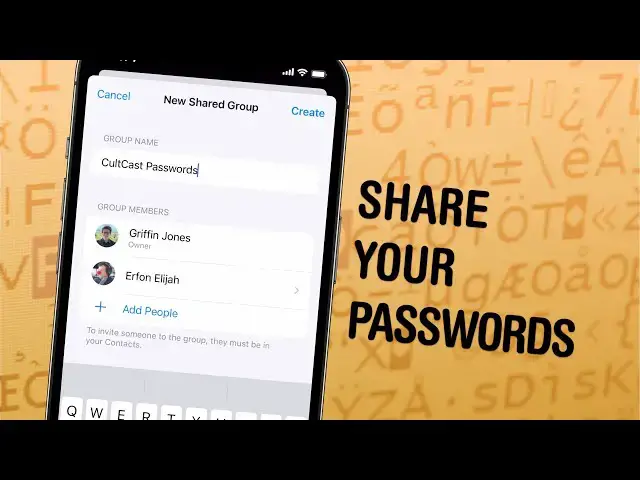
Really quick, I'm going to show you how to create a shared password folder. If you do this, then
0:04
everyone in your family will have the most recent version of all of your shared accounts for Netflix
0:10
Amazon, any other streaming services, bank accounts, stuff like that. It's really easy
0:15
to set up. Let me show you how it's done. You scroll down, you go to passwords
0:21
authenticate with face ID, and then you can tap this get started button, or you can tap the plus
0:27
new shared group. You tap continue. You're going to give it a group name like family passwords
0:37
and then you're going to add a group member from your contacts. I'm going to add my boss, Leander Caney, and then you tap create. If you have old devices
0:50
that aren't running the most recent version of iOS, then you know, these devices might not be
0:56
able to access these passwords since this is an iOS 17 feature, but you can tap continue
1:03
Now you can select passwords that you want to add to the group. So I'm going to type a few
1:07
of these fake ones that I created for this and tap move. And you can notify the people you invite
1:15
that they've been added to this group. I'm going to tap not now. Now it'll take you to the folder you just created. You can add more if you tap the plus button
1:23
Here you can add more people or more passwords to the group. And the really great thing is that
1:28
if any of these accounts have two-factor authentication by a verification code
1:34
so I'm just going to enter a setup key here, paste in a fake one that I copied earlier
1:42
Paste in a fake one that I copied earlier. You can do this for an online account that supports it. And the great thing is that
1:50
anybody in this shared group will automatically have this verification code too. So anytime I
1:57
edit this password, Leander will get the updated password. I won't have to tell him manually
2:02
And if he wants to sign into this account, he doesn't have to get the verification code from me
2:06
It'll be on his phone and his computer as well. All of these sync with everybody in the group
2:12
and it's very convenient. That is how it's done