live_tv
Livestream Starting Soon
00
Hours
:
00
Minutes
:
00
Seconds
Up next in 10



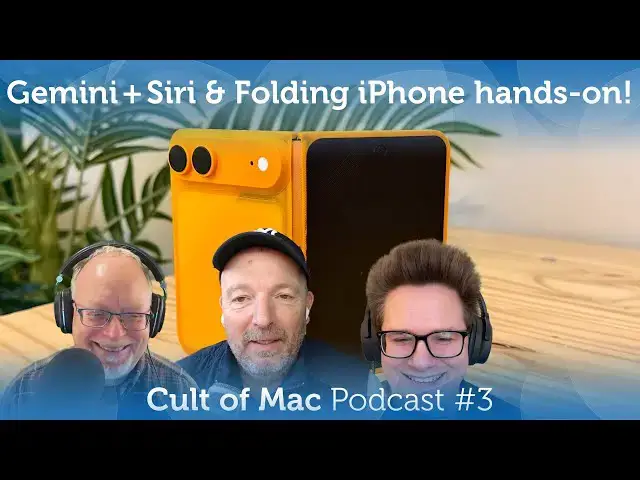
This week: Google’s Gemini is officially powering next-gen Siri, Apple overhauls all its pro apps, details on OpenAI’s first hardware product, and we go hands-on with a folding iPhone model!
Produced by Extra Ordinary for Cult of Mac
Music composed by Will Davenport, arranged by D. Griffin Jones
Chapters:
0:00 Intro
1:22 Gemini-powered Siri
18:26 Apple Creator Studio
30:23 OpenAI’s hardware product
37:53 3D-printed folding iPhone hands-on
Follow us!
Threads: https://www.threads.net/@cultofmac
Mastodon: https://mastodon.social/@cultofmac
Instagram: https://instagram.com/cultofmac/
X: https://x.com/cultofmac
Facebook: https://www.facebook.com/cultofmac
Show More Show Less View Video Transcript
0:00
Coming up, Google's Gemini is officially powering the nextG Siri. Apple overhauls
0:06
all of its Pro apps, details on Open AI's first hardware product, and we go
0:12
hands-on with a folding iPhone model.
0:17
Hey, welcome to the Cult of Mac podcast. I'm your host, Leander Kaney. Joining me today, we have D. Griffin Jones coming
0:23
in from freezing cold Ohio. Hey, Griffin. I'm watching the snow breeze by my office window as we speak.
0:29
imagining how I'm going to have fun shoveling my driveway after this recording. That's always fun. Well, Lewis and I are
0:36
here in sunny San Francisco, which is actually quite nice today and not so freezing cold. Hey, Lewis. Hey. Yeah, it's beautiful podcasting
0:42
weather. It is, isn't it? Did you see those reports of um earthquakes though? Did you do you feel any earthquakes recently?
0:48
No, I saw some report about uh you know, swarm of earthquakes in California where the earth is cracking apart.
0:56
the Daily Mail. I saw the headline, too. Yeah, I'm sure that's completely legit,
1:03
right? I know. Yeah. Yeah. Yeah. Maybe we could have one of those earthquake videos. I always love that when that happens to the uh the TV.
1:16
That's very realistic. Oh my god. I thought we were having the big one. Don't do that again. Well, why don't you
1:22
um let's talk about something a little more uh something equally earth shaking.
1:27
Nice transition, man. Are you a professional? Yes. Yes, you are. I'm finally getting better at this
1:33
podcasting gig. Finally. Let's um talk about Google Gemini, which is uh you
1:40
know, it's official now. Google Gemini is going to give Siri the brain transplant we've all been waiting
1:45
for. Hallelujah. Our Siri problems are about to end. Google's Gemini AI will
1:51
power the long promised Siri overhaul. Uh Apple and Google made the partnership official this week after months of
1:56
speculation and rumors. They issued a joint statement. This is kind of, you
2:02
know, I guess I'll just read this whole thing. Why not? Apple and Google have entered into a multi-year collaboration
2:07
under which the next generation of Apple foundation models will be based on Google's Gemini models and cloud
2:13
technology. These models will help power future Apple intelligence features, including a more personalized Siri
2:20
coming this year. After careful evaluation, Apple determined that Google's AI technology provides the most
2:27
capable foundation for Apple Foundation models and is excited about the innovative new experiences it will
2:32
unlock for Apple users. Apple Intelligence will continue to run on Apple devices and private cloud compute
2:38
while maintaining Apple's industry-leading privacy standards. Woo!
2:44
So, that's a lot of information, but no real details, of course. Um,
2:49
but this is what we've been talking about for ages, right? They've Apple's been trying to fix Siri. They announced
2:55
what, two over two and a half years ago that they they're going to Siri's going to have like become actually usable and
3:01
helpful and able to work across apps and things. All all these crazy crazy things that uh kind of caught him in hot water
3:07
because they still aren't here yet. Um, so what did they do? Uh, you know, they
3:14
were trying to do it on their own. They ended up just punting and, uh, saying, "Yeah, but Google, why don't you fix this for us?" Interestingly, it was, uh,
3:21
you know, around March of last year when they said, "Oh, you know, and this we had to delay the the new Siri until the
3:28
coming year." That was the exact phrase they used, the coming year. And everybody was like, "What does what does that mean? Does that mean like the next
3:33
365 days? Does that mean the end of 2025? Does that mean the end of 2026? Does that mean the next May of 2026? And
3:41
they used that phrase again in their statement. They said, "Oh yeah, you know, partnering with Google Gemini to
3:47
bring the new Siri in the coming year." So, does that reset the count? Are we giving them another 365 days? Does that
3:53
mean is that the coming year of last year? They've given themselves more wiggle room, I suppose.
3:58
I uh I I read it as 2026. And uh you know, that's what every that's what we've been
4:04
hearing for ages, right? It's going to be here 2026. in iOS 26.4 I think which
4:10
probably arrives in March or April. That's supposedly when at least the first bit of this uh you know Gemini
4:17
powered series is going to going to come out. The the first set of features. Uh in fact um
4:23
where did this information I think this came from a a story in the information citing you know a source I think it was
4:30
actually like it said like a source that had been associated with so this could be uh you know John Gian Andrea talking
4:38
or who knows who knows maybe it's somebody current maybe not but uh it that report said that uh these these
4:45
capabilities are coming in the first wave one Syria will be able to more answer more factual /worldn knowledge
4:51
questions. This is something that um Kerman has has said they've been working on for a while. So that's that's
4:56
answering things in a conversational manner like you're used to with chat GPT or or even you know uh Alexa at this
5:04
point. Um as opposed to Siri, oh well I can uh give you that information on your
5:09
iPhone if you'd like or would you like me to send that to uh chat GPT? Anyway, so that's
5:14
I found on the web. Yeah. Yeah. Maybe that's the most uh the most exciting thing if they could pull
5:19
that off. Uh this one is completely weird to me. Quote, "Tell more stories."
5:26
What the I mean, you know, that's what I've been waiting for. Siri that can read me a
5:32
lullabi. I What does that even mean? I I I don't know. I've read it. I I read the source story. I've I don't know what
5:38
they mean. I don't know why it matters. Whatever. Uh the next one, which is also probably not something I'm going to be
5:44
leaning on. It will provide emotional support. Although to be fair, I've heard a lot of
5:50
people talking about, well, not a lot of people, I've heard some people talking about how uh you know, chat GPT or Quad
5:57
or any of these things actually can work as sort of a you know, AI therapist and and can provide solid information that
6:05
can help you, you know, deal with what whatever problems you got going on. Considerably cheaper than a therapist.
6:12
Uh let's see, two more things. assist with more tasks such as booking travel and this is one of the things that Apple
6:19
talked about all those many months ago is like doing sort of more complex tasks like saying hey I want to go to Las
6:25
Vegas why don't you book me a hotel room and a flight and uh give me you know
6:32
maybe maybe you can also give me some restaurant recommendations uh finally in this first wave uh the new series
6:38
supposed to be able to create a document in the notes app with information such as a cooking recipe I take those last
6:44
two points to broadly mean that this is when Apple's going to roll out like the app intense stuff where developers can,
6:52
you know, add a bunch of like actions that can be performed inside their app and then Siri will be able to like
6:58
perform on those actions. you like plugging into like Slack so that you can say so you can take a picture and say
7:03
you know send this to Leander and Lewis and then that'll plug into the Slack app intense framework and then it'll you
7:09
know import your picture and then Siri will handle all of that stuff of like you know sending the message and all that one it's one of the most important
7:15
parts of what Apple originally announced at WWDC 2024 that's what all the developers have sort of been bracing
7:21
themselves for like you know I've got to really add all of this framework stuff to my apps so that you know Siri can be
7:28
more capable and do all the things that we expect it to do. And it's my phone, so I'm going
7:34
to stop talking. Well, that that sounds very cool. Are
7:40
you actually going to trust it to book you a trip to um to Las Vegas? You know, take take care of all of that.
7:46
Uh that's very interesting. I mean, you know, how is it going to prepare it? I mean when I've tried things like for
7:52
instance with um using chat GPT saying hey you know make me a travel itinerary for this this trip right I it it hasn't
8:02
I've never seen a button that just says like press press this button and everything will be booked. It's more
8:08
like here's what to do and um maybe there's a button that says would you like me to do this and and I'm sure that
8:14
they'll build in things like okay well I recommend this hotel because of this and
8:19
here's how much it would cost would you like me to book that for you and here's a press this button if you would um I
8:25
would trust that Sure Especially if you know Apple's involved I I think Apple the one thing that I will say about
8:31
Apple's you know AI failures is I think they're coming from a good place and that they don't want bad things to
8:37
happen because of AI. They want you to have a good experience. Unfortunately, for the last while, that has meant
8:45
you're going to have a bad experience because Siri is not good. Um, I mean, a
8:50
while ago, I would have said Apple has the most brand equity to lose, you know, because Apple's, you know, it just works
8:56
mentality has always been their defining thing. That's what people, that's why people buy iPhones. That's why people trust Apple products. But, um,
9:03
interestingly, Apple intelligence has lowered that bar significantly. So, we'll see. We'll see what they do there.
9:10
Right. That's that's the first batch of features that are supposedly coming. Uh the second batch later on is going to be
9:17
knowledge of past conversations that you've had with the AI and proactive suggestions based on information from
9:23
apps such as calendar. So, you know, that I think I I mean I think the app
9:29
intent stuff where it works cross app and and that that's going to be amazing. the proactive suggestions that to me
9:37
sounds like it might be more just wishful thinking and probably not going
9:44
to be that helpful. I mean to me that sounds like uh the information describing what Apple originally
9:50
announced as like the personal context stuff like the you know canonical example that Apple used you know when
9:56
does my mom's flight land you know where it looks up the chat history looks through the email stuff then takes that
10:02
you know personal context you know and then pieces into another engine that looks up you know flight data and gives
10:07
you that answer so it looks like that's delayed to iOS 27 and I'm not surprised
10:13
by that because that sounds like a very complicated feature and I think that um you know the the reporting had said that
10:19
yeah they could kind of get it to work but it wasn't that reliable and it was also really slow. So not no surprise
10:26
there that it needs more time in the oven. So that that that's the September time
10:31
frame when they're talking about this kind of stuff. I don't know. I hear proactive suggestions and I I imagine
10:38
you know the the Amazon app going, "Hey, we found this deal for you. it it based
10:43
on your past browsing. How would you like to buy these socks? No, I don't want you to tell me I need to buy socks.
10:49
And I don't really even need Siri saying, "Hey, uh, your flight leaves for the airport. Would you like me to book
10:55
you an Uber?" Because, you know, I'm perfectly capable of realizing that my flight leaves soon and I can book an Uber. So, I don't know. The whole
11:02
proactive suggestions, you know, perhaps it could be good. Who knows? Also like knowledge of past conversations like one
11:08
of the big problems is that every conversation you have with Apple's current voice assistant it's or really
11:13
most interactions with Apple intelligence are all ephemeral like you know you can open up the writing tools
11:18
you can select all the text in your document you can have it rewrite it but like then you like tap away once and all
11:24
of it's just gone that that's like the biggest user interface problem with Apple intelligence compared to chat GPT
11:30
Gemini all these other things like those are they keep a permanent record you can revisit a patch conversation You can
11:35
pick it up right where it left off, but like you know, you click away from the chat GPT thing built into Siri on your
11:43
Mac and oh, it's just gone and it it doesn't exist anywhere. Yeah, it's an interesting point, isn't
11:49
it? I wonder how long the per, you know, h how many conversations it will remember? Will it remember everything um
11:54
you've ever said to it? Uh how what will be the interface for finding your past conversations? Are they going to have like a you know, Siri app that
12:01
you have that you can open and like chat to it? because honestly that might be better than the kind of annoying thing
12:06
where you have to double tap on the bottom. I trigger that accidentally all the time and it's kind of clumsy and
12:12
then again like you know you tap away on the screen and then it's just gone and you have to start over again. Well, one
12:17
of the things um I I've seen a lot I read about a lot is just talking about modes you know the these different companies. What's the difference between
12:22
Open AI and Claude and Google Gemini? um there's nothing really to stop people
12:28
switching um from one model to another um except when it comes to personal this
12:33
kind of personal information when you give the when you train the AI model on your own data um it becomes your own
12:40
personal AI and that's a big big moat that that'll stop people switching uh to
12:45
to another model because it won't know anything about you and that so this this sort of you know makes me wonder what
12:50
what is Apple doing here like it's Apple did this with you know with Google Maps Right. And and and countless
12:57
other examples of where it's been trying to develop its own services. It uses another company's services as a stop gap
13:04
while it tries to develop its stuff inhouse. But if you're training Gemini on your
13:09
own data, how are they going to swap that out for Apple's own foundation models? How are they going to take that data out of Gemini and stick it into,
13:16
you know, Apple's foundation model? Gemini, basically Google is building the models, but they'll still be Apple
13:22
intelligence features. they'll still be running on private cloud compute. So, it'll functionally be as if Google is I
13:28
mean, it basically is Google's just making the the software for them, but Apple is running it themselves, which I
13:35
think is a really great, you know, transitional period. You know, they're they're basically getting a third party
13:41
company that's better at this to do it for them until they can, you know, do it in-house. You know, maybe they'll just
13:47
keep Gemini around for like three, five years. Maybe it'll be a while until these all things catch up. But but
13:53
functionally, I think like the mode Apple is trying to build is, you know, we're your phone. We have all of your apps. We can tap into all of them. We
14:00
have the APIs and we have the personal context. Like, you know, we have we have all of it ourselves. If you're in the
14:08
Apple ecosystem a lot and you use Apple Notes and Apple reminders and Apple Mail and Apple Calendar,
14:13
sure. But what happens in five years time when they want to swap out a new foundational model? When they want when Apple's, you know, finally got its
14:19
I mean Apple can do that on the back end. like you don't have to think about the foundation the data the data is stuck in the Gemini model when they swap it out I think what
14:26
will happen is you'll have to retrain it because they'll be starting from scratch I don't think there's any way to
14:32
to pull that data out of that model is I see what you're talking about yeah we'll we'll see how that works I mean
14:37
Apple does behind the scenes like machine learning stuff on your phone all the time like when you buy a new phone it takes a few days for your photos
14:43
library to reindex again um and again those things also happen kind of invisibly so it'll be an annoying thing
14:49
that you have to think about when you know, you upgrade your software and the the model changes or you buy a new phone
14:55
and all that stuff needs to train again in the background. But that'll I guess that'll just add to the list of things that slow down your phone when you first
15:01
set it up. Maybe. Well, yeah, but I think it's like, you know, if if if this if if this new model, if the Gemini can remember
15:06
all the conversations you've ever had with it, if it can remember all the things about, you know, your relationships, everything, you know,
15:13
about you, uh, that's a lot of data, especially over five years, um, that's
15:19
going to have to be retrained. It's not a question of like re rerunning the you know the face recognition algorithms on your photo library you know I don't know
15:25
maybe maybe there is a way to do it that I don't know of which is you know entirely likely
15:31
I'm I'm sure Apple I'm sure Apple engineers are a little cleverer than we are but yeah I understand you know what
15:37
they're saying about I I it does look at that you know the privacy protections um the private cloud computes you know
15:43
getting not giving Google uh access to your data and all that sounds really good I you know I like that stuff. I'm
15:50
I'm very much a fan of that. And if and if Siri actually works to boot, wow, winning combination,
15:57
right? I can't believe it's actually like on the near horizon. I mean, it's it seemed
16:03
like so long. It just I mean, because I mean, let's just be honest, it it wasn't like we just noticed that Siri was
16:09
garbage when they announced this stuff was coming to fix Siri. It was years and years of like, wow, this is just sad.
16:17
And it it all came, you know, into focus when chat GPT came around, right? It's like, oh yeah, it is possible for this
16:25
to work a lot better than it does. Well, it's very ambitious and this is instantly going to be the biggest AI
16:31
assistant in the world, isn't it? When it comes out, I mean, they're going to have the stakes are very high. This is
16:36
potentially Oh, yeah. Although it's going to run on the I What are the estimates? You know, Apple's got what uh how many billion devices? Is it
16:43
one or two billion now? I think it was two billion devices the last time. I mean, God knows how many of those
16:49
support Apple intelligence, but right, it's probably it's only a fraction of that because I think it's just the latest the last couple of
16:54
years. Um, isn't it the the iPhone 16 and up? So,
17:00
I don't know, I think. Yeah. So, what I don't know what proportion of that is. So, it's actually I guess
17:07
maybe only the hundreds of millions. Yeah. Yeah. Yeah. Right. It's still a lot. Yeah. Whichever way you look at it.
17:13
Yeah. Yeah. Uh this is I mean this is kind I think it's kind of a make or break thing for Apple. If if they make a
17:19
I mean big deal about wow it's finally here. We finally nailed it and it's not
17:24
good man that's going to be cuz I mean isn't their stock already like up
17:29
because of the I mean all these tech companies up because of AI and Apple's stock rose after it announced the Apple
17:35
intelligence stuff right? He was like, "Oh, great. They they're on the AI bandwagon. There there's, you know, so
17:41
I mean, back to WWDC 24, like the news cycle after that wasn't, you know, oh,
17:46
Apple just announced all of these awesome Apple intelligence features, like their stock price rose because they just name dropped chat GPT once at the
17:54
end, you know. It's not like they announced some like deep partnership with them or
17:59
anything. They just, you know, like, oh yeah, and sometimes when you ask a question, chat GBT will answer it. And
18:04
then everybody like took that and ran. I I think people were also uh you know
18:10
investors were also excited because Apple was actually basically saying we take AI seriously and we are going to do
18:16
do stuff in the AI arena which is so hot right now. So, and you know they have image playground
18:23
just awesome. Just awesome. Well, here's a good transition cuz I actually think you know when uh the next story we're going to
18:29
talk about I mean the one thing that impressed me about what they had announced was the actual smart AI
18:34
features that they uh have incorporated into their new Apple Creator Studio
18:40
bundle which Griffin is going to tell us about. But you know what struck me about that was that the features that they announced in this in the new versions of
18:46
the of the pro apps actually sounded really good and really clever clever clever use of AI. But anyway, Griffin,
18:52
why don't you tell us about this this uh you know this new Creator Studio bundle? The new Apple Creator Studio Bundle
18:58
subscription allows a user to access create professional creative apps. Final Cut Pro, Logic Pro, and now Pixelmator
19:05
Pro on both Mac and iPad along with Motion Compressor and Mage Stage, which are sort of, you know, peripheral uh
19:12
apps that are, you know, even more niche. But um in addition, subscribers get premium AI features inside free
19:18
Apple apps, Keynote, Pages, and Numbers and uh Free Form coming later eventually. It it's interesting that now
19:24
they sort of consider Free Form in among with the other three as like one of their main I guess I work apps to use a
19:33
term from 20 years ago. Yeah, right. I guess so. I haven't used it. Have you used it?
19:39
I have. Yeah, it's it's it's fun, you know, for for a few specific things. It's really good at it. Maybe we should
19:44
try some projects with that because every time I just every time I am reminded that Free Form exists, I think
19:51
to myself, uh, one of these days I'm going to wake up and they're going to have quietly killed it because it I'
19:56
I've never heard of anybody using it. And in fact, if you're listening to this podcast and you have used Free Form, I'd
20:01
love to hear what you used it for and how how well it worked because I when I opened it, I don't know. I I felt
20:08
like uh I don't know. I felt like I had an Etch a sketch in front of me and I just didn't have anything to draw. Well,
20:14
you know what I use it for is um sort of like a digital version of like the conspiracy board that some people will
20:19
make. Like, you know, if you have to link together like a lot of documents, photos, web links on sort of like a a
20:26
whiteboard canvas, honestly, it makes a bad first impression if you like get a giant corkboard and like, you know, a
20:32
bunch of push pins and things. But if you if you make something in free form, then you've got like you look much more
20:37
sane because you can, you know, have it looks nicer. You know, it's beautifully designed. Anyways, uh
20:45
what kind of conspiracy theories are you mapping out in this thing? Uh yeah, nothing that I can talk about
20:50
publicly, but we may not have to get into that. So, all six major creative apps will remain available as one-time
20:56
purchases on the Mac, although iPad versions are still subscription only. Um
21:01
Final Cut Pro, so getting into the new features here, Final Cut Pro gets transcript search and visual search, so
21:07
you can quickly find a moment you're looking for in your library of clips. That sounds super handy,
21:13
right? Um, beat detection analyzes the music tracks that you have on your timeline so that you can line up your video to the
21:19
beat of the music, you know, or what I often have to struggle to do is like when I need to merge two different
21:25
tracks together and like transition and blend them, like you want the beats to line up and uh, this could make that a
21:31
lot easier. Uh, Montage Maker on the iPad version
21:36
uses AI to automatically analyze footage and create like video montages based on
21:42
uh the best visual moments in your in your timeline. So, that's kind of cool. Um, Logic Pro, I'm not an advanced Logic
21:50
Pro user, so I'll kind of just breeze through this. Logic Pro gets a new synth player, sort of one of their like AI
21:56
automatic tracks that you can add if you're making a demo. Uh, chord ID uses
22:01
AI to analyze your audio or MIDI recordings and convert them into like chord progressions. That apparently
22:08
saves a lot of time like doing that by hand. Uh, but of course the big news is that now Pixelmator Pro which is easily
22:14
I think the best graphics app that you can get on the Mac or like any Apple platform. Um, now it comes to the iPad
22:21
with a touch optimized interface designed specifically for the platform. It it includes full Apple Pencil support
22:28
with features like hover, squeeze, and double tap on compatible iPads. Full liquid glass refresh. So that's that's
22:36
neat. People are very excited about that. So if you're not familiar, it has like advanced selection tools, bit map and
22:42
vector masks, AI powered features like super resolution for upscaling photos, and Dband for removing compression
22:48
artifacts. And I think there's they're they're taking like Pixelmator Pro's super resolution technology and putting
22:53
in other apps like Keynote and Pages. It's a really handy tool. I use it all the time. Moving on to the sort of
22:59
consumer level apps, Keynote pages and numbers. A lot of people are confused that um to be clear, these are not
23:06
moving to paid only subscription. Keynote pages and numbers will continue to be free apps. Um, and again, all of
23:12
the pro apps like Logic Pro, Final Cut Pro, they'll also still be available as one-time purchases, but if you use the
23:19
free versions or the onetime purchase version of the Pro apps, then you don't get these like advanced AI features. Um,
23:27
they'll actually keep existing as separate listings in the Mac App Store, I think, because uh the Mac App Store
23:35
doesn't support both time purchases and subscriptions on the same listing. So Apple sort of ran themselves into a
23:42
technical hurdle there. Keynote pages and numbers. They get a new content hub
23:48
that provides curated photos, graphics, and illustrations and sort of like a, you know, stock asset library.
23:55
Advanced image creation tools utilizing generative models from OpenAI. Interesting that they're using OpenAI
24:02
for this and not Gemini, but that will um allow users to create or transform
24:07
images from text. Keynote subscribers can generate presentation drafts from text outlines or create presenter notes
24:14
from existing slides automatically. That could be handy. Uh, numbers gains
24:19
formula generation and magic fill for pattern-based table completion. I think maybe a spreadsheet might be the
24:27
last place I want to put AI. Oh, yeah. Yeah. I are on our income
24:33
projections from for for the next year. They look great. Although I've seen actually people uh
24:39
raving about these kind of features though saying that you know it it does actually work quite well. I don't know
24:44
about the Apple version of it. So I'm a little confused. What these these are the um the premium features that you get
24:50
in keynote pages and numbers if you subscribe if you subscribe to their bundle. So
24:57
it's basically um you know new templates uh new um AI uh image generation
25:08
capabilities uh yeah and this spreadsheet stuff too and basically your subscription is
25:14
basically just paying for the stuff that you'll be using from OpenAI for all of those features. Yeah, I guess I want I
25:21
guess it well, we're going to get to the pricing now, but uh it does sound it sounds cheaper than than than going than
25:26
having a separate subscription to Open AI. It does. Uh the service launches January 28 at a cost of $12.99 per month or$129
25:35
per year. Uh college students and educators pay $2.99 monthly or $30 annually. And I think all you'll need
25:42
for that is aedu email address, but we'll see. Um, and as we speak now, the single purchase versions of the apps
25:49
haven't been updated with the new, uh, features yet, but um, uh, the Apple says it's launching January 28 officially.
25:56
The the pricing discrepancy between, you know, the the regular pricing and the and the edu pricing is crazy, isn't it?
26:02
I mean, it's it's way way cheaper. Yeah. Three bucks a month. That's like for any of those things sounds crazy.
26:09
Uh, you know, you're talking about the icons and saying that they haven't been up. It almost sounded like maybe they
26:14
would keep the old icons for the non AI versions and use the jazzy new neon
26:21
looking ones that nobody likes uh for the superpowered AI ones.
26:27
Oh yeah, I wrote that in the notes before we before I figured that out and I didn't update them. Yeah, the uh the the current free versions of the apps
26:33
and you know single purchase versions of the pro apps, they'll keep the icons that were new as of three months ago and
26:40
and but then they have new new icons for the subscription versions that uh are a little divisive. uh they're not they
26:49
they're they're so abstract that like they barely even represent what they're supposed to like uh Final Cut Pro, you
26:56
know, it's it's sort of this incredibly abstracted like clapper board except it
27:02
kind of just looks like a transistor radio to me with like an because it's just a rectangle with a line sticking out on top. That could be anything. Uh
27:09
Pixelmator Pro, I don't even know what that icon is trying to represent. It looks like the shortcuts icon. Well, the worst thing
27:16
about the new Final Cut Pro icon is that the the chevrons, you know, that are supposed to be on the top of the clapperboard are now inside uh the box,
27:24
you know, where so it looks like a really bad AI job, you know, where the AI doesn't understand at all what it's
27:29
referencing. So, it it's completely doesn't look at all like a clapperboard any longer. Logic Pro is supposed to be like a
27:36
record, but it's just a circle because they've again removed all of the detail from it. A record.
27:42
Yeah. A photograph. Yeah. Well, although I didn't see anybody come out and defend
27:48
them at all. Like everybody is hating on these new icons. Everybody. Mhm. Although, you know, look, they're
27:55
perfectly chromulent icons if you're making like, oh, I just made a tiny little utility app and so I whipped
28:00
something together in five minutes and this is like a, you know, $2 app. They they kind of look like the the icon that
28:06
you would have for like one of their sample apps for like, hey, let's learn the basics of Xcode. Here's a here's a
28:12
quick basic app whipped up in that you can whip up yourself in 5 minutes in Swift UI. And oh, we included a little
28:17
icon so that it looks pretty. Like that's kind of what these icons look like. They're just they're they're nothing, you know? They they they need a
28:23
they're big apps. They should have big big looking icons. Juicy icons. Yeah. Well, do you like the
28:28
old skuorphic ones? You know, the original the original icons where they're very very skumorphic.
28:33
Yeah. I feel like there's a balance to be made. like they're they're highly skumorphic, but they're also like just
28:39
very of the taste of early 2000s with like really shiny gradients and shiny
28:44
this and light reflections and all that. Um I, you know, honestly, I think the current icons are really excellent. Like
28:51
I'm looking at the Logic Pro one and, you know, it's a squirle and it's a little simplified, but it it still has a
28:57
little bit of realism to it, but I feel like they strike a good balance. Well, I think the most important thing about the icon really is is the color,
29:03
isn't it? It's not what most people really recognize. They are they are all definitely colorful. That's like all they are
29:09
really colors. Colors and abstract things. Perhaps that is the most important thing
29:15
in the end. A lot of I mean these things were definitely good for one thing and that was comedy.
29:22
Did you see like one of my favorite was like uh it it showed a series of icons.
29:28
I can't remember which one it was for unfortunately, but it's like it was for pages. put them in reverse order and and it's like this if you look
29:36
at these you see like somebody becoming a really excellent icon designer over time,
29:41
right? It's like the it's like the reverse of that uh human evolution that classic
29:46
human evolution thing, right? Yeah. Only now we're we we started with a a a
29:52
a dude with a briefcase and then a dude with a spear and now we're at a monkey
29:58
icons. Thank you. Yeah. Yeah. Yeah. Very good. That very clever. Very funny one. Yeah, everyone's
30:04
an icon designer. Well, as I put in the newsletter yesterday that uh you know, if you don't like Apple's icons, you can
30:09
you can do your own. Like, it's pretty easy, isn't it, Griffin as you and the how-to that we we we led the yesterday's
30:14
newsletter with to, you know, to to to uh to customize or create your own icons. Um, that's
30:21
pretty easy to do. Now, let's uh let's move on. Let's talk about OpenAI's uh first device. Now, this is one of the
30:28
worst rumor stories I've ever heard in my entire life because I think
30:34
it really didn't tell us anything at all. Anyway, let's talk about it. That's one thing,
30:39
right? Uh this this broke earlier in the week. It's a Chinese leaker going name by the
30:44
name of Smart Pikachu, uh who I actually has a really good reputation. I was reading in the Android
30:51
space uh and is now sort of come break trying to break into the Apple rumor uh
30:57
space with with this and they came out they said that um they had some details about what was supposed to be AI's first
31:03
consumer device. Apparently it is a quote special audio product to replace AirPods. Uh while Open AI and IO which
31:11
is Johnny Ives um startup created to to uh to develop these devices plan to
31:17
release as many as five consumer oriented devices by Q4 2028. Uh Johnny
31:23
Ives team has given the highest priority to this new device code named Sweet Pea.
31:28
Uh and these apparently they're earbuds which will have a seemingly unique feature never seen before. Uh and they
31:35
resemble the shape of an egg stone. Okay, great. Had to Google that one. You're
31:40
right. There were supposed to be two pills within the egg stone and they will rest behind the wearer's ear.
31:47
Okay, this is just complete nonsense. Um, anyway, Open Eye plans to use a two nan nanometer system on a chip. And here
31:54
we get into some really crazy detail that has absolutely nothing to do with it. Most likely an XNS chip supplied by
32:00
Samsung to power the earbuds. A custom chip will also allow the device to quote replace iPhone actions by commanding
32:06
Siri. Um, considering the ribbit hardware and functionality, the earbuds bill of
32:11
materials could be surprisingly high, rivaling that of a smartphone rather than conventional earbuds. And then we
32:17
get into some, you know, Apple's longtime manufacturing partner Foxconom will reportly handle assembly for OpenAs's earbuds. Having lost all
32:24
AirPods production to Lux Share, Foxcon views this as an opportunity to re-enter the category. Um, and then down the
32:30
line, OpenAI is also considering launching a quote home style device and pen. So, yeah, I, you know, I read our
32:38
version of it and everyone else's versions of it, and there's a picture to accompany it that looks like one of
32:43
those patent pictures. Uh, it's more like a sketch with this pill resting
32:49
behind someone's ear with no visible means of support. Um, magnets, Leander. Magnets. Magnets.
32:57
Magnets. I guess you think I mean, what else could it be? I I suppose you could have like an a hearing
33:03
aid style strap or something, but which is what most things use, but unseen before.
33:08
Actually, that's a good point. Maybe there's like a conventional hearing aid where they use the little two wires that kind of invisibly go into your ears.
33:15
Um, man, where does the Egg Stone go? Yeah, I I I presume I thought the endstone was
33:21
like a charging case or some kind of charging um dock that uh and you take the two little pills out um of the egg
33:29
stone before you put them magically they levitate behind your ears.
33:34
Be honest. Had you heard the word egg stone ever in your life? Never. It must be It must be some kind
33:40
of awful Chinese mistransation. I'm guessing. No, it's a thing. Or maybe one of those
33:46
like new words that where how people say color way instead of just color, right? Well, what is an exo then? Let's
33:51
see. You Google it. It's an o light. What? O L I T E. A sedimentary rock made of
34:00
tiny egg-like spheres oids or more commonly to polished
34:05
egg-shaped carvings blah blah blah. But yeah. Yeah. It's it's like, you know, just a a type of rock. I honestly I I
34:13
saw that. I'm like, what? I saw that in our story, right? I'm giving this a quick edit. I'm like, what in the world
34:19
is this? Some kind of bizarre mistransation or what? But yeah, it's it's a real thing.
34:26
So, you know, read Cult of Mac every day and you'll learn at least one thing. Well, does it give you any insight into
34:31
what these things might be? I mean, no, it just I mean, the only thing it gives you insight into is that it just sounds like a, you know, kind of a
34:38
smooth, not not a sphere, but more like, you know, like a a rock shaped like an
34:43
egg. Uh, you know, just which it's I mean, it is right there in the name.
34:49
Well, it's a it's a curious rumor because it has all this, you know, all the detail about the chip, the the uh
34:56
the you know, the manufacturers, right? So, it's coming from the supply chain, right? And it sounds like Foxcon is
35:02
fighting with Lux Share about who's going to get manufacture these devices. Um, and they want to have it in high
35:10
production. You know, they're talking about making millions of these. Um, but
35:15
it's going to cost as much as a smartphone. So the, you know, the it's going to cost $1,000 or somewhere around
35:20
there. And they also say that it's um it's going to replace phone actions by commanding Siri. So does that mean that
35:27
it's depend that they're building a separate product that's dependent on Apple building Siri and then allowing
35:34
support for this like third kind of device to just exist between you and your iPhone like and they're they expect
35:40
to make millions of these based on that. Like we've seen this time and time again. These accessory devices, you
35:45
know, the the Pebble has like kind of middling and a small but passionate
35:51
audience, but like you know the there's the Humane AI pin that tried to replace the phone but not really and they
35:57
failed. like dozens and dozens of these devices that like try to supplement your
36:02
iPhone because they're too scared to announce something that'll actually try and replace it or just exist as voice
36:07
assistants on top of your phone and they they just inevitably lose because whatever they can do, Apple can do more.
36:13
Well, isn't we've just been talking about what Apple's going to be planning to do with the smarter Siri. Whether they can pull it off or not is a different matter, but this is a you
36:18
know, isn't this what your AirPods are going to be doing in Yeah. later this year? And I mean, this is coming from open AI,
36:25
so you know what how does their AI layer on top of this? What is it? What is the
36:32
point of it? What is the Especially if like they're saying this costs as much as an iPhone? All right. Well, great.
36:39
What are you going to do with $800 earbuds? I I just have to imagine the whole talking to Siri thing has to be a
36:45
mistake in the reporting or a mistake in the however this rumor was sourced because why would Open AI make a
36:51
hardware device that talks to Siri and not chat GPT? That just makes no sense whatsoever.
36:57
Yeah. Right. Well, I mean, you know, in because of the EU um and in Japan, you
37:03
know, the uh the um you know, the digital competition act, you know, maybe this gives them an
37:09
opening because Apple is being compelled to open up um you know, the functionality to third party assistants.
37:16
Yeah. But is that enough to like stake you know, OpenAI's first hardware product on that in only two markets,
37:22
Europe and Japan? I don't think so. No. Well, you know, they have to have that lock in thing again. I mean, maybe
37:27
this is maybe they're counting on again um people getting locked into a to a
37:33
particular model because they've trained it on their own data. Um and they're
37:38
counting on, you know, maybe if you prefer like because you know, like a lot of people like Claude, we were saying earlier like people do really prefer
37:44
Claude and especially if Claude can remember all your conversations, all your details, maybe that's a form of um
37:50
you know, customer attention that they're counting on. Let's uh let's move on to uh this is the most exciting part
37:55
of the show. This is the one I've been I've been itching here, dying to take a look at this. Uh I've seen actually
38:00
we're not the first people to do this, but um I'm I'm I'm really curious to see what our take is on it. Uh Griffin,
38:06
manag to get hold of a folding iPhone 3D printed mockup uh which is sent to you
38:12
right by a listener. Yeah, that's right. I received this in the mail not long ago. For the audio
38:19
listeners, I'll I'll have a story. If you're listening to this on or after Friday, I'll probably have a story
38:25
published on Cult of Mac with a link in the U episode description. Um, you probably will want to at least look at
38:31
pictures of this because this is kind of interesting. But um, yeah, so this was uh printed and sent to
38:36
me by Matt Van Ormer. This was um I think it was first uh Mac World that
38:43
reported on this that um yeah the you know from the information they had leaked like the screen size of
38:49
the folding iPhone in a few dimensions and I think from that people just started making 3D models you know
38:55
because iPhone design has been kind of consistent for the last few years. So you can really those really the only few
39:00
numbers that you need to like piece together what we think is a uh reasonable enough interpretation of what
39:06
it could be like. You know, obviously like the uh the the hinges is different because in order to be a 3D printed
39:12
thing, it needs a different kind of hinge. So, the whole left side is probably not terribly accurate. Uh but
39:18
we've got, you know, the the the thinness, the the size and ratio of the displays, both outside and in the, you
39:25
know, the folding works. Wow. They did an amazing job with that. Good god. Oh, yeah. That's the best one I've ever seen.
39:32
And it's cosmic orange. Yeah. Yeah. That looks fantastic. Send it to
39:37
me. I want it. I've been playing with this and so I just have, you know, I it lets me get some first impressions with what we
39:43
think the physical object might be. So the uh the inner display uh measures 6 1/2 in wide by 4 1/2 in tall, a 4x3
39:52
aspect ratio. The display on the front 3 in wide by 4 and a half inches tall. So
39:58
3:2 aspect ratio. It is the shortest screen uh since the iPhone 4.
40:05
or like sorry. Yeah. Sh short as you have one around. Yep. It's It's weird. Like try and
40:12
picture this. A phone that's as short as an iPhone 4, but still wider than the
40:17
widest phone Apple even currently makes. It's It It's really kind of weird to
40:23
look at. Shorter. Shorter and stubby. It's stout. Yeah. Very stout.
40:29
Because it's so stout. Um, I was curious to see how that would affect how well it rocks on a table. And it's uh
40:36
surprisingly stable, at least in the folded position. And but then you unfold it and it's like the worst you can
40:43
possibly imagine because then when it's unfolded, it's much wider than any other phone has ever
40:48
been. Mhm. Um, so the rocking is is interesting. um holding it in the hand because it's so
40:55
wide um I can't really reach my thumb all the way across when it's folded up.
41:00
I can get like, you know, 80% of the way so long as I'm like actually gripping it
41:06
on both sides with like my fingers on one side, my palm on the other side. Like I can't really reach across because
41:12
again it's as wide as a plus-sized phone. And that's before this is even in a case. Um, but you know the the nice
41:18
thing is for the first time in as long as I can remember like I can actually
41:23
touch the top of the screen. I just have to slide a little bit and I can even touch the dynamic island on the
41:29
top. I can touch where I can imagine the back button or the status bar would be. To be fair, you know, even I've got an
41:35
iPhone 17 Pro here in my hand now and I can't reach the screen unless I shift it in my grip. You know, like if I'm
41:41
holding the way you were holding it with my uh my fingers wrapped around the far edge,
41:47
you you can't do that with your thumb. You have to kind of shoot around. Like with with my current phone, I I
41:52
just can't reach the top at all. And that's just something I've had to live with. And like it's it's nice that
41:58
I can imagine I'll get that back now. And then when I unfold it, you know, I'm holding it like
42:03
two-handed, you know, one hand on each side, you know, I've got like really incredible range over it. like there's a
42:10
sort of triangle in the top center that I can't reach, but you know, my thumbs can reach the top of both sides of the
42:16
screen, the whole bottom of both sides of the screen, and you know, most of the middle, like almost all of the content
42:22
area. So, I I'm looking forward to it. Obviously, I can't really I can hold it
42:28
one-handed, but without having the real weight, I can't really judge how well that'll be able to work, but um
42:34
surprisingly ergonomic. Yeah. And about the size of an iPad mini screen, too, right? So, not a bad size.
42:40
Yeah, I think this is like 7.7 in and the iPad mini is 7.9. So, it's basically
42:45
an iPad mini you can hold in your pocket and it's even thinner than an iPad mini. So, it's got that going for it.
42:50
And when it's folded up, how bulky is it? Yeah, that that's what people are saying. Like, I don't want a phone that's twice as thick, but
42:56
it's really not twice as thick. It's a little bit thicker than an iPhone 16
43:02
Pro. Maybe like an extra 20% thicker, but it's really not that much thicker.
43:08
Mhm. You know, if you have a if you have a case on your phone, then you've got a thicker phone than this when it's
43:13
folded. Wow. Because, you know, it's it's based on the iPhone Air engineering. So, it's it's got that super thin
43:20
design all the way around the edge, you know, with like what'll probably be like, you know, the 3D printed metal
43:25
USBC port just so they can make it as thin as humanly possible. This got me thinking for the first time.
43:31
Um, what are they going to do with the buttons? Because as you know, every
43:37
phone, every iPhone has the volume buttons and now the action button on the left side. But if you think about it,
43:44
this phone doesn't really have a left side. It has a hinge on the left. It has two right sides. So you might
43:52
think, oh well, you know, just put the volume buttons on one half and the power buttons on the other half. But that means that then when it's folded up,
43:58
like how are you going to tell which button you're pressing? then all of your buttons will be like right next to each other,
44:04
right? Yeah, good point. This model, I don't know how accurate it is, like whether this is based on
44:09
information or something, but this 3D printed model has like what looks like a skinny like action button sized thing
44:16
and then one singular like pill-shaped button below. So, those are the only two
44:21
buttons on it and they're both on like the right edge. And if that's like based
44:26
on actual information, I mean, that raises a lot of questions like what are these buttons and what do they do? Maybe that's an action button and maybe
44:33
they've found a way to like combine the power and volume buttons into one, you
44:38
know? Maybe it's like a sort of like triple maybe it's got like three micro switches under it so that you can like
44:43
They did have that before, didn't they? An old one of the one some Oh, what was it? Um an older iPod touch or
44:51
some because we did a story about this. I'm sure we did it a couple of years ago. Like, let's bring back the old
44:56
combined uh home and volume button. On on the wired headphones, they had
45:02
like one single pillshaped thing where like you had to click the top of it to do volume up, you clicked the bottom of it to do volume down, and then you
45:08
clicked the middle to to do like the the middle action, right? And that's could be what they do here.
45:15
This button doesn't really seem big enough for that. But the other theory that I had was maybe this is sort of
45:20
like a uh camera control style thing where it's a button that clicks in for, you know, sleep, wake, and the voice
45:27
assistant, but then you slide your finger up and down to control the volume, volume up, volume down. That
45:34
seems like the nightmarest kind of thing Apple might do, honestly. Well, what about putting up the home button on the top? Um, like with some
45:41
iPads. Yeah, they could do that. They could split it up so that you have a button on the top. I mean, they haven't had a button on the top since the iPhone 5S,
45:49
so that they could do that. Again, this model doesn't have a button on the top, but you know, it's again, I don't know
45:55
how accurate the buttons are on this. Um, it says it was based on some like CAD files, but I don't know. We'll see.
46:01
It also got the uh the question of um what are they going to do with the speakers and microphones? Like the
46:07
iPhone era, it was so limited on space that it only had a speaker on top and
46:13
that was its only speaker and it just had like a microphone on the bottom. This model it had Yeah, I mean the
46:19
folding iPhone it has like I think I did the math over 75% more area than the
46:25
iPhone air. So certainly they have room for more stuff and they have more edges as well. But on the bottom at least, you
46:33
have the USB port on one of the halves and then a single set of holes on the
46:38
other half. And presumably if it's on the bottom, it has to be a microphone, right? So that
46:44
when you're holding up to your ear, the microphone's by your mouth. Um maybe
46:49
this is like a combined microphone and speaker in the same set of holes. Uh but
46:54
that's kind of interesting. And then on the top you have like a full set of holes on one half and then just like two
47:02
holes on the other half. So presumably that's another microphone because they your your phone has a bunch of microphones all over it just for you
47:08
know the the whole spatial audio thing and noise cancellation. So presumably that's another microphone and then that's at least a speaker. But is that
47:16
the one and only set of speakers? It would be kind of disappointing if you spend like $2,000 on a phone that's like
47:22
the ultra iPhone and it doesn't have stereo sound. So, I don't know how accurate this model is,
47:28
but I'm I'm hoping that the folding iPhone has stereo speakers. They would have to put to get that stereo effect when when it's unfolded,
47:33
they'd have to have a speaker on one on each side. They're they're also on opposite halves. So, maybe you've got like a speaker on
47:40
the bottom, left half, and a speaker on the top, right half. And so that way you get stereo sound no matter which way
47:45
you're holding it. Portrait, horizontal, you know, vertical, open, closed. Yeah, that would be kind of funky. But, um,
47:51
yeah, that that's another unknown right now. Well, you've been playing around with it, right? Um, you know, what's it
47:57
what's it like to put it in your pocket and just hold it up to your face and putting it in your pocket, you know, uh,
48:02
because it's it's it's about as wide as a plus-sized phone. So, it's, you know, if you can fit a plus-siz phone in your
48:08
pocket, then you're already good. And in fact, it'll be a little better than that because it's not as tall. So, you know,
48:14
it's not going to stick out if you're of your pocket if you have a shallow pocket. Um, the the annoying thing is
48:19
that, you know, the the cameras protrude quite a bit, but that's not anything unique to this phone. The the cameras
48:26
protrude on all of the phones now. Uh, the the one thing that's different about it is that it's got the sharp corner.
48:31
The the corner on the final actual production model won't be as like sharp as this one. and it'll be rounded a
48:38
little bit, but there's not that much Apple can do to like round it too much because it has to be, you know, part of
48:45
the the middle of the phone when it's unfolded. So, you know, the corner is something to watch out for. Like, it
48:50
does catch on my pocket when I'm trying to pull it out sometimes. Um, it it catches a little bit when I'm trying to
48:56
put it in. Uh, you know, it's not the rounded corner that you're used to. So, you do have to be a little more careful how you put it in and take it out of
49:02
your pocket. But other than that, like once it's in there, it's, you know, an unusual shape, but it still fits in just
49:09
fine. Yeah. Jeff Hawkins, I remember, um, he was the inventor of the Palm Pilot.
49:15
Remember that? The old Palm Pilot. And, um, he carried around a model of the Palm Pilot for about a year, which
49:22
he pretended to use. It was, you know, was, it wasn't a working model. Um but
49:28
he was writing that he invented this uh handwriting technique called graffiti that was um made it easier to input um
49:35
to do the handwriting recognition on the device. And uh I thought it was really funny that he carried around for about a
49:40
year or so just to sort of see what the use case was like and to refine it. And I guess you know you should be doing
49:46
that with that with this thing as well. Oh yeah. Yeah. I mean again yeah I've been I've been picking it up like every
49:51
few hours on my desk. It's hard to resist. It's just you know it's a it's a dummy thing but it's it's still just so
49:57
cool. the outside screen when you turn it over. I mean, that's that's kind of an odd looking device.
50:03
It is an odd view. Unfolded on the back, you've got like the back of a phone but stubby and then like half of black glass
50:09
on the other half. It's It's an odd look. I'll I'll I'll give you that. With uh you know, with the with the
50:15
current folding devices, does that outside screen continue to function when it's unfolded or do they disable it?
50:20
No. Like once you open like it moves to the it moves to the inside and then it sort of stops. And some of them have
50:26
like special like camera modes where you can sit it up and you know use both both
50:31
screens at once like you know to help you take a picture or something. But um
50:36
or you know some of them have a mode where you can unfold it but like you know if you're trying to take a selfie
50:42
you can you can hold it like this where you've got the the nice cameras pointing at you and you've got a preview on on
50:48
your screen on the other half to try and take a picture. Yeah. It enables a few neat things. or you can, you know, prop it up like this so
50:54
you've got the back of it down on the surface and then you can sort of hold it up and watch a video on the outer
51:01
screen. But, um, generally like, you know, for using it once you open it, like it it turns off the outer display
51:07
so that your your fingers on the back of it aren't aren't messing with anything. It's it's quite delightful. I'm super
51:13
excited about it. That um I can't wait to see this thing. That model is amazing. I I can't wait to see it, but I
51:19
cannot imagine what would make me buy that. The the you know, the fact that it's a little iPad mini, although I'm not a
51:25
huge fan of the iPad mini, I find it too small. I prefer, you know, larger screen iPad for for iPad like things. But um
51:34
the idea of having a little tiny computer in your pocket um that this affords more so than than an iPhone. I I
51:41
bet current iPad uners users who like love the iPad for the iPad will probably
51:47
not be satisfied with this. But for the people like me, I don't want to have to buy both a phone and an iPad. It's kind
51:52
of like I've got like a, you know, a small iPad for free because I've, you know, built into the same device
51:59
for free. Well, for for a giant amount of money, but yeah.
52:06
Well, Matt Matt uh did an amazing job there. Thank you so much, Matt. That is look absolutely fantastic. What a great
52:12
model. I had one final thought about the cameras. Um I my guess is they're probably going to be like a regular
52:17
camera and the ultrawide camera just because that's what Apple does whenever they have a phone with two cameras these
52:22
days. But you know when I really saw them saw them arranged this way like you know it's kind of imagine like the
52:28
iPhone Air plateau and then the cameras are side by side like along the top edge of the phone. You know it that's not how
52:34
Apple arranges their cameras on normal phones. they're always, you know, top and bottom instead of side by side like
52:41
this, you know. And that got me thinking a bit like usually this is such an
52:47
obvious thing that nobody ever thinks about it, but you know, on every other iPhone, the the camera sensor is always
52:54
like oriented the same way that the screen is. So, you know, when you're holding your iPhone in portrait and you
53:00
take a picture, you've got a portrait picture, right? But this phone doesn't really have a fixed portrait or
53:08
horizontal mode. It has a portrait screen and a horizontal screen. So I was
53:14
thinking like, well, which way is the camera sensor going to go? I think this might actually be the first iPhone that
53:21
has a horizontal camera sensor in it. Because if if you think about it, like if you unfold it, then you've got a 4x3
53:28
horizontal screen and that's the screen. Well, you'll want like the big excellent, you know, camera preview, not
53:35
letter boxed or anything. If you're taking a picture like unfolded, you'll probably want a horizontal camera
53:41
sensor. And especially if you're trying to take spatial video, you know, you need the two lenses to be side by side for that so that they they can do like
53:47
the sort of human eye style like stereoscopic vision. And that also needs them to be horizontal. So that that also
53:54
means that when you're taking a picture on the front screen, you'll have like a horizontal camera image on a vertical
54:01
screen. And that'll I I guess I haven't researched how other foldable phones like approach this problem, but uh and
54:07
we'll see how Apple, you know, solves for those like weird little design problems.
54:13
Yeah. So, it's only made me more excited for this phone really. It It's still eight months away.
54:19
Yeah. And have there been there haven't been any um supply chain leaks about it yet. No components, no ribbon cables.
54:26
Supposedly, they've entered like design validation testing. So, they've, you know, done a small production run of
54:31
these and validated those. But, uh I mean, as they start ramping up production in like the the summer or so,
54:37
well, that I think that's when we'll see the flurry of stuff. Yeah. Yeah. Yeah. Yeah. Well, I'm quite excited about it, especially in the
54:43
orange color. Are you still in love with the orange color, Louis? Uh, it's fine. I don't wake up every day
54:49
going, "Wow, my phone's orange." What about the stickers? Is there room for stickers?
54:55
That's the most important question. Oh, yeah. Plenty of room for stickers on this thing.
55:01
Put a put a couple stickers on there for sure. What kind of case is it going to have? I mean, the case is going to have to have a uh some kind of um
55:07
That's what I was wondering. I I bet it's gonna have to be like a two-piece case almost because otherwise it's gonna
55:13
have to bend and bend and bend and bend and bend a million times without fraying. You know, I saw somebody who
55:18
had a a foldable phone, one of the newer Samsung foldables over the holidays, and they had a really interesting case where
55:25
it's sort of like a bumper case where it has like a two separate pieces that go on each half, but then it has a spine
55:32
going down the middle like a book. so that when you unfold it, you know, that each half of the case goes like sort of
55:37
into the spine and then the spine can like unfold into be like a little kickstand.
55:42
So maybe that's what the kind of thing that'll do. If it does have a spine like a book, then it uh it's going to be even more
55:49
Would that create will that help with the stability with the cameras or make it even more unstable? Probably worse.
55:54
It's going to be like a crumb catcher if it um I mean I don't know if they could do that kind of a case on this one because
56:01
it has the camera plateau that goes all the way out to the middle so they wouldn't be able to have like it
56:06
perfectly centered. I don't know. It It's interesting. We'll see what we'll see what the third party people do. All right. Cool. Well, very interesting.
56:12
Really good demo. You got a really good feel for it. Now, I think that's a time to wrap it up. Thanks so much for
56:18
listening. Um, please give us a fivestar review or even higher if you can uh on Apple Podcast and share it with anyone
56:25
who you think would like to listen to this uh this show. Leave a comment on YouTube or ask us your questions for the
56:31
show. Uh you can find Lewis on Twitter, Lewis Wallace, Griffin's on Macedon
56:37
Griffin Jones and I write the Cult ofMac today newsletter every day which you can get at newsletters.cult.com and that's
56:43
probably the best the best the single best Apple newsletter you're going to read all week long all day long. So,
56:48
thanks for listening. Thanks for watching. We'll see you all next time. Have a great weekend, everybody. Goodbye.
56:55
All right. Cool. 11:06. That was like exactly an hour. Yeah, that was that was that was a really good demo. Thanks,
57:01
Griffin. Oh, thanks.
#Online Media
#Consumer Electronics
#Technology News