0:01
So, we've all had this problem before.
0:03
You're in the Finder, you're previewing
0:06
a bunch of stuff. You know, you hit the
0:08
space bar, you can get a little preview
0:10
of your various uh, you know, files on
0:14
your on your Mac desktop, but then you
0:16
accidentally hit a folder and all you
0:20
get is a big preview of the folder icon
0:24
and the name of it. Kind of useless. not
0:27
as, you know, handy as clicking all of
0:29
clicking all these files. You know, you
0:30
could get a nice beautiful preview of
0:32
images and, you know, play movies and,
0:35
uh, you know, text documents, but then
0:37
you hit a folder and it's kind of
0:39
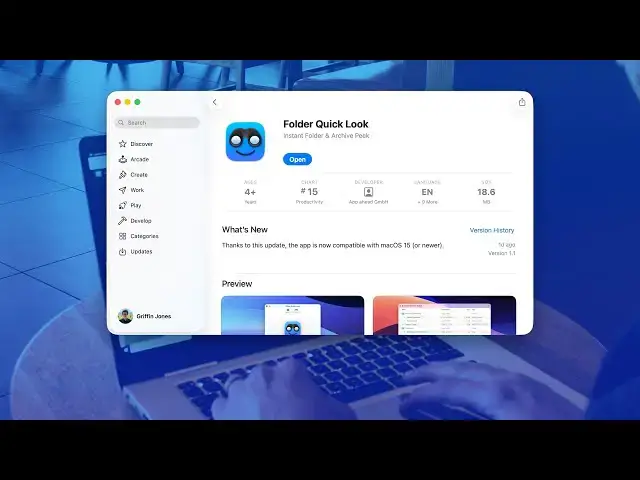
useless. Well, there's a new Mac app
0:41
that was just released. I believe it's
0:43
for Mac OS Tahoe called Folder
0:45
Quicklook. Um, it's free on the Mac App
0:49
Store. Data not collected, so it's not
0:50
spying on all of your folders. Uh, it
0:53
supports a bunch of accessibility
0:54
features, I guess. Um, actually, let's
0:57
see what the compatibility is. Oh, it
0:59
actually runs on Mac OS Sequoia as well,
1:02
15.6 or later. So, it's completely free.
1:05
You download it. Only takes a moment
1:08
because it's only 18 megabytes. And this
1:10
instantly fixes folder quicklook. Now,
1:14
when you quick look a folder, you can
1:16
see a whole list view inside and see its
1:18
whole contents. Uh so you can
1:21
sort by name um you know date modified
1:25
you know the these are interactive as
1:26
well sort by size preview preview all
1:29
these folders and suddenly you get a
1:30
whole list view even shows you the file
1:32
path below it. So uh super handy. I I
1:36
really recommend everybody try this out.
1:38
This uses like a feature called
1:40
quicklook extensions. So, you know, when
1:43
you install Photoshop, you can get a
1:44
preview of like Photoshop files or, you
1:46
know, when you install Microsoft
1:47
PowerPoint, you get a better preview of
1:49
PowerPoint files. All this does is it
1:51
builds a little u quick look extension
1:54
for, you know, the Finder so you can get
1:58
a quick look inside of your folders. You
2:01
know, no reason not to download it.
2:02
Honestly, I think this is a new
2:04
essential app that that I would
2:06
recommend everybody get. Uh,
2:08
it's completely free, huh? There's no uh
2:11
no inapp purchases, no no purchase
2:14
price. So that's a solid recommend.