Up next in 10



Send us a text: https://www.buzzsprout.com/twilio/text_messages/2453212/open_sms
Longplay: https://apps.apple.com/us/app/longplay-album-player/id1599401757?itsct=apps_box_link&itscg=30200
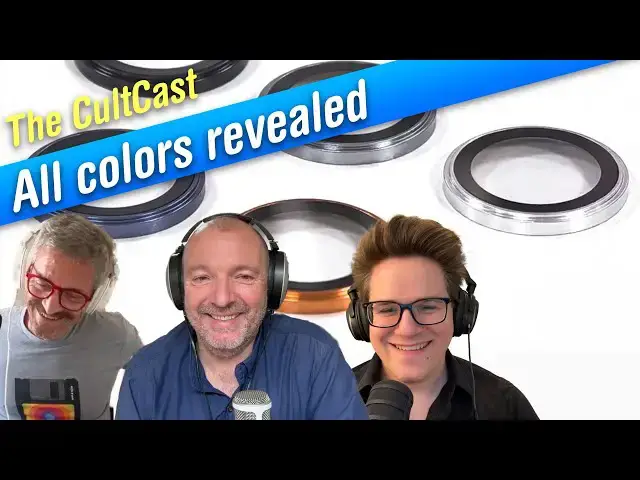
This week, Graham joins Leander and Griffin to talk about when we can expect the M5 MacBook Pro, iPad Pro and MacBook Air, M4 iPad Air, iPhone 17e and new Studio Display! Also: All iPhone 17 colors leaked, the health metric you should be paying attention to, a great new Mac app, and our weekly setup and listener question.
More Apple news: http://www.cultofmac.com
Produced by Extra Ordinary for Cult of Mac
Chapters:
0:00 Intro
2:34 Apple Core
5:22 M5 MacBook Pro
12:04 Apple product roadmap
23:29 iPhone 17 colors
32:42 Heart rate recovery
41:06 Setup of the week
50:05 Longplay for Mac
56:59 Listener question
1:02:12 Aftershow
Show More Show Less View Video Transcript
0:02
Okay. Hello and welcome to the Coldcast, the most mediocre Apple podcast you're going to hear all week long.
0:09
I'm your host, Lyanna Katy. And joining me today, we have G. Griffin Jones coming in from Ohio. Welcome, Griffin.
0:15
Good evening. And also Graeme Bar coming in from Barcelona. Hey, Graeme. Hola.
0:21
Hola to you. Come and see us. I guess we probably should have mentioned last week that um Lewis is going to be gone for
0:27
another this this show and another two weeks after this. He's he's the kind of American to make fun of Europeans for
0:33
going on like really long vacations and he himself disappears in Barcelona and the United Kingdom. I don't know where
0:39
he is now. A whole month. Yeah. So I know. Yeah. Very very European of him.
0:44
Yeah. I know. He uh if he comes back, we'll see. Who knows? Uh
0:52
he's joined us Eurot trash now. Oh, he really is. Yeah, him and his Well, the him and his wife are obsessed
0:57
with Italy. They just they go to Italy every opportunity they get. Um he goes to a truffle festival every spring where
1:05
it's a week-long festival of truffles and they get to taste the whole town, you know, got it gets turned over to
1:11
truffles and and they get to try all these different truffles and everything's got truffles on it. I'd be
1:16
ill as a dog, you know, after about a day of eating that stuff because it's way too rich for me. But he has a he has
1:22
a stronger constitution. I'm I'm surprised his wife is still allowed in the country of Italy. I'm sure you can only be there a certain
1:28
number of times without being a citizen, but Oh, she pushes the limit. Yeah. Yeah. Yeah. Well, maybe that's why
1:34
they're in Germany, I think. Maybe to like, you know, get the get get the visa stamp or whatever they need, get Interpol off their backs.
1:40
Yeah. Yeah. Yeah. they um well anyway this week we're going to talk about uh a
1:45
whole bunch of super fascinating topics um and we're going to be talking about
1:50
uh the machines that are going to be coming that were expected this year but are now delayed until next year. Uh and
1:57
there's a whole bunch of hardware that uh is expected early in the year from Apple for some pretty some pretty exciting stuff. Um, and we're that we're
2:04
gonna get Graeme is going to get show us how to um use uh the um recovery uh
2:11
whatever it is in the heart rate recovery. I actually do I actually do use this
2:16
myself. I completely forgot what it was though. Yeah, heart rate recovery, which is actually a really cool feature, isn't it? It's supposed to tell you when
2:22
you're when you're good to go for um for exercise or not. Um, and uh, we have a review from from from Griffin, which I
2:29
thought went really well last week when he showed us his play date, and he's got something else to show us this week. So, this week's uh, show comes to us
2:35
courtesy of Apple Core. Graeme, would you like to tell us about Applecore?
2:40
I would love to tell you about Apple Core. So, uh, uh, yeah, Apple Core is a podcast that I present with my co-host,
2:47
Charlie Serell, who has is a an occasional guest of this show as well. And we have a regular recurring guest in
2:54
Mr. D. Griffin Jones, who has joined us on multiple episodes of Apple Core, and I'm hoping we'll be joining us again
3:01
real soon. So Apple Core is a podcast about the history of Apple and in each episode we travel back in time to look
3:08
at a different Apple product and consider what it tells us about where
3:14
Apple is heading. And you know I think one of the really interesting things to me about Apple as a company is the way
3:19
these patterns in what they do reoccur. So there's a way in which Apple thinks
3:24
about things and even as the leadership has changed over the years a lot of these patterns have remained constant.
3:30
So, I think I mean if if you're an old geyser like me, it it's it's interesting
3:35
to go back and remember the the glory days of Apple and Steve Jobs return in 1997 and all the incredible things that
3:41
he did. And even going back before that, you know, uh we've done episodes on stuff like the the Apple Newton, which
3:47
Griffin joined us to discuss being a Newton afficionado himself. And I I I
3:53
think it's interesting as as a trip down memory lane to think about Apple's history. It's such a fascinating com
3:59
company, but I think also looking at the history of Apple gives us clues about where the company might be heading next.
4:05
And you know, that was very much one of our ideas about uh about the podcast is
4:10
even if you're not interested in Apple history, if for any reason you want to know what might be next on Apple's
4:16
agenda, then having an understanding about where the company has come from can really help with that. So, you know,
4:22
I think it's it's it's a fun show. We have a lot of fun in each episode. The the last one we did, which Griffin
4:27
joined us on, was about iOS 7, which was the last major redesign of iOS before
4:33
iOS 26 that we're now looking at this this September. And it introduced this flat design style. And so we look at
4:41
where flat design came from um because it wasn't Apple's idea. And we look at
4:46
the the story of skuomorphism and the boardroom drama that led to scrapping
4:52
Steve Jobs's favorite visual language of skuamorphism in favor of Johnny Ives minimalism. And uh so I think that
5:00
that's a really interesting story. There's lots of backstabbing, lots of drama, and lots of design insights, too.
5:05
And so yeah, wherever you get your podcasts or head on over to applecorepod.com
5:11
um and and check it out. would really love you to join us on on that podcast as well as this one.
5:16
Yeah. Yeah. Yeah. Apple Apple uh Applecore Pod.com. Yeah. Very cool. Very cool. And so, actually,
5:22
Graeme, back to you again. You've got the first story. We were all hoping to get new MacBook Pros this year with the M5 chip, but you've got some bad news.
5:31
Potentially bad news if the rumors are correct. That's right. Yeah. And in fact, this story relates to the the
5:36
listener question that we had last week. Um, last week a listener asked us, should he buy a MacBook Pro now or
5:44
should he wait until September when the M5 MacBook Pro would would be coming out? And well, news flash, it now sounds
5:51
like the M5 MacBook Pro might not be coming out this fall at all. So, um,
5:57
let's see. Apple has been planning to release new 14in and 16inch MacBook Pros cenamed J714 and J716 later this year
6:06
with M5 chips, Bloomberg reported on Thursday. But Apple is now internally
6:11
targeting a launch early next year. Bloomberg Bloomberg's sources apparently did not give a reason for the potential
6:17
delay, but it doesn't seem to be related to the M5 processor given that an M5 an
6:22
M5 powered iPad Pro is allegedly still on track uh to launch this fall,
6:28
replacing the M4 version from spring 2024. So, a redesign is reportedly coming for
6:35
the MacBook line, but not until the M6 version, which is currently expected in late 2026. Um, I guess as soon as I
6:43
heard the story, what I thought is, "Oh, I hope they're delaying the launch of the M5s because we're getting some redesign." Well, it doesn't sound like
6:49
that's the case. The redesign is potentially not coming for another year anyway. So, it's it's not immediately
6:55
apparent what this delay is about. And this is a rumor, so we don't know if it is a delay. Yeah. And even if it's not
7:01
really a delay because Apple never said they were coming out in September anyway. But I guess
7:06
this is kind of like this is just us in the blogersphere like, "Oh my gosh, oh my gosh, Apple's not releasing them in
7:12
September." Well, they never said they were going to. You know, it has been the pattern for a few years where like uh three out of the last four
7:19
MacBook Pros have all been released in October or November. You know, the the first M1 Pro and Pro and Max MacBook
7:26
Pros with the with the M1 generation. The only one that was delayed out of the
7:31
fall into the next spring was the M2 generation MacBook Pros, but my understanding is that was because of, you know, the the last, you know, wave
7:39
of co supply chain things pushing things back. I don't know why they're delaying the M5. I guess they just want to debut
7:45
it on the iPad Pro first. I don't know. Well, my my guess this relates to binning would be my assumption that the
7:52
yields are not what they want yet or what not what they need. Um and maybe you know because they the the foundry
7:59
when they make these chips then they they test them and some of them they can't get all the GPUs to work they got
8:05
and and so you know they they they might have some which are of a quality that are sufficient for the iPad Pro but the
8:11
the yields of the ones that are of the quality to use for a MacBook Pro are not uh being manufactured in sufficient
8:17
volume yet. I think that that's most likely this is a new process for the M5s and I I just think their foundaries are
8:25
are still getting up to speed with the new process and you know this is like
8:30
cutting edge physics let alone you know manufacturing the stuff that they're doing here to make these these
8:36
incredible chips and so things don't always go to a smooth
8:42
annual plan. you know, they're they're butting up against the the physical limits of reality as we're getting down
8:47
to these these tiny tiny processes. And um so that would be my best guess if if
8:53
it's true that Apple was going to ship MacBook Pros this fall and is now not
8:59
going to ship these M5 MacBook Pros until spring next year, then I would
9:04
think that um you know, yields uh of of the the chips is is the likely likely
9:09
culprit. Yeah. I guess the other the other reason that I just thought of is that well the iPad Pro only gets the base M5 chip but
9:15
the MacBook Pros get the M5 M5 Pro and M5 Max so it could be a delay on those
9:22
bigger chips that's pushing things down or later as well. Yeah. Yeah. Well,
9:27
they're just not getting the yields on the on the Pro and Max. Yeah, that sounds like the most likely explanation, especially if there's no redesign coming. I What other what other
9:33
components could possibly be constraining the supply? Like you said, it's it's a new chip, a new process. um
9:40
they're probably like you said having trouble getting the the the the you know the this is three products they're going to be launching with the new chip. Now
9:46
it's going to be constrained just to one and and the other two can come along when they've got a good back supply of of the necessary chips
9:53
which is a bit surprising because I I think we've heard that the M5 isn't going to be a die shrink. It's still going to be the uh you know a 3
9:59
nanometer chip, but it'll be on a slightly improved 3nanometer process that that TSMC has. But I I think we've
10:07
like the the gist that we've got from the rumor mill is that also that the the M5 isn't going to be a very dramatic
10:12
leap forward. So I guess I would think that it wouldn't be a particularly
10:17
Are they making this one in Arizona yet or only being made in Taiwan? Arizona, the one that the plant that
10:23
TSMC is building in Arizona is intentionally not going to be the latest technology. I think they would be I
10:29
think they said that'll be like a five nanometer plant. So they would only be able to manufacture some of their older
10:35
chips. Older chips. Wow. Really? Huh? I went and visited it with my father-in-law. We drove out. He lives in Phoenix. Yeah. It's massive.
10:41
It's an enormous enormous plant. And the whole area now is like Little Taiwan because um all the workers that came
10:48
over to live there. So there's all these in all the strip malls of these Taiwanese cafes and restaurants. And um
10:54
it's uh it's right on the edge of of of the desert, you know, with in in Phoenix. and and it took them and oh my
11:00
god it was a huge building project. You can see it actually from Camelback uh uh no not camel Thunderbird Park one of the
11:07
parks in the middle of the city that looks out over the sort of north west of
11:13
the city. You can see this enormous plant that like right because al Phoenix is very low lying you know just sprawing
11:20
suburbs across the desert floor flat as a pancake and then there's this massive massive plant you know right that you
11:26
can just sort of see in the distance so it's quite quite you take any pictures of it um I I no because it just they just
11:32
wouldn't you know they just it just wouldn't translate into a good picture you know I mean it's something you can see with your eyes but nothing you can
11:38
you can and of course we couldn't get in to see the inside of the plan and the outside isn't that interesting
11:43
there hasn't some tubing. Interesting tubing. It's a bit pompadoo center, but
11:48
that's about it. You know, like it' be all their cooling systems, I guess. I think so. Yeah. Yeah. Yeah. Yeah. Yeah. I'm surprised that it's
11:55
Well, you you have to wear a bunny suit to go inside. Oh, sure. Like the old Intel commercials. Yeah. Right. Yeah. More likely.
12:03
All right, let's move on. So, Griffin, you're going to tell us about um everything that is coming.
12:08
Yeah. everything that is coming next year, right? Which is actually a boat buttload of stuff and some some and and and and I'm particularly excited about
12:14
one one product. But anyway, tell go ahead, tell us what is coming next year. Uh so yeah, so we have the the new
12:20
MacBook Pro coming in the spring, the M5 iPad Pro coming the autumn. Uh as for
12:25
the M4 iPad Air, Bloomberg reports that the updates will land in March or April
12:30
next year. A refreshed $350 base iPad with a faster processor will be
12:36
launching alongside it. So, updates to all three iPads within the next 12 months. Uh, both tablets will get a
12:43
minor spec bump. No major design changes, but they're pretty good design, so I don't think anybody's upset about
12:48
that. Uh, Apple also plans to launch the iPhone 17e. So, this is apparently now
12:55
going to get annual updates. It'll look similar to the 16e, but will include the A19 processor to match this year's
13:01
iPhone 17 line, according to the report. and they're going to adopt a yearly
13:07
refresh cycle with that going forward. So, that's that's good. I think I think everybody's hoping like will the 17E get
13:14
Mag Safe? I think that'll be the big question, right? That was the big thing missing, wasn't it, from the 16E
13:20
and of course it's one of the best features you can get on a phone. So, it's a big big thing missing. If they
13:26
did do that though, I mean then what what would stop you, you know, wouldn't it cannibalize the the regular iPhone
13:32
lineup because that the difference is it's got the same processor that's got Mag Safe. It looks more or less the
13:37
same. Um, I don't think that would be a big thing stopping them now because you could
13:42
still buy a 16e and just put it in a CA case that has Mag Safe on it or you can stick stickers on it. I don't think Apple's worried about
13:48
cannibalizing sales as long as they're being cannibalized by Apple. They they just want you to buy an iPhone
13:53
no matter what. Yeah, that's always been their philosophy. Yeah, Apple has such a checkered history with with the with the lowc cost iPhone has
13:59
never never nailed it and they've definitely haven't been I mean they've released what three now that have been
14:04
18 months apart or something like that. Um so they never been able to hit that yearly cadence which seems kind of crazy
14:11
um that they haven't been able to do that. So it's it's kind of welcome I think um for for price sensitive
14:16
customers and I I love Apple's low-end stuff like all the budget stuff I think has gotten really really good lately.
14:22
The budget iPad is is phenomenal. I mean, that's about as much iPad as as I personally need from an iPad. And it has
14:28
all the modern features now. USBC, um, a full screen design, no horrible home
14:33
button anymore. Um, it uh, and it's plenty snappy enough, you know, to for for the kind of media consumption I use
14:40
an iPad for. I think it's absolutely f and and the price is crazy, you know. Uh
14:45
you can get you could pick it up for like two it's uh now priced at what uh what was the price at three
14:51
350 350 but you can usually get it for about 300 can't you? And and uh recently went down to 279 I think or something like
14:57
that. So I think it's a it's a bargain and I genuinely loved the 16e like when I when I had it. I I felt genuinely sad
15:04
when I went back to my 16 Pro because like it's you need you need to hold you need to go to an Apple store and hold
15:10
one in your hands and you'll just be like oh my gosh this phone is so light. The lightweight is just incredible.
15:16
Here's a big surprise, though. Apple supposedly plans to launch a new studio display early next year as well.
15:23
So, they released a studio display and they haven't revised it, I think, since 2021 or 2022. And of course, all these,
15:32
you know, third party display makers have now caught up to it. So, you can buy like a 5K 27in display with
15:37
virtually the same screen panel for like half the price. now $1,000, $800. I
15:43
mean, I'm looking at one right now. I have the uh Vonic display, which actually surpasses it. It has a 75 Hz
15:49
refresh rate over 60. But it's it's a big problem because like a lot of these people have these nice MacBook Pros with
15:56
these fancy like liquid retina XDR super turbo displays that I don't Apple keeps
16:02
throwing on more adjectives on it, but the MacBook Pro displays are so excellent and then you plug it into a studio display and you're looking at a
16:08
worse display. Yeah. that's just bigger. So, I think they have some room to improve that like
16:14
moving it to mini LED. Now, this is this is very much a confirming rumor because we have this
16:19
has been on the rumor radar for a while now. The studio display like I got a new office and a new desk uh at the
16:25
beginning of this year and I wanted to get a studio display for my new for my
16:31
new desk and because I'm an Apple fanboy, it had to be a studio display. I didn't want one of these third party
16:36
ones. And it just, you know, because the rumors are that there is this new one
16:42
coming, then I've been holding out. Um I will admit, um contrary to my advice last week of buy it when you need it, I
16:49
have been holding out. Yeah. Because I'm a hypocrite. So I've been holding out for the new studio display.
16:55
What I did do was I thought, well, I wonder if I can buy an, you know, a cheap secondhand one. And I I you know,
17:00
I would if I found one a good price secondhand, I would buy that. Is there a market? Are there any? Are there is there a market for them? Are there, you
17:07
know, do people not, you know, when I was looking on the the secondhand sites that we have in in Spain, there were
17:12
people like selling them for more than Apple sells them for. So, no, I so far I haven't found any
17:19
good deals there. I I would be up for a a secondhand bargain there, but um yeah,
17:25
I haven't seen any. So, I'm excited about this. You know, I'm looking forward to have a gigantic display. I do a lot of work in Adobe Premiere Pro and
17:33
I have it all on my laptop screen and having all of those windows all jammed in together, it's hard and uh stuff like
17:39
After Effects as well. To have a gigantic uh studio display would make my life so much easier and so yeah, I can't
17:46
wait for that. We have still more. Apple is working on a MacBook Air refresh likely with the M5
17:52
chip that'll also be launching in the first half of next year. And not to forget Apple's long rumored smart home
17:58
device hub. Maybe it's a HomePod. Maybe it's just a smart display. Maybe it's a new thing. Who knows what it is?
18:04
Robotic arm. Yeah, robotic arm. Uh, but it'll only launch once the new Siri make its public
18:10
debut. So, that'll probably still be in the cannon until 2028, if not longer. My goodness me. Yeah.
18:16
I I thought this was interesting. Mark German makes no mention of the rumored lowcost A18 Pro powered MacBook that
18:24
other sources are saying is coming this fall or sometime soon. Mark German doesn't mention it at all. So that's
18:30
curious what is going on. Yeah, I mean that that one was going to be like 600 bucks, wasn't it? And that made a big that was
18:36
a big big deal. I mean potentially a big deal. Another lowcost, you know, entry- level product that sounds really pretty
18:42
good. My guess for that, I've thought more about the price and considering that they have the, you know, the the
18:48
the M1 Walmart MacBook Air at what,700?
18:54
No, $650. They have the And then on the other end of the they have the the entry level M4 MacBook Air at $1,000. I'm
19:02
thinking this new computer is probably going to be $800 full price from Apple
19:09
and in the education store 750. So, a $100 price increase over the M1
19:15
MacBook Air, but it is a new model and they'll be able to say, "Oh, well, this is new." It'll probably have more memory than the M1 MacBook Air that they sell
19:23
through Walmart because that's still only at 800. Yeah. Which is too little. Too little. Yeah. Yeah.
19:28
Yeah. Good. I'm thinking a strong 750 in the education store and 800 at apple.com.
19:33
Good theory. Sounds Sounds right. Which is $200 more than what everybody's speculating, which is how you know it's
19:39
probably going to be true. Oh, right. Yeah. I like the logic there. Yeah, Apple doesn't do cheap. They do
19:45
value, but they don't do cheap. And it'll still be a good value. Like the the the single core performance on the A18 Pro is faster than the M1 by a
19:53
significant margin. It'll still be a faster computer in a lot of respects. That's crazy. But yeah. Yeah. Well, value is is for sure.
20:00
I mean, everything is top-notch. The silicone, uh, the industrial design,
20:05
they finally got, you know, nailed things like the keyboards and, uh, uh, the trackpads are wonderful. I mean,
20:10
they're just really, really beautiful machines. I've got a an M2 MacBook Air and it's just unbelievably gorgeous.
20:16
Can't believe how lovely it is. Um, I've got a whole bunch of like old power books in the basement that might, you know, that we've destroyed over the
20:22
years and I haven't got around to recycling yet. And I look back on those and I think, "Oh my god, they really are kind of not that great.
20:29
Don't recycle them. Mail them to me." Oh, really? Do you want them? I got a whole bunch of old Apple hardware down there.
20:37
They'll they'll retire to my farm upstate and they'll live a happy life. Okay. All right. Well, that that makes it easy for me. I'll I'll box it all up.
20:45
Actually, just last night, uh I was going through some stuff with my partner and they they apparently discovered they
20:50
had an iPod that was actually on my want list, the sixth generation iPod Nano, the tiny little square one that's like a
20:57
proto Apple Watch. Okay. And oh, I was like, "Wow, this is this is exciting." I plugged it in and just
21:02
this morning I went to take a look at it and although it had a charge and it was working perfectly fine last night, this
21:08
morning the screen had popped off because when I plugged it in the battery had expanded. Do you still use Are you still using
21:15
yours, Graeme? Uh I have a whole collection of I bought every iPod when it came out, you know,
21:20
because I'm that old. And uh yeah, I I still have them all. Some of them don't work. Others only work when they're
21:26
plugged in. And some of them kind of work sporadically. But I also have this uh I have a an iPod hi-fi. I
21:33
know you've got one in your garage, haven't you, Leander? I I think you mentioned that in a previous episode. I did. And uh I love that, you know, and I love
21:40
sticking my iPods into it and um listen to all the dad rock that I have on it
21:45
from way back in the I got two of the old original iPods and one of them actually came from the
21:50
launch. Um uh unfortunately that too it's got a swelling battery Griffin so
21:56
that it's um I'm afraid to touch it because I think it's going to explode in my hands any minute. And I I've been
22:03
debating whether to to revive it or not. It um I I charged one. The trouble is one of them has got a that flashing sign
22:10
where it's got no where it can't recognize the hard drive. That's the one with a battery that's okay and then the
22:16
one with a dodgy battery won't go on at all. So I was wondering whether I should open them up and swap them around, but I don't know. I can't be bothered.
22:22
You could sell them to somebody who will fix them up. Like iPods especially have like a really long shelf life. Like just
22:27
replace the hard drive and you've got a perfectly good music player. Like people will mod them. People will put different operating systems on them
22:32
and you can find all those parts. Like they're although some of them are like glued together in some places, they're actually pretty easy to operate on just
22:39
because it's before, you know, the modern miniaturaturization technology that makes an iPhone just impossible to do surgery on.
22:45
But now with Tahoe, they're scrapping support for FireWire. So, I think that
22:51
that's going to be the end of the line for some of the original well for the original iPod. Yeah. Yeah. Firework. My goodness. I
22:57
mean, look at that now. What it's a crazy connector. It's so big and chunky. Huge. That was a huge breakthrough at the
23:02
time, though. I can't wait till I hear the Apple Core episode on that, Graham. Cuz actually, it was a breakthrough,
23:08
wasn't it? I mean, it did. It was a precursor to a lot of, you know, to USBC now, right? And Oh, for sure. Yeah. Yeah. Do you know
23:15
there's some topics like the original iPod which I've been saving because I feel like we really need when we're
23:21
really in our groove then we're going to do some of those episodes and and the the classic iPod one. I'm looking
23:26
forward to that. Yep. Yep. Very cool. All right. So, uh the next story we have is actually a
23:32
strange one because this is like uh about the iPhone uh the colors of the new iPhone um 17 series coming up in
23:39
just a couple of months. It's actually, you know, much closer than than you might think. Um, and this one's a strange one because it's actually sort
23:45
of it's not a rumor. It's confirmation if if Macworld, which has the scoop, is to be believed. They claim to have got
23:51
hold of internal Apple documents that actually details the precise panone
23:56
colors that are going to be used in the upcom upcoming iPhone 17 lineup. Um, and
24:02
you know, that's that's quite a quite a score on their behalf, you know, because usually it's like, you know, you see
24:07
renders and stuff that come out of case makers or the supply chain. Yeah. Last year, everybody knew that
24:13
like, you know, desert titanium was going to be like this sort of the rumors were suggesting it was going to be like a bronze color and that was
24:19
just completely wrong. It ended up being barely gold. But these are like solid panone references.
24:25
The precise numbers. Yeah. I've never seen this before. I mean, we had the the rumor that we previously was uh based on
24:32
um uh the uh the the lenses, wasn't it? The little lens modules. And so, you
24:38
know, they were colored and you could so this actually confirms that previous leak and but the, you know, it was
24:43
difficult to sort of imagine what the thing was going to look like without having these uh these precise color
24:49
references. But anyway, now it's all spelled out and it's actually, you know, like a a bigger range of colors than
24:54
Apple's offered previously, mainly because they now have this new iPhone Air model. So there are um colors for
25:02
the base level iPhone 17, the iPhone 17 Pros, and then the iPhone 17 Air. Um and
25:10
the colors for the iPhone 17 Air according to Macworld um are going to be uh lighter colors
25:19
which are supposed to emphasize the lightness of the air. Uh and these will
25:25
be where is it? um black, white, light blue, and light gold. Light gold.
25:30
So, this this confirms that the the the image that we saw last week on the show, you know, black and white, but then just
25:36
like barely blue, barely gold on the 17. Well, this is because it's made out of titanium, isn't it? That the frame for
25:42
the iPhone 17 air because it's so thin is um going to be made out of titanium. Uh this is related to another rumor
25:49
which uh which was just recently that um the iPhone 17 Pros instead of using the
25:55
titanium that the current 16 Pros use, they're actually going to switch it back to aluminum. So they'll have an aluminum
26:02
frame instead of a titanium frame like the current lineup does. And this, you know, of course is like, you know, why
26:08
why would they do that? It's aluminum being a little less premium than titanium. But I think it has a lot to do
26:14
with the colors. I think the colors this year um like you said, you know, people were expecting a bronze phone, something
26:20
that was um kind of attractive. Instead, they got this awful desert titanium,
26:26
which is kind of like I think it left a lot of people disappointed. You know, the titanium is a lovely material, but
26:31
you can't it's not easy to color. It's not easy to tint, which is and and I think this is the reason why Apple's
26:36
reverted to aluminum with the um with the 17 Pros because it's easier to get, you know, more vibrant colors. And the
26:43
colors there are supposed to be black, white, gray, dark blue, and
26:49
orange. Orange, right? Bright orange. Yeah. Yeah. Yeah. You know, as soon as I heard the orange
26:55
rumor, my mind went straight to Louis. And it's like, finally Lewis can have like an iPhone Pro with like a really
27:01
gaudy, vulgar color. You know, this this is what he's been wanting all these years, and now we can
27:06
have a bright orange phone. Well, it's not gay, is it? If you look at it, it it's actually kind of a you know, it's a muted orange. It's not it's
27:13
not a really bright orange, I guess. But my my mind first of all went to, you know, the the international
27:19
orange on on the Apple Watch Ultra, but it's not really that it's not international orange, is it? No, it's not as bright as that. No, not
27:25
at all. It's again, it's a kind of a muted color, but Apple's long long, you know, felt that um the pop colors
27:30
reserved for the the the standard products, the base level of products, and the Pro line has always been in more muted colors. you know, like give it
27:37
makes it a little more sophisticated, a little more um you know, it it's not quite it's not poppy, it's not bright,
27:44
it's not colorful. They're muted colors. But I in some ways, I mean, it's always kind of like kind of a
27:49
It's much more orange than I was expecting. Like it's it's pretty vibrant. It is. Maybe maybe my I've I've just had my my
27:56
expectations dulled for so many years, but I look at that and I think that is orange right there.
28:01
Orange. Well, every year people agonize over these decisions. what color am I going to get? And then the first thing
28:07
they do is they slap it in a case and you can't see and you never and you never get to see what color it is anyway. People ask me what color my
28:12
iPhone was. I I literally have to go look at it to tell you I've forgotten. And on the standard iPhone 17, our
28:20
colors are going to be black, white, steel gray. So, I guess they're introducing a new neutral gray on that
28:25
one. Green, purple, and light blue. So sadly they're they're losing the pink,
28:31
which I understand was a pretty popular color, but I mean purple's pretty good, too. Is it a bit weird that they're calling
28:38
it steel gray when it's aluminum? Yeah. Yeah, good point. Even to the point of actually
28:44
problematic because then you're calling it something which it explicitly isn't and you used to make. I
28:50
there's something there in the room which doesn't track through because I just feel like Apple's legal be beagles would be all over that. The marketing
28:58
names are usually like the last thing to leak. So, I don't know if I would that like steel gray might just be the
29:03
name of the panone reference color that they're going for. Okay. And maybe not like what what Apple's going to call it. But
29:08
it also makes me think of Zoolander, wasn't it? Like steel blue was steel blue.
29:13
Was Zoolander's Yeah. Oh. Oh, you can do still blue. Incredible. A lot of people are saying, well, oh
29:18
well, you know, they've been selling us on titanium for so many years on the pro phones. Why are they going back to
29:24
aluminum? I think the benefits of titanium were kind of overstated in the
29:29
first place. Aluminum is lighter than titanium and I think stronger, which is why even on the titanium phones, it
29:35
they're only titanium around the outside and they're aluminum on the inside to get that some of that lightness and
29:40
strength back. So, I think it'll be an upgrade really because of all the
29:45
phones, the Pro Max and the Pro are the ones that really need to be lighter. I I think that it'd be interesting Catino's
29:52
spin on that because I mean you're absolutely right, but then Cutino told us titanium was better. So, I'm really
29:58
looking forward to how their PR team walks that claim back. Now, it's it's hard as a manufacturer. Um
30:04
it's much harder to to work with. Um and I I'm not really sure that there's a m
30:10
that much of a um a lightness premium. I mean, I only know about titanium and aluminum in bicycles. Um, and that
30:18
titanium bicycles are much much nicer than aluminum bicycles. And they aren't that much heavier. In
30:24
fact, I'm not even sure that there is a difference in in weight because I think you can use a thinner grade of titanium
30:31
than you can with aluminum because it's stronger. So, it kind of balances out and it's a
30:36
much nicer material for a bicycle because it's it's actually quite uh pliant. So, you get a aluminum bikes are
30:43
awful. They're the worst bikes you can buy because they're really jerry that they're they're extremely harsh and um
30:50
to ride. I hate them. Uhhuh. Uh but a titanium bicycle is a
30:56
wonderful beautiful you know metal to ride on. It's it's actually quite it it's supple enough to to you know uh
31:03
absorb a lot of the road chatter and the vibrations. So it's it's actually a really nice material for a bicycle. Um,
31:10
for a phone, I don't know, but uh uh um you know, for a phone, I think they you
31:17
know that I was surprised actually they went with titanium because it's it's hard to to work with as a as a metal,
31:23
but they're doing unibody, you know, so they they cast the the frame and then of course they cut out everything that they
31:28
don't need. So there's no issues with with with as far as I know with casting and and things like that. Um and the
31:35
same with the aluminum as well. So maybe the maybe the manufacturing is very similar. Um they're using very similar
31:41
processes. It's not the first time they've gone from uh titanium to alum to aluminum
31:46
though, is it? Because they had the titanium PowerBook G3. Yeah. G4. Yeah. They're like the first the first kind of
31:53
Steve Jobs when he shipped when he announced the PowerBook uh G3 with the aluminum
31:59
enclosure. Sorry, the titanium enclosure. This was before aluminum was a twinkle in Apple's eye at this point.
32:05
And he said that with this laptop, it was as good as a Sony Veo. And they combined the sex and the power. And um
32:12
yeah, I I miss that Apple, you know, like can you imagine Apple selling a product now as combining sex and power?
32:18
Yeah, it the way he kept saying this laptop has the sex just was kind of uncomfortable, but
32:24
it wouldn't fly these days. No. Well, that was one of the first things he said when he came back to Apple. He had this big meeting and
32:29
certainly and he was yelling at everybody. He said, you know, do you know what's wrong with this place? The products. The products suck. They've got
32:34
no sex in them anymore. Yeah. So, he brought sexy back to Apple and he he sure did.
32:42
All right, let's move on. Talking about sex, uh, Graeme, you're going to talk about um how you can monitor your
32:47
fitness gains with HR recovery, right? Yeah. So, this is like a a a
32:54
great feature of Apple Watch that I think not everyone knows about. So, I thought it was worth going through this with a a quick how-to. uh you know, if
33:02
you're starting out, you know, training, maybe you're training for a race or you're just training because you want to get in shape or whatever your goals are,
33:09
how are you going to monitor your your fitness gains, you know, how are you going to see, is this working and is
33:15
what I'm doing having some positive effect? And this is where I think I mean, there are lots of different things
33:20
you can you can look at, but I think heart rate recovery is a really great way of monitoring your fitness gains
33:26
over time. Well, quickly, Graeme, what is heart rate recovery? What does it mean? Great
33:31
question. I'm glad you asked me that, Alan. So, heart heart rate recovery is is really just what it sounds like. Say
33:38
you've done a workout, you're exhausted, you finish your workout, you're panting and sweating. How long does it take you
33:45
to recover from that workout? And the way that your Apple Watch is is monitoring this is during your workout,
33:52
the Apple Watch has got the the heart rate monitor going, but it doesn't turn the heart rate monitor off when you
33:58
finish the workout. It keeps it running for 2 minutes after the workout to see
34:03
how you recover. And what we mean here is how many beats per minute, your heart
34:08
rate slows. Um, so for example, if if you know you're doing a workout and you have 140 beats per minute, but your
34:15
normal resting heart rate is, I don't know, 60 beats per minute, how long does it take for your heart to get from 140
34:22
to 60? And how fast has it dropped in that first minute? And that first minute
34:28
from when you stop working out um is the is the most interesting one to look at.
34:33
So when you finish a workout, you can look at this on your Apple Watch or you can look at it afterwards in the fitness
34:38
app. If in the in the fitness app, if you go into that workout and you tap on heart rate and you scroll down past the
34:45
the heart rate information for the workout itself, you'll see the post-workout recovery and it will show
34:51
the first 2 minutes and you can see how quickly it's dropping. But an even better way to look at this is if you go
34:58
into the health app on your iPhone and this has changed in in iOS 26, but uh
35:04
you either go into browse or you go into search and you look for uh heart rate.
35:10
And then when you go into heart rate, you can then go into heart rate recovery. It's called cardio fitness.
35:16
And uh so if you go into cardio fitness, it will show you your heart rate recovery. And this is a figure where
35:22
higher is better because what you're looking at is how many beats per minute
35:28
did your heart rate go down in the first minute. And the quicker you're returning to your resting heart rate, the fitter
35:34
you are in a nutshell. And so this is a really great metric to look at. It's not
35:39
the only one. There's other things you could look at, too. You could look at uh, you know, how fast are you able to run or how far are you able to run or,
35:46
you know, cycle or swim or whatever it might be. But this is this is a really great one to look at. Um because what
35:52
it's showing is how is your body adapting to the exercise that you're doing. The faster you can recover from a
35:59
workout indicates that the the gains to the health of your heart. There's two
36:05
things that I would say to be aware of though. And the first is if you live in
36:11
say an apartment building and you get back from a run and you actually walk up the stairs to your apartment, then it's
36:18
measuring your heart rate recovery whilst you're actually doing more exercise. And so that's going to to mess
36:23
with your heart rate recovery. So if you're interested in monitoring your heart rate recovery over time, when you
36:30
finish your workout, it's a good idea to just have 2 minutes of rest. Don't do anything. If if you have to walk up the
36:36
stairs to your apartment, don't do that. Just chillax for two minutes to just let
36:42
your heart rate recover in its natural way so that you get the untarnished data. So that would be my my first tip.
36:50
Um the second tip would be don't compare with other people and be aware of
36:56
changes in your environment that might affect your heart rate recovery as well. So, what I mean by don't compare with
37:01
other people is everyone's different, right? So, your heart rate recovery is going to be very different to someone
37:07
else's. It doesn't necessarily even tell you that you're fitter than them. It might, but it's kind of irrelevant. What
37:12
we're looking at here is changes in your heart rate recovery because that's unique to you to see if your heart is
37:19
recovering faster than it was. That's what we're looking at. But the other thing is even when you're comparing with
37:24
yourself, you do want to look at trends over time. One of the things that I've noticed, I I live in Barcelona and in
37:31
the summer it gets very hot, right? And so in the summer my heart rate recovery is much worse than in the winter because
37:38
I'm literally I'm a sweaty mess and I'm panting. It's much more exhausting. And
37:43
when you're still in that heat after the workout, it's going to take you longer for your heart rate to recover because
37:49
like your your your blood basically has to pump around your system to remove all the heat. And um so heart rate recovery,
37:57
I can see this when I'm looking at long-term trends in my heart rate recovery that it it goes it gets better
38:03
in the winter and then it gets worse in the summer. So look out for those patterns, too. Don't be immediately disheartened if you're starting to see
38:10
progress in the wrong direction, particularly, you know, as we're moving into the summer months. But I would say
38:16
if you look at changes in your heart rate over a one month period, uh especially if you're starting an ex a
38:25
new exercise regime, right, then you should actually start to see some
38:30
improvement in your heart rate recovery and that that could be a really encouraging sign. It's a good thing to
38:36
look out for. And I definitely, as I said, look in in the health app rather than the fitness app and search for
38:43
cardio fitness and you'll find heart rate recovery there. And that that's my how-to.
38:49
Very good, Graeme. Very good. Yeah, I was just actually looking for it. Couldn't find it anywhere, but I'm Oh, I'm not I'm not going to waste time. Uh,
38:55
where's where's that moved in iOS 26? Because now they've reduced the number of tabs at the bottom to just summary
39:01
and sharing. On iOS 26, you have to tap on the magnifying glass bottom right. I see. Okay.
39:07
And then that that brings up the sheet that is called that used to be browse in the old health app. And I think you can
39:13
see cardio fitness in there. Well, silly me for assuming the search button was going to take me to a search field and not the rest of
39:19
I know, right? But this is a new UI paradigm. I think Apple's been inspired by the social media apps. You know, in
39:26
Instagram, if you tap on search, then it presents something similar of all these different things you might be looking for. And that that's a new design
39:33
pattern Apple's introduced in all their apps in iOS 26. My overall cardio fitness is apparently
39:38
low because the only exercise my exercise regime is once every two weeks I
39:44
which is a good two and a half hours on a push mower. But that means that means that you've
39:51
got lots of opportunity for improvement to optimize your your heart rate recovery. That's the way to look at it. That's the
39:56
way to look at it. Yeah. I wish I had looked at mine now. Mine's going down. Uh,
40:02
well, that could be because you're in the summer months. Well, it's it says above average, though, so that's not too bad.
40:08
Yeah, look at you. Yeah, I know. Yeah, the little humble break there
40:13
riding my bike. Actually, I I I the one the measure I was most interested in was
40:18
um my maximum heart rate, you know, it it decreases every year and as you get
40:23
to be an old geyser like me and like you, Grant, uh it um it goes down. So,
40:29
uh, I can't remember what it is now. It's 220 minus your age or something like that. So, mine was
40:35
Yeah. Although that's that's the model, but in reality, it's not always that. Yeah. Yeah. Yeah. That's that accurate.
40:41
It's a good It's a good, you know, guesstimate, isn't it? It's Yeah. Yeah. It's a guide. I I'd actually managed to get my uh
40:48
according to the, you know, the stats being gathered here, my maximum heart rate had increased to uh I think it was
40:54
176 or something like that. 178, which I guess is okay.
41:00
But yeah, well, it's always it's always great when you're you're beating old father time, you know. Yeah.
41:06
All right, let's move on because uh we are running out of time. Let's talk really quickly about this week's setup.
41:11
This week's featured setup. What we're looking at here is a very nicely laidout
41:17
desk which um has a uh it's a standing desk and on it we have a Mac Studio
41:25
which is connected to a Apple studio display front and center. So all so far
41:31
so good. But then to the left of it we have an LG 5K monitor which is set into
41:36
portrait mode. So, it's there on the left. And I don't know, you know, like something it's to the first thing I
41:42
thought is it's kind of unbalanced. You know, there's something about the the asymmetry of it that kind of that that bugged me. Um, plus the ridiculous
41:49
little fake plant to the right. That bug and that lamp. Is that a fake plant?
41:55
I like fake plants. I don't say anything wrong about fake plants. Stand it. And that lamp, too. That lamp
42:01
is really annoying me. It's got a It's got a white um paper uh lamp that's a
42:06
tall um rectangular shape uh to the right. Maybe it looks
42:12
better when it's on. Oh, and then the thing that really bugged me was the imagine the awful the awful Imagine
42:19
poster that's hanging above it all. Uh, but I I but I I know but the thing that
42:25
really con cons is is concerning Griffin is the placement here of the trackpad. So
42:34
you can see the keyboard in the front and then to the right of he's got what looks like a Logitech MX mouse, but then he's got a trackpad that's
42:40
above the keyboard above and this like some kind of anti- MacBook.
42:46
It's the opposite. Who who wants that? Very strange. So, I mean, if you if you use it, you're going to be you're going to get your your your your elbows all
42:52
over the keyboard or your forearm. So, it does Well, wouldn't Wouldn't he switch it? Wouldn't he he swap the mouse and the
42:59
trackpad? For some reason, he maybe some things he prefers the trackpad to the mouse. Maybe
43:04
that Yeah, maybe that's just its resting position and when he's ready to use the trackpad, he moves it around. But why would you do such a thing? Why would
43:11
you use Why would you have a trackpad and a mouse? Well, I've seen a lot of people who have
43:17
left trackpad, right mouse, and they use both of them in conjunction. And I've tried multiple times to be that sort of
43:23
person. Well, the idea being that like you have your your right hand for your mouse where you can be really precise with it, but you also have your trackpad
43:29
to the left for your swiping for if you want to swipe and do swipe gestures. People do that. You can connect two two
43:36
input devices at the same time and you're like a like a gr like a pianist, like some kind of maestro
43:42
swiping and mousing. Well, is is that a Bluetooth uh jog dial that he's got as well there? That that
43:49
circular thing be beside the trackpad. Um that made me think maybe he's doing video editing. Um
43:56
and maybe he is ambidextrous because he's got that there. And that makes me think he's using like the jog dial with his left hand while he's using the mouse
44:02
with his right hand. He also has a pen over on the left side of the keyboard. So maybe he's left-handed.
44:08
He's probably writing, mousing, and swiping and joging. He's an octopus. I
44:13
think this person has six arms. Right. Well, uh, and the last thing we should
44:20
mention, I think, is the speakers, which you can only see for some reason. I thought there was a pair of them in here. But, uh, on the right hand side
44:26
next to what is that? And there's a funny little screen there, too. Is that an Echo Show? It looks like an Amazon. I think that's an Echo Show.
44:31
Yeah. But next to that Echo Show, uh, is an old Bowowers and Wilkins speaker, which is pretty rare, but it's
44:37
apparently supposed to be really a fabulous speaker. Really, really beautiful speaker. I don't see the second one there though.
44:44
Um maybe he only has one of them. I mean I think like portrait display and
44:50
horizontal display like you get the best. It's a little unbalanced. I only think you only ever need one display in
44:56
my opinion if you have a 27 especially if you have a 27 inch display. But I can see the benefit of it. Like if you're
45:03
editing a if you're a programmer, you want to have like a big long list of you know code on a vertical display maybe or
45:09
you know certain kinds of tasks are good for vertical displays. Well, back in back in the 90s people in
45:14
design studios use portrait uh displays for like page layout. Um but uh I wonder
45:22
he's picked a good pair here because he he's picked a like a third party display that matches the size and resolution of
45:28
his studio display. Like it's virtually the same panel. What? But he only went 90% of the way though because this this
45:35
picture was taken and he very wisely uh had his Mac using the aerial screen saver when you know to take the picture
45:43
which is a great way to show off the displays without you know revealing anything on your desktop. However, you
45:49
can see that he doesn't have the displays aligned correctly because you can see the canyon on the vertical
45:55
display is misaligned from the can from the canyon on the horizontal display. So, he needs to go into system settings
46:02
and maybe arrange them properly so that they line up because the worst thing in the world when you have multiple displays is when you move your mouse
46:08
over and it throws off in like a completely wrong direction than what you're expecting. Ah, right. Yeah, good point.
46:14
My my my theory looking at this with the jog dial and the portrait display is
46:20
that he edits social media videos. That That's my theory. and he's got the portrait display and you know if he's
46:26
doing like Instagram or Tik Tok stories and then he plays them big on the big screen or you know like those video ad
46:32
panels that are portrait as well or you have like menu displays in stuff like Starbucks and I I think he's editing
46:38
that kind of video. That's that's my theory. That also explain why he has a Mac Studio as well. So I think that's a good
46:44
theory that we've done here. I I will say of the the setups that we've been covering so far, this is maybe the first
46:49
one that I would enjoy using, this is it's it it's nice. He has a lot of uh
46:55
tans and browns, which always excites me colors there. Beige, huh? You're beige.
47:04
I I can't see what the what the top twothirds of that I imagine poster are, but it does look kind of irritating to
47:09
me. But he's a John Lennon fan, right? Maybe. Maybe. Yeah. Or well uh the one
47:17
last question I had is why is there a light bar above the um the monitor? I wondered that too. Yeah, that's very
47:22
strange. Is it shining down on the monitor which like to add some glare?
47:28
Usually you would have a light bar in a dark room to like add a pop of color behind the displays but it's also on the
47:34
side display not on the one in the center. So it wouldn't be doing that very well. And it also appears to be a
47:39
very bright room with what looks like a lot of natural light coming in. So, I don't know when you would need to use it. I'm also confused by this strange
47:47
object he has on the far left on the sort of side table has like this big robot hand for holding cables.
47:54
If you if you look on the story on Cult of Mac, if you scroll down, there's a zoomed out view of the room cuz I was
47:59
curious about that as well. And it's a hand for holding cables. Oh, what? A hand. It's a It's like a robot hand for
48:06
holding cables. And there's a pegboard to the left of it. Oh, okay. I I didn't look at the the
48:11
zoomed out photo. Yeah, you have to look at that on cult. I say the rest of the room looks pretty nice. So, you could do with a little
48:16
better um cable management on the left here. But well, I would say Griffin, if you're a
48:21
beige fan, then yeah, you're going to like this interior decor.
48:27
Yeah, because it's a symphony of beige. It really is. It is. It's a standing desk. I tried a standing desk, you know,
48:32
had all these good intentions and it just hurt my back and my feet. So, I went back to slouching. Well, I thought
48:37
there was some research that standing desks were actually not good for you. Like that, you know, we we we've all
48:43
assumed it was virtuous in some way to have a standing desk, but maybe it's not. Yeah. Because standing stationary is
48:50
almost as bad as sitting, right? Yeah. But what what you need is if you want to have a standing desk, I mean, first of
48:55
all, you also need a standing chair or like a very tall chair that you can sit down when you want to. But I think
49:01
really the best thing that you can do is get like one of those like slim treadmills that you can walk on.
49:09
Have you either of you tried that? Makes me think of some Wall Street broker. Yeah. You know, like buy sell, you know, when
49:15
you're doing your workout as you're ordering trades. I actually have one of those. Like what what it's it's like a special kind of
49:21
treadmill that's like really really slim and portable and it folds and it collapses and all that. And I was thinking this would be great to use with
49:27
the Vision Pro because I can have my, you know, my windows like blown up full size in front of me, like spaced all
49:32
around me. But the problem is it it vibrates so much when I'm walking on it that I don't have a good spot for my
49:37
keyboard. So I was thinking, well, maybe what I need to do is I need to like build a custom stand that has like
49:45
really tall legs so that I can rest my keyboard and trackpad on. You should give that.
49:50
But that that that's an idea that I've had in the back of my head. I would be very interested to see that on the show here. So,
49:56
I think we should do that. We need we need the how-to right now. Maybe maybe I'll cover it on on on a
50:02
setup. That's a great idea. All right, let's table that. Let's move on quickly to um the review section. Uh can you breeze
50:08
through this real quick, Griffin, because we're running out of time. Uh you're going to show us Long Play, which
50:14
um I've never heard of, but it's Long Play for Mac. This is um using uh the
50:20
Apple Music API to to basically tap into your music library as you have it, but
50:26
it's an alternative music player. And the idea here is that it replicates uh
50:32
like the the the method of listening to music as if it were a vinyl record. So, you can start playing uh an album here
50:39
and it'll just play start to finish. I it it won't really show you the track list. You can skip forward. Well,
50:45
there's actually a setting where you can disable the ability to skip forward.
50:51
Listen like the old times. No skipping tracks. You can only pick an entire album at once. Or you can afford
50:56
yourself like a little bit of of modern features there. Do you have to turn the LP over halfway through?
51:02
I wish. That would be really cool. But um well, I I'm totally confused. Don't you
51:08
get this anyway? I mean, can't you just hit um if you if you pull up an album in Apple Music, you just hit the play at
51:13
the button at the top, right? And it'll play, won't it play the whole album? Yeah, but this is like a, you know, a fun specialized interface for it. It
51:21
it's it shows your your album art really big. You can you have like this album
51:27
inspector where it'll like show you all the tracks and these special stats. The the the the fun thing is that it has a
51:34
bunch of different ways you can arrange your album, your uh library as well. So you can sort it by how much you're
51:40
addicted to the to the tracks, how bright the album artwork is.
51:46
Uh you can sort them by negligence, so you know, music that you haven't listened to in a while, uh by how recent
51:53
you've played them. And you can tie this into another feature where you can you
51:58
can have like albums you listen to a lot like physically bigger than other ones. So you can you can mix that. Yeah,
52:05
that's that's that's an good uh visualization. So, you see like a a big mosaic of album
52:11
artwork and like some of them are really huge, some of them are really small based on how much you like them. Like you can size them by star rating so your
52:18
favorites are bigger. Uh that's cool. A lot of stuff. Is is this is this yours? Are you into
52:24
Holston Abba? Yes. Yes. This is my own personal music
52:30
library that I'm showing here. Pink Floyd. like it is a very eclectic uh taste in music that I have. My my
52:38
favorite uh musical artist which I can't play here because of you know copyright reasons is an indie rock band called
52:44
Driftless Pony Club. And I will say that nobody I have introduced them to has ever liked it.
52:51
But that it dominates my Apple Music replay every year. Uh they have a little
52:58
just like the music app. There's a mini player that you can bring up. So you can minimize the main window and just show the mini player that'll show you like
53:04
the track list. It has some cool animations here. Like when you flip it around, it does like that, you know, physical flip animation that like, you
53:11
know, that's nice. There there's a sort of there is an old school feel to this. It reminds me of old Apple software, which
53:18
I'm very partial to. Yeah, I like term coverflow when you used to be able to scrub through the
53:23
Yeah, exactly. the albums. That's the word I was looking for. Yeah, coverflow. So, they've had a
53:29
iPhone and iPad app and I think even a Vision Pro app for a while now, but this is the first time that they're launching their Mac app and it's a it's a very
53:36
nicely made Mac app. So, how many stars out of five would you give this uh Griffin?
53:41
I'd give it four stars out of five. It's a very nice lab. Is it free or do you have to pay for it? It is a onetime cost of I think $25 on
53:49
the Mac and they might have a different pricing situation on iOS, but uh yeah,
53:56
one time no subscription. It's really nice. It's it's a fun way to browse your music library. And I've been using it.
54:01
I've really been using it a lot. I've been on the test flight for a few weeks now, but it's really gorgeous if if you
54:07
carefully curate your music library with uh perfect album artwork. I even design my own album artwork if I don't like the
54:12
the stock artwork that it comes with. Uh, you know, it really puts That's like in the old days of tapes,
54:17
isn't it? When you made tapes, you used to make your own um uh mix tapes. Mix tapes. Yeah. Well, or when you
54:23
pirated something, you know, like uh you copied somebody's uh album and then you you'd have to but
54:30
then you'd have to like, you know, photocopy the photocopy the uh the album artwork.
54:36
Yeah. And then write on the spine, you know. I have photocopied some of these. I have
54:41
in my music library a lot of old uh recordings of the Ohio University
54:47
marching 110 and to get the artwork for it like these old vi like 50-y old vinyl
54:53
records I found like a book in a library that had pictures of all of them so I scanned that page of the book and then
54:58
cropped them and that's how I was able to get you're very dedicated my my my album's a
55:03
horrible mess and my my um you know my archive and and in fact I mean I don't really play anything these days except
55:08
through the home part so almost all of my music requests uh uh are verbal, you
55:14
know, like I I uh I just, you know, tell Siri what to play.
55:19
So, I haven't looked at one of these players for a long time. But I used to love albums and album like I had a huge
55:24
record collection and my dad had a huge record collection. We were all me and my brothers were all, you know, vinyl
55:30
junkies. We had an amazing record collection. Of course, most of them were like weren't put back in their sleeves.
55:35
Um, and they're in a big pile, you know, like stacked up in front of the uh in
55:40
front of the record player. And then of course, you know, they they'd all be full of dust and, you know, you you put something on and then it go it would go
55:47
flying ac the needle go flying across the record uh because you'd have to get up and I pull a huge clump of dust off
55:53
the thing. But the I do kind of miss that whole ritual, you know, cleaning the records
55:59
and stacking them up. You remember sometimes you had the you'd be able to stack one LP on top of another one and
56:05
so that when it finished the side it would drop down and then play the play the second record.
56:10
Well, you know, I thought there was a skillorphic opportunity here. I thought you were going to show us a mode where you can actually watch the record on the
56:17
turntable and I was when you said Vision Pro, you know, there's that Vision Pro app where you can play video on like 3D
56:23
retro TV sets. I thought this was going to be like that that with like turntables and you could get classic
56:30
Technics decks and you could, you know, be mixing and stuff. I haven't seen Division Pro, but I think I think the iOS app does have some
56:36
graphics like that where it'll show the artwork like spinning on a record. Love it. I might be wrong, but I'm pretty sure it does.
56:42
All right. Well, nice pick. Yeah. Uh, and obviously you can get this in the Mac App Store.
56:49
Yes, in the Mac App Store. Or maybe download it also from the um developer. Is there is there a URL? Uh
56:55
yeah, I'll put the I'll put the URL in the show notes. Okay. All right. Well, very nice. Uh I forgot the the listener question and uh
57:02
it is, should I install the iOS beta? I will say that the betas are getting better. Beta 3 has been much less buggy
57:08
than the previous beta. But I will say I think if Apple continues their twoe
57:14
cycle, next week will probably be beta 4. And I wouldn't be surprised if that's
57:19
the public beta. They said the public beta will be launching in July and they're running out of weeks in July already. So,
57:26
I'd say wait for beta 4, the public beta. That'll probably be a good one to I haven't had too many problems. You know, like it's been pretty good for me.
57:32
Um only a few things haven't worked, but in general it's been really stable. Like in the past, you know, sometimes one of
57:37
the betas has, you know, almost brick my phone and it's been made it completely unusable. But so far, they've been, you know, they've been okay. There's only
57:42
been a few few glitches, a few problems. if you really want to. I mean, but if you if if if you haven't already installed it, you probably are by by
57:49
this point just waiting off, you know, wait another week and get the public beta. It's going to be a lot more stable. Well, with the thing I would say about
57:54
this is, you know, if you want to, then fine. If you if you just can't wait, then fine. But the thing you can't do if
58:01
you install a developer beta is moan to developers if their app doesn't work because the whole point of a developer
58:07
beta is to give the developers time to make their apps work. So, that's what you're buying into. It's kind of like if
58:13
you if you're just really excited to to have the new new thing, then knock yourself out, but just be aware that
58:20
things are not going to work and that's not the developers fault. You know, that that's just the one thing I would say. And from having had this like fitness
58:27
app that, you know, we did for years and I would get people this time of year, endless people griping about stuff that
58:33
didn't work on the app. And then I would say, well, what version of iOS are you running? and then they were well the
58:39
beta and it's like well that's not shipped software and um you know they they expect it to work. So I would say
58:45
from a developer perspective if you are installing it then it's sort of at your risk and you can't expect developers to
58:52
have fixed everything yet and it is actually like Apple prevents developers from releasing or
58:57
acknowledging the existence of the betas until the new software is released. So, if there's a big bug in a third party
59:03
app, unless it's something that they can patch over without using any of the new
59:09
APIs, like you might be completely out of luck. Like, a few third-party apps that I use have just been completely broken this beta cycle.
59:15
It's like, well, I hope they I hope it can be fixed, but it might not be. So, you can't depend on that really.
59:21
Well, I've been running the betas on the on the iPad, too. That seems pretty good. And the beta um uh on my Mac, that
59:27
one's okay. There's a few things that didn't work, but nothing nothing that was um really mission critical. But then
59:32
again, I'm not running a whole ton of apps. I'm not running a whole bunch of different software, you know. It's usually the the um the the pre-installed
59:38
stuff, the Apple Apple's Mail client, you know, um Safari, the usual stuff.
59:44
So, there's nothing really, you know, custom that that can go and and it's been pretty good. And I think it's well worth running the betas like you know
59:49
otherwise if you put on I know there's a you know the professionals put on a dedicated device and that and if you're
59:55
a software professional you're probably working in this day in day out but for someone like me there's there's not a
1:00:01
lot of opportunity to experience the new OS without putting it on your main device. Um and it comes with a risk of
1:00:08
course but I think it's worth it because you know you get to see all the new features and all the new new things they're doing. So that that's all the
1:00:13
codecast we have for you for this week but the fun continues. Graham Bower is on Blue Sky at Grahambower G R A H I M B
1:00:20
O W E R. I'm El Kane. Don't even bother. Griffin is on Macedon and Blue Sky at dgriffinjones.
1:00:26
Um and you can go to the weeklong discussion on our Discord, which you can find going to support.thecult.com.
1:00:34
That's support.thecult.com. Please send us a text uh using the link
1:00:40
at the top of the show notes to ask a question and we'll try to address it um with our usual uh rigger next week.
1:00:48
I will say that we've been getting a lot of texts uh you know again complimenting us. They they like the the new variety
1:00:54
that we're adding to the show. I will say if if you'd like to compliment us Yeah. you should do that. So through through
1:00:59
the through the uh Apple podcast review system, right? Give us five stars and and write about how you like it there and then text us
1:01:06
to send us your That's right. Yeah. double up. That's a good point. Yeah. Yeah. Please do um Yeah, leave us a review on uh on the uh
1:01:12
on Apple's uh whatever it is. Okay. All right. That's all the Yeah. So, uh
1:01:19
new shows come out every Thursday night and we'll see you next week. Have a great week, everybody.
1:01:25
Goodbye. See you. Bye. All right. Sorry for screwing that up. Oh, no. You I think it's I think it's
1:01:30
funny when it goes a little Yeah, right. Maybe I should uh we should change your your script for the outro to be like,
1:01:36
oh, you know, follow us on social media and if you want it more for me, sign up for the call for next day. Okay, good point. I'll use that. Maybe
1:01:44
you can add that in. Actually, you know what? Let's just keep it. [Music]
1:01:50
We'll put this in. Yeah, the cult of my newsletter. [Music]
1:02:02
[Music]
1:02:12
You know, the stuff I listen to is that is the um like serial the highly
1:02:17
produced narrative um podcasts, the ones that tell a story
1:02:23
rather than the just the roundrobin discussion type shows that we're doing. Yeah. I listen the ones that really
1:02:28
inspired me. I don't know if you know Michael Hobbes the journalist. He has a maintenance phase and if books could
1:02:35
kill and these are amazing podcasts like and he I I learned editing from
1:02:41
listening to his show because he does that same thing of going from three hours down to one. And so it is like a
1:02:47
and the format is each two presenters and each week one presenter explains a
1:02:53
topic to the other presenter who asks questions and that was going to be the format of
1:02:59
Apple core but Charlie has yet to prepare an episode. So it's always me explaining it's always me explaining
1:03:06
something to Charlie. Um but that that was the idea and very much inspired by
1:03:11
by Michael Hobs. I'd like to check those out. Um, uh, I would definitely try try If Books
1:03:16
Could kill Kill. I I think it's really great. They do, uh, they look at, uh,
1:03:22
like airport books, uh, and break them down in terms of all of their
1:03:27
you know, cuz most of these like airport bestsellers, like non-fiction, are absolute nonsense. Like
1:03:33
Malcolm, they did one about Malcolm Gladwell's Blink just this week, and it was very, very funny. Um, you know,
1:03:40
unpicking it and looking at all the nonsense. The one they did on Malcolm Gladwell Outliers was an eyeopener. Like
1:03:47
it's really shocking the stuff they unpacked there. Um and uh yeah, it's the format, the way that it's done, the way
1:03:53
that they they take a a a real friendly, fun conversation, but edit it to keep it
1:04:00
pacy and keep it on topic. Uh I I I just think that Michael Hops is the master at
1:04:05
that. Okay. He's a journalist, you said. Yeah. Yeah. and his other show, he used
1:04:11
to write for the Huffington Post. And uh he wrote this story about how diets don't work for the Huffington Post that
1:04:17
became massively viral. And uh off the back of that, he ended up doing this this show Maintenance Phase uh about uh
1:04:25
health and fitness, but mostly about like diet and stuff like this. And uh it's become a really great show
1:04:32
for body positivity, raising kind of fat awareness and fat acceptance in in like a I've learned so
1:04:40
much from it and realized how realized a lot of my pre prejudices on the subject. It's it's like a brilliant, very
1:04:46
educational, fun show, and it it sounds like it couldn't possibly be fun, but because Michael Hobbes and his co-host
1:04:54
are so good at what they do, it's it's like a really fun and fascinating listen. And that one for an Apple angle,
1:05:00
they did a brilliant episode on maintenance phase about the um the the
1:05:07
nature's natural pantry or something. I don't know if you remember when Apple launched the Apple Watch. They were promoting this Australian girl who had
1:05:14
an Apple Watch app called Nature's Pantry that was about curing your cancer
1:05:19
through eating raw vegetables. Um, completely in the in the UK it's illegal
1:05:25
to claim that you can cure cancer. Um, this was absolutely health
1:05:30
claims. They they they had her on the WWDC. They pushed her app on the homepage of
1:05:38
apple.com and she was claiming that she had cancer and had been cured of cancer
1:05:43
by just eating healthy. And Apple went all in on pushing this. And then it turned out that she was like a
1:05:49
pathological liar and none of this was true. That sounds like Steve Jobs.
1:05:54
Yeah. Kind of ironic considering that's how Steve Jobs died, right? and and and Apple had done basically zero vetting on this story
1:06:02
before they went all in on promoting it. And uh it's it's a brilliant episode and
1:06:07
a very fascinating story. Really well told. Okay. Yeah, I'll be I'd be interested to check
1:06:12
those out. I'll definitely check those
#Consumer Electronics
#Technology News