Up next in 10



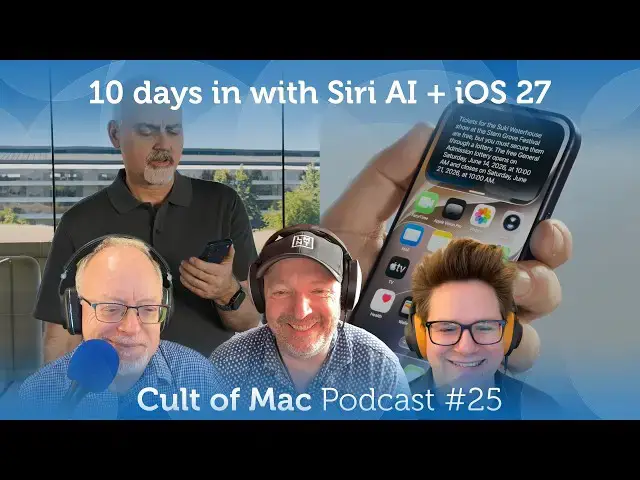
This week: Testing Siri AI against Apple’s bold claims, tons of extra details we’ve found in iOS 27, the big features coming later, and Apple’s major product launches on course for next year.
More Apple news: http://www.cultofmac.com
Produced by Extra Ordinary for Cult of Mac
Music composed by Will Davenport, arranged by D. Griffin Jones
Chapters:
00:00 Intro
03:18 Siri AI test
17:03 OS 27 thoughts and details
23:35 10 hidden iOS 27 features
28:47 More iOS 27 features coming later
32:21 Products coming next year
42:50 Listener Question
Follow us!
Threads: https://www.threads.net/@cultofmac
Mastodon: https://mastodon.social/@cultofmac
Instagram: https://instagram.com/cultofmac/
Show More Show Less View Video Transcript
0:00
Coming up, testing Siri AI against
0:03
Apple's bold claims, tons of extra
0:05
details we found in iOS 27, the big
0:08
features coming later, and Apple's major
0:10
product launches on course for next
0:13
year.
0:16
Welcome to the Cult podcast. I'm your
0:18
host, Leander Kaney. Joining me today is
0:20
Lewis. I'm sorry, Griffin. Lewis
0:23
Gruis. Hello, Lewis. How are you?
0:26
>> That's dangerously close to Grus.
0:28
>> Yeah. Cool. I'm doing just great now
0:32
that my monitor is working and my Mac
0:36
doesn't seem to be flipping out every 3
0:38
seconds.
0:39
>> What about your cat Theo?
0:41
>> Just just had to ban him from the room.
0:43
He was chewing on an iPad.
0:46
>> Okay. Hello. We also have Griffin.
0:48
Hello, Griffin. Coming in from Ohio. How
0:49
are you?
0:50
>> Good evening. Uh I want to set off this
0:52
episode by setting the record straight.
0:54
Last week, we are unsure about the
0:56
ruling of the allimportant WWDC
0:59
predictions game. Uh, we checked, God,
1:02
>> was that just last week?
1:03
>> Yeah, we checked the transcript and it
1:05
is Stacy Ford who says, uh, in reference
1:08
to Spotlight, we rearchitected the index
1:11
so that it's more stable. So,
1:15
>> Judge Dave Snow ruled in agreement with
1:18
my original grading of the predictions.
1:20
Lewis and I are joint champions uh along
1:22
with listener Stephen Morgan.
1:25
Congratulations.
1:26
>> Yeah, congratulations all.
1:29
>> Wow. I was worrying about that all week.
1:30
I couldn't stop thinking about it. Could
1:32
you?
1:33
>> I I couldn't believe it when I went and
1:35
searched the transcript and saw the word
1:37
stable come out of her mouth. God,
1:39
really? The one mention, one mention in
1:42
the entire thing. Well,
1:45
>> all important though. All important.
1:47
>> You You still won. though.
1:49
>> Yeah. What are you complaining about?
1:51
>> Well, I I didn't win as I didn't win win
1:54
win.
1:56
>> This is This is like a soccer win.
1:58
>> Oh, tie match.
2:00
>> Mhm.
2:02
>> I guess you guys haven't been watching
2:04
the the World Cup, huh?
2:06
>> No.
2:06
>> Just keep hearing about it.
2:08
>> Yeah.
2:08
>> I I heard that they have to uh they have
2:10
to go and remove all of the logos from
2:12
every stadium that they're in. And that
2:14
means that like in Gillette Stadium in
2:16
Boston, they have to like tape over the
2:18
Gillette logo on every single seat in
2:20
the entire stadium. Like 80,000 of them.
2:23
>> Yeah. Yeah. Exactly. It was crazy.
2:25
Ridiculous. I saw that too.
2:27
>> Mhm.
2:27
>> FIFA, they're very very um you know,
2:29
careful about their corporate
2:31
sponsorships.
2:31
>> Yep.
2:32
>> There was all kinds of stuff that's been
2:34
taped over as well. Yeah, I saw that as
2:35
well. People pointing out those
2:36
examples. It's been really good though.
2:38
I've been really thrilled by it. I've
2:39
been really enjoying it because, you
2:40
know, I'm a Brit. I I'm the only English
2:42
person that hates football too.
2:44
>> I like the
2:45
>> Is America competing in it because
2:46
there's major league soccer uh as as
2:49
Apple fans.
2:50
>> What one of the best goals of the
2:51
tournament uh yesterday in the England
2:53
versus Croatia game was still by scored
2:55
by a Croatian player who plays for the
2:57
MLS
2:58
>> in um Houston or Dallas. I think he's in
3:01
Texas somewhere. But yeah, he he scored
3:03
this amazing goal um against against
3:05
England and uh uh yeah, it's been
3:08
thrilling. the the whole competition has
3:10
been great. Um, so far there've been a
3:11
whole bunch of great games and I didn't
3:13
even like football. Um, but I I've been
3:15
really enjoying this. It's um it's super
3:17
fun.
3:18
>> All right, let's get on with the show.
3:19
Let's talk about um Siri AI cuz I'm
3:22
still on the the the weight list. Are
3:23
you Are you Did you try to get it yet,
3:25
Louis?
3:26
>> Are you kidding me? Regular software is
3:28
so buggy I can barely use anything.
3:31
>> Yeah, keep the betas at arms length.
3:34
>> Yeah. Well, I put it on my my one and
3:35
only iPhone, which is now almost
3:37
completely unusable. But um and I and
3:39
I'm still on the wait list so uh it it's
3:41
been a bust. But but Griffin, you've
3:43
been testing it out for the last how
3:44
long? Nine 10 days.
3:46
>> Yeah, about that long. Um so what I did
3:49
is I took the three biggest demos from
3:52
Apple's keynote and I tried to replicate
3:55
them with my own questions based on my
3:58
own personal context. And in nearly all
4:01
the tests that performed about as well
4:02
as Apple's examples. So, the one I spoke
4:05
about last week where I tried asking you
4:08
about concert tickets, that was one of
4:10
Mike Rockwell's demos. That went that
4:11
went pretty well. This next demo I I
4:15
kind of rolled my eyes at during the
4:16
keynote itself. Justin Titi, uh, who I
4:19
don't think we've seen before in a
4:20
keynote, uh, started going through this
4:23
bizarre conversation where he's like,
4:25
"Make me, I mean, tie into the World
4:27
Cup. make me a menu for a World Cup
4:30
watch party inspired by two teams that
4:33
are playing. Like, okay, that's that's a
4:36
thing normal people do. So,
4:39
>> I'm glad you had that same reaction. I
4:41
heard that and I said, "What kind of
4:43
people would do this?"
4:44
>> Mhm.
4:45
>> H
4:46
>> good test for for an AI though, right? I
4:48
mean, it's it's a little bit esoteric, a
4:50
little bit it's not, you know, easy.
4:52
It's it's uh it has to pull in
4:54
information from various different
4:56
>> sourc it's it's a good technical demo.
4:58
So I I I did a replicant uh question. So
5:01
I asked what are some big sports events
5:03
happening in Ohio in the next few
5:04
months. I genuinely didn't know the
5:06
answer to that question. It pulled me up
5:07
like a schedule. Uh and so then I asked
5:10
for uh dishes inspired by a baseball
5:12
game between the Cleveland Guardians and
5:14
Cincinnati Reds. And so it pulled like
5:17
iconic dishes from each city. Uh for
5:20
Cleveland, it said, you know, um Polish
5:22
boys, which is a specific kind of like
5:26
a Polish boy.
5:27
>> Yeah. Uh perogis and mustard.
5:31
>> Like is mustard associated with the city
5:34
of Cleveland? I don't know. Uh and then
5:36
for Cincinnati, it said, you know,
5:38
Cincinnati chili, obviously.
5:40
>> What is Cincinnati chili?
5:42
>> Delicious.
5:44
It's where you take uh spaghetti and
5:46
then you serve chili on top of it
5:48
instead of pasta sauce.
5:49
>> You're joking.
5:50
>> It's and and the chili it it was brought
5:52
over by like I think Greek immigrants
5:54
and the chili has like cinnamon and all
5:56
these, you know, kind it's kind of a
5:57
Swedish uh sweetish not Swedish tomato
6:01
based thing, you know? It's got cinnamon
6:02
and other other spices in it. And don't
6:05
forget this. You can get that's just
6:07
that's just a two-way. You can get a
6:09
three-way, a four-way, or a fiveway.
6:11
>> What does that mean? Well, you can add
6:14
uh beans on top or diced onions.
6:18
>> Is that a three-way then?
6:20
>> Yeah. Well, I I I So, if you order a
6:22
four-way, I don't know if there's
6:23
specific things that that is, but a
6:25
four-way would have four items. Diced
6:28
onions and and then the fifth thing is
6:30
uh shredded, really finely shredded kind
6:33
of I guess they say it's cheddar cheese,
6:35
but it's if if anything, it's very mild
6:38
cheddar cheese. Yeah.
6:39
>> But uh
6:40
>> yeah, Cincinnati chili, man. My wife
6:42
hates it. I love it.
6:44
>> I love it, too. You know, anytime I make
6:45
chili uh and I go through the leftovers,
6:47
you know, I get to the end, I start to
6:49
thin it out by just doing it as like but
6:50
over spaghetti. It's excellent. You
6:52
know,
6:53
>> overcooked spaghetti. Don't forget that.
6:54
Overcooked spaghetti.
6:56
>> Yeah, that's why I make it at home. I I
6:59
The thing is like it's it's this iconic
7:00
dish and like you know there's um like
7:02
the the restaurants that you can go to
7:04
in Cincinnati that that serve it. That's
7:07
it's always garbage. like the they don't
7:09
know how to prepare their pasta
7:10
correctly. They don't they don't cook it
7:12
in with the sauce. So, it's the the
7:13
flavor profile is all wrong, but you
7:15
know, do it at home and and you'll enjoy
7:17
it. Uh so, Cincinnati chili um along
7:20
with God and Grater's ice cream.
7:23
>> Geta.
7:24
>> Geta. Sorry, not from
7:26
>> what's ghetto
7:28
is like, I don't know, a pile of glands
7:30
and
7:32
awful that's made into like a weird kind
7:34
of
7:36
uh you know, chub sausage.
7:39
>> It is a Wikipedia Wikipedia a meat and
7:42
grain sausage mush of German
7:44
inspiration.
7:45
>> Mush,
7:46
>> right?
7:47
>> They would call it mush.
7:49
>> Yeah, it's it's got I think it's got
7:50
oats in it and uh maybe even sometimes
7:53
apple. I'm not sure about that.
7:56
>> Very peculiar to the Cincinnati area or
7:58
as they say in Italy. Very particular
8:01
>> particular sounds right very
8:04
>> the deliciousness scale. How how edible
8:06
is it?
8:08
>> Get as you know depends on your depends
8:11
on your uh your your willingness to eat
8:15
awful.
8:16
>> How much you can stomach highly
8:17
processed meats.
8:19
>> Yeah.
8:19
>> Yeah. Anyway, that sounds gross.
8:21
>> So, but anyway, go on. What a what a
8:23
party.
8:25
>> Then then in the demo, Justin TD asks
8:27
like, you know, what's the what's the
8:28
recipe my daughter sent me a while ago?
8:30
So I asked, what was the dessert I made
8:32
for a party a while back? And it
8:34
successfully recalled that I made
8:35
strawberry jello pretzel salad, which is
8:37
another fantastic culinary creation. Um
8:41
although Siri said that I made it six
8:43
years ago when I actually made it last
8:45
month. So kind of maybe it overindexed
8:49
on a while back and it said, "Oh, you're
8:52
asking for something you made a long
8:53
time ago." Um, but you know, when your
8:55
memory is only as long as like a couple
8:57
weeks, uh, then a while back for me
9:00
means like last month. Uh,
9:02
>> yeah.
9:02
>> So then I asked it to put it everything
9:04
together in a menu. And uh if you watch
9:06
the keynote video, like uh Siri answers
9:09
uh Justin in the demo by like making
9:11
this long like written out bullet point
9:13
thing. But for me, it gave like a table
9:15
like it put all the information into
9:16
into like a tiny little mini spreadsheet
9:18
that I could scroll and compare all the
9:20
items. And I I thought that was nicer.
9:22
So I'd say a point up. Maybe they
9:24
changed it between when they recorded
9:26
that demo and when they, you know, in
9:28
the first beta. Uh, this went off script
9:31
a bit, but uh, for me, Siri offered to
9:34
put it all into a list of shopping
9:35
ingredients uh, like into into
9:37
reminders. So, I said, "Yeah, make a new
9:39
list in reminders with everything I'll
9:41
need." It also offered, you know, or I
9:43
can look up specific recipes. Uh, so I
9:46
figured what it was going to do is it
9:47
was going to like look up recipes and
9:49
then look for all the items and add them
9:51
to a reminders list. The the reminders
9:53
list that it made was kind of like
9:54
surface level. It had a lot of really
9:57
basic things. no quantities listed for
9:59
anything, which makes me think that it
10:01
didn't check any recipes. One of the
10:03
items it said was ground beef
10:05
parenthesis for chili. Uh but it didn't
10:08
list any other chili ingredients like
10:10
beans or tomato sauce or onions. So
10:14
>> So only half successful that part, huh?
10:16
>> Yeah. Yeah. I mean, if it would do it
10:18
correctly and like get it all the way
10:19
across the finish line, I mean, that
10:20
would be excellent. But as stands, it
10:22
got like 80% of the way there.
10:24
>> Well, how how did you feel about it?
10:25
Were you surprised or and pleased? What
10:27
did you think?
10:28
>> Yeah.
10:29
>> Emotional reaction.
10:29
>> It is something that, you know, Apple
10:31
did in a demo themselves. So, obviously,
10:34
it's like a bit of a golden path. They
10:36
know it can do these things. But, I
10:38
mean, just verifying the claim that it
10:40
can do the demo as far as everything
10:42
that Apple showed. I mean, that's that's
10:44
good to know. At least they're not lying
10:45
again like they were two years ago.
10:47
>> Yeah.
10:48
>> Did Did uh Did it add spaghetti to the
10:51
list?
10:51
>> It did. It did.
10:53
>> Well, there you go.
10:53
>> So, it got that at least. you know, it
10:55
has at least a cursory understanding of
10:56
all the food items that it did and, you
10:58
know, knows kind of what goes into each
11:00
thing.
11:01
>> It'd be a good starting point.
11:02
>> And this is all conversational course,
11:04
right? Isn't it? You know, like just
11:06
chat.
11:07
>> Yeah. I think I was mostly
11:09
texting with Siri, but I I I I went back
11:13
and forth between talking to it and just
11:14
texting it. Uh because, you know,
11:16
they're basically the same thing. There
11:18
there's a few things that um that Siri
11:21
interacts with differently whether
11:22
you're texting or talking. Um, I'll skip
11:25
ahead in my notes here. Uh, this is one
11:27
of the misses. So, I tried replicating
11:28
one of Mike Rockwell's demos that he
11:30
gave in the keynote where he's on
11:32
Instagram and he says, "Where is this?"
11:35
Um, or where was this picture taken?
11:37
Something to that effect. And Siri like
11:40
looks at the screen and then tries to
11:41
figure out where it is. And so I did
11:43
that. I went to one of my own Instagram
11:45
posts, a picture that I took of the
11:47
Convocation Center in Athens, Ohio, a
11:49
very iconic building if you're from the
11:51
area. And I tried like just texting to
11:53
it. Where is this? And Siri over text
11:57
didn't want to like look at the screen
11:59
and figure it out. I kept trying to like
12:01
search for locations using Spotlight,
12:04
which isn't what I wanted. But then I
12:05
tried talking to it over voice. And
12:08
talking to it over voice always uses
12:10
Siri AI, whereas texting it tries to
12:14
decide whether it should use Siri AI or
12:16
just regular Spotlight. And it didn't do
12:19
as well. uh it confused it for uh a
12:23
different building in Athens, Georgia. I
12:25
think because the the text Athens was on
12:27
screen. Uh so it it it incorrectly
12:31
stated that the building was uh the
12:33
Georgia Museum of Art in Athens,
12:35
Georgia.
12:37
>> So it's a mixed bag. Uh another demo,
12:40
Justin TD is like asking it about how to
12:42
build a maker space based on plans. And
12:46
again, this is like the kind of thing
12:48
that's like perfectly set up. Like you
12:50
go to all this effort to like have all
12:52
these special PDFs on your computer, but
12:54
you don't know what to do with them.
12:56
That that demo also kind of fell flat as
12:58
like an actual thing that people would
12:59
do. But, you know, the the idea that he
13:01
was trying to show is, you know, Siri
13:02
can look at your files. I can answer
13:04
questions about them. So, I opened a few
13:06
um PDFs that I have in my archive of old
13:10
Apple advertisements and brochures and
13:12
things and said, you know, between the
13:14
Macintosh Plus and the Apple 2GS, which
13:16
is a better computer? And it, you know,
13:18
looked at the files, it brought up
13:20
information about them, I think based on
13:22
what it was reading in there, answered a
13:24
few questions. I asked it a question,
13:27
you know, who was I talking to about,
13:29
you know, computer capacitors? And I I
13:33
didn't really have an answer in mind,
13:34
but it it found something in my email
13:36
history while I was talking to u a
13:38
reader who wrote in asking a question
13:40
about his computer collection. And so
13:42
then I, you know, I said, "Hey, write
13:44
write them an email with all the
13:46
information that you that you found
13:47
about these two computers." And then it
13:48
did, you know, just like the demo. So
13:50
that was another success.
13:51
>> And how good was it? How good was the
13:52
email? Did it it came out pretty good?
13:54
>> Yeah. I mean, like all generative AI,
13:58
it's not something that I would write
14:00
myself. But I can imagine if you're not
14:03
a very good writer, you know, it'd be a
14:04
good starting point. You know, if a
14:07
blank page is intimidating, then, you
14:09
know, it'll it'll at least get something
14:11
there for you, you know. And that's
14:12
that's really like my overall
14:15
conclusion about using it. Like, if
14:17
you've ever used a generative AI or a
14:20
chatbot before, like chat GPT or Gro,
14:24
then nothing that the new Siri does is
14:26
going to like surprise you. like these
14:28
are all features you've seen other AIs
14:30
do before like summarize things but you
14:33
know if you've ever used Siri before
14:36
you're you you will immediately see how
14:38
useful these things will be in your life
14:40
if it's just living on your phone in a
14:42
way that respects your privacy
14:44
thoughtfully integrated everywhere
14:46
across the system
14:47
>> well that you know it's important isn't
14:49
it that um it's more deeply integrated
14:51
than the other AIs isn't it than the
14:52
other chat assistants because it has
14:54
access to all of your data all your
14:55
email Um it and it sounds kind of
14:59
impressive that it can surface up, you
15:00
know, old emails that you wrote 10 years
15:03
ago that you completely forgot about.
15:04
And
15:04
>> Oh, yeah. I mean, I I'll go over another
15:06
useful thing that it did. Um I was
15:07
preparing for like a group breakfast,
15:09
having friends over and um you know, I
15:12
was doing like some prep work at you
15:13
know, the night before and I couldn't
15:15
remember what I agreed to make. So I
15:17
asked Siri and it pulled up my own text
15:20
and it said, "Oh yeah, you were going to
15:21
make, you know, chocolate chip banana
15:23
pancakes, hash brown casserole." it and
15:25
then I asked uh what was the recipe that
15:27
we decided on and then it showed me that
15:30
as well with a link in Safari that I
15:32
recognized you know and it cites all of
15:35
its sources every time whether you ask
15:36
it to or not unlike chatbt so it doesn't
15:40
just say you know I thought you want to
15:43
make this it shows me the message and I
15:45
can see oh based on that date this must
15:47
be what it's talking about it must be
15:49
right
15:50
>> yeah that's important too isn't it
15:51
obviously you know like to give you that
15:53
that confirmation and and to make sure
15:55
that you know it's actually so you can
15:57
actually check it kind of you can say
15:58
okay yeah right that's the one I was
15:59
talking to not some hallucinated
16:01
>> all right cool I mean overall you know
16:04
are how how impressed are you with it I
16:06
mean what's your overall
16:09
>> I thumbs up overall I'd say I'd say four
16:12
out of five if I had to give it a star
16:13
rating so far you know net positive it's
16:16
better than Siri before so without a
16:19
doubt
16:19
>> okay yeah cool
16:21
>> you know another example I was on
16:22
Masttodon and I saw uh somebody posting
16:25
about a Doctor Who book that I was
16:27
interested. I remembered being
16:28
interested in and so I just asked Siri,
16:31
"Have I pre-ordered this book already?"
16:33
It looked it up based on the screenshot
16:35
and then it said yes. And I found the
16:37
the email where it confirmed that yeah,
16:39
I already ordered it like, you know,
16:40
last November.
16:41
>> Well, the funny thing about how did you
16:42
forget pre-ordering, you know, that you
16:44
pre you already pre-ordered the book.
16:46
That's what I want to know. I remembered
16:47
hearing about it, but I also remember
16:49
there was a different Doctor Who related
16:51
book that I was interested in that
16:52
wasn't available in the United States
16:54
and I couldn't remember if that was this
16:55
one or not.
16:56
>> Okay, that's a yeah, so that's a
16:59
generally useful thing, isn't it? Again,
17:01
>> pretty useful thing. All right, so what
17:03
about uh you know, 10 days of the betas
17:06
you've been, you know, what are your
17:07
other impressions about it overall?
17:09
>> Yeah, living with it for a while. A few
17:11
extra thoughts that we didn't get to
17:13
last week because it was such a stuffed
17:14
week. more additional thoughts just
17:16
after living with them for a while. The
17:18
new liquid glass look I was initially
17:21
kind of like shocked when I updated to
17:23
Mac OS because the the solid toolbarss
17:25
at the top are you know a jarring change
17:29
from before with all like the
17:30
progressive blurs and things. I still
17:32
don't I mean it is much more readable
17:34
than before. I still don't know if it's
17:35
like maybe the perfect right solution
17:38
yet because it is very jarring. Um they
17:40
appear somewhere but not everywhere.
17:43
Some apps have like the really hard like
17:45
old style toolbar. Some of them still
17:46
use progressive blurs. I can't really
17:47
figure out if there's like a rhyme or
17:48
reason for when it uses which style.
17:51
Yeah. Another interesting change is the
17:53
liquid glass buttons itself. Before the
17:56
um sort of angle of reflection, like the
17:59
shine that it would show around every
18:00
liquid glass element was at like a 45
18:02
degree angle. And it was like this on
18:04
the home screen as well, like you would
18:05
uh it would be like at a 45 degree
18:07
angle, then you could tilt your phone
18:08
and the reflections would like live
18:09
react on screen. that sort of motion is
18:12
gone. Uh, now all of the liquid glass
18:15
elements have like a fixed reflection on
18:18
them that's like just straight up and
18:19
down, which looks very much more like
18:21
Vision OS in my opinion. And like
18:24
especially in dark mode on the Mac, the
18:26
buttons and everything, they just
18:28
straight up look like Aqua buttons from
18:29
early Mac OS 10 with how bright and high
18:32
contrast they are. The translucency is
18:36
an interesting effect. They they say
18:39
during the keynote that they adjusted,
18:41
you know, the the transparency to be a
18:43
little more readable. It I'd say it in a
18:45
way that kind of doesn't really look
18:47
like glass anymore, but I couldn't pin
18:50
down like what it reminds me of. It
18:52
looks smokier. And I think it kind of
18:54
looks like when you have a cheap piece
18:56
of clear plastic
18:58
uh and then it ages after a few years
19:00
and it's no longer as clear as it was
19:01
before and it looks a little foggy.
19:02
>> Headlights. The foggy headlights look.
19:05
>> Yeah, that's what liquid glass looks
19:07
like now.
19:09
cuz you can still see things sharp
19:12
through the glass, but the glass itself
19:15
is like foggy and not quite as clear as
19:18
it should be. It's interesting. I'm
19:19
getting used to it. There's like the the
19:21
slider where you can adjust the
19:22
transparency of it now. Uh it starts in
19:26
the middle and it goes, you know, so if
19:28
you imagine it going from zero to one,
19:30
like the the slider is at like 0.5, but
19:33
turning it all the way down doesn't turn
19:36
it to zero. it goes from like 0.5 to 0 4
19:40
and then the upper half of the meter
19:42
where you make it more uh more opaque I
19:44
mean that's like going from 0.5 to one
19:46
like you the upper half of it makes it
19:48
completely opaque but you can't make it
19:50
completely transparent you can make it
19:52
slightly more transparent in a way
19:54
that's like barely noticeable so you
19:55
can't quite get it back to the iOS 26
19:57
levels of like clear if you like that
20:00
look
20:00
>> okay
20:01
>> uh I all over iOS you know they made the
20:04
big kurfuffle of uh I every iOS app is
20:06
supposed to be resizable now. And we can
20:08
all read between the lines and see that
20:10
that's in anticipation of the upcoming
20:12
folding iPhone. But I noticed that so
20:14
many apps now have additional horizontal
20:17
layouts. Like it used to be you could,
20:19
you know, you turn your phone sideways
20:20
and it there's only a horizontal like
20:23
layout for it, like maybe one in every
20:25
four times. Most apps are just like all
20:28
portrait all the time. But like the
20:30
Apple TV remote that has a horizontal
20:32
layout now. the the Apple Music now
20:34
playing screen. You can adjust that to
20:36
landscape. A lot of areas have like
20:39
landscape layouts now.
20:41
>> Okay. Yeah. And all that clearly an
20:43
anticipation for the uh for the folding
20:45
iPhone coming in on the floor.
20:46
>> This is an interesting change. Um you
20:49
know how when you're playing music on
20:50
your lock screen, how you can tap the
20:52
album artwork and make it fill the
20:54
screen.
20:54
>> You know what I'm talking about? And
20:56
then Yeah. And then the clock goes from
20:58
being like this big clock in the center
21:00
of the screen to like a tiny line of
21:01
text at the top of the screen. If you
21:04
like that style, you can now make that
21:06
your permanent lock screen layout, a
21:08
really tiny clock. So iOS 26 brought us
21:12
the giant clock that's really tall.
21:14
Well, iOS 27, you can now have a tiny
21:16
clock.
21:19
>> Exciting. Okay,
21:21
>> what an upgrade. This solves the problem
21:22
of if you have like your your lock
21:24
screen set to a picture of somebody and
21:26
like half of their face is blocked by
21:27
the clock. Well, you can make the the
21:29
clock really tiny and have more room for
21:30
your picture. The weather app, when I
21:33
first opened the weather app on iOS, I
21:35
like threw me for a loop because now you
21:37
can toggle between temperature and
21:39
precipitation and wind all on the main
21:42
screen without tapping into like
21:44
separate modules. But the little switch
21:46
that you use to switch between them is
21:48
really tiny and kind of hard to see.
21:50
That was
21:50
>> Oh, I see. Yeah,
21:51
>> that threw me for a loop. On iOS, Apple
21:54
changed how the bookmarks and reading
21:56
list and everything work. Uh, but it's
21:59
completely unchanged on the Mac. That
22:01
surprised me. If you go to, you know,
22:03
hit command Y to bring up your history
22:05
on the Mac, it's exactly the same as it
22:07
was before, that weird interface that
22:09
hasn't changed since 2003. There's the
22:11
new describe a shortcut extension or
22:14
feature where you can create a series
22:16
shortcut just by describing it in
22:18
natural language and it'll use Apple
22:19
intelligence. How this works is
22:21
incredibly complicated. Uh Federico Vici
22:23
went into a lot of depth about it. I've
22:25
used it for a number of things already.
22:27
Uh I spoke about one last week on the
22:30
show, but uh I came up with another one
22:32
that I tested. You might know that if
22:34
you're an Apple News subscriber, you can
22:35
go to like the verge.com and hit the
22:38
share button and tap open in Apple News
22:40
to open the corresponding article in
22:42
Apple News to get around the pay wall.
22:44
That's also the case for the Wall Street
22:45
Journal and the W Washington Post. But
22:48
um I asked it to make a shortcut for me
22:51
that adds a giant button on the top of
22:53
uh all those pages with like an open
22:55
Apple News link. Uh and that worked kind
22:58
of well. It it worked some of the time,
23:00
but still a work in progress. That's
23:03
That's cool. I use uh Yeah. You know,
23:05
like I I always go to the one of those
23:06
dodgy um remove payw wall sites.
23:09
>> Oh, yeah. Yeah.
23:10
>> To get around it. And um
23:13
keep forgetting that even though I'm an
23:14
Apple News subscriber that it's
23:16
available there that I should go check
23:17
it out.
23:18
>> Yeah. But I just had to describe a
23:19
shortcut. And I said, you know, make me
23:21
a shortcut that whenever I'm on these
23:22
websites, there's an open Apple News
23:24
button on a toolbar at the top of the
23:25
screen. And you know, it thought for
23:28
about 15 seconds and then it just gave
23:29
it to me.
23:30
>> Cool. That's kind of Yeah, that sounds
23:31
great.
23:32
>> So, I'll be doing more experimenting
23:34
with that.
23:34
>> All right. So, yeah, let's talk about
23:36
these 10 hidden um iOS 27 features that
23:39
that Apple barely mentioned during WWC.
23:41
I remember that they uh was it a slide
23:42
or something? They they they had like a
23:44
long scrolling list of all these
23:45
different things that they were going to
23:47
>> over 200. Yeah.
23:49
>> Yeah, it was big. It was a big big list.
23:50
But we're we're just going to talk about
23:51
10. So, Lewis, why don't you why don't
23:52
you give us a quick rundown?
23:53
>> I don't even know if we're going to do
23:54
all 10, but uh yeah. So, the first one,
23:57
this is following a public criticism
23:59
from noted tech influencer Justin
24:01
Bieber,
24:02
>> uh, who got on Instagram and complained
24:04
about that. Uh, actually, something's
24:06
true. Uh, the the stupid little
24:08
microphone button in the messages app
24:11
that I can't tell you how many times
24:12
I've hit that when I just want to, you
24:14
know, dictate a message and, oh, I hit
24:16
that. Oh, now I'm recording an audio
24:17
file. And every time I do it, I feel
24:20
like a And I also say, why is
24:22
that button even there? Well, Apple's
24:24
addressed this in iOS 27. Um, it's
24:30
they're adding a new setting where you
24:32
can show a record audio button, start
24:33
dictation button, or neither. So, you
24:36
can set it how you like it. If you are
24:38
constantly sending audio messages, like
24:40
I'm guessing like 01% of the population
24:44
is, you can use it the way it is right
24:46
now. Otherwise, you can be normal and
24:48
have that thing go away. Yay, small
24:51
victories. So, I'm actually thrilled
24:52
about that.
24:53
>> Uh, let's see. Here's another really
24:56
minor change that might make some people
24:58
happy. Um, for years, Apple tied your
25:00
iPhone's ringtone volume to system
25:02
sounds and alarms. With the iOS 27,
25:05
Apple's separating the two things, you
25:06
can adjust your ringtone volume
25:08
independently while keeping system
25:10
sounds and alarms at a different volume
25:11
level.
25:12
>> I know some people who are very happy
25:14
about that.
25:15
>> Yeah, me may
25:16
>> I can't tell you how many times I do
25:18
that. I'm like trying to turn something
25:20
down. I'm like, "Oh, wait. Now I just
25:21
turn my ringer to zero. It's like it it
25:23
never seemed that obvious to me what I
25:25
was doing or why or how it would work
25:27
that way. I mean, as as many years as
25:28
I've used an iPhone, I never was
25:31
actually clear. It's kind of like the
25:32
whole way that the uh now playing app on
25:35
the Apple Watch works, I can never
25:37
actually tell what's going on with that.
25:39
Yeah,
25:39
>> I use it every day. Seems like it works
25:41
differently every every third time I use
25:44
it. It's uh
25:45
>> Sometimes it puts you in the Now Playing
25:46
app, but sometimes it puts you in the
25:48
actual podcast app. It's It's weird.
25:51
>> Yeah. Uh, another one here. Uh, when you
25:54
when you receive a onetime passcode in
25:56
the messages app, this is one of the the
25:57
best things ever, you know, in the
25:59
little the little six-digit number or
26:01
whatever shows up in your keyboard so
26:03
you can just push it in. I mean, that
26:04
that was a stroke of genius, right?
26:06
Well, if they're taking a step further
26:07
in iOS 27, it's going to automatically
26:09
surface your a recent screenshot or
26:11
copied text as a possible keyboard
26:13
suggestion.
26:15
>> Whoa. Yeah, that that actually we should
26:17
have put that at the top of the list
26:18
because that's pretty cool if it works
26:20
out. Uh I can't tell you how many times
26:22
that happens, right? You get uh you have
26:24
to copy it from a especially copy from
26:27
an email all the time, right?
26:28
>> I can't tell you how many times I've
26:30
seen on like like Twitter or threads.
26:32
This is the best feature Apple ever made
26:34
in a screenshot of that. So getting
26:36
those a little more juice.
26:38
>> That really is one of those alltimes,
26:39
man. I mean, when that first started
26:41
happening, I was like, whoa, magic.
26:43
>> That's the thing. It's clickbait, but I
26:44
mean they're right. It is.
26:46
>> Mhm. The mail one, of course, doesn't
26:48
work like worth is worthless, isn't it?
26:50
They they do it now for codes in mail.
26:52
>> Yeah.
26:53
>> But I that just never Sometimes it
26:55
works, but usually you have to go to the
26:56
mail and then go get the mail, get it to
26:58
download all the the mail
27:00
>> and sometimes I can see the email in my
27:01
inbox like it's already there and I can
27:03
see the giant numbers. Like you can't
27:05
find that.
27:06
>> Oh, that's using the mail app, huh? I I
27:08
guess I never uh experienced that
27:10
because I never used the mail app. M
27:12
>> you can create your own wallet passes by
27:14
taking a photo or by entering details
27:16
manually. Great way to you know easily
27:18
digitize your gym membership, library
27:20
card, loyalty card, other other things
27:22
like that that you know if the if they
27:24
don't already exist in there. Uh Apple's
27:27
bringing Mac-like ondevice recovery
27:29
options to iPhone with iOS 27. From a
27:31
switched off state, pressing and holding
27:34
the power button will bring up the
27:35
recovery menu. provides several useful
27:38
tools including recovery assistant,
27:39
software update, diagnostics mode, and
27:41
the option to completely erase your
27:43
iPhone. Don't don't press that last one.
27:47
iOS 27 has a new captured by me filter
27:50
in the photos app. Shows only photos
27:52
you've captured on an iPhone. Filtering
27:54
out images, save from messages or from
27:56
an iCloud shared photo library. That
27:58
seems like a reasonable add-on.
28:02
Uh,
28:03
in iOS 27, the messages app adds a
28:06
playback speed button directly to the
28:08
voice note, making it easy to speed
28:10
things up or slow them down.
28:13
>> For all those people who are recording
28:15
those audio notes, all
28:16
>> Yeah. Yeah. Justin Bieber is going to
28:18
love that.
28:20
>> That's where I That's where my list
28:21
ends, man. I don't know what I I think
28:22
there might have been a couple of other
28:23
things, but maybe we covered them as
28:25
some other thing or whatever, but uh
28:27
smarter, faster network switching,
28:28
smarter copy and paste, stuff like that.
28:30
You can go to our website, you get all
28:32
10 of those amazing uh hidden. By
28:35
hidden, we mean not broadcast from the
28:38
tree top. Well, treetops, I guess,
28:40
rooftops. You don't broadcast from a
28:41
treetop typically.
28:44
Anyway, that's that's all I got.
28:47
>> Well, there's more. iOS 27 isn't
28:50
actually done yet. There's going to be
28:51
some additional features that might
28:52
arrive in September. So, three rumored
28:55
features that Apple didn't mention.
28:56
Dubdub DC might arrive this fall. One of
28:59
them is this new extensions API that
29:01
lets thirdparty AI apps plug directly
29:04
into Siri. Um so quote, "Anyone can um
29:08
see that the AI chatbot picker is
29:10
present, allowing users to easily move
29:11
between Siri and Chat GBT. You can
29:13
expect that list to get longer in the
29:15
future via the new developer framework
29:17
on the app store. This has been entirely
29:19
active and in use inside Apple for
29:22
months. Hopefully it goes public
29:24
sometime soon." End quote. Isn't this
29:26
what the EU fight is all about? But
29:28
apparently not. Um, what's the details
29:31
there, Griffin?
29:32
>> Not quite. This is where you can just
29:34
entirely replace Siri in your system
29:37
with a different chatbot. So, instead of
29:39
having Apple's voice assistant, you can
29:41
just substitute it with, you know, chat
29:43
GPT. So, anytime you hold down the side
29:45
button or evoke it or presumably there
29:48
will be like a vocal trigger phrase as
29:50
well. It'll just bring up chat GPT in
29:52
voice mode instead of Siri. What the EU
29:54
cracked down on is while you'll be able
29:57
to use chatputt instead of Siri, it
30:00
won't be able to access all the things
30:01
Siri can. So it'll, you know, just
30:04
summon it, ChatGpt won't be given access
30:07
to your personal context like the
30:09
semantic index on your phone and it
30:11
won't be able to do all the app intents
30:13
and stuff that Siri can do. That's the
30:16
difference.
30:17
>> All right. Yeah. So the EU is still
30:18
going to be so
30:20
>> Yeah.
30:20
>> Even though you might become Yeah. You
30:22
can use the other ones. does, you know,
30:24
do you think um this is like, you know,
30:26
no one's going to change the default,
30:28
are they from Siri?
30:30
>> No, I mean this would have been a good
30:32
setting to have like a few years ago,
30:33
but we know when Siri wasn't as useful,
30:35
but you know, now it's arriving at the
30:38
exact moment where, you know, just using
30:39
Siri instead is good enough.
30:41
>> Yeah. So, apparently Apple's reportedly
30:43
in talks with anthropic Google and
30:44
OpenAI about such a system.
30:46
>> Uh the new camera app. So, there was uh
30:49
rumors uh that they there was going to
30:51
be a customizable camera app which let
30:53
you uh users choose and pick and choose
30:55
which controls show up. Um that
30:57
apparently is still coming in the fall.
31:00
Uh they did show like a a teased
31:03
redesigned camera app at dubdubdc26
31:05
with a series shortcut and the
31:07
viewfinder for launching visual
31:08
intelligence. Actually, that I'm really
31:09
interested in.
31:10
>> Um but the fully customized one is is
31:12
still apparently coming in the fall.
31:14
>> Um there's also this uh German, this is
31:16
all coming from German, of course. He
31:18
reported that there was going to be a
31:19
simplified version of the modular watch
31:20
face that retains a large clock but
31:22
ditches the huge complication section in
31:24
the middle and works as regular Apple
31:26
watches. The large clock would occupy a
31:28
significant portion of the display with
31:30
a row um showing three small
31:32
complications taking up the rest of the
31:33
space. The new model watch face uh might
31:36
debut this September alongside the uh
31:38
Apple Watch Series 12. So yeah, I was a
31:40
little bit like when I was reading this
31:41
stuff, I was like,
31:43
>> um, it makes sense to hold some of these
31:45
features back, I think, for the big fall
31:47
um, product release, doesn't it? I mean,
31:49
this new watch face is going to be a
31:50
good way to market the new watches. So
31:52
um, it kind of makes sense that they
31:54
held this stuff back.
31:54
>> They almost never show up like talk
31:57
about new watch faces at WWDC. They
31:59
always have a few or if they do, they
32:01
always have more that they introduce
32:03
just in the release version of watch us
32:05
so that they can use that as like the
32:07
marketing image for the new Apple Watch.
32:08
Here's the new Here's the new feature.
32:10
>> Yeah. Yeah. And and half of the new
32:13
watch faces that they add are kind of
32:14
dumb and barely actually tell you the
32:16
time, but wow.
32:20
>> Yeah. They also uh So, let's talk about
32:22
next year. They're going to talk about
32:24
um some next year is going to be a
32:27
really ambitious year for um Apple. Some
32:30
really major products that will be
32:31
coming. Um it's been hyped as one of the
32:34
you know, the biggest product waves ever
32:36
for Apple. Um it uh it's going to be
32:40
coming later in the year unfortunately.
32:41
Um there's going to be three new
32:44
products. Camera equipped AirPods uh
32:47
which are internally codenamed B798
32:50
which puts computer vision cameras
32:51
directly into the stems of of what
32:54
otherwise will look like um normal
32:56
AirPods Pro. Uh they'll have small
32:58
indicator lights on the outside that
32:59
will alert nearby people when the
33:01
Airbuds are sending data to the cloud
33:03
for processing. Uh, and this this this
33:06
this really got me excited this use
33:08
case. You know, you could be standing
33:09
there in right in front of your
33:10
refrigerator uh full of, you know,
33:13
ingredients and you can simply ask Siri
33:14
what to cook for dinner and it'll draw
33:17
on what the cameras see uh giving you an
33:20
answer. It'll it, you know, that that to
33:22
me, you know, I mean, if that works,
33:25
that's magical. That just sounds
33:27
>> unbelievable. Of course, in my fridge,
33:29
it's going to be
33:32
with a bunch of rotten uh fruit and veg.
33:35
Um and and and nasty leftovers.
33:39
>> I could see Siri maybe like being able
33:41
to identify like, you know, that's a
33:43
tomato. Those are bananas. I mean, not
33:45
that you would keep those in your fridge
33:46
necessarily, but like it'd be able to
33:48
identify like the big things, but you
33:49
know, a a packed fridge often has like,
33:51
you know, dozens and dozens of different
33:53
things in tiny little labels and tiny
33:55
little containers. I mean, I I'm not
33:58
sure how accurately sir will be able to
34:00
deduce like your entire inventory based
34:02
on a crummy little IR camera pointed at
34:05
your fridge. You can't even see your aim
34:07
cuz it's
34:08
>> I can see it working if if you like I've
34:10
got this, you know, you start pulling
34:11
things out of your fridge. I've got I've
34:13
got you pull out some ground turkey, you
34:15
pull out, you know, a bag of carrots,
34:17
you pull out whatever, you know, some
34:19
tomato sauce, and then maybe you could
34:21
do it. But there's no way it's going to
34:22
be able to like look at a a packed
34:24
refrigerator and come up with anything
34:26
other than just
34:27
>> I mean, you know, it might give you a
34:29
suggestion,
34:30
>> but it's going to be stupid.
34:31
>> I mean, sure, you'd have to shout your
34:32
pantry as well, you know?
34:34
>> Right. Yeah. I mean, where did that
34:36
example come from? Was that was that
34:38
Gurin's example? What a bizarre thing to
34:40
think about. Anyway,
34:42
>> I this is this is I know this has been
34:44
uh mentioned before in with AIS. I mean,
34:46
I think this is almost like a canonical
34:48
um example of like a, you know, the the
34:51
abilities of an AI because I know this
34:52
has come up before with with a different
34:54
system, not not not not the uh the
34:56
AirPods with cameras.
34:57
>> Mhm.
34:57
>> But anyway, it if that works, it's it it
35:00
sounds fab. You know, and of course, you
35:02
know, it answers the people are worried
35:03
about like will the Airbud will the will
35:06
the AirPods be streaming video of
35:08
people? Will it violate their privacy?
35:10
you know, it sounds like it's going to
35:11
be kind of firewalled just um to uh you
35:15
know, for sending data for for for for
35:18
Siri AI.
35:18
>> I mean, AirPods have tiny batteries.
35:21
They don't they don't have the power to
35:22
constantly stream video.
35:24
>> Well, I I actually I have a you know, I
35:26
I bought this garage um video uh uh key
35:29
keypad that has, you know, motion
35:32
detection and and pet detection and
35:34
it'll it'll it'll package detection,
35:37
face detection. Um, and it burns up the
35:40
battery in about a week. It's completely
35:41
worthless. And this is a big fat battery
35:44
on the thing, you know, like it's got
35:45
two two big cells. Um, I had to turn it
35:48
off cuz I'm not I don't want to be
35:49
charging recharging this thing up every
35:51
week.
35:51
>> So, um, uh, I I turned it off. I mean,
35:54
like in the AirPods, yeah, that's going
35:56
to be an issue, isn't it? For sure.
35:57
>> Well, for sure. I mean, the fact that it
35:59
has that light that comes on, I mean, it
36:01
sounds like it's it's literally going to
36:02
be just it's only going to ever be
36:05
invoked when you ask it a question,
36:08
right? I mean, it's it's not going to be
36:10
just willy-nilly streaming stuff. It's
36:12
just going to be you step out of a
36:14
subway and you say, "Hey, I I'm here in
36:16
New York. Which direction do I turn?"
36:19
>> Well, it says, you know, one of the
36:21
examples is contextual reminders. So, it
36:24
sounds kind of like it may be passively
36:26
monitoring M um the environment
36:30
>> well contextual reminders and walking n
36:32
I don't know I you think it's just going
36:34
to like the lights are going to blink on
36:36
like every 10 minutes or something like
36:39
hey let's see what Lewis is doing now I
36:41
mean is that what it's going to be
36:44
>> you know I don't know questions to be
36:45
answered
36:47
>> hey Griffin bought some uh pretzels and
36:50
some strawberry Jell-O what could he
36:51
make with it
36:53
>> a disgusting salad
36:57
in quotes.
37:00
>> Uh yeah. Anyway, I was I was excited
37:02
about these. I I think um I think they
37:04
sound, you know, they sound potentially
37:07
very very interesting. Um and of course,
37:10
you know, this is like I don't Well, we
37:12
saw those those glasses this week from
37:14
space from Snapchat.
37:16
>> Yeah. From from low Earth orbit or
37:18
orbit. We saw them.
37:21
>> There's been some hilarious memes about
37:22
that. There was one where he's being
37:24
interviewed on TV and then it shows
37:26
inside the glasses he's playing Candy
37:28
Crush. Smile all the time. It's like
37:30
it's really funny. Really, really funny.
37:33
Yeah, those things look um goofy as
37:35
heck. I mean, they uh obviously this is
37:37
the worst version they're going to be.
37:38
They they are going to get smaller and
37:40
and uh and and more manageable, but like
37:43
this is what happens when you try to
37:44
cram all the processing and the
37:46
batteries into um into a frame.
37:49
>> Uh this is what you end up with. They
37:50
they look kind of comically ridiculous.
37:52
Um, you know, Apple's version might be a
37:54
lot thinner and uh easier.
37:57
>> Mhm.
37:58
>> So, uh, yeah. So, apparently this these
38:00
AirPods were supposed to launch this
38:02
year in 2026.
38:03
>> I know. I was I was excited.
38:05
>> Yeah. Uh, Apple's software challenges of
38:08
AI, you know, push the timeline back.
38:10
And apparently this Oh, so here we go.
38:11
Yeah. The smart glasses cenamed N50
38:13
designed to compete with Meta's Ray Boom
38:15
Friends could arrive as early as late
38:17
next year as well, uh, 2027.
38:21
Um, so the also a company is going to be
38:24
the very first uh Apple's going to be
38:26
doing the first foldable iPhone this
38:28
coming September. The one next year will
38:30
be the follow-up, the second the the
38:32
second version code name V78. That made
38:35
me think of um the juice.
38:37
>> Uh but um it'll arrive late next year
38:40
and the cadence signals that Apple's
38:42
going to be treating this as a an annual
38:44
annually updated product uh rather than
38:46
like a sort of one-off experiment.
38:47
They're going to run it's going to run
38:48
on some 2nmter chip. the A21 which Apple
38:51
calls Nexus internally. I
38:53
>> mean means it means they're moving to 2
38:54
nmters next year. That's a that'll be a
38:56
big move for them. They moved to 3
38:57
nanometers like three years ago. So
38:59
they're spending quite a bit of time on
39:00
there.
39:01
>> Yeah. Well, this is if they can get the
39:02
chips made at all.
39:03
>> Yeah.
39:03
>> Um that that seems like it's a little
39:05
bit in doubt.
39:06
>> Mhm.
39:06
>> Uh and there's going to be two two an
39:09
the anniversary iPhone. Um they're going
39:11
to have uh two models
39:14
uh which uh the feature displays that
39:16
extend nearly to every edge with glass
39:18
that curves around the side of the
39:19
device. Um these are called uh V73 and
39:23
V74. The German loves his code names,
39:25
isn't he?
39:26
>> I think he does them just for me. I love
39:29
a good code name.
39:31
>> Apple So looking further, Apple plans to
39:33
move um its 2028 flagship uh chips to a
39:36
1.4 nanometer manufacturing process. Uh,
39:39
and that will be done primarily by TS
39:41
TSMC, but potentially uh bringing Intel
39:44
into some production capacity. And
39:46
wasn't that uh talked about this
39:47
morning? I I haven't had a chance to
39:48
look at the news yet, but I think uh
39:50
there was a headline, wasn't there, that
39:51
Apple's being hailed that Apple's going
39:54
to be teaming up with with Intel for
39:55
domestic uh chip production.
39:57
>> I mean, this says that like next year
39:58
they're moved to 2 nmters and then the
40:00
year after that in 2028 they're moving
40:02
to 1.4. Like that's a crazy aggressive
40:04
timeline if you think about it.
40:07
>> What was it before? I mean, how long
40:08
they've been on 3 nmter now?
40:10
>> They they've been on I mean 3 nometers
40:11
for I think 3 years or so. Something
40:14
like that. Don't know off the top of my
40:15
head.
40:15
>> What comes after 1.4? How far how low
40:18
can they go?
40:19
>> It's already at a sort of atomic scale
40:21
now, isn't it? Isn't Aren't they
40:22
talking.9 below below nanometers?
40:24
They're you're talking in uh angstroms.
40:26
That's the next unit down.
40:31
>> And down that I guess quantum foam. So,
40:34
>> okay. Well, very exciting stuff. Uh Is
40:38
anyone excited about the 20th
40:39
anniversary phone?
40:40
>> I mean, I'm always excited about a new
40:42
iPhone. Uh, if it's definitely different
40:44
and definitely has like a really cool
40:46
design that's cool, uh, that's actually
40:48
cool and actually useful and not just,
40:50
you know, different to be different. I
40:53
mean,
40:54
>> like the iPhone Air,
40:56
>> I still have a little thing in my heart
40:57
for the iPhone Air. Have still uh I I
41:02
mean, I guess I like basically all the
41:04
iPhones. I mean, I I I haven't had one
41:06
yet that I'm like, "Oh, this is
41:07
terrible." I mean, the heavy ones with
41:08
the the sharper edges or whatever,
41:11
slightly less good in the hand, but in
41:12
general, I'm always almost completely
41:15
thrilled with any iPhone that I upgrade
41:17
to. Uh, I started thinking about these
41:19
glasses more. I I'm getting more
41:22
interested in them. Um, we were talking
41:24
last week about like having the audio,
41:26
you know, being able to hear the audio,
41:28
right? And that would be perfect for
41:30
listening to podcasts and stuff.
41:32
Perfect. don't even have to jam an
41:33
AirPod in your ear.
41:35
>> So, I'm kind of I'm kind of excited
41:37
about that.
41:38
>> Well, the audio on the Vision Pro is
41:39
actually fantastic, isn't it? And in the
41:41
Vision Pro headsets are the ones they
41:42
have in the uh
41:43
>> Yeah. And in the stems there, like you
41:45
you they're no bigger than like iPhone
41:48
or iPad speakers, but they sound
41:49
excellent just because they're like
41:51
right next to your ear. It's crazy.
41:54
>> Um
41:54
>> Yeah. Yeah. I mean, another detail in
41:56
this story, he he says that like the uh
42:00
iPhone Air 2 or iPhone 18 Air, whatever
42:02
they're going to call it, the the second
42:04
generation iPhone Air isn't launching
42:06
this fall. That's going to launch next
42:08
year alongside the regular iPhones. And
42:10
um he's he also pushed back that the
42:14
folding iPhone is delayed. I think it
42:16
must have been like Mingchi Quo who said
42:18
that Apple's delaying the folding iPhone
42:19
as well, but Germit said, "No, no, it's
42:21
still still launching this fall. Still
42:22
launching this fall." So, we'll see. I
42:24
mean, that's the only iPhone.
42:25
>> Redesign camera app.
42:26
>> It's the only iPhone I'm interested in.
42:28
You know what? Does it fold? No. Yeah.
42:31
Couldn't be bothered. What's the point?
42:33
>> Yeah.
42:34
>> It's kind of hard to get uh excited
42:36
about the second gen folding iPhone. You
42:38
haven't even seen the first gen folding
42:40
iPhone.
42:40
>> Yeah.
42:41
>> Right. Yeah. Yeah. Good point. Good
42:43
point. I I I'm very excited about the
42:44
folding iPhone, too. I think that thing
42:46
is going to be, you know, a big a big
42:48
hit. Um, let's uh let's let's talk about
42:51
we we got a we got a very good question.
42:55
>> What a week it's been.
42:57
>> This question came to me via Masttodon
43:00
from DJ Cybersic.
43:02
Cyber Sonic, it's a French spelling who
43:05
says, "Dude, what's up with the King
43:07
Hills casino postings coming up on the
43:09
Cult of Knack RSS feed? What's the deal
43:13
with that?"
43:14
>> Yeah, good question. Good question.
43:16
Unfortunately, we got hacked. We the
43:18
website got hacked uh and it was tricky.
43:21
It's a really really tricky hack and
43:23
they posted up um a b maybe was it six
43:27
seven eight maybe
43:28
>> I think it was maybe five for King Hills
43:31
Casino which I'm sure is a lovely
43:33
casino.
43:36
>> I'm betting I'm betting so
43:38
>> a bunch of spam posts which which we
43:40
quickly tried to delete. Um but
43:42
unfortunately they they also uh
43:44
installed a back door which allowed them
43:47
to uh in the middle of the night post up
43:49
uh a similar number about half a dozen
43:52
post to Apple news um about the casino
43:54
and some other stuff too. There was
43:56
actually some Russian posts which I
43:57
which I did I couldn't understand. They
43:59
were in cerillic and and some some
44:01
Indian stuff too as well. Something in
44:03
India
44:04
>> and the the the ones on Apple News were
44:06
really tricky because they deleted the
44:08
corresponding posts in WordPress. So
44:10
they only showed up in Apple News and uh
44:12
I only found about it because because of
44:14
some emails that Apple had removed some
44:16
posts for you know violating their um
44:19
their spam policies or whatever it was.
44:20
In fact, that was the one that really
44:22
worried me the most. Anyway, our our
44:23
tech team who who were good actually
44:26
they they we changed all our passwords.
44:28
We set up two two two FA two- facet
44:30
authentication. Um, but they'd the the
44:34
the hack had actually installed another
44:36
backdoor that harvested the admin
44:39
passwords as we logged in, which is
44:42
crazy. Um, and so they they caught that
44:46
this this last night and said that uh
44:50
they've done a really careful sweep of
44:52
all of the the server and and the uh the
44:55
WordPress system and and it should be
44:56
clean now. and we're good to go.
44:59
>> It's not creepy at all. Not creepy at
45:01
all that they were able to get the new
45:02
admin passwords immediately.
45:04
>> Uh,
45:06
>> and this isn't even the the new AIdriven
45:08
stuff as far as I can tell. This is, you
45:10
know, it may be have some AI component,
45:13
but that the new AI hacking stuff is yet
45:17
to come
45:18
>> uh in, you know, in a big way. So, yeah,
45:20
it's pretty worrying. I mean, we got we
45:21
got hacked about maybe how long ago was
45:23
it, Louis? About a decade ago, maybe.
45:25
>> Yeah, I can't even remember. It seems
45:26
like five years, six years, I don't
45:28
know.
45:29
>> Yeah, we got we we we did become a
45:31
little bit, you know, complacent, I
45:33
think, to be honest. Um, we weren't
45:34
really, you know, two factor
45:36
authentication. We hadn't had that uh on
45:38
the system before. I don't think
45:40
WordPress out of the box supports it.
45:42
But, but, you know, 10 years ago, that
45:43
was a really tricky one and that one
45:45
took took weeks to to to solve. And that
45:47
one like this, you know, tidied us up
45:49
and deletes stuff. It was deleting
45:51
deleting all kinds of logs and uh
45:53
database entries. So it was difficult to
45:55
um to to find you know what was going
45:57
on. It it gave itself away I think
45:59
because there was some login at 12:01
46:02
every every you know every night it was
46:04
and and it was the fact that it was
46:06
there was some activity at the same time
46:07
every night that that was a clue for for
46:10
whoever you know helped us track it down
46:11
this last time. So yeah apologies we got
46:14
hacked. Um hopefully we have fixed it.
46:19
If you see any casino buzz on cult of
46:21
Mac, you got to know where it's coming
46:23
from.
46:24
>> It's not just our new sponsor, although
46:26
we're almost out.
46:28
>> Yeah, we don't have a new new uh we
46:30
don't have a new sponsor. Sponsorship
46:32
for that. Yeah,
46:32
>> sponsorship opportunities are available
46:34
though.
46:35
>> That's true. Yeah. Yeah. King Hill
46:37
Casino, reach out.
46:41
>> First one's free.
46:43
>> They've already had their first one.
46:46
>> They have. They have. Yeah. All right,
46:48
that's a wrap. Thanks everybody for uh
46:51
for watching. Please give us a review in
46:53
Apple Podcasts and uh forward the show
46:55
and anyone you think might want to hear
46:56
about um hacking
46:58
>> uh websites. Uh text us a message at
47:00
47:02
That's [email protected].
47:04
Send questions, comments, feedback for
47:05
the show. You can send a message or a
47:07
short video and we'll play that. Thanks
47:09
for listening. Thanks for watching.
47:10
We'll see you all next time. Thanks
47:11
everybody. Have a great weekend.
47:12
>> Goodbye.
47:14
>> See you.
#Science