Up next in 10



This week: The cutting-edge tech we expect to see in the folding iPhone, the hot new trend that beautifies your big camera bump, the weirdest auction of old Apple tat ever, a brand new app that’ll keep you fit, and the best Mac setup of 2025.
Reps & Sets 26 in the App Store: @reps-sets-26/id6753645105
More Apple news: @
Produced by Extra Ordinary for Cult of Mac
Music composed by Will Davenport, arranged by D. Griffin Jones
Chapters:
0:00 Intro
3:13 Folding iPhone display
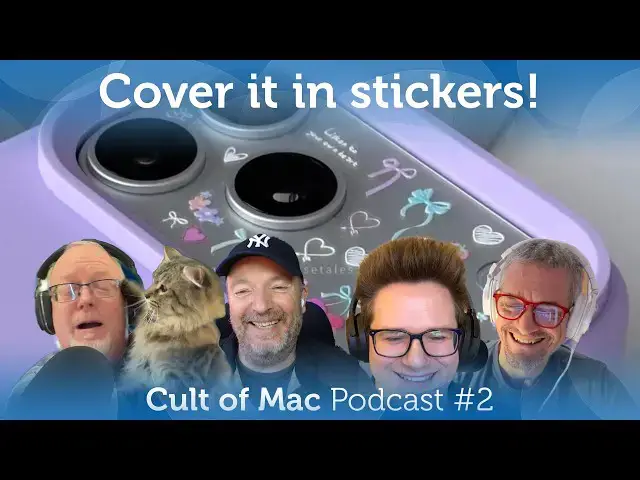
12:09 iPhone stickers
18:27 Steve Jobs auction
27:24 Reps & Sets
58:58 Setup of the Week
Follow us!
Threads: https://www.threads.net/@cultofmac
Mastodon: https://mastodon.social/@cultofmac
Instagram: https://instagram.com/cultofmac/
Show More Show Less View Video Transcript
0:00
Coming up, the cutting edge tech we expect to see in the folding iPhone. The hot new trend that beautifies your big
0:06
camera bump. The weirdest auction of old Apple tat ever. A brand new app that will keep you fit. And the best Mac
0:12
setup of 2025. Welcome to the Cult podcast. I'm your
0:18
host, Leander Kenny. Joining me today, we have Lewis. Hey, Lewis. Hey there. How's it going? Very good. We also have Griffin. How are
0:24
you, Griffin? Good evening. This is a very special episode because, as you know, this is episode two, which is the first power of
0:30
two. God, if you don't like or understand that joke, don't worry about it. It'll go
0:36
down exponentially. Oh, no. And we also have Graeme Bow coming in
0:42
from Barcelona. Hey, Graeme. Hi there. Number two is also the lowest number apart from one.
0:48
Good point. I I tend to think of something else when you mention the word number two, but Star Trek, right? Please tell me it's
0:56
Star Trek. No, that's what you might call podcast. That's what
1:03
anyway. God. Yeah, let's not denigrate ourselves. I'm sorry. I'm trying to I'm too English.
1:10
I've got to stop that. I'm working on it. I've been here for 30 years, but it's I still haven't. In fact, Oh, I
1:16
just changed. Do you use um the AI workout buddy, Graeme? You know, because my hearing is so bad, I just I I can't hear it. M
1:23
well it has this chirpy American voice that drives me absolutely bonkers and I just figured out how to change it to a
1:28
nice British accent so it's far more palatable. Does does it change the advice to be more cynical as well when you use that
1:34
one? Like I I can't listen I can't listen to British Siri because British Siri just makes I I feel like it's laughing at me.
1:40
It's mocking me. I don't think it's laughing at you, Graeme. You're the pest.
1:47
Uh yeah, I know. I'd hate to think if it if it were me what it would be saying. Well, they're supposed to be b they're based on the Apple trainers, aren't
1:53
they? And the the trainers are very perky. It's their it's their job to be. They're motivating.
1:59
I don't find that little workout buddy to be all that motivating. I mean, it's like, oh, here's a bunch of stats, you know? Sometimes it's interesting, but
2:06
also a lot of times it's it's like I dare I say it wrong. I mean, I I walk
2:12
the same route every day, and every day it tells me you uh ascended this amount
2:18
or you know, whatever. You gained this much altitude, right? It's different number every day. How can that be?
2:24
Same hill unless the hill has changed. Well, the number of earthquakes you get over there, maybe it does shift every day.
2:30
I found it kind of I found it quite interesting. It sort of does some, you know, every now like in the middle of the workout. I think it's interesting
2:36
that the stats it gives you in the middle of the workout um about the workout and maybe it is wrong. I
2:42
actually haven't uh that's a good point. I should listen out for that. Well, it doesn't really matter when it's
2:48
giving you workout stats, but it worries me when they add the sort of health advice that they're rumored to be adding
2:54
like an AI doctor this year, and that could be a bit more of a problem if it if it hallucinates.
3:01
Did you Did you try out the new chat GPT doctor yet, Louis? Did you upload your Oh god, no. I don't think I'm going to
3:06
connect my health records to chat GPT. I don't know. I mean, it seems like a bad
3:12
idea. All right, let's talk about our first story today. We're going to talk uh CES of course is uh in full swing and uh
3:19
there's some interesting stuff including what might be maybe a tease at what may
3:25
be the biggest iPhone upgrade in in recent memory. Well, Griffin, why don't you tell us about that?
3:30
So, all foldable phones on the market currently have a visible crease in the middle from where the display folds. The
3:36
folding causes stress on the screen leading to the crease which becomes prominent with time, even more so, you
3:42
know, over time. Rumors point to the folding iPhone using a newer generation display technology that would avoid this
3:47
problem altogether. And uh Samsung is probably going to be their supplier for displays. And at CES, it showcased a
3:54
folding display with no visible crease. The company has even set up a crease test area at its booth to show the
4:01
difference between its existing and this new panel. Beyond the near invisible crease, the folding panel appears to
4:07
offer improved image quality, complete with an underd display camera, which I don't think is necessarily rumored for
4:14
the folding iPhone, but you know, this is a, you know, proof of technology. So, Samsung just showing off that, you know,
4:20
this is a thing that they can do now. It supposedly uses Samsung's newer generation M14 OLED technology, whatever
4:27
that is. Samsung reportedly achieved the crease-free design by using a laser drilled metal back plate that helps
4:35
evenly disperse the stress and that prevents the visible crease from forming. And when you read that, you can
4:41
just imagine like the high fluting like phrases that Apple marketing is going to use to describe it like
4:48
some you know microetched lasers and a thin piece of whatever grade metal,
4:54
aluminum, titanium. Well, one of the earlier rumors mentioned uh uh liquid metal, right,
5:00
which is Apple uh at one time had a exclusive um agreement to exploit and
5:06
all they made was that um SIM ejector tool.
5:11
Uh and what kind of metal it's made out of I think makes no difference. I mean, what it's doing essentially is
5:16
stretching it, right? It's making a nice It's stretching the uh the cover the the
5:23
surface of the display to make it flat, I guess. a liquid metal infused folding
5:28
retina XDR display. Yeah, something like that. I do wonder how much how much they dare
5:34
to go to town on this in their marketing though because creasegate I you know I
5:39
said it first here it it's going to crease. It's just the laws of physics. You cannot change the laws of physics.
5:45
Some of these things are going to get creases and the moment someone does even if they maybe they sit on it, you know, they put it in their back pocket, they
5:51
sit on it, it gets a crease, they'll blame Apple. They say, "Apple, this thing was not supposed to crease and mine increased." You can. So I I if I
5:58
was in Apple marketing, I'd be very wary about saying crease free, you know.
6:05
Well, the thing is I don't think they're going to use the word crease at all. But they'll say, but they'll describe the
6:11
technology behind like the the folding display. You you can't even you can't even notice the the bend in the glass
6:18
or, you know, the the the display curves invisibly or, you know, phrases like that. Yeah. Yeah, you're probably right.
6:25
But does it have glass? Because that's the other thing I was wondering. You know, when the first iPhone came out in 2007, the glass was one of the
6:31
innovations that before that touchcreens hadn't had these nice glass surfaces. And I really like the glass surface. If
6:38
this has got a plasticky surface because it folds, isn't that going to feel cheap?
6:43
Yeah, that's a good point. It's going to have It has to be plastic. It can't be glass because glass doesn't fold, does it? So, it's going to be plasticky.
6:49
Uh I don't know. You know, I I I figured it would when you open it, it'll probably click into place and and it'll
6:54
stretch the plastic so it's nice and tight is what I imagined it would work. I haven't The last one I saw um my
7:01
neighbor had a one of the Samsung I can't remember which one is Galaxy folding phones and it it does you know
7:07
it has a a it did have a crease which actually wasn't too bad. I didn't think it was it was that bad the crease but of
7:14
course he uh maybe it's gotten worse over time. I haven't seen him recently. Um yeah, one of the other problems I
7:21
also that I didn't realize I saw a patent Apple had a pat just got a patent um I think a week or two ago uh for some
7:27
kind of uh special sensor that would detect if there was something in between the two screens when you fold it
7:34
together. M and um there was all kinds of descriptions of maybe like having a
7:39
burst of air to clean the screen off or some kind of warning to tell you you're
7:45
about to close your phone on a piece of grit and it's going to smash both screens or stuff like that. So as you close the phone, you just hear
7:51
like this and it like, you know, that would be really cool and it's cleaning it off.
7:58
But I think this is going to be really cool. You know, you you sound skeptical, Graeme. You sound like you're not very interested in this. I I might be um but
8:05
I don't think so. I I I think it's one of those things that I can't imagine myself unfolding it in practice. I think
8:12
that's the thing because it's kind of like if you have a twice the size it's kind of like I don't know
8:18
personally I have a you know an iPad Pro iPod Pro iPhone Pro Max and I like the
8:25
max size screen and so I don't need something smaller or bigger and I I just
8:31
think you know I I I just don't in practice I bet people buy it and then they don't unfold it much. Hm. Well, I'm
8:38
thinking, you know, I don't have both an iPhone and an iPad. So, I'm thinking, well, if I get this, then I kind of get
8:43
both in one device. I never have to have an because I've got an iPad mini, you know, that my iPhone can just turn into.
8:51
Right. That's what I was thinking. It's like it's an iPad mini, you know, that uh you're carrying around in your pocket. And that passport size, I think,
8:58
um is is is intriguing, you know, really interesting. a little bit wider and a little bit stubbier than the current um
9:06
uh you know uh design, but then folding it out like you said into a little iPad mini. And if it ran something like iPad
9:12
OS where you had you know maybe um with different windows and it would you could
9:18
connect it to a Bluetooth keyboard, maybe like a cute little dock. I mean it would be like a really I do you remember the uh the old remember when PDAs were a
9:25
thing and there was like a rash of early um little computers that you could fold out. One of them was the Revo.
9:33
Um, I love that thing. Of course, I never really used it for anything because it was it was hard to get it on the onto
9:39
the net, but it was it was really appealing to have like a little tiny computer, I thought. And this this to me
9:45
like really hits those buttons, you know, like I really want it for that if if indeed it works like that.
9:52
Yeah, I could imagine like Apple might tempt me. I don't think I want it, but I could imagine when they announce it,
9:58
then it's suddenly way cooler than I'm than I can imagine. So, I'm not saying I
10:03
don't want it. It's just I'm saying I can't see why I would want it right now. Mhm. Well, I should get to CAS and check
10:10
it out. You know, it is glass, though. It's bending glass. Bendable glass.
10:15
Is it? Yes, that's what they call it. They call it bending. Bendable glass. Super thin
10:21
glass. I It It's It's mind-blowing to think about. I every time I every time the topic comes up I I have the same
10:28
thing like how could it possibly be glass but uh that's what they say. I wonder if bending glass is a trademark
10:35
for a certain kind of plastic. Right. Right. Maybe they should call it liquid glass
10:40
cuz that's what it is. It's liquid glass. If that's the case and it really has a
10:47
nice glass feel and it and it folds with no screen, it would be really awesome. I would love to see it, but I I don't
10:52
think I can make it to CES. Maybe uh maybe when the big tech show comes to Barcelona.
10:59
Oh, yeah. Yeah, I will head I will definitely have to check it out in Mobile World Congress for sure.
11:04
Yeah. Well, we'll see. This is supposed to be coming out in the fall, so it's not very long from now, is it? And uh that and and if if and as soon as it
11:10
goes into production, we're going to get a load of leaks like just like we did with the iPhone 17 this last year. So,
11:15
we'll soon know all about it and whether it's in fact glass or plastic or some other kind of new device. Glass is actually kind of um it is somewhat um
11:23
malleable, isn't it? Doesn't it settle like an old um window pane? Sometimes
11:28
you can see it bulges at the bottom because the glass is actually gravity has pulled it down. I I think I watched a YouTube video
11:35
about this that said it was that was an urban myth. It was to do with how the glass in those windows was made. And you
11:41
can actually look at stained glass windows that are much older than that and they haven't settled down. So it it
11:46
is actually it's a a crystalline form glasses. It's not at all. It's not like a a slow running liquid. But but there
11:53
is that myth. But I think it's a myth. But I only got that from a YouTube video. So the YouTube video could have been wrong.
12:00
Oh jeez. Or I could be wrong. That very very very unlikely but a remote possibility.
12:06
Okay. All right. Well, let's move on. Our next story I think is kind of interesting. This caused a huge outrage
12:13
on social media when it popped up and when it blew up. Um uh but there's a long tradition, you know, like this is
12:19
about uh people decorating their their iPhone with little tiny stickers. Why don't you tell us about Lewis?
12:24
Yeah. So, uh when was this? This is like right at the very tail end of 2025. This is like, you know, suddenly like
12:30
everything in our Twitter feed was just pictures of iPhones with little tiny stickers on them. you know, you know,
12:37
people, young people, I'm guessing, you know, decorating their iPhone 17 Pros massive camera plateau with these little
12:42
tiny stickers. I even saw a video of someone carefully applying these stickers with tweezers. They're like, they're that small. Uh,
12:50
see, you know, somebody on on Twitter system settings says, uh, the iPhone 17 Pro camera plateau. Am I talking weird
12:58
again? The iPhone 17 Pro camera plateau sticker trend is absolutely exploding
13:03
and I love it. And uh they pointed out that uh there was an ad, this is
13:09
produced by SK Telecom, South Korean uh telecom company. It was an ad for an
13:14
iPhone 17 Pro that had all these different stickers put on it. You know, hamsters, strawberries, you know, a
13:19
bunch of different phones, video game characters, and you know, of course, cats. Um
13:25
some people went even more crazy. You know, if you go and look at people didn't start people start saying showing, oh, here's what here's what my
13:31
phone looks like with stickers. So, you know, some people didn't stop at the camera plate. they put them all over the back, you know. I mean,
13:38
I I don't know. I I was like, "Wow, this is kind of a wild a wild little trend that's happening here." And uh as
13:45
Leander was saying, I mean, you know, some people are like, "Oh my god, how could you possibly, you know, deface your amazing iPhone with this this, you
13:53
know, stupid stuff. It but but then like people have been doing this with MacBooks forever." I mean, uh, I I went and looked on I I remembered
14:00
this story, uh, that that Charlie or I don't know if it's a it wasn't really a story, a how-to post about covering your
14:06
MacBook and what what's what, you know, these skateboard stickers, right? And how cool they look and um, I mean, so
14:12
that and that was that was years ago. That was like a decade ago that that post there. So, and people have been doing it forever. I mean, if you go and
14:19
look, you'll see people just covering their MacBooks with all kinds of stickers. It's very cool. I caught
14:24
Charlie out with that because he puts these cool st skater stickers on his iPad and his Mac, but I found he gets
14:30
them all from one book. It's like one book of skater stickers and it's like a sticker book and it's like I don't know,
14:38
Charlie, you're not really a skater dude, are you? And you you're playing these like typical skater brands and
14:44
they all come from a book. Yeah, I didn't see him with a skateboard actually last time we ran. Yeah, he's he's not a skater. He just
14:51
he's not living he's not living the skater lifestyle. He's just he's just got the stickers.
14:56
But the stickers are cool. Like that hand with the eyeball on it. I mean, it's just awesome. So, Charlie is very cool, but he is not
15:03
a skater. How many people with an Apple Watch Ultra have ever gone scuba diving or skydiving or rock climbing or, you know,
15:10
you you dress for the job you want, not the job you have. Maybe he maybe he has a skateboard and he just dreams about,
15:17
you know, taking it down to a skate park one day. Well, did you guys ever have you guys
15:23
decorated your your MacBooks with uh with stickers? I'm waiting for a cult to Mac sticker.
15:29
Oh, yeah. Exactly. I put a cult stick on mine. Not not the uh MacBook decorating type,
15:34
but when I was in college marching band, I I I put stickers all over my trumpet, you know, the one that I just used to
15:39
practice, not the performance one, but you know, and I was surprised that nobody else did that. Like, you know, you've got all this space, you know,
15:45
it's a you got like, you know, big bell. So, you know, I put like a little Circleville pumpkin show sticker on it,
15:51
a bunch of like stickers from events that we gave that we went to and traveled to, you know, a little Apple
15:56
sticker on the inside. Didn't really catch on, but yeah, I had fun with it. When I was a punk, when I was a punk, I
16:03
used to have all these, you know, I had a jacket with a bunch of with patches on it um of all my favorite bands.
16:08
Um, was it sleeveless? Uh, no, it was um it was a leather jacket. It was like a
16:16
uh you know, like a motorcycle jacket. Got it. And I painted something on the back. I can't remember what it was now.
16:21
Let me see. Anarchy.
16:27
Exactly. A big Yes. Sons of Anarchy cut. Actually, I think it was No, it was New
16:33
I think it was New Model Army. For some reason, I was really into that band, New Model Army, at the time. So, I I painted
16:39
them on. Do you have any pictures? Uh, let me know. See this, Leander?
16:46
No. I'll take up a picture when at least I'm dreadlock so I'll pick up I can take up a picture of that.
16:51
Wow. Uh so uh what about the back of your iPhone 17 Pro? Is it unmolested or
16:57
It is it's absolutely pristine. Yeah, I'm not sticking any stickers on it. Um
17:03
unless of course I find some cool ones. Maybe I should get that. Uh I should ask Charlie where he skateboard stickers.
17:08
Those are a little large. I bet it matters a great deal which color of iPhone you have. Like I bet the
17:14
silver one is probably the best for applying stickers. You know, if you get an orange one, then you have to like commit yourself to a a color palette
17:20
that would look good on the orange phone. You know, I the stickers on the map are the ones I liked were like, do you remember there was a Cinderella one um
17:28
when she's that incorporated the glowing Apple logo. Oh, yeah. Yeah. So, she was holding it in her hand. And
17:34
there was several variations of that which I thought those those are the ones I like the clever ones that that incorporated the Apple the glowing Apple
17:39
logo somehow. I think there was an Iron Man one too. So, his chest was glowing when the when the logo lit up. So, stuff
17:45
like that. I I haven't seen any of those yet for the iPhone 17. I'm not really sure what you could do with the with the the three lenses. Probably some kind of
17:52
scary spider or uh you know, how about uh you know,
17:59
some kind of cyborg and the eye lights up with the flash. I was thinking you could have like a little tiny chef like leaning a spatula
18:05
into like one of the little cameras since it kind of looks like a stove top. Oh, steam coming out the top
18:11
frying pan. Not bad. Let's Let's get designing after the show.
18:16
Come up with a whole line of book sticker book. Yeah, get right on it.
18:21
Okay, I am actually going to get right on it. It's actually not a bad idea. All right. Well, let's talk about the
18:27
weirdest auction of Steve Jobs we've ever seen. This kind of uh popped up um
18:33
earlier in the week on January 6. It started this runs through the through the 29th. So, um, it's called the Steve
18:39
Jobs and the Computer Revolution, the Apple 50th Anniversary Auction, and it's a collection of weird stuff that's more
18:45
eclectic than usual. Um, it's being run by RR Auction, which is a Boston based auction house known for rare documents
18:51
and historical artifacts. The top item is, uh, probably going to be this Wells Fargo check for 500 bucks that was
18:58
signed by both Jobs and, uh, Steve Wnet, the two Apple co-founders. The auction
19:04
house uh thinks it's going to go for $500,000 or more. Uh and the check is made out to an
19:10
engineer who worked at Atari as did Jobs and Wasnet. This must must have been someone they knew from when they were both working there as payment for laying
19:16
out the first Apple one motherboard. Uh it's even numbered check number one and it predates Apple's partnership
19:22
agreement by a couple of weeks. So do you think someone's really going to pay $500,000 for that?
19:28
It's an appreciating asset. It's probably a good thing to buy. Well, there's an interesting discussion
19:33
here about whether this stuff is actually worth worth, you know, worth worthy of being collected or not. Um,
19:38
I'm a little skeptical, but obviously that they're testing this out. So, um, the so far that I mean, when I checked,
19:44
the highest bid for the so far on this auction, which in which has about 200 items, not all them related to Steve
19:50
Jobs, but there's about 200 items in this auction, um, is a prototype Apple one motherboard. Uh, and when I last
19:56
checked that was at 50,000, uh, with a single bid. It might have gone up since then. Um, so RR auction describes this
20:02
as the ear earliest known fiberglass Apple 1 board. It's a pre-production board used to validate the Apple 1
20:09
design prior to commercial release. Regarded as experts as quote board number zero. Oh,
20:15
there's some weird stuff here. There's some very weird stuff. So, one of them is is is Steve Chub's bedroom desk. This
20:20
is the desk that he had in his in his old childhood bedroom. uh and it's full of all these assorted papers uh from
20:26
Hillet Packard, Atari and Reed College and our auction is very care like
20:32
specifically describing it as you know these are the papers as they were arranged by Steve Jobs like all the
20:37
drawer the contents of the drawers are untouched so who knows what's in there
20:44
all right well um he actually scratched some stuff on the top of the desk too including his sister's name um Patricia
20:52
uh there's also 12 bow ties. Um, these are clip-on bow ties. This is from his
20:58
bedroom boyhood bedroom closet. Uh, there's a small collection of eight track tapes, uh, featuring his
21:04
favorites, Bob Dylan and John Buyers, who we went on to date later. Um, uh, there's an old Apple business card with
21:10
a handwritten note to his dad, uh, that says, "Hi, I'm back." Um, and Griffin,
21:15
what about some of the other stuff? There's also like a bunch of old um Apple memorabilia like posters and other
21:21
historical documents. Uh rainbow Apple sunglasses. I thought those were pretty cool. Like each each lens is a rainbow
21:28
Apple logo in front of your face. That must be fun to look through. Um a bunch
21:33
of like products that are like shrink wrapped in their original packaging from iPhones, iPods, even a few Apple
21:40
watches. Like they have a new inbox Apple Watch edition, the solid gold one.
21:45
um a prototype Apple 2 that doesn't have any vents on the case and another lot of
21:50
like eight Apple 2Os if you want them. There's an Apple 2 clone as well. I don't know why Steve Jobs had that, but
21:59
uh there's a a 1989 Jaguar XJS with a V12 engine that was apparently a company
22:06
car for some highranked engineer in like 1989. Um, but if I could pick anything
22:14
from this auction, you know, any product, if I could have anything, I would go for the fully functioning Apple
22:21
Lisa 1. Um, there were several versions of the Apple Lisa. A lot of them were
22:26
retrofitted with uh to get rid of the really unreliable Twiggy floppy disc
22:32
drives. And so they replaced them with the three and a half inch disc drives and, you know, swapped out the front plate. It's estimated there are less
22:39
than a hundred of these fully original Appalisa ones in existence. Maybe like 30, 50, 70. We don't know how many.
22:46
They're exceedingly rare in the, you know, double digits. U and this one's fully functioning. They have pictures of
22:52
it running. It has the profile hard drive, all of the, you know, keyboard and mouse. Doesn't look very yellowed.
22:58
So that's that's that's an item that all that's what you not not the Apple one board.
23:03
Yeah. I thought you go for the Apple one. So isn't it this auction? It's a bit weird selling people's clothes like
23:09
this and stuff. I I just read the story and I thought I don't know how I feel about that. It's a bit weird.
23:14
Yeah. Yeah. Me too. Me too. Well, it comes from his stepbrother which
23:20
uh was a surprise to me and I was like what? Steve Jobs had a stepbrother. Um, and it's uh because when his mom, Steve
23:28
Jobs's mom, his adoptive mom died in the 90s, his dad about I think two years
23:35
later remarried and uh his new wife uh
23:42
had a grown son. Um so when they married and there's a there's a fascinating
23:48
picture uh which RR auction provided um as kind of background I guess uh which
23:54
is it's not you can't see it on their you can't see on their website uh um showing um Job with Jobs's dad Paul Jobs
24:03
flanked by uh on his uh right hand side uh his his new stepson and on his left
24:09
hand side Steve Jobs and they're all dressed in these identical um outfits.
24:14
It's kind of a weird picture. Um so when Jobs is so that the the two of them uh
24:22
his new wife uh went to live with Paul Jobs in that child at home, Steve Jobs's
24:27
child at home. And of course that is the birthplace of Apple computer too. You know, they got started in the garage there. So when his dad passed, it all
24:35
went to his stepbrother and it had all been kind of untouched. this and um the posters come from the
24:42
garage, most of them um where you know they were working on these Apple one boards. Uh and there's one poster that
24:49
comes from the living room and there's another picture of Jobs from the ' 90s in his family living room with this
24:55
early Apple poster in the background. They hung it up in the in the uh in the family home. Like his dad was very proud
25:01
of that. So, um, and then of course, you know, the bow ties and the desk, you
25:06
know, this was all from his closet and and apparently his stepbrother asked him like Jobs, you know, when when he was
25:14
when is after the funeral, you know, do you want any of this stuff? And he said, no, just keep it. And so he's been sitting on this stuff for the, you know,
25:20
for for what is it now, 40 years, 30 years. Um, and I guess he's finally
25:29
auctioning it. So yeah, there is a something a little bit I don't know, a little bit ick about it.
25:34
It's just an estate sale. An estate sale with really high prices. Yeah. Well, there's some other weird
25:40
things, too. There's a ribbon cable, right? A heat sink.
25:45
There's even a couple of uh like VW microbus repair manuals. you know, the
25:53
famously Jobs sold sold the VW bus to uh finance Apple in the early stages,
25:59
right? I mean, it's it's it's wild. It's not just these, you know, $500,000 items.
26:05
There's there's affordable stuff in there. I mean, well, God knows what crazy people will pay for things, but um
26:12
there's a lot of there's a lot of really just bizarre stuff that like junk drawer
26:18
stuff. I think the bow ties are quite cool looking. I' I'd wear some of those bows.
26:23
You probably already put in a bid, haven't you? I think it was I think it was the bow
26:28
ties that weird me out most. There's something about clothes that's really clothes is really personal, you know?
26:34
Like I totally understand someone buying a one of CJ's posters. I can I can get that. I would maybe like that myself,
26:40
but the clothes like someone else's clothes and I don't know. It's a bit weird, I think. Well, bow ties
26:47
themselves just kind of weird, right? Exactly.
26:53
Why would you want a bow tie in the first place? Why would you want a dozen of them? Hey, buy buy the lot and then sell them
26:59
individually. Man, we got all kinds of money-making ideas here on the Cult of Mac podcast.
27:06
Yeah, it's a fascinating um collection of stuff. And uh there,
27:12
like I said, there's about 200 items, 190 something items uh that are on uh up up for auction and it's well worth
27:18
checking out. We'll have a link in the show notes to where you go find this. Um
27:24
Graeme, let's talk about your new app, which I find very interesting,
27:30
especially how you built it. But it's also interesting because uh you know, New Year's new new year, new you New Year's resolutions. Um Lewis has already
27:37
downloaded it. I'm about to download it. Yeah, I asked I asked Lewis before the
27:44
show if he had got ripped yet from using my app and he said no. He just been ripped off,
27:50
which is a bit harsh because the app is free. I I I was I was just saying I I
27:57
downloaded it this morning. I was really impressed. I mean, the the level of of detail and stuff. I mean, it's a very
28:02
polished app for one thing. I mean, you open it up and it's like it seems like something Apple would make. And then you
28:08
go into it, it's like all of these different uh workout types, you know, like different weightlifting things. And
28:15
I was like, "Oh, there's going to be like 10 or so. There must be hundreds in there." I was I I was I was like my finger got tired as I was scrolling
28:21
down. There's so many. There it
28:26
I downloaded it just in time for Quitter's Day. Uh I I'm going to call I'm going to start on what I like to call Starter's Day. It's the day after
28:33
Quitter's Day. So uh but look at this. It shows you which muscles I I we wanted Graham to talk about this, but look,
28:39
he's got little diagrams that show which muscles are worked. And I mean I you can
28:44
explain this stuff. I don't even know agonist, synergist, antagonist, all these things, you know. Oh my god, it's
28:50
so the level of detail is shocking. The little diagrams very informative. Well, let's back up a bit because I
28:56
don't think we've actually said the name or described what it is yet. No, we haven't. It's like crazy.
29:01
Okay. Well, it's it's a it's like a strength training fitness app for uh iPhone, iPad, and Apple Watch. And I
29:09
guess, you know, I've been into Apple and fitness for for years. I actually started writing for for Cult of Mac 15
29:16
years ago, writing about fitness and Apple. And back then, the Apple Watch and even the the health app on uh iPhone
29:23
didn't exist. And the only thing we had back then was this thing called the iPod uh Nike plus iPod sport kit, which was
29:30
this little plastic widget that you plugged into the bottom of your iPod, which communicated wirelessly with your
29:36
Nike running shoes to log your runs while you're listening to music on your iPod. And I loved that product and I was
29:42
really really into it. But I I really wanted to be able to log my strength training workouts as well as my cardio.
29:50
And that's something that that the the Nike Plus iPod Sport Kit couldn't do. So then, you know, fast forward a couple of
29:57
years when the App Store came out, I I I guess I was, as an Apple geek and a
30:04
graphic designer, I was fascinated by it was called Coco Touch at the time, the the tools that Apple gave to developers
30:10
to to make iPhone apps on the app store. And I really wanted to play with them.
30:15
You know, it was it was so fascinating. But my my knowledge of programming was
30:21
only went so far as HTML and CSS. When I was a kid, and this dates me, but I used
30:26
to program games in basic on my ZX Spectrum. Uh I think maybe in the US
30:32
they were called Sinclair Timex, these home computers. And uh so I used to do that but I haven't done I hadn't done
30:38
imperative programming in years you know and so I I developed uh reps and sets
30:45
originally uh 14 years ago uh with my partner and he's a um uh a software
30:53
engineer and so he did all the the techy bit and I did the design bit and this
30:58
app did pretty well. It got featured on on the app store a couple of times and it became quite popular. Um, but this
31:05
was like 14 years ago and 14 years is a long time in software development. So,
31:10
uh, we got to a point last year where the code was so old and creaky. I mean,
31:15
it was written in Objective C. And since then, Apple's introduced a whole new programming language and they've also introduced a whole new kind of front-end
31:22
technology with Swift UI. And it was just too old to still maintain. But my
31:28
my husband was busy on other projects and there's I thought there's no way I could do this by myself. It's like you
31:34
know I know some programming but not enough to do this. Um but then I I started playing around with Claude uh on
31:41
this uh uh platform called Cursor which is a vibe coding platform and I did the
31:48
the Swift playground tutorials that that Apple offers for free to kind of teach you how to program in Swift. And I
31:55
watched a bunch of uh WWDC videos uh on the UI and Swift UI and and how to
32:01
design for Apple platforms. And I just you know started building one chunk
32:07
after another. And after a few weeks I realized I think I can actually build this thing and it's taken me 6 months
32:14
but uh yeah I did it and it kind of works and no one is more surprised than
32:19
me but there it is. It's remarkable. And it uses all these
32:24
background uh uh different um uh frameworks, right? So, it's got cloud
32:30
iCloud syncing and um all sorts of other stuff. Yeah, that's right. And because I'm an Apple
32:37
fan and you know, I really wanted to build something that used all the cool
32:42
Apple technology. And when I did the uh when we did the original reps and sets
32:49
um when we added support for Apple Watch, we used this thing called watch connectivity so that the the iPhone and
32:55
the watch communicated directly with each other. But the problem with that uh which lots of users complained about was
33:01
they wanted to be able to leave their iPhone in the locker and just log a workout with the watch. But if you took
33:07
the watch out of range from the iPhone, so it couldn't communicate, the the
33:13
watch app didn't work anymore. And so I knew I needed a different architecture for the the new the new app. And I
33:20
basically built it with uh Swift UI, uh Swift data, and CloudKit. And this is
33:27
amazing sort of magical Apple technology. It's not quite as magical as they make out, but it's pretty magical.
33:33
Uh and that's part of I guess what enabled me to build this app. I mean it the all the data that you log all your
33:40
workouts and stuff are stored on your iCloud not on iCloud drive but in a sort
33:46
of database on your iCloud just the same way that Apple apps like uh reminders or notes work. And so you know if you're
33:54
logging a workout on your Apple Watch and you decide you want to switch to your iPhone or your iPad you can do that
34:01
seamlessly. you can you can log it on one device and then observe it on all your other devices and it all just stays
34:06
in sync and uh so it's a pretty nice solution and um other Apple technologies
34:11
like uh they introduced a couple of years ago this thing called swift charts so there's you know all the the charts
34:17
in and you know that that's pretty nice too uh so
34:22
yeah uh I think it's one of the benefits of building something which is Apple exclusive that you can really take advantage of all of these these cool
34:30
tools that Apple provides. Of course, the liquid glass user interface as well. So, it has things like the uh the nice
34:38
tab bar and stuff like that. And on iPad, the tab bar is sidebar adaptable.
34:43
Um I might even see if I can show you the iPad app. Let me see if I can do that. Oh, cool. Yeah, great.
34:48
So, there's the iPad app. And so, you see like the tab bar here.
34:54
It it sort of is they call that sidebar adaptable. So you can turn the tab bar
35:00
into a sidebar and you can reveal extra granularity in your app in in the
35:05
sidebar. So you can see I've used that to show uh the templates as well and it's got other nice features, you know.
35:11
So I I showed you this is the it's kind of like a store where you can download uh different strength training programs
35:17
and it does all of this like liquid glass stuff. You see it kind of slides behind the
35:22
Oh yeah, the sidebar there which is pretty nice. Good lord, Graeme. This looks like a lot
35:28
of work. It is a lot of work. It's it's it's taken me six months and and all of my free
35:34
time really like when I finish work and I any spare time that I have has been spent on this
35:41
every night, every weekend. Yeah. But remarkable that, you know, like obviously like like you said, you're
35:47
building a lot on Apple's framework. So, you know, that they're they're those frameworks provide a lot of the sort of
35:52
foundational um uh my god, I can't think
35:57
of the word now. Foundational foundation. Yeah.
36:02
So, it must be kind of a kick to see this working right in action when something actually works and you get all these cool effects like for is it for
36:09
free per se? I I mean a lot of it is for free. Yeah. Uh, I mean this this uh dumbbell picker
36:16
here where you can pick the weights of a dumbbell and an exercise. And one of the neat things it does is it knows what
36:22
kind of exercise it is and what kind of weights you're using. And it will show dumbbells if you're using dumbbells. It
36:29
shows kettle bells if you're using kettle bells. And uh when I got that to
36:34
work with and I was using Claude for this because it's you know it's it's way
36:40
beyond my coding skills. I kind of knew what I wanted, but I didn't know exactly how to do it. When I saw it working for
36:46
the first time, and that was the moment when I thought, I actually think I could do this. Um,
36:52
so it is a big and complicated app. There's a ton of stuff that it does. Um,
36:57
but the the solution to that is you just have to chunk it down into lots of small tasks. Quickly for the audio listeners,
37:03
we're we're looking at an interface where you're picking the weight that you're going to be lifting and the
37:08
interface shows like an actual like shelf of dumbbells all in a row with like the numbers on them and that's what
37:14
you're selecting. It's really skumorphic. It looks really cool. Can you show us um how you use the app?
37:20
How would you know like if if Lewis or I had just downloaded it, what was the first thing we would do and how would we use it to do a workout? So, if you
37:27
wanted to log a workout, say, um, if we wanted to log this King of the Swingers workout here, which is a kettle bell
37:34
workout, if I just tap start workout, bring it bring it on.
37:39
The swingers. And so, you get this like um, uh, I sort of designed this to be a
37:46
little bit like an Apple Music or Apple podcasts. So, you know, here you can see it's using the whole screen. Uh, but it
37:53
on a on an iPhone it's sort of scaled down and you you just like tap the the
37:59
done button to mark off the the sets as you go and when you finish the workout
38:04
then it appears in your uh it appears in the Apple fitness app and Apple health
38:09
app and you get all the extra details in terms of what exercises you did. Uh, so
38:15
like I can go in here and if I want to change change weights or something like that,
38:20
it it has equipment settings as well. So each um exercise that you're doing, say you do, I don't know, incline dumbbell
38:27
press, so you're using an incline bench, then it will know you're using an incline bench, and it will let you set
38:33
what the angle of incline was on the bench. Um, so it has this really nice data model that it picks up on the
38:40
equipment that the exercise is using and then it presents aspects of the equipment for you to kind of store. And
38:45
if there's anything in our model that that you want to log that isn't there, then you can you can add like a custom
38:51
note for for any set as well. And I I guess I had in mind
38:57
um for this kind of app, you get a lot of people that go to the gym and they
39:04
they have a a a ratty old moles skin, you know, that like a a paper notebook
39:09
that they take around to write down their progress. And I just thought this
39:14
is a you know, everyone now has their phone in the gym and this is a you can
39:19
get rid of one one thing to take to the gym. And if if you write things down in in this instead of in a a paper
39:28
notebook, then you you can see all this other useful stuff. You can see, you know, your your progress. You can look
39:34
at a history on each exercise and see how you've been progressing in terms of the weight that you do. Oh, and you can
39:40
see down at the bottom here, another this is like the the tab bar bottom accessory. You see here, this thing. Um,
39:48
that's a a really nice thing that they introduced, I think, in iOS 17, and they've given it a bit more bling in in
39:55
um in this iOS and iPad OS 26. So, it's
40:00
like a a tab bar accessory that appears at the bottom of the screen on the iPad as well. So, I can actually minimize the
40:07
workout if I want to do something else in the app and go back to it whenever I want. And uh you can do that on other
40:14
devices. So, for example, if I start a workout on my watch. Yeah. So, then you you can like log workouts on the on the
40:22
watch as well. I don't know if you can see this. That seems like it's completely awesome. I mean,
40:28
that's amazing. I mean, so you you've got an app on all these different platforms for the iPhone, for the iPad, for the Apple Watch.
40:33
Yeah. And, you know, I think one of the things I want to do is add it for um for Apple TV as well. I think it'll be quite
40:39
cool on on Apple TV that you'll be able to uh log a workout and you you just like
40:45
it's like doing a home workout and it will just show on screen what exercise you should you should do next and you
40:50
can put it onto auto cruise so it just you just follow along the instructions on the screen and that's one of the
40:55
really nice things about basing it on cloud kit that all these different platforms can can communicate with each
41:01
other. So the uh it it shows you obviously what exercises to do. So, you download a
41:07
workout and it'll it'll show you um which exercise and and how to do it and
41:13
how many reps you need, that kind of stuff. You log. It does do that, but I guess I don't see
41:19
that as maybe being the primary way that people would use it. I think I could be wrong there, but I I did put in I put in
41:26
that new section that we're looking at where you can browse and download workouts. Um but I put that in more
41:32
because I wanted to show people how it works. I think lots of gym goers will
41:37
create their own workout programs. I think that that that to me is like if you I think this there there are lots of
41:43
great apps already on the app store for people who want to be told exactly what to do. And I I think there's a point at
41:49
which you progress beyond that and it's like I'm used to doing strength training at the gym. Now I just want to log what
41:55
I'm doing and see how I'm progressing. And that that I think is the kind of user, it's a sort of an intermediate to
42:03
advanced user who um who knows what they're doing at the gym
42:09
and just wants a really efficient way to log it. Um that that that's the idea and
42:14
who's an Apple fan and wants wants an app that does it the Apple way. That's what I've really tried to do. I guess my
42:20
guiding principle through the whole thing was if Apple was designing a strength training app, how would they do
42:25
it? That's what I was was trying to think, which is why, you know, if you look at this new tab, I guess it it it
42:31
would look familiar to an Apple user because it's the way that Apple lays out this kind of content.
42:37
Very cool. I think if they were going to divine design an app like this, what they would do is call you up and go, "Hey, uh, can
42:43
we write you a check?" Yes. Or buy my app. Absolutely. Yeah.
42:48
I I love the fact that I mean, I haven't gone to the gym in ages. Uh, and I've
42:54
recently decided I have to go back and I have because, you know, the older I get, the weaker I get. Bad feeling. Uh, and
43:03
the thing that I remember about going to the gym was there's all these machines. I can't I I kind of could never remember
43:10
what I set them on. What what is the leg weight? Uh, I don't know, 10, 20, 50,
43:16
100. I can never remember. Uh, so seems like a great way to do that. And also,
43:22
you know, hopefully you start lifting more, right? So, you keep track of what you did and and I mean, it seems like a
43:27
great way for that. That's exactly what it's for. Yeah. You already know the machines, so you know what they're for. You just want to
43:33
remember what you did last time and then, you know, remember last time you increased the weight, that kind of
43:38
thing. That that's exactly what this app is for. And it then it will log all the all the stuff that Apple's built-in
43:45
workout app does like you know your active calories and your heart rate and all of that. It will save all of that to
43:51
the health app. So you get that but then all of the extra strength training stuff that we were just looking at. Then it
43:57
saves that to cloud kit so you can see that in in reps and sets on all your devices. I'm going to do a Mac app as
44:03
well. You can obviously use the iPad app on the Mac. Um but that's not my last word on it because I'm obviously an
44:08
Apple fan. So, I want to do a Mac app the right way and get all the stuff like the um well the menus we have on iPad
44:15
now and I do have the I did all the menus on the iPad so those work on the Mac as well but I want to have an
44:20
inspector and you know buttons on the Mac are slightly different shape they're not capsules they have little rounded
44:26
corners and they're a bit smaller and so there's lots of things to think about I guess it's more of a multi-wind
44:32
experience on the Mac as well so that's kind of my next challenge is Apple TV
44:37
and Mac and if I get those nailed. Then Griffin, my next stop will be the Vision Pro.
44:42
I will do a clean clean sweep of every device. You should have some neck workout so you
44:49
can hold that thing up. Yeah. Yeah. And you should have a little warning so you don't accidentally bunk the front glass of your Vision Pro with
44:56
a 200lb weight and crack it. Oh yeah. I I think big neck is a really good look. I I I I want my neck to go
45:04
straight down from my jawline. Maybe maybe I should get a Vision Pro for that purpose.
45:12
The Vision Pro neck workout. Yeah, I can see that. I don't think Apple would like that. I
45:17
don't I don't I don't think that would win me brownie points in Cutino.
45:23
Well, cool. So, it's a free app, isn't it? Right now, it on the app store. I I really just want as many people to
45:29
to try it out. I want to get feedback. There's a a link to a Discord server in the app. So, if if you play around with
45:35
it and you want to kind of discuss it or have any feedback, then I I'd love for people to engage like that. If it if it
45:42
takes off like I hope it will, then maybe I'll add some, you know, a support tier with some some pro features and
45:50
stuff. But the the basic app, my plan is that, you know, that's going to be free.
45:55
You just wanted as many buff jacked people in the street as you can as you can create. Yeah.
46:04
It's very cool. Yeah, the the the vibe coding thing is really um inspiring. I think um you know, like you said, you're
46:09
a graphic designer by trade, right? So, well, you know, I I think I learned a lot about VIP coding in uh developing
46:16
this app. And one of the things I I think I I came to realize is that vibe coding is a skill in its own right. And
46:24
I know some people that that really hate anything AI related. And some of my friends hate everything AI related. and
46:30
they'll they'll have a joke about they'll have a joke about you know how
46:36
hard can it be to write a prompt and I see that that point of view you know but
46:42
at the same time to to write prompts to build an app like this there is a lot of
46:48
homework that you need to do because with with five coding the quality of what you get out is very much determined
46:54
by the quality of what you put in and you need to know what you want to ask for in order to get it
47:00
Exactly. That seems to me the most difficult thing. I mean, you know that you're bringing a lot of background knowledge to this obviously, aren't you?
47:06
Like you said, you watch a lot of dubdubdubc videos. You got to know what these frameworks are capable of, what the different uh you know, what you can
47:11
do in Swift UI and so forth. I mean, so it's not just a question of of having some sort of vague idea. You actually
47:17
have to have quite a specific idea, right? Is it is it really really specific that to make it work? Yeah, I think most
47:24
there are some apps that you know if you want to just make a fart app or something then you could probably make it in an afternoon but most apps these
47:31
days that have any value are pretty complicated. It look like an app like reps and sets uh and superficially it's
47:38
like well it's got four tabs and how hard could it be? But if you looked at how many different scenes there are in
47:44
in this app, there's hundreds and I think it does thousands of different things. And it's it's it's an immensely
47:51
complicated thing. So in order to build something like this, you really need to organize
47:58
in your mind what are all the different things I want my app to do and what order do I order do I need to build them
48:03
in? Because actually for one of the things with this app was I had to think really carefully about what's the first
48:09
bit that I build and what's the next bit that I build and build it in a sequence
48:14
so that each function is a self-contained thing that works. And so you have to think about what the
48:19
dependencies are between the different functions that you're building because uh you know Claude and GTP are brilliant
48:26
but they they can't build something if they don't know what it's interoperating with. So you you you kind of you're
48:32
bootstrapping this thing. you're starting with and actually I worked out in the case of reps and sets the first
48:37
thing I needed was the exercise tab. It's not the first thing the user sees, but everything basically starts from
48:44
well the model is the first thing of you know working out how the model works. But then the first bit of UI was was the
48:50
exercise tab and then once I had exercises then I could have the templates tab where you build templates
48:56
from exercises and once I had the templates tab then I could build the the workout view where you log workouts
49:02
based on templates. And once I had the workout view, then I could build the summary view which is the first thing you see because then I have workout data
49:09
which can be presented visually. And once I have all of that, then I'll build the new tab because at this point I've
49:15
thoroughly fleshed out the model of you know what a template is and what it needs to do. So that all of that kind of
49:22
thinking you can ask questions you can ask Claude and get advice but
49:29
you have to start somewhere like AI can't just build something out there's a
49:34
lot of this that you need to figure out first but you can do it if you really want to you know because I hadn't done
49:40
any programming in years before I started this and so if if you if you have the cur I think you
49:46
need curiosity you you need to be the kind of person that's fascinated ated to watch WWDC videos and I guess in my case
49:54
I used to watch them and I loved all this stuff and I was frustrated I couldn't build it you know so I already
50:01
I already knew about lots of these UI things I I just didn't have enough knowledge to actually use the knowledge
50:07
that I had and so the cool thing about uh vibe cutting for me was it plugged that knowledge gap and what I would say
50:15
is for me there has been a huge amount of learning and doing so I I guess I'm
50:20
the kind of person I like to learn as I go and that kind of learning doesn't work very well with programming. Well,
50:25
it does, but you need a certain amount of knowledge in order to get you started
50:30
and I was too impatient too impatient to learn it. This gave me an an interesting
50:36
way in that I could see progress and you know often Claude would do things I
50:42
think why did you do that and you can ask Claude and Claude will tell you and then you know you've learned something
50:47
and so I I definitely in this I learned a lot about software architecture and I learned a lot about programming as well.
50:53
I'm still not a programmer but I'm more of programmer than I was six months ago.
50:59
Did so did you map all this out first or it sounds like you were you you were sort of well making it up as you went
51:04
along or or rather discovering it as you went along like you built it in in modules but so did you have a did you
51:10
have an overall plan and you sketched it out you you know you you you figured out I'm going to do this I'm going to this or was it like you like you just
51:16
described you you you figured that I could build this then this then this it's like that but I I did obviously
51:23
have the original app which uh Martin my husband had helped me build and so you
51:29
know from I guess we had both spent a lot of time on the original app thinking about the model and the model is like
51:34
the database structure of how these different aspects like equipment and exercises and workouts and templates how
51:42
all these things fit together and so I already had that idea which and I had
51:50
the old Objective C code as well and so that that's a big help too because uh if
51:56
I can't understand how something should work then I can ask Claude to have a look at the Objective C code and tell me
52:02
what he thinks it thinks. I I I think like just the the new tools have also helped enormously. I mean
52:10
Swift UI like it's it's declarative. It like as someone who also has a you know a background like building websites and
52:16
CES and HTML, Swift UI feels very natural in like that same sort of way that like you're saying here's the
52:22
button, here are its properties. like Swift UI is much more readable and I think that makes it both easier for
52:28
noviceses and also it's easier for AI tools to write as well because it's more
52:33
intuitive and um you know I have a computer science degree but I look at uh
52:39
Objective C code and it it looks like someone just matched on a keyboard. It's the the syntax is just so dense. So I'm
52:46
sure the tool helps as well but you know as you said like the harder part is the hardest part is thinking like a
52:52
programmer. you know, you need to you need to understand how the functions work, how how to how to just, you know,
53:00
turn an idea into like a logical series of steps. And that's the harder part. You know, the AI can help you with the
53:05
syntax, but you still need to understand. That's the key. And it's a puzzle, but I mean, if if you're of that mindset, it's
53:13
actually quite fun. You know, the whole time I guess I was enjoying it. That's part of or I I was just really curious
53:20
to see how far I could go with it, you know, that that that's the thing. It's like and I wasn't sure and I'm still
53:27
actually not sure. Am I walking out on thinner and thinner ice? And is this whole thing going to collapse at some point? And you know, I've shipped the
53:34
app now and it hasn't the ice hasn't collapsed yet. But if I'm honest, that's
53:40
one of the reasons it's it's free. I don't want to charge for something until I'm absolutely sure it's it's rock
53:45
solid. So, you know, I think it's rock solid. We But you'll find out.
53:51
I guess it's it's always a worry when you don't know every line of code inside out and you know, this is vibe coding.
53:58
So, I I I check every bit of code before I check it into git. Um, but there's
54:04
only so much of it that I understand. And, you know, so you can do a lot of thorough testing. Um, but with a complex
54:10
app like this, there are always going to be edge cases that you haven't tested or
54:16
like regression issues if you fix one thing and it breaks something else. And so it it's it's learning for me, but
54:23
I've already got a few users who really enjoying it, a few other users who've had some issues with it. And, you know,
54:29
I'm I'm slowly squishing books. I mean, on the plus side, your app is
54:34
still like rooted very much in reality. like you're not going to have somebody lifting 10,000 weights, you know, that's
54:41
well I mean in that sense I I actually from the original reps and sets we put some disclaimer in our terms of use to
54:48
say in so many words you must use your best judgment in terms of what exercises you do and we accept no liability for
54:55
injury. But the other thing is the the there are some like templates in there,
55:00
but this is not an app which tells you how you should progress because I I'm of
55:06
the view that an app can't really do that. If you if you want someone to understand you and your individual
55:12
fitness journey, I think you need a personal trainer, someone that knows you, observes your workouts in real
55:19
life. I wouldn't trust any app to do that and certainly not like uh I don't
55:24
know some AI thing that with Apple's foundation models you know because a hallucination could result in an injury
55:31
right so I I my personal view is I absolutely don't think that apps like
55:36
this can replace personal trainers and if you're starting on your weightlifting
55:42
and gym journey that to me is exactly where you should start you should find a great gym where you feel comfortable and
55:47
get a personal trainer to show you how to do this stuff. But I think you then you get to a point where
55:54
you know what you're doing and you you don't necessarily need the personal trainer so much or more for motivation
55:59
maybe. But when you know the basics of what you're doing, that's when I think an app like reps and sets can become
56:06
useful just for logging what you're doing so you can kind of you can keep a
56:11
keep a log and see your progress. Well, I wish you the best of luck, Graeme. Thank you. and thank you for letting me
56:17
have this show and tell. Yeah. No, no, no problem. No problem at all. Yeah, it's like we said, we're all
56:23
uh Well, Louis and I Anyway, Griffin, are you interested in using it? Oh, yeah. Yeah, I'm interested. Uh I
56:29
probably should be using it. I was surprised how much I liked it like like Lewis, you know, I've fallen off the wagon a little bit, but uh when I
56:35
was doing it, it was it's super enjoyable. It makes even while doing it, I enjoyed it. And I enjoyed especially
56:42
how it made you feel like the next day when you're sore and you can feel your muscles because I had a personal trainer
56:48
for a little while and he would have me doing sort of you know chest presses or whatever and he'd say well could you feel the muscle and of course it was so
56:53
weak and weedy that I could there was no muscle to feel but then as I progressed suddenly yeah it it it you know then
57:00
yeah I could totally feel it and it was what what I loved about weight training is you could target that individual
57:06
muscle so well with a different set of weights or a different uh machine at so
57:11
precise that one particular muscle set that you're working and it was super fun. You know, I spent a few years going
57:17
to the gym doing weight training and and really really enjoyed it. In fact, even now talking about it, I'm really got to get back to it because like Lewis, I'm
57:23
losing strength. I could barely even open up a jar of peanut butter anymore. I got to get my wife to do it.
57:28
Wait, you can't rip open. Jaws are jars are hard, you know, they're they're
57:35
tougher than bench press sometimes. Yeah. Yeah. Well, we're none of us are getting any younger. And uh you know, of
57:41
course, it it it used to be cardio, didn't it? Like I was reading about Planet Fitness, they're rejigging their
57:46
um their layouts now and and it they used to be all about cardio and about losing weight and but everyone I think
57:54
that the world has come to realize how important strength training is and it's it's definitely one of the most important things you can do, isn't it?
57:59
To maintain your um your strength and your your mobility. Oh god, like you know, leaning down now and just bending
58:06
over. Oh god. I hear every joint below the hips crack whenever I stand up from the from the
58:11
floor. And you're young. You're young compared to us.
58:17
Well, congratulations, Graeme. And um yeah, I wish you the you know uh happy to help out in any way to get this uh
58:23
get this out there. I think it's, you know, it's a helpful app, isn't it, for people. So I think so. I hope so. And and I'm going
58:30
to write a piece for GTM about Vibe coding. If you're interested in building your own app, I've got some tips that
58:36
I'm so I'm going to share those. Gonna share that post that on Cult in in a couple of weeks time. I'm working on
58:41
that at the moment. Great. I've got a billion dollar idea. I know it's going to be hugely successful. Um but uh I don't want to reveal it
58:48
because I don't want to uh I don't want to rip off my my brilliant idea, but um I would yeah, I've got to find
58:54
out whether it's actually possible or not. Though that's the first step. Uh let's talk about the setup. You know,
59:00
obviously on Cuttleback, we've been featuring setups and Mac setups for a long time and we did a roundup, the top
59:05
10 Apple setups of 2025, and we have here this amazing setup.
59:13
Lewis, I believe that you have been chosen to tell us about it. Yeah. U you know, bright white room,
59:21
clean white desk, uh some kind of crazy desk mat on there. I can't tell exactly what it is, but uh hidden off to the
59:28
side. This is one of the things that we saw like last year. Like this is super cool. M4 Mac Mini, and it's in this
59:35
aluminum chassis that makes it look like an itty bitty Mac Pro. Totally cool little thing. I first time I saw that
59:42
I'm like, "Yeah, that that's awesome." Uh this thing, this setup has two 27inch
59:47
Dell 4K monitors set side by side, so it's super widescreen. Uh, two Bose
59:54
companion 20 speakers. Uh, crazy mechanical keyboard. Uh, I can't even
59:59
read the It's It's one of these products with the numbers and letters in a jumble and I
1:00:05
can't tell you what is a I don't like this. I don't like I don't Maybe it's Maybe that's Keyboard Geek for Molly
1:00:12
M011. It kind of looks like Molly. Also, whenever whenever there's a keyboard
1:00:17
like this, you never know if it's going to be like, you know, $20 Amazon crap or if it's going to be like $800. Uh, this
1:00:23
is a $500 keyboard. Wow. 500 bucks. Translucent case. Logitech M575 track
1:00:32
ball mouse. You don't see I I don't see very many trackpads to be quite honest. Um, track balls.
1:00:38
Sorry. Track balls. Yeah, track balls. Trackpads. Sure. Everywhere, but track balls. It's It's still mouse shaped, but
1:00:44
then you don't actually slide it around on the table. It has a track ball right under your thumb that you flick around.
1:00:50
That's totally 90s. They were a hot thing in the '90s, weren't they? Track balls. I got them. You know what I remember? I remember my thumb being extremely tired
1:00:58
cramping up. I think those things are nightmare. Uh
1:01:03
thumb RSI. Yeah. Uh it's real. Uh let's see what else is in there. Uh, so we were talking
1:01:10
about this before the show, like what in the world? There's these two little racks of things, and at first when I was
1:01:15
looking at him, I thought, "Oh my god, it's like a little tray of candies. Does this person that owns this setup?" Like every day they have new little truffles
1:01:22
brought in so they can, you know, snack at will. But, um, we were actually trying to figure out what they are. Are
1:01:28
they keyboard caps? Are they tiny little uh cute, you know, Japanese erasers?
1:01:34
Don't know. AI doesn't know either. AI was telling me it was uh the one thing
1:01:39
like the logo is saying, "Oh, it's it's paper clips. That can't be true. That's not what that is." What do you know? AI
1:01:46
made something up. Uh so I I I'm absolutely
1:01:51
uh at a loss. I don't know what that is. If they're key, they're keyboard caps because they they
1:01:56
do seem to be like the same size as the keys on the keyboard, but they're they're wild. They're like
1:02:02
all these little, you know, cat heads and uh looks like a raccoon and there's
1:02:07
a giant ghost. I mean, wait, that thing that thing is like probably at least an inch high. I I mean, they're not they're
1:02:15
not your traditional key caps if that's what they are. Um well, that's what people do. Like they for some reason like the the escape key
1:02:22
is a really popular one just because it's in like the the far upper left corner and it's not a key you hit too often. Like people always do fun escape
1:02:28
keys. Sometimes they do the whole escape key and function row along the top with four little characters. Makes them stand
1:02:35
out. And this is this keyboard doesn't have a function row though. It just goes escape and then
1:02:41
the the numbers. So I don't know what they would do with it.
1:02:46
Well, plus there are no custom keys on it, are there? Currently. Yeah. I I guess I guess one of those
1:02:52
things actually does look exactly like a key cap. But most of them look like I
1:02:57
don't know, little snacks or something. I'd be afraid I'd you know eat these by accident. Um
1:03:04
how would you rate it? Let's rate this. Let's rate the key. Let's rate it. What do you What do you think out of 10? Would this How How do you like this?
1:03:12
Um well, you know, two two monitors and they're 27 inch monitors, but they're 4K, not 5K, which is what you would need
1:03:18
for it to be a retina display. So, uh, minus one point for that. Although, it has, you know, a Mac Mini. It's the best
1:03:24
computer. So, you know, that bumps it back up again. It's nice and bright, clean. This is a an office that I would
1:03:29
probably be happy to have my own setup in. I give it a four out of five. Cable cable management is a little
1:03:36
dicey. Look at the giant cable that's going in into I guess that's what is
1:03:42
that going into that mechanical keyboard. Looks like some kind. It looks like it. Yeah. It's crazy.
1:03:47
Yeah, it looks like a coax cable, doesn't it? like a TV cable unnecessarily. They have like a bunch of
1:03:52
wires that are just like sort of hanging out that are connecting to the speaker on the left. They could maybe get like
1:03:58
one of those like, you know, things that like, you know, groups all those wires together to make that look a little cleaner. But, uh, good job overall. You
1:04:05
know, as with all of these setup discussions, I would just like to, uh, say I this is
1:04:11
a million times better than my setup. My setup looks like somebody dropped a bowl of spaghetti on my desk. Uh, absolute
1:04:18
nightmare. I would never ever publish a photo of my setup because it is uh an
1:04:23
absolute disaster. Here you can see mine. I know. Here we are ragging on someone's setup. It's very very unfair. And this is what this
1:04:31
is what Oh, hold on. Oops. A daisy. Now I've messed it all up. What did I do this for? This is very stupid.
1:04:37
Yeah. Yeah, I see. Yeah. Right. Right. My setup. Yeah.
1:04:43
Yeah. Okay. I mean, I I gotta say I can beat that like on the horror scale, but
1:04:49
uh I am not showing mine. And there's tons. I mean, if you go and look at this, you know, this was the best the
1:04:56
best Mac setups that we saw all year. There's a there's a bunch of beautiful ones in there. Um I I I really get just
1:05:04
a feeling of inadequacy when I look at these. Uh because it's just so mean
1:05:10
people put so much time into their space and they they keep it they keep it up. I mean that's every once in a while I go
1:05:16
crazy and spend two hours and I get mine, you know, beautifully. It looks beautiful for like four days at max and
1:05:22
the next thing you know it's just covered covered with trash again. We just all you do is clearing space to put to to refill it with trash. Really,
1:05:30
isn't it? Yeah. It's just terrible. Humbling is what it is. Humbling.
1:05:35
Very humbling. Let's let's let's wrap it up there. I think that's enough of this for one week. That's all the cult we
1:05:42
have for you. This isn't the cult. Oh, miss me. You're right. The cult of Mac
1:05:49
podcast. They do. Yeah. Um, please give us a fivestar rating in the podcast app. It
1:05:56
makes a big big difference um to uh the visibility of the show. We're already rocketing up the charts though, so um it
1:06:04
uh you'll be in good company. Um, and also like share it, you know, like uh we need more listeners, so please share it
1:06:11
with anyone you think would enjoy this. We still got that new podcast smell. Mhm.
1:06:16
It does, doesn't it? Yep. Leave it. Also, leave us a a comment on YouTube or ask questions for the show. We're going to be hopefully we're going to be
1:06:22
answering more more breeder questions. We're getting a lot of comments on YouTube, but uh not a lot of questions,
1:06:27
I'll just say. So, okay. Well, let's let's let's try to turn that around.
1:06:33
What happened to your setup? Oh my god, here's my cat. That's just that's a great way to end the show. The cat comes
1:06:39
up and starts stepping on my keyboard. He's a great typist. Comes in every morning to check his email. Oh yeah.
1:06:46
Well, he keeps a keyboard warm. Look at him. Let's terrified.
1:06:51
Hey, you're okay. Theo. Theo the restaurant cat. Wow. He's a podcasting star already.
1:06:59
I can't believe he I didn't even think he was in the office. The door's shut. He must have just been sleeping in the closet.
1:07:05
Hey buddy, how are you? I finally get you. Theo, the official cult of my podcast
1:07:11
pet mascot. This cat will stare you down. I've never seen had a cat in my life. He's like a
1:07:17
psycho killer. He just will stare at you for like a minute. A constant staring contest and he never blinks. Here he
1:07:23
goes. Okay, see you, buddy. I think let's get him on every week. We can ask him what he thinks about live
1:07:29
coding, what he thinks about the setup. Do you think he likes that setup? I think he'd
1:07:34
like that mat with the with the big fish on it. Yeah. Yeah. Although there's one of his favorite
1:07:39
things to do is walk up to my desk and just just casually look at me and then casually swat things off the desk. Just
1:07:47
like obviously like I'm doing this to get your goat. He's trying to clean it for you. He's
1:07:52
giving He's trying to help. He's just trying. Actually, I I I told I told Suzanne, you know, you know what this
1:07:58
cat is? He is a decluttering god. I mean, his thing he was brought to
1:08:04
our life to say, "You got too much crap everywhere. I'm going to knock some of it off."
1:08:10
Here's your Merry Condo cat. Do you love it, Louis? Do you love it?
1:08:15
Do you really love it? Uh, this this old pen cap that I got sitting here. Uh, not because I don't
1:08:21
know where the pen is. I don't really You know what? I'm going to throw it away. Don't love it. Small steps. Small steps.
1:08:28
All right, let's uh Lewis, if you want to follow Lewis and his adventures with with Theo, the the uh the decluttering
1:08:35
purse, he's at Lewis Wallace on Twitter. Griffin's on Macedon at DG Griffin
1:08:40
drones. Graham's on Blue Sky. There's another uh super popular and wellknown
1:08:45
social media app. Graham Bower, that's uh Graham G R Am Bower B. And uh I write
1:08:53
the cult of Mac today newsletter every day which you can find at newsletters.cultmack.com and you can find back at the cult on
1:09:00
this feed um or the cult feed. So thank you for listening for watching and we'll see you all next time. Have a great
1:09:06
weekend everybody. Goodbye. Bye. See you. Hey Graeme, thanks so much for coming on again.
1:09:11
Oh, thank you for having me.