0:00
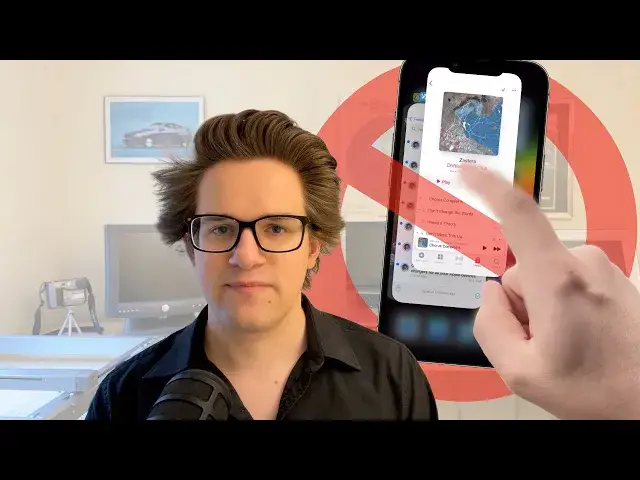
Should you clear your open apps on your iPhone? No
0:03
Despite the habit you might build and reinforce over the years, quitting your apps
0:07
because you think it'll save battery life, speed up your phone, clear up memory
0:12
is actually worse for your iPhone overall. You should only ever force quit an app
0:17
if it crashes or stops responding. Here are three reasons why. Number one, quitting apps drains your battery
0:26
and slows you down. Every time you force quit an app, your phone has to end all the processes
0:31
associated with that app and it has to clear it from memory. And then when you open it again
0:35
it has to load everything up from scratch, which slows you down. It may sound counterintuitive
0:40
but you're actually better off just leaving it as it is. When you're done with your phone
0:44
just go back to the home screen or lock it. It's that simple. If you make a habit out of it
0:49
the battery power you waste by quitting your apps and waiting for them to open back up again
0:53
will be far greater than the battery power it takes to just leave them silently in the background
1:00
And your phone will clear apps from memory if it needs to. You don't need to do it yourself
1:04
Number two, so what actually happens when an app is left open in the background
1:09
It's basically as good as if it was closed entirely because there's very little
1:14
that an app is allowed to do in the background if it isn't on screen or if your phone is locked
1:19
without the need to force quit it. In fact, here's a complete list
1:23
of everything apps are allowed to do in the background. They can stream audio like music, podcasts
1:30
or background videos. They can receive or make phone calls, ask for your location, send you notifications
1:36
or finish a task that you just started like uploading a photo or making a post
1:41
In fact, this is so long ago that the examples they used during the introduction
1:46
were Pandora, Skype, and TomTom. And over the years, they've added a few more features
1:52
Now apps can run live activities, talk to Bluetooth devices, record your screen
1:57
run a Siri shortcut, and manage a network VPN. But again, you will always be aware
2:03
if these things are happening. If an app isn't on screen or doing one of these things
2:08
it's doing nothing in the background. It doesn't take any battery life
2:11
It doesn't slow your phone down. Number three, I will concede there is one exception to that rule
2:16
and that is a feature called background app refresh. Every few hours, your phone will let an app
2:22
in the background update for new content. So that it's there as soon as you open it
2:27
But again, this is a feature that doesn't take that much battery power
2:31
and it speeds up your phone because as soon as you open a new app
2:35
you don't have to wait for a spinner. You'll instantly see the new content you're looking for
2:39
But if it really bothers you, there is a single switch you can use
2:43
to turn it off entirely. That is in settings, general, background app refresh
2:49
background app refresh again, and then you can just turn it to Wi-Fi only
2:55
if you're concerned about battery life, or just turn it off entirely. But again, I encourage you to leave it on
3:00
because your phone is really smart about how best to preserve your battery life
3:05
I would only disable it for the worst possible offenders, Amazon, Instagram, Snapchat
3:12
and leave it on for the rest. Now I know it can be hard to undo
3:15
years and years of muscle memory if you just do it automatically without thinking about it
3:20
but I encourage you to try and retrain yourself. Just go to the home screen and hit the button
3:25
If you learned something from this video, remember to like and subscribe. I'm Degriffin Jones with Cult of Mech