live_tv
Livestream Starting Soon
00
Hours
:
00
Minutes
:
00
Seconds
Up next in 10



One thing that makes iPhones so great is how each one can be so different, thanks to all the applications available, the many different ways to organize your home screen and all the other customization options that help you make Apple's smartphone your own.
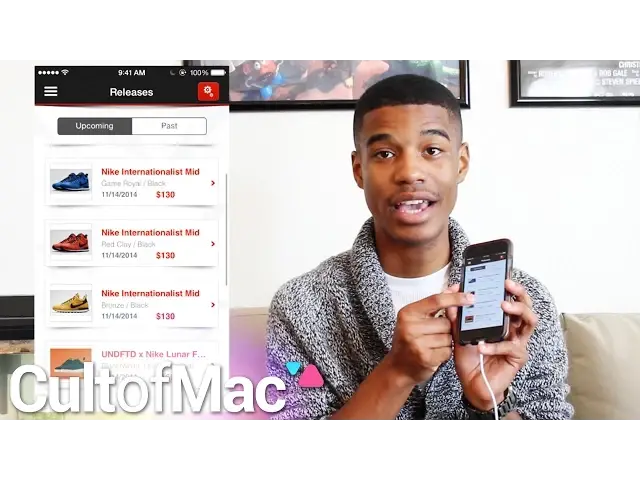
In today's Cult of Mac video, staff video producer Joshua Smith shares what's on his iPhone 6. Find out how he keeps his iPhone organized, which apps he uses most and more.
Subscribe to Cult of Mac TV for all our latest videos.
Show More Show Less View Video Transcript
0:00
Hey what's up everyone it's Joshua Smith from coltumack.com and today I'm here
0:11
with a little bit of a different kind of video. In fact it's a what's on my iPhone 6 video
0:16
series I'm thinking about starting up because I've had a lot of questions in the comments section below and on Twitter people asking me hey Josh which app should I use
0:26
for this or hey Josh what app do you use for that? And so on
0:29
How about I break the silence and let you guys know and show you how I have my iPhone set up
0:36
what apps I use on a daily basis, and I've got it hooked up to my map via Yosemite doing some easy screen recording
0:44
so you're going to see it right there. And without further ado, there's nothing to do really but to get started
0:51
All right, so turn on my iPhone screen, and I've got a pretty basic lock screen right now
0:57
Right now it's this bomb logo. I thought it was pretty cool. But I use touch ID to unlock
1:03
And we are in Joshua's iPhone. Yeah. Now one thing that's really interesting about how I like to keep my iPhone setup is that I never go past two pages
1:18
I've just never seen a point in swiping through multiple pages on my iOS devices because I just think that's
1:27
I know it. So it's always on two pages and how I keep that, I guess, sane is I have folders on the top row holding a lot of extra apps that would normally leak over into other pages. And it seemed to work for me and I like it. I do that on my iPads. And it's a system that works well for me. The top row I've got my messages app, my calendar app, photos and then my camera
1:57
I just think messages should be in the upper top left hand corner because I use it the most, but I don't really want it on my dock
2:04
Second row, we got videos, Google Maps. Google Maps is what I use instead of the stock iOS Maps app because I just don't like it
2:13
Weather. And then of course, the YouTube app. Notes, clock, game center, calculator that I use every now and then
2:23
The iTunes Store and the App Store, they have to be right next to. other, they go hand in hand. The settings app and then here's an interesting one, kicks
2:32
on fire. Now if you know me, if you follow me on Twitter at just Joshuaという three, you
2:38
know that I am a sneaker addict. Trying to be a recovering sneaker addict because that stuff
2:46
can get expensive but even so every now and then I like to splurge and buy some shoes and
2:51
this is my favorite app to use by far the kicks on fire app. What it does is it shows you each
2:57
that's coming out, the release data comes out, the amount of money you need to pay for
3:03
it, and if you tap on any individual shoe, you can see multiple pictures of the shoe, you
3:09
can get a quick description, you can even tap to add it into your calendar and get reminders
3:15
I mean, it's pretty sick and it's awesome if you buy sneakers all the time
3:20
So if you're a sneaker head like me, you're going to want the Kicks on Fire app, so check
3:24
it out. My next row is probably where I keep some of my most used applications on a daily basis
3:33
This is a power row right here. I've got Netflix, Hulu Plus, Yikyak, and Snapchat
3:42
Now obviously everybody knows what Netflix and Hulu Plus is. As a college student, every now and then I get some downtime and so I like to take out my
3:50
headphones and catch up on a show right now on Hulu Plus
3:55
I'm working on Gotham, that shows pretty sick. And of course I'm watching Modern Family
4:00
It's hilarious. Yikyak is an interesting app Now if you probably heard about Yikyak you probably heard some good things you probably heard some bad things It like an anonymous Twitter People can make tweets or post or whatever basically just sharing their thoughts but it huge in college because it a good
4:24
way for people to share their thoughts about campus, share about things that are going on on campus
4:29
and actually it's hilarious. And then you can upvote and downvote. And, uh, and um, it's a
4:35
It's just a pretty cool fun app to use. Now Snapchat, Snapchat, everybody knows what Snapchat is
4:41
It's good fun. Hit up the next row, and we've got flipboard, tweet bot, paper, and Instagram
4:50
Now, if you watch my videos for quite some time, you know that I do not like the native Twitter application
4:56
It is sloppy, it is disorganized, and it is no fun. My theory is if you can pay a few dollars or whatever for an app that works well and I mean you use the app on a daily basis, why wouldn't you do it
5:11
And so I forget how much tweet bot was, but it was obviously the best purchase I've made in a long time because I use this app daily
5:21
So if you're not following me at just Joshua 1, 2, 3, but the design of this app on the iPhone 6 is beautiful
5:29
I don't know, it's just a great app. It's got great animations, quick features for retweeting and everything
5:36
It kind of just has more of a design that fits me
5:41
People may not like it, but I do, and that's why it's on my iPhone
5:47
Paper for Facebook, but Instagram, I'm a power user of Instagram. I like staying in sync with the rappers
5:54
I follow, the athletes, shoes. of course, but it's good fun. Now the way I have my dock set up now
6:04
so I've got my phone in the lower left-hand corner. Gmail is what I use for email
6:08
and I keep all of my emails synced on there, except for a couple of work ones
6:14
And I used to use Google Chrome. I used to use Google Chrome
6:19
but then iOS 8 and OS10 Yosemite happened. The way OS10 Yosemite and iOS 8 work together via Safari
6:27
it's just beautiful. I like the way it looks. I like the backgrounds way better
6:34
I like how when you scroll up, you get that little translucent look that you can still see behind it
6:39
It's just got that Apple design and I think it looks great on the iPhone 6
6:44
That's when I made the switch to Safari and it's been working well for me
6:48
But the app I use for music is called Ecout. At least I think that is how you pronounce it
6:55
but the design of this app is way better to me than the stock iOS app
7:02
Everything has smooth animations. The player has this pretty cool look. You can set up quick options for cueing up songs
7:15
Everything is not thrown at you, but what you want to see is centered on
7:21
Check out my next page and you'll see what I was talking about. this page. We just don't. That's just the way it is. Just way it is people. Okay. But the way I have
7:32
it set up is on my top row is where I keep my folders. I have extras because I couldn't really
7:37
come up with a better name. I've got music, which is kind of empty. But I need to find
7:43
some more good music apps. If you have any, let me know. Then I have a work folder
7:49
which I use a lot. Because I work a lot. And then we got clear
7:56
Let's take a quick look at my extras folder. Um, right here we, this is where I keep my contacts
8:04
I take a lot of hyperlapse videos. Instagram made that app, but when I went to Vegas
8:09
I took a lot of hyperlapse videos of the canyons and everything. I just trying to find more ways to use it when I home It not as practical I guess Um but I gotta keep that app on my phone FaceTime for when I occasionally have FaceTime calls with my parents because I away at college
8:26
Instacize is a pretty cool app. If you are posting to Instagram and you want to fit more of your picture in there
8:33
you can, let's try and find a full picture. Let's say Halloween was fun
8:39
I was Michelangelo. See, I can fit this whole picture of me as Michelangelo
8:45
on this and then easily share it to my Instagram or camera roll
8:51
So we got mail just because I can't really delete that app
8:55
but I got to hide it. Google Chrome just because I still got close ties to it
9:01
but I'm messing with Safari nowadays. Maps, music, the Messenger app, because every now and then people will message me on Facebook
9:08
and it's ridiculous how they don't let you even message back on the Facebook app
9:13
What kind of sense does that make? Um, scroll to the next voice memos, past books, docs, reminders, iBooks, podcasts, newsstand, find my iPhone, iTunes, You
9:22
In other words, apps we have, but we don't really even use
9:27
Ah, it stopped recording, it stopped recording. But we got Compass health, and then a fun one I just, my friend Kevin just got me into is BuzzFeed
9:39
Um, I've been hearing about BuzzFeed for quite a bit. I never really tried it out myself, but they have a lot of interesting posts on here
9:49
It's actually pretty funny, and I'm liking that app. I haven't liked it enough to take it out of the folder, but we'll see where that goes
9:58
Take a look in music. It's not too complex. I got Spotify and SoundCloud
10:03
So, yeah, that's my music. Work. Now work, work, work, work, work
10:08
This folder is used a lot. In this folder, I've got the
10:12
commerce app for my bank. Slack is where we come up with these great headlines you're
10:17
seeing on coltumac.com. The YouTube Creator Studio app is a good app for people that make a lot of
10:23
YouTube videos like myself, Blackboard Mobile Learn. That is for staying in sync with what my professors
10:31
are posting for homework. Pages is what I use for creating documents for homework and also
10:37
scripts for videos. Group Me. Everybody uses Group Me. It's seems like or a lot of times I like to stay in sync with classmates working
10:48
on projects and stuff like that you got the tips at PayPal for getting paid
10:54
and inbox by Gmail I put this one in the work box because I got the invite I
11:02
decided to give it a try but I wasn't I miss my Gmail app too much we got clear
11:11
I've done a couple of videos on Clear. Red Box, because I am an avid movie watcher
11:18
Big, big movie watcher. I love watching movies. Fanango for when I'm trying to check movie times
11:24
Sports center, because I'm into sports, but I'm not a crazy sports fanatic
11:29
I'm a big LeBron James fan. Chiefs, Kansas City Royals, because we're from Kansas City over here
11:36
Yeah, Royals. And then we got the Facebook app that I like to check every now and now
11:41
Next row, we've got Vine. Vine is kind of dead, but every now and then when you get bored
11:48
I'm laying in my bed, I'll scroll through and watch some vines. IGN. I am a huge gamer. I own every single system out and try and stay up to date with all the games coming out
12:04
and IGN is one of my favorite sites to work with and check out reviews, check out what's
12:13
coming out. I mean, even right here, I got my PlayStation controller
12:19
I've got my Xbox controller. So, IGN app is great. More video game stuff I got the PlayStation app and the Xbox One app I have a versus video of that that I will post in the description below The next row I got HD wallpapers This is an app I use I actually got my
12:37
lock screen wallpaper from here. It's broken up into popular random and faves and it's
12:43
fun every now and then when you want a different look to just scroll through here and
12:47
the Live Moss Taco Bell app. This the fast food game has changed. I made a video on this
12:54
one too. The Walmart app is because when you're a college student like I am, you're always
13:01
trying to find ways to save money. And the Walmart app is cool because whenever you take pictures
13:06
of your receipts, you can add up your credit and they'll give you gift cards over time that
13:13
you can use. So like this is like $20 gift cards after adding a bunch of purchases just into
13:18
the app. I mean, just take a picture and I get a gift card. I'm down. So yeah. My MBA 2K-15, I love
13:24
play video games like I said so 2K this app is great for getting more VC to buy
13:29
skills for my players and clothes and etc and then next we get in to last but not
13:38
least my games row I used to be a crazy iOS gamer I was playing games all of
13:45
the time all the time my current setup right now is I've got the tower it's a cool
13:51
little game where you tap anywhere to place block and you see how long you can last
14:00
There's an ad. And the next thing you know you played for hours on it
14:07
Modern Combat 5 is an app I bought while making my iPhone 6 review
14:12
I have not gotten too far in it because I never have time for it
14:17
This by far is my favorite game on iOS. Period right now
14:26
Daddy was a thief. A lot of people ask me about this one in my iPhone 6 review
14:32
All you have to do is you swipe down and you just go level to level to level
14:41
Jellies is a cool head-to-head game. It was featured as a free app of the week on iTunes
14:47
and so I checked it out. It was pretty good. Run, Sack Boy, Run
14:51
On the iPhone 6, it is beautiful. Now my computer's doing some crazy stuff
14:57
Recording is stopped. Run Sac Boy Run. Like I said, fun app
15:01
Then we got doodle jump. It's a cool one because it's Batman edition. Everybody loves Batman, so I had to check that out
15:07
And then Fruit Ninja Ghostbusters. Pretty cool. Why is it keep? OS 10 Yosemite and I was supposed to make this easier
15:20
All right, I think I figured out what it is. Screen recording does not like it when you use
15:24
turn it but like I said fruit ninja Ghostbusters edition is pretty cool definitely
15:32
check it out and then we got tiny wings and iOS classic so hopefully you all
15:38
enjoyed it I know I had a pretty good time even sitting here in front of the
15:42
camera showing you guys my iPhone it's a pretty cool thing to show I hope you guys
15:49
got a good taste of how I have my iPhone set up and maybe you
15:54
you found some apps that you like and hopefully you guys can let me know in the
15:59
comment section of some apps to check out because I am always down for having a
16:04
new shiny app on my phone to use daily so if you like the video go ahead and
16:11
click that like button got some app ideas got some comments let me know in the
16:15
comment section below or on Twitter at just joshua one two three and for more
16:21
news tips and everything great Apple related and more. You already know where to keep it locked. coltumac.com. This has been Joshua Smith
16:30
Thanks for watching. I'll catch in the next one
#Online Video
#TV Shows & Programs
#Consumer Electronics
#Mobile Apps & Add-Ons
#Social Network Apps & Add-Ons
#Video Sharing