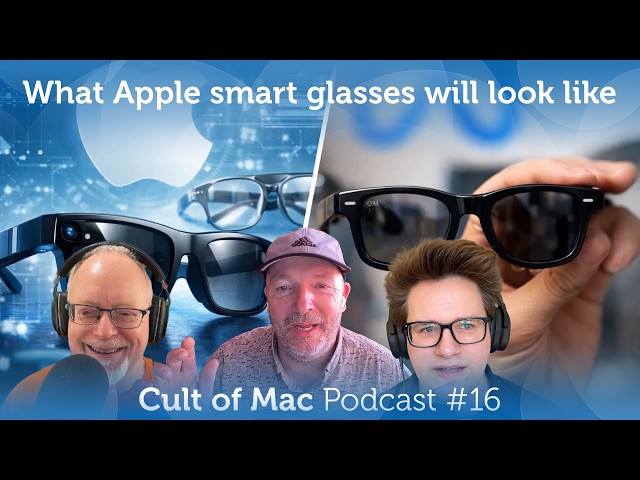
Up next in 10



This week: A major leak on Apple’s smart glasses, the bizarre solution to Apple’s AI brain drain, how engineers cracked foldable screens, a setup we’ve never seen the likes of before, whether it’s time to upgrade to Tahoe — and how to solve its most hated feature.
Produced by Extra Ordinary for Cult of Mac
Music composed by Will Davenport, arranged by D. Griffin Jones
Chapters:
0:00 - Intro
4:35 - Apple smart glasses
19:08 - Siri developer bootcamp
28:53 - Folding display breakthroughs
35:01 - Setup of the Week
41:45 - Listener Question
51:14 - How to turn off macOS Tahoe menu bar icons
Follow us!
Threads: https://www.threads.net/@cultofmac
Mastodon: https://mastodon.social/@cultofmac
Instagram: https://instagram.com/cultofmac/
X: https://x.com/cultofmac
Facebook: https://www.facebook.com/cultofmac
Show More Show Less View Video Transcript
0:00
Coming up, a major leak on Apple's smart
0:02
glasses, the bizarre solution to Apple's
0:04
AI brain drain, how engineers cracked
0:06
foldable screens, a setup we've never
0:08
seen the likes of before, whether it's
0:10
time to upgrade to terone, and how to
0:12
solve its most hated feature.
0:17
Welcome to the Caller Back Podcast. I'm
0:18
your host, Leander Kenny. Joining me
0:20
today, we have Lewis Wallace. Hey,
0:22
Lewis.
0:23
>> Hey, up first. What the heck? Hi. How's
0:25
it going? It's great. It's fantastic.
0:27
Looks like a beautiful day here in San
0:29
Francisco. Sorry, Griffin. I'm sure it's
0:31
gloomy in Ohio. Oh, wait. I talked to
0:33
somebody who's not here.
0:36
>> Also, yeah, we had the Griffin Jones
0:37
coming over my house. Hey, Griffin.
0:39
>> Good evening. Um, bit of an update on uh
0:42
last week I returned earlier this week,
0:44
I returned my AirPods Max 2. Um the the
0:48
sign that it was ready for it to be
0:50
returned is that I think after I
0:52
recorded the show last week, I put them
0:54
on maybe once in the four days since. So
0:58
I've not particularly missed. Uh
1:01
however, to make up for it, anyway, uh I
1:04
I made a few eBay purchases.
1:07
One of which I will dramatically reveal
1:08
if you're watching the video.
1:12
I bought a 2013 trash can Mac Pro. Oh,
1:16
that
1:18
>> Yeah. Uh,
1:19
>> does it run?
1:20
>> It does. I installed Windows 8 on it to
1:24
make it just a little more cursed. It's
1:26
uh it's a lovely machine actually. I
1:29
actually try to avoid calling it the
1:30
trash can because I I think it's a
1:31
little derogatory. I think it's a nice
1:33
machine. Uh, but completely unprompted.
1:35
I swear this is 100% true. Probably
1:38
three friends came into my office and I
1:41
was like, "Oh yeah, you know, I have I
1:42
have a cool new computer to show you."
1:44
and I pointed at it and they were like,
1:46
"Oh, that's the computer." I thought it
1:48
was a trash can on three separate
1:50
occasions.
1:51
>> Wow.
1:53
>> Yeah.
1:53
>> What uh how much did it cost?
1:55
>> Oh, it was like under 200 bucks. And
1:57
it's actually pretty well speced, too.
1:58
It has I I I think the the six core CPU,
2:02
the you know, the mid-range GPU, 32 gigs
2:05
of RAM, 500 gigs of space. So, a solidly
2:08
mid-range Mac Pro. So, it runs Seoia
2:11
like a champ or system 7 or whatever it
2:13
is.
2:15
>> Windows.
2:15
>> It runs uh Mac OS 10 Yusede,
2:19
which was I think maybe like the first
2:22
or second update that it got, but it's
2:23
still pretty old and I want to keep it
2:24
on an older version as long as I can.
2:27
>> Cool. So, how many Macs do you have now
2:28
in your collection?
2:31
>> How many Macs? I can
2:33
>> Oh, bring up the spreadsheet.
2:35
>> Oh, god. Bring up the spreadsheet.
2:38
pull pull up the diagnosis when you're
2:40
while you're at it. I mean,
2:42
>> yeah, right.
2:42
>> Let's see.
2:43
>> Oh my god.
2:45
>> Well, the the the quick and easy number
2:46
I can give you is that the the total
2:48
number of items in my collection is 48.
2:52
>> Oh, that's relatively modest. I thought
2:54
it was going to be more.
2:57
>> Uh I also I also made another one that
2:59
that's also behind me. Bit of a smaller
3:01
one though. I got a rare keyboard that I
3:03
didn't have in my collection before. The
3:05
Apple adjustable keyboard. They're sort
3:07
of split ergonomic
3:09
90s.
3:10
>> I've never seen one of those.
3:12
>> Huh.
3:13
>> I hadn't either until earlier this week.
3:15
It's It's really People always talk
3:17
about how the Apple extended keyboard 2
3:19
as like this aircraft carrier like
3:21
giant. This thing is even bigger than
3:23
that. It has these giant plastic wrist
3:25
rests, a separate like numpad on a
3:27
secondary keyboard that you attach with
3:29
like a little like short 5 in ADB cable.
3:33
And that's even like really big too.
3:35
It's like the size of a like a small
3:36
phone. It's big.
3:38
>> Yeah.
3:38
>> Um so so I I paired it with my biggest
3:41
Mac as well, the the Power Mac G3
3:43
desktop and it's gigantic CRT monitor.
3:46
It takes up like twothirds of that desk
3:49
behind me. It's it's kind of insane.
3:52
>> How much was that? Where'd you get that
3:53
one from? Too
3:55
>> eBay as well. I think that was
3:57
>> I was the one and only bid on that
3:59
auction and I think I only bid like 60
4:01
bucks. Yeah, a lot of them
4:04
>> sold for a lot more than that because
4:05
they're they're not very common.
4:06
>> Yeah.
4:07
>> Apple keyboards, but
4:08
>> I'm happy with it. Two two nice
4:10
purchases to make.
4:10
>> Congratulations.
4:11
>> Headphones that I didn't really want to
4:12
keep anyway.
4:14
>> God.
4:14
>> Okay.
4:16
>> Well, I'm getting rid of a bunch of my
4:18
old Macs. And like I said, you know,
4:19
like it's a shame you're in Ohio because
4:21
you you you know, I would have been
4:22
happy for you to take them off my hands.
4:24
Unfortunately, they're too heavy to
4:26
ship.
4:27
>> Fire up the Prius. It only costs like
4:29
$14,000 to drive across the country
4:31
right now.
4:32
>> Yeah.
4:33
>> Yeah.
4:35
>> All right, let's get on with um our
4:36
first story today. We're going to talk
4:37
about Apple smart glasses. Uh they have
4:40
more than one way in which they could
4:42
stand out.
4:43
>> Uh yeah, so Apple supposedly testing
4:45
four designs for it upcoming smart
4:47
glasses and uh will launch quote some or
4:50
all of them and they'll come in multiple
4:52
color options. This is kind of crazy.
4:55
For examples, a large rectangular frame,
4:58
looks a bit like Ray-B band's iconic
5:00
WFairer glasses. Uh, slimmer rectangular
5:03
design, similar to glasses worn by Tim
5:06
Cook himself. A larger oval or circular
5:09
frames. Oh, that sounds almost like a
5:12
Steve Jobs edition, doesn't it?
5:13
>> That's what I was going to say. That's
5:14
exactly what it reminded me of. Everyone
5:16
ridiculed that story, but here it comes.
5:18
It's coming true.
5:21
and uh you know finer a smaller more
5:24
refined oval or circular option. Um this
5:28
story comes from Mark German once again
5:30
with his great anonymous sourcing. Uh he
5:33
says the latest internal prototypes are
5:36
made using acetate.
5:38
For some reason I read this as acrylic
5:40
when I read it but acetate a more
5:42
durable and luxurious material than
5:43
plastic. That's you know plastic is what
5:45
the meta glasses are made of. Uh
5:50
>> to be clear, acetate isn't some like
5:52
exotic glasses material. There are a lot
5:54
of glasses made out of acetate, but
5:56
>> oh well.
5:57
>> Yeah, it's just nicer, right? It's a
6:00
it's a nicer
6:02
>> uh high-end plastic or something. I I
6:04
don't even know what technically is a p
6:06
a plastic, but uh anyway, uh these
6:10
things supposedly come in, you know,
6:11
black, ocean blue, and light brown.
6:12
Those are the colors we're testing right
6:14
now. Uh, the goal is to create a design
6:17
that's instantly recognizable when this
6:19
is the weirdest quote. Apple refers to
6:21
this as the icon internally. I I read
6:24
that several times. I still don't like I
6:26
mean that doesn't even sound like the
6:27
way people talk. I I I guess basically
6:30
>> Well, they're designers. They don't talk
6:31
like people talk.
6:33
>> Well, yeah, we have to create something
6:34
that is instantly recognizable. That's
6:36
the whole goal. And one of the things uh
6:38
that's different Oh my god.
6:40
Uh supposedly they're looking at a
6:43
vertically oriented oval lens with
6:46
surrounding lights as opposed to the
6:48
circular on Cena Meta's products. Wow.
6:51
Is what a differentiator that is. Uh I
6:54
mean it's kind of like car design, you
6:56
know, like if you if you have a a car
6:58
with like iconic iconic headlight
7:00
design, then that's something you can
7:01
recognize if it's like across the
7:03
highway from you. Like I I I read that
7:05
and I thought, "Oh, okay. An Apple
7:07
designer just bought a Rivian because
7:09
Rivians have like the really iconic like
7:10
vertical like pill-shaped headlights. It
7:12
sounds like that's what they're trying
7:13
to ape.
7:15
>> Yeah. Uh and uh you know our story says
7:19
you know they'll have another advantage
7:22
over competitors.
7:24
Get ready for this. Deep integration
7:25
with the iPhone. Yes. Big advantage. And
7:28
Siri. Oh, is that an advantage? I'm not
7:31
so sure.
7:32
>> Well, we're going to talk about that in
7:33
a second. Maybe. I just looked up
7:35
acetate. It's made out of um it's a
7:36
plant-based material. It's made from um
7:38
wood pulp or cotton fibers.
7:40
>> Um and it's
7:42
>> plant-based biodegradable plastic. Hey,
7:44
that makes a lot of sense for Apple.
7:47
>> Oh, well, if it's cellulose acetate.
7:50
I was trying to think. Did they record
7:52
There's something about Yeah, they use
7:54
acetate discs in audio record
7:56
production. I I remember that's that's
7:58
the only thing that I remember hearing
8:00
acetate for, you know. Anyway,
8:04
it should be nice. I mean, uh, if they
8:06
can make glasses that look, you know,
8:09
weird at first sight, but, uh,
8:11
completely normal and cool within 6
8:13
months because you finally get used to
8:15
it. Uh, you know, they've done it over
8:17
and over. They did it with AirPods and
8:18
first time I saw AirPods, are you
8:19
kidding me? Nobody's going to wear
8:21
those. Those that look ridiculous,
8:23
>> right? Do you think they'll have white
8:24
frames to make them look like AirPods?
8:27
Differentiate them.
8:28
>> Wasn't mentioned. That would be a weird
8:30
a weird call. Not a lot of people
8:32
wearing white glasses.
8:34
Yeah, but no one wore no one wore white
8:36
earbuds either, did they? Till AirPods
8:37
came along or iPod. I mean, the the
8:40
original ear What were what were the
8:41
earbuds called for the iPods?
8:42
>> Earbuds and then they were called
8:44
earpods and then they were called
8:45
AirPods.
8:47
>> The the the colors that they're talking
8:48
about sound more like the uh traditional
8:52
kind of iPhone Pro kind of palette.
8:55
>> I see any mention of any kind of like,
8:56
you know, um crazy Elton John style
9:00
glasses.
9:01
Maybe you can get,
9:02
>> you know, they specifically call out uh
9:03
slim rectangular glasses similar to the
9:05
ones worn by Apple CEO Tim Cook. Well,
9:08
how about the square tortoise shell
9:10
glasses worn by D. Griffin Jones. That's
9:12
what I want. If they don't come in like
9:14
a brown, you know, they say light brown.
9:17
I don't know. It's got to the classic
9:19
tortois shell glasses. That's that's an
9:20
iconic style of glasses and they
9:22
shouldn't they shouldn't overlook those.
9:24
>> My that'll have a big influence over my
9:27
buying decision.
9:28
My my biggest surprise is they wouldn't
9:30
be using aluminum, you know? I mean, a
9:31
lot of people wear
9:33
>> Mhm.
9:34
>> metal glasses. And I mean, it's not like
9:36
it'd be the first time Apple ever used
9:38
aluminum. I I would I I find that a
9:41
little, you know,
9:42
>> they probably need all the aluminum they
9:44
can get for the MacBook Neo.
9:47
>> Running out of stock. They coined every
9:50
recycling bin in the Bay Area.
9:51
>> Well, do are you interested in these
9:53
glasses? What do you think? Would you
9:54
wear them?
9:55
>> Who me?
9:56
>> You wear glasses anyway? Yeah,
9:58
>> I don't, you know, I have a hard time
10:00
imagining
10:02
taking a bunch of pictures or streaming
10:04
a bunch of video for my glasses. And uh,
10:08
you know, I already have glasses. So, do
10:10
I need more glasses? Do I need more Siri
10:13
in my life on my face? No, I do not. I
10:16
already wear AirPods. All AirPods. Oh my
10:19
god. Airpods all the time.
10:22
>> AirPods.
10:22
>> AirPods. That was uh that's great. Uh,
10:26
yeah. I don't know, man. I I'm I These
10:29
are the, you know, to be clear, these
10:30
are glasses that don't have smart
10:32
displays in them. They're just
10:35
cameras and audio, right? So, yeah, I
10:38
don't see a whole bunch of utility for
10:41
me. And I'm sure they're going to be
10:42
more expensive than regular glasses, and
10:44
I'm sure they're going to cost a a mint
10:46
when you start adding um, you know, Coke
10:49
bottle lenses like I have. So yeah, I'm
10:53
probably not the target market for this.
10:55
I'm not exactly a live streamer or a,
10:58
you know,
11:00
influencer.
11:02
>> Well, yeah, I saw people were raving
11:04
about the meta glasses when they came
11:06
out, you know, just be able to get some
11:07
kind of like intelligence about what
11:09
they were looking at, you know, like
11:10
what what's that place over there?
11:11
What's that building? Where am I? You
11:12
know, what are the directions here or
11:13
there? um you know they they I think one
11:17
guy I saw one guy uh one guy's video and
11:19
he he he said he was surprised at the
11:21
utility like he was skeptical until he
11:23
got them and started wearing them and
11:24
then after he started wearing them you
11:25
know he found all these use cases and
11:26
they were actually really genuinely
11:28
useful for him um in ways that he he
11:30
didn't anticipate originally.
11:32
>> But Apple's this is they're talking
11:34
about not having that in this this
11:36
version though, right? Not going to have
11:38
that heads up display in your l It's
11:40
displayless.
11:42
Am I am I wrong about this? This is
11:44
>> No, no, but isn't that true of the Isn't
11:45
the meta ones? Are they displayless,
11:47
too?
11:47
>> No, they have that heads-up display on
11:49
the inside and and that I think actually
11:51
would be super useful in certain
11:53
situations like Google Glass when when
11:56
that was a thing that they had little
11:58
you could see little things like a a
12:00
head-up display on a you know car.
12:03
>> They do have they do have a little heads
12:05
up display on the right lens.
12:07
>> The reporting I've read on the first
12:09
thing of the Apple ones is they're not
12:11
going to have that. So to me that makes
12:14
it kind of not so useful.
12:17
>> Yeah. Well, they'll come in the second
12:19
version. There was actually an
12:20
interesting uh uh a short um interview
12:23
that um uh Turnis uh John Turnis and um
12:27
uh Greg Jia gave with um Tom's Hardware
12:30
I think a couple of days ago and they
12:32
were talking about the inevitability of
12:34
the glasses that but it's inevitable
12:36
that the smart glasses are going to be
12:38
you know like a a major form factor and
12:42
um well they didn't really give that
12:43
much away but I think they did mention
12:44
that um the first uh the first versions
12:48
were were not going to have hard, but
12:49
then the second version were. I think
12:50
they actually gave that away in the
12:51
interview, which is really odd. Um, very
12:54
very unusual. Um, and even just even
12:57
talking about them, you know, just just
12:58
in the very first place saying that they
13:00
were, you know, I think Turner said it
13:01
was inevitable that these these were
13:03
going to be a a um the next sort of
13:05
generation form factor for uh smart
13:08
devices. Um so that was unusual in
13:11
itself but uh but then also sort of
13:13
giving those details and he said they
13:14
had they'd learned a lot from you know
13:15
what was interesting they'd learned a
13:16
lot from vision pro you know like this
13:18
obviously and we kind of all knew this
13:20
but um you know the vision pro I think
13:22
is going to get a re-evaluation isn't it
13:24
they're going to it's seen as a failed
13:25
product now but obviously it's not it's
13:27
a it's a realworld beta for these you
13:31
know for for the for the more mainstream
13:32
product which is going to be coming um
13:34
up later this year and next year uh and
13:37
and that they'd learned a lot from this
13:38
you know from from from the Vision Pro.
13:41
>> Yeah, you know, the Vision Pro is
13:42
approaching it from the high end down.
13:44
These are sort of, you know, starting
13:45
from the base level going up. The base
13:47
level still being presumably something
13:49
like $350, but you know, eventually they
13:51
will converge in the middle and we'll
13:52
just have, you know, the one thing that
13:54
you can wear all day that has, you know,
13:57
light computer interactions and power
13:59
and stuff. Well, there was he was also
14:01
in that interview, what was interesting
14:02
was like talking about um I think the
14:05
one of the the main factors were
14:06
lightweight, all day battery life, being
14:09
able I think the phrase he used was
14:10
being able to wear it from breakfast to
14:12
bedtime.
14:13
Um and
14:14
>> that's what I do.
14:17
>> Yeah, right. You know, there's no way
14:19
it's going to have a puck like the um
14:20
the Vision Pro.
14:22
>> I wonder where they will put the
14:23
batteries then if they I suppose they'll
14:25
come in the
14:26
>> in these big fat frames, won't they?
14:28
Yeah, that's probably why they're making
14:29
them out of plastic rather than metal. I
14:32
mean, it's probably the the the main
14:33
reason, the main
14:35
cuz otherwise they would have to have
14:37
like some kind of crazy uh
14:42
Can you imagine wearing glasses with a
14:43
little uh string or a cable coming off
14:46
them to a battery pack? That would just
14:48
be that ain't going to happen.
14:49
>> Imagine horn rimmed tortoise shell
14:52
vision pro
14:54
out of out of acetate. I think the
14:56
craziest thing about this is that
14:57
they're talking about like we might see
14:59
these by the end of the year. Uh the
15:02
beginning of next year at the very
15:03
latest, which is,
15:05
>> you know, it's a pretty quick quick
15:07
pivot from uh I mean, what was it? It
15:09
wasn't that long ago that they decided
15:12
to concentrate on this rather than, you
15:13
know, a cheaper version of the Vision
15:16
Pro.
15:16
>> Yeah, it'll be exciting to see. Yeah,
15:18
that'll be cool. I you know there's been
15:20
loads of times when I when I've tried to
15:21
whip my camera out to get a picture and
15:24
um you know it's been too late. I think
15:26
it'll be that that you know there's a
15:28
whole bunch of occasions when um that
15:30
would be useful. In fact, I had an old
15:32
um uh dash cam, a car dash cam that was
15:36
made by um an ex Apple engineer who was
15:40
uh uh he was high up in the iPod. Um he
15:43
was, you know, development. He end he
15:45
left Apple and started this company. I
15:47
think it was called Alcam to make um
15:50
smart dashboard cameras. And they they
15:51
didn't last very long. I think they it
15:53
it didn't take off. you know, they were
15:55
kind of expensive and um but anyway, I
15:58
got sent one to one for review and I
16:00
actually reviewed it. But you have this
16:02
it's constantly recording or you know,
16:04
keep keeping a loop and if you say,
16:06
"Hey, presto," it'll backtrack the last
16:09
30 seconds and record or keep, you know,
16:13
um the the last 30 seconds of video. So,
16:15
if you're like in an accident or
16:17
something like that and and that was,
16:18
you know, it's it when I was testing it
16:20
out, it was it was great because um you
16:22
know, you you could go you could
16:23
backtrack and you'd have a record of of
16:25
the last of the previous, you know, 30
16:27
seconds before you actually said it. And
16:28
if the glasses do something similar, you
16:30
know, that that would be kind of
16:31
interesting, wouldn't it? you know, if
16:32
you wanted to capture something, if you
16:33
want to get a photo or some video, you
16:35
know, you wouldn't you'd be able to
16:36
you'd be able to say some key phrase and
16:38
and you know, because the thing has been
16:40
um watching the whole time, it'll be
16:42
able to, you know, record you be able to
16:45
backtrack and and and keep a record of
16:47
what came before.
16:48
>> But Apple would never do that though
16:50
because they would never
16:52
>> have an always on camera, right? Yeah.
16:55
>> I mean, if you notice that the
16:57
description in this story, it says oval
16:59
lenses with a light.
17:01
>> That that light, I'm sure, is going to
17:03
come on when it's recording, and they
17:04
don't want that on at all times. Uh
17:06
that, you know, otherwise you're a
17:07
creep.
17:08
>> But it does sound super uh good.
17:11
>> It does sound super useful. I mean, if
17:14
there was a way to do that,
17:16
>> running a camera 20 like the whole time
17:18
that it's on would also like absolutely
17:20
kill the battery.
17:22
>> Yeah. Yeah,
17:22
>> you know, it's it's okay in a dash cam
17:23
because it's presumably always plugged
17:25
in, but
17:26
>> how much is going to get handed off to
17:27
the iPhone or to your Mac or, you know,
17:29
to some other computing device, you
17:30
know,
17:31
>> I mean, they tried doing them now with
17:32
the early Apple Watch, like the the
17:34
first generation Apple Watch heavily
17:35
depended on the iPhone for like
17:37
streaming apps that technically ran on
17:39
the phone but just appeared on the
17:40
watch. And from from what I've read
17:43
about the first generation Apple Watch,
17:44
it was kind of crummy and barely worked.
17:46
>> Yeah. Yeah. It was a stink.
17:47
>> Then again, that was 12 years ago. So,
17:50
>> but yeah, I don't know, man. the whole
17:52
uh like how good do you think the
17:54
quality of the camera is going to be? I
17:56
mean, that's the other big bummer about
17:59
it, right? It's like, oh well, I could
18:01
have had a really good picture if I used
18:02
my iPhone, but uh here's this webcam
18:05
quality thing. I don't know. We'll see.
18:08
I mean, I'm I'm sure that it'll be
18:10
better than we expect and have some
18:11
novel stuff that it does, but uh
18:16
>> we'll see soon enough.
18:19
>> Soon enough, right, for sure. I wonder
18:21
if they'll show it off at Dubdc. Is the
18:22
kind of thing that, you know, that maybe
18:23
they would if they want to get
18:24
developers on board. I guess that's kind
18:26
of unlikely though, isn't it?
18:27
>> Maybe maybe that's something they could
18:29
offload to the phone. Like they they
18:30
they have the the sensor built into the
18:32
glasses they used to take a picture, but
18:34
then the photo is processed on the
18:37
iPhone because that's another big part
18:39
that takes up a lot of the battery life
18:41
when you're using the camera on that
18:42
phone. Like if you're taking a bunch of
18:44
pictures in the row, then you know it
18:45
lights up all the ML cores and you're in
18:48
the chip inside to process all of these
18:51
photos. And they do that because, you
18:53
know, they want you to be able to like
18:54
look at the picture as soon as it's
18:55
taken. But that's not a problem on the
18:57
glasses because you can't look at it
18:59
instantly anyways. So maybe it they
19:02
could uh get better performance there by
19:04
sort of like streaming the picture to
19:06
the phone for it to be processed.
19:08
>> Let's talk about our next story, which
19:09
um is this one is totally bizarre. This
19:12
is really funny. Apple's sending Siri
19:14
developers to an Apple to an AI coding
19:16
boot camp. So, Apple will reportedly
19:18
send a sizable share of its Siri
19:20
development team to an intensive
19:21
multi-week boot camp to get better at AI
19:24
coding. This is so bizarre. Um, it's
19:27
allegedly part of a push to finally
19:29
compete the uh revamp of Apple's voice
19:31
assistant that was promised years ago.
19:32
This won't include everyone on the team,
19:34
but it's described as quote a
19:36
significant chunk of the organization.
19:38
Um, it's trying to retrain existing
19:39
employees at scale rather than relying
19:41
on new hires. The focus of the boot camp
19:43
will allegedly be learning on how to
19:45
build software using AI tools, not just
19:47
traditional coding methods. Employees
19:49
will be taught um how to build and
19:51
iterate using modern AI assisted
19:52
workflows, reflecting a wider shift in
19:55
the tech industry. Well, this just makes
19:57
no sense whatsoever. Although um
20:02
there there is actually I remember uh
20:04
back in the old days in when Facebook
20:06
was uh was Facebook was really in
20:08
trouble when mobile came along, you
20:09
know, when the um when uh the iPhone
20:11
first launched and I know that
20:14
Zuckerberg sent um his all of his
20:16
engineers to um the big nerd ranch. Do
20:19
has anyone ever heard of that?
20:21
>> Rings a bell.
20:23
>> Um I can't remember the
20:24
>> Never been there, thank God.
20:26
>> But same sort of thing though. It's like
20:27
a Yeah. meet it neither. But uh it it um
20:30
it's a it was a coding boot camp and uh
20:32
I interviewed the guy that ran it and he
20:34
told me that um you know that uh they
20:36
did the same thing. It was an intensive
20:38
boot camp and he taught them how to
20:40
Facebook's engineers how to you know
20:41
build a mobile app and they ended up
20:43
building this great app you know and it
20:45
totally saved Facebook uh you know
20:48
because obviously the whole world
20:49
shifted to mobile and they had a decent
20:51
app um and they they learned it at this
20:54
boot camp so it's not unprecedented you
20:55
know that's totally what it reminded me
20:56
of but you know one
20:59
isn't the whole point about coding AI
21:02
coding is that any idiot can do it
21:05
and here you have you So, like highly
21:08
trained and um experienced engineers,
21:12
uh they need to go to a boot camp to
21:14
learn how to use um clawed code. I I I
21:17
find it a little, you know, weird, but
21:19
maybe it makes sense. Um
21:22
and uh and isn't this kind of last
21:24
minute for Siri? I mean, aren't we
21:25
supposed to ar
21:28
any minute now? What was there uh any
21:32
any sort of explanation of of what kind
21:35
of like who's running this boot camp? Is
21:38
this like a glorified offsite that's
21:40
been mis mis uh you know
21:43
mischaracterized? I mean they're not
21:44
sending it to like you know they're not
21:47
you know getting a stack social uh
21:49
coding camp and saying you know here
21:51
everybody sit a room and watch this you
21:53
know $20 coding course, right? I mean
21:55
what are they doing? Was there any is
21:57
there any detail at all about this?
22:00
>> Uh this is all I know. No, that's about
22:02
it. It's it it it does sound a bit
22:03
fishy, doesn't it? I mean, because
22:04
Apple's always uh Steve Jobs did that
22:06
the uh the top 100 every year where he
22:09
would take people to an off camp
22:11
offsite, sorry, um you know, down at
22:13
Carmel or whatever. Uh and they would
22:15
talk about spend a couple of days um
22:17
offsite talking about what what was
22:18
coming up and what they were going to be
22:20
working on. But um this sounds different
22:22
to that. Yeah, sounds like a, you know,
22:23
a major sort of training exercise. We
22:25
used to go through this all the time,
22:26
you know, like every time a
22:28
>> um all these different newspapers I
22:31
worked at, you know, whenever the
22:32
whenever the newspaper was going down
22:33
the toilet, uh they do some kind of
22:36
trading. We had this 12 sigma trading
22:38
one time. I remember um and oh my god,
22:41
I've never seen anybody by by about the
22:43
second day, we'd all were so fed up, we
22:45
just went down the pub and um refused to
22:47
come back.
22:49
>> Oh my god. because it was so ridiculous,
22:51
you know, it's like, do you know, you
22:52
know what that the it was um Jack
22:54
Welsh's GE type, you know, they were
22:56
trying to apply business principles. One
22:58
of the things was like if the telephone
23:00
rings, you got to pick up after before
23:01
the third ring or something like that.
23:02
And I was like, well, we do that anyway,
23:06
you know, I mean, why is this part of
23:07
the training? So stupid. And of course,
23:09
we went out of business shortly
23:10
afterwards. So, um
23:12
>> yeah, well, you probably spent, you
23:13
know, a tenth of your annual budget on
23:15
whatever clapped together the uh
23:18
stupid training course.
23:20
real winners in so many of these things.
23:22
It's just God, so annoying.
23:25
>> Yeah.
23:26
>> God. Well, I'll tell you what. They got
23:27
they got to do something. They got to do
23:29
something to fix Siri because uh the
23:31
hits just keep coming. My This is an
23:35
oldtimer. I I swear to God, last last
23:37
week uh last weekend, my wife and I are
23:40
like, "Oh, let's watch some movies." Uh
23:43
you know, and and you know, she had this
23:45
a couple of movies, right? And uh the
23:47
first one I tried was uh Sorry Baby. So
23:51
I I'm talking to Apple TV and I say,
23:53
"Hey, play, you know, show me the movie
23:55
Sorry Baby." And and I you know what I
23:56
got? I got like some cheeky like, "Oh,
24:00
you don't have to say I'm sorry." Or,
24:01
you know, some kind of crap like that.
24:02
I'm like, "Are are you kidding me? This
24:04
is what happens when I say something. My
24:06
Apple TV play the movie Sorry, baby." It
24:09
it it gets chatty with me like it's
24:11
trying to be chat GPT. I couldn't
24:13
believe it. And then and then
24:15
>> that's a good movie. Did you Did you end
24:17
up watching it? Were you able to figure
24:18
it out?
24:18
>> I couldn't find it on the damn TV. And
24:20
then I said, "Oh, uh, I want to see the
24:24
movie. It was just an accident." And I'm
24:26
not kidding you. I took a picture of
24:28
this. The Apple TV flashed up in that
24:30
stupid, you know, multicolored Siri
24:33
font. If you think it could be serious,
24:36
ask me to call emergency services or
24:38
someone you trust.
24:41
I mean, and I said it again. No, no, no,
24:44
no. Play the movie. It was just an
24:47
accident. Same thing. I mean, it's that
24:52
is unbelievable.
24:54
I I'm just speechless. I like how
24:57
there's a limited number of movies and
25:00
and songs. How can it how can it get
25:02
these simple queries so wrong all the
25:06
time? And I mean, it's not like this is
25:08
some obscure movie that's not on any
25:10
service. I mean that was a Academy Award
25:12
nominated movie. It might have even won.
25:15
I don't I don't remember. But uh I
25:17
that's either of them.
25:20
>> Yeah. I Well, you know, foreign language
25:22
film. Uh but uh that was the first time
25:24
I ever saw my Apple TV, you know, try
25:27
and get me uh connect me to emergency
25:29
services. You know what? If I said I I
25:32
should have done a little experiment,
25:33
you know, like uh you know, show me
25:35
Bloodbath 2000 or something. You know,
25:38
some horror movie. Does it What does it
25:39
do with horror movies?
25:41
>> I I just
25:42
>> It's going to call the call the cops on
25:43
you. Yeah.
25:44
>> Right. Yeah.
25:44
>> I think it's just like the the dumb part
25:46
language parser is just seeing that
25:48
fragment of the of the sentence and
25:50
saying, "Oh, you're in an emergency."
25:53
>> And just not throwing out the other
25:55
half.
25:56
>> How could it be so stupid? I mean, that
25:59
I just that was the stupidest thing I've
26:01
ever seen. And I've seen a lot of stupid
26:03
things from uh you know s and I play a
26:06
song on my my home part a couple of days
26:08
ago and it just would not get it. Um and
26:11
by the and each time a different um a
26:14
different song, you know, and completely
26:16
unrelated to what I was asking it to
26:17
play.
26:18
>> Yeah.
26:18
>> It just it really did seem completely
26:20
useless.
26:22
>> More useless than normal.
26:24
>> It's it's worse than useless. It's it
26:26
actually is a barrier to enjoying your
26:29
life. I I mean it I mean
26:34
that's an you know you pay good money
26:37
for these devices, right? You expect
26:39
them to be able to handle the simplest
26:40
of tasks. Remember when Tim Cook was
26:43
talking about CarPlay or not CarPlay,
26:44
but the uh autonomous car, you know, the
26:46
the mother of all AI tasks. Well, this
26:49
is like, you know, the the simplest
26:53
thing that a that a assistant quote
26:56
unquote assistant can possibly do. you
26:59
know, give me this particular thing that
27:01
I asked for by name that is part of a
27:04
limited library and it can't handle it
27:07
>> over and over and over.
27:09
>> And you I mean every day you have
27:10
problems with dictation, don't you? On
27:12
your Mac. I mean,
27:13
>> everybody does.
27:14
>> Who doesn't?
27:15
>> It spelled code with a K yesterday.
27:17
>> Yeah. Yeah. Like a capital K. Why? Can
27:21
you tell me in what universe it makes
27:24
sense that I dictate something into my
27:26
phone? you know, let me see if I can get
27:28
the code. And it types code capital K O
27:32
D E. I mean, it's it's it's
27:35
exasperating. I I mean, I can't believe
27:38
how bad it is over and over and over. I
27:41
mean,
27:41
>> I it does seem to have got worse,
27:42
doesn't it? You know, like in like Yes.
27:44
In in recent years. Much much worse.
27:47
>> Yeah. It's not getting better, it's
27:48
getting worse. They're trying to make it
27:50
smarter and they're actually making it
27:51
dumber. I mean, I I'm somebody should
27:53
offer like, you know,
27:56
Siri from, you know, 2012, so you can
27:59
get like, you know, one that is
28:01
literally just the command database or
28:03
whatever. I don't even remember what
28:04
year they released Siri, but uh, you
28:06
know, I I would rather have the old one
28:08
that was far more limited than this one
28:10
that's always trying to be smart and
28:12
lippy with me, you know? It's like, no,
28:15
I don't need you. I need to I need to
28:18
turn off the personality button.
28:21
Mhm. All right. Well, we'll see what uh
28:23
whe the new one. Hopefully, they fixed
28:25
it. I don't have much confidence, but
28:27
we'll see
28:28
>> after they take their twoe training
28:29
course. Yeah. From Devry University,
28:32
>> the big nerd ranch.
28:33
>> Maybe it wasn't a boot camp. Maybe it's
28:34
a concentration camp.
28:37
>> Dear dear,
28:39
>> get rid of the bozo explosion.
28:42
>> My go. Oh dear. Let's Let's quickly move
28:44
on from that before we
28:45
>> Let's take you to the special training
28:47
course.
28:50
All right, quick before we get out of
28:51
those worst trouble, Griffin, tell us
28:53
about the folding iPhone and how they're
28:55
going to crack the crease problem.
28:57
>> Kind of a double entandra in the
28:59
headline. Uh, they they cracked the
29:01
crease problem in a good way. They
29:02
didn't they didn't Anyways, so creases
29:05
show up when the layers inside the
29:07
display of a folding phone don't flex at
29:10
the same rate, resulting in uh stress
29:13
that leaves a visible ridge. Uh until
29:17
recently manufacturers tried to address
29:18
this through sophisticated hinges and
29:21
rigid support structures designed to
29:23
like distribute the bending force. But a
29:26
um market intelligence firm Trend Force
29:30
notes that there is a new way to address
29:31
it using material science. Uh the first
29:35
is ultra thin glass. Apple has a patent
29:39
for variable thickness glass with
29:41
chemical strengthening that allows the
29:43
glass in the hinge to be thinner and
29:45
more pliable. Uh while the rest of the
29:48
display has like a thicker glass for
29:50
better uh strength and resistance. So,
29:53
you know that that's good. You want you
29:54
want it thin and pliable where it needs
29:56
to be, but the whole display doesn't
29:57
have to be that way. Another innovation
30:00
is the uh adhesive layer um which has
30:03
visco elastic properties, whatever that
30:06
means. So, the glue that holds the
30:07
screen together can behave differently
30:09
based on how it's being stressed. It can
30:11
stay soft during gradual bending to
30:14
reduce fatigue and turn stiffer when
30:16
it's under sudden force for better
30:17
support. Like if you, you know, drop
30:19
your phone on the ground. Uh then it can
30:22
the the glue has properties that where
30:24
it can like sort of strengthen itself um
30:26
under different conditions, which is
30:28
pretty neat. Make sure that your folding
30:29
phone doesn't break after six months, as
30:32
it has been the case with several people
30:34
I know who have folding phones. It's
30:35
really hilarious.
30:37
Um, the glue can also self-repair over
30:40
time to patch like little microscopic
30:42
holes in the in the layer. Uh, it can it
30:45
can reduce light scattering, making the
30:47
crease less visible.
30:49
Mechanical engineering also plays a
30:51
role. Uh, OPPO, the u Android phone
30:54
manufacturer, uses precision machining
30:56
and 3D printing and Samsung Display uses
30:59
like laser drilling to etch microscopic
31:01
holes. Both of these manufacturing
31:03
techniques, you know, Apple already has
31:05
a lot of institutional knowledge with
31:07
that. In fact, they they've been 3D
31:08
printing Apple watches for a while now.
31:11
The area around the charging port on the
31:14
iPhone Air is 3D printed. And of course,
31:17
their laser etching goes back, you know,
31:19
years and years. Like there was the
31:20
early like unibody MacBook Pros that had
31:23
like the microscopic little holes etched
31:25
in the case so that the little charging
31:28
LED could like appear out of nowhere.
31:30
So, Trend Force estimates that Apple
31:32
will take 20% of the foldable market by
31:35
the end of 2026, which would be
31:38
impressive because that would only give
31:40
them like two or three months to do
31:42
that, but they seem confident. So,
31:46
yeah, we we've been hearing, you know,
31:49
for months now, oh, Apple isn't going to
31:51
release a foldable phone until they can
31:52
do one without a crease at all. And how
31:55
is that going to happen? Well, um,
31:57
number of new techniques for
31:58
manufacturing that sound pretty
32:00
interesting. And I'm sure Apple will,
32:02
you know, cover all of these with like,
32:04
you know, slick marketing names for all
32:07
of these technologies with and, you
32:08
know, big like, you know, cool looking
32:10
3D graphics that show like, you know,
32:12
different, you know, you you bend the
32:14
display and you see like little heat
32:15
maps of like where the tension goes and
32:17
all that. You know, I I can just picture
32:19
exactly how the video is going to look.
32:21
>> It's just freaking mind-blowing. I mean,
32:24
all this
32:24
>> I think the same thing.
32:26
>> Yeah. I mean, uh,
32:28
>> these are all magical materials.
32:30
Self-healing glue.
32:32
Um, you know, flexible glass. Crazy. Uh,
32:36
what, uh, what's the name of that, um,
32:38
when you said visco elastic material. I
32:40
was uh reminded me of um I remember
32:42
seeing a video of a bucket of this
32:44
material and if you punch it it it it's
32:47
it it hurts your hand, you know, it's
32:48
it's rigid, but you can plunge your
32:51
fingers into it, you know, if you do it
32:52
slowly. What's the name of that
32:54
material? Doesn't this ring a bell?
32:57
If you put your hand in slowly, it'll
32:59
it'll give
32:59
>> It does ring a bell. I'm not sure what
33:00
it's called, though. But yeah, it sounds
33:02
like it has similar properties to what
33:04
this glued has. So, I guess it it sounds
33:07
like it's going to come unglued as you
33:08
unfold it and then stick itself back
33:11
together again when it's when it's when
33:13
it's uh when it's laid flat.
33:15
>> My god.
33:16
>> Or something like that, right? It sounds
33:17
very strange.
33:18
>> I mean, where did they get this
33:20
technology? Roswell. I mean, it's this
33:23
stuff is crazy sounded. I just uh I
33:26
can't I could barely wrap my head around
33:28
it.
33:28
>> It say soft joining gradual bending and
33:30
then stiffer when it's under under
33:31
sudden force for better support. Huh.
33:33
>> I wonder I wonder how well this is going
33:35
to work. I mean, uh, you think about how
33:38
much people use their phones and how
33:40
many times this thing is going to open
33:42
and and close during a day. I mean,
33:45
especially when you first get it, right?
33:46
I mean, you spend what is it going to
33:48
be? 2500 bucks, $3,000 for a phone. Oh,
33:53
I'm going to have to watch a video now.
33:54
I need to I need to look at this big,
33:56
beautiful screen. I mean, you're going
33:58
to do it all over and over, I'm
33:59
guessing.
34:00
>> Yeah. Yeah. Yeah. And then what happens
34:03
when you, you know, you get some dirt
34:04
inside of it and and you close it up and
34:07
or you open it up and it's all scratched
34:08
up or something like that or
34:10
>> it's going to be heartbreaking.
34:12
>> Yeah. I mean, I've I think I've only
34:13
seen like one or two of these these
34:16
folding phones in the wild ever. And uh
34:20
friend of mine who had one, you know, I
34:21
think it was a Samsung and it was, you
34:23
know, I mean, the crease was completely
34:26
visible. I mean,
34:28
it just looked cheap and plasticky and I
34:32
I it made me like wonder like why why do
34:35
you even want that, you know? But, uh,
34:37
>> you remember reading about the the very
34:40
first Samsung foldable that when they
34:41
sent them out to like the reviewers to
34:43
to look at, it had like a a layer over
34:46
the screen that looked like it was like
34:48
a plastic screen protector and everybody
34:50
like naturally wanted to like peel it
34:52
off and then they just broke the screen.
34:54
>> Yeah, they did. A whole bunch of them
34:55
did. Yeah.
34:58
>> Come a long way since then.
34:59
>> Well, yeah, definitely. Yeah. Let's talk
35:01
about this uh this this crazy setup. Um
35:05
we have a post uh the 15 um top MacBook
35:09
Pro setups
35:10
and we have this really crazy one that
35:14
Lewis is going to tell us about. I've
35:16
never seen anything like it. It uh it's
35:18
busy.
35:19
>> I I couldn't uh I couldn't even I've
35:22
never seen such a thing.
35:24
So, you know, the MacBook Pro is a space
35:27
black 14-inch M4 MacBook Pro. That part
35:30
is not hard to envision. Uh, what is
35:34
hard to envision is this stack of two
35:38
24-in portable monitors that are
35:41
connected in the middle by a hinge.
35:44
And then they're held up, not 100%
35:48
straight, I got to say, by a an arm that
35:51
reaches up off the, you know,
35:52
articulating arm that reaches up off the
35:54
desk. And uh I I saw I'm like, "Wow, is
35:56
this guy is this person some kind of
35:58
like crazy mad scientist who came up
36:00
with this on their own?" But no, it's
36:01
it's an actual product you could buy. Uh
36:04
I I
36:06
I have never seen
36:07
>> I just want to stress this enough for
36:08
for for the listeners who can't see it.
36:10
Imagine two 24inch displays that are
36:13
separate displays, but they're connected
36:15
to each other like a laptop with a hinge
36:17
in the middle. And that's what this
36:18
person has.
36:19
>> Apparently, it's like a
36:21
>> Yeah,
36:21
>> they they they claim it's portable. I'd
36:23
like to see that happen.
36:25
>> Well, it's a foldable, isn't it? But
36:27
it's uh 14 in.
36:29
>> It's gigantic.
36:31
>> 24 in. 24.
36:33
>> Oh, wow. Okay.
36:34
>> Yeah, it's giant. Uh let's see. But they
36:37
got like an iPad floating in the air
36:39
somehow, you know. Oh. Uh, that must be
36:41
on an arm, too. Uh,
36:44
some kind of, uh, Anchor Thunderbolt 5
36:47
dock that's in the center there. Mag
36:49
Safe charger for their phone. Oh, uh, a
36:52
small drinking mug.
36:55
I'm glad we were able to note that. Uh,
36:57
a mysterious tiny three key keyboard.
37:00
That's true. Look at that thing over
37:01
there to the right. It's there's just
37:02
like three keys hanging off the edge
37:04
there completely far away from the uh
37:08
>> if you want to buy a mechanical
37:09
keyboard, what the keyboard
37:10
manufacturers will do is they'll send
37:11
you like a tiny little sample that has
37:14
like three or four different switches
37:15
like all on a tiny little button thing
37:17
or like maybe five of them. Uh but this
37:20
is like an actual keyboard. There's like
37:21
a wire running to it and it's positioned
37:24
where you would want to press it, but
37:25
it's only three keys. I wonder what they
37:28
do.
37:30
Uh uh Griffin, you'll be happy to know
37:31
that the uh the iPad, the 13-inch iPad
37:34
is mounted on a magnetic arm made by
37:37
Cooksu.
37:38
>> Bless you.
37:39
>> Well, I just did a quick search and they
37:41
they do a mini um uh uh copy and paste
37:44
keyboard.
37:46
So,
37:48
>> it um it's dedicated for copy and paste.
37:51
>> Interesting.
37:52
>> And it looks it looks just like that. H
37:54
>> some kind of, you know, spongy looking
37:57
uh wrist rests there. They look
38:00
>> got a hexagon pattern on them. That's
38:01
nice.
38:04
>> The the desk is also right next to what
38:06
appears to be a bed. And so like the
38:08
sort of three in one charger isn't
38:10
facing the where the desk is. It's
38:13
facing like the the the pillow off to
38:15
the right. So presumably that's like
38:17
his, you know, where where he sets up
38:19
his phone overnight as well so he can
38:21
reach it. And I I got to say like the
38:23
iPad on the Cooksu arm is it looks like
38:26
it's overhanging the pillow. So I hope
38:28
he doesn't like hit that in the middle
38:29
of the night.
38:30
>> I'm sure that thing gets flipped around
38:31
so you can watch movies at night. Oh
38:34
yeah. I'm confused by that uh 3in-1
38:37
magnetic or wireless charger because it
38:40
looks like there's four things on it.
38:41
What's the thing in the front?
38:43
>> I I uh talk about doing research. I
38:46
should have gone and clicked every link
38:47
in this article to see exactly what
38:48
these things are cuz I I've never seen
38:50
one that looks quite like
38:52
>> Well, there's a a phone, a watch, and a
38:54
spot for the AirPods. And it looks like
38:56
the other thing on it looks like a
38:58
little thermostat or something that he's
39:01
clipped onto it
39:03
>> in addition. I don't know if that's part
39:04
of it. I mean, it's it's facing 90
39:06
degrees to the left. So, I don't it's
39:08
it's
39:09
>> part of the product that comes with it.
39:10
There's a lot to unpack here. He has a
39:12
he has a pack of Tic Tacs on the desk.
39:14
He has another little wireless charger
39:16
for I guess for putting his phone while
39:18
he's working uh at his computer. It's
39:20
it's very busy. I mean, he's he's making
39:22
the most out of what is presumably a
39:24
very small desk. Like, you know, he on
39:26
the surface of the desk is just like his
39:28
laptop, the keyboard, mouse. He barely
39:30
has any space to move the mouse. I mean,
39:32
it's squeezed there between the keyboard
39:33
and the charging stand and just those
39:35
few things and like the desk is totally
39:37
filled.
39:38
>> Yeah.
39:39
>> I have an an interesting fact about Tic
39:42
Tacs. Did you know that they're they're
39:43
listed as zero sugar? Because each Tic
39:46
Tac contains less than half a gram.
39:51
So it under by law they're allowed to
39:54
listed as zero sugar because it's less
39:56
than half a gram per Tic Tac, but
39:58
they're actually 95% sugar.
40:01
>> What?
40:01
>> So that Yeah, I I learned this the other
40:04
day. It's totally crazy. They um they're
40:07
basically sugar, but they're listed as
40:08
zero sugar. But it's a complete lie. the
40:11
things you learn on the cult podcast.
40:15
>> Well, it's a nice setup, isn't it? And
40:16
look at all those screens. Um,
40:18
>> do you think you would work at this
40:19
setup?
40:20
>> It's a bit cluttered. You know, like
40:21
there's there's actually probably a bit
40:23
too much on the desk. There's like not
40:24
one there's hardly, you know, a square
40:26
inch of space, is there a
40:27
>> to put anything? But um cuz my desk is
40:30
cluttered with papers and other junk and
40:33
>> maybe you know taking that amount of
40:35
space away from you would be helpful and
40:36
you would be forced to organize the
40:37
papers since you would you couldn't have
40:39
the ability to just leave them on your
40:40
desk and forget about them. You'd be
40:42
forced to organize as you go.
40:44
>> No, they'd probably be in a stack on the
40:45
floor.
40:47
>> Fair enough. Yeah, I've got one of
40:49
those.
40:49
>> But then you'd have a clean desk,
40:52
>> maybe.
40:53
>> And he's got an Apple Pencil on top of
40:54
the iPad. I wonder how um I don't think
40:56
that's very comfortable for for drawing
40:58
on really, but I guess he it pops it off
41:00
cuz it's a magnetic stand.
41:02
>> I have a very similar uh Cooksu arm to
41:04
that. It's not magnetic. It just has
41:06
like a little uh tripod mount on it. And
41:09
I found that like after a year a year or
41:11
two, it it doesn't want to stay up very
41:14
much anymore. And I don't think there's
41:15
any way to tighten it. So I have to keep
41:17
it like almost vertical otherwise
41:19
everything I put on it will just fall
41:21
over.
41:23
So,
41:24
>> this is not one of those um setups that
41:27
has been staged for the camera. It's
41:29
pretty much just like a, you know,
41:31
here's all this stuff. And it is a a
41:33
kind of a crazy collection of stuff.
41:36
>> Yeah, nice one. Anyway, yeah, it's an
41:37
interesting one. And, you know, and uh
41:39
there's some other nice um setups there
41:41
as well with the other with it in this
41:42
post which we'll we'll put in the show
41:44
notes. Let's uh let's talk about a
41:46
question we got from a reader from
41:48
Carlos that came in from email. Uh, and
41:51
Carlo says, "I remember Griffin saying
41:53
in previous episodes how Mac OS Tahoe is
41:55
still buggy. How is it now? I'm still
41:57
using Seoia on my Mac Mini M2. Should I
42:00
upgrade or not?" So, I guess that's for
42:03
Griffin. What do you think, Griffin?
42:04
Should he?
42:05
>> Uh, I don't know if it's Stockholm
42:07
syndrome or if Tahoe is actually getting
42:10
better, but I feel like I'm noticing
42:12
fewer like critical bugs. I haven't had
42:15
any like, you know, files destroyed or
42:17
lost or anything, but um you know, I
42:19
mean, the user interface bugs are are
42:21
still a lot of places. I run the podcast
42:24
in dark mode so that there's less glare
42:25
on my glasses, but I always like to keep
42:27
my Mac in light mode generally. And
42:29
switching between the two is clearly an
42:30
area where liquid glass design does not
42:32
excel or expect to happen very often.
42:35
like I'll switch between light mode and
42:37
dark mode and like you know a bunch of
42:39
toolbar buttons will be illeible because
42:40
they don't switch inexplicably things
42:43
like that. Um if if those types of
42:45
things bother you then I would I would
42:47
hold off like if you're some kind of you
42:49
know Mac design elitist
42:52
maybe maybe wait for for Mac OS 27. But
42:55
I I I will say the the critical like
42:58
functionality bugs are getting better.
43:00
it. My Mac hasn't crashed uh in a
43:03
horrible or unexpected way in at least a
43:06
few weeks. So,
43:07
>> yeah, it's not too bad. That's probably
43:08
safe.
43:09
>> Are you running Tahoe, Lewis?
43:10
>> Uh yeah, and I I keep having weird
43:12
problems. I'm not sure if it's Tahoe or
43:14
if it's a because I've got a dock and
43:17
you know, something's not quite set up
43:18
exactly right. But, I mean, I've had
43:20
multiple things lately where, you know,
43:22
my my external monitor just goes black
43:24
for no reason at all. And and I've had a
43:27
this I have found very troubling a
43:30
surprising number of times where I click
43:31
on something and nothing happens. And
43:34
this happens on my Mac and also on my
43:38
phone where I tap it's like what is
43:40
going on? There's some kind of weird
43:43
some something is not right. And I don't
43:45
I've never never experienced this with
43:47
an iPhone, you know, except for that one
43:49
time when I had that uh I had a phone
43:50
that had the uh touch disease or
43:52
whatever it was called. Had to get the
43:54
screen replaced. But uh this doesn't
43:56
seem to be like that. It just it's just
43:58
weird. Like randomly things don't work.
44:01
Things don't things don't happen when I
44:04
initiate them. That that does remind me
44:06
of another problem I'm having. Bluetooth
44:08
is a little twitchy. Sometimes when I'm
44:10
wearing my AirPods and I'm listening
44:12
from my Mac, like every every 10 seconds
44:15
will be like really garbled and then
44:17
it'll go back to normal for a few
44:19
seconds and then it'll be garbled again.
44:20
and it doesn't seem to be have a fix
44:22
until I like unpair and repair the
44:24
AirPods to the Mac. That also happens
44:26
with the Bluetooth Magic Trackpad as
44:27
well. The Magic Trackpad, it has like
44:29
the fake haptic clicking. And it's
44:31
really unnerving when you when you when
44:34
you press on it, but you don't feel that
44:36
haptic click. Like suddenly like the
44:38
illusion is broken and it's just a solid
44:39
piece of glass again. And I I I click a
44:42
few times, nothing happens. And then
44:44
suddenly I'll feel like three clicks in
44:46
a row and like the Mac and the the
44:48
cursor will like jump all around the
44:49
screen. And so that's a little twitchy
44:51
too. Um
44:52
>> yeah, I
44:52
>> may vary depending on what Mac you have.
44:55
>> I've had a thing like that too where you
44:56
press like go to download an image and
45:00
uh nothing happens and then you press it
45:02
again and nothing happens. You press it
45:04
again and bang it happens three times in
45:06
a row. It's like what is that? You know,
45:08
and it's it's hard to isolate, right? Is
45:10
that
45:11
>> is it is it the Mac? Is it the stupid
45:13
website I'm using? What is it? What what
45:15
caused that problem? But, uh, I've I've
45:18
noticed a lot of that in the past few
45:21
months. And, uh, it definitely to me it
45:24
seems like Tahoe is not better than the
45:27
previous version. It seems worse. And,
45:30
uh, I'm not exactly happy I upgraded. I
45:33
mean, the
45:35
>> So, in 5 minutes, we managed to do a
45:36
full 180 from saying, "Yeah, it's great
45:38
to like, no, it's a buggy piece of
45:40
junk." Well, I I mean it's, you know, do
45:44
you want it? I And the one thing I was
45:45
excited about the uh clipboard manager,
45:48
you know, I even when I trigger that,
45:50
you know, sometimes it like takes a
45:51
couple of times for it to like actually
45:54
show up.
45:54
>> It's weird how slow it is. Like I've
45:56
been using a third party clipboard
45:57
manager for years. Uh my favorite was
45:59
Mackie and it has a really convenient
46:01
keyboard shortcut. Just command shift C
46:03
and then you know it comes up like just
46:06
like that in a millisecond. And then it
46:08
has shortcuts where you can do command
46:09
one, command two, command three to like
46:11
instantly paste your most recent like up
46:14
to nine things. And so I just
46:16
internalized, oh, command shift C,
46:18
command 2. And that's how fast it is to
46:20
like paste something. I bring up the
46:22
spotlight clipboard manager. Command
46:24
space 4.
46:26
There it is. Like it takes it takes
46:29
weird a weirdly long amount of time to
46:32
display just a list of things on the
46:34
clipboard. How does how does how does
46:36
that take? so long for the computer to
46:38
come up with.
46:40
>> I have like what, eight cores in this
46:41
thing? Why?
46:43
>> I've just been playing around. I've got
46:44
an M1 iMac and I've just, you know,
46:45
while you were talking, I just I just,
46:47
you know, was filling about my mind.
46:48
Mine comes up pretty quickly, you know,
46:50
because I'm only running
46:51
>> quickly.
46:52
>> Well, immediately it comes up fast. It
46:55
does come up fast. And I've had no
46:56
problems with my um on my Mac Studio
46:59
with Tahoe that I can think of. um not
47:02
not related to the the OS itself that I
47:05
can you know that I that I can't
47:06
remember any glitches any problems.
47:09
>> Another one that really bothers me
47:10
that's like why is this so slow? There's
47:12
no reason this should be so slow is, you
47:14
know, a lot of times when I'm writing my
47:15
articles, I have like a lot of special
47:17
characters that I need to insert. Like I
47:18
need to, you know, I'm I'm writing about
47:20
a how-to on the Mac and I need to type
47:22
in like the command symbol or, you know,
47:25
sometimes if I'm writing something in
47:26
inches and I want it to be like
47:27
typographically correct, I want to do
47:29
like the prime or double prime signs or
47:31
sometimes I want to type the
47:32
multiplication sign, like weird symbols.
47:35
And the shortcut to bring up the
47:37
character thing on the Mac is control
47:39
commmand space. Um, or if you have a
47:42
newer Mac, you can hit the globe key.
47:43
It's a really simple shortcut. Just
47:45
control commmand space and it should
47:47
bring up a little floating pallet of
47:48
characters. Sometimes it takes like five
47:50
tries for it to show up or a few
47:53
seconds. Like, come on. This this this
47:56
feature has been in there since like the
47:57
first version of Mac OS 10 and it's 2026
48:00
and it can't just do that instantly.
48:03
It's weird. So, yeah, maybe don't
48:04
upgrade to Tahoe,
48:06
>> I guess.
48:06
>> Well, I let's have a vote on it. I I say
48:08
yeah, upgrade. It's fine. and it's got a
48:10
whole bunch of useful features. I'm I'm
48:12
definitely all for it. I think a lot of
48:14
it had to do with how many, you know,
48:15
like the complexity of how many apps
48:16
you're different running, all the
48:17
different conflicts between the
48:18
different apps and stuff like that. I
48:20
mean, you know, I'm I'm only running a
48:21
couple two at the moment like four apps
48:23
and that and they're mostly uh uh
48:26
actually they're not, you know, a couple
48:27
of stock Apple ones. I've got Chrome and
48:29
um Slack running, you know, no problem
48:31
really.
48:32
>> Well, I mean, you might you might it
48:34
might not be of your own choice. Like
48:36
Lewis was upgraded accidentally. I mean,
48:38
if if if they if you go to update, you
48:40
know, do the latest bug fix for Sequoia,
48:43
it'll automatically opt you into Tahoe
48:45
and you have to like very
48:45
intentionallyclick it or else it'll just
48:47
do it for you. So, you might not
48:49
>> I thought I had done that.
48:51
>> I I just while we're sitting here
48:52
talking, I've tried to uh you know,
48:54
trigger that uh clipboard manager. And,
48:58
you know, part of it is I think there,
49:00
you know, I think it's a little bit like
49:02
Siri trying to be too smart. you know,
49:04
like I if if I do the key command, it
49:09
doesn't pop up because there's like
49:10
something highlighted in the search and
49:13
and if you don't have anything
49:16
highlighted in that search, you have to
49:18
move your cursor toward that box for the
49:21
clipboard thing to to show up. So,
49:24
>> Mhm.
49:24
>> it it's we it gives it makes the
49:27
illusion, which is not a good illusion,
49:29
that it's slow because it's it's not
49:32
doing it until you move your cursor.
49:36
>> I don't know that I think that's good
49:37
design to be honest. Uh maybe it is,
49:40
maybe it's not. Maybe I never actually
49:42
realized that. I just thought that there
49:44
was a a a variable lag when I was
49:48
starting it up trying trying to do the
49:50
clipboard thing. So now I've learned
49:53
something, you know, in front of
49:54
everybody. I'm a little bit embarrassed.
49:55
I don't remember actually reading that
49:57
you had to do that for that to appear,
50:00
but at least on my computer, that's the
50:02
way it works. The the thing that I find
50:04
troubling, and I've been complaining to
50:06
about this lately, is I don't like how
50:09
things don't work the same way each
50:11
time. You know, the last two weeks in a
50:13
row when I fired up Garage Band for this
50:15
recording, for no reason at all, my
50:19
voice has had a horrible like echo in
50:21
it. Today, I fired up, didn't didn't
50:24
happen. So, like, why? Nothing has
50:25
changed. Nothing's been unplugged
50:28
anything or changed any settings. Why is
50:30
it different each time? And and I find
50:32
this over and over with with the the
50:34
Mac. I'm not sure that started with
50:36
Tahoe, but it seems more common in
50:39
Tahoe. certainly hasn't gotten better.
50:43
Yeah.
50:45
>> Wow. We've really been bragging on
50:46
everything, haven't we? Everything this
50:48
this week.
50:50
>> It's I mean, honestly, I find it
50:52
troubling. I I find it quite disturbing
50:54
when my computer works different ways
50:56
to, you know, doing the exact same thing
50:58
and and I get a different result. I
51:00
don't I don't like that.
51:01
>> Yeah.
51:02
>> I mean, it's computer for crying out
51:03
loud. It's supposed to do things the
51:05
same way.
51:06
>> Not very computational.
51:09
Well, anyway, now we set the world to
51:10
right. Let's um we actually Here's a
51:14
here's a useful tip, though, like uh you
51:16
know, if you do upgrade to Tahoe, um
51:19
there's one feature that might drive you
51:20
absolutely bananas, which is all these
51:22
extra icons in the uh drop-own menus,
51:26
which uh has been vexing the Apple web
51:30
for um some time now. But there's a
51:33
solution. Um and Grim's going to show us
51:36
what you have to do. Okay. It's a It's a
51:39
little bit hairy. You got to open up
51:40
terminal, but it's not too bad, is it?
51:42
>> Yeah. So, the menu bar icons are one of
51:44
the more universally panned changes in
51:46
Mac OS Tahoe. Um, I've got a few apps
51:49
that are some of the more egregious
51:51
examples here, like Safari, for example.
51:53
Um, you know, every single item in the
51:56
menu bar has an icon. Um, you know, kind
51:59
of like iOS, how the, you know, context
52:01
menus on iOS have icons. Uh, but it's
52:03
not quite as good on the Mac. First of
52:05
all, the icons are way too tiny to even
52:08
really be legible. Every icon is like
52:11
the same sort of black and white line
52:13
art. So, it's they all kind of blend
52:15
together, especially with the text next
52:17
to them. Um, the same actions use
52:19
different icons in different apps. Many
52:22
icons look almost the same as each
52:24
other. Like in Safari, for example, you
52:26
go to the file menu and you know the
52:28
icons for new private window, new tab,
52:30
new empty tab group, new tab group with
52:32
three tab. Like all these icons are just
52:34
pluses inside squares of various kinds.
52:37
Like the icon for close all windows
52:39
versus close tab, it's an X inside a box
52:42
versus an X inside a rectangle versus
52:45
close window which is just an X. Like
52:47
come on. What are we doing here? It's
52:49
ridiculous. Like notes notes is like
52:53
absolutely filled with gigantic menus
52:55
for no reason at all. Especially on iOS.
52:58
Like look at this gigantic context menu.
53:00
when I'm just right clicking on text,
53:01
there's like 30 options here.
53:03
>> Yeah.
53:03
>> Um
53:04
>> although that's not really specific to
53:06
icons. Pixelmator Pro, I mean icons in
53:09
every menu bar. So, if you want to turn
53:10
this off if it bothers you, there is a
53:12
very simple uh thing you can do. You
53:16
just launch the terminal app and you
53:18
type in this command. I mean, you should
53:20
really be copying and pasting it. I'll
53:22
I'll have the link in the article, but
53:24
I'll sort of explain what it does here.
53:26
You just uh it's defaults, right? - G.
53:31
All that's doing is telling it to change
53:33
a a system setting. NS menu enable
53:38
action images all one string all one
53:42
word. Um that's just the hidden
53:44
preference
53:47
that um enables the icons in the mini
53:49
bar and then you type dashbool
53:52
no. That's just telling it to set that
53:55
setting to false. Um, so again, it's
53:58
perfectly safe terminal command. You
54:00
don't have to type in your password or
54:01
anything. Just copy and paste it out of
54:03
the article that I that I'll have linked
54:05
in the show notes. You run that and
54:10
you'll have to quit some of the apps and
54:12
reopen them again for the changes to
54:14
take effect. But when you reopen them,
54:18
>> all of the mini bar icons are gone. Or
54:20
at least most of them. All of all of the
54:22
most egregious ones. Um, there are still
54:25
icons where it really matters. Like in
54:27
the window menu, you go to window, move
54:29
and resize. It'll still show icons for
54:32
all of these actions like, you know,
54:34
rearrange the window in the top left,
54:36
left and right, split view. Like those
54:39
have icons that are actually pretty
54:40
useful because those, you know, you can
54:42
look at and quickly discern what it's
54:43
going to be. But gets rid of all the
54:46
icons in the file menu, the format menu,
54:48
the edit menu, you know, unless they
54:51
were icons that were added in the old
54:52
way. Um, it really cleans it up. So,
54:57
>> two questions,
54:58
>> quick how-to.
54:59
>> Can you reverse it?
55:00
>> Yes, you can. If you do the exact same
55:03
command, but change no to yes, then
55:06
they'll come back again. So, I'll quit
55:09
notes again, open it back up.
55:12
And uh, yep, there are all the icons
55:15
back again.
55:16
>> Well, my other question is is do, you
55:18
know, do they drive you do the icons
55:20
drive you guys nuts? you know, it
55:22
clutters the menu bar. Um, and I don't
55:24
like it. I I will say I'm I don't think
55:26
it's like the crime against humanity
55:28
that John Gruber seems to think it is,
55:30
but
55:32
I mean, it was in the Mac the original
55:34
Macintosh user interface guidelines.
55:36
Like, you shouldn't have a menu icon for
55:38
every single menu item because it's it
55:40
ruins the point, you know? It's
55:42
illegible.
55:43
>> There reasons to ignore. And in fact, I
55:44
I I you know, I never really even notice
55:46
it to be honest, like because I I read
55:48
what it says, you know,
55:50
>> rather than using relying on the icon.
55:52
>> I mean, it when there's, you know, one
55:56
icon that is like at the beginning of a
55:59
group of of items that it can kind of
56:01
help you parse that group, right? And
56:04
that's destroyed when everything is a
56:07
everything has an icon. And it it's it's
56:10
just it's it's inelegant, let's put it
56:12
that way. And and as you mentioned, you
56:14
know, it goes against Apple's own Bible
56:17
of human interface guidelines, right?
56:19
>> Why do you think? Yeah, exactly. But so
56:21
why do you think they did it? Because
56:22
like, you know, that that that that
56:23
bible goes back to the Apple 2. I I did
56:25
a little bit of research the other day
56:27
and um but it really took off in the
56:29
Mac, you know, when the Mac came out
56:30
because the GUI was so novel and so um
56:35
no one none of the developers really
56:37
sort of knew how to write Mac software.
56:39
So it was super important to have a set
56:41
of guidelines to help all the developers
56:43
you know come up with consistent
56:45
experience across different apps and uh
56:48
like you said it it was a dead set
56:50
against them. So why do you think they
56:51
why do you think they they they've gone
56:53
against their own advice and added icons
56:55
when for years they they did you know
56:58
Apple didn't
56:58
>> I think somebody
56:59
>> my guess of what happened is that you
57:02
know they they added the the window menu
57:04
with the new like tiling options on the
57:06
Mac. I think they added that like either
57:08
in Sequoia or the version before that.
57:11
And you know that's that's a really
57:12
great use case for the icons because
57:14
again you instead of reading bottom left
57:16
you see like a little a little square
57:18
with a square in the bottom left corner
57:20
and that's really easy to parse. My
57:21
guess is someone saw how well the icons
57:24
work there and they thought oh let's add
57:27
icons everywhere and uh nobody told them
57:30
no. So
57:32
>> this is Alan Dy again. Is this Alan Dy?
57:35
I'm not gonna, you know, I'm not going
57:37
to place it squarely on Allen because we
57:38
don't know who it was. There are a lot
57:40
of designers at Apple, but
57:42
>> well, they they they there a lot of them
57:43
are familiar from um you know, iOS as
57:46
well, aren't they? You know, that where
57:47
they uh so I I don't know. I just wonder
57:49
whether they're training people to get
57:50
used to icons for some reason.
57:52
>> I mean, they they work better on iOS
57:54
because you have fewer menus options on
57:57
the screen. Like the text is relatively
57:58
bigger on the screen. like the the menu
58:01
bar on the Mac is has really tiny text,
58:03
especially when you're sitting kind of
58:04
far away from your screen. Like it's
58:06
just harder to, you know, discern the
58:08
icons on the Mac because they're so much
58:09
tinier. I've got another theory. Maybe
58:11
it's maybe it's an accessibility thing
58:13
for people who are literate.
58:16
>> There there's a great blog post that
58:17
outlined every single problem with this
58:19
in in gratuitous detail. And Nikita
58:22
Propakov, I think it was it was an
58:24
article that was like making the rounds,
58:26
you know, a couple months ago. and he
58:28
made the point that if you take the text
58:31
out of the menu bar and just look at the
58:34
icons, you still can't figure out what
58:36
anything is because the icons are so
58:37
generic that they they're not
58:39
descriptive at all.
58:40
>> Yeah, true enough. Some some icons are
58:43
are familiar, but uh yeah, I mean, in
58:45
general, that's true. That's very true.
58:47
>> Or I just noticed in Safari that the
58:49
close window and um and stop actions
58:54
both use the same icon. They both use an
58:56
X. Well, we we did a poll in this in the
58:58
newsletter a couple of days ago asking
59:00
the cult readers for the cult today
59:02
newsletter if they if you know how they
59:04
felt about this and resoundingly no one
59:07
really gave a fig. Although actually,
59:10
you know, saying that quite a few people
59:11
in the comments said, well, you know,
59:13
they didn't really care, but
59:14
nonetheless, they did get rid of them.
59:17
>> It's like we were saying, you know, it's
59:18
like it's not better. It's it is not an
59:22
upgrade. It's at best the same, but
59:27
actually it's worse.
59:29
>> Mhm. Mhm.
59:30
>> I mean, it it doesn't make it impossible
59:32
to use the computer, but it doesn't make
59:35
it easier, and it doesn't make it look
59:38
better. It makes it look cluttered and
59:40
busy and
59:42
confusing.
59:42
>> How do you feel about the the Tahoe uh
59:45
you know, UI in general with the liquid
59:47
glass and
59:51
>> ugly? Not a fan.
59:53
>> No. Like the I I can't get over the
59:55
gigantic rounded corners on every
59:57
window. Like
59:59
>> I'm not going to cut my finger on on a
1:00:01
window if it's if it's too sharp. Like I
1:00:03
using the uh the the 2013 Mac Pro on Mac
1:00:06
OS 10 Yusede. I was amazed how how
1:00:08
unrounded the corners of each window
1:00:10
was. Like they're they're almost square
1:00:12
if you look at them. you know, windows
1:00:15
that are square and you can you like you
1:00:16
can clearly tell where you need to click
1:00:19
on a window to drag it by the title bar
1:00:21
and not accidentally click a button or
1:00:22
accidentally resize it or hide hiding
1:00:25
all of the controls. Blending the title
1:00:27
bar into the toolbar so there's no safe
1:00:29
area to click anymore and then making
1:00:31
the toolbar disappear. So, who even
1:00:33
knows what what is clickable and what's
1:00:34
not and what's content and what's
1:00:36
toolbar and giant rounded corners. I'm
1:00:38
not a fan.
1:00:39
>> Okay, too bad. Yeah, I've come I've got
1:00:42
used to it. I quite like it. I like the
1:00:43
look of it. Um, I think it looks fresh.
1:00:47
>> Fresh.
1:00:50
>> Fresh and colorful.
1:00:52
>> I think that's a wrap. So, thanks
1:00:54
everybody for listening. Please give us
1:00:55
a fivestar rating or review an Apple
1:00:57
podcast or share the show with anybody
1:00:58
who think you'd like to listen to this.
1:01:00
Um, text us a message at cult
1:01:02
1:01:04
That's cult [email protected].
1:01:07
Send questions, comments, feedback for
1:01:08
the show. Uh, you can send an audio
1:01:10
message or a short video for us to play
1:01:11
too. So, uh, I want to thank everyone
1:01:13
for listening. Thanks for watching, and
1:01:14
we'll see you all next time. Have a
1:01:15
great weekend, everybody.
1:01:17
>> Goodbye.
1:01:19
>> See you.