0:00
hi I'm Steve Smith from Cult of maac.com
0:02
if you haven't guessed it already I love
0:05
my iPhone but there's never enough
0:07
storage for films and all of my photos
0:09
when I want to travel well a recent
0:11
Kickstarter is here to help the I stick
0:14
from hyper the company behind the
0:16
batteries and hard drives for MacBooks
0:18
have created a USB stick which is Apple
0:20
certified both with a USB connection and
0:22
a lightning connection to work with both
0:24
your iOS devices and I've been lucky
0:26
enough to get my hands on an early model
0:37
so here is my I stick I've got the 32
0:40
gig version of it so thanks a lot to the
0:42
guys over at hyper for sending this over
0:44
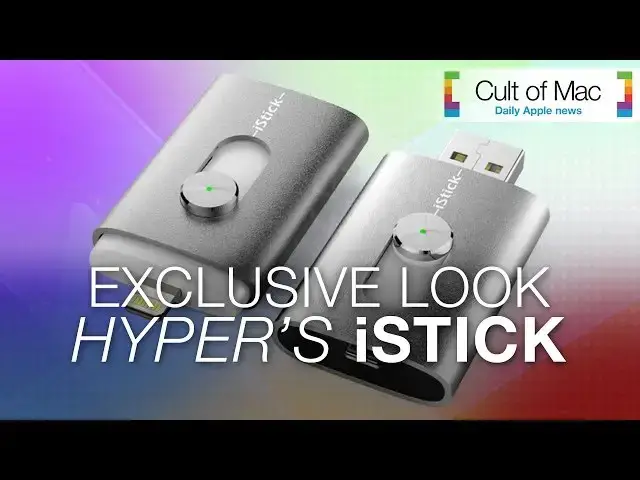
for me to test out as you can see it's a
0:47
very minimal design you can get this in
0:49
a couple of colors including white black
0:51
silver gold and a space gray all
0:54
depending on how much you've donated
0:55
onto Kickstarter the kickstarter was
0:57
originally looking for $100,000 which
1:00
currently at $900,000 trying to reach
1:02
one of its stretch goals of 1 million as
1:04
you can see at one end it has the
1:06
lightning connection then using the
1:07
simple slider on the top you can slide
1:09
it across to reveal the USB connection
1:12
now this is only USB 2 as when it was
1:14
certified by Apple this is what it
1:16
included and it would take a lot longer
1:17
for them to put in a USB 3 but it might
1:22
future and as you can see the design is
1:24
reminiscent of the old iMac controllers
1:27
once connected to the iPhone this green
1:29
LED indicates that it's connected and it
1:31
opens up the I stick app so you can back
1:33
up some of your photos and videos from
1:37
iPhone also you can saw videos pictures
1:40
music and documents onto the I stick
1:42
itself as you can see I put a few images
1:44
and videos on there just to test it
1:47
out takes a couple seconds to load up
1:49
but as I said this is coming from the I
1:51
stick and not on the native hard drive
1:54
once I'm there the videos play very
1:55
nicely as you can see there's no issues
2:00
so Apple finally previewed their latest
2:02
update to the Mac operating system 10
2:04
your C there's a little bit of a lag
2:07
when you Skip Along the
2:09
video but I'm sure it's nothing they
2:11
couldn't improve in the future as I said
2:13
this is a development
2:16
model with pictures again it does take a
2:19
second or two to open them up but this
2:21
is from one of my dslrs so it is a big
2:23
image file as you can see you can zoom
2:25
right in see all the all the fine
2:30
one of the nice features that I liked is
2:31
the fact that you can back up your
2:32
contacts so if you're in an area that
2:35
doesn't have any internet availability
2:37
and you can't get to your iCloud you can
2:43
contacts you can also share pictures via
2:46
message mail or even airdrop along with
2:52
copying connecting the I stick to your
2:54
laptop or computer is as easy as any
2:57
other USB stick just insert it into the
2:59
computer computer and it'll open up like
3:01
a usual USB drive and you can copy
3:03
videos photos documents and music
3:08
over now to the negatives I did have a
3:10
few issues when skipping movies along so
3:12
say I wanted to watch a video from
3:14
halfway through every now and then the
3:16
audio would go out of sync which was a
3:18
little bit frustrating but again I think
3:20
this may be fixed by the time it comes
3:21
to release also it would have been nice
3:23
to get a USB 3 again this may be
3:25
something they do in the future but
3:27
overall a very nice product and one you
3:29
should definitely give a try when it's
3:31
released well that's it for today but
3:33
make sure to check out the kickstarter
3:34
link below there's just over a week left
3:37
to get your hands on one of these Nifty
3:38
little gadgets so what do you think of
3:40
the I sck will you be picking one up at
3:42
release or maybe you pledged already to
3:44
get one of the early discounted models
3:46
leave a comment down below to let us
3:48
know and if you haven't already make
3:50
sure to click the Subscribe Button as it
3:52
really helps us out and also make sure
3:54
that you don't miss a video I'll see you