Up next in 10



Download Peek-a-View: https://apps.apple.com/us/app/peek-a-view/id1491554407?ls=1
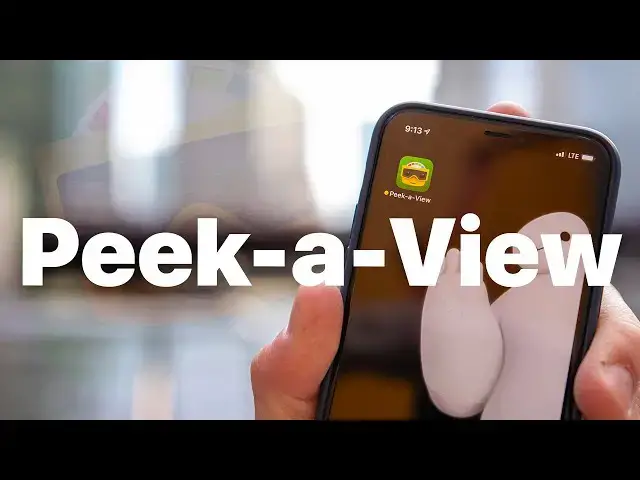
If you've ever let your kids (or someone else) look at photos on your device, you know the fear or having something accidentally deleted or something private being seen. Peek-a-View is the "read only" photo viewer, developed by Casey Liss, that lets you control exactly what photos someone can see.
More from Cult of Mac @ https://www.cultofmac.com
Follow Ian!
Twitter: https://twitter.com/ianfuchs
Instagram: https://instagram.com/enfoxxx
Follow Cult of Mac!
Twitter: https://twitter.com/cultofmac
Facebook: https://www.facebook.com/cultofmac
Instagram: https://instagram.com/cultofmac/
Show More Show Less View Video Transcript
0:00
What's going on everybody, Ian here for Cult of Mac
0:07
If you've ever found yourself showing somebody photos on your phone, you've undoubtedly also
0:11
found yourself micromanaging what they do or don't see or whether they can delete or
0:16
edit a photo on your camera roll. And if you're a parent of a young child, the likelihood that you've let your kid look at
0:22
photos on your phone, whether they're things you've saved off the internet or pictures you've taken or whatever, the chances that you've been worried about them accidentally
0:29
deleting something or editing something they're not supposed to are even higher
0:33
There are a few ways in the system through guided access where you can kind of control what someone can or can't touch or do within the system, but it's not exactly foolproof
0:42
And that's where the app Peek A View comes in. Created by podcaster and developer Casey Liss, the app was inspired when he was letting his
0:48
kids look at pictures on his iPhone and he wanted a way to allow them to look at photos
0:52
in a given album without being able to delete or modify those images and without him having
0:57
to constantly micromanage what they could or couldn't see. From there, Peek A View was born and the app is truly ingenious
1:03
Now, before you get started, you do have to have some of the album in your photos app
1:07
which could include your recent album, which is literally everything on your device, but
1:11
it could also be an album of select vacation photos, an album of maybe video clips that
1:15
you've taken or saved from somewhere else, or even a shared album that you have with
1:19
someone else. Now, once you have your album created, you can open it in Peek A View either by hitting
1:24
the settings cog and then choosing the album, or by just long holding on the actual album
1:28
title at the top of the main album page, and that will jump you into the album selector
1:33
Pick the album you just created or an album you already had existing in your library, and you're all set
1:37
Now you can hand your phone to a child, a coworker, a friend, a stranger on the train, whoever it is, and they can look at the images in that album without the ability to modify
1:45
or delete anything. And even better, another feature of Peek A View that wasn't immediately clear to me is
1:51
the way it interacts with the Guided Access feature in iOS. Now, for those who don't know, Guided Access is a way of locking down your phone so that
1:59
only the app on screen can be used. You can also do things like lock out the volume button or the power button or rotation, but
2:06
in this case, it's just a way to lock someone into the app that they're currently in
2:10
With Peek A View, when you enable Guided Access, the navigation bar at the top actually fully disappears, which locks the app into only viewing the images in the album that you've
2:19
selected until Guided Access is disabled with either a passcode, touch ID, or face
2:23
ID, which is a super cool way to lock somebody in, like a child, into viewing only those
2:29
photos that you've pre-selected or that album that you've pre-selected. But the app isn't just for parents
2:34
There's also a practical use when you're doing freelance-type contract work and you want
2:38
to show a client images or screenshots or mock-ups or something that you've been working
2:42
on without the concern of them swiping out to the full photo album of every image you
2:47
have or accidentally modifying, deleting, or even sharing a photo that maybe shouldn't
2:52
be shared. Now, as the parent of a toddler, I hate the idea of pacifying with a screen, but I've
2:56
also definitely found myself in the situation where we're looking at photos or videos or
3:01
something just to distract her and pass some time while we're waiting in line or traveling
3:05
or doing something like that, and Peek A View makes that whole thing even easier
3:09
Now I can pull up my emergency Disney characters folder or I can pull up a family shared album
3:14
or even an album of videos that I've shot on my phone and let her just run wild and
3:19
look at whatever she wants and swipe through things and know that she's not going to accidentally
3:23
delete something or edit something and I'm not going to have to worry about what she's doing
3:27
So if this seems like something that could add some convenience to your life, it's definitely worth giving Peek A View a look
3:32
It's available for both iPhone and iPad and it's free in the App Store
3:36
Now it is worth noting that the free version does limit you to viewing 20 photos in the selected album, but for a $4.99 one-time in-app purchase, you can unlock unlimited photos
3:44
as well as a couple custom app icons, which is a very small price to pay for your sanity
3:49
as a parent or for a little bit of convenience as a freelancer or contractor
3:52
Let me know what you guys think in the comments down below. While you're down there, be sure to give the video a thumbs up
3:57
Be sure to subscribe to the channel if you're not already and hit the notification bell so you don't miss any uploads as we upload every week or so
4:04
I'm Ian for Cult of Mac. I'll catch you guys in the next one
#Consumer Electronics
#Photo & Image Sharing