live_tv
Livestream Starting Soon
00
Hours
:
00
Minutes
:
00
Seconds
Up next in 10



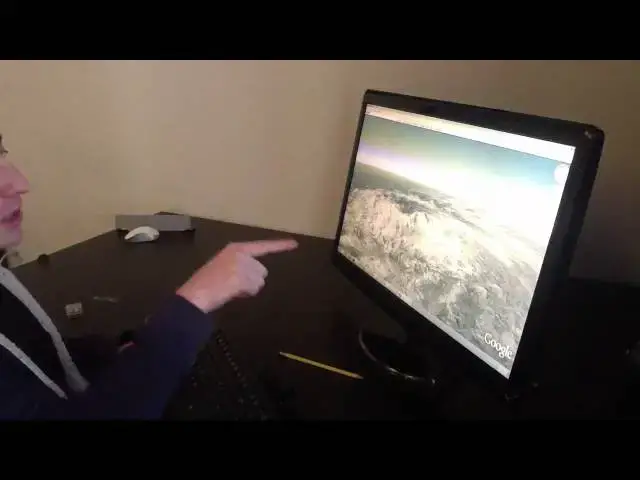
Leap Motion demonstrates The Leap 3D motion sensor for Cult of Mac
Show More Show Less View Video Transcript
0:00
yeah I'm David holes I'm the CTO at leap
0:04
motion and uh with this is the this is
0:07
the
0:08
leap so do some stuff over
0:12
here we just start off with some very
0:15
simple drawing actually this probably
0:16
make it better for your screen
0:18
right uh we just start off with some
0:20
very sort of simple drawing and uh you
0:22
know we're fast you know it's accurate
0:24
you know I can move really fast uh but
0:27
also uh you know I can move very small
0:30
too so that's just a centimeter right
0:31
there I'm drawing Hello than just about
0:32
a
0:33
centimeter and of course we can do
0:35
multiple fingers you know and uh you
0:38
know I can I can do mobile fingers and I
0:40
can pause it in the air and everything
0:41
is in 3D so so my way my fingers are
0:43
moving in 3D and uh of course you can
0:47
see the entire hand so you know here's
0:49
my here's my uh here's my entire hand
0:52
you can see the the very the subtle
0:54
motions of my fingertips being very very
0:56
very accurately
0:58
tracked and uh
1:01
so there's lots of interesting stuff you
1:02
can do with this uh I'll load up some
1:04
maps for a second and uh you you can see
1:07
you can imagine sort of going through
1:08
Maps you know uh generally like we do
1:11
with uh with touch but of course we're
1:13
not touching and I can you get that good
1:15
pinch to zoom because we have that
1:17
accuracy you're also very
1:19
responsive and uh it's pretty easy to
1:22
use there's our office right there I'll
1:26
Zoom back out to the rest of the United
1:28
States
1:30
to uh to New
1:35
York and uh of course we can do things
1:37
in 3D so you know in 3D you get that
1:40
extra efficiency so here sort of in in
1:43
out left right up down those are all
1:46
really just one Motion in 3D so here I'm
1:48
you know I'm changing angle zooming in
1:51
it's all just one motion that's sort of
1:53
the band with uh the advantages that you
1:54
get to
1:55
3D uh you know you can imagine doing
1:58
simpler things you know uh browsing the
2:00
internet soort of just grab the grab the
2:02
screen and kind of go up down you know
2:04
fling it uh also of course uh you know
2:07
more complicated uh more complicated
2:10
demos too where you know you're sort of
2:12
reaching into a virtual space and moving
2:14
it around and you know spinning things
2:16
around and doing all sorts of really
2:18
interesting stuff you know with things
2:20
that are traditionally very visually
2:22
complicated or very difficult
2:23
interactive wise but uh all of a sudden
2:25
now it can get sort of a natural
2:27
physical intuition for how it's so
2:28
structured uh in a physical way you
2:33
know so yeah that's sort of a quick
2:36
overview and uh of course anything touch
2:40
uh related is just immediately supported
2:43
with lowlevel Hardware emulation so I
2:46
can sort of reach in any sort of touch
2:47
application and sort of use it in a
2:49
natural way without any code or or you
2:52
know sort of
2:55
difficulty so I think that's about
2:58
it
#Consumer Electronics
#Engineering & Technology
#Virtual Tours
#Virtual Reality Devices
#Action & Platform Games
#Augmented & Virtual Reality