0:00
Being in the Instagram age means most of our photos live on either our iPhones or in the cloud
0:05
The days when prints, and in particular instant prints, reign supreme are dying out
0:10
San Francisco based company Print is hoping to change that with an iPhone case that has
0:13
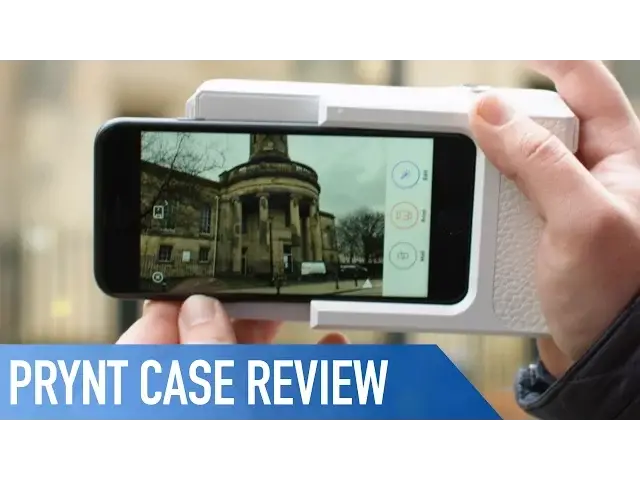
a built in photo printer. But is it any good? This is Print, a $150 plastic iPhone case that has a built in shutter button on top
0:26
a point and shoot style camera grip, and the ability to print images straight from your phone
0:30
It's a fair bit bulkier than a standard point and shoot, which can easily be forgiven considering
0:34
it's got a printer built right in. The only problem is it's still a little bit too bulky for everyday use
0:39
Forget carrying this thing around in your pocket. Attaching and connecting the case is super simple
0:44
Just press in the button to open the adapter portion of the case and slide your iPhone straight in
0:48
Speaking of which, the adapter can be switched out for others that are sold separately to fit different phones
0:53
Thanks to the lightning port, there's no need for Bluetooth or WiFi pairings
0:57
Open up the free companion app on your iPhone and it'll connect instantly. Once within the app, you can use the standard camera function when you're taking images
1:04
and edit photos with filters and text. There's also an Instagram style library of images submitted by other Print users
1:11
You can even attach videos to your printed images, which play when your photos are scanned through the app, with the video tracking onto the print in an augmented reality style
1:18
Printing a picture is incredibly easy. You start by placing some zinc paper into the printer
1:23
This is the only type of paper that works with the print, and it comes with 10 sheets initially, so you'll need to order some more from print.co before you run out
1:30
Next, simply take a picture or choose one from your library. Edit to your heart's content, then hit print
1:37
Once it starts, there's a really slick animation, seamlessly merging up to where the prints
1:41
come out of the case. The prints themselves are inkless, thanks to the zinc paper, which has everything it
1:46
needs to develop an image from the fibres and layers within the sheet. The final product is decent, but it certainly won't blow you away
1:53
The colours are nice and there's a decent level of sharpness, but they're not going to replace your favourite online print service any time soon
1:58
Which I guess is why they also double up as stickers. With the case itself being made completely of plastic, it reminds me that this whole
2:04
product is all a bit of fun. It's a good gadget, but it's not something that's going to be part of my everyday kit
2:10
or by any means, something that I use on a regular basis. If you've been considering going down the retro Polaroid option though, definitely check
2:16
out this case. The zinc paper is a lot cheaper than film, there's the cool AR videos, and it's definitely
2:22
the Polaroid of the 21st century. Well, that's it for this video, if you'd like more information on the print case, I'll make
2:28
sure to leave a link in the description down below. Also, if you enjoyed this video, go ahead and hit that like button, and don't forget
2:34
to hit subscribe so you don't miss a single video from Cult of Mac. I'll catch you in the next one