Up next in 10



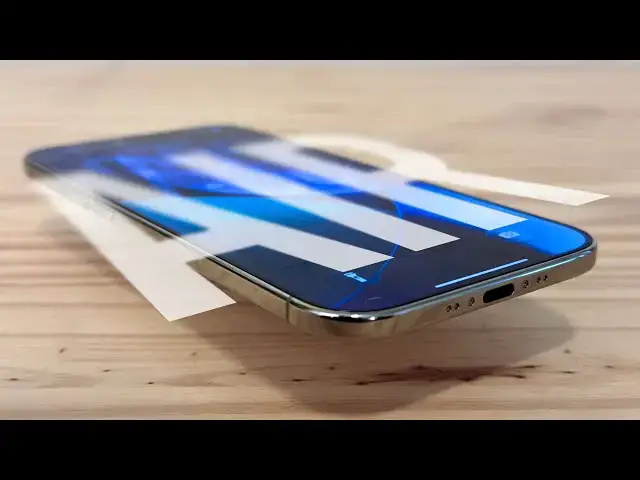
The iPhone Air is what the people say they’ve been asking for: something new. This is the first iPhone in a long time that will truly shock you when you take it out of the box and hold it in your hand.
Produced by Extra Ordinary for Cult of Mac
Music composed by Will Davenport, arranged by D. Griffin Jones
Chapters:
0:00 Intro
1:50 Design
3:50 Battery life
5:25 Display
6:45 Cameras
9:49 One speaker
10:51 Chips
12:09 MagSafe battery
14:04 Bumper
15:25 Clear case
15:55 Crossbody Strap
17:55 Conclusion
Follow us!
Show More Show Less View Video Transcript
0:00
The iPhone Air is what the people say
0:02
they've been asking for, something new.
0:06
It's the first iPhone in a while that
0:08
will absolutely shock you when you take
0:10
it out of the box and hold it in your
0:12
hand. Of course, that means cutting a
0:15
few of the things we've come to expect
0:17
from the iPhone. The second speaker, the
0:20
second and third cameras, but also the
0:24
thickness and the weight. And the more
0:26
time I spent with it, the more I
0:27
appreciated what was still there. The
0:30
super big and bright display, the much
0:33
improved front camera, and most
0:35
surprisingly, the battery life. Here's
0:38
what I learned switching from the iPhone
0:40
16 Pro to the iPhone Air.
0:44
The iPhone Air sits high up in the
0:46
iPhone 17 lineup between the base and
0:48
great value iPhone 17 and the
0:51
top-of-the-line iPhone 17 Pro, which is
0:54
truly a professional tool. The iPhone
0:57
Air takes the place that a hypothetical
1:00
iPhone 17 Plus might have been. Apple
1:03
didn't make a Plus model this year. So,
1:06
if your thought process is, "All I care
1:08
about is the biggest screen and the most
1:10
battery life," Apple would point you to
1:12
the 17 Pro Max. Unfortunately, that
1:15
means paying extra for features you
1:17
might not use at least $1,200.
1:21
Over the last few years, it feels like
1:22
Apple has been holding the balance of
1:25
design, features, cameras, and battery
1:28
life at basically the same levels,
1:30
resulting in four phones that basically
1:32
look the same as each other and
1:34
basically the same as the phones that
1:36
came before and after. The iPhone Air
1:40
upsets that balance. It's shocking at
1:42
first that it doesn't have all the
1:44
features we've come to expect, but does
1:46
it really lack any of the features we
1:49
need? The iPhone Air is a radical and
1:52
stunning design. It looks like it's from
1:54
an alternate reality, one where Apple
1:57
never stopped pursuing thinness. It's
2:00
like 10 years of thination have hit us
2:03
all at once. It technically has flat
2:06
sides with rounded edges, like the last
2:08
few generations of iPhone, but it's so
2:10
thin that the flat part is only the
2:13
middle 60% of its edge. The edge that
2:17
touches your hand feels so thin that
2:19
it's like holding a credit card. And it
2:22
makes other phones feel like a bulky
2:24
deck of cards. It really feels light as
2:27
a feather, too. It's only 17% lighter
2:30
than my iPhone 16 Pro, but if I didn't
2:33
know that, I would probably guess 40%.
2:36
Laying on your back, holding it above
2:38
your head, you can hold it for longer.
2:40
You don't get as tired. And when you
2:43
drop it on your face, it won't hurt as
2:45
much. It's a bit of a trick because most
2:47
of the phone part of the phone is in the
2:50
much larger plateau that spans the width
2:52
across the back. The whole thin part on
2:55
the lower half is basically just
2:57
battery, USBC port, microphones, and
3:00
taptic engine. Unlike the iPhone 16e,
3:04
which also has a single camera setup,
3:06
this camera protrudes quite a bit. For
3:09
that reason, holding the phone
3:10
horizontally is actually somewhat
3:12
pleasant. The Plateau feels like holding
3:15
a camera grip. I got the gold one, which
3:17
you definitely didn't notice because by
3:19
all intents and purposes, it just looks
3:22
silver and white. I literally thought
3:24
there was a mistake when I pulled it out
3:26
of the box. If a yellowish light bulb is
3:29
considered warm, then I would call this
3:32
half a degree above room temperature.
3:35
It's less gold than the Desert Titanium
3:37
iPhone 16 Pro, which I didn't think was
3:40
possible. The only way to make it look
3:43
gold is by shining a very yellow light
3:46
bulb on it in a dark room at just the
3:49
right angle. Rumors that the iPhone Air
3:51
would have abysmal battery life were
3:53
greatly exaggerated. Now, the first few
3:56
days after getting a new phone are a
3:58
little unfair as far as battery tests
4:00
go. Your phone has to download the
4:02
entire contents of your previous phone.
4:04
download all your photos and videos, all
4:06
of your apps, index the entire file
4:09
system, and you're probably just using
4:11
it more because it's your shiny new
4:13
phone. The first 3 days, I woke up with
4:16
it in the morning and basically used
4:18
every feature on the phone for the
4:20
purpose of writing this review. On
4:22
Friday, I logged over 8 hours of active
4:25
use with all the aforementioned
4:27
background tasks happening and only used
4:29
84% of the battery total. Saturday, the
4:33
first full day, nearly 7 hours of use
4:36
and only 74% drained overall. On Sunday,
4:39
I was mostly taking pictures and videos
4:41
of the phone, so I only used it a touch
4:44
under 5 hours, and I only drained the
4:46
battery 39%.
4:48
So, in my regular routine, I would have
4:51
no problem with battery life whatsoever.
4:53
According to the specs, the iPhone Air
4:55
has 88% of the raw battery capacity of
4:58
the iPhone 16 Pro, but it comes with iOS
5:02
26's new adaptive battery mode enabled
5:05
out of the box to make up for the
5:07
difference. And if you're coming from an
5:09
old model, like an iPhone 13 Pro, you'll
5:12
get far greater battery life. Of course,
5:15
you can get even greater battery life
5:16
gains by upgrading to a 17 Pro instead,
5:20
but ultimately, you don't have to be
5:22
afraid of the iPhone Air battery. The
5:25
display is a 6.5 in panel, which sits
5:28
halfway between the iPhone 17's 6.3 in
5:31
display and the Pro Max's 6.9 in screen.
5:35
Personally, I consider the 16 Pro to be
5:37
just a bit too big. It only fits firmly
5:40
in my hand without a case, and I really
5:43
have to stretch my thumb to reach the
5:45
opposite side. Surprisingly, the iPhone
5:47
Air, despite being bigger, is also only
5:51
a little too large. Because it's so much
5:54
thinner, I can still hold it
5:56
comfortably. But then in other
5:58
positions, the illusion of its size is
6:01
broken, and I have to two-hand it a
6:03
little more often than I'd like. But I
6:06
recognize I'm probably the odd one out.
6:08
It's probably just right for most
6:10
people. Splitting the difference between
6:12
the other two sizes. The display is also
6:15
brighter, hitting a peak outdoor
6:16
brightness of up to 3,000 nits. With its
6:20
smaller battery, I wouldn't expect it to
6:22
maintain that brightness for very long.
6:24
But on the one sunny day we had outside
6:27
during my testing period, I had no
6:29
trouble at all seeing the screen. Other
6:32
display specs are exactly the same. It
6:34
has always on and prootion just like the
6:37
other pro phones. And in landscape, it
6:40
supports the two column layout. So, you
6:42
know, Apple considers it an extra-large
6:44
display. The big story with the cameras
6:46
is the front-facing camera. It's no
6:49
longer a 12 megapixel 4x3 sensor, but an
6:52
18 megapixel square sensor that enables
6:55
some pretty cool new features. For one,
6:58
you no longer have to rotate the phone
7:01
between portrait and landscape. You can
7:03
tap a button and take a landscape selfie
7:07
holding the phone vertically where it's
7:09
more comfortable. It also has center
7:11
stage, so it'll automatically zoom out
7:13
as more people enter the frame to make
7:15
sure they're in the shot. Although, if
7:18
you tap any of the zoom controls
7:19
yourself, center stage turns off, and
7:22
you have to turn it back on by reaching
7:24
all the way at the top of the screen.
7:26
Personally, I'd probably just capture
7:28
the entire frame every time. I don't
7:31
want selfies to be tightly cropped to my
7:33
face. The context of where you are and
7:36
what you're doing is just as important,
7:38
if not more important, than capturing
7:40
your face. But it has another trick up
7:41
its sleeve. If you're on a FaceTime
7:43
call, it'll automatically stabilize on
7:46
your face if you're doing chores or
7:48
taking a jog. This will be a big help
7:51
for when you're facetiming your mom or
7:53
dad who simply refuse to hold the phone
7:57
still. Dual capture will record video
7:59
simultaneously on the back camera with
8:02
your own reaction from the front camera,
8:05
enabling a whole new class of video
8:07
recording. I was kind of hoping this
8:10
would work in tandem with center stage,
8:12
allowing me to focus on recording what's
8:14
in front of me while the iPhone does the
8:16
work to make sure my face is in shot,
8:18
but this doesn't seem to be the case.
8:20
Nonetheless, these are both excellent
8:23
new camera features. The front-facing
8:25
camera has been ignored for far too
8:27
long. The single rear camera is similar
8:29
to the setup on the iPhone 16. It's the
8:32
48 megapixel 1x lens that's effectively
8:35
unchanged from the iPhone 16, carry it
8:38
over to the 17 lineup. That means you
8:40
can sensor crop to a 2x zoom and take
8:42
full resolution 12 megapixel photos or
8:45
let the machine learning bump it up to
8:47
24 megapixels. Apple says the AI
8:50
upscaling built into the sensor is
8:52
improved, and indeed, it seems to
8:55
sharpen up hair pretty well, but Apple
8:57
is still exercising caution when it
8:59
comes to AI upscaling compared to its
9:01
competitors, which I personally greatly
9:04
appreciate. Obviously, you're missing
9:05
the telephoto zoom lens from the Pro
9:07
phone, which is disappointing not to
9:10
have, especially since the 17 Pro was
9:12
just upgraded to a 48 megapixel
9:14
telephoto sensor. And I use the
9:17
telephoto lens all the time. You're also
9:20
missing the ultra wide lens, which
9:22
removes the ability to take those
9:24
highresolution macro shots, but it also
9:28
removes that annoying thing where it
9:30
switches to the macro lens when you're
9:32
just trying to take a regular 1x photo.
9:34
So, you win some, you lose some. It's
9:36
also missing cinematic mode, Dolby
9:39
Vision 4K120 video, ProRes RAW, Gen
9:43
Lock, and spatial recording for Vision
9:45
Pro. All the features you were never
9:47
going to use in the first place.
9:49
Surprisingly, according to social media,
9:51
the most egregious emission from the
9:53
iPhone Air isn't the lack of the extra
9:56
cameras, but the lack of a bottom
9:58
speaker. Every iPhone since the iPhone 7
10:02
has used both the top and bottom
10:04
speakers for playing stereo sound,
10:07
although that's ultimately not the
10:08
legacy the iPhone 7 would end up with.
10:11
The iPhone Air, however, only has a
10:14
speaker in the earpiece. Doing a direct
10:17
sideby-side comparison, I can definitely
10:19
tell that the iPhone Air has less bass
10:22
than the iPhone 16 Pro. It's really
10:24
noticeable when you're watching videos
10:26
in landscape and the sound only comes
10:27
from one side. But a benefit is that
10:30
when you're playing media holding your
10:31
phone in portrait, you don't have to
10:33
worry about covering up a bottom speaker
10:34
with your thumb. There's no speaker
10:36
there to block. Of course, this means
10:38
that watching a video in landscape, you
10:40
really don't want to cover up the top
10:42
side. The absolute volume though is just
10:45
as good, even if it does sound tinier.
10:48
So, I don't think this should be an
10:49
absolute deal breakaker. Internally, the
10:52
iPhone Air brings Apple silicon to a new
10:54
high point. The A19 Pro chip is binned
10:57
with one fewer GPU core and slightly
11:00
underclocked, but it is still an
11:02
absolute beast. Compared to the M1 Mac
11:06
Mini, in benchmarks, it's 50% faster in
11:10
single core performance, 10% faster in
11:13
multi-core with a 13% faster GPU. That's
11:17
Apple's entry-level Mac performance.
11:20
available all day in your pocket, even
11:24
faster. Apple's new C1X modem claims
11:27
twice the performance of the C1 modem
11:30
introduced just earlier this same year.
11:32
It still doesn't support 5G millimeter
11:34
wave, but I still have never been in a
11:38
spot that supported 5G millimeter wave
11:41
in 5 years. So, the N1 wireless
11:44
networking chip now handles Wi-Fi,
11:46
Bluetooth, and Thread radios. There's
11:48
one room in my house completely opposite
11:50
of my Wi-Fi router that does have kind
11:53
of a spotty connection. And the iPhone
11:55
Air performed just as well, if not a
11:58
little better. It also has improved
12:00
performance for AirDrop and other
12:02
continuity features. One of those things
12:04
that'll just be a little bit better as
12:06
time goes on that we don't often
12:08
appreciate. Now, let's talk accessories.
12:11
Starting with the MagSafe battery. The
12:13
new MagSafe battery snaps on the back of
12:15
the phone and extends your battery life
12:17
by an additional 65%. Unlike generic
12:20
MagSafe batteries, it picks the right
12:22
moments to charge up your phone when
12:24
it'll be most effective. It never lets
12:26
your phone get too low, but it also
12:28
stops charging around 90%. If you want
12:32
the fastest possible charging, you can
12:34
attach the MagSafe battery and plug your
12:36
phone in simultaneously to a 20 W or
12:39
higher power adapter. It has a charging
12:42
light on the back that looks like it
12:43
appears out of literally nowhere. You
12:46
can plug it in or you can plug your
12:48
phone in with it attached and it'll
12:50
charge up both. It's also a very
12:52
pleasant object in the hand. The back is
12:55
the softest hard plastic you'll ever
12:57
touch and the inside is a really nice
12:59
rubber that makes it very satisfying
13:03
when you attach it to your phone. It
13:04
doesn't easily slide off either. Just
13:06
like how the bare iPhone air is just the
13:09
right width for my hands with the
13:10
MagSafe battery attached. It's just the
13:13
right width for my hands to grip around
13:15
the edge. The reason it leaves a small
13:17
gap is so that you can use it
13:18
simultaneously with the bumper case.
13:20
Unfortunately, its design is so tall and
13:22
wide that it won't fit on other phones
13:25
unless you have a really big phone and a
13:28
really thick case. There is a reason for
13:30
this. Just like the iPhone Air itself,
13:33
Apple made it as tall and wide as
13:35
possible so that it could be as thin as
13:38
possible. If Apple made a generic
13:40
MagSafe battery pack that fit every
13:43
phone, it would have to be much thicker
13:46
and that would ruin the point of the
13:47
iPhone Air. Now, that's probably not a
13:50
satisfying answer if you planned to buy
13:52
this for your iPhone 17 Pro, but that is
13:56
the reason nonetheless. If you have any
13:58
other model, I can recommend the Anker
14:00
Nano power pack as a slim mags safe
14:03
battery. Somehow, the bumper case
14:06
returned. The idea of a bumper case is
14:08
that it protects the part of the phone
14:10
most likely to hit the ground, the
14:12
corners, while letting your hands touch
14:14
the bare back of the phone and
14:16
appreciate its thinness. Unfortunately,
14:19
the iPhone Air bumper fails at both of
14:22
these tasks. While the iPhone Air bumper
14:24
case protects all four corners of the
14:26
front, it doesn't protect the upper two
14:29
corners on the back, the camera lens and
14:33
plateau stick out beyond the bumper. I
14:36
know Apple wants the bumper to be this
14:39
beautiful polycarbonate band that's
14:41
uniform in thickness, but it's ignoring
14:43
the reality that it isn't 2010 anymore.
14:46
Phones aren't uniform in thickness. The
14:49
bumper is also surprisingly bulky. You
14:52
can still appreciate the iPhone Air's
14:54
thinness by touching the back of the
14:55
phone while you touch the front, but the
14:58
bumper itself is so thick that it
15:00
ultimately makes the phone feel big and
15:03
that ruins the whole point of this
15:04
phone. I would like the bumper a lot
15:06
more if there was a second part of the
15:08
bumper that protected the camera plateau
15:10
and if the edges were a little thinner.
15:13
as it is. It makes the phone feel too
15:16
big for the people who like to go
15:17
caseless and it doesn't offer enough
15:20
protection for the people who need a
15:21
case. It's not really for anyone. The
15:25
clear case offers a greater balance of
15:27
tradeoffs. It wraps all the way around
15:29
the phone, including the plateau and
15:32
camera lens, while adding less than a
15:34
millimeter of thickness to the back.
15:36
With the case, the body of the phone is
15:38
still thinner than a bare iPhone 6. It
15:42
comes in two colors, frost and shadow.
15:45
Frost is light with a white accent,
15:47
while shadow is a little darker with
15:50
black accents. Only buy it if you're
15:53
buying the black iPhone air. Apple's
15:55
crossbody strap is a new accessory that
15:58
lets you wear your iPhone around your
16:00
shoulder. These are super convenient if
16:02
you don't have pockets and you don't
16:04
want to stow your phone away in a bag.
16:07
It also makes your phone harder to
16:08
pickpocket or snatch out of your hands
16:11
on a busy city street. The cross body
16:13
strap is most useful on day trips when
16:16
you want the fastest possible access to
16:18
your camera. It eliminates even the
16:20
friction of pulling it out of your
16:22
pocket. Although it's kind of annoying
16:24
the rest of the time at my desk, in the
16:28
car, around the house. It's a little
16:30
finicky to set up. You have to take off
16:32
your phone case. Carefully thread these
16:35
tiny loops through the hole in your
16:37
case, then clip the strap on. This isn't
16:40
something you can casually take on and
16:42
off. If you're not sure you'll want it
16:45
all the time, you should leave it
16:46
attached to a second case. I'm surprised
16:49
Apple didn't try engineering a smarter
16:51
special clip mechanism. It's just a
16:54
piece of string and a metal loop. The
16:56
strap itself is loaded with slim,
16:58
flexible magnets so that it's always
17:00
flush and tidy, even in the areas where
17:03
it doubles over itself. It's also a
17:06
little finicky resizing the strap to
17:07
make sure it's flush, but it's a neat
17:09
trick once you get it right. The build
17:11
quality is, of course, top tier. You can
17:14
tell this is the same company that has
17:16
been making excellent watch straps for
17:18
over 10 years now. The fabric feels
17:21
soft, super strong, and perfectly
17:23
smooth. The little metal snaps have
17:26
polished chamered edges and make a very
17:29
satisfying click. The opening in the
17:31
little resizing loops is exactly sized
17:35
for the fabric. If you try looking for
17:37
imperfections, you will have to look
17:40
very close. This accessory isn't unique
17:42
to the iPhone Air. It comes in colors
17:45
color matched to the entire iPhone
17:47
lineup. Most of Apple's cases have
17:50
lanyard loops in the bottom, although I
17:52
imagine it'll work with third party
17:54
cases as well. The iPhone Air stands out
17:57
because it's the second act of a
17:58
three-part story, so we haven't seen the
18:01
conclusion yet. The iPhone 16,
18:04
introduced earlier this year, is a fresh
18:06
approach to the entry-level iPhone. It's
18:09
an iPhone 14 that skips Mag Safe
18:12
upgraded with a single 48 megapixel rear
18:14
camera, action button, A18 and C1 chip
18:18
in a clean, lightweight design. The
18:20
iPhone Air is a fresh approach to the
18:23
mid-range iPhone. It's an iPhone 17 Pro
18:26
that skips the vapor chamber cooling
18:28
with a single 48 megapixel rear camera,
18:31
camera control button, A19 Pro, C1, and
18:34
N1 chip in a clean, lightweight design.
18:37
The folding iPhone, expected next year,
18:39
will take these engineering lessons in
18:41
miniaturaturization to the extreme, but
18:44
it'll have more volume to work with, so
18:47
I expect it'll make fewer compromises.
18:50
It'll probably have room for that second
18:52
speaker and extra cameras. The iPhone
18:55
Air may be a stepping stone, but as we
18:58
all know, Apple doesn't like to comment
18:59
on future products. It's still a
19:02
remarkable device on its own merits. A
19:05
new industrial design language has
19:07
seemed to emerge on Apple's high-end
19:10
products. You don't become the biggest
19:13
company in the world with over a billion
19:15
users by only designing your products
19:17
one way. The M1 Pro, MacBook Pro, the
19:21
Vision Pro, the Apple Watch Ultra, and
19:25
now the iPhone 17 Pro. Compare their
19:28
details and silver, and you can see the
19:31
family resemblance. Apple has been
19:33
allowing its pro products to be
19:35
unapologetically professional, freeing
19:38
up its consumer products from the burden
19:40
of carrying that complexity. I think
19:42
that for the first time, the iPhone 17
19:45
Pro is no longer the flagship iPhone.
19:49
It's been moved up market. Speculation
19:52
that this ultras slim iPhone would be
19:54
deeply compromised for the sake of its
19:56
beauty are simply not true. Yes, it is
20:00
beautiful and chic, but it's also a
20:02
phone I could imagine happily owning.
20:05
It's the first new iPhone in a while
20:07
that makes the model it replaces feel
20:10
old after just one year. It feels like
20:14
the MacBook Air dropped in a market of
20:17
horrible inch thick ugly PC laptops. The
20:21
iPhone Air is the iPhone of the year.
20:26
I'm D. Griffin Jones with Cult of Mac.
#Entertainment Industry
#Online Media