0:00
HomeKit was announced over a year ago at WWDC 2014
0:05
But we've only seen one HomeKit compatible smart device since then. That doesn't mean though that there aren't a ton of iOS-enabled smart devices for your home though
0:14
And one of the ones that interests me most is centred around home security
0:18
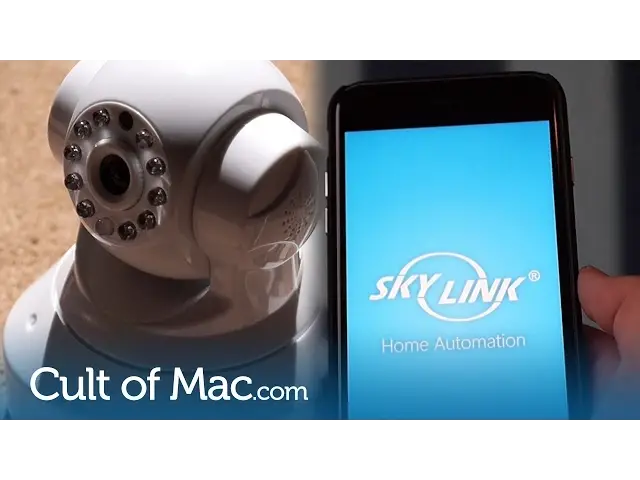
It's made by Skylink and it enables me to monitor my home from anywhere in the world, via my iPhone
0:23
For just $149 plus $89 for a wireless indoor camera, The Skylink alarm system starter kit includes all you need to make your home more secure
0:32
and to give yourself peace of mind. But is it any good? Let's find out
0:37
The brains behind the Skylink alarm system is the hub, a small white box that connects to your network via Ethernet
0:43
and allows all of your sensors and cameras to talk to each other. Admittedly, it's not all that pretty, but it blends nicely into living rooms and doesn't stand
0:50
out next to your router. The hub comes with a power adapter, but it also takes four AAA batteries
0:56
So if you happen to have a power outage, Skylink will keep on running
1:00
The kit also includes a pair of sensors that can be fixed to doors and windows using either
1:04
screws or double-sided tape, which are both included. Tell your Skylink hub where these sensors are located using the free companion app
1:11
and you'll be able to see which doors and windows are open and which are closed
1:16
Also in the kit is a motion sensor which runs off a single double eight battery and it just as easy to pair as the door sensors Skylink also throws in a handy keyfob just like the one you get with your car
1:28
which allows you to maintain control over your security system, even when your iPhone's battery dies, or you leave it behind
1:34
It would have been nice to get more than just one of these, but you can buy additional fobs from Skylink for just $20 each
1:41
One of the best parts about the Skylink system is the camera, which connects to the hub over Wi-Fi
1:45
and means you don't have to wire it up. The camera can be stood almost anywhere
1:49
or you can mount it to walls and ceilings using the included screws
1:53
The companion app for the Skylink kit is free on the app store, and once you've set up an account, you'll be greeted by the Tome page
1:59
which displays all of your connected devices. The app provides you with full control over everything that's connected to your hub
2:06
so you can give the sensors a name and specify which ones should allure you when they are triggered
2:11
The app can also be used to reconnect any sensors that will become disconnected. disconnected. Next to the homepage you have a camera menu, which displays a viewfinder and
2:20
allows you to pan and tilt the camera when you want to look around. It is fairly responsive
2:25
even over a 4G network. But you have to control the camera manually. Unfortunately, it won't
2:30
move automatically when it detect motion. One nice feature is the ability to record and
2:36
take videos that are saved directly to your phone So if you do happen to get an intruder you can obtain evidence that will help identify them Next to the camera tab is the alarm page where you can turn the alarms on or off when you go out or arrive home It also provides you with some alarm
2:51
settings and an alarm log, so you can see when your alarm has been activated and deactivated
2:57
Even though there is a lot of customization, the app does a good job of keeping things
3:01
organised and easy to use. It's pretty great overall and has been improved a lot later
3:07
with the addition of automatic logins. But I still finally have crashing from time to time
3:13
The only other annoyance is that you get push notifications every time a door or window is open
3:18
And if I'm at work and my partner is home, this can happen a lot. Unless you choose to only have notifications coming through during an alarm
3:27
When it comes to the Skylink alarm itself, which is located within the hub, it is seriously loud for such a small device
3:34
Screaming an impressive 110 decibels, which would easily alert the neighbours. There's a couple of ways to disarm the system
3:40
You can do it with the included key fob inside the app
3:44
or on the hub itself using an 8 digit code you create when setting the device up for the first time
3:49
The motion sensor is a little bit wonky right now. It seems to be a bit of a hit or miss for me
3:54
Sometimes it goes off as I pass it and sometimes it doesn't
3:58
But I also had it triggered when no one was around at 5 in the morning activating my alarm much to the delight of my fianc Skylink doesn specify how close its sensors need to be to the hub
4:10
But I found that the door and window sensors work up to at least 50 feet away
4:14
including walls and floors. The hub is located on the middle floor of my house
4:18
whereas the two door centres are located on the ground level. And they remain connected without any hiccups
4:24
Since installing the Skylink, I've felt a lot more comfortable about leaving my house for holidays and long
4:29
weekends. I always know when a door has been opened and I can simply check on my home using the camera
4:34
I also love the fact that I can add an endless amount of sensors and cameras to my system
4:38
and monitor them all remotely from anywhere in the world. And because of Skylink's reasonable prices
4:44
I can afford to add more if I wanted to. However, the Starter Kit contains everything you would
4:48
need to get a basic home security system set up, quickly and easily. The app is already pretty
4:54
great and Skyline continues to make it better with bug fixes and updates on a regular basis
4:59
For the price, I think the Skylink Security Alarm starter kit is a safe bet
5:04
Well, that's it for this video, but let me know what you think of the Skylink down in the comments below
5:08
Also, if you haven't already, make sure to hit the subscribe button to you don't miss a single video each week
5:13
We've got new ones coming every single Wednesday and Friday. I'll see you next time