0:00
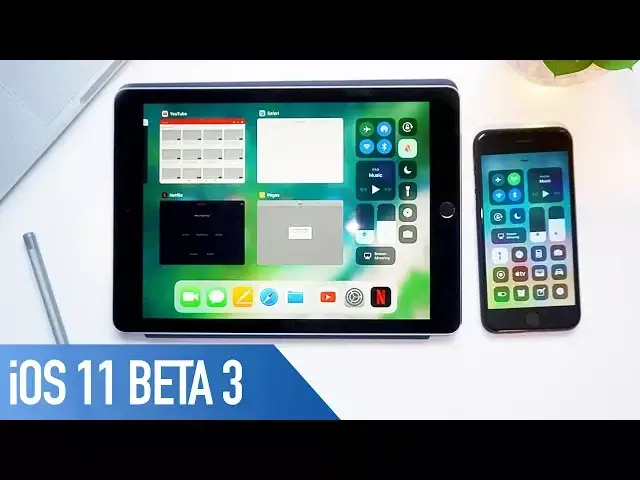
Hey what is up guys, Stephen Culls of Mac here and iOS 11 Beta 3 has just been released
0:08
to developers a little over 2 weeks since Beta 2. So it's safe to say we're going to be seeing new betas for iOS 11 every fortnight or so
0:16
But in this video I'm going to give you a tour of everything that's new in iOS 11 Beta 3
0:21
So let's get started. As per usual with each beta, Apple has added further stability improvements so there's
0:32
even less bugs this time around as you'd expect and I've seen a few people comment online
0:36
that are running it on the older, lower specced devices such as the iPhone 5s saying that
0:40
it's a big step up from betas 1 and 2. So doing tasks such as dragging apps about or moving them into folders are a lot smoother
0:48
and more responsive. These were a little bit laggy previously. The new cover sheet of notification centre has been reworked so that now all notifications
0:56
are visible as soon as you swipe it down as opposed to having to swipe up in previous betas
1:01
Apple has changed how the WiFi toggle works in Control Centre so now when you press the
1:05
WiFi button, Control Centre disconnects you from the current network and disables WiFi
1:10
as it did in iOS 10. In iOS 11 betas 1 and 2 the button only disconnected you from the current network
1:16
iOS 11 Beta 3 has also added new serial voices for both genders of Brazilian Portuguese
1:22
Canadian French, Dutch and Swedish. There are also new female voices for English and Mexican Spanish
1:28
Siri is also a better travel companion with the new update. Translation request support has been added for English to Chinese, Spanish, German, French
1:35
and Italian. Although it's not working for British English just yet. There's a new 3D touch interface for the camera app within Control Centre with options
1:43
for taking a selfie, recording video, recording slo-mo and to take a standard photo
1:48
Smart invert now works a little bit better, the colours of icons aren't quite as off
1:52
although there's still a bit of work to be done. There's also a new one handed maps mode so you can double tap and then on the last
1:58
tap keep your finger on the screen and swipe up and down to zoom in and out
2:03
For iPad users you can now dismiss cards in multitasking by swiping up instead of the
2:07
press and hold or hitting the X button. Apple also added some new features for networking and ARKit for developers plus Safari services
2:15
has now added a new API for authentication flow for onboarding. So if a user is logged into a web app they won't have to enter the password after updating
2:22
the native app. Something that I missed out on my Beta 2 video that I quickly wanted to point out was the
2:27
new tab view in Safari when it's in landscape mode but that's now disappeared in Beta 3 also
2:33
Well that is it for this video but if you've downloaded iOS 11 Beta 3 and found any features
2:38
that I've not mentioned, let me know all about them in the comments section down below
2:43
Also if you enjoyed this video go ahead and hit that like button and don't forget to hit
2:47
subscribe to stay up to date with the latest updates and videos from Cult of Mac
2:50
I'll catch you in the next one