Up next in 10



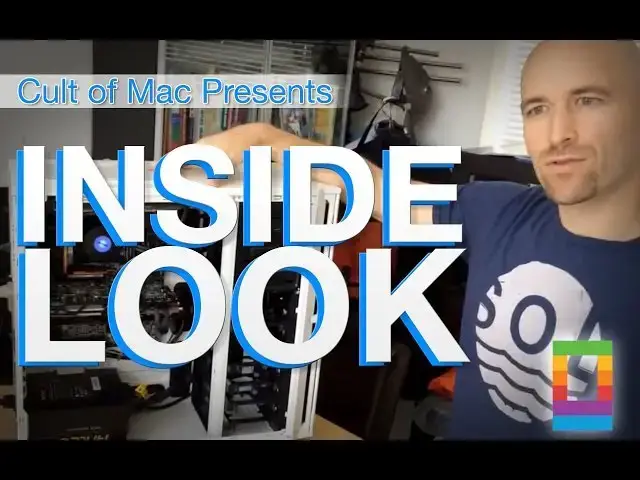
Inside Look: Take an exclusive inside look at a pair of performance Hackintosh computers from Antec.
Show More Show Less View Video Transcript
0:03
[Music]
0:06
hi my name is Jonathan MOS uh from antec
0:09
I'm a global it manager uh for the
0:11
company and uh I wanted to tell you a
0:13
little bit about uh some systems we
0:15
built for macor um in March uh these are
0:18
Hackintosh systems uh using our products
0:21
our our computer cases antech computer
0:23
case this is a p280 uh and using our
0:26
power supply 850 wat hcp Platinum
0:30
modular power supply uh we're using a
0:33
gigabyte motherboard on this system
0:35
what's great about this gigabyte
0:37
motherboard it's the first motherboard
0:38
to support Thunderbolt
0:40
2.0 and uh for Mac world we used a
0:43
thunderbolt display so that was one of
0:45
the uh key things we wanted to have
0:47
running for the show um this motherboard
0:50
uh is high-end has a lot of features you
0:52
could run up to four video cards in the
0:54
system uh or any other card right so you
0:56
can have a thunderbolt card or yeah
0:58
Thunderbolt card um this one is running
1:01
a gigabyte GTX 770 uh 4 GB of RAM uh we
1:06
also have a quad kit from Patriot memory
1:09
uh it's a 32 GB quad kit running at 2400
1:13
MHz and the processor and the processor
1:16
is an i7 uh 4
1:19
770 uh CPU U it's actually running on
1:23
this system if you look right here uh
1:25
4.29
1:26
GHz um so when you compare these specs
1:30
right here to the Mac Pro uh the Mac Pro
1:33
uh their memory only runs at8 18800 MHz
1:36
and their CPU is at 3 uh I believe it's
1:40
3.7 and so how does this compare to a
1:42
Mac Pro so this Compares uh in a lot of
1:45
ways you can't compare them directly but
1:48
uh features wise like the CPU speed runs
1:50
a little bit faster on this system we
1:52
can overclock this system we have more
1:54
flexibility um more options look at this
1:57
case you can add all the hard drives you
1:59
want right and at the moment it's
2:00
running off an SSD yeah yeah this is
2:02
running off a SSD an ad data 256 gig but
2:06
you got a whole bunch of bay the yeah we
2:09
tons of bay and on our case you can
2:11
easily uh remove them uh we have rubber
2:14
grommets silicone grommets uh make it
2:16
easy just to take out plug back in right
2:19
and this thing is running completely
2:21
silently like we can barely even though
2:22
the fanss are all running yeah like we
2:25
have a three-speed uh uh fan here uh
2:27
this is a water cooling system that we
2:29
offer
2:30
uh for customers it's the cooler 920 and
2:33
uh it's a self-contained water cooling
2:35
system so you never have to worry about
2:36
the fluids inside evaporating or leaking
2:40
uh self-contained with dual uh fan
2:43
radiator exhaust right and the fans are
2:45
all uh they have filters right so that
2:48
uh there's filters on the case actually
2:51
um so one one is here on the bottom so
2:53
you have a lot of uh dust and everything
2:55
uh so you never get dust bunnies in this
2:57
machine you won't and so you can just
2:59
blow these out real quick and then uh
3:01
just plug it right back in um on the
3:03
front of the case we also have one um as
3:07
well um and it's bigger so you can just
3:09
easily click that out blow it off yeah
3:12
um there's room to install more fans in
3:14
the front too if you desire uh to have
3:16
more cooling okay so how much does this
3:18
machine cost so this machine uh we have
3:21
a spec sheet uh so I think we'll attach
3:23
it to to this uh review um this system I
3:27
believe it's right at 20002 $2,000 and
3:30
uh the Mac Pro and the Mac Pro with a
3:32
similar specs would be R 30 is it 3,499
3:37
3,499 so you're saving about a grand
3:40
yeah yeah easily and okay and it's
3:41
running U Mavericks the version of
3:44
Mavericks yeah and how does it score on
3:47
the on uh you know the the benchmarks
3:50
yeah it it does really well um if you
3:51
can look here we ran a uh uh CPU test
3:55
right here on the system um compared to
3:57
these other results that we run today um
4:00
it's it's right there at the top that's
4:02
it in red right up there right right
4:04
right so it's running uh you know
4:06
10.9.2 uh Mavericks and uh we run some
4:10
other tests on here graphic tests it
4:12
does really well so um you don't really
4:15
see a bottleneck anywhere within the
4:17
system yeah um which is great so if
4:19
you're a video editor U graphics Guy
4:23
this is something that would be great
4:24
for you cuz you can expand it add
4:26
whatever you want you uh it has two
4:28
Thunderbolt ports if you wanted more you
4:30
could get another card right a lot of
4:32
flexibility a lot of flexibility how
4:33
long did it take it to put together uh
4:35
to put together these systems uh took
4:38
about like well few hours just to
4:40
assemble the hardware yeah um the
4:43
software part took a little bit longer
4:44
to tweet uh you have to uh install a few
4:48
things the 20 Mac 886 uh website is a
4:50
great site lots of users there uh to
4:54
help you out if you run into any
4:56
roadblocks if this motherboard just was
4:57
released in January or February M so it
5:00
hadn't quite been tested throughout the
5:02
community uh um as some of the older
5:05
older boards so we were able to get this
5:08
going though for the ma show cool okay
5:11
and so then we have a a uh a slightly
5:15
more the I don't want to say what you to
5:18
describe this is um I would say more of
5:20
a compact case uh we designed this
5:22
system over here to go head to-head with
5:24
the Mac Pro and then redesigned the
5:27
smaller system to be more of a budget
5:29
system where you could have a really
5:31
good system but we're we're focusing on
5:32
price and keeping the costs down okay
5:35
let's get all the cool lights yeah so we
5:38
also make the lighting uh for inside
5:39
your case too uh USB the accent lighting
5:43
right right okay so again running off an
5:45
SSD running off SSD the same SSD we have
5:48
in the other system this is sporting a
5:50
GTX 760 video kard gigabyte uh we have
5:53
our water cooling system in this uh this
5:55
is a a cooler 620 we have a 16 615 it's
6:00
a 615 sorry and uh this is a dual uh 16
6:04
GB uh kit here from Patriot M and um
6:09
this motherboard has a built-in Wi-Fi uh
6:12
a lot of a lot of features that You'
6:14
expect to have in a system so uh and
6:17
that cost about how much to put together
6:19
this one uh came in right at like 1,000
6:21
bucks what was the cost
6:23
1,143 1,143 92 okay and here it is
6:27
running a Transformers loop on the uh
6:30
the TV yeah so we've installed video
6:32
games on here we've been running uh
6:34
multiple videos and uh haven't seen
6:37
anything uh that makes me go hm that
6:40
that we're very happy with the results U
6:43
this is something I think that users
6:46
would want to have I mean the Maverick
6:47
OS system is free um you compare it to
6:50
Microsoft you have to pay for the
6:52
licensing uh I think this benefits a lot
6:54
of people this would be a great X coding
6:56
uh machine if you're going to be an
6:58
apple programmer yeah well if you're
7:00
going to run Mavericks on it you should
7:01
really be buying a copy right from the
7:02
uh from M yes and it's not strictly uh
7:07
yeah so this is just uh for
7:09
demonstration purposes these systems uh
7:12
we wanted to show the capabilities uh of
7:14
what they could do we don't sell the
7:16
complete systems but uh yeah yeah nice
7:18
it's a it's a great little um project
7:20
weekend project isn't it yes yes a lot
7:22
of fun lot of fun so uh what else um
7:27
wrap it up yeah yeah yeah I think that's
7:29
about it um thanks guys for uh watching
7:32
the review and uh if you check out the
7:34
specs I think you guys will will
7:36
appreciate the components in here so
7:38
thanks again
7:42
[Music]
7:48
cool
#Computer Hardware