0:00
Today I'm going to show you how to turn
0:01
off liquid glass in iOS 26. The new
0:04
visual look features a lot of
0:06
transparent buttons that can be a little
0:08
hard to read. You'll go to settings,
0:12
display and brightness, liquid glass.
0:15
And here you have an option between
0:16
clear, the default style, and tinted,
0:19
which increases opacity and adds more
0:22
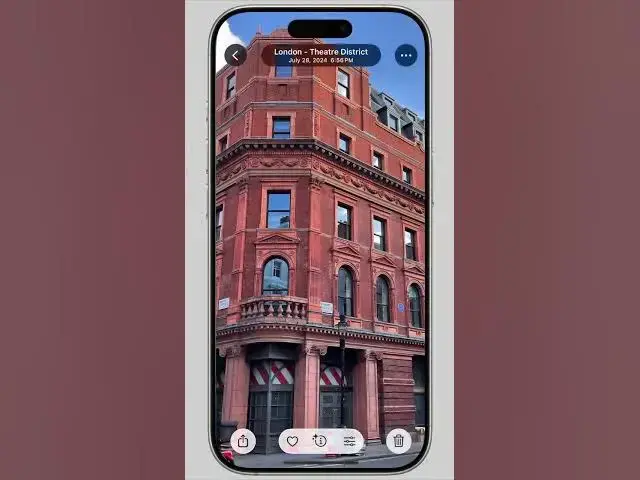
contrast. Going back to the photos app
0:24
here. You can now see that the toolbar
0:26
and buttons are clearly visible. But you
0:29
can go one step further. If you want to
0:31
take a more extreme measure, you can
0:33
completely disable all transparency
0:36
effects. There will be absolutely no
0:39
glassiness. Go back to settings,
0:42
accessibility, display and text size,
0:45
reduce transparency. You can immediately
0:48
see that the toolbar at the top of the
0:50
screen is completely opaque. You can't
0:52
see any of the stuff beneath it as you
0:55
scroll down. And when we go back to the
0:57
photos app, the buttons and toolbars are
0:59
completely black and white. It's not as
1:02
pretty, but it gets the job done. I'm D.
1:05
Griffin Jones with Cult of