live_tv
Livestream Starting Soon
00
Hours
:
00
Minutes
:
00
Seconds
Up next in 10



Send us a question: https://www.buzzsprout.com/twilio/text_messages/2453212/open_sms
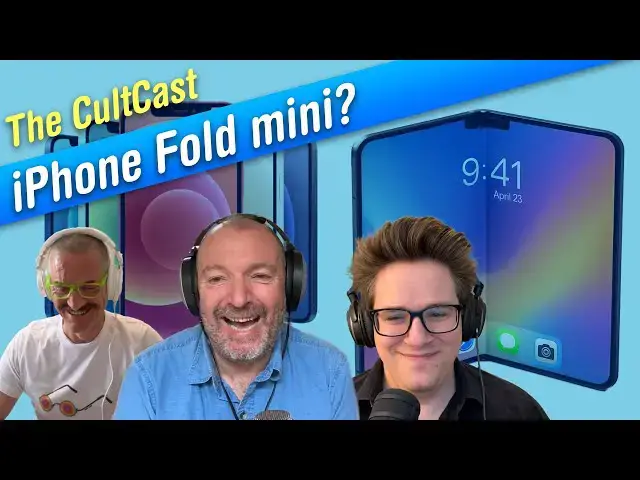
This week, Graham joins Leander and Griffin yet again to talk about the folding iPhone, the biggest little change coming to the M5 iPad Pro, more changes in iOS 26, tips for running with your Apple Watch and why we all lust for a colorful iPhone!
Produced by Extra Ordinary for Cult of Mac
Chapters:
0:00 Intro
2:24 Squarespace
3:39 Folding iPhone
19:40 M5 iPad Pro cameras
26:22 iOS 26 beta 4
44:57 Running with an Apple Watch
59:55 Listener Question
Follow us!
Threads: https://www.threads.net/@cultofmac
Mastodon: https://mastodon.social/@cultofmac
Instagram: https://instagram.com/cultofmac/
X: https://x.com/cultofmac
Show More Show Less View Video Transcript
0:02
All right. Hello and welcome to the Cokecast, the best hourlong Apple conversation you're going to hear all week long. I'm your host, Lyanna Kaney,
0:09
and joining me today we have D. Griffin Jones coming in from Ohio. Good evening. Hello, Griffin. And Graeme Graham Bar
0:17
coming in from Barcelona. Hey, Graeme. Hola. Wait, you never tell us where you're from, Leander. Oh, I'm in San Francisco.
0:23
Okay, where I was going to show you the weather actually. It's unbelievable. It's even worse than normal. You know
0:29
what Mark Twain said about the summer in San Francisco? The coldest winter you ever spent. Well, you know, it's like uh uh uh what is it? They call it the um
0:36
gray May, the um June gloom, and then now we're in the no sky July.
0:43
It's absolutely freezing. I had to put the heating on. Everywhere else in California, it's like blazing hot and
0:49
sunny and beautiful. Here, it's it's even worse weather than England, which is just unbelievable.
0:56
Do you know the reason for that? But is it just because you're by the bay? Yeah. Yeah. It's the marine layer. It pulls in the as the as the land heats
1:03
up, you know, over uh on Oakland where it's all nice and sunny. Yeah. It pulls a pulls the fog in over the bay.
1:09
Actually, I shouldn't complain because it's even worse when it's sunny. I mean, it's absolutely unbearable when it's hot.
1:14
Oh, totally. Yeah. Yeah. Well, the endless sun in Barcelona drives me mad. Today, we had an overcast day and it was
1:19
like my best run in weeks. Right. That's a relief from the absolute
1:25
monotony of beautiful weather. Yeah. I mean, I bet the gray skies in July, they just remind you of home, Leander. I know. Well, that's what I try to get
1:31
away from. I couldn't believe I ended up in, you know, like the even worse climate than than the one I tried to escape from. All right. So, this week
1:38
we're going to talk about um a really interesting rumor about the iPhone, the folding iPhone, which is coming in 2028.
1:46
Is that right, Griffin? 2026. Oh, I'm sorry. Yeah. What am I thinking? Yeah, next year. So, um yeah, it's And
1:53
this new room, I think, is really interesting. I think it makes it much much much more attractive to me. Anyway,
1:59
um there's also a big change coming in the iPad, which also sounds really interesting. We're going to be chat about that. Uh and we're going to look
2:06
at iOS 26, the latest beta. Griffin's going to run us through all the new changes in that. Um and then Graeme's
2:11
going to give us some tips about running with your Apple Watch, how to get the most out of your Apple Watch when you're when you're running. Um oh, and then we
2:18
got a really good funny question from a reader, which you want to stay tuned for. I thought it was pretty amusing. So
2:24
this week I'd like to uh uh thank our sponsor Squarespace. This week's episode is brought to you by Squarespace. Um
2:31
it's a really great web building tool. You can start a completely personalized website with a new guided design system
2:36
called Squarespace Blueprint. You can choose from professionally cured layouts and styling options to build your own
2:42
unique online presence from the ground up tailored to your brand or business and optimized for every device. So
2:48
easily launch your website and get discovered with fast integrated optimized SEO tools and show up more often to more people and grow the way
2:54
you want. That you know uh we've been doing a lot of SEO work and it's absolutely essential. Um one of the nice things about the
3:01
Squarespace website is uh the flexible payment system. You can make a checkout uh for your customers. It's pretty
3:07
seamless. It's simple for them. Uh there's a lot of options. It'll accept credit cards, PayPal, Apple Pay. Um and
3:14
in eligible countries um you can offer the customers to buy now and pay later with Afterpay and Clear Pay. Uh and this
3:22
is a really good way to sell content if you have like an ebook or courses. Um
3:27
you should be setting up, you know, use Squarespace to set up a website to sell this stuff. Um and you can set up a payw
3:32
wall. Uh or you can sell files and you know can customers can download PDFs, music or ebooks. Uh go to
3:39
squarespace.com cult for 10% off. uh your first purchase of a website or
3:45
domain if you use the code cult at checkout. That's squarespace.com/cultcast
3:51
and then use the code cult at checkout. All right, thanks again Squarespace for sponsoring us. Uh so let's go to our
3:59
first story. This is about the folding iPhone. Um, there's a new rumor that says uh that um the folding iPhone might
4:08
be a lot smaller than you might come to expect. Uh this is like, you know, this
4:15
thing's pretty much a lock because um there's so many rumors about the folding iPhone. I've come from all these different sources. Um you know, it's
4:22
like not in it's not in rumor land anymore. This is almost concrete. But that, you know, the actual specs of what
4:28
the device is going to look like has been in fluctuation. And in fact, there was a new rumor this week as well about iOS 27,
4:35
which will be coming next week, which is that they're, you know, they've got to they got their hands full with trying to
4:40
optimize iOS 27 for this for the different screen sizes. Um, and which obviously is going to be dynamic. You
4:46
know, when you open it up, the the screen size is going to change. So, this is a a a design challenge to design the
4:52
operating system to accommodate that. And then, of course, you've got an external screen as well to deal with. So
4:59
there's some interesting stuff going on behind the scenes in in iOS 27. Uh but the interesting thing I think about this
5:04
one is that the the uh Trend Force which is a research firm, a market research firm, says that that the external
5:09
display is going to be 5.5 in which
5:14
would put it into the make it the same size as the iPhone mini more or less which I think was 5.4 in or 5.3 in.
5:22
5.5 as well. Yeah. Oh 5.5. Okay. So yeah, it would have it would it would be the size of the iPhone mini, which is like one of my favorite
5:28
phones of all time. It was my favorite favorite form factor. I love that thing. Um and then when you fold it out, it's
5:36
going to be a 7.8 in internal screen, which would make it the same size more or less as an iPad mini.
5:42
The original iPad Mini. Yeah. Okay. The original iPad Mini. Yeah. What What's the are the new ones? Um, I don't
5:49
know what the I think the new ones are like a little bit over eight inches, but the original iPad mini was 7.9 in and
5:55
this would be 7.8 in. And like 7.8 in doesn't sound like that much bigger than
6:00
a current iPhone, but you consider like the inner screen is probably going to have like that 4x3 much square aspect
6:06
ratio which makes the diagonal like much bigger. Like it'll actually be like a pretty big screen on the inside. you
6:12
know, yeah, as big of an iPad and mini, if you remember that, which is small for an iPad, but big for a phone.
6:17
And especially the fact that it's like a it folds down to an iPhone miniiz device.
6:23
Well, it it this doesn't necessarily fold down to an iPhone miniized device. It folds down to a device which has an
6:29
iPhone mini size screen. I've got a feeling that Well, I mean, I I hope I'm wrong, but my
6:35
instinct is based upon this that it it will have enormous bezels.
6:40
I mean, Apple's doing all this work, all all this research on technology into how they can make the bezels smaller and
6:45
smaller. I can't imagine that like they're that for a phone that's going to cost like two to three times as much as the regular phone, it's going to like
6:51
look uglier with the big chunkier bezels, especially if this is supposed to be like a cutting edge ultra low
6:57
volume device. I mean, maybe I'm just being optimistic, but I think it's going to look pretty cool. And this rumor
7:03
specifically maybe pushed me over the edge from like I'm 75% sure I'm going to get the folding
7:09
iPhone to I'm 95% sure I'm getting the folding iPhone because I'm with you there. I agree. I totally
7:15
agree. And you know where'd you get this bezels from Graeme? You just you know if you look at the latest um folding phones
7:20
coming out of China, they um are super thin. I believe they have edgetoedge screens.
7:26
Yeah. um that you know I mean that they're so thin it's they're as thin as the USB uh CJ jack.
7:32
I I need to kind of figure out the dimensions of 5.5 in screens and 7.8 in screen. We need to kind of figure out
7:38
what half of a 7.8 in screen is. I imagine the bezels when you open it up will be very very narrow and beautiful.
7:45
But when it's folded that small screen is really only just so that you can
7:51
see notifications and stuff like that. I think I don't think that they seriously expect you to do much like mobile
7:57
computing with a 5.5 in display these days. So, I think that that's more I mean, this is the other thing I was when
8:03
I read the story about iOS 27, it really got me thinking because I've been focused a lot on iOS UI recently with
8:11
the app that I'm developing and I was thinking, well, how would this work? And I was thinking the closest thing to what
8:16
we're talking about here is like spaces on the Mac. you know, you can have multiple spaces and but the one of the
8:23
differences between Apple operating systems versus say Windows and Android
8:28
is I think with both Windows and Android you can have multiple instances of one app whereas with iOS and Mac OS you can
8:35
only have one instance and then every other window is like a child thread of that one instance. And I think this
8:42
presents some interesting challenges because this is not a device where it's like a multi-creen device. Normally when
8:49
you think about that, say if you have spaces on the Mac, you can see them all at once or if if you have an external
8:55
display, you can see them all at once. But here, one display is on the reverse of the device. So you can only look at
9:01
one at a time. So then like which is the main device and which is the like
9:07
external monitor so to speak. M and I don't think that it would be an
9:14
acceptable user experience for it to be like that. Say if if the front screen, the 5.5 in screen is like the main
9:20
screen and then the internal one is uh like an external monitor so to speak.
9:26
Maybe you should just think of it as one screen that changes size. Well, I mean,
9:31
you can do that, but you if you've ever like, I don't know, plug your MacBook into like a a monitor which is like
9:38
screen mirroring and it's different dimensions and you unplug it again, all the windows go haywire and it it's not
9:44
it's not a nice experience. I think what Apple is going to want to do is you have apps on your 5.5 in screen and you have
9:52
apps on your 7.8 in screen and they stay there. You don't think it's going to switch like so that when you know your
9:58
main screen when it's closed is the 5.5 in screen and then when you open it up it's going to switch. You don't think
10:05
that's going to happen? You think there's going to be a dedicated external screen that will remain static
10:10
more or less? I think so. I think they might do something like it's almost like a virtualized version of iOS on the on the
10:17
inside. Um and that they can communicate with each other. that makes it feel more complicated because then you then it
10:23
makes you think of the separate screens as being separate spaces and I don't think Apple that doesn't sound like an Apple style to me. I bet it's going to
10:30
be you know the the the when you when you open it up from the outside screen and you unfold it. I bet you'll still
10:37
see the same exact app you were running but my guess is that um it'll be in like
10:44
a iPad windowing mode. So you you have your you have your app on your outside screen. It's tall and narrow and
10:50
portrait, you know, phone shaped. You open it up and then you see the same app but on like the right half of the screen
10:57
and on the left half of the screen, you know, it's uh you see like your your home screen again on the other half. And
11:04
then the idea being that like, you know, it's bringing up an app selection thing so that you can open up a second app side
11:10
by side or maybe you open it up and it's the same app but now just like iPad sized and you can resize it. I don't know
11:16
which which which mode I think Apple would go with, but I think either of those seem pretty likely to me. Like the
11:22
the the app that you're seeing on the outside is still there on the inside. It's just going to treat it as if oh,
11:28
suddenly your display got a lot like twice as big. Yeah. And now it's an iPad. And which means then the display on the
11:35
outside would have to be disabled when you open up the one on the inside. Yeah. Wouldn't it? I I guess. Yeah. But it's like at first
11:42
I thought, "Oh, this is really simple." And then as I started thinking about it some more, it's like it's actually it's not simple. There's there's quite a lot
11:48
of things they need to address. I do think I agree with you that they'd want to have all the nice new windowing
11:53
features of iPad OS on the inside. And I don't know how you preserve that while
11:59
you're also interacting with the same apps on the outside. And that's going to be like a re really chewy problem. I
12:06
think I don't think you're going to be interacting with both sides simultaneously. I bet it's going to be like you only see one at a time and then
12:12
you know so you have you open it up you introduce a bunch of new apps and windows and things and then you close it
12:18
again. My guess is whatever the current application was like the active window
12:24
when you had it open is going to then take over the screen on the outside when you close it. Yeah,
12:30
they would have to disable the outside screen surely because you know if you if you're holding it like a tablet it you know you you could possibly hit
12:36
you you would have to. Yeah, I mean the screen with your fingers on the back and and and and what what Griffin is saying makes the kind of most intuitive
12:42
sense, wouldn't it? Because if if you're if you're messaging or um playing a game or whatever, you don't want to be if you
12:50
if you open it up to, you know, to get the bigger screen, you don't want to be thrown into a completely different environment. You want to be doing what
12:55
you were already doing. You want continuity there. Yeah. I I think though you I think you'll end up
13:00
wanting contradictory things here. This this is where I think Apple is making a challenge for themselves. Um then that
13:07
yeah it's true if you're if you're typing a message on the outside and you think oh god this is too much hustle I want to do it on the inside then I agree
13:13
you need like a continuity type feature but equally I think if you had arranged your windows in a particular way on the
13:19
inside you want that to be preserved but the things that you're doing on the outside are going to change that and if
13:25
you've got an application that's running on both and on the outside it's running in like the sizeass compact mode and on
13:31
the inside it's running in regular mode and so it's going to be jumping between the And some apps lose context for
13:37
example when they do that. So there are a lot of things to think about here and uh I think some of those things they
13:43
have started solving in iPad OS 26. Of course iPad OS and iOS are actually the
13:50
same OS with some slightly different things. So you know an app can run on
13:55
both very easily. That's not the problem. But uh I I do think the UI is
14:00
the problem. Exactly what's going to happen between these two screens. It's not the same as like uh two screens on
14:06
one device. It's something which Apple's never solved before. And that is, I imagine, why Apple is spending most of the next year adapting
14:12
iOS 27 to the new phone. And they're going to have to make some choices on our behalf. And some people, I think, won't won't like those choices
14:18
and some people will. And it's going to be really interesting to see where they land with some of those questions. I bet there are project managers in
14:24
Apple who had this exact same conversation we're having like a year and a half ago. Yeah, I think so. I'm sure there are
14:31
some clues in IO in iPad OS 2027 like the way you can switch between the the
14:36
single app mode versus the multi- app mode. I think that's obviously some clue as to how you'll switch between the 5.5
14:43
and 7.8 in display but there's still I lots of questions I have and obviously
14:49
Apple will want to do this in some way that developers don't need to do anything because otherwise you know they
14:55
might never get like app support. But I think going back to the screen size
15:00
rumor, this might be like the most exciting possible news I could have received about this because
15:07
uh I never had the iPhone 12 mini. I wanted the three camera system more than
15:12
I wanted the mini size. But that did mean that every single time I saw or touched an iPhone 12 mini, it was like
15:19
my heart was breaking every time all over again. But this is the the best of
15:24
both worlds. you have a small possibly allegedly an allegedly small
15:29
phone that can become your big phone. Why would you ever need anything different? Yeah. I mean, unless you don't have $2,000,
15:36
but and of course it makes it smaller and lighter, too, you know, which I think is uh in in line with Apple's design
15:41
philosophy. I mean, I was really surprised because I don't know, for some reason, I expected it to be bigger. I I thought, yeah, they're, you know,
15:47
they'll go for the biggest possible screen they could possibly get, get away with. Um, and this is counterintuitive,
15:52
so you know, going smaller, but it's actually genius. I think. And of course, you know, who's to say that maybe they will come out with larger versions later
15:59
on. Um, this is like, you know, the if you go back to the original, how big was the the screen? It was like a 3in screen
16:04
on the original phone. 3.5 in. 3.5. Yeah. So, they're going back to their roots. I I I you know, I agree with
16:11
Griffin. My my I have an iPhone 12 mini and it's it's my favorite factor form
16:16
factor. Like when the first when the first big screen iPhones came out, I was so excited about that. You know, I went
16:21
out and got what what is it? six iPhone 6 Plus and um of course I bent it
16:29
sitting on it in my back jean pocket. It was actually curved. It still worked fine though. Actually, no, they swapped
16:35
it out. They swapped out one um and the other one I was more careful with. But a
16:40
couple of years later, you know, I really lost um it lost its luster. You know, I I wasn't
16:46
into the big screen phone anymore. It didn't really add that much to the experience and it it pulled my pants
16:52
down. Actually, one time my pants literally fell to my ankles when I put my my phone in my back pocket
16:59
and I much prefer the smaller one, the smaller device. It's so much better. I don't know what they and there was kind
17:04
of conflicting reports I've seen about, you know, that Apple killed it because it sold in such low numbers. Um it never
17:11
it never, you know, achieved the volume they needed. But then I saw a more recent report. I saw some numbers just
17:16
last week I think that said that well actually no it it it sold pretty respectably. Um so it's kind of a puzzle if if that's
17:23
true if it did sell in reasonable numbers. You know why did Apple kill it? It seems a shame. It is curious because anecdotally I hear
17:29
so many people that love that smaller size. Um so yeah it is curious that they killed it because I I do believe there's
17:35
a market for it. I mean, in the end, obviously, it they didn't keep it up to date with the I mean, that that last
17:42
mini, did it have Touch ID? I think it did. No, no, it still had Face ID. The The 13
17:48
Mini had the 13 mini solved a lot of the problems. it had more battery life. But I I think imag
17:57
like a you know the the 14 plus instead of the 14 mini which is why they switched to that and arguably like they
18:03
didn't even have great success with that until the 16 plus because they finally
18:09
made a big phone in a color that people wanted and that's all it took to start making a to to to make this fourth
18:15
iPhone a hit. In that sense, it it is strange. If if they if they scrapped the mini size because they wanted to
18:21
simplify their product line, they didn't want to have so many different versions of iPhone, then why on earth are they introducing a folding iPhone now,
18:28
especially if they see it as being quite niche and not something that will sell in big numbers. So, they're they're
18:33
complicating the product line there for a product that will have a niche appeal and then a mini that they they just
18:40
scrap that. That seems like a strange choice. And there's the iPhone Air, too, which is also coming in. So,
18:46
that's true. There's more than How many? There's How many handsets are there going to be uh this year?
18:52
There's going to be there's going to be four in the fall and they'll have the 17e in the spring and then they'll introduce the fold. So, it'll be up to
18:58
six models. Yeah. And still no mini. Mhm. I will say that
19:04
it the the 16E I think replicates a lot of that mini feeling that I had just
19:10
because it's so light. Even though it's just as big, it's so much lighter. I I loved my two weeks with the 16E.
19:16
I'm really tempted by the 16E too. I'm kind of like the Pro is a waste on me. I just don't use the the cameras uh uh to
19:23
their full, you know, potential. And although it's kind of nice to know that you do have it there if you're ever
19:28
going to use it, but then, you know, my terrible snaps. I I just don't need a a
19:34
you know that all that horsepower for for what I'm doing. And I prefer that smaller form factor. All right, let's
19:40
move on. Let's talk about the um there's actually a nice big change coming to the the iPad uh M5 iPad Pro, which is
19:50
rumored to be coming out next year. Right, Graeme? The M5 iPad might tackle Face ID's
19:56
biggest weakness. So, what this is all about is as part of the M4 iPad redesign, the company moved the Face ID
20:03
and front camera setup to the long edge of the screen. Um, this location was more naturally aligned with your eyes
20:08
during FaceTime calls and Face ID in landscape orientation. Um, and you know,
20:14
I always use my iPad in landscape orientation with a keyboard. And so, I I when when the camera was on the left,
20:20
it's not just that it didn't align with your eyes, but it's sort of like for everyone else, it was weird because they were like looking at the side of your
20:26
face. So, it didn't really work. Um, so yeah, what what the rumor is that
20:32
they're actually going to solve this with two cameras, one on the long side and one on the short side. Um, and not
20:38
just two cameras, but two Face ID sensors as well. Because the other issue was, yeah, if you're holding the device
20:44
with your hands on either side of it, then they obscure the the camera. But if you've got two cameras and two Face ID
20:50
sensors, then that's almost certainly never going to happen. So, it it sort of makes sense. It feels a
20:56
bit like a uh what is the expression? Like a mallet to crack a nut or something. Do you really need to solve
21:02
this with two cameras and two Face ID sensors? If it was an iPhone, it would
21:08
be insane to have like two capsule cutouts on two sides. But actually on
21:13
the iPad Pro, the camera is very discreet in the bezel. So, if they're not going to reduce the size of the
21:19
bezel, then I guess, you know, it's not going to harm it aesthetically to have two cameras and and two Face ID sensors.
21:26
It just feels like a lot of extra equipment for a a sort of edge case problem. Um,
21:31
so I don't know. What do you guys think? Do you think Do you think it's worth sticking an extra camera and sensor in there? I think it's a good solution, but
21:38
only for the iPad Pro because as we know, like they haven't brought Face ID to the iPad Air or the entry-le models
21:43
because it's like the Face ID component is apparently just too expensive to put in that those cheaper of a device. And
21:50
it also doesn't make sense on the iPhone for the reasons you said. Also because nobody ever holds their iPhone in landscape ever. Yeah. But
21:58
I think it makes sense for the iPad Pro and only the iPad Pro. All I want to know is when are they
22:03
going to add it to the MacBook? Face ID. That's what I would rather, you know, that's what I'm I'm more concerned
22:09
about. Well, how come they haven't added Face ID to your MacBook? That would be I think the the Face ID components are too thick for the thin display of a
22:16
MacBook lid. Yeah, that could be. Obviously, you want to have a a knob on the back of it, but
22:23
a chunky a camera bulge on the lid of your MacBook Pro would not be an elegant
22:29
solution. Yeah, I think that that may well be the reason, but it is one of those great mysteries like why we still
22:34
don't have cellular on MacBooks as well would be a a really nice feature that we just never got. I don't mind the idea of extra cameras
22:41
on the iPad Pro. I mean, that the the camera on the on the iPad that makes no sense to me is the backfacing camera,
22:46
the one that goes out. I mean, has anyone ever taken every now and again you see somebody out in public, right, with their big taking a picture with an
22:53
iPad, they still look weird. You think, what what are they doing? What are they up to? And I I'm sure some people do use
22:59
it, but um I really never have. I don't think I've I've taken like I think literally two two or three pictures in
23:04
my entire life with an iPad. Yeah. Um that that's interesting. Do you guys use never take pictures of
23:10
the iPad? Uh only if I'm taking a photo of my iPhone, right? You need something else.
23:17
That's the only situation where But you know, if my iPhone's frozen up and I need to show what's on the screen to someone, then I might do that. Um but
23:24
that's the only time I can recall ever using it. I was thinking about this in terms of the because to me this speaks
23:29
to a great imponderable when you're designing iPad user interface which is
23:34
which is the main orientation of an iPad is an iPad mostly portrait or is an iPad
23:39
mostly landscape and Apple definitely in the early days saw the iPad as a as a portrait device right even to the extent
23:46
that the Apple logo was always oriented portrait regardless of how you were holding it they've got a bit more
23:51
sophisticated in that way and I think when they introduced the the smart keyboard folio keyboards and so forth for they started to think of it more of
23:58
the primarily a landscape device. Um, but the one hold out I guess is is the
24:03
iPad Mini because the iPad Mini uh still has the the camera on the short edge.
24:09
And when I see people using an iPad Mini, I do think that's a bit more like a an ginormous phone, whereas uh an iPad
24:16
Pro is more like a a computer. And so I I tend to think of it that Apple has
24:22
been thinking about the the bigger iPads as being mainly landscape devices and the smaller iPads as being mainly
24:28
portrait devices. And I think that's about right. But this then to me what it
24:34
shows is Apple is now starting to think actually the iPad Pro is both a portrait and a landscape device. And so you know
24:40
adding the this second camera and Face ID sensor gives both orientations sort of equal status for the iPad Pro.
24:47
Equal standing. Yeah. Yeah. Yeah. Yeah. Yeah. I it kind of changed, isn't it? you know, the iPad. I actually I thought
24:53
uh I would have said, although you're totally right that originally it was more of a landscape device, but no, you're you're right because of the
24:59
placement of the Apple logo. Yeah. Portrait device. Um but uh I mean now the but now video
25:06
formats are sort of changing. Like in the past I used to every time I took a video I would always take it in
25:11
landscape because I'd say okay you're going to watch on a on a TV or a computer screen. But that has definitely
25:16
changed the last few years. like I think by far the more popular video format is by far
25:23
portrait these days, you know, uh given all the apps and everything like that. So, it's funny that they're switching it
25:28
just when the world seems to be going in the other direction, at least with video anyway. But in in this sense with the having the
25:35
camera on the short side on the pro, then it becomes a gigantic and very expensive way to look at um Tik Tok
25:40
videos, I guess. Right. Yeah. And but you're right as well though. I mean, people are pulling if you I mean,
25:47
so many people are putting them into keyboards now. That seems to be the, you know, the that's the most essential accessory that seems to be these days
25:53
for an iPad Pro to turn into a a faux computer. And um yeah, it would
25:58
definitely be weird using it in in land in in portrait. Yeah, I I think the only time I ever
26:03
really hold my iPad Pro in portrait mode is when I'm using the Apple Pencil to do drawings, then I use it in in portrait.
26:10
But apart from that, I think I almost always have it clipped onto its uh smart keyboard.
26:16
Yeah. Yeah. Well, when I'm reading on mine and and using it for anything, it's almost always in landscape. Yeah. I don't think I use it in portrait
26:21
ever. All right, let's move on to iOS 26, the new beta. And Griffin is going
26:27
to run us through all the changes that uh we've seen. It's actually quite a significant new beta, right?
26:33
Oh, yeah. iOS 26 beta 4, Apple has quite a number of changes. Uh most notably
26:40
they've gone back on liquid glass again. So
26:46
its death was greatly exaggerated. Yeah. Yeah. So you look at the bottom toolbar in an app like music and sure
26:53
enough they've uh you can't see anything. Made the glass much more transparent again.
27:01
Yeah. It's exactly back to where it was, wasn't it? Completely unintelligible.
27:08
in in a media app like music, uh you know, Apple always says it's about it's about emphasizing the content. And it is
27:16
so emphasized because you can no longer see the music you're playing, but you can see about, you know, 60 more points
27:23
of pixels vertically in the content behind it. So, I can't see what music
27:29
I'm playing, but I can see, you know, a little bit of the album artwork behind the video player, behind the music
27:34
player at the bottom. Uh so you know that's that's interesting. It begs the
27:39
question why they changed it in the first place and why they then changed it back. Uh a theory that I heard is that
27:45
because this is going to be the first public beta again like you know Apple used the first three betas to get the
27:50
impression and you know all the feedback from developers people who tried it first but because the public beta is
27:56
going to be more open they're like okay well let's switch it back to how it was when we introduced it and see what the public thinks. Are we going to get the
28:01
same reaction when we add, you know, five times more people to the beta program? That's an interesting theory. Yeah,
28:07
that's that's Or it could be enough people complained on X and so now they're just going to make it cool again.
28:13
Yeah, it's just internal battle like people are tugging it one way or the other and like I want it transparent and
28:18
I want it frosted. Yeah, it's like because I will say this does look much cooler than before. Like you know, you watch the especially in music and
28:25
podcast like you can see the warping effect if you have like really detailed album art and it looks cool.
28:31
can't read what it's saying. Well, there the strange thing with the with what you have on screen there in the in the music app is it looks like
28:38
they've disabled the edge blur effect. Like so when you scroll up like it it's
28:43
not blurring the the content behind uh the status bar which is a bit strange. The edge blur is there when you scroll
28:49
to the very top but then as soon as you start scrolling the edge blur disappears and so you don't have that lighter
28:55
background anymore. But if you I mean if you look at that like the clock becomes unreadable. The time becomes unreadable
29:00
when when you kind of start scrolling. The edge blur is broken on the top half of the screen a lot. I like that happens
29:07
in Safari all the time as well. Yeah. So this is a rather uh buggy release. I I
29:12
said last week, oh, you know, wait out for beta 4. That'll probably be the public beta and then you can probably go ahead. I I take that back. Beta 4 is
29:19
just as buggy, if not buggier than beta 3 in a number of ways. Although I will say battery life has marginally
29:25
improved. Um, a few other changes. Another area of illegibility is the lock
29:31
screen and they've uh tried to fix that by darkening the
29:37
lock screen when you have a notification on screen. So you can see when I swipe away the notification, it gets a little brighter.
29:43
Yeah. When I swipe down again, it gets darker again. And that gets darker. Yeah. Helps a little bit. I don't think it
29:49
adds enough contrast. And the animation is also kind of slow, but it does tell you that they they heard the complaints
29:55
and they're trying to fix it. Quite I think quite quite an elegant solution. Quite a quite a clever way to
30:01
to fix it. I feel like it's heading in the right direction. But even there, if I some of the words, particularly on the right
30:07
hand side, the the contrast between the text and the background is still very low contrast. It wouldn't uh it doesn't
30:14
pass muster in terms of accessibility. Even the time, if you look at the time, the the the number nine, which is sort
30:21
of white on cream, and that again is like an accessibility nightmare. This is
30:27
this it's amazing that we're at this late stage. Um, you know, with only a month or so to go and this is this is
30:34
what we're looking at. I think they're really going to ship it. And, um, it boggles my mind.
30:39
The iPhone event is six weeks away. Let that sink in. Wow. following criticism for generating
30:46
incorrect AI summaries. I think in iOS 18.3, Apple turned off notification
30:51
summaries a while back. Uh but now they've returned again. So when your iPhone or iPad restarts after installing
30:58
the beta, it'll show you a prompt asking you whether you want to enable them again. Um I don't know what changes they
31:05
made in the back end to make them more reliable this time, but they're bringing them back apparently.
31:11
Well, apparent if you uh Googled Aussie Osborne uh when was it yesterday or something like that, is is a Osborne
31:16
dead? Google said their AI overview said no, he's alive and well,
31:22
which so there's a lot of thinking to be done about AI summaries.
31:28
Mhm. They've tweaked the camera app in a number of ways. First of all, it has a a
31:33
slightly tweaked icon where the lens in the inside is a little bit bigger than before. Um, they've also added a splash
31:39
screen when you first launch it that explains the new design to you. But
31:44
there is one change that really bothers me. You know, you open the camera app, you can zoom in and out all before. And
31:50
you have like the new mode picker at the bottom that's, you know, collapsed and you can pick, you know, photo or video
31:57
and then when you hold your finger on it, you see like the full selection of modes. But the problem with this is that
32:04
it doesn't scroll the right way how you would think. Like you see the you see the list of modes on the bottom. You
32:10
swipe your finger one way and then the mode picker scrolls the opposite way.
32:17
H like you can see I'm moving my finger left and all the items are scrolling right. I move my finger to the right and
32:22
all the items scroll left. Yeah. It's the only thing on iOS that
32:28
scrolls the opposite way compared to everything else. I don't know why they've done this. It wasn't like this
32:34
in the earlier betas. I kind of get it, but I I I take your point and it might be a mistake, but I
32:40
kind of get where they're coming from with it. Yeah, because doesn't it make it easier to see the target?
32:46
Well, they could they could have they could keep the mode switcher the same as it is, but just have it scroll the way you would normally expect.
32:52
But it's like which way do you expect though? because I can sort of the logic there is if I'm moving my finger to the left and I know that there are choices
32:59
which are hidden to the left then I want to get to those choices on the left. The the fundamental thing about the
33:05
iPhone is that whichever direction you swipe your finger in the stuff on the screen below it moves in that direction
33:10
as if you're pushing the pixels with your fingers. Yeah. And this inexplicably doesn't do that.
33:16
And it's the only thing that doesn't do that. You know what this You know what this is reminiscent of? This is um exactly like
33:23
um in Mac OS 10 when the scroll bars went in the wrong direction.
33:29
Yeah, it is. Remember that? Yeah. Uh and there was a that was a huge huge
33:34
cont controversy. I remember that being a massive massive outrage about that. Uh but you know, like you said, it's
33:39
unintuitive. You you pull down and the thing scrolls up and you or whatever. It was the other other way round. Yeah. I
33:45
haven't experienced it. I'd have to see. Is it How unintuitive is it, Griffin? Does it totally throw you off? it it I
33:50
mean if you if you know like all the photo options are to this side, all the video options are to this side, I'm going to scroll to this side because
33:56
those are where the photo options are and I'm going to go there, then it it throws you off. I mean, I imagine most people are probably going to read the
34:01
labels anyway, but it's just jarring that it's the only thing on the phone that scrolls the opposite way because
34:09
again, the phone is like a more direct interface. Like you're not you're not moving a scroll bar, you're moving your
34:14
finger on the thing that you're trying to move and it's the only thing that scrolls opposite. But you say it's nowhere else in in in iOS and I think
34:21
that's probably true at the moment, but it's like a a segmented control which is collapsed, right? And they could make
34:27
that now as a new component that you can use in in other apps. Um because I think the segmented control currently has to
34:34
show all of the options, but what they've created segmented controls function the the way that other things do where like you they do, but this this is a collapsed
34:41
segmented control where you've got like space constrained and so I I can I can kind of see the
34:46
logic of it because a se segmented control works great on Mac or iPad, but on iPhone when you're in extreme uh
34:53
compact portrait mode, then a segmented control often doesn't have enough space. So they've created here a solution to
34:59
that. And it could be something that they if I saw a very big segmenting control that like went off the left and right
35:05
side of the screen and I went to scroll through the segmented control, I would still expect it to scroll the direction that my finger swipes it in.
35:11
Okay. There there are other uh you know less controversial changes here. They they've
35:18
changed the icons of external drives and discs with a little lighter appearance and remove some of like the perspective
35:24
from them. Another change that they that they've introduced is they've brought back the additional settings for call
35:31
screening. So you can set it to never so that you just receive every phone call you that that is dialed to you. You can
35:37
ask the reason for calling which is the new smart AI feature. Or you can just have all incoming calls silenced again.
35:44
That's my that's my kind of setting. Yeah. Right there. Exactly. Yeah. Yeah. So that that's what I have my phone set to. think that
35:50
disappeared for the first few betas, but now it's back and they explain what each of these do in a much more intuitive
35:56
way. So, that's a that's a good change that they've made. Uh, they've also changed the default wallpaper. Again,
36:02
they've been introducing more features to it as they've gone along, but now it has a dynamic option, so it'll change
36:09
colors throughout the day. And when you're editing your lock screen, it'll preview them all for you. like it'll go
36:15
through dusk at night where it turns bluer and then black in the background and then it lightens up again in the morning
36:22
and you know you can preview them all there. It's pretty retractive. I I like this wallpaper. I'm not a default wallpaper sort of
36:28
person. Whenever I retire a device, I set its wallpaper to be the default for its operating system so that I can sort
36:34
of jog my memory as to which device it is. But I think it's nice. What do you think? I like it. Yeah. I Yeah. And those um
36:42
the way it changes colors is really attractive. Mhm. Though I I have uh my dog on my lock
36:48
screen and you know that feature where Apple picks your best pet photos and cuts them out and and like combines them
36:55
with the time and stuff and Oh yeah, it works amazingly well. It just finds all the best photos of my dog and
37:01
there's always like a nice surprise every time I pick up my phone. It's another picture of Lil. I've I've
37:06
switched to the photos watch face on my Apple Watch for the first time just to
37:11
try it out because they made a number of changes there and I I'm enjoying it. It is it is harder to see the time because
37:17
the the time is now glass on the background and it changes color and position every time I look at it, which
37:24
isn't ideal for a watch, but I also don't use my watch a lot anyways. So, there a few a few regressions in beta 4,
37:31
but a few a few changes that are nice. I hope they change the the the the uh interface for the phone app. I think
37:36
that is the worst thing ever. The phone app new interface is awful. I just find
37:42
it absolutely a an abomination. They they did make one small change that
37:48
really bugged me before and that now when you go to the search tab and type in a contact name, it'll it'll show you
37:54
like, you know, the actual results of that contact and not your call history with that person, which was kind of
37:59
confusing, but they they made a number of changes to that. Uh, but you can't actually revert the phone app to the old
38:05
design. You open the phone app and then I think you tap the the more button. Oh, you're right. In the upper right
38:11
top, you can go back to the old one. Oh, cool. But it's growing on me. It's growing on
38:16
me. Yeah, I think maybe I should force myself to like it. Like a good Stockholm syndrome.
38:22
Yeah. I suffer. Doesn't it speak to Apple's lack of confidence in the new UI that they actually gave you a switch to turn back
38:29
to the old UI? Apple doesn't usually do that. So, I think that there's, you know, they kind of know there's a
38:34
problem with it. I guess there are some things that are pretty good. You I mean, like seeing the call history rather than just a list of your favorites is is actually kind of
38:41
useful, especially for all those calls you ignored, especially because most people don't have like, you know, 50 favorites. You
38:47
only have like three or four favorites. I mean, I only have like three or four people I ever call on the phone ever. Yeah. Did you
38:53
just having those on the top? And it made me realize how much the world has changed that I don't really care about the phone anymore. you know, I
38:59
hardly ever use it and the only time I do use it is like when I get a spam call
39:04
and you know, apart from that like phone is pretty much dead to me. So, it's like
39:10
I I I don't care what Apple does to the phone app and like having the phone having the phone app on the iPad and I
39:15
see the icon now and it just gives me this feeling of depression. So, I hit it because it's like I just find the whole
39:21
phone thing depressing now. It's just spam and junk calls fish. Well, the one thing you never want to do is is take
39:27
calls on you, you know, a ton of that Wi-Fi calling on your on your iPhone or your MacBook. Oh my god, that's just the
39:32
worst cuz then when your phone rings, all your devices ring, and you really can't get away from it.
39:38
Yeah, silence is definitely the best option. I mean, it's also nice in in the new phone app because it when you when you
39:44
get spam calls, which are almost all the calls you ever get, it hides them. So, you don't even they don't even clutter
39:49
up your recents list anymore, which is great. Yeah. That might make the phone use usable again. Yeah, but that's iOS 26
39:57
beta 4. It's scarily close to being iOS 26, the released version for everybody.
40:02
It really is. But well, what's the the public beta? Because that was supposed to be released Well, I mean, everyone is supposed to be
40:08
everyone was expecting it to be released um this week on Tuesday, right? Yeah, because Apple did say it was going
40:14
to be released sometime in July. My theory now that it hasn't been released yet. I mean, maybe it's been released in
40:20
the 30 minutes we've been doing this phone call, but real time follow-up The public beta is out right now.
40:26
Oh, it's out right now. Yep. Yep. They just released the public beta. Oh, okay. Wow. That was very pressy interview. You
40:33
anticipated that. You manifested that. Oh, no. Can I unmanifest it?
40:41
There's some other There's plenty of other things I'd rather manifest than a public beta of iOS 26. I think
40:48
it's going to be really interesting because I guess that a whole bunch more people are prepared to use a public beta
40:53
than a developer beta. So, a lot of people now are going to be seeing liquid glass for the first time. And I'm really
40:58
interested to see what the reaction will be. Mhm. Well, the the developer reaction was it
41:04
was like, "Oh god, this is horrible. It's absolutely awful." And then the following week, it was this is the best thing ever. Yeah.
41:09
Uh followed by the week after that was back to its awful. And then when Apple changed, you know, tried to get rid of it. Now that everyone missed it, they
41:16
were like, "Oh god, you know, we I we liked it. Please bring it back." And so now they have brought it back. I mean, I
41:22
wonder how they the developer, they must be driven crazy inside Apple like looking at Twitter. It's just so skitso.
41:27
Well, I I I to I feel both ways about it because I actually really want to like liquid glass. I love the lensing effect
41:34
and I think it's really cool, but at the same time, there are these legibility issues. So, I guess I want it, but I
41:40
want them to somehow magically solve all the problems with it. And uh you know I
41:45
some of the problems yeah are maybe subjective but I do think some of some of the legibility problems we even saw
41:50
in Griffin's demo are not subjective they are just issues and uh so I really
41:58
hope that Apple can find a way to give us the best of both worlds because I do really like it. Um and I but I would I I
42:05
just feel it needs a little bit more TLC. Mhm. What about, you know, like everyone's
42:10
saying a slider to to add more frosted glass, uh, a simple setting, you know, in the
42:16
accessibility section of, uh, settings somewhere, you know, where you can dial it up or down.
42:22
They do have that. And but I think it's it's a shame to have to do that because then again you're losing,
42:28
you know, and also I like to see the way that the designer intended for it to be unless the way
42:35
that the designer intended it to be was completely illegible. Um, it's it, you
42:40
know, I think the accessibility features should be there for people that have accessibility needs, but I feel like you
42:47
shouldn't it shouldn't be a situation where almost everyone has to turn it on because then it's not really an accessibility feature. It's a uh it's
42:55
it's just what you need to do in order to use the phone. The one thing you never want to happen is for there to be like a bunch of viral
43:01
Tik Toks that it's like, "Oh, you need to change this setting to fix your phone." Because that's what happened with like the photos app. was like, "Oh,
43:07
no. Don't update your phone to iOS 18. Don't update your phone." And because your photos app will be ruined, and that
43:14
information just spreads around instead of, "Oh, you know, when you update to iOS 18, you can customize the photos app
43:19
to make it however you want." Like the the worst thing you want is for, you know, masses of people to be afraid of
43:27
your phone rather than know how to fix it. Yeah. I mean that that if you which is
43:32
exactly what Apple will expose themselves to if they can't find a way to address those
43:38
the most serious accessibility issues. I think I think it's okay for there to be the occasional problem but there are
43:45
just a few too many right now. I was just looking for that setting you were talking about. Isn't is there just
43:50
literally one setting in accessibility settings you can under like visual I think you can turn on
43:56
reduce transparency and what that does is it turns all of the glass material into like the iOS 18 solid blurred
44:04
material. I just had it here and it looked like there was a bunch of different ones you could you could change like four or five
44:09
different things. You can reduce transparency does that. And then there's also increase contrast. And what that'll
44:15
do is it'll like make the buttons brighter and it'll give them like a big white outline around all of them. And
44:22
Right. And this is under uh display and text size. Reduce and chassity increase contrast.
44:29
Uh and then a bunch of other different settings too. Yeah. Yeah. Wow. There's a lot of stuff, isn't there? Actually, if if you've ever go
44:34
digging around in settings app, it's just absolutely mindboggling, isn't it? You go like menu after menu after menu
44:40
with all these things that you can act turn on and I mean in fact you know Griffin this has been a source of your
44:46
employment for several years basically turn a whole 800word article out of
44:52
every setting and got a job for three years. Okay. All right. So let's move on. Gra
44:59
uh Graeme, you're going to show us how to This is our how-to section. And Graeme uh who's an avid runner, uh has
45:07
uh got some great advice about how to optimize your running, which is I think
45:12
I might tune out for this section because there's nothing worse in the world than running. Um but with your
45:18
Apple Watch, right? That's right. Yeah. So, uh, what this is is, uh, it's a feature that was
45:24
introduced a few years ago with Apple Watch and, uh, I think a lot of people
45:30
are still not aware of it. So, I thought it was worth talking about in this episode, which is, uh, running dynamics.
45:36
And so, these are metrics like cadence, vertical oscillation, ground contact time, and stride length. And, um, you
45:44
know, I guess well, this is this is a problem with my running. I've got my gate is horrible. Oh, is it? So this would this would fix
45:50
it. Is that Well, I mean it's not so much that it will fix it. It will raise your awareness to what's going on so that you
45:56
can be more mindful of those issues as as as you're running. So it is related to gate. Absolutely. Right. So taking
46:01
taking them in turn the cadence is literally the number of steps you take per minute. And this is closely related
46:08
to stride length which is one of the other metrics. So if you imagine if you're taking longer strides then you're
46:14
probably doing less steps per minute. And uh if you're doing shorter ones uh
46:20
that that's usually better in terms of injury. And so the way to think about this is so if you're taking really long
46:25
strides, you're often like landing on the heel of your foot rather than the ball of your foot. And what that does is
46:32
it sends an impact right the way up your leg to your knee. And so runners that
46:38
have like I' I've been running for like I don't know 15 years now. I do about uh
46:44
seven miles a day. And I've really only twice in that time have I had knee
46:49
issues. Generally speaking, I don't get any knee issues. And the reason is because I land on the ball of my foot
46:55
rather than the heel of my foot. And that gives that extra level of suspension. But if you I guess I learned
47:01
to do that because in the early days when I was running, I had a running coach that gave me feedback on my style.
47:08
And um so I I would always recommend a running coach if you have the time, inclination, and money. you don't need
47:14
to do it a lot, but you know, doing a few weeks with a running coach can work wonders for your your running style. But
47:20
if if you can't afford that, then the next best thing is to look at these running dynamics metrics on your iPhone
47:27
that that it gets. You'll find them in the fitness app on your iPhone, but it's your Apple Watch that's that's logging
47:34
these when it's logging your run. And so the cadence will give you an indication
47:39
of how risky your running style is. If you've got uh you want generally
47:45
speaking, you want to kind of reduce your cadence and 180 steps per minute is
47:50
considered to be a sort of good target to aim for. So if you look at your
47:56
cadence and you see that you actually uh are taking longer strides and you you've
48:01
got a slower cadence, you you could be more mindful about that when you're running. Try taking shorter, more
48:07
frequent steps and see if that helps. especially if you've had issues with your with like knee injuries or anything
48:13
like that. This this would give you a clue that that might be the issue. Um,
48:19
next one is vertical oscillation. And this is literally going up and down as you run. And most running coaches will
48:25
tell you it's more efficient to bounce less as you run. So if you imagine like when you're running if you had like a
48:32
glass of water that you were balancing on your head as you ran then that style of running is more efficient especially
48:39
for endurance running. Um if you were doing like a I don't know 100 me sprint
48:44
then basically you sacrifice a little bit of efficiency for that burst of energy. So
48:51
if you look at sprinters they will oscillate a bit more than marathon runners at the elite level. So it it's
48:58
not always right that you have to reduce the oscillation, but again it's something good to be mindful of. And so
49:03
if you're kind of raising your awareness to how you're running and how it feels
49:08
and you know think about am I wasting energy going up and down when I should
49:14
be putting that energy into moving forwards. And if you think that you are then you can use the vertical oscillation metric um to give you
49:22
feedback on that. And the last one is ground contact time. So this is exactly what it sounds like.
49:28
It's how long is your foot in contact with the ground each time you push off.
49:34
So if you imagine as as you're you're going along, your foot touches the ground, it pushes off again. And when
49:40
you're running, it's actually a very short space of time that your foot is is on the ground. And elite athletes are
49:46
usually under 200 milliseconds. And most experienced runners, uh, you know, just
49:52
people like myself, you'd normally expect to be under 300 milliseconds. Um, again, I would say don't go don't lean
49:59
in too much for benchmarking yourself with other people because we're all unique individuals with unique bodies. So that what's more important is to
50:06
actually look at your metrics and how they change relative to to yourself over
50:12
time. I wouldn't get too bogged down on comparing it to someone else. um where you find these four metrics if you go
50:18
into the fitness app on your iPhone when you've logged runs with your Apple Watch and annoyingly the fitness app takes a
50:25
while to load your workouts um because your workouts are actually encrypted in health kit. So it's actually taking that
50:31
time to unencrypt your workouts in the health kit API. Eventually your workouts
50:36
will appear there if you're very patient. Then you if you go into the workout and then you tap the extra
50:43
details, you'll get a map of your run. And if you scroll down below that,
50:49
you'll then see charts for these four metrics. And one of the really cool things that you can do is there's
50:54
another segmented control. Sadly not one that you can scroll from left to right on, but there's a segmented control where you can just look at this chart in
51:01
in 15 minutes segments and then you can scroll the chart from left to right and it will highlight on the map which
51:08
segment of your run you're looking at. So you can zoom in and get a lot of detail of like, you know, when I'm going
51:14
up a hill, how does that change my vertical oscillation? You know, when I'm doing stairs, what what is the impact of
51:21
that? And um so Apple has done a really great job of this and it's a little bit
51:26
hidden, but if you if you go in there, it's like everything you could get from a a top- end Garmin watch is right there
51:33
with your Apple Watch as well in the fitness app. And uh so it it's well worth diving in and taking a look and
51:40
and see what it tells you about how you could potentially optimize your running style to reduce your risk of injury and
51:45
and increase your performance. Have you used these metrics yourself, Graeme, to tune your own running? I I do
51:52
um I I think I've now been running so long that I this is probably totally
51:58
wrong but I think I've got good awareness of it now. You know in the as I said in the early days when I was
52:04
learning to run then I had lots of feedback from my running coach but now I think I have quite a good knowledge of
52:10
what I'm doing. So I think to me what these metrics help with is to raise your
52:16
own awareness to what you're doing. And I think you will actually get to a point where with this kind of feedback you can
52:22
actually start to feel it as you're running so you know what you're doing. Um I I guess that where it's useful and
52:27
I in preparing for this I I took a look at it again and looked at my stats is
52:33
you know to just dip in from time to time to just make sure that things aren't drifting. You know, it's kind of
52:38
like as you start getting a bit lazy and bad habits start to reemerge, then you you could go into here and just see if
52:45
there are any trends that you don't like that you you would like to address. But I think, you know, this this to me like
52:51
having awareness of your running dynamics is uh is is a way to improve
52:57
the mindfulness of your running. Um and the last thing I suppose I would say on it is I think these stats are pretty
53:03
good that you get from Apple Watch. Not all Apple Watch stats are good. I think heart rate I wouldn't necessarily trust.
53:10
But I think these are pretty good because it's about the accelerator just banging around on your wrist. But the
53:15
the the one caution I would say is the wrist is not really the right place to have the accelerometer. Most of these
53:21
are supposed to be measured from your core. So Apple is actually having to reduce remove a lot of the the motion
53:26
noise from your wrist in order to infer what's going on in your core and even
53:32
like your foot, right? because it's actually working out how long your foot is on the ground based upon your wrist
53:37
which you're waggling around independently. So that seems crazy. Yeah. How they can factor that how they can tease that data
53:43
out. I think they use machine learning models the the whole uh what do they call it? ML kit or whatever it is that
53:49
and of course it's not going to do any good to strap the watch to your your your chest or anything like that. Is it? Well, I mean you could try that but it
53:56
obviously it's not designed to be there. So you know that's not that might actually be worse. What I would say is
54:02
they are I I my experience is these are quite good stats. They're not perfect, but they're quite good. Better than some
54:08
of the other stats you get out of Apple Watch, but they're not perfect as well. So, if if you see something and you're
54:14
like, I'm not sure that's right. Be aware that it might not be right. You know, you don't want to kind of think, I'm now going to do this crazy running
54:21
style to try and adjust this and then you actually make your knee worse. So, if something if something doesn't seem
54:26
to be right about the stats that you're seeing, maybe it's not. And so you do need to take care of there. But generally speaking, I found these to be
54:32
quite good. Mhm. Okay. They don't have one for walking, do they? Or anything like that. Can you can you apply it to to walking,
54:38
fast walking? Yes, there there are it's a little bit different, but you do have uh some
54:43
similar metrics for walking and I think they're in the health app. I'll double check that. All right. Yeah, I tried running. I I I
54:49
was such a the kids and it brought back all my high school trauma when I got bullied. You know, I used to cuz the I I
54:54
I ran with such a ridiculous style, you know, my arms flailing everywhere and bouncing up and down that
55:00
the other kids used to make fun of me. So, um it put me off running forever. But I did try we had a treadmill in our
55:06
basement for a while. And um for for about a year I think um I tried running on the on the on uh on the treadmill and
55:14
at the gym and and I learned I trained myself to land on the ball of my feet because that was the other that that was my big problem was landing on my heels
55:20
and it would jar all the way up to my skull. Um and I I trained myself to land on my on the balls of my feet and then I
55:26
really started to enjoy it actually like I couldn't because you get that that high the endorphin high. Uh yeah so I I I
55:33
really started to look forward to it. I could do 40 minutes or so and uh run a 5K. I think I was doing it about 35
55:40
minutes or something like that, which was okay, I guess. Um but yeah, it was really enjoyable. I really actually did
55:45
really enjoy running. I should go back to it, but only on a treadmill. I can't stand running outside. I I love running outside cuz I I love
55:51
just seeing the world go by, you know, but I get into this state where to me
55:57
it's like totally a meditation, but also ideas pop into my head, especially as I'm working on the new app that I'm
56:04
developing at the moment and there's like some chewy user interface problem I'm trying to figure out and I would
56:09
just find at the end of my run, it's like the answer just popped into my head, you know, and it's just giving your brain
56:14
that space to to just like relax and, you know, So I that that's why I love it. But running
56:21
is not running is not for everyone. I I totally buy that. Running is not for everyone. If if you if you hate it, then
56:26
you're a cyclist, right? You know. Yeah. Yeah. Yeah. But it's a hard exercise, I think. You know, like
56:31
getting any kind of like really hard exercise where you get your heart rate up to the maximum and you and it's a
56:38
total reset. I if you're feeling gloomy and or depressed, if you if it's the worst, it's the last thing you want to
56:44
do. You don't want to exercise. But if you do, it resets you. It's amazing. I think
56:49
100% agree. Yeah. Yeah. Amazing technology. I I think, you know, when I started running, I I honestly think I got
56:54
smarter. I really think it made me more intelligent. I think it just it just really it it it gets the circulation
57:01
going in your body for hours afterwards. And you know, so your brain is I I believe your brain gets more oxygen if
57:08
if you exercise regularly and uh you get smarter. I totally believe that. Well, Steve Jobs was a big advocate of
57:13
this, wasn't he? like every time you know he wanted to to to solve a problem or talk to somebody he'd go for a walk.
57:18
Um walking I think also you know like great for thinking. Yeah. I mean the great thing about walking is if you're able to walk not
57:26
everyone can obviously but if you're able to walk it's a kind of a universal thing that you know even if you uh have
57:32
health issues for a lot of people walking is an exercise that's very very safe and really really so good for you.
57:39
Right. Absolutely. Absolutely. Yeah. I went for about a year ago went for walk with my 80 84 year old mom. Uh and I I'd
57:46
been cycling like you know 100 mile weekends and cycling six days a week doing almost two hours a day cycling. So
57:51
I was cycling a lot putting in a lot of miles and and pretty cardio you know fairly fit from a cardiovascular
57:58
perspective. But I went for this walk with my mom. We just took our dogs up to the local park and then did I tell the
58:03
story already? I think I did and I bored everyone with this a couple of weeks ago. But I could barely move. I was so I was so stiff and sore. I actually had a
58:10
nap on the couch and and of course she's totally fine cuz she walks everywhere. But I was really shocked that a few years of of of not walking
58:18
regularly, you know, had reduced my body to the state where I could not almost not walk at all.
58:24
So now I'm I'm consciously trying to walk a couple of miles every day. And you know, I've had a bit of a mixed
58:30
success with that. But um I'm definitely able to walk and and that took about three months too of just of of pain and
58:36
stiffness. um that that took about three month three four months to get over. So
58:42
I'm a lot better now, but I was really shocked actually. Yeah. If you don't walk for a little while, how quickly you can lose that that uh that capability.
58:49
It sounds to me like you're describing a completely alien experience because I don't know. I I don't do drugs and I
58:54
don't run. And if running is what a runner's high feels like and that's what feeling high is like, I don't understand
58:59
why people do either of those things. It's It just makes me feel uh the same
59:05
as I was before except out of breath and more tired. But
59:10
right, that's too bad. That's too bad. Well, you should definitely you got to you got to get that runners high. It's a
59:17
wonderful wonderful feeling of euphoria. Um and it's the most lifeaffirming thing you can
59:23
you can feel. And the other one, of course, is weights. And say if I if I'm frustrated, if someone's annoyed me or
59:28
something like that, then pushing out a few reps with weights is a cathartic thing. If I can channel my my rage into
59:35
it. So, I think if you're not a cardio person, then strength training is often the answer. And I that is another form
59:41
of therapy for me. If I'm in that frustrated state, then I need to lift things.
59:46
I I I used I was I was doing weightlifting for a while, too, but um I haven't I need to pick that up again. I
59:51
really enjoyed weightlifting. Really really enjoyed it. loved how it made you feel. All right, let's uh move on to our
59:57
next section now which is a question from one of our one of our listeners and
1:00:03
uh I thought this quite of amusing. The question comes from Brent Smith line and it refers to last week's discussion
1:00:09
about the iPhone colors where we waffled on for hours about the colors coming to
1:00:16
the iPhone and so Brent, you know, is was was a little bit puzzled about this. He says, "The first question I always
1:00:21
want to ask pundits when they go crazy about the color of an Apple iPhone is, how many people do you see in normal
1:00:26
places when you're out and about with a smartphone that does not have a case on it?" "I'm a total loss why you you go
1:00:33
crazy over something like this," says Brent. "Uh, I would understand if you were talking about the color of the case
1:00:39
that's going on the iPhone or the case features, uh, but not, you know, not the, uh, not the not the color of the
1:00:44
phone itself." So he says, "One year when I was trading in my Apple iPhone to pick up the latest and greatest version, I was totally surprised by the color of
1:00:51
my existing Apple iPhone when I took it out the case to trade it in. It was not the color I would have chosen." Well, I
1:00:57
don't know how that works, but anyway, uh, however, it must have been the only one they had in stock in the configuration I wanted when I purchased
1:01:02
at the store. Okay, there's your explanation. So, since it always goes in a case as soon as it comes out of the box, color makes no difference to me.
1:01:09
And I think, yeah, you know, I got to agree with Brent here. I think he has some good points. He does have a good point. In fact, I was I'd be hardressed to tell you the
1:01:15
color of my iPhone. Uh, you know, I I never use a case. I never have used uh a case on my iPods or my
1:01:22
iPhones. The only thing that came close to a case was on my iPods, I used to use the iPod sock. I love that. The thing
1:01:29
what the thing with the iPod sock was when you took the iPod out, you could hold your iPod and it was a beautiful thing.
1:01:35
And like if you put it in a case and you can't see your iPod anymore, but the the iPod sock protected it, but also, you
1:01:42
know, you got to interact with your iPod. And I I just think iPhones are such a beautiful thing. It's a moral
1:01:47
pity to put them into some fugly case. And so I I've I So the funny thing from
1:01:54
my perspective is I'm perfectly happy with the colors that Apple provides, but I I never put it in in a case. But I I
1:02:01
do think it's a really interesting point. There's so much energy expended on on colors when Yeah. I mean, I think
1:02:07
I I'm fully aware that I'm in the minority. Most people immediately stick their iPhone into a case.
1:02:12
Apple is trying to serve a bunch of different audiences. And I think that the tech press gets excited about new colors because we are the type of people
1:02:19
to not put our phones in a case. We're we're the enthusiasts. We want to experience the phone as it is. We're the
1:02:24
people who have the most respect of Apple's design studio. And so like I want to experience, you know, the Apple
1:02:30
phone as it was designed. Most people don't care about it. They're like, "It's my phone. I don't want it to break." So,
1:02:35
they're going to put it in a case and they they just think about it, you know, in the utility way that it sounds like
1:02:40
uh our listener Brent feels about it. But Apple has to serve all these audiences. So, you know, they have to
1:02:46
serve the people who don't really care about the color and, you know, they make the black and silver ones for those people. But it it's frustrating for us
1:02:52
because we're the type of people who get excited about a phone because it's blue. Yeah. You know, I want the blue one, I want
1:02:58
the red one, I want the green one. You know, I I do think that there's a historical dimension to this because obviously part
1:03:03
of Apple's turnaround was the iMac and when the iMac first came out in Bondi blue, that color was really important
1:03:09
and then when it the next one came out with with five colors and this was
1:03:14
it was revolutionary for the industry back then because no one really thought about uh computers as being something as being
1:03:21
consumer devices, consumer products that you'd want in different colors. And so Apple are connected two different
1:03:26
industries there. Like we're actually in a consumer industry and we're making consumer electronics. So for the first
1:03:32
time computers have become consumer electronics by Apple making iMac in different colors. And I think my theory
1:03:39
with like I'm an old geyser myself, right? So that so I I understand Lewis as an old geyser as well. And I think
1:03:46
what Lewis is in his mind, what he's thinking about when he wants really bright colors is he's remembering
1:03:52
Apple's glory days when bright colors is what turned the company around. So it's not really like brightly colored iPhones
1:03:58
is going to mean much to him because as Brent says, he will put it in a case and he's not going to see it again. But
1:04:04
somehow that choice of colors and especially having five bright colors is
1:04:09
such an iconically Apple thing. And I I think color is a big part of the Apple
1:04:14
brand as well. you if you if you look at Apple's if you look ever since iOS 7 it's just been so incredibly colorful
1:04:21
the UI of iOS if you look in in the app store or in uh Apple Music it's just a
1:04:29
riot of color and you know the original Apple logo had six colors through it and I I think color is an integral part of
1:04:36
Apple's brand and so I think that it's and color is such an emotional thing as well right so I I think even though
1:04:44
color objectively doesn't matter because you're just not going to see it. As Bren said, he forgot what the color of his phone was. I think the reason why people
1:04:52
care about it so much is because of those other associations that it has that harks back to the emotional
1:04:57
connection, sorry, the emotional connection they have with Apple as a brand. I think you imprint on the Apple
1:05:04
style of when you start paying attention to Apple like you know people my age who have nostalgia for like the iMac G3 because I was in like you know school
1:05:11
computer labs you know like oh man like you see a row of all the colors and you're like oh I want to and you know the people in the class are like
1:05:17
fighting over which color they want even though they're all the same computer but you know and then you know I personally
1:05:22
started getting Macs in like the the middle of like the Intel era so like to me the the Intel era color scheme of
1:05:30
black and bright silver is like the quintessential Apple color in my mind. And so it it bugs me that they don't
1:05:36
make a black phone that has the silver band around it like the iPhone 4 anymore, but you you imprint on on the
1:05:42
philosophy of when you join Apple and then you're sad when their when their design taste evolves. I'm sure there are a lot of people who
1:05:47
who joined around like the G5 like late Power PC era who think oh yeah, bright
1:05:53
white plastic that is the Apple color in my mind. Yeah. Right. Yeah. Well, Steve Jobs hated the color of the first um iMac,
1:05:59
the Bondi blue. He thought it was too too too muted and that's why they came
1:06:05
out with the five uh bright pop colors afterwards. And uh I interviewed Doug Satsku, who
1:06:11
was one of the members of the industrial design studio at the time, and he said that um Jobs said, you know, this is uh
1:06:18
the he said, "The iMac is great, but we chose the wrong color." And they they they um they did a sort of a show and
1:06:23
tell. We brought in all these different colored pieces of plastic and glass into
1:06:29
the design studio and lined them up um around these display tables around the edge. So there were there were things
1:06:34
like um uh the uh the rear lights from a car, you know, the module
1:06:41
with the um with the brake lights and the reverse lights. It comes in often, you know, translucent red. Uh that was
1:06:48
one. And then they had um colored bottles and stuff like that, you know, different kinds of uh pop bottles. Um
1:06:54
and and that's how they chose all these. He he chose he Jobs went for all these bright colors. Um and of course, you
1:07:00
know, his his uh his his design decisions prevailed there. But then they went to things like Dalmatian, did they?
1:07:06
And flower power. Flower power. Yeah. Which I don't know how those sold. I I I I know that the
1:07:12
reaction to them was pretty favorable, but you don't see them, do you? They they definitely had didn't have that pop
1:07:18
impact that uh that that that the original one did. Yeah, that's that's true. And I mean I I
1:07:24
I haven't seen one of those in years, like in decades since I've seen one of those.
1:07:29
Yeah. Yeah. Yeah. Yeah. I fully expect to see one behind Griffin in in a future episode of of this
1:07:34
podcast. I expect we'll we'll see Griffin with a Dalmatian iMac behind him. I I wish I I do like the Dalmatian and
1:07:40
the flower part. I I feel like those have aged a little less poorly. People have nostalgia for the bright colorful ones and the Dalmatian and flower power
1:07:47
ones are like, "Oh yeah, those are the weird ones they made at the end." I don't think they've aged terribly well. But it was impressive that they were
1:07:53
able to like Steve Jobs was excited about it because they had to like invent a new method of like plastic injection
1:07:59
molding to like get those colors and patterns inside the plastic without dying. They went to some candy factory
1:08:05
here in in California. I think up in Fairfield they have a jelly bean maker and they they wanted to see how how do
1:08:11
they how are they able to keep the colors consistent with the um when they're making the jelly beans.
1:08:16
Okay. Right. I think that's all we have time for this week. Let's wrap that up right there. Um, so we'd like to thank
1:08:23
everybody for uh joining us and uh if you want to continue the fun, please
1:08:30
follow Graham Bower um who's the host of the Apple Core podcast uh which you can
1:08:35
find, you know, wherever you get your podcast from. Uh and Griffin is on Maston and Blue Sky Driffin Jones. And
1:08:43
um if you want to uh subscribe to our newsletter, the uh the Cult ofMactoday
1:08:48
newsletter, which I write the introduction for every day, uh go to newsletters.cultmack.com.
1:08:53
So please send us a text uh text using the link at the top of the show notes or in the YouTube comments. That's a good
1:08:59
place for us to uh to see what you have to say. That's where we got Brent's comment from. So this has been the
1:09:04
Cultcast, the best hourong conversation you're going to hear all week long. New episodes of the Cultcast come out every Thursday night. And I'd like to thank
1:09:11
you for everybody for listening, for watching, and we'll see you next time. Have a great weekend, everybody. Right. Bye.
1:09:17
Yeah. Sorry for that up. Oh, here. I'll come out of the edit.
1:09:23
Maybe one year, one week I'll get better. Yeah, that was that was fantastic,
1:09:29
Griffin. That iOS 26 um beta walkthrough.
1:09:34
Oh, that wasing great. I thought that was great. Okay, that's that that was exactly the kind of
1:09:40
you know thing I think um you know that these how-to sections could be. Although
1:09:46
you know there there is that like Graeme saying I was always I was conscious the whole time about the whole visual thing you know like are we going to be
1:09:51
alienating our our listeners people are just tuning in for a listen. I think it was okay. I I I was thinking
1:09:57
about that and I think it was okay. Yeah. Yeah. I think so cuz we were describing what was going on. So
1:10:02
yeah, I think it was it worked out fine. But yeah, I was really impressed with that.