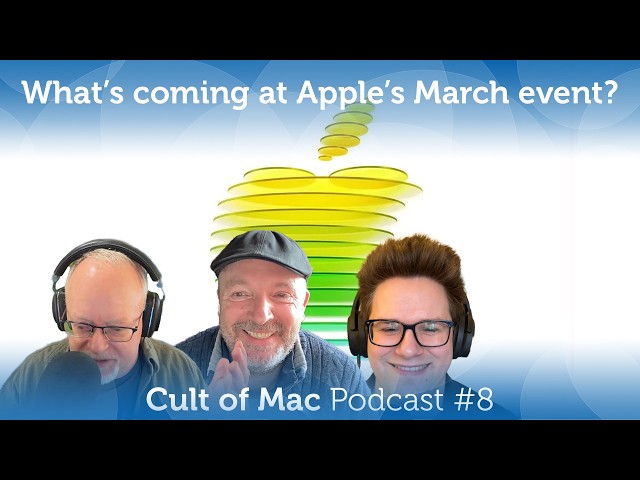
Up next in 10



This week: Apple’s got an "event" coming up in the first week of March! We’ll get into what we think it is. Also: Apple’s fast-tracking three wearable AI products and one of them is already a known bust, some big changes in iOS 26.4, a truly genius MacBook Air setup, and our hands-on with a great iPhone game controller for the rest of us.
Produced by Extra Ordinary for Cult of Mac
Music composed by Will Davenport, arranged by D. Griffin Jones
Chapters:
0:00 - Intro
2:11 - Apple’s March “event”?
9:39 - Apple’s three AI wearables
27:31 - Sponsor: Cult of Mac Newsletters
29:07 - iOS 26.4 beta 1
45:21 - Setup of the Week
52:54 - Listener Question
56:21 - Review: GameSir X5s
Follow us!
Threads: https://www.threads.net/@cultofmac
Mastodon: https://mastodon.social/@cultofmac
Instagram: https://instagram.com/cultofmac/
X: https://x.com/cultofmac
Show More Show Less View Video Transcript
0:01
Coming up, Apple's got an announcement coming up in the first week of March. We'll get into what we think it is. Also, Apple's fasttracking three
0:07
wearable AI products, and one of them is already a known bust. There's some big changes in iOS 26.4. We've got a really
0:14
truly genius MacBook Air setup, and our hands-on with a great iPhone game controller for the rest of us.
0:22
So, welcome to the COC. I'm your host, Leandy. Joining me today, D Griffin Jones. Hey, Griffin.
0:28
Good evening. And we're also joined by Lewis from the wonderful lands of Tahoe.
0:35
Yes, Mac OS Tahoe. It's frigid and I can't see anything.
0:40
I thought you were talking about real Tahoe. I thought going be like buried in an avalanche. I feel like I am buried in an avalanche
0:47
of like weird UI. I can't all the weird icons like
0:54
can't change this crap on me. I don't know. You know, to be honest, not as bad as I feared. Not as bad as I had been
1:00
led to believe, but uh yeah, it takes some getting used to.
1:06
I got I got to something yesterday where I'm like, where did the little buttons go? What's going on? What? Why did it I
1:11
can't remember what it was. Some app that just like did not did not work as You don't like it? You don't like change?
1:17
No, not really. I don't I don't like icons that don't look anything like they used to. I don't like things that used
1:22
to be in the menu bar and now are not for no apparent reason. Yeah. I don't know.
1:28
And disappeared. Didn't it disappear some stuff in your menu bar? Well, yeah. Dis it disappeared. This the
1:33
shortcuts thing which I used, you know, all the time. I press the little thing and all these things supposed to happen for the podcast. All the setup changes
1:40
used to work fine. Used to be right there. Now I had to like search it out, you know, which is fine. But, uh, I
1:45
pressed it and nothing happened. I waited and I press it again like a monkey, you know, trying to get a pellet out of
1:50
icons in the menu bar. How do you feel about that? Like all how how every menu bar item has an icon.
1:55
Yeah. I don't I don't know how different it is. I got so much garbage up there. It's a sort of
2:01
Maybe that's a problem. Yeah. Time for clean. I'm sure there's a lot of things I could
2:06
do to make my my situation a little better here. All right, so we've got some exciting
2:12
news this week. Apple finally uh announced its March event which is coming up on March the week of March 4.
2:19
And this one's going to be different, isn't it? What's different about this one, Lewis? Yeah. Well, it's not a Apple
2:25
keynote. We're guessing it's a special Apple experience. End quote. Uh Apple
2:31
sent out the invites this week for select media members to attend these special Apple events in three cities.
2:38
Not one of them is in California. Can you believe that? Yeah. New York, London, and Shanghai.
2:44
Uh, so yeah, it it's interesting. The
2:50
theory people are talking about online is that this is going to be like that's a Wednesday, right? So, the Apple is
2:56
going to like release a press release a day or a batch of press releases a day on Monday and Tuesday and Wednesday and
3:02
then have this hands-on event for the press to show off whatever products they've uh I just said product just like
3:08
Tim Cook, whatever products they've uh announced. Uh
3:14
yeah, Lander, you were theorizing, you know, talking about Yeah. how smart the strategy is so that it uh and and I
3:21
guess this they have done this in the past where they released a bunch of things by press releases, right? Yeah. Yeah. Because I think the
3:26
problem wasn't you know like that they'd have a big keynote and they'd they'd release Apple watches and AirPods and
3:32
then the iPhone. Um, and right afterwards all the headlines would just be about the iPhones and it' be, "Oh, by
3:38
the way, you know, they also released some watches and some AirPods and they really wouldn't get um, you know, the focus that they probably deserved. Uh,
3:45
this way I think everyone gets its own news cycle. You know, for the first day they'll everyone will be talking about whatever they announced on the first
3:51
day. The second day they'll be announced on the the next product and the third, you know, so and so on and so forth." So, each one gets a chance to shine. And
3:57
they did this before, right, Griffin? How many time? They've done this twice before. uh more than twice, but two examples that stuck out in my mind was
4:04
um the November 2024 time when they introduced all of the uh M4 generation
4:11
Macs, they did, you know, I think it was the iMac on Monday, the Mac Mini on Tuesday, the MacBook Pros on Wednesday,
4:19
and they still had like videos for them, but it wasn't like an Apple keynote
4:24
video. They just had like John Turnis for like 10 minutes telling you about
4:29
this new Mac this day. Another time they did it before was in the spring of 2019
4:36
when uh they had the um a flurry of sort of lesser products kind of like what
4:41
this event is is going to be. like they had the iPad mini 5, the AirPods 2, like
4:48
the iPad Air like 10 point whatever inch screen, you know, some of some of the
4:54
old older ones. And um yeah, they they they've done they've done this strategy before. It's always interesting to see
5:00
what makes an Apple event and what doesn't, what news is worthy. And even at this point, you know, we have the new
5:05
strategy of like, you know, they might have an Apple event, but it's not quite a full keynote. Uh, so I I guess this
5:11
is, you know, you can you can read the tea leaves as to how Apple thinks about these products based on how much attention they give them. I mean, you
5:18
said that in September events, the iPhone overshadows everything else. I mean, this is a a lesser iPhone, the
5:24
17e. It's not the the the Pro phone. So there there might be less of that, right? Yeah. I mean, this this is a
5:30
that's a good point. I mean, um, you know, these but the funny thing is that these aren't just chip and chips, are
5:35
they? There's at least one big brand new product that I think probably deserves its own announcement. This is what we're
5:43
reckoning. We're hoping we're thinking the first day is going to be the iPhone 17e. The second day is probably going to be iPads and that might be an iPad 12
5:49
with a newer chip and more RAM to support Apple intelligence and maybe uh the M4 iPad Air. And the third day,
5:58
MacBooks, um, which is probably going to be a MacBook Pro with the M5 Pro and M5 Max chips and the M5 MacBook Air, which
6:06
is going to be a killer machine. But then followed by this is the one that we, you know, that really probably
6:11
deserves its own keynote, which is the uh the new lowcost MacBooks, which are powered by an iPhone chip rather than an
6:18
M series processor. Uh, they're going to be made of aluminum and they're made aimed at students and office workers.
6:23
Uh, and they'll reportedly come in a variety of fun colors, which could be light yellow, light green, blue, pink,
6:30
classic silver, and dark gray. And it's worth noting that the three colors from the invite are light green, blue, and
6:37
yellow, which, you know, could also be the colors that um this new lowcost MacBook could come in. Uh, the other
6:43
possibilities are a new Apple TV, a HomePod Mini 2, and a Studio Display 2, which um, you know, no one gives a
6:50
Apple TV figure about. Actually, that's kind of surprisingly popular. Look, I'm very excited for the new Apple
6:55
TV. Uh, I actually have two TVs in my house now. And so, one of them, like, if I ever want to switch to the upstairs
7:02
TV, I just have to unplug the Apple TV and bring it upstairs and plug it in. I I I'm ready for a second Apple TV. Well,
7:08
so that both TVs can have one. Uh, I like Roku, to be honest. Like, I I get a Roku stick. I think Roku is
7:13
fantastic. Oh god. Uh, I see a little skeptism there.
7:18
Anyway, we'll talk about that another time. these new this new lowcost MacBook is going to kill I think you know like
7:24
Apple's already killing it in the in the the uh the Mac you know Mac Mac share
7:29
has I think never been healthy and the lineup is amazing like the the MacBook lineup there's never been a better lineup of Macs um uh and this new
7:36
MacBook Air I think you know going down into the into the uh the less you know
7:42
the lower cost like it's going to I don't think there's anything on the Windows side that kind of competes with
7:47
this is there even I saw some ads for some new Dell ones which are made of aluminum them. Um, but I don't, you
7:53
know, that I think these are just going to kill that. And of course, the new the new M5 chips, too. Killer.
7:59
Mhm. We're going to see the higher power ones. So, so that's very exciting. Yeah. So, it's going to be an exciting
8:04
week, isn't it? Uh, even the new iPads, you know, I've got an a low-end iPad um
8:10
that the the iPad 11 and I don't know if I miss Apple intelligence. It is actually it does kind of bug me if I
8:16
think about it. But this thing being able to support Apple intelligence, you know, like again I think Apple's doing a
8:22
really good job with this low-end products um you know the come that these days there always seems to be
8:27
compromises and the last few ones they're know there are no compromises any law um or any serious compromises.
8:34
I was uh you know I actually don't know if I'll have the the bandwidth to review one of the iPads as well because I I
8:40
want to do the 17e. I also definitely want to review the MacBook. I don't know if I'll have, you know, the space to
8:46
review a third iPad, but I'm I'm looking forward to the opportunity that, you know, to review an iPad, especially
8:51
after iPad OS 26, cuz a year ago when I reviewed the M3 iPad Air, you know, part
8:56
of the conceit of the review was like, I'm going to see how much of my work I can do on an iPad. And that's radically
9:02
changed in the last year. They've brought out a completely new multi-windowing system. They've like, you know, added a bunch of features to
9:08
Final Cut and Logic for iPad. They've now added Pixelmator for iPad. I'd like to get my hands on that. So, a a big
9:16
change in power of the iPad. So, this would even the cheap iPad 12, I imagine, will be a very powerful powerful device.
9:23
Yeah. Yeah. Yeah. That um you know, for for light work, if you're not doing anything heavy, uh perfectly capable and
9:30
and a nice and a beautiful thing to work on as well, you know, nice screen, super easy to work with.
9:36
Mhm. Um all right, let's move on. Apple's working with some gamechanging AI
9:42
wearables. This is kind of an interesting story, right, Lewis? Oh, it's so interesting.
9:50
I think it is actually. It is. No, no, it sounds you know this is like a whole new uh you know category
9:58
multiple new categories of stuff, right? So uh they're talking about
10:03
the latest news is that they're really like accelerating their their work on these things. these three products. One
10:08
is smart glasses with highdefinition cameras built into them. Uh this
10:14
supposedly will take on the Ray-B band metal lineup, which I guess is surprisingly popular. I still have not yet seen any in the wild as far as I
10:21
know. Um these things sounds kind of interesting. Uh they're also talking about working on
10:27
an AI pin or pendant and also AirPods with cameras of some sort, which we've
10:34
we've discussed in the past. But uh first up, the smart glasses. Uh this is the part that I found really interesting
10:40
about this. Supposedly come in several sizes and colors, but Apple's reportedly testing a bunch of different prototypes already. Uh using high-end materials,
10:47
give them, you know, real premium feel and uh they're targeting start of
10:52
production supposedly as early as December. So that these might come out next year. um the two camera systems one
11:00
with uh that'll capture high def video and still images and uh another that's
11:06
just for providing input for AI powered features and that's a commonality in all these things the the like the AirPods
11:11
that come with cameras those are not going to be for like you know live streaming your day they're going to be for
11:18
capturing your surroundings and helping you know the smarter Siri whenever that arrives uh giving it more input telling
11:24
you know explaining to it where you're at in in a city for instance, so you can get better navigation. Um,
11:31
Apple, this is a great quote, Apple reportedly sees the glasses as an all day AI companion capable of capturing
11:38
actual information about about your surroundings. You know that uh I there was something in there and I
11:45
don't remember the detail now, but uh there was something about something about the the the makeup of it. Uh like
11:51
ceramic or something in it. What what was what am I am I hallucinating now? Maybe. It says they're testing a bunch
11:56
of materials. There's a detail in there where Apple was considering having a partner like you know how Meta is
12:02
partnering with Rayban, but then they ultimately decided no, we're just going to design them all ourselves. So, I'm
12:08
kind of interested, intrigued to see what they do, like an Apple approach to glasses, like
12:13
kind of how, you know, they they they make a bunch of, you know, Apple Watch accessories and in a different in now a
12:20
couple different styles. Um, you know, as long as Apple has one that's like, you know, a brown tortoise color, I'm
12:27
in. You know, I'll give it a go. Well, the glasses are so Everyone's got different glasses, haven't they? There
12:33
was there was hundreds and hundreds of different styles and and materials you can choose from. Um, I wonder
12:38
and as long as they have a Steve Jobs heritage edition, then John Proer can collect his points for it.
12:45
It's a tough problem, isn't it? I mean, they're going to are they, you know, h if they do if they just do the one Meta's just got the one Ray-B band
12:51
style, hasn't it? I don't think it only comes in one. It's like a Ford Model T. It only comes in, you know, you can get any color you want as long as it's
12:57
black. And I think uh you know, Apple, like you said, has has got a history of of shipping a bunch of different styles.
13:05
Um, but everyone is a different skew. Everyone's different. You know, it makes them manufacturing much more
13:10
complicated. Yeah. I mean, the the thing about glasses is how everybody's face is
13:16
different, right? And you you put you put different shapes on different faces, and it's it's, you know, obviously some
13:23
look better on some faces than others. And it's very very personal and very uh, you know, it's a part of your look,
13:29
right? I mean, my wife has, I don't know, three or four or five pairs of glasses, some of which are, you know,
13:34
incredibly like crazy looking Prada ones, you know, and and for her, it's
13:40
almost like a a costume she wears, you know, whether on stage or even just, you know, going
13:46
out, you know, she has these a bunch of them. So, I mean, what will Apple come up with, though? I mean,
13:52
well, they'll I'm guessing they'll be like, if you think about the Apple Watch, remember the first time you saw an Apple Watch and it was just kind of
13:57
like, wow, that looks very sort of neutral.
14:03
It It's I mean, the first few years of the Apple Watch, everybody only had like the built-in sport band, it seemed. So,
14:09
every Apple Watch you saw looked the same. But now that it's like a mature market and there are like dozens of bands you can get for incredibly cheap,
14:15
the people who've had Apple watches are probably on like their second or third one. like, you know, I I see much more variety now than I did 10 years ago. You
14:23
know, though, the band I've got on now is like a sort of like a brown leather. Yeah. For the band. So, I wonder whether, you know, you can't get away with that with glasses, though, can you
14:29
really? It's not really analogous, is it? Well, the the glasses that I have are by a company called Pear and they have
14:35
different uh like magnetic tops that just like snap on in an instant. So, I have like one that's like sunglasses.
14:41
Uh, at my old job, I made like custom ones where I got like the sort of like a white band and then I glued on like
14:47
safety glass things to the side. So, they're like snap-on safety glasses that I could wear. And if you have like a
14:52
more neutral color one, you can like maybe a white your glasses are white or
14:58
gray. Then you can pop on different ones like just add color or you know different colored sunglasses.
15:04
Yeah. But you couldn't change the the shape of the lens so much. So, the shape of the glass is going to remain the same, but you could decorate it with a whole bunch of stuff. Uh, you know,
15:10
magnetic add-on stuff and make them really crazy Dame Edner style. Um, you know, or what about those
15:16
happy new year ones? I mean, where it has a message across the top. Well, that, you know, I What about the
15:22
glass hole problem? Because I think that's still an issue, isn't it? I mean, I No one likes talking to somebody with
15:28
a pair of glasses that are recording them staring at you. Well, I mean, Apple's going to make it super obvious
15:35
that that's what's going on, right? I mean, they're not That's the one thing that you can always count on Apple doing
15:41
is like overcorrecting or, you know, being like maybe too obvious. I mean,
15:47
you could almost imagine like a giant uh red bar that says on air, you know, it's going to be like that that obvious.
15:54
Maybe it would have that Siri glowing, you know, that the new Siri effect so that it glows around the the eyepieces
16:00
to let someone know. Yeah. I mean, when you're wearing a when you're recording with the Vision Pro, the whole thing like flashes white on
16:07
the on the eyesight display in the front. Yeah. Yeah. It'll be obvious something similar. So, I said ceramic elements. It's
16:14
acrylic elements. They're saying they're going to have acrylic elements that, you know, make it highend.
16:19
Um, there's acrylic associated with high-end. That was kind of what I was wondering. But uh you know I mean I I if you know
16:28
if Apple does privacy right, the other thing that they do right is pick out good materials, right? I mean it's not I
16:34
I guarantee these aren't going to look and feel cheap. Uh probably not going to be cheap either, but uh
16:41
what about battery life? Do you think how they going to do battery life? Do you think these things are really going to last all day?
16:47
Uh they probably won't do much. Honestly, AirPods last for quite some time.
16:54
running cameras and microphones and well and I mean I the other part about
17:00
all three of these products and this is not in the show notes but I remember uh it's they're all tied to the iPhone so
17:07
the iPhone does all the heavy lifting uh you know the processing and stuff so not
17:13
all the heavy but you know what I mean um so that'll make it easier plus I mean you know if they have large temples
17:21
that's what those are called right temples on the on the glasses. I mean, there's plenty of room. Think how tiny an AirPod is.
17:27
Think how tiny the AirPod battery is. And I don't you remember Ankor used to make these things, these glass like I
17:34
can't remember what they called them. I don't think they call them smart glasses. I think they called them like audio glasses and they they had
17:40
different frames that you could buy and and then the temples would attach to them so you could you could have
17:45
different styles. Um well, those thick temples. I've There are some smart glasses out there that
17:51
have really thick temples. I think there were some shown at CES and I think they were claiming all day use but but I think unlike this one they were doing
17:58
all the processing on you know on board like I think video you know capturing video especially high def video um eats
18:05
up the you know requires a lot of compute and will eat up battery life uh you know action cams even though they
18:11
have you know they they they only have a few hours battery life but like you said if this if it if that's if it has a fairly simple camera and it's streaming
18:17
to the iPhone where the video capture is actually done on the iPhone that would take a lot of the um uh you know like a
18:25
heavy load off of the the glasses themselves. So they may not have to have huge fat batteries. What about like if
18:30
it came like the Vision Pro with a with some kind of like you know battery pack they have to stick in your back pocket. Jeez.
18:37
No way. That would instantly kill it as a product. Well, and do you want to you know what about
18:42
Well, let's let's talk about this afterwards because there's another issue that you know I'm a little bit nervous about which is like listening to you all
18:47
day. This comes that brings us to the next one. You know, Apple's going to get into this AI Pen 2, right, Lewis?
18:55
Yeah. Uh, I think it was described as a pendant in the original story on this. Uh, but uh,
19:01
you know, this is like we we talked about this before because the information had report about it, right? It's supposedly an Air Tag sized uh, pin
19:09
or pendant that you can either attach to your clothing or wear, you know, with a
19:16
as a necklace so you look like a real hippie. Uh, do you think it'll have that peace sign
19:21
coming a straight face? Yeah. Um, supposedly this is, you know, capture video constantly, feed the data
19:28
the iPhone. Um, this report comes from Bloomberg and they said that some Apple
19:34
employees are calling it quote the eyes and ears of the phone. So once again, it's it's not capturing, you know, I I
19:41
think it's not capturing video that is going to be like high def video. It's more like giving input to
19:48
the phone and and so the AI can do stuff. Um, it's not going to have lasers like the old uh humane failed AI pin. Uh, no
19:57
display. Apple hasn't supposedly not decided whether to add a speaker to it or not. Early stage of development, you
20:03
know, who knows if it's ever going to see the light of day, but uh the time
20:08
frame is that uh if it does happen, it could launch as early as next year. I mean, that's what's kind of crazy about
20:14
this. This stuff is not like eight years down the pike. It's it's coming soon.
20:20
And, you know, they're competing with Open AI is trying to create some sort of device like this supposedly, you know,
20:25
with Johnny Ives amazing talents putting that together. So, you know, I mean,
20:31
Apple's got to feel like they're I mean, I I I sometimes wonder, does does Tim
20:37
Cook actually like think that they're up up to speed on AI or does he just like every day wake up going, "Oh my god, how
20:43
are we going to catch up?" Surely he's grounded enough to know that they're seriously behind. And it sounds like
20:49
this is like let's get serious about doing these products so they come out, you know, reasonably close to when these
20:55
competing competing products come out as opposed to just like waiting around till there's 57 of these things and then oh,
21:01
we'll do it the right way. The typical Apple thing. Although I mean there is already like I I've got one of these
21:08
anchor, you know, voice recorders, right? And it's it's for it's does kind of stuff like this, but it's it's more
21:14
like just recording it and then giving you a transcript, which I'm sure that this kind of thing would be able to do.
21:20
Uh, but you know, that thing doesn't actually like feed into the AI. And I I
21:28
I think the really interesting thing about all this stuff is like if it if it gets to the point where you you know go
21:34
visit New York City, you come out of a subway, you're wearing this pin or or
21:39
these glasses or AirPods or whatever, the camera sees where you're at. You know, the phone already knows, oh,
21:45
you're in this roughly this location. But then this thing says, "Oh, yeah, you
21:50
can imagine something like the stupid workout buddy whispering into your ear, oh, see that tall building on the left
21:56
with the green front? That is the XYZ building. You need to go just past that
22:02
and turn left." I mean, that's that's what the dream, I think, of all this stuff is is that it gets all this
22:07
contextual data about where you're at and what you're doing, and then it does
22:13
something helpful. And we're going to talk about AirPods with ear cams, uh, and the AI pin and the glasses. I mean,
22:18
they they kind of sound almost like the same functionality, the same sort of set
22:24
of sensors, but in a different form factor. So, the glasses, you know, have
22:29
got um, you know, a like a high depth camera for getting video for that the
22:35
first point of, you know, that that first person video, but also, you know, like a low res camera for the AI and
22:40
ears for the and mics for the AI. The pendant has a low uh definition camera
22:46
to feed the AI and ears for the AI. And the AirPods with ear cams the same. You
22:52
know, it's it's it's it's audio and um video input for the AI, but they're all
22:57
in three different form factors. One you put on your, you know, you wear as glasses. The other one you can wear as a pendant or as something you clip to your
23:03
shirt. And the third one is is you put in your ear like AirPods right now. That's what it sounds like to me that,
23:09
you know, common functionality across these three different devices. You've got three form factors, but they're all doing the same basic thing, which is
23:16
feeding data to, you know, to the smarter Siri, right? And and so, you know, you can
23:21
choose what do you want to wear. I mean, with the glasses, I'm sure, well, I'm not sure, but you would suspect that
23:27
they will come up with a a situation like they do with the vision pro where
23:33
you can use, you know, your own prescription, right? I mean, that's that's the
23:39
absolute must. The big problem with with all that stuff is like, can you imagine? Oh, well, I mean, it sucks already
23:47
buying a pair of glasses. They cost a lot, right? And now you're like, oh, I'm going to buy an expensive pair of smart
23:52
glasses and I'm going to get my prescription so that I can actually see. I mean, that's a pretty big uh sort of
23:59
gamble that you're going to like the product. Well, it you know, for for people who wear glasses, I remember the transition
24:05
when I had to first start wearing glasses and and I hated it. I kept on I didn't like them on my face. I didn't like uh having to put, you know, take
24:12
them with me everywhere. I keep on forgetting them. Um if you don't wear glasses, you're not going to wear glasses. I don't think if you don't have
24:17
to wear glasses, no one is going to want put put on voluntarily. Sunglasses are the only exception. Like that's the only
24:23
time people wear glasses and it when they put sunglasses on, but I don't think that it's the kind of thing that they're going to people will voluntarily
24:28
put on their face unless they have to. I think I don't think you know, right?
24:34
Don't you think that people who don't have to wear glasses if they're I don't think they're going to volunteer themselves to wear glasses even if it is
24:41
even if they are smart glasses. That's interesting. I I kind of figured the other way around. People would be more likely to try them if they didn't
24:47
already wear glasses because they wouldn't be committed, right? They got they got two weeks to check it out and see if it's actually
24:53
awesome. And who knows? I mean, if these things look really cool, people might go, "Oh, wow. I I you know, I mean, the
24:59
classic thing, oh, you you look smarter with glasses on." Well, so I'll look smarter and I'll actually kind of be
25:04
smarter because I'll have all this, you know, amazing data being captured at all
25:09
times. It will help uh help me know which way to turn when I'm walking down the street or whatever.
25:14
Well, you just made me realize that as usual, I'm talking bollocks because um the uh the Apple Watch is a good
25:20
example, isn't it? I mean, people said the same thing about the Apple Watch like people don't wear watches anymore. No one's going to wear a watch. Look at
25:25
it now. Everyone's got an Apple Watch. Everybody's got an Apple Watch. So, you know, because the functionality,
25:30
so if it if it if it's if it if it does afford it, you know, like crazy functionality, then yeah, people, I guess, will wear it.
25:37
I mean, at the same time, like if if you're looking at uh you know, you or me, right? I mean, I wear glasses every
25:43
day. So, if these three products come out roughly the same time frame and it's like like we're guessing here that they
25:49
all sort of essentially enable the same sort of functionality except that the glasses let you, you know, film your
25:57
friends at the at the brewery or whatever. I mean, I I'm not exactly a,
26:03
you know, that kind of social media influencer where I'm going to want to go and and capture first person video of of
26:09
everything that I do. So, uh, you know, I'd probably go with the upgraded
26:15
AirPods or the pin rather than going with the glasses since I have to wear glasses every minute of every day.
26:21
And the uh the AirPods um they could be ear arrive as early as this year. That
26:27
was the probably the first one, wasn't it? I think uh these are the first we're going to see. And it's the one we've been hearing
26:33
about forever, too, right? And like there was some some sort of like confusion. Is it
26:39
infrared cameras? Is it actual, you know, camera cameras? What is it? Is it
26:45
Is it cameras to you? I think some people thought maybe the AirPods with ear cams would be about uh, you know,
26:51
capturing yourself going down a ski slope or something, too. But I It sounds like that's not the case at all. This is
26:56
just gathering data. Yeah, it's very intriguing, isn't it? cuz they've been bouncing between
27:03
infrared cameras or maybe you know low resolution cameras and kind of exactly what they do and what kind of data they capture still a mystery.
27:09
I mean in terms of uh like trade-offs, yeah, a bunch there's a bunch of people who don't wear glasses, but there's also a bunch of people who have long hair
27:16
that covers their ears. So the AirPods with ear cams wouldn't be useful at all to them. Yeah.
27:21
Never thought of that, not having had long hair that covers my ears for about 40 years. Right. Exactly. But not a problem I've
27:27
had for a long time. All right, let's thank our sponsor. So, thanks again, Cult of Bank, for
27:33
sponsoring this week's show. So generous. I know we where would we be without our
27:40
our gold sponsor. Um and yeah, Cult of Mac newsletter. Go to
27:46
newsletters.cultmack.com. Sign up for our daily news newsletter which has like they open right now is
27:53
crazy. It's up to 80% 80% every day which um shows that people like this
27:58
newsletter. they they they open it and some of our feedback I mean someone wrote me a nice letter saying I you know it's the one newsletter I actually the
28:04
one email I genuinely look forward to every day um but that was Griffin right
28:09
my mom uh it wasn't it was a genuine reader so
28:15
and and all the feedback is is is nice like that and and we have polls every day which was super popular always get a
28:22
ton of comments on them a lot of a lot of submissions uh the Steve Jobs quotes like this was kind of this was most um
28:29
upsetting thing we did. We did a poll about you about some people were saying that the only reason they read the
28:35
newsletter is for the Steve Job quads and they skip past everything else which okay god
28:40
thanks very much. Wallpaper of the day not so popular but I like it so it's staying um and uh tweets. Yeah. So we
28:48
have a selection of great tweets and uh actually this is we're gonna be talking about the Griffin just scrolled by it
28:53
but everyone's raving about the new Apple Music app in the latest um iOS beta. So, we're going to be talking
28:59
about that in a second. In fact, there we go. Let's transition to that. The iOS the next iOS. So, thanks very much Max
29:06
in this room. Um, the next iOS 26.4 beta just came out and yeah, people are
29:11
already raving about it. It's already got some great new features. So, unlike iOS 26.3, which was mostly a
29:17
bunch of bug fixes, the upcoming iOS 26.4 update will pack some pretty big new features and changes. Uh, you know,
29:25
the the the big one is that it packs uh full page artwork for albums and playlists in the Apple Music app. Uh, a
29:32
lot of people are like raving about this. Um, normally how it works is, you know, you you tap on an album or a
29:38
playlist and like you see the artwork at the top and the bottom is just like the system color of white or black, but now
29:44
it's like sort of a full bleed color. So if you have a predominantly uh you know purple
29:50
album artwork or something like all of apples are you know have bright colors that fill the whole top top of the
29:56
screen the the whole thing will be purple and more themed more immersive kind of way. So,
30:01
that is a term you don't hear every day. Full bleed, right? Back to the old print days.
30:06
And uh you know, you get some cool animations, don't you? If they if the if the album artwork is animated or or has
30:12
some kind of video in it, it um it plays. Yeah. So, I saw some comparison screenshots.
30:18
Apples are special and they can be Yeah. Because you don't get that in Spotify, do you? Or YouTube Music. And I saw some comparisons where they they're
30:24
putting up um screenshots comp and like it makes Spotify look awful. Um although
30:30
I don't know how much of people sitting there, you know, while you're playing music watching it, but it it does make it nice. It's a much nicer experience.
30:36
You know, everybody says that like the the Spotify interface is so much better than Apple Music. I've used Spotify a
30:41
few times. I could that could not be further from the truth. It's so like not information dense. Like everything is
30:48
giant. Like you you can't see like more than three things on the screen at once. There's like I really like how Apple
30:53
Music is like full of menus everywhere. Like you can tap on any song. You get like a full list of context menus and
30:59
options. You can tap and hold on things. There's the three dots buttons everywhere. Like it's Apple Music feels
31:05
like a, you know, this is the one for power users who want options and settings and buttons everywhere. Spotify is in.
31:11
Yeah. I, you know, I was um I've been downloading music for offline use and I found that's a lot easier than it used to be. And you can now download all, you
31:17
know, it's pretty easy to download a whole album, a whole playlist um really pretty easily. That that functionality is really good. I like that lower bar
31:23
too, you know, like people hated that, didn't they, when it first came out. But I found it actually quite usable when once you get sort of used to it.
31:29
Um, and the logic of it and the searches is not too bad. The search has kind of got better maybe sort of.
31:35
You can search for lyrics now. So if there's like a one song where you know like the one lyric, you can search for that and it'll come up. That's great.
31:42
Yeah. Anyway, that's not new though in 26.4 that's been there forever. Um, it also adds a new feature called playlist
31:49
playground. Uh building on the incredible branding of Image Playground,
31:54
uh uses AI to help you create a playlist. Uh you can either enter a prompt describing the kind of songs you
32:01
want to hear, select from one of the available ones, or directly add songs or albums. Uh so we've got, you know, you
32:09
you can type in, it asks you what do you want to hear. You can type something in and it'll suggest uh playlist items. I
32:14
haven't messed around with this too much, but um I I guess there was a there was a post on Mac stories where
32:20
apparently this used to be a thing like 10 years ago on Beats Music uh where it
32:25
could it could do this and so now now it's brought back to life uh by the power of Apple intelligence.
32:31
This is kind of like radio stations, isn't it? B like a radio station based on an artist. But what's the difference
32:36
really? I mean that you can see what's coming up. You can type in something really specific that you want. Um, like the the
32:43
example in the in the article we have here is somebody typing in um, you know, house and EDM tracks, but you can you
32:50
can type in like anything you want, you know, and and it'll make one for you.
32:56
I want songs with bacon in the title. Yeah, you can do that. Is this your meat core, Lewis?
33:02
Yeah, meat course. It's going to take over the world. Tell us about your meat core idea. I thought this was genius.
33:08
Yeah, just songs about meat. But was it it got tied into a whole live
33:14
experience where there's going to be barbecue with with music. Oh yeah, we used to always have those rock and roll barbecues, man. That was a
33:20
great event. In fact, there was a song we wrote a song called Rock and Roll Barbecue. This wasn't the This was the Electric Boogie Dogs, not the uh those
33:27
darn accordians. This sadly disbanded Electric Boogie Dogs. My friends and I used to come up with a
33:33
a bunch of silly songs all about bacon. Sounds right up your alley. And that's that that's completely true.
33:39
Yeah. I'm telling you, it could be a hit for someone. It's also possible to add a song to
33:44
multiple playlists simultaneously. Just a nice little UI improvement. Um, and
33:49
Apple Music will show upcoming concerts and shows in your area, you know, if if you have a few artists marked as your
33:56
favorite. That's more than happy. That's that's the the the feature I'm most looking forward to for sure.
34:02
Say the same thing. You remember the old I mean, like that used to be a uh San Francisco used to have a couple of weekly newspapers,
34:08
didn't it? that the uh the Bay Guardian and what was the other one? Um SF Weekly. Actually, that was the better one,
34:13
wasn't it? The the SF Weekly. I preferred that. But uh and yeah, I used to pick that thing up the day it came out and I would scour
34:20
for all the concerts coming up. Um and since then I I don't have a discovery mechanism. I have no idea what's
34:25
showing. Isn't it weird? Yeah. I feel a drift without it. And uh every
34:31
now and then I see something on Facebook like, "Hey, this band's coming to town." And I'm always like, "What? That's interesting." Uh, and I've I've come
34:37
across some bands that I actually like in that way. But, uh, you know, maybe I
34:43
see something on X or something, too. But, uh, yeah, the like the whole
34:48
the whole like h how do I know what's coming to town is just broken now that now that at least for me, now
34:55
that those newspapers are gone. Yeah. And I same thing I I used to look at uh oddly enough I would flip straight to
35:01
the ads, you know, cuz that, you know, the Filillmore would always have a giant ad. Here's who's coming to the Fillmore
35:07
this week. Yeah. Uh I Yeah. I used to I used to, you know, as editor-inchief of a publication
35:13
in Cincinnati called Everybody's News. And that was a big reason people picked it up was because those club listings and complete nightmare to put pull
35:20
together. You know, you have to contact all these clubs and get all this information. This this is way back when, you know, where you actually had to, you
35:26
know, use a telephone. But, uh, yeah, I mean, it's I can't tell you how many
35:31
times lately I've seen like, oh, I'll see something on X, you know, coming to town, uh, you know, 3 days ago. It's
35:38
like, crap, I miss, you know, I really like that band and I missed it. I see the pictures of the video like,
35:44
you know, Big Old Dynamite played at Outside Lands and and it's like, you're joking. You're kidding me. You know, one of my favorite bands ever and I only
35:51
learn about it after the fact. Yes, I know that happens to me all the time. And I, you know, I mean, I've signed up
35:57
for mailing lists of people that I really like. And, you know, even then, like our our band doesn't send out emails
36:04
every time we got a gig coming up. It's it's like this part of connecting with
36:09
with fans that is just kind of broken. And I don't if Apple Music could do
36:14
this. And every time that I listen to, well, I mean, Black Sabbath is a bad example, but uh
36:21
every time somebody listens to a those darn accordion song, a little thing pops up and goes, "Hey, they're playing in Reno this, you know, next week." That
36:27
would be awesome. Absolutely awesome. Get your ticket now. Click here.
36:32
Apple's resurrected the um Apple Music Connect, doesn't it? But it's not for fans anymore. It's just for artists. Did
36:37
you read that story? I did not because I heard it was just for uh artists and labels.
36:43
It's kind of like Podcast Connect. how that's for like uploading, you know, your podcast to Apple podcasts and like
36:48
checking analytics and things like it's an entirely a backend thing, not uh Apple Music Connect or Ping, you know,
36:54
is the is the parallel of like, you know, a social network. So, it's not going to feed into the Apple Music app as to service fans.
37:01
No, not really. Well, I I wonder how comprehensive this concept feature will be. I mean, like, if it is pretty comprehensive um for a
37:08
whole bunch of different bands and venues, then yeah, it'll be fantastic. I wonder where they'll get that data from. I mean there there are apps out
37:14
there you know where's it bands near me is that the app I can't even remember there's several apps like that uh which
37:23
I think Apple Music connect the new one is where they'll do it like it's it's intended for you know people who run
37:28
bands or you know labels or something to you know market as well you can request
37:33
to be featured presumably concerts on there will be if that becomes if if if a bank could feed all the data into that thing and if
37:39
a lot of bands do it then you know maybe it would be be pretty Good. So, they're getting it from the bands rather than
37:45
from the venue. You remember like you were saying you found the venues or the local venues. Well, I don't know.
37:50
Uh if it came from the band, that's how I found out about too. Like, you know, like I know Nick Cave I think is uh or I
37:55
heard who was a band. Oh my god, I forgot now. But anyway, a favorite band of mine was touring. So, of course, you
38:01
you got to look up the tour dates and you see if they're coming local. That's that's how I do it these days. But it's very very I miss a lot of
38:06
stuff. Miss all the miss all these my favorite bands. And it requires like searching it out. It it's shocking how hard it is to find
38:13
out a a band's touring schedule sometimes. You know, you you search, you look online, you you know, you finally
38:20
find a page and then you see that like, oh, look at all these dates and you notice that they're from last year. I
38:26
mean, it's I mean, you know, it's kind of a pain in the ass to update a web page.
38:31
Something that's broken for sure. Yeah. Well, fingers crossed Apple fixes it.
38:37
That would be awesome. Mhm. Should we talk about the other features in the the new beta? Yes. Uh with iOS 26.4, Apple will enable
38:44
end toend encryption in the messages app for RCS conversations. While iMessage
38:50
already supports end toend encryption, crossplatform RCS messaging missed out on this. Um endto-end encryption in the
38:57
messages app only works for iPhone to iPhone RCS conversations, which is weird
39:02
because surely if you're talking iPhone to iPhone, you're using iMessage. But I guess if you're texting someone who
39:07
hasn't set up iMessage for some odd reason, you can get RCS instead. Um RCS
39:14
is sort of like, you know, that's like the industry new standard thing. So it's kind of hard to enable end encryption on
39:20
it. Like Google also has uh end encryption on its RCS, but again only between Google phones. Like it's sort of
39:26
a proprietary thing built on top of the standard. So they say crossplatform
39:31
support will arrive later presumable because they need to you know finalize the the the standard for how to make RCS
39:37
end encrypted um coming later and it's also only available on select carriers and devices uh according to people on
39:45
Reddit who are sometimes the smartest or sometimes just you know bullshitting. uh
39:50
it it doesn't seem to be available yet in the EU and the UK or presumably other
39:56
parts of the world but uh you know slow roll out tentative roll out we'll we'll see and end encryption could come for
40:02
green bubble texting but yeah very welcome um it'll also add video support to Apple
40:10
podcasts uh by add you know right now you can have a video podcast but it's uh much in
40:17
the same way that you know an MP3 file podcast works where you're requesting people to just download a giant video
40:23
file at once. It's not streaming and it's also an entirely separate feed. Uh this is smarter. It works more like
40:30
Spotify where um if you have a supported podcast host, you can give them the
40:36
video and it'll stream it, you know, like you're streaming over YouTube or Netflix. Um and there's even a toggle
40:43
where you can instantly switch between video and audio versions of the show like at the push of a button, which is
40:48
super handy. And you can, it still supports downloading videos for offline viewing. Um, it uses uh HLS technology
40:55
if you happen to know what that is. There there are a few interesting points to this. Number one being that
41:02
presumably for this to work for the, you know, instant toggle to switch between video and audio, you would need to have
41:09
your audio and video versions, you know, be exactly the same, which is how we
41:14
produce our show. But a lot of other shows don't do it that way. they edit the podcast version as a podcast and
41:20
they might have a separate edit of the video or the like the cult cast, you know, we used to live stream it on
41:26
YouTube and then have the audio version. So, you know, those weren't in sync either because, you know, the YouTube
41:32
live stream would have like a whole intro before the actual podcast intro. It wouldn't be edited like the pod like
41:37
the audio version. So, you know, you couldn't just like switch between audio and video at the same time stamp because
41:43
they wouldn't line up at all. Uh, that's something that our show does, but not a lot of other shows do. So, I wonder how
41:49
that's going to work. But the next feature is a really exciting thing. Emitability dynamically
41:54
add insert ads. That's what I'm looking forward to.
41:59
Oh, yeah. So, with with HLS technology, um, you can you can it it supports dynamically inserted video ads.
42:06
That's very exciting. All of the fun of those uh dynamically inserted audio ads uh but now with
42:11
video. So, you'll be be forced to watch those as well. Well, as a podcast publisher, that's that's what I'm
42:17
looking forward to. Uh I I'm super excited about being able to switch between video and audio versions
42:23
because I, you know, I listen to a lot of podcasts and and sometimes I'm like, "Wow, I'd like to, you know, see the
42:29
thing they're referencing or even just know what this person looks like or the look on their face when they say this,
42:34
you know, are they kidding or are they deadly serious?" So, being able to just say, "Oh, I want to watch the video for
42:40
a second." That would be great. Why did it take Apple so long to get around to doing this stuff? I mean, I Marco Amen,
42:45
um, who does the accidental tech podcast, uh, has said for quite a few years, the best thing that ever happened
42:51
to podcast was Apple neglecting it. Um, and the fact that they didn't mess it
42:56
up, you know, they all these other providers, they were doing things like dynamically inserted ads and, you know,
43:03
some of the sort of, you know, possibly listener hostile stuff. Um, and Apple
43:09
leaving it alone and not mess mcking around with it was was the best thing that ever happened to it. But it it wasn't possible before because
43:14
this goes beyond, you know, an RSS feed with an MP3 attached to it, which is
43:20
what podcasting has been, you know, since it launched 20 years ago. This is, you know, adding like streaming video,
43:27
which is much more complicated. Well, our own experience, you know, showed what happened that that that, you
43:32
know, a lot of people were going to YouTube, weren't they? A lot of podcasters were migrating to YouTube because that was the only place to that, you know, the best place to do video.
43:39
Um, and video is obviously where it's at, which is the reason why we do a video and an audio version of the podcast because, um, you know, we just
43:46
don't want to get left behind. So, uh, you know, so Apple is is taking on
43:52
YouTube, isn't it, with this, it's it's or that's going to be their main competitor. I guess going back to my earlier point about switching between
43:57
audio and video, one thing, one advantage that Apple has is that they build the live transcripts of of each
44:05
podcast if it's a public podcast. And that even works even if you have a
44:11
dynamically inserted ad in the middle of the podcast. I think what Apple is doing something clever where they're they they
44:17
make their own transcription of it, but then if your MP3 file is a little bit different, I think they still try and
44:23
sync it up. So even if you have a dynamically inserted ad, you can still tap on part of the transcript to skip ahead to that part, even if it might not
44:30
necessarily be the same time stamp on, you know, everybody's different version of it, which is interesting. So they
44:35
might actually do something kind of like that, toggling between an audio and video that are different where they'll
44:41
have a transcript of the audio, they'll make a separate transcript of the video, and then try and like line them up.
44:47
though if you tap on, you know, the line where I say this uh between and it's a
44:53
different time stamp on the audio compared to the video, they can still sort of match them up. Maybe they'll do
44:58
something clever like that. Yeah, that would be that would be a way around it, you know? They'll probably get some maybe they get
45:05
some smarter Siri to handle it. Yeah. Yeah. Apple intelligence. We'll
45:10
we'll we'll figure All right. Are there any other features worth mentioning in the in the new beta? Uh a redesigned wallpaper gallery.
45:17
Woohoo. Well, let's skip over. Let's talk about the um
45:23
the top 10 MacBook Air setups. So, we we ran a feature this week um a roundup of the best setups evolving around a
45:29
MacBook Air. And this one is probably one of the best setups I've ever seen. I think this thing is crazy. Uh super
45:36
interesting. Tons of things to talk about. Lewis, why don't you describe what's going on in this picture?
45:42
Yeah. What is going on in this picture? You got to I mean the the centerpiece is half of a MacBook Air.
45:50
He's got he's got the the the bottom part, the keyboard and the trackpad just
45:56
sitting there. No screen. And uh it's powering powering two different monitors. And off to the side, he's got
46:04
some kind of Mag Safe uh iPhone stand or charger. I can't actually see that.
46:09
Well, it's kind of a dark picture, but uh and then on the right, he's got a uh
46:15
what? Mac SE30. Is that what it is? That's the one that I had when I was uh
46:20
in college. And uh a Mac iMac G3 iMac. Uh both of
46:27
which are, you know, lit up like they're working. But apparently, it's even weirder than that. The uh S SE30 has an
46:35
Amazon Echo Show inside it. And the iMac G3 is being run by a second M1 MacBook
46:41
Air. So, uh, Griffin's horrified by that, the fact that he he completely gutted his S a
46:49
beautiful machine like the SE30 and and defiled it with an Amazon Echo. So, the SE30, it's it's incredible that
46:56
you had one in college with this because those were not cheap Macs. Uh the SE30 was the most power it I mean it it was
47:03
the most powerful compact all-in-one Mac of the uh you know original all-in-one
47:08
max with 9in screens. It had a much more powerful processor than any other one with the you know 68030. It had an
47:16
expansion card slot. It had support for up to 128 megabytes of RAM at the time when like the Macintosh Classic only
47:22
supported like up to four. Yeah. And it cost about $8,000 in today's money, right? Yeah. like those those were incredible
47:28
machines. And I mean, I will say among the compact Macs, I think it's the ugliest. It has way too many vents. The
47:34
the face of it isn't balanced really well cuz it has the floppy drive like really low. It's It's kind of a weird
47:39
looking one. The Snow White design, but I like the idea that he's given it new life with an Amazon Echo Show cuz
47:45
those Echo Shows are fantastic. And but I was trying to wonder which one it was. It must have been would it be the 8 in or the 10-in one? You know how they
47:51
look? It's like a a speaker, like a HomePod speaker with a with a iPad mini grafted on the top of it. And and
47:56
usually they they uh follow around. They move. So maybe he managed to shove one
48:03
of those in that box there. It's got to be the 8 in one because the the SE30 had a 9 in screen, so it
48:08
couldn't it couldn't go bigger. Um but you know, he takes one of these revered greatest Macs of all time and
48:14
guts it and puts in some Amazon garbage. So the minus minus 30 points didn't work
48:21
minus 6830 points for that. Yeah, exactly. It probably it probably all those capacitors were dying
48:26
probably. It probably was like, you know, it's either that or the the landfill. So I'm glad to see it get a new life.
48:32
Same thing with the the iMac, right? Yeah, that's a mystery. How's the iMac working? Cuz he says it's run by a
48:37
second M1 MacBook Air. But what's going on? So you can tell the SE30 has something different replacing its screen
48:44
because the screen on it is perfectly square. in the image it's not curved whereas it looks like the screen of the
48:51
iMac is curved so it's like the actual iMac CRT in there and there there are a
48:57
number of ways that you can hook up um a CRT like iMac or you know Macintosh
49:03
screen to something else it's a little bit hacky but it looks like he's gone through the effort of doing that properly so you know
49:09
I mean he saw a MacBook in half so yeah I was wondering whether it was the screen from the old Mac but the the the
49:15
headless MacBook that he'd use, but it's not big enough. It looks like it's a different Mac uh because they have different wallpapers
49:21
and it's sort of way off to the side. But I think it's funny that one of our We have a list of the top 10 best
49:27
MacBook Air setups and the one we've chosen is one that has one and a half MacBook Airs. And it looks like he's using it for gaming. He's got a game controller
49:33
there, doesn't he? A Nintendo GameCube controller. So, he knows his he knows his gaming stuff.
49:38
But, but his g, you know, gaming iMac G3 has the hideous mouse, right? That's not
49:46
the hideous mouse. That's the good apology mouse. The the good chick mouse. That was the better one. Yeah. It's not the hockey puck. Not the you know the
49:52
the one that's the worst. But then he's looks like he's also got a
49:57
a proper Logitech mouse for the headless headless iMac though is genius. You know I I I saw that I was it HP just
50:04
recently the last couple of months released um a computer and a keyboard I think. Was it HP? Uh and you know like
50:12
given that the motherboards for the most of the modern computers are you know the size of like an iPhone motherboard these
50:19
days you could easily put a whole computer into a keyboard and it it's really interesting isn't it that you can
50:24
get the whole machine just like that you know like uh I think it's was genius. I was like oh my god that's super clever
50:30
using the keyboard and the trackpad as the you know at the same time as as the main input. Um it's a it's a crazy form
50:37
factor isn't it? you know, like uh an alternative to the Mac Mini. I I I don't know. Would you buy something like that
50:42
if if Apple offered it? Hell no. I mean, the the the the problem with like getting a MacBook Air and plugging
50:48
it into a display and using it like that is that either you can have the screen open and just have like a tiny screen below your regular screen or you keep it
50:56
closed, but then you can't use the keyboard and Touch ID and the trackpad. So, this is a nice in between. Yeah. Yeah. And I've seen people it's a
51:03
good way to get a you know a cheap um because often you know the screen isn't
51:08
that one of the it's I've seen people with broken screens you know selling MacBook Pros on eBay. Um it's a it you
51:15
know if you if you if you're happy with the I mean you can just take the screen off, can't you? If it has a broken screen and use the machine use the use
51:21
the the just the CPU and the keyboard and the and the trackpad alone. I suppose you haven't seen more of
51:26
these. The person who did it says, referring to getting rid of the the broken screen and removing the broken
51:33
screen, he says, "It was easy. You just have to take your time."
51:38
I wonder how long that took that surgery. Yeah, very cool setup. I like it a lot.
51:43
It's a bit crowded maybe, but um Oh, and he's got a pixar lamp there, too. I I think unlike the a lot of the setups
51:48
I talk about that it looks so perfectly arranged, like this is clearly he just like took a picture of his desk, you
51:54
know? It It looks very realistic down here. Staged in that way. It's real. One last thing to mention.
51:59
There's a camera point on top of the SC30 pointing at himself. Oh, I obly
52:04
What am I thinking? It's just for a podcasting. I was wondering why. Why is he spying on himself? Oh my god.
52:10
Well, it looks like a security camera, doesn't it? Yeah, it just looks like a cam. I don't know. Yeah. What What's the thing to the
52:15
left underneath the the screen there? I think Oh, look. some kind of digital projector
52:22
also pointing at his face. There's another one uh right in front of the the headless MacBook there's so
52:28
there's two I think for a stereo pair you see under this uh the middle screen. Yeah. Yeah. And and that looks like a remote control
52:34
that's all lit up like a TV remote. So that's one of 10 one of 10 MacBook
52:40
Air setups. That's true. You can peruse the other ones in the uh link in the description. Yeah. Yeah. Check out the post. It's a great post, isn't it? There's a a lot of
52:47
nice stuff in there. Always nice to get some uh inspiration on how to make your own setup better,
52:52
right? For sure. For sure. Okay, we have a uh a review. Um someone called Hefty
52:58
Bags, which is a great name, left us a review on Apple Podcast. Uh and Hefty
53:03
Bag said, "I know you guys are new to podcasting." If only, not quite true.
53:09
Nobody tell him. Uh with only a few episodes in so far, uh you are allowed to swear on the podcast and you don't have to send her
53:15
curse words if they slip out. It's annoying and childish. Well,
53:20
childish. Yeah, there there are two reasons for this. Uh for one, uh you are allowed to
53:28
swear on a podcast, but you're not allowed to swear on YouTube. You have to like mark it as, you know, being explicit and that limits who you can
53:34
show it to. I The other reason I I sense to them is because, you know, we don't know, you know, where our listeners are
53:39
listening to this. Maybe they're listening to it in the car and they're subjecting their children to this. Maybe there's, you know, playing it while
53:45
they're cooking dinner and they might be around if not actively listening. You know, it does make it more accessible if you, you know, this is a
53:53
podcast you can put on and it'll be safe for your kids. So, you know, we we don't want to limit our audience. Exactly. If if you're putting out a
53:58
podcast for a general audience, you definitely don't want to be putting stuff like that in. And this this I mean this is a lesson I learned in newspapers
54:05
um where they they forbid this kind of you know salty language too because you don't know who's going to be picking it up you know and if you're going to put
54:11
out for a general audience you have to make it suitable for for all the members of the audience not just the adults.
54:16
God damn it. What does talking about?
54:22
Oh my god. I mean the other thing is I actually think it's funnier if you have a swear
54:27
that's censored if you if you do it the right way. I actually leave a much enough of each word in so that you can
54:33
sort of tell what we're saying if you listen closely. But I mean if if Lewis were to respond to me and say everything
54:39
you just said is completely wrong and I just go oh I think it's funnier if it's censored. Maybe it's just like a
54:44
personal taste thing, but I I think it's funnier cuz you know in like the less is more kind of way like you don't hear me say it. It leaves it up to the
54:50
I find it amusing too. Well, if you like swearing we have a great clip which we may put up this week, right?
54:56
And you can see how we really talk. Oh my god. I've never heard anybody
55:02
complain about uh swears being censored. I I mean, I understand the the
55:09
thing. I mean, I remember back in college, you know, like running a quote, you know, if if we were interviewing
55:15
bands, you know, guess what? They swear. And I was always a huge proponent back then of like what did they say? Print
55:22
what they said. uh podcast seems different, you know, especially since
55:28
it's not, you know, uh it's not like a journalistic thing. It's just we're just
55:33
having fun and I you don't need to subject people to this if they don't want to hear this crap. They don't want to hear uh they don't I think your point
55:39
about you know kids that's especially and don't yet like a little e shows up
55:44
by the podcast too, right? So it probably affects findability, right? Although maybe some people search
55:50
explicitly for the E. Well, it's like it's like slapping a an R rating on a movie, isn't it? It instantly limits
55:57
like, you know, the audience and who and who's going to go be going to see it. So, we don't want to kneecap it from the very get-go.
56:05
Well, you know, thank you for your input. We'll continue to beep our beep our swears.
56:10
Yeah. Yeah. Yeah. Thanks for the thanks. Thanks for the input. And uh please uh you know, like if uh if you do have a
56:16
question or a comment, you know, we're we're t we'd love to get it. We'd love to see it. Let's talk about um a review.
56:22
This is a like I hate gaming and I I always get killed instantly.
56:28
Uh but I'm interested in aine game controllers. You know, they they seem to be um a great way to enhance the game
56:36
experience and Griffin's got his hands on one that is really good. It's like half the price of um some of the
56:42
competing ones. And so, you know, this kind of makes it for the game controller for the rest of us. So this is the uh
56:48
Gameser X5S. Games I think is a you know pretty well-known uh name in terms of uh
56:55
making game controllers for for iPhones and uh they also make like third-party
57:00
controllers for Xboxes if you want to you know get a new Xbox controller but uh you know phone phone controllers is
57:05
one of their big things. Uh and this is one of their not quite their lowest end model but this is like the next to
57:11
cheapest one they have. So it's uh it's super affordable is sort of its its stick. So, if you um if you're not sure
57:20
if you want to, you know, get a get a controller for your iPhone, you know, maybe I'll get it, but I don't know if
57:25
I'll carry it around. I don't know if I'll use it. You know, this is a great sort of entry-level model if you just want to like dabble in it a little bit.
57:32
Uh so, it comes in this little plastic carrying case so that you, you know, toss it in your bag and don't have to
57:38
worry about. Oh, good lord. I thought that was a thing itself. I was
57:43
I was I was going, "What do you mean little? It's gigantic. Yeah, this this is the actual thing. So,
57:50
here it is compared to a PlayStation 4 controller. You can see it's like a little wider. Um, in terms of the design, what I
57:57
noticed is that the uh the hand grips don't extend out like as far as like a
58:03
normal controller would. So, you know, if you're holding a PS4 controller, the grips sort of, you know, sit in the
58:09
middle of your palm. Whereas, because this is a a supposed to be a mobile
58:14
controller, they don't want to make it too bulky, so the the grips are a little shorter and uh more cut off.
58:21
Does it make any difference? Um it does it does feel weird, you know, if you're used to having a fulls size controller that you it doesn't fill your
58:26
hand as much, but um it doesn't it's keeps it kind of portable. Oh, yeah. Perfectly usable. It it just
58:33
sort of, you know, sits higher up in my hand than I might be used to. You know, it's still super curvy, super ergonomic,
58:40
super comfortable. Like it's it's the the back is textured, you know, curves to your hand so you can wrap your hands
58:46
around it. What about different size phones? So you you put a phone in the middle there, right? Yes. So it actually stretches out.
58:54
And it stretches out really far. So you can uh not just put a phone in it, put a big iPad in there.
58:59
You can put an iPad mini in here. Um another advantage is that you can put a Nintendo Switch in here. So, the problem
59:05
with using the Nintendo Switch handheld for so long is that its JoyCons are just completely flat and angular. This is
59:10
much more comfortable. You just um slide your phone in, you know, it's it's
59:15
stretchy. It stretches up to like I think 9 or 10 in wide, something like
59:21
that. So, really any size phone will fit in here. Um the the buttons feel really
59:26
good. And I'll show a quick game here. You know, once you have a your phone in a controller,
59:33
then it's me, Mario, suddenly playing games like Super Mario
59:38
64. Good choice. You know, on an emulator, this this game would be completely unplayable otherwise
59:44
on a touchcreen because it just has so many controls. Sometimes you can get away with playing like an RPG like
59:51
Pokemon on a phone because there you're not doing anything like super intense.
59:56
You only have like a few few buttons. Whereas, you know, this is a super advanced game with all kinds of buttons
1:00:02
and controls that you have to like hit three things or four things at once. The one the one game the one game I play
1:00:08
is a the old arcane game Scramble. Um it's you you're a spaceship and it's a scroll. It's a sideways scroller and the
1:00:15
onscreen controls. It used to have a joystick and a couple of buttons and the arcade. Um and on this the the one you can get
1:00:22
now it has on-creen controls and it's completely impossible to play. Um, so yeah, even for simple games, you don't
1:00:28
have to have a complicated game. It it'll make it usable even for simp, you know, ones with very simple controls, you know, it's super great playing like,
1:00:34
you know, 2D platformers on it because again, you have the precision of multiple buttons, physical buttons. You can rest your finger on a button before
1:00:40
you're ready to press it. Like it's it it makes the whole experience like an order of magnitude nicer for playing
1:00:46
other games. But um also, you know, because it's a officially supported Apple uh controller, um it has this
1:00:54
button on it that instantly takes you to the Apple Games app when you open it, which has controller support. So, you
1:01:01
can put your phone in this, you know, hit that button and then launch a game on Apple Arcade, you know,
1:01:07
awesome. In in just a minute. So, that that's really handy, too. A lot of Apple Arcade games have full controller support as
1:01:13
well. So, I just launched a racing game called Asphalt 8, which is one of the
1:01:18
only uh games that I play on my phone if I were to play one. And now I've got a much better uh you know, way to play it.
1:01:25
In terms of the button layout, you know, a few controllers vary their their button layout a little bit. Out of the
1:01:31
box, it comes with sort of an Xbox style button layout. So, you have the A button on the bottom and the B button on the
1:01:37
right. Um, which isn't ideal for playing Nintendo games because they have the the button layouts reversed. the other way.
1:01:44
But, uh, one thing nice about this controller is that it's super easy to switch them. Here comes the tweezers.
1:01:50
A pair of tweezers and swapping them is basically as simple as like pulling them out
1:01:58
there. Yeah, that's crazy. And you think, okay, well, you know, you
1:02:03
can change the labels, but how do you change the actual button mappings? Well,
1:02:09
you can do that, too. If you launch the Games Ser app, you connect your controller to it. One of the options is
1:02:16
uh button settings where you can pick a layout. You know, the Xbox layout or a Nintendo layout. Oh, wow.
1:02:21
You've got your choice right there. Actually, don't know where the other one went. Hope hopefully I can find that later. That's what I was talking about. It's
1:02:27
like when you drop your AirPods and they always go under the fridge or something. God. Uh so that's super handy. You know,
1:02:32
you can have the button layout that you prefer. Um so long as you don't lose your buttons and send them flying off
1:02:37
screen when you're in the middle of a podcast. Um, but that's not further because this accessory has an accessory
1:02:45
of its own that you can install. Uh, if you have an older iPhone, like
1:02:50
any iPhone made out of titanium, the 15 Pro, the 16 Pro, or the iPhone Air, you
1:02:55
know that your phone gets hot. Uh, especially if you're playing like, you know, a full 3D game on Apple Arcade
1:03:01
with a lot of graphics and ray tracing. So for that uh they produce this thing,
1:03:07
this um FX5 fan. So how it works is uh you know on the on
1:03:13
the controller you have sort of like a bar that goes across the back of your phone and you can install this fan
1:03:19
onto it. So like it has a little metal contact that sticks to your phone and it keeps the heat off. And then you attach
1:03:27
to that Oh my goodness. a battery module. Good god. It snaps on and then instantly it
1:03:33
starts blowing air. Uh, and you have a few different uh, fan speeds you can set it to. The the orange one is the fastest
1:03:42
obviously. Where's the air coming from? At the side. Uh, it blows out of the fan and up through these vents.
1:03:48
Okay. So, I I dare you to try to take that through a airport check. TSA check.
1:03:55
My god, you look like you're going to blow up a bridge or something. It's glowing orange. And you know what?
1:04:01
It keeps your phone really cool. Um I I I played with it for a while and uh there was a I mean I not necessarily a
1:04:08
noticeable difference in graphics. Like this is for if you want to play a game for like really extended periods of time
1:04:13
of like an hour or more. Your phone might throttle its speed if it gets too hot, but uh not with this thing on it.
1:04:18
That's for sure. So you can actually feel it cooling the phone down. It it has a noticeable effect.
1:04:24
Yeah. Yeah. You can you can actually feel that it your phone does not get as hot. Um, you know, I was thinking like a
1:04:31
lot of the times when you're setting up a new iPhone, transferring your old phone to the new phone, you know, that's another time where your phone gets hot.
1:04:37
Uh, maybe the next time I do that, I'll attach this to it and then I'm sure it
1:04:42
won't. So, will it heat up your house? This has utility beyond gaming. That's quite That's quite an And how
1:04:49
much is this thing Griffin? I mean, as far as game controllers go, it's it's super cheap. It's only 50 bucks. And then the uh the FX5 thermo
1:04:56
electric cooler is 40 bucks. So you've got a real pro gaming setup here. And
1:05:02
it's regularly on sale too on Amazon. I think sometimes I've seen it for like $30 or 35. Uh so
1:05:08
so that doesn't come with the controller. That's an add-on accessory. The the cooler is an is a separate
1:05:14
product. Yeah. But you know, you can just get the controller for like 50 bucks or maybe even less if you catch it on a sale and
1:05:21
you know, then you're all set. Like, as I said, this isn't the most advanced uh iPhone gaming controller. Like, it has a
1:05:28
few nicities like Hall effect joysticks that won't wear out. You know, the the buttons feel good, but it's it's not like a pro system. This isn't their
1:05:35
nicest controller, but, you know, yeah, definitely a really good entry level one. I mean, I guess if you have a newer iPhone with a vapor cooling
1:05:40
chamber, you know, maybe you don't need that cooler. If you if you got an older titanium iPhone like mine, then, you know, it's
1:05:46
practically essential. So, have you been glued to that thing then for weeks now? Is that working? Um, I don't play a lot of games on my phone.
1:05:53
Um, I I actually have a big book that I need to read for an upcoming podcast segment in in a few weeks. So, I haven't
1:05:59
a lot of time to play games, but when I do play games on my phone, I mean, I I absolutely grab this every time. Yeah. Yeah. Yeah. Very cool. Very cool.
1:06:06
Are you interested in that, Louis? Does that have any interest to you? You know, I uh like the extent of my
1:06:12
iPhone gaming is like Wordle. Yeah. Not much.
1:06:17
Yeah. Well, I don't I don't need a reason to spend more time staring at my phone, to be quite honest. I love games if you if you're any good
1:06:23
at them, you know, like uh I Ratchet and Clank, I mastered that on the PlayStation. I we used to have it set up in the basement for some reason. I used
1:06:29
to go down there with all the rats and the cockroaches and play for hours on uh sitting on this bean bag and and I got
1:06:35
really good at it in the end. Uh and was really addicted to it actually. It's super addictive. You just, you know, one
1:06:41
more level, one more boss, one more whatever. Um it's hard to drag yourself away from it. Uh, so I this is really
1:06:49
intriguing to me because I really did enjoy him. But on screen controls suck. It does make a big difference the the
1:06:54
having the buttons there. And 50 bucks is kind of like I'm not going to spend 100 bucks to to for something I'm not going to use. You know that but 50 I
1:07:00
might. I don't know. Especially if it's on sale. It's a pretty neat controller. Cool. Awesome. Did you crash there
1:07:07
already? I did. Yeah, because I I'm missing the button that I would need to press. Right.
1:07:14
Hopefully you find that. Good luck. I do sometimes wonder like how how much fun
1:07:20
would Apple Arcade be if you had something like that because I mean you know the few times I've ever opened anything in Apple Arcade I don't know
1:07:26
the onscreen tapping in this and that I don't find it all that compelling. No. Uh
1:07:32
and if you can use you can but putting an iPad in there too would make it better because it's it's kind of more fun to it's kind of fun to play with a
1:07:37
bigger screen. Apple Arcade is getting really awesome now, isn't it? It's got a whole bunch of great games. I did actually check because I was curious. Um
1:07:44
I was curious, would the the folding iPhone fit inside this when I get it. Um
1:07:50
I I'm a little scared to try it because I don't want to break it. But uh cuz you know, this is a delicate plastic thing,
1:07:56
but I I checked and uh yeah, it is wide enough. So I've got that to look forward to. Future proof.
1:08:02
He's going to buckle. All right. Awesome demo there, Griffin. I thought that was actually great. Thanks so much. And I think I guess
1:08:08
that's about it. That's time to wrap it up. That's all we have for you this week. Thanks so much. Um, please give us
1:08:14
a fivestar rating. No less than five. Fivest star rating on Apple podcast. And
1:08:20
also share this show with anybody you think might listen to this. Text us or send us a question on iMessage to
1:08:26
[email protected]. That's cult [email protected]. You can send us questions of the show,
1:08:32
comments, uh, you know, troubleshooting issues, whatever you like. Um, we look
1:08:38
forward to getting them. Send us an audio message, send us a video message, whatever. Yeah. Yeah. And we'll put on the show, you know. So, here's a chance to shine
1:08:44
on this fantastic leading Apple podcast. Um, if you like, you can find Lewis on
1:08:50
Twitter. He's at Lewis Wallace. Griffin's on Macedon Griffin Jones and I write the newsletter every day at cult
1:08:55
newsletter at newsletters.com. So, thank you very much for listening. We'll see you next time. Have a great
1:09:02
weekend everybody. Goodbye. See you.
#Computers & Electronics
#News