0:00
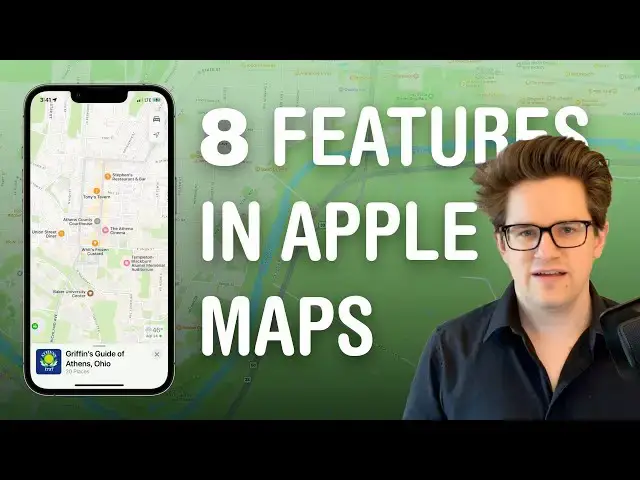
Apple Maps was introduced over 10 years ago and it had some problems, but these days it is a very
0:06
detailed map of the world and it is full of features you probably don't know about
0:13
Number one, you can navigate a city in augmented reality. Walking directions aren't as easy to
0:18
follow as driving directions, but it couldn't be any more foolproof than using AR. After you have
0:23
your directions up and running, you tap the AR button in the top right. You'll have to scan your
0:28
phone around a little bit to help it identify the city streets and then it'll start overlaying
0:34
your upcoming turns and street names on the camera. It's really cool. It's only supported
0:39
in a few major cities and it does drain the battery a lot, but if you need some extra help
0:43
getting around, I highly recommend it. Number two, you can easily switch between a driving map and a
0:48
public transportation map. Tap the button in the top right and you can easily switch between the
0:52
two. You can turn off these overlays by using the explore feature or you can use satellite imagery
0:57
by tapping satellite. Number three, indoor maps. Airports and shopping malls are my personal first
1:05
and second rings of hell, but they're a little easier to navigate if you have an indoor map
1:09
It's super easy to find your gate, the terminal, baggage claim, nearby bathrooms. You can even
1:16
select through different levels and see different floor maps. And in shopping malls, you can filter
1:21
stores by category and easily navigate the interior layout. Number four, report police and roadside
1:27
hazards. So as you're driving on the highway, you might receive one of these alerts of an upcoming
1:31
police speed check or a car crash on the road. These come in because other people have diligently
1:36
reported them. So as you're driving, just tap the menu button, tap report an incident, and pick one
1:42
of the three. Apple's made it really easy to do without distracting you too much on the road
1:47
You know, just make sure the police don't see you do it. Number five, compass mode. So you don't have
1:51
directions on, but you are using your phone to navigate around and the fact that it's always
1:55
pointing north can make it hard to figure out what's left and what's right. Tap the little
2:00
location arrow and it'll center on your location. Tap it again and it'll always orient the map to
2:06
match the direction you're facing. It's really handy. Number six, avoid highways and tolls. There's a lot
2:12
of reasons you might want to do this. Maybe you're taking an e-bike and it isn't highway legal. Maybe
2:17
you don't have any cash in your car for the toll road. Well, tap the avoid button as you're planning
2:22
your route and just check avoid highways or avoid tolls as you go. It'll automatically create a new
2:27
route for you. Number seven, so you want to book a table at a restaurant this weekend, but like, come
2:32
on, who wants to call people for that? Well, if you see the reserve button, then you can select the size
2:37
of your party, pick a date and time, and book a table entirely within Apple Maps. But how do you
2:43
get there? Well, when you're setting your directions, you pick ride share from this menu right here
2:47
and if you have Uber or Lyft or some other ride sharing app installed, it'll automatically call a
2:52
ride from inside Apple Maps. Number eight, guides. So you can make a list of all your favorite spots
2:58
around town just for reference for yourself or for sharing it with other people. Scroll down and click
3:03
add a new guide. You want to give it a name and tap create. Tap add a place and you can search for a
3:09
restaurant or point of interest to add. Anywhere else you can search for a place. Tap the more
3:14
button and tap add to guides and add it from there. After you've filled it out a little more
3:18
you can tap the edit button to add a picture to your guide. You can select and delete some items
3:24
and you can tap the share button to send it along to your friends. Leander Canney has made a guide
3:28
of Silicon Valley and the Bay Area, and I've made a guide of Athens, Ohio. You can check both of these
3:34
out using the links in the video description, along with an article version of these tips
3:39
I'm Dick Griffin-Jones with Cult of Mac