Up next in 10



LINKS:
Twist-o-Flex Band: https://store.cultofmac.com/collections/steel-straps/products/speidel-twist-o-flex-stainless-steel-apple-watch-band
Elago Case: https://store.cultofmac.com/products/elago-armor-case-apple-watch-band
TwelveSouth ActionSleeve: https://www.amazon.com/dp/B09RYW458Z/?tag=cult087-20
How to install the watchOS beta: https://www.cultofmac.com/859645/download-watchos-beta/
TinyPod: https://thetinypod.com/#buy
Cult of Mac Trade-In: https://buyback.cultofmac.com/sell-now/wearable/
More Apple news: http://www.cultofmac.com
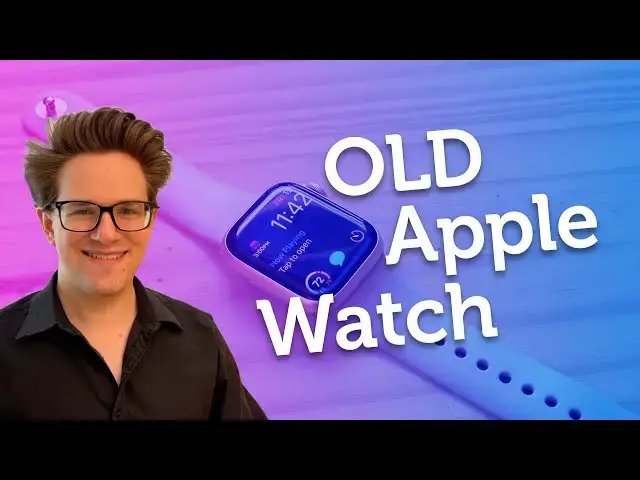
There are a few useful things you can do with an old #Apple #Watch after you upgrade to a new one. You might think of the #AppleWatch as being a disposable product — because who would wear two watches? But there are actually quite a few surprising use cases for having a daily Apple Watch and a secondary watch.
Chapters:
0:00 Intro
0:19 Night watch for sleep tracking
1:26 Riskier activity tracking
2:09 Wear it on your arm or leg
3:15 Hand it down to a child
4:00 Run the watchOS beta
5:13 Use it as a phone
Show More Show Less View Video Transcript
0:00
you might think of the Apple watch as
0:01
being a disposable product because well
0:04
who in the right mind would wear two
0:05
apple watches but there are actually a
0:07
few surprising use cases for having both
0:09
a daily watch and a secondary watch you
0:12
can switch to here are six things you
0:15
can do with an old Apple
0:18
watch let's start with number one a
0:20
dedicated night watch for sleep tracking
0:23
the Apple watch is great at tracking
0:25
your sleep it'll even do the different
0:26
stages of sleep throughout the night and
0:29
it's also great as an alarm because
0:30
it'll wake you up by silently buzzing on
0:33
your wrist it won't wake up your partner
0:34
if they want to get up a little later
0:36
but if you wear your watch during the
0:37
day and you wear it overnight when are
0:40
you supposed to charge it personally I
0:41
don't like charging my watch during the
0:43
day because if I have to get up then my
0:45
watch won't give me any credit towards
0:47
my move or stand Rings this is a prime
0:50
use case for an old Apple watch a
0:52
dedicated sleep tracker and alarm you
0:54
wear your new one every day when you go
0:56
out and about and your old one sits on
0:58
the charger during the day when it's
1:00
time for bed you just switch them out
1:02
you always have a fully charged Apple
1:04
watch and you never have to worry about
1:06
topping it up in the evening or in the
1:07
morning Rush another benefit is that if
1:09
your favorite band is more for fashion
1:11
and less comfortable like a millon loop
1:14
or this twistoflex band available on the
1:17
cult of Max store you don't have to
1:18
switch it out with your sport band every
1:20
morning and night you can have your
1:21
comfortable band on your night watch and
1:23
your fashionable band on your daily
1:25
watch number two riskier activity
1:28
tracking the Apple watch is surprisingly
1:30
hearty and water resistant but
1:32
occasionally there are those Day
1:34
activities you go on that just make you
1:36
a little nervous instead of risking your
1:38
expensive new Apple watch when you go
1:40
rock climbing or skydiving or swimming
1:43
in the ocean you can swap it out for
1:45
your old watch instead after all an old
1:48
hand-me-down watch is a lot cheaper than
1:50
an Apple Watch Ultra some people may
1:52
choose to protect their Apple watch in a
1:54
case like this one from logo personally
1:57
I find these a little un slly to say the
2:00
least and they're a little fiddly to
2:02
take on and off but you can keep your
2:04
secondary Apple watch permanently
2:06
enclosed in one of these so you don't
2:07
have to deal with it daily number three
2:09
wearing an Apple Watch on your arm or
2:11
leg although the Apple watch is designed
2:14
for your wrist there are actually a few
2:15
use cases for wearing it higher up on
2:17
your arm or around your ankle if you
2:20
play competitive Sports where Precision
2:22
is key like tennis or basketball then
2:25
the weight of an Apple Watch on your arm
2:27
might actually affect how you play well
2:30
the 12 South action sleeve puts your
2:33
Apple watch higher up on your arm where
2:34
it's out of the way but it can still be
2:37
used for tracking your Fitness and
2:39
activity and if you use a secondary
2:41
Apple watch for this then you don't have
2:43
to worry about swapping it out for your
2:45
regular band before every game and
2:46
training session on the other hand or
2:49
foot you might want to wear an Apple
2:51
Watch on your ankle if you work at a
2:54
standing treadmill desk you won't get as
2:56
much credit for all that walking because
2:58
your arms will be just just as
3:00
stationary as if you were at a regular
3:02
desk wearing a second Apple watch on
3:04
your ankle it'll still work towards your
3:06
move exercise and stand goals but you
3:09
can still have an Apple Watch on your
3:10
wrist for notifications and you know
3:13
telling time number four you can hand it
3:16
down to a child if your kid is old
3:19
enough to spend the night at a friend's
3:20
house but still too young for the full
3:23
power of an iPhone like what 17 I don't
3:27
know I don't have kids you can give them
3:29
an Apple watch instead you'll be able to
3:32
track their location using find my you
3:34
can send them a text if it's a cellular
3:36
model you can call them wherever they
3:38
may be after you wipe your Apple watch
3:41
and during the setup process just be
3:42
sure to tap set up for a family member
3:44
it's really easy and again because it's
3:47
only an Apple Watch and not an iPhone
3:48
you don't have to worry about them
3:49
getting sucked into Tik Tock or Roblox
3:53
or Wikipedia or whatever it is that
3:56
parents are afraid of kids getting into
3:58
again I wouldn't know number five if you
4:00
want to check out the new features
4:02
coming to watch OS before they're
4:03
released for everybody you can install
4:06
the beta software on your secondary
4:08
device this year the top features coming
4:11
to watch OS 11 include a new vitals app
4:14
that gives you a broader picture of your
4:15
health and various life factors a
4:17
workout training load that can detect
4:19
how much effort is going into your
4:21
exercise a redesigned photo face and
4:23
much more but running a watchos beta is
4:26
kind of a pain in the ass for one you
4:29
have to also be running the iOS beta in
4:31
order to install the watchos beta and
4:34
you might not want to put your primary
4:35
phone at risk secondly once you upgrade
4:39
your Apple watch you can't downgrade so
4:41
once you're on watch OS 11 you can't go
4:43
back to watch OS 10 finally once you
4:47
sign up for the beta track you'll get a
4:48
new software update with a new beta
4:50
every 2 to 3 weeks and installing a
4:53
watchos software update is
4:56
notoriously incredibly irritating if you
4:58
really want to try out the new features
5:00
but you don't want to put your primary
5:01
watch on the line you can use a
5:03
secondary watch for this provided it's
5:05
new enough this year watch OS 11 is
5:08
compatible with the Series 6 second
5:10
generation SE and newer finally number
5:13
six you can turn your old Apple watch
5:15
into a small phone it's easy to overlook
5:18
that the Apple watch is actually a
5:19
pretty powerful and capable computer and
5:22
cell phone all by itself well with the
5:25
tiny pod you can get a special iPod
5:28
shaped case your Apple watch slips into
5:31
to become its own device it even has a
5:35
little click wheel that mechanically
5:37
spins the Apple watch's digital crown
5:39
for scrolling like it's 2004 a bunch of
5:42
companies have tried over the years to
5:44
reinvent the regular cell phone but for
5:48
Gen Z to varying degrees of success some
5:51
of these companies even last long enough
5:53
to make a second or even third model but
5:56
the fundamental problem with abandoning
5:57
your iPhone is that you get get a new
6:00
phone number that isn't compatible with
6:02
imessage well with an old cellular Apple
6:05
watch you can keep compatibility with
6:07
your Apple account and all of your apps
6:10
switching is as simple as leaving your
6:12
iPhone at home and putting your tiny pod
6:14
in your pocket instead it's available
6:16
for ordering right now and they have
6:18
versions that fit every model of Apple
6:20
watch from the series 4 SE and newer
6:24
actually there is one more thing you can
6:26
do with an old Apple watch trade it in
6:28
for a new app Apple watch when I
6:30
upgraded from my Series 3 to my Series 7
6:33
my old watch was so clunky and slow and
6:35
the battery life was shot it was useless
6:38
for basically anything else but I got a
6:41
little bit of money back on my new
6:42
purchase you can use cultul of Max
6:45
tradein program to get credit for your
6:47
old watch when you're ready to upgrade
6:49
possibly this fall you can find it by
6:51
clicking here or in the video
6:53
description remember to like And
6:55
subscribe I'm driffin Jones with Cult of
6:58
Mac
#Fitness Equipment & Accessories