Up next in 10



A quick look at the upcoming version 7 of Abvio's cycling, running and walking app.
Show More Show Less View Video Transcript
0:01
so I'm uh with Steve from abio and Avio
0:04
makes a um running walking cycling app
0:07
and that's a new features and Steve's
0:08
going to show them to us right now right
0:09
Steve great well thank you so much um
0:11
I'm showing run meter walk meter and
0:13
cycle meter 7.0 coming out in March and
0:16
some of the new capabilities there so um
0:18
let's have a look all right how you set
0:21
there good good all right show like that
0:24
good so uh with with 6.0 we created lots
0:27
of ways to see lots of information you
0:29
know like the ability to be able to see
0:30
your your speed to be able to see your
0:33
average heart rate over the previous
0:35
split but what was missing was a great
0:36
UI for for being able to see it
0:38
graphically so what we've done in 7.0 is
0:41
given you the ability to be able to to
0:43
quickly just swipe across your screen
0:46
and get more information so for example
0:48
here's a bunch of stats and a graph or
0:51
your map so you can know where you are
0:52
and where you're going here is my speed
0:55
and a bunch of stats about my speed here
0:57
is my elevation my heart rate which you
1:00
can collect with a with a Bluetooth or
1:01
an an plus monitor uh and you can also
1:04
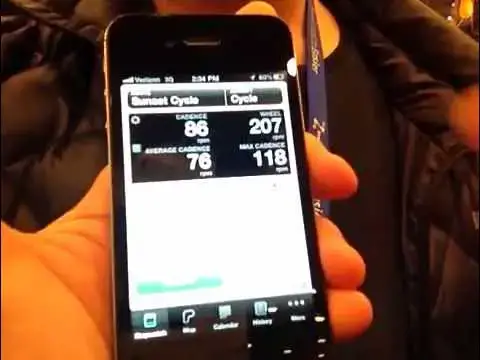
see things like your biking Cadence if
1:06
you have a bike Speed and Cadence Sensor
1:08
or your overall speed you can see things
1:11
like
1:12
splits and finally this is an odometer
1:14
showing that I've done 2,000 mil since
1:15
I've been developing this app I've done
1:17
four miles this week boo but I've done
1:19
87 miles this month yay you been
1:21
slacking up yeah slacking up this week
1:23
to busy with Mac world uh we also added
1:26
a music player and everything you see
1:28
here is configurable so you you can
1:30
change whatever thing you want to see
1:31
you want to change Cadence to see
1:33
something else you want to Stack a map
1:35
in a graph you can do that uh you can
1:37
change the order of these paines so you
1:39
could have something very simple in the
1:40
beginning possibly in the in the
1:42
beginning as you're uh uh setting up
1:45
your pages so that's one thing coming in
1:48
uh cyclometer 7.0 the other thing is to
1:50
be able to be a the ability to be able
1:52
to very easily see your workout history
1:55
so here you can see the most recent
1:57
workouts uh I can show you all of my
1:59
workouts every single one of them stored
2:01
here right on your iPhone uh and I can
2:04
also see summaries so for the month of
2:06
January you can see that I did 87 miles
2:10
my uh maximum heart rate was 170 which
2:13
for my age is about 1 beat per minute
2:15
from Death so I got I'm have to be kind
2:17
of careful about that but uh this is so
2:20
this is the ability to be able to browse
2:21
your history and there's so much we've
2:23
done with this app I mean this is uh
2:24
we've been developing it for three and a
2:26
half years there's a lot more de more
2:28
depth and breadth to it than I even have
2:30
shown you here we show we show
2:32
everything on a calendar for example so
2:35
does it sync up with the with the online
2:37
with the websites it yes it can sync
2:38
with Twitter Facebook and daily mile uh
2:41
and we can do something that no other
2:42
app does in the whole iTune app store
2:44
I'll show you that in a second here when
2:46
you go out uh and if you're out working
2:49
out you can have us tweet or post a
2:51
Facebook or post a daily mile but when
2:55
we do that we'll post a link to a map
2:56
that's updated every few minutes so
2:58
people can know where you are but the
2:59
thing that that we do that's different
3:01
is if your friends are out there and
3:02
they see that you're out working out and
3:05
they reply to you using Twitter Facebook
3:07
or daily mile we will speak their tweet
3:10
as you're out okay so you might hear
3:12
something like
3:15
this1 p.m on sun cycle route
3:23
chtp so it's a great way for people to
3:26
be able to be in touch with you your
3:27
coaches your your friends your family to
3:29
give you feedback to give you uh a lot a
3:32
lot of fun fun feedback that'll make you
3:33
run faster okay cool well thanks very
3:35
much for the uh for the to Steve thanks
3:37
Leander much appreciate
#Cycling
#Running & Walking