0:00
This video is brought to you by Philips
0:04
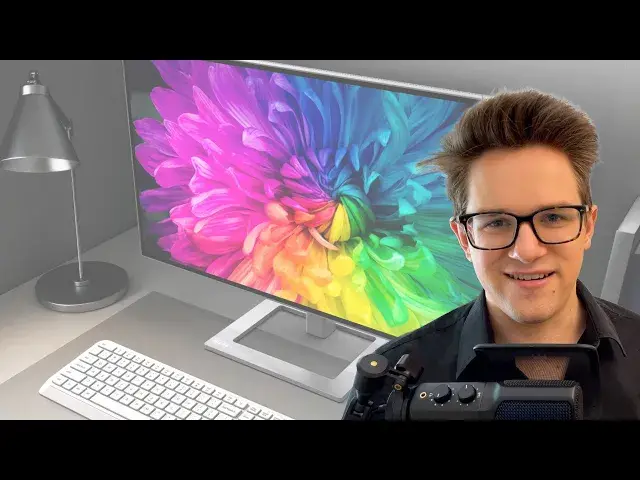
The Philips Creator Series 27E2F7901 is an expansive 27-inch display for your Mac that
0:13
offers a high degree of color accuracy at a crisp 4K resolution
0:17
Its specs make it a compelling choice for any creative work on a big beautiful screen
0:22
and its slim aluminum design will make it a great centerpiece to any Mac setup
0:27
And it comes at a much lower price than other displays in the same category at just $499.99
0:33
with an industry-leading 4-year warranty. The Philips Creator Series has many of the makings you'd want in a high-quality display
0:39
for your Mac. The IPS panel means you can see it from any angle without any color distortion
0:45
The wide color gamut gives you over 1 billion colors. And Smart Contrast gives you deep blacks and brighter whites
0:52
It covers 100% sRGB, it has 98% of the DCI-P3 color space, and it is VESA-certified display HDR
1:01
This makes it a top pick for graphic design, video editing, or any other creative profession
1:06
It gives you wide, accurate colors. Now the MacBook Air and the MacBook Pro also have P3 displays
1:12
And compared to some models like the 13-inch MacBook Pro, you're actually getting a jump
1:16
up when you're at your desk from millions to over a billion colors
1:20
Now compared to the Apple Studio Display's 5K resolution, the Philips Creator Series
1:24
is 4K, which means that text won't be as sharp when you look close up
1:29
But the Studio Display costs over three times as much. Now beyond the tech specs, monitors in the Philips Creator Series come with a lot of
1:36
great convenience features that you'll appreciate every day. You can plug in with a single USB-C cable to your MacBook Pro, not only for the display
1:45
but also to charge it. That means you can leave your MagSafe cable wound up in your bag
1:50
You don't have to get it out and plug it in every single time. You just need the one cable to dock and undock at your desktop
1:56
And if you share this desk with another computer, you'll really appreciate that it has a built-in
2:00
KVM switch. That means you can plug the monitor into two computers simultaneously and toggle between
2:06
the two, including the attached keyboard, mouse, and storage devices. Even between a Mac and a PC
2:13
For those of you who like a dual monitor setup, you'll appreciate DisplayPort daisy chaining
2:18
This lets you plug the second monitor into the back of the first monitor so you have
2:22
easier cable management and you only need to take up one port on your computer
2:26
The smart ergo base has adjustable height, tilt, left and right swivel, and even horizontal
2:31
and vertical rotation. Whereas other stands charge extra for half that functionality, you get it built in
2:38
And this means it'll be ergonomic with any setup you have, whether you stand up, sit
2:43
down, or switch between the two. Philips' flicker-free feature will regulate the brightness and reduce the kind of flickering
2:49
that gives you eye strain with some other LED displays. And combined with their low blue mode, this will make sure this is a comfortable monitor
2:57
for your eyes all day long. So the Philips Creator Series 27E2F7901 is an advanced, feature-rich display from a trusted
3:07
brand like Philips that only costs $499.99. And that comes with a great 4-year warranty
3:14
So they will mail you a replacement before you have to send yours back in so you don't
3:19
suffer a single day of downtime without your favorite monitor. You can buy it from Amazon by clicking here or the link in the video description
3:28
I'm Degriffin Jones with Cult of Mac