Up next in 10



More Apple news: http://www.cultofmac.com
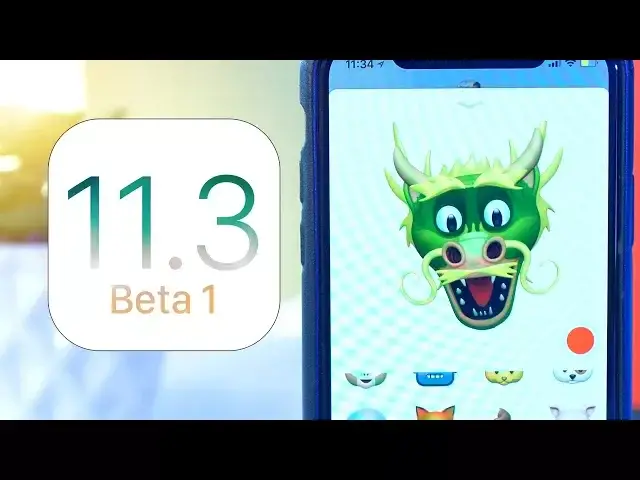
Apple’s latest update for developers; iOS 11.3 Beta 1 is now available so in this video I’m going to give you a quick tour of what’s new.
Follow us!
Twitter: https://twitter.com/cultofmac
Facebook: https://www.facebook.com/cultofmac
Instagram: https://instagram.com/cultofmac/
Show More Show Less View Video Transcript
0:00
Hey, what's up guys, Stephen from Cult of Mac here and Apple's latest update for developers
0:04
iOS 11.3 Beta 1 is now available so in this video I'm going to give you a quick tour of
0:09
what's new. Let's get started. Okay, so here is my iPhone X now running iOS 11.3 Beta 1 and I quickly want to run through
0:19
some of the visual changes I've come across first. I've seen people reporting that the Bluetooth icon within the control centre has disappeared
0:26
but for me it's still there and it now animates when playing
0:29
I'm not sure why I'm seeing something different but if you've got any ideas let me know in the comments section down below
0:35
Other visual changes are small such as iBooks now being renamed just to Books and within
0:39
there they've changed some titles such as All Books to Library and Select to Edit
0:44
There's a few others hidden in there such as the privacy icon now being blue instead
0:47
of grey but nothing too interesting. What is interesting though is the new privacy icon that Apple has implemented to let you
0:54
know whenever you're sharing data. The new icon with two people shaking hands will appear in the top bar which is a nice
1:00
little addition. The app switcher is now much quicker to activate than before, when I swipe up the haptic feedback
1:05
is almost immediate and the app cards start appearing a lot faster
1:09
It's a small change that I think will help a lot of people who are new to the iPhone X to open up the app switcher
1:14
The biggest change that a lot of people will be happy to see is that messages can now be stored in iCloud
1:19
This is something Apple has been talking about for a while now but it's finally here and
1:23
it just means you can save more room on your iOS devices with all of the messages and attachments
1:27
being stored in the cloud. On top of that it will sync iMessages across all iOS devices that are on the same iCloud
1:32
account, deleting messages or attachments on all of the devices when you delete them
1:36
on one and it can easily be toggled on or off within settings, iCloud and messages
1:42
Another big change that Animoji lovers will be happy to see is the addition of 4 new characters
1:46
iPhone X users will gain a new lion emoji along with a dragon, a skull and a new bear emoji
1:53
So get ready to start receiving Animojis again for a few weeks
1:57
Within the Apple News app there's some new features including new personalised stories picked by Siri, this will work kind of like the music for you section in Apple Music
2:04
A new spotlight and the ability to search for certain stories which you think should
2:08
have been there all along. On top of that there's an all new business messages feature which currently includes
2:14
Hilton, Discover and Lowe's. And finally there's new health records within the health app to well, keep track of your
2:19
health records. Although I can't find this on mine, possibly down to the fact that I'm based in the UK
2:25
One feature that a lot of people are waiting to see in iOS is the ability to turn off the
2:29
speed throttling of their older iPhones. Unfortunately it's not in this beta just yet although it will be coming in a future update
2:36
along with the ability to check the health of the battery. In beta 1 though at least Apple has turned off the throttling for now so a lot of iPhone
2:42
6 and 6s users will be seeing their phones responding a lot faster if not with a shorter
2:47
battery life. Well, that is it for this video. iOS 11.3 beta 1 will be the first of many betas so I'll make sure to keep you updated
2:56
with all the latest changes. If you enjoyed this video go ahead and hit that like button, subscribe if you haven't
3:01
already and I'll catch you in the next one
#Computers & Electronics
#Consumer Electronics
#Software
#Health
#Mobile Apps & Add-Ons
#Social Network Apps & Add-Ons