Transform Your Old Mac into a Second Screen
12:50 am, July 29th, 2009, Nicole Martinelli

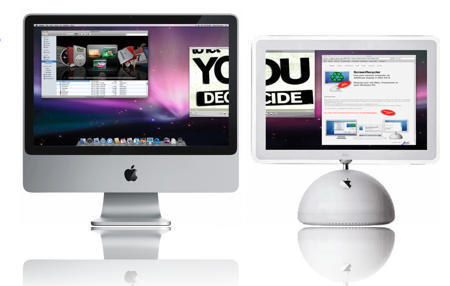
If you feel there’s no such thing as too much screen real estate, you might want to recycle your old Mac as a display for your laptop.
Popular Mechanics suggests downloading ScreenRecycler (there’s a gratis or $29 version) a driver that creates a virtual display that is then shared via VNC so you can multitask with two displays.
You can even use an old PC monitor (gasp!) for display as long as the main computer’s a Mac.
As someone who tends to keep old machines around long after they’re useful, I love this idea.
Anyone tried it?
Posted by Nicole Martinelli in How-To | Comment on this article
If you enjoyed this article:
Subscribe via RSS or email, or follow us on Facebook and Twitter


I used Screen Recycler with JollysFastVNC for a couple of months with my old Powerbook G4 and it was fantastic until the powerbook died
I’d highly recommend people checking this out it’s a really handy green solution. Thanks for giving it some visibility!
Mason Taylor, on July 29th, 2009 at 8:01 am
[...] now, I came upon a Cult of Mac article, where they write about an application what does just that: ScreenRecycler. Worth checking out if [...]
Two Displays With Mac and PC « Massive Sight, on July 29th, 2009 at 9:45 am
Hi, Nicole—I’ve been using ScreenRecycler for about a month now; it works great. I wrote it up here:
http://www.informationweek.com/news/personal_tech/reviews/showArticle.jhtml?articleID=218600003&subSection=News
Mitch Wagner
InformationWeek.com
Mitch Wagner, on July 29th, 2009 at 11:04 am
Does anyone know if there’s a way to use this with a Mac mini?
Shawn Pero, on July 29th, 2009 at 11:50 am
I downloaded it and a dialog box came up that said “did you ever fart so hard you ended up in another zip code?” Is that a VNC error?
Martha, on July 29th, 2009 at 5:06 pm

