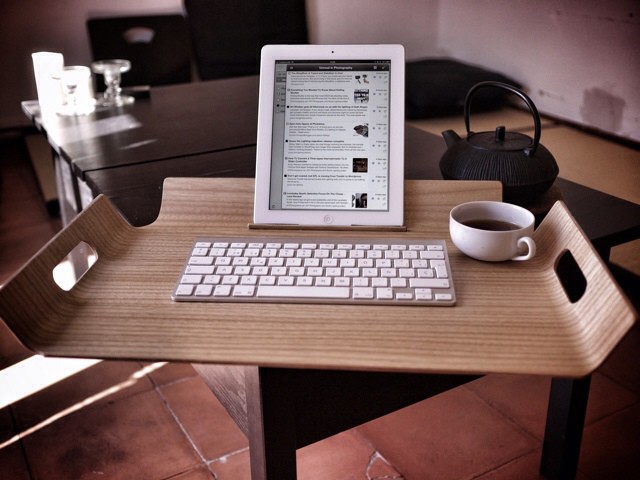
As I never tire of telling people, I do all my work using an iPad. Research, communication, writing and photo editing – all of these are now second nature for me on both the iPad mini and the full-sized iPad 3. I love the portability, I love the stripped-down “workflow” which lets me get stuff done way faster than I can on the Mac, mostly due to lack of OS X’s inherent distractions.
In fact, I am so happy with the iPad as a work machine that I thought that I’d never buy another Mac. I figured that, by the time my iMac died, iOS would have caught up with most of the “truck” tasks I still need to do: keeping a big photo library, running a BitTorrent client.
So why am I writing this post on a brand-new MacBook Air? One thing: My arm is fucking killing me.
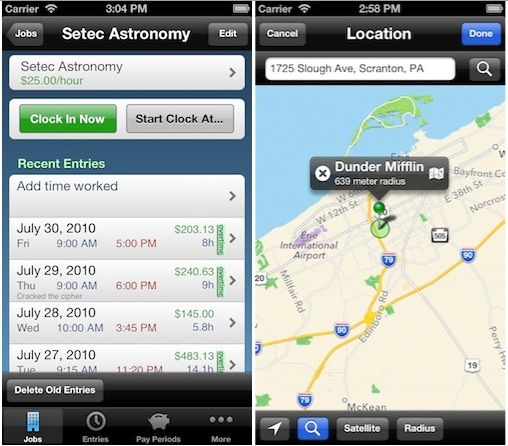
Sometimes, discovering a free app is like finding gold; other times, it’s more like finding a rock covered in gold paint. Case in point: While we really dig the free version of HoursTracker HD for iPad, the freebie of the iPhone version is severely hobbled — and not nearly as useful.
Imagine jotting down a quick memo, tossing it into the air and having a little magical fairy swoop by and catch it, stashing it away safely for later reference. TopXNotes is the next best thing! We all know and love our Mac Stickies but imagine them on steroids. That is what you get with TopXNotes, the most comprehensive task manager yet. Let’s face it, Stickies aren’t fail proof and those quickly jotted notes can sometimes be crucial. TopXNotes constantly autosaves your notes and categorizes them to help insure anything worthy of being written down doesn’t accidentally fall through the cracks.
New research suggest that iPad/tablet use before bed can cause sleep disorders and may raise your risk of other health problems.
It’s no real secret that bring your own device (BYOD) programs and the explosion of iPhones, iPads, and other mobile devices in the workplace have begun changing how we work, how we view work as a part of lives, and how much we work out of the office. A study earlier this year concluded that the average American worker using mobile technologies works seven hours outside of the office (essentially one business day) every week. A more recent study indicated some mobile professionals work even more – up to 20 hours each – during off hours thanks to BYOD programs.
One of the impacts this has one iPhone and iPad-toting professionals is a disruption from the traditional work/life balance that can make hard to fully “switch off” at the end of the day. Now there’s evidence that such a disruption can have a physical as well as a psychological impact on the human body.
The iPhone and iPad are top mobile tools for IT pros and help them maintain work/life balance.
A handful of studies recently have looked at the impact of the iPhone, iPad, and other mobile devices used for both work and personal pursuits is having on the work/life balance for professionals across a range of industries. One recent study showed mobile devices have contributed to the average American working seven hours each week, the equivalent of a full work day, out of the office and after hours. Another pointed how that many of us will work while on vacation thanks to our mobile devices.
For one segment of the workforce, however, iPhones, iPads, and Android devices and their ubiquitous connectivity have actually improved the work/life balance. That group is salaried IT professionals.
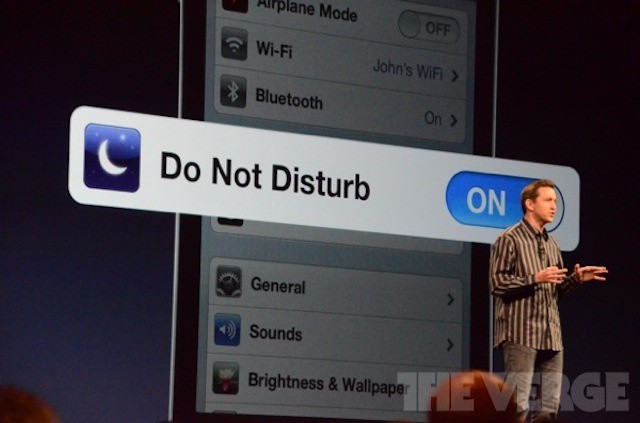
Study shows iPhone and iPad users work well into their off hours, illustrating the need for Apple’s Do Not Disturb feature in iOS 6.
The iPhone and iPad have essentially created one more day’s worth of work for most Americans. That’s the big headline from a study by mobile security and management vendor Good Technology. The study, which involved 1,000 of Good’s customers, found that during off hours, the average American will put in seven hours worth of work each week, or, one extra workday.
Concerns about maintaining a healthy work/life balance are nothing new. The mobile devices that make knowledge workers more productive have the downside of creating a situation where most of us can be reached very easily whether we’re on the clock and in the office or we’re at home in bed. This always-connected lifestyle has even given rise to mental health issues like nomophobia – the fear of being without one’s phone.
The tendency to work well past the end of the workday is so prevalent that 80% of us do so on a regular basis.
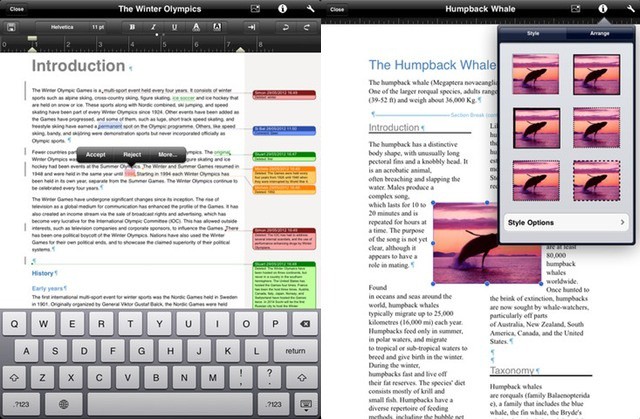
Many of you will have read the above headline and thought “Meh. Whatever.” And yet here you are, still reading. Well, if you got this far, here’s the reward. Office2 HD, the MS Office-compatible suite for the iPad, has just gotten support for Track Changes and comments. This is big because there is no other software on the iPad that does this. Not even Apple’s own Pages.
Apple adds page highlighting iPhone apps for business users
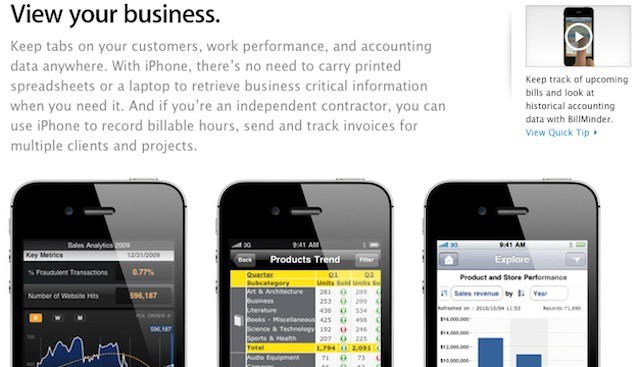
Apple has added a new page of iPhone app suggestions for business users. The page is titled “iPhone at Work” and it contains apps broken down into five major business: organize your day, view your business, manage projects, meet anywhere, and travel light. Each of those sections is further divided to show off the ways that the iOS apps Apple bundles with the iPhone and third-party apps can be used in business.
Photo by Siemens PLM Software - http://flic.kr/p/9wsE5q
From the cockpit to the squad car and everywhere in between, 2011 was the year the iPad became a part of business. Throughout the year, we’ve introduced a number of jobs that have adopted the iPad and we return to see how Apple’s tablet has reshaped industries big and small. In fact, the jet you take for your holiday travel may be co-piloted by the iPad 2.