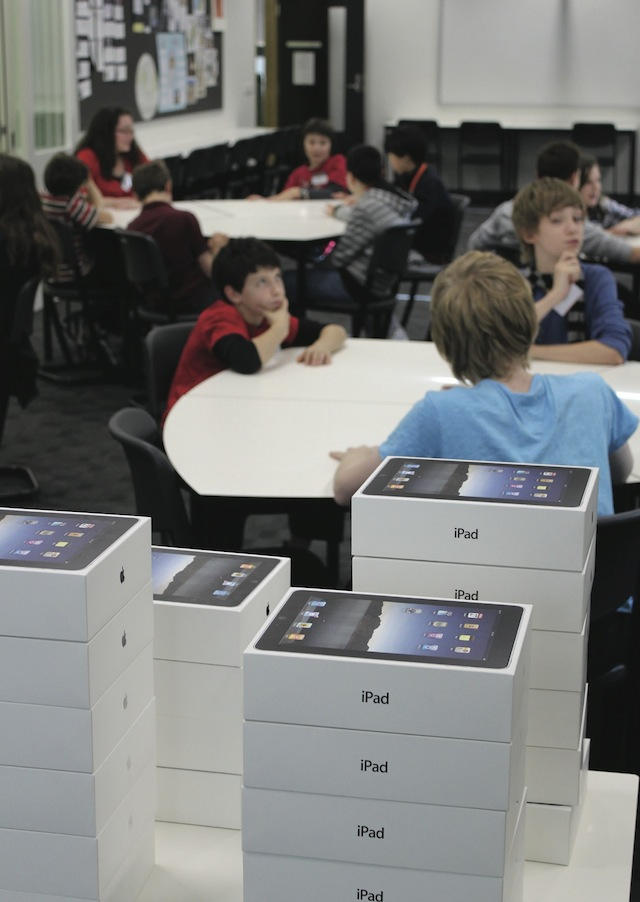
Schools are adding Apple technology, but many don’t integrate it well into the classroom.
Apple kicked off 2012 with its education event in New York. At that event, the company announced its electronic textbooks for iPad initiative, iBooks Author, and the revamped iTunes U. According the Apples latest financial data, the education initiative has paid off with both iPads and Macs being purchased by schools in record numbers.
A 21st century vision of education , however, is about more than getting the iPads and MacBooks into the classroom. It also requires technology goals, professional development for teachers, high-speed access to up-to-date content, education-centric portals for students and teachers, back-end systems, and education apps or software.
Deploying Mountain Lion across dozens, hundreds, or even thousands of Mac can be easy and efficient if you do it the right way.
Among Mountain Lion’s more than 200 new features are many that have distinct appeal for business users. AirPlay Mirroring, the ability to share items with colleagues, secure and unified messaging across Macs and iOS devices, one-step encryption of hard drives and flash drives, Reminders, Notification Center, VIP prioritization in Mail, and dictation are just handful of the Mountain Lion features that are poised to become great business and education tools.
With so many great features, IT departments big and small are likely to hear requests for Mountain Lion from employees, managers, educators, and even students. While Mountain Lion may be an easy and painless upgrade for consumers, any major OS upgrade poses challenges and concerns for technology professionals and Mountain Lion is no different. In this guide, we’ll show you how to prepare for Mountain Lion, test it for compatibility issues, and plan a successful roll out.
Penn State MacAdmins Conference 2012 videos are a goldmine for Mac IT Pros.
If you’re an IT professional charged with rolling out Macs and iOS devices to employees in your company or students in your school, the Penn State MacAdmins Group has a wealth of new resources for you.
The group puts on an excellent annual conference for Mac and iOS administrators and IT professionals each year. The sessions cover just about everything you might need to know when it comes to developing a solid strategy for deploying and managing Macs and iOS devices in schools or business. Sessions are led by IT professionals with a solid background in Mac and iOS technologies. Real world experiences with the tools and processes involved are discussed along with tips, tricks, and advice.
If you weren’t able to attend the conference, however, you can view the sessions online.
BYOD in K-12 schools presents massive challenges to IT staff, administrators, and teachers
Apple firmly positioned the iPad as an education solution during its education even in New York five months ago. Even before that, many schools and districts had begun pilot programs of full on iPad deployments. The iPad provides many opportunities in education as well as some challenges.
One of those challenges is cost. That’s not a surprise, considering the number of iPads required in order to give one to each student in a district. The San Diego school district, for example, recently spending $15 million as part of its massive iPad plan that includes nearly 26,000 devices.
Given the cost of such deployments and the attention that BYOD programs have gotten in both the tech and mainstream media over the past year or so, it was only a matter of time before someone in the education technology sector began to talk up the idea of BYOD in education as a way to cut the costs associated with such deployments.
iPad use in schools more likely when administrators like and use mobile tech
With its e-textbook initiative, iTunes U, and a range of educational resources, Apple is pitching the iPad as critical element in 21st century schools. Many schools have already begun iPad tests or full-scale deployments. In other schools, however, there’s still a fight over where and how the iPad and other technologies fit into the classroom. A battle erupted between teachers and lawmakers in Idaho earlier this year over new technology requirements in the state’s schools.
So what makes some schools embrace iPads and other new technologies while others resist them? It turns out that the answer may lie in the personal technology preferences of school and district administrators.
Most schools are testing, if to yet deploying, iPads
There are plenty of stories out there about schools that have already launched large-scale iPad programs or that are considering them for next year. Many U.S. school districts have yet to determine an iPad strategy, however, and are still moving forward cautiously.
In a small survey of public school IT managers, research firm Piper Jaffray identified the iPad as a new technology being tested by the majority of public schools. The survey also offered insights into the the pros and cons that school IT managers are weighing when it comes the iPad and some competing technologies.
Virtually everyone who’s ever used an Apple product has an Apple ID. This user account for all things Apple is most commonly used with the iTunes Store and the iOS and Mac App Stores. It’s used to both authorize purchases and to allow you to access content or run apps after they’re downloaded. Apple’s philosophy is that every person should have their own Apple ID and that each of us should use our individual Apple ID (and only that Apple ID) on each of our devices – iPads, iPhones, iPods, Macs, even PC’s running iTunes or other Apple software.
That’s a great concept, but it creates a big challenge when iOS devices are used in business or school environments. When someone configures an iOS device for an employee or student with a selection of apps and other content (like iBooks 2 textbooks), they need to use an Apple ID. But once that device is deployed, the end user may need or want to purchase additional apps or other materials.
This is often a stumbling block for business-owned devices. And it’s something that Apple has finally begun to address with Apple Configurator.
Along with announcing the new iPad and Apple TV (and related iOS and app updates), Apple released a new tool for managing iOS devices in business and education. The new Apple Configurator app is a free download in the Mac App Store for Macs running Lion. Although it takes the sting out of managing iPads, iPhones, and iPod touches for smaller organizations, it won’t replace more full feature mobile management solutions for mid-size or larger companies.
Apple’s announcement of Mountain Lion breaks with the past in a few ways including by announcing with out a major Apple event. One of the other changes is the news the Apple is moving OS X to a yearly release cycle like iOS. That may be a great way to introduce new features for consumers, but it’s likely to create problems for organizations that have a large number of Macs.
Schools and colleges are still among the organizations that have large Mac populations and have always been a key market for Apple. A yearly release schedule stands to impact them more than any other type of organization and that impact isn’t likely to be a positive one.
How do you stop kids from cheating on exams in an iPad age? Photo Brad Flickinger/Flickr CC By 2.0
A Scottish School is prepping its iPads for exam season. Cedars School of Excellence in Greenock, Inverclyde, was the first school in the world to deploy an iPad to every one of its pupils. Now it may become the first school to try to stop its pupils from iCheating in exams.