We’ve had many deals of note here at Cult of Mac for quite some time, but this is one is “noteworthy” in the most literal sense of the word!
The Ultimate Music Mac App Bundle offers 8 top music mac applications (including TuneUp Media Lifetime) for a fraction of the regular price. You’d normally pay $355 for all of these apps, but Cult of Mac Deals has it for you for a mere $39!

We’ve had many deals of note here at Cult of Mac for quite some time, but this is one is “noteworthy” in the most literal sense of the word!
The Ultimate Music Bundle offers 8 top music applications (including TuneUp) for a fraction of the regular price. You’d normally pay $355 for all of these apps, but Cult of Mac Deals has it for you for a mere $39!

Apple finds itself involved in yet another patent lawsuit.
Apple has been named in a California lawsuit filed by EPL Holdings for allegedly infringing a patent that covers audio and video playback at varying speeds. The filing reports that EPL met with Apple back 2002 to discuss licensing over the patents it had developed. But the Cupertino company is alleged to have used the technology anyway without reaching a licensing deal.
If you’re a Mac user on the Internet, chances are you’ve come across a few websites where embedded content isn’t displayed correctly. Instead you get an icon or an error message saying Missing Plug-In, often with few additional details about exactly what is missing.
While there’s no single installer which will solve all missing plug-in problems, there are a few common things to start with. If those don’t work you can delve deeper into non-common formats or the forgotten codecs of yesteryear.
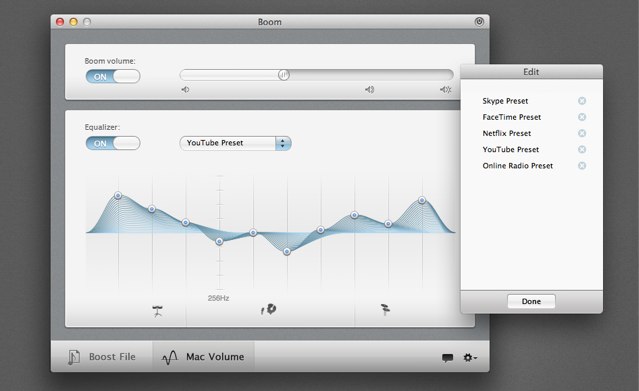
Boom, a terrific utility for Mac OS X that boosts system volume well above Apple’s default limit, is set to receive a new update that promises to deliver all of the features and improvements that Boom users have been asking for. That includes scroll gestures for those running Snow Leopard and Lion, the ability to access functions from the status bar icon, and more.
From nearly the day I began making videos here at Cult Of Mac, I’ve been receiving questions from readers and viewers about how I make my videos. From what I use to edit, to how I create certain effects within videos, I’ve heard it all, which is why I thought I’d put together a video to show those who may also be interested in video editing how easy it can be to get started making videos of your own using only the software that came with your Mac.
Apple has some huge improvements for Final Cut Pro X in store for this year.
Apple has promised to issue a major update to Final Cut Pro X “sometime during 2012’ that will deliver a number of new features, including multichannel audio editing, dual viewers, and more, to its professional video editing software. The Cupertino company provided all the details to producer, editor, and director Larry Jordan.
QuickTime X in OS X includes quite a few hidden gems to make previously tedious tasks simple. One great example is it’s built in ability to rip audio from nearly any video file. In this video, that’s exactly what I’ll show you how to do.
Want to quickly edit a movie file but can’t be bothered battling with the complexity of iMovie or Final Cut Pro? Here’s how to use QuickTime Player, included with every Mac, to trim movie files and merge movie files together.