All items tagged with "photos"

Easily (Really Easily) Make Storyboards on Your iPhone with Disney Story [Daily Freebie]

So far, it’s been an interesting few weeks for digital publishing. Late last month saw the introduction of Flowboard, a digital publishing platform centered around an iPad app.

Now Disney has come out with their (highly simplified) take. Disney Story is a free iPhone app that lets you easily create a storyboard from photos on your iPhone, with accompanying text, which you can then share via email or on Facebook.

Read the rest of this post »

Hipstamatic’s Oggl Is Live In The App Store Right Now

Oggl

Oddly named social photo sharing app, Oggl is available now in the App Store. It’s currently invite-only, so you’ll need to download the app and request an invite. Once you do that, you’ll be in line to get a spot in this new experiment from Hipstamatic, one of the first “put a filter on it” photo app developers in the iOS space.

Hipstamatic wants to position this app as more than just a way to snap retro-looking photos of your dinner, but a way to capture and curate some of the best iPhone photography around.

Read the rest of this post »

Amazon Cloud Drive Photos For iOS Launches In The App Store

amazonclouddrivephotos

If you’re looking for a new solution to back up your iPhone’s photos to the cloud and access them on other devices, Amazon has a new solution for you. The company just launched it’s new iOS app, Amazon Cloud Drive Photos, that lets you upload your photos to Cloud Drive.

Read the rest of this post »

The iFlash Drive Slurps Excess Photos *Off* Your iPhone

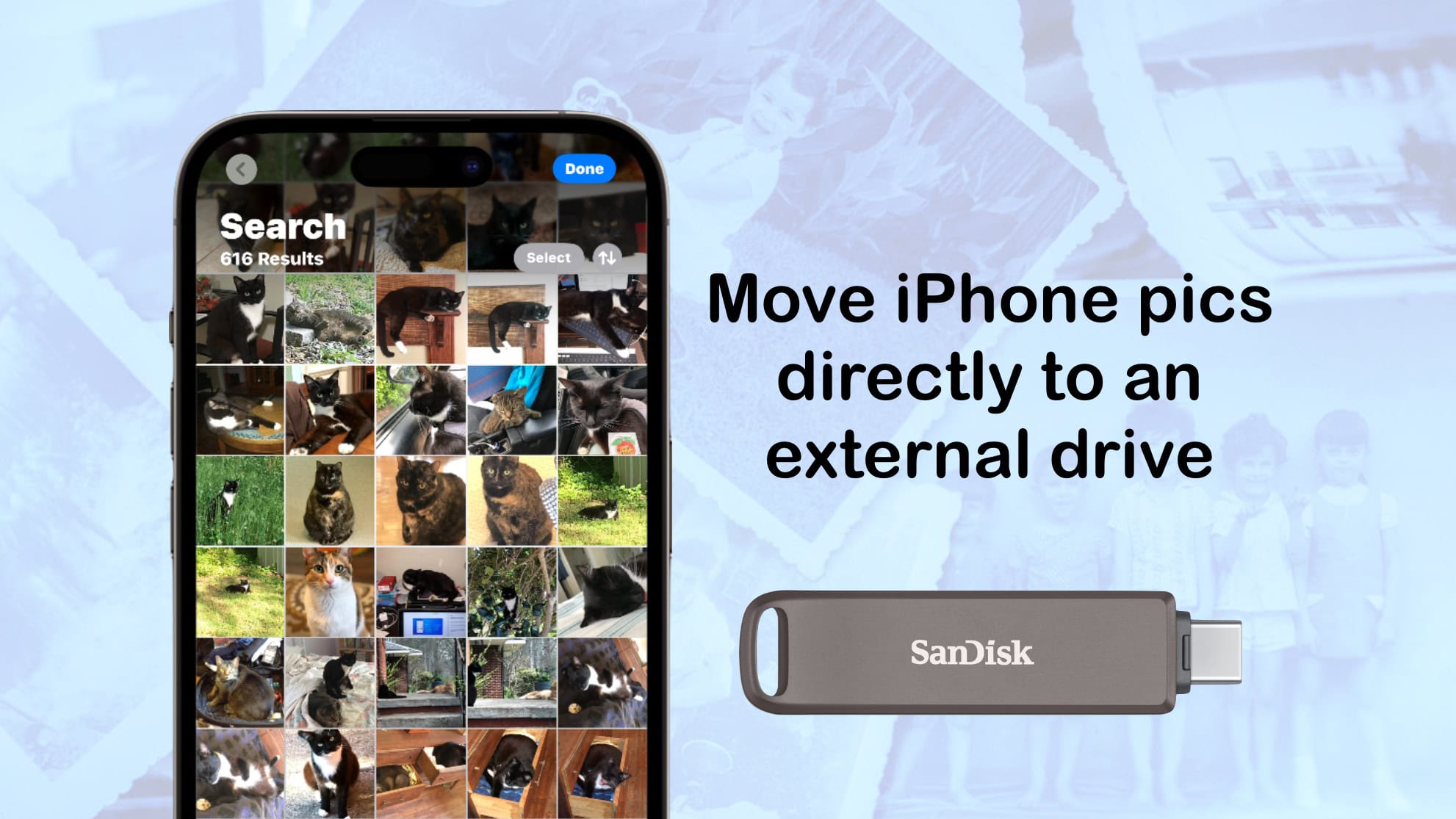
It’s gotten to the stage that I’m so loaded up on cloud storage for my photos that I could toss my iPhone into the toilet and not lose a thing (well, apart from the action shot of the toilet bowl framing my shocked face as the iPhone shoots its last photo). But while Dropbox and Everpix are great, sometimes you just want to rock an old-school USB stick and transfer photos to and from you iPhone with a stick of plastic.

Read the rest of this post »

Cooliris Gets Even Cooler, Adds Support for Dropbox [Daily Freebie]

Imagine dining at a sumptuous, football-field-sized smorgasbord where all your friends and acquaintances have made and brought tantalizing morsels for you. And it’s all yours to sample, as you glide past table after stacked table. On ice skates.

Now replace the food with photos, and you’ll understand the draw of Cooliris (assuming you like looking at photos; and since the toaster is probably the last remaining electric gadget not equipped with either a camera or a way to display images, it’s a safe assumption).

And the iOS app is even cooler now that it’s just been seamlessly integrated with Dropbox.

Read the rest of this post »

Subscribe to the Cultcast

Mastering iMessages On Your iPhone: Send Batches Of Photos To Your Friends [iOS Tips]

Mastering iMessages On Your iPhone: Send Batches Of Photos To Your Friends [iOS Tips]

Here’s another one of those tips that should be blindingly obvious, but isn’t. At least, it wasn’t to me, at first.

If you try to send a photo via iMessage (or text message), you’re limited to one photo at a time. Go ahead and give it a shot. I’ll wait. No, really–give it a shot.

See? From the Messages app on your iPhone, you only have the option to take a photo or choose an existing one. What if you want to send more than one photo at a time, though?

Read the rest of this post »

Unbound Photo Browser For Mac Will Support Leap Motion

Remember Unbound? I called the iOS app “the best dropbox browser I have ever used,” and it’s still up there in the top two (the other is the excellent Heliog). Now — or at least soon — Unbound will be coming to the Mac. What’s more, it’ll be compatible with the neat little Leap Motion box that lets you control your Mac with wavy hand gestures.

Read the rest of this post »

Cult of Mac Reader’s iPhone Drops 200 Feet Onto Concrete — And Survives [Photos]

Cult of Mac Reader’s iPhone Drops 200 Feet Onto Concrete — And Survives [Photos]

The screen is smashed, and the home button is lost, but other than that the iPhone works just fine.

Joby Ingram-Dodd is a lucky guy. First, he has an awesome name which sounds like he’s a successful gold prospector from the 1800s. And second, he bought a tough-as-boots iPhone.

Oh, and he has, like, the best job ever.

You see, Joby managed to drop his iPhone 4S 60 meters (almost 200 feet) from the top of a wind turbine onto a concrete parking lot way below. And guess what?

Read the rest of this post »

How To Make Adding Photos In Messages On The iPhone Less Annoying [Jailbreak]

IMG_2017

Adding photos and videos to a conversation in the iOS Messages app isn’t as streamlined as it could be. You have to tap the little camera icon, then tap whether you want to take a new photo or select one from your Camera Roll. It’s functional, but not optimal.

Let’s take a look at two jailbreak tweaks that help streamline the process of adding photos to messages.

Read the rest of this post »

Mobile World Congress Day Two: Robots, ‘Mann Wood’ And Meggings [Gallery]

Mwc day 2 12

This little feller balances using gyroscopes five times more accurate than those in your phone.

Read the rest of this post »