All items tagged with "photo editing"

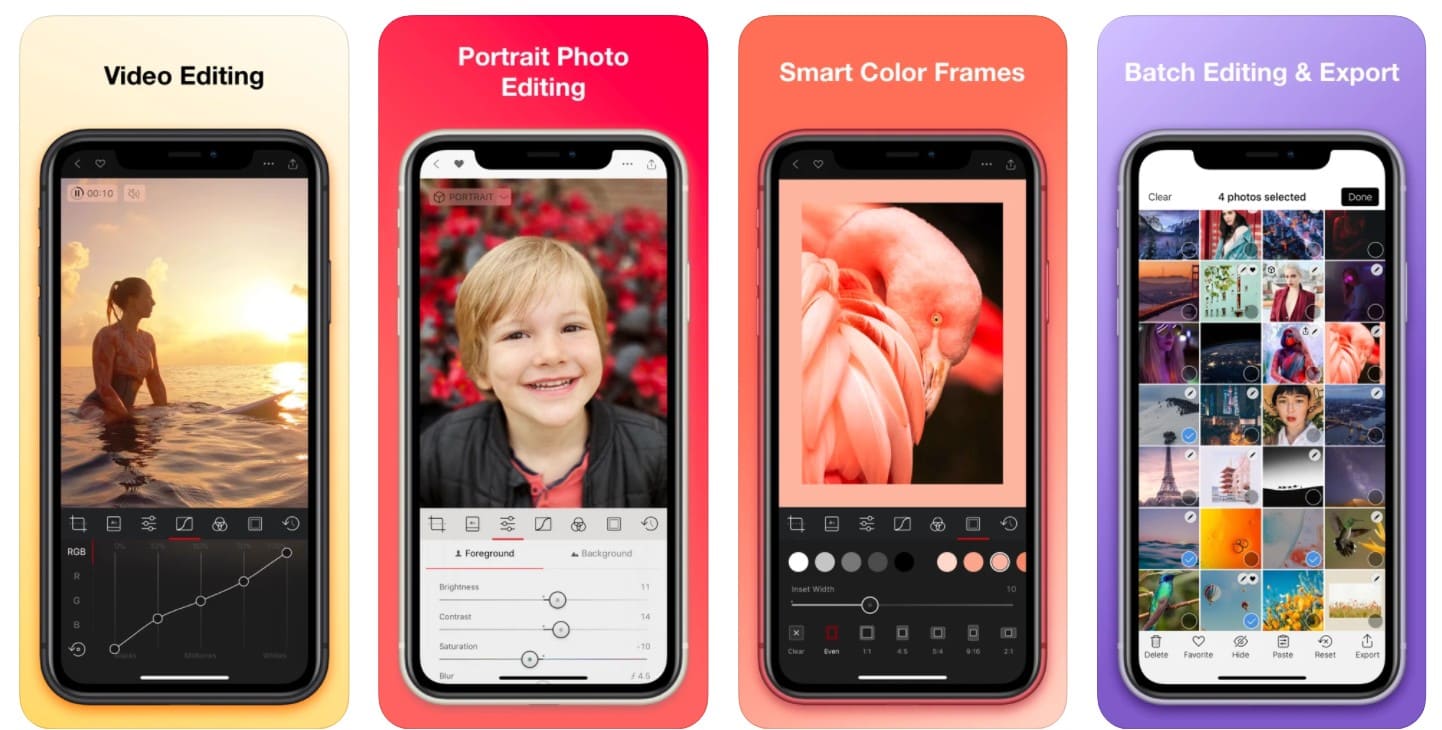
Just Like The iPhone Version, FX Photo Studio HD for for iPad Goes Free Too [Daily Freebie]

fx-photo-studio-hd-1

Photo: Eli Milchman

Last week saw popular photo-editing iPhone app FX Photo Studio go free for a day. MacPhun, the app’s developer, then extended that free day indefinitely — a result, they say, of the app’s overwhelming popularity as it’s blown through a million new downloads since going free.

Now the developer’s doing the same thing with the even-more-fantastic iPad version of the app, FX Photo Studio HD. Only this time, they say the app will be free until it hits 10 million new downloads. Since this is such a stellar app, ten million is not nearly as steep as it seems.

Read the rest of this post »

Mac And iOS Version of Adobe Revel Updated To Include Photo Albums, Captioning

Mac And iOS Version of Adobe Revel Updated To Include Photo Albums, Captioning

Adobe updated their cloud-based photo management app, Revel, to version 1.5 across both Mac and iOS apps. The new version includes the ability to sort photos into albums, share private web albums on the Adobe Revel website, and add captions to photos. Along with an updated user interface and new photo themes, you can use your Facebook ID to sign up for a Revel account.

Read the rest of this post »

Make Your Pics Cooler With Focus. Only $3! [Deals]

Make Your Pics Cooler With Focus. Only $3! [Deals]

Folks, this is a one-day deal that you would be an absolute fool to miss out on. The app is Focus, and it lets you mess with the focus and such of your pics. I was a skeptic at first. I have a gabillion photo apps on hand and thought, “do I really need another one?“.

Then I tried it.

I’m getting this app ASAP because at $3, it’s a steal and very, very cool. Even if the price doesn’t get you, the examples I did just now (in about 5 minutes) sure will.

Read the rest of this post »

Inpaint & iResizer Image Editing Combo [Deal Ending]

Inpaint & iResizer Image Editing Combo [Deal Ending]

Update: This deal is wrapping up and so is the Retina MacBook Pro Giveaway!

Following up on the suggestion to pick up HydraPro before you head off on holidays, here are another couple apps you should toss into your (virtual) kit—Inpaint and iResizer. Why? Because these two apps combined solve one of the most common issues with photos—getting rid of stuff you don’t want in your pictures.

Inpaint helps you remove objects, people, date stamps, or flaws in your pictures. iResizer let’s you take out one element in a picture, remove it, and move the other parts of the image around like it wasn’t ever there. Sweet, eh? More after the jump.

Inpaint & iResizer Image Editing Combo [Deal Ending]

Read the rest of this post »

HydraPro Easy HDR Pictures [Deals]

HydraPro Easy HDR Pictures [Deals]

One of the coolest parts of digital photography is being able to use software to make your photos better than you could ever had imagined. I’m not just talking about fixing exposures or adding special effects—both of those things are very cool—I’m talking about things like HDR photography.

HDR (High Dynamic Range) is entails taking several images (one correctly exposed and several over and under exposed) and combining them into a new image that make the picture much more like how we see the world. And how is this done? Software. Software like Hydra Pro

HydraPro Easy HDR Pictures [Deals]

Read the rest of this post »

Crop And Constrain Photos On Your iPhone Or iPad For Better Pics [iOS Tips]

Crop And Constrain Photos On Your iPhone Or iPad For Better Pics [iOS Tips]

Here’s how it looks on the iPad.

One of the best tools in a photographer’s editing kit is the crop. Finding the best part of a picture and cutting out all else is a fantastic way to make an ordinary picture into a great picture.

You can do this right on your iPhone or iPad with the Photos app. Here’s how.

Read the rest of this post »

Create Stunning Images On The Cheap With Pixelmator

Create Stunning Images On The Cheap With Pixelmator

Anyone taken a look at the price of a professional photo editing software package, lately? Yeah, we dare you.

Redditor jayfehr noticed that Apple design award winner Pixelmator is currently on the Mac App Store for a quarter of it’s regular ($60) price, coming in at a nice $14.99 for this fairly beautiful looking Mac OS X image editing and paint program.

Read the rest of this post »

Best Tips For iPhoto ’11 In OS X [Feature]

Best Tips For iPhoto ’11 In OS X [Feature]

Keep your videos and photos apart.

iPhoto is a fantastic photo storage and editing app for Mac OS X. It’s been around forever and a day, and continues to get upgrades every couple of years. The lastest version, iPhoto ’11, is chock full of features and tools that let you organize and share your photography with your family and friends on the web, on your Mac, or on your TV. Wouldn’t it be great to use all those features to make your photographic life just that much nicer?

You can, and you will, if you read through the following tips and tricks for getting the most out of iPhoto in Mac OS X.

Read the rest of this post »

Learn The Best Ways To Use iPhoto For iPad [Feature]

Learn The Best Ways To Use iPhoto For iPad [Feature]

Cutest kid ever? Probably.

Summer time is vacation time, at least here in the U.S. With kids out of school for the warmest months of the year, families travel to amusement parks, historical sites, and even to other countries, making memories along the way.

What better way to store the photographic memories from this summer’s vacation than with high quality photos, edited, stored, and shared with just your iPad and iPhoto? Sound like a dream come true? Well, it’s not only possible, it’s fairly simple. Here are some of our favorite tips and tricks to use with iPhoto for iPad

Read the rest of this post »

Share Your Photos With iPhoto For iPad The Right Way [iOS Tips]

Share Your Photos With iPhoto For iPad The Right Way [iOS Tips]

If you take a photo in a forest but do not share it with others, does it really exist? Well, yeah, it probably does, but you know what I’m talking about. Sharing photos is really the point, right? Why else take them?

iPhoto for iPad has several ways to share your photos across social networks, to other iOS devices, and even right on the iPad itself. Let’s run through a few of them, yeah?

Read the rest of this post »