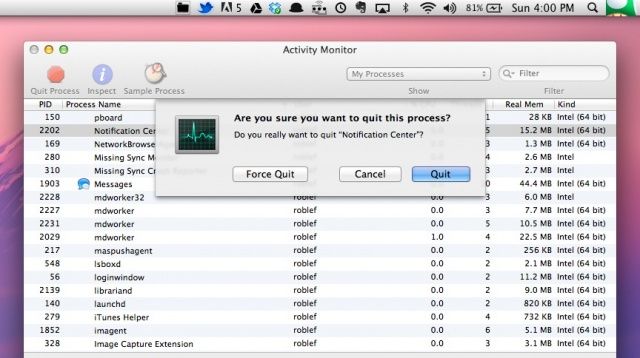
With the abundance of icons in the upper right corner of the Mac OS X screen, it could be time for a change. If you’re tired of the same old Notification Center icon–the one that looks like a bullet list–this tip’s for you.
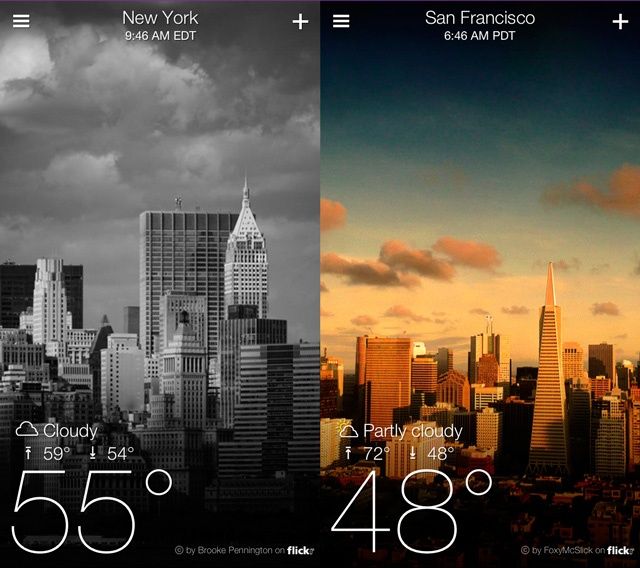
Yahoo! launched its new Weather app for iPhone a few weeks ago, and it’s quite possibly one of the prettiest weather apps you’ll find in the App Store. It’s received a ton of praise for its design, which combines gorgeous Flickr photos with clean, minimalist graphics.
If you instantly made it your new weather app — just like we did — then you’ll be pleased to know you can know make it your default weather app on iPhone with a new jailbreak tweak called “YahooWeatherisBetter.”
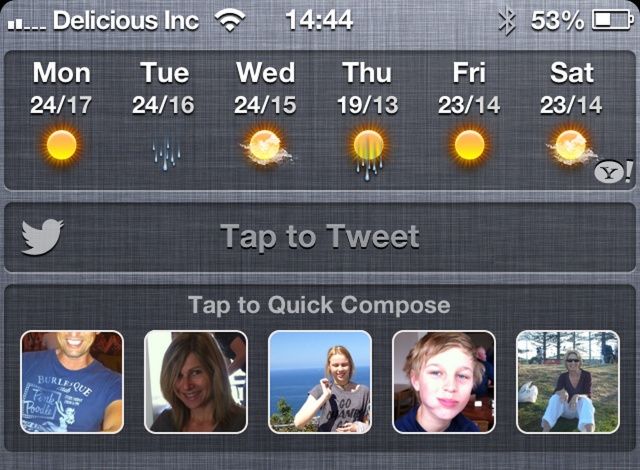
Popular jailbreak tweak biteSMS just got a new update that introduces a quick compose widget to your iPhone’s Notification Center. The feature promises to be a simple and convenient way to send text messages in a pinch.
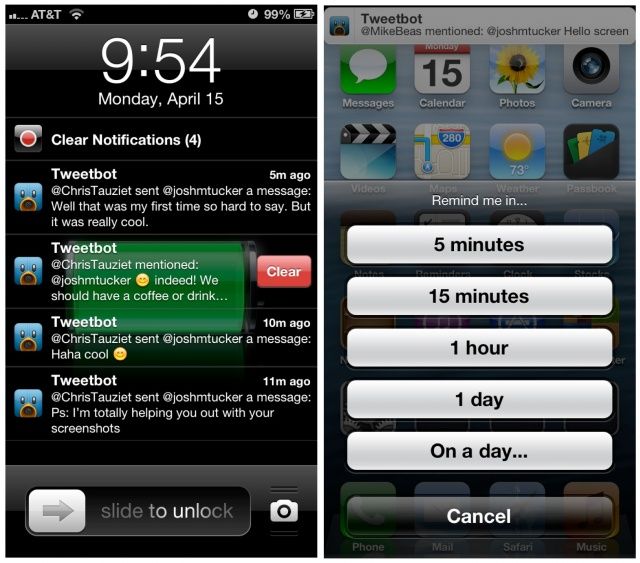
Jailbreaking is great for fine tuning the iOS experience. Abstergo is a new and excellent jailbreak tweak that does just that, and it’s available in Cydia now for $2. Developed by Joshua Tucker and Andrew Richardson, Abstergo improves Notification Center by adding some subtle features. It won’t blow you away, but it will make interacting with notifications less annoying—and sometimes that’s all it takes for a tweak to be great.
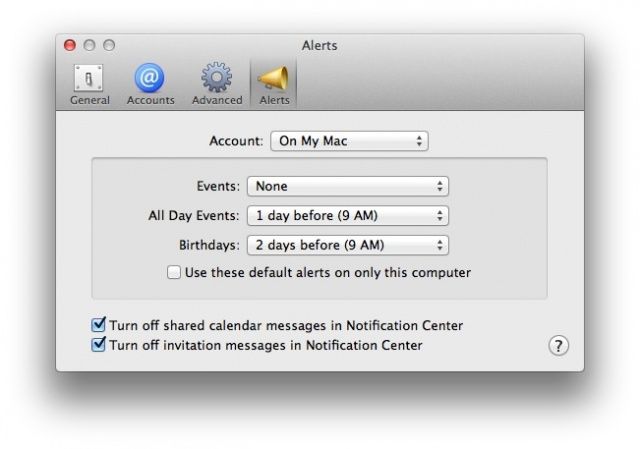
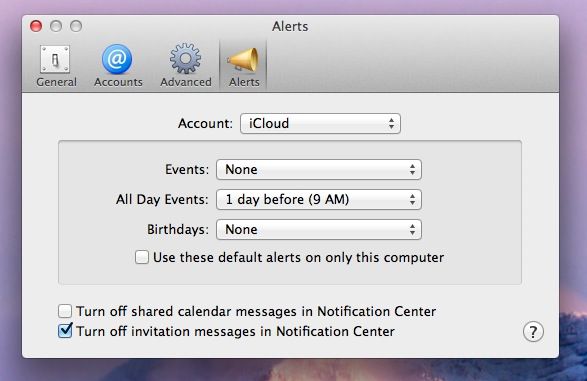
In Mac OS X, Calendar now uses Notification Center to let you know when events are coming up, by default. What if you don’t want these notifications, or want them only for a certain kind of event, like a birthday or timed event?
Well, using the preferences in Calendar, you can do just that, setting things the way you want them, rather than the way Mac OS X has them by default. Heck, you can even turn them off completely. Here’s how.
One of our biggest hopes for iOS 7 is that it will come with a huge update on UI. iOS is starting to look a bit old and everyone’s tired of the skeuomorphic features. It needs some innovative minimalist touches from Jony Ive.
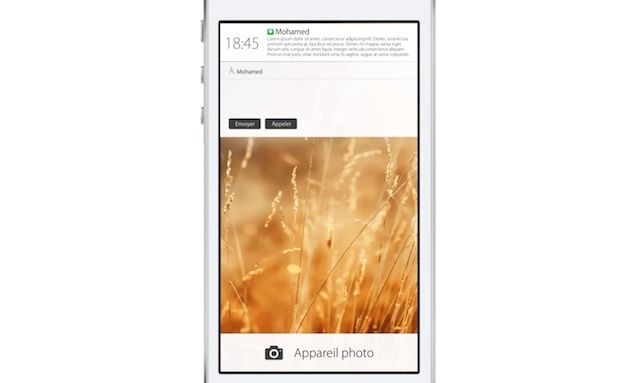
Mohamed Kerroudj has created his own vision for what the iPhone’s Lockscreen should look like. The linen backgrounds have been replaced by flat white surfaces, but what’s better is you can actually respond to message right from Notification Center, or trash them, or schedule a date in your Calendar, or toggle your Wifi. It’d be great.
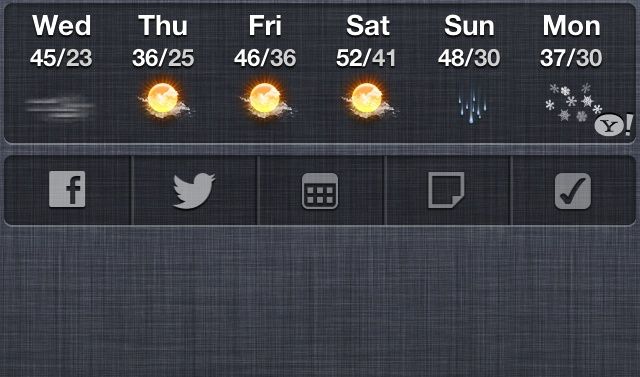
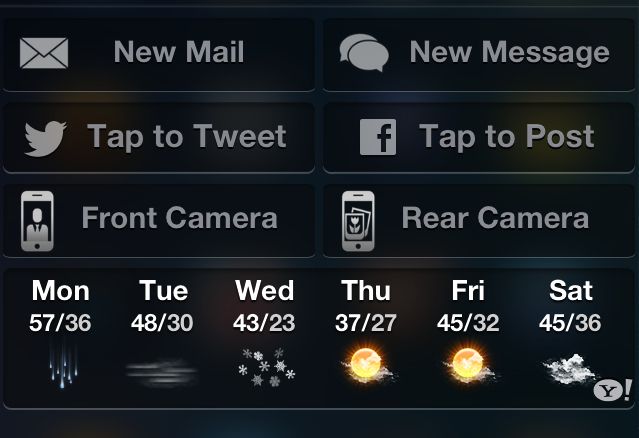
Wish you could do more with Notification Center in iOS 6? Besides the couple of stock widgets Apple includes, there isn’t a lot of functionality to be found. On my iPhone, it usually feels like a waste of space. What if you could compose an email or quickly access your camera alongside notifications?
Jailbreaking allows you to do that and more, thanks to a couple of handy Cydia tweaks.
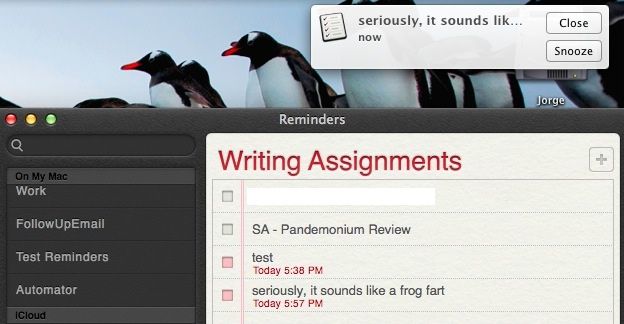
The default Notification Center sound, Basso, is not one that makes me very happy. It kind of sounds like a frog fart, to be honest. Why an operating system that’s had the ability to switch alert sounds since at least OS 7 doesn’t have that option here is beyond me, but there is a way to change it.
Now that you’ve jailbroken your iPad on iOS 6 with Evasi0n the right way, it’s time to install the coolest tweaks and apps from Cydia, the jailbreak alternative to the App Store.
Wondering what you should install? Here’s a roundup of the very best jailbreak tweaks available for the iPad:
I love Do Not Disturb on my iPhone. I’ve got it scheduled to activate at 8 pm each night, and de-activate at 7 am every morning. That way, all except the most important things get to bother me when I’m with my family, in bed, and sleeping.
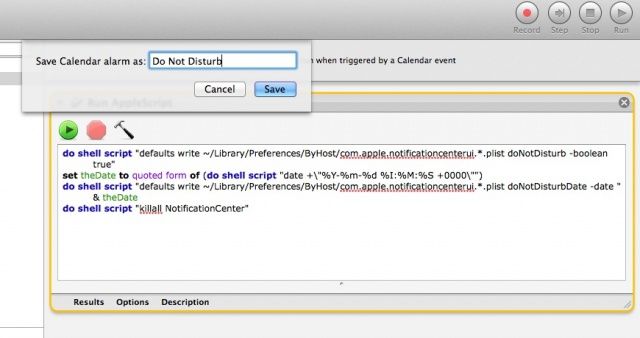
Mac OS X has a Do Not Disturb feature, as well, but it has to be manually activated at the top of the Notification Center by toggling the Show Alerts and Banners button to OFF. Wouldn’t it be cool if you could schedule it to turn off and on at specific times? The Automator script for Calendar below will do just that.
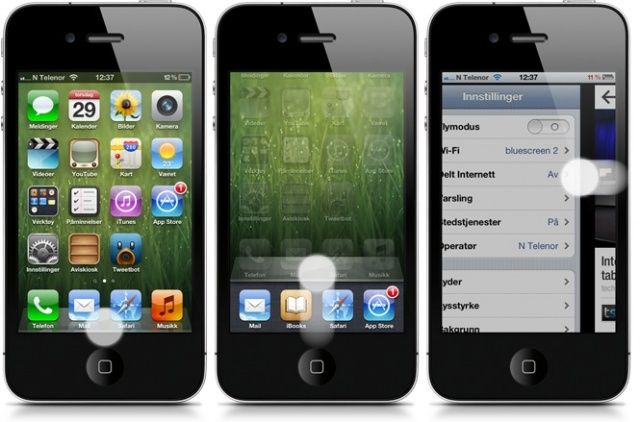
The popular jailbreak tweak Zephyr has today been updated to squash a number of incompatibility issues with iOS 6, and to bring the iPad’s four-finger gestures to the iPhone. It now allows you to close apps and swipe between the ones you have running without touching the home button.
Samsung has gone before the Seoul Central District Court to ask to see Apple’s iOS source code. The goal of seeing the source code is to confirm whether Apple’s iOS 6 infringes on any of Samsung’s software patents. Yes, this is the same Samsung that Apple won $1 billion+ in damages against for patent infringement in U.S. court last year.
Since the innards of iOS are full of valuable company secrets, Apple has of course declined Samsung’s request, “calling it ridiculous.”
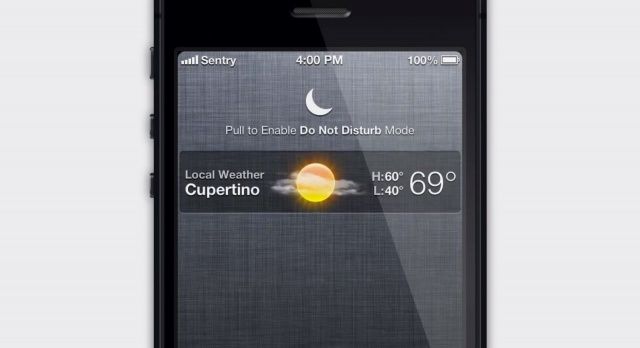
Sentry, a designer famous for the awesome Auxo tweak that overhauls the multitasking tray on jailbroken iOS devices, has today published a new concept that reinvents the Do Not Disturb feature that Apple introduced to iOS 6. He doesn’t change the feature itself, he just changes the way it’s activated to make it super quick and simple.
Cydia remains a vibrant marketplace for home-brewed hacks and jailbreak apps, but how will the storefront evolve as iOS matures?
There have been a ton of great tweaks released for jailbroken iOS devices in 2012. Innovation in the jailbreak community is far from dead, and ideas are continuing to evolve alongside iOS itself. What makes jailbreaking great is the sheer amount of customizability it unlocks. Sometimes a simple idea gives way to a crazy amount of potential.
That’s what this top 10 list of 2012 jailbreak tweaks is about: pushing the limits of what your iOS device can do. Here are the very best quality jailbreak tweaks from the past year:
While Apple fans will argue that Android copied iOS, it’s hard to deny that Apple didn’t take a little bit of inspiration back from from Android, too. Its Notification Center is an almost identical copy of Android’s — that’s easy to see no matter which side of the fence you’re on. In fact, Samsung’s now using this as another reason to sue Apple in South Korea.
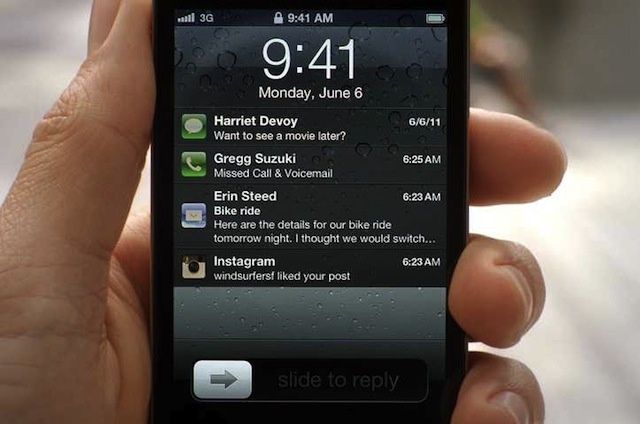
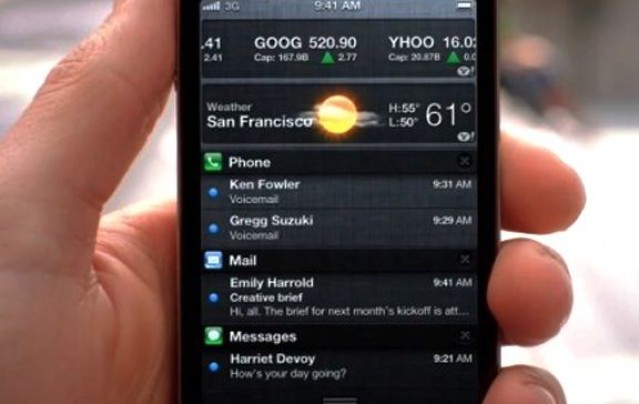
Notification Center in iOS and OS X is great in concept but kind of crappy in practice. First off there’s the linen background that doesn’t really make sense when you’re pulling down a curtain for notifications in iOS. There’s also those tiny little X buttons that you have to tap twice to close notifications, and a couple other annoyances that fill up the Notification Center page.
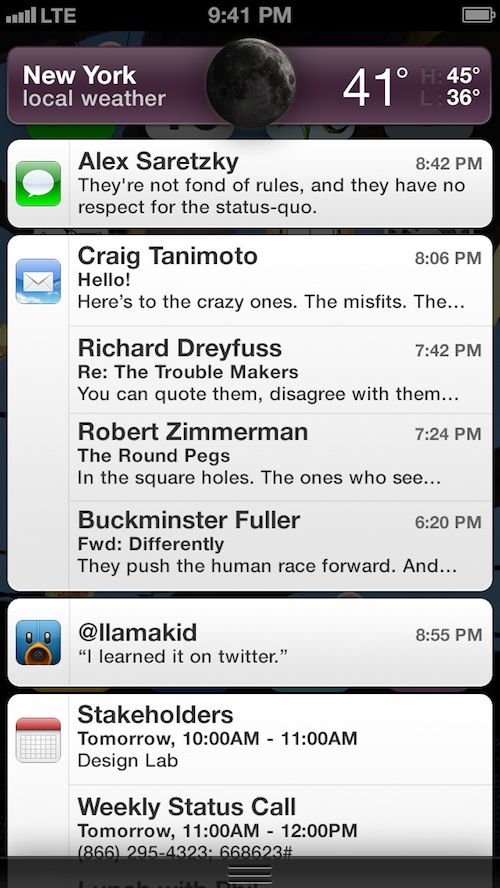
Alex Saretzky decided that Notification Center needs to be spruced up by simply applying Apple UI concepts that have been used in other apps. His new concept for the Notification Center isn’t a complete revision, but more like fine tuning, and it’s something that Apple should implement with iOS 7.
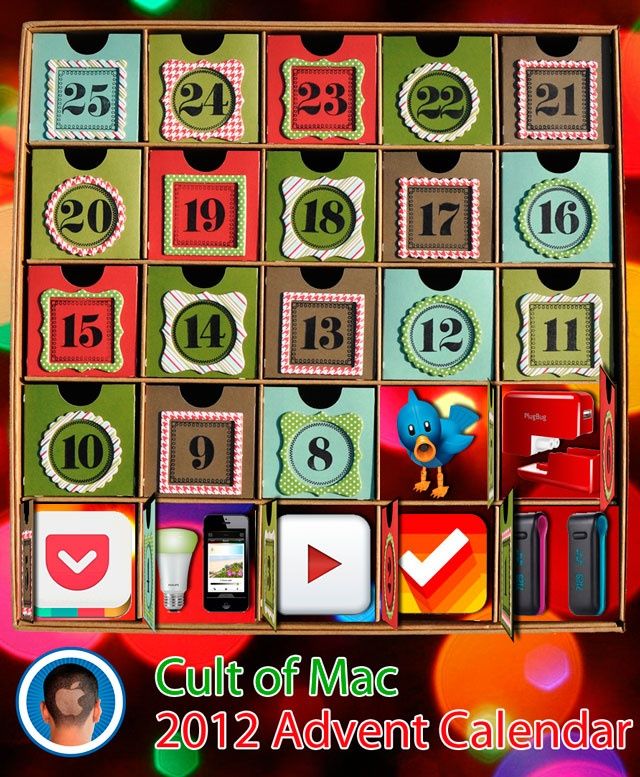
One of the better Yuletide traditions is the venerable holiday Advent Calendar, in which each day of December leading up to Christmas is marked off on a special calendar by opening its corresponding door to find a small gift, toy or chocolate squirreled away inside.
This year, we here at Cult of Mac decided we wanted to give our readers their very own Apple-themed advent calendar, filled with the year’s best apps, gadgets, stories and other curios. So each day in December, we’re going to lovingly peel back the door on the Cult of Mac 2012 Advent Calendar to reveal another delicious morsel, something really special that came out this year that we think every one of you should enjoy.
So what’s behind the door on Friday the 7th? Tweetbot for Mac, the best (and most expensive) Twitter client on the Mac App Store!
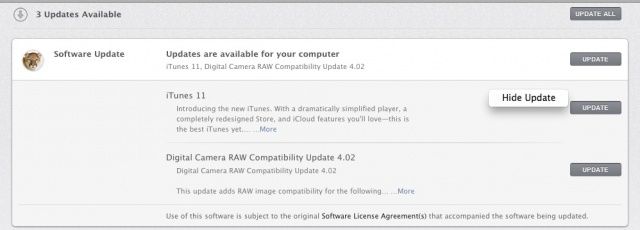
Doubtless by now, you’ve seen a few notifications on your Mac when there are software updates to be applied. They’re easy to temporarily get rid of, either by clicking ont he Close button, swiping them to the right, or disabling notifications for the rest of the day. This allows you to update your software when you want to, on your own schedule, with a lot less nagging.
But what if you want to not be bugged at all about a specific software update? With the first solution above, the notification comes back in a little while. If you turn notifications off for the day, they’re back at nagging you tomorrow. If there’s a particular bit of software you’d like to not update, or just are tired of being bugged, here’s how to keep it from re-occuring.
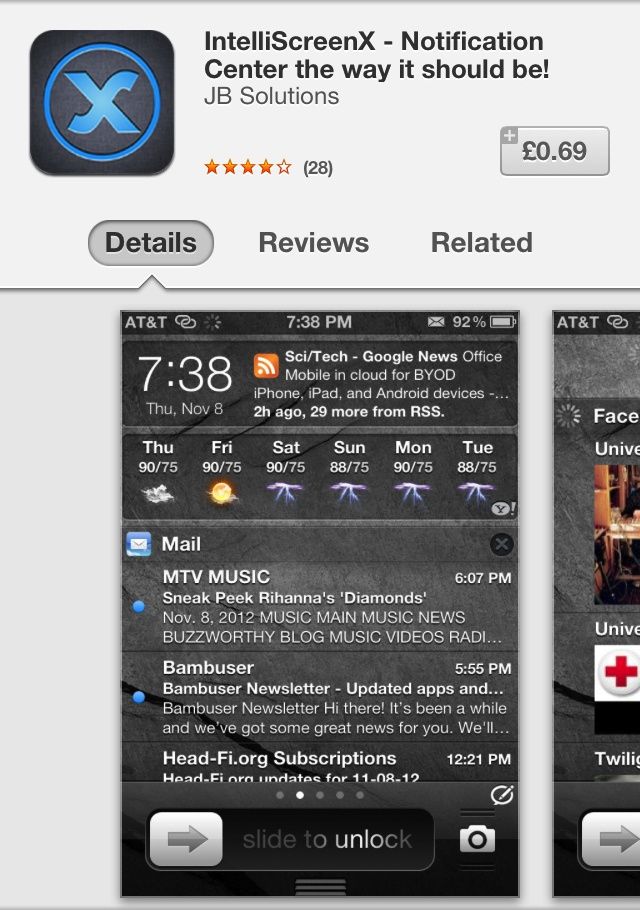
Every so often, an iOS developer attempts to make a quick buck by creating a simple app, naming it after a hugely popular jailbreak tweak, then releasing it in the App Store with the same logo and screenshots. That’s exactly what JB Solutions has done with IntelliScreenX, a $0.99 app that promises to be the ultimate notification center for your lock screen. In reality, it’s nothing more than a nasty alarm clock.
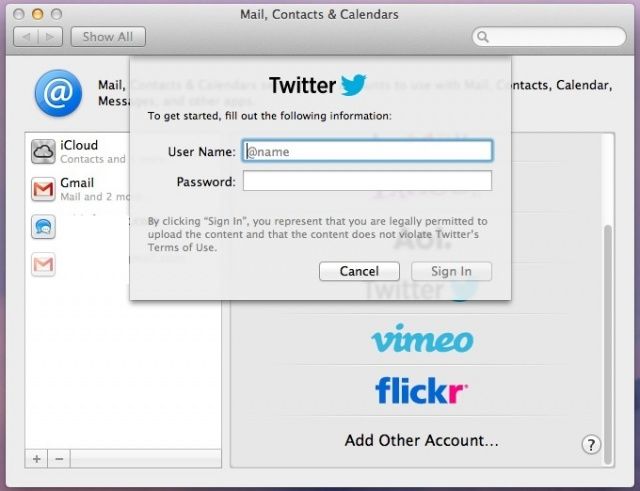
Given Twitter’s recent history of slowly locking down its service for developers and third-party apps, you may be looking for a way around using a special app to send out a Tweet from your Mac that doesn’t include logging into your web browser, logging in to Twitter, then adding your message. Maybe you want to just send out a quick tweet about something, but want to avoid the hassle of launching Tweetbot or the official Twitter app. Either way, you can send out tweets from Notification Center in OS X Mountain Lion.
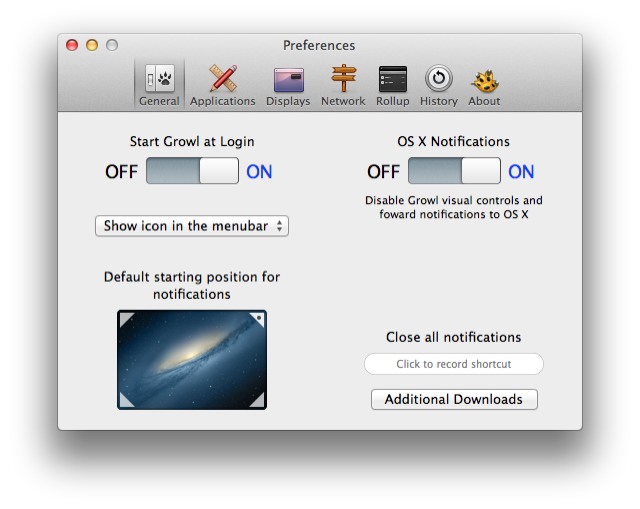
Great news for notification junkies: you can throw out all the third-party hacks which let you pipe your Growl alerts into Mountain Lion's Notification Center. Now Growl itself has been updated to V2.0 and had native integration with OS X's notifications. Better yet, it adds support for forwarding alerts to iOS services Prowl and Boxcar.
In OS X Mountain Lion, you can set a Calendar notification for a repeating event on your iPhone, then get that notification on your Mac. Conversely, you can set a Calendar event on your Mac and get it when you’re out and about with your iPhone. Pretty slick, right? It’s all a part of Apple’s new iCloud integration, and it works pretty well.
But what if you really don’t want to be notified of a certain type of event when you’re on your Mac? In OS X Mountain Lion, you now have a few more options for notifications that come from Calendar.
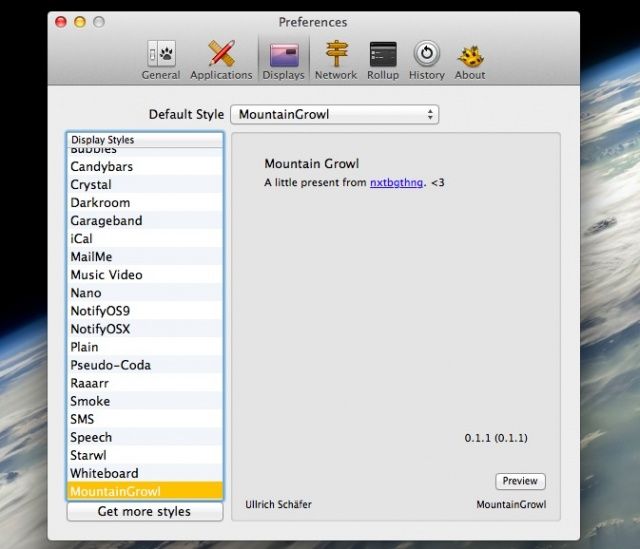
So, you’re a longtime Growl user, and now you get some alerts from Growl, and a bunch of other ones from Notification Center, and your inner OCD-child just wishes it could all come through Notification Center? I mean, Growl 2 will send stuff right to Notification Center, anyway, so why not get a head start on the process?
With the help of a third-party app called MountainGrowl, you’ll be fashionably ahead of the curve once again, you hipster, you.
With the profusion of menu bar icons in the upper right of our Mountain Lion screens, it might be time for a change. If you’re bored with the same old Notification Center icon that everyone else who’s upgraded to Apple’s latest Mac operating system has, this tip’s for you.