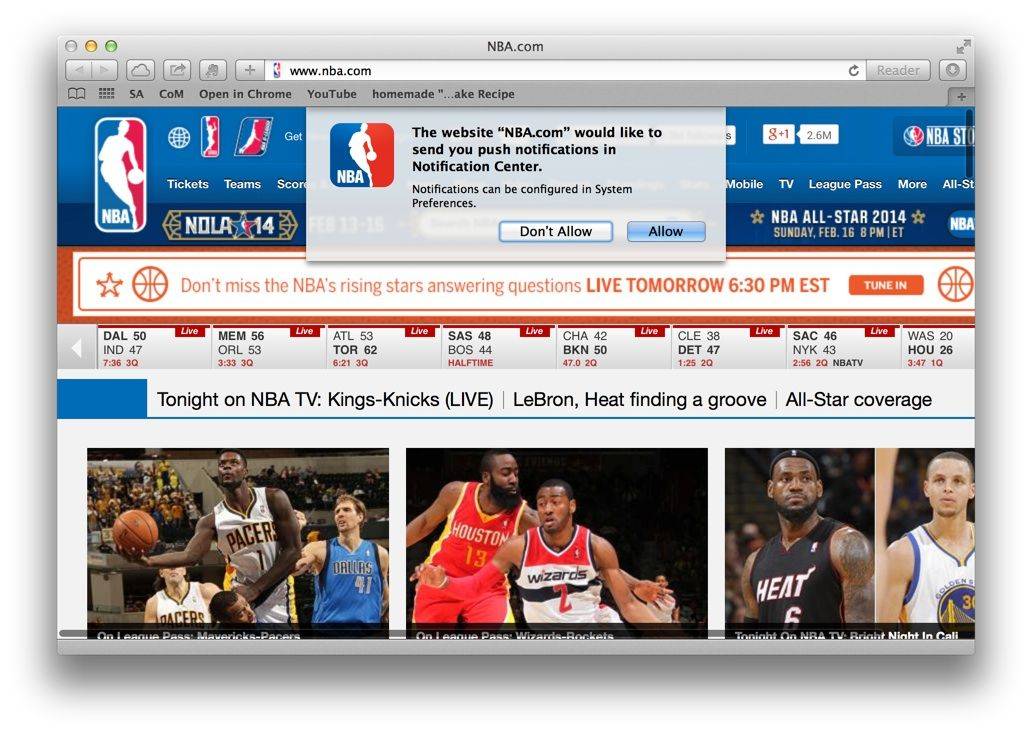
There are quite a few web sites these days that will send you notifications when you visit them via Safari. Sites like NBA.com and the New York Times will drop you a dialog box when you visit them for the first time to ask you if you would like to receive the push notifications.
If you allow them, all hope is not lost should you reconsider your decision. You can drop right into System Preferences and disable them on a site by site basis.
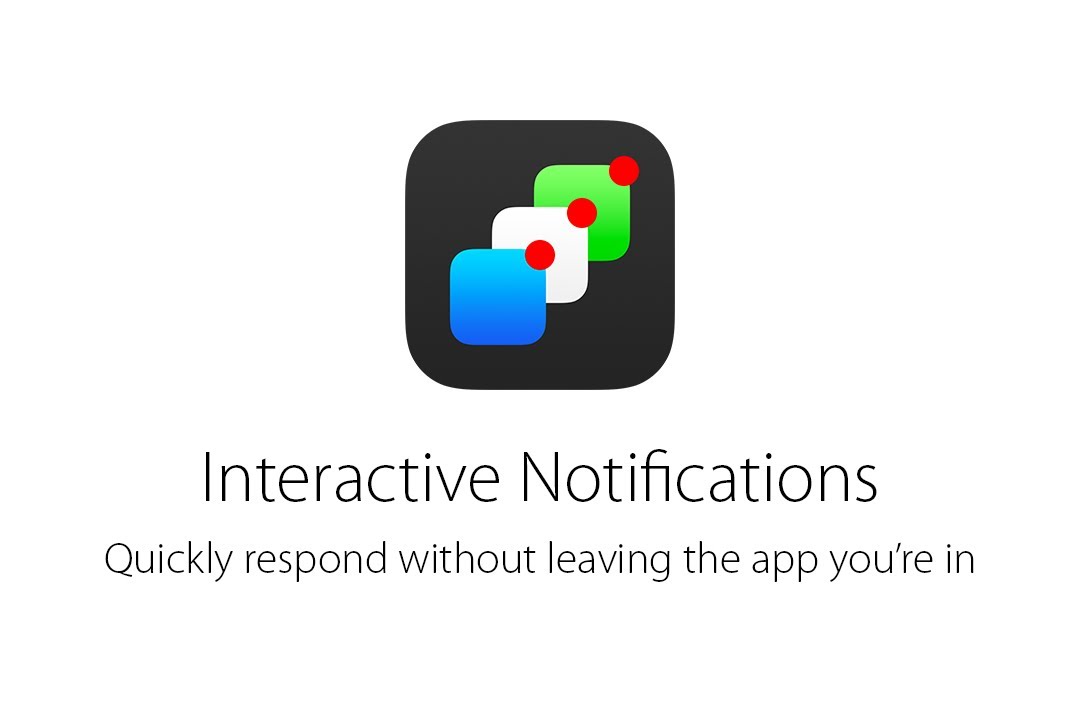
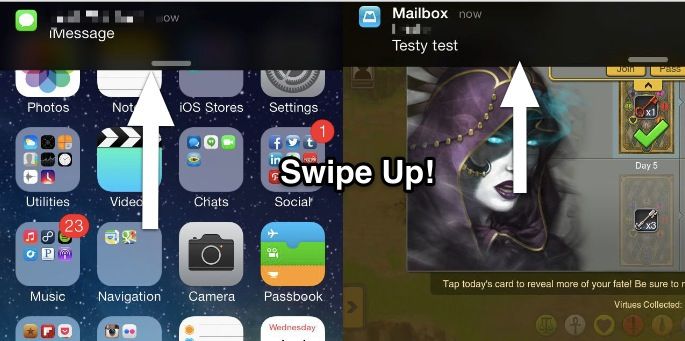
We’re still at least six months away from the debut of iOS 8, but designer Sam Beckett has come along already with a very enticing look at one hot feature that could be in store for all of us: interactive notifications. And boy, do they look rad.
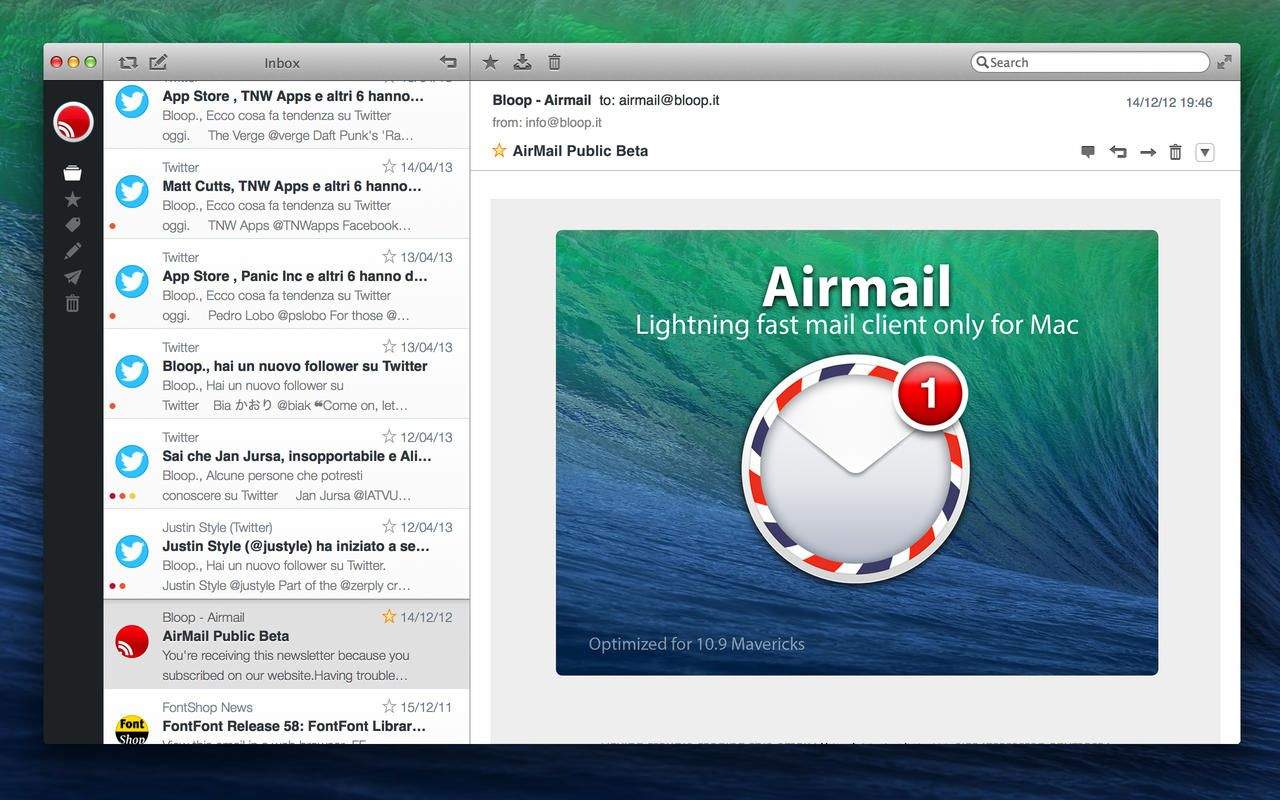
Airmail, the wonderful third-party email client for Mac, which we’ve written about a number of times here on Cult of Mac, has today been updated with a whole host of new features and improvements for OS X Mavericks. In addition to quick reply from notifications, the release also adds new icons for the Notification Center, offline editing, local drafts and sent folders, and lots more.
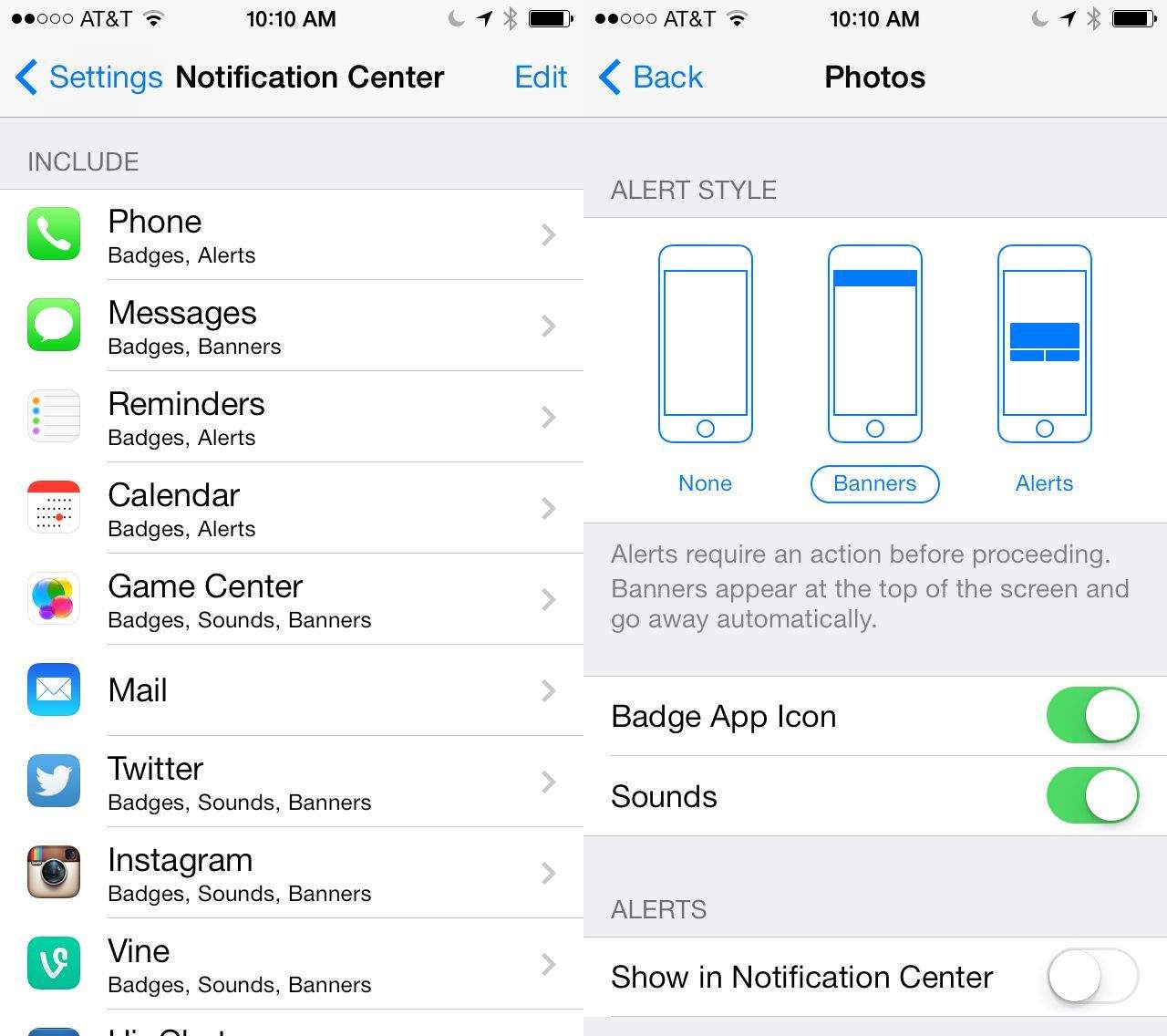
Notification Center has new tabs now, including Today, All, and Missed notifications. Even with this bit of filtering, things can get overwhelming fast, especially if you have a ton of apps that default to sending notifications to you for darn near everything.
If you want to lower the amount of information overload in your Notifications Center, it’s a fairly simple affair. Here’s how.
Every time a new iOS device is released, there’s going to be new adopters. With new adopters come new opportunities to create apps that appeal to them. iOS 7 is an all new look for the devices, and there’s a lot of new things to learn about it. This offer from Cult of Mac Deals and iOS Centric is going to help you learn everything you need to know about iOS 7 so that you can make the best use of your iPhone, iPad, or iPod Touch.
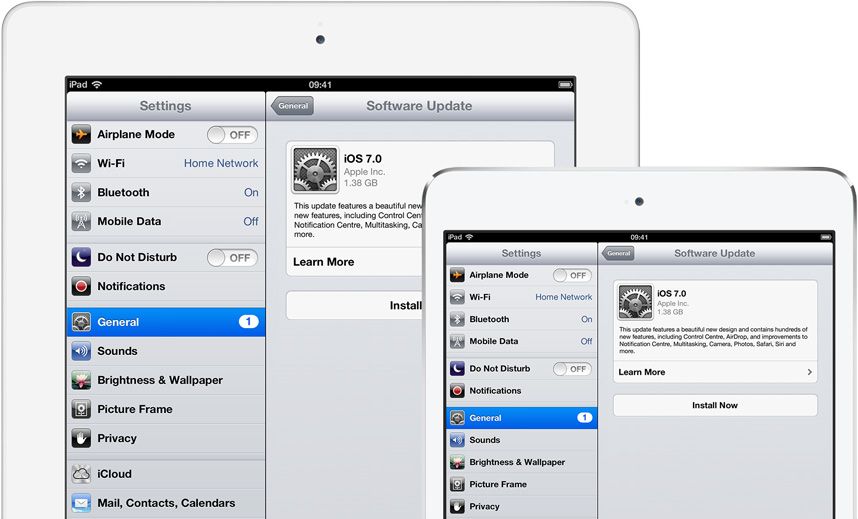
The wait is finally over. iOS 7 is now available to download, three months after it got its first unveiling at WWDC. You can download and install it either via iTunes on your Mac and PC, or by using the over-the-air Software Update feature baked into iOS 6.
It’s been over three months since iOS 7 got its first unveiling at WWDC, and in just a couple of hours, it will be made available to the public. It’ll be completely free to download — no matter which iOS device you’re using — and Apple’s confident it will quickly become the world’s most popular mobile operating system.
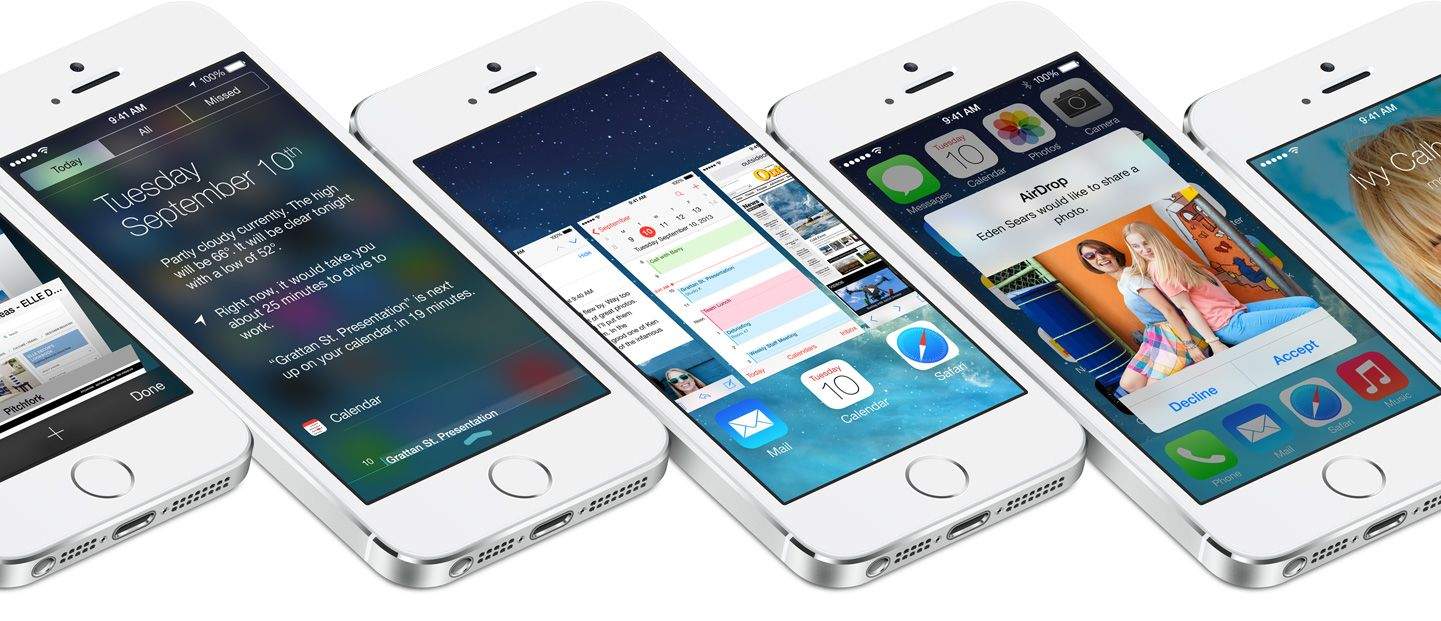
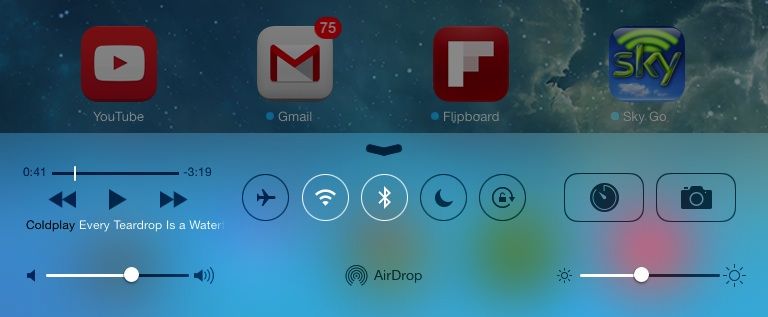
iOS 7 is the biggest change to iOS since the original iPhone, introducing a colorful new design for the first time, and bringing lots of new features — including Control Center, improved multitasking and Notification Center, iTunes Radio, and AirDrop.
So should you be rushing to download and install it on your iOS devices as soon as it becomes available, or can you wait until all the fuss has died down? Well, we’ll be bringing your our review in stages over the course of the coming days, but to help make your decision super simple, we’ve trawled through the biggest and best iOS 7 reviews out this week and put together a helpful roundup.
iOS 7 is much more than a pretty face. Early “news” reporting focussed on the new look provided at the last minute by Jony Ive and team, but the inner workings of the new OS have clearly been under development for a lot longer. So, try to look past the bright colors, blurred popovers and beautiful parallax for a moment, and join us as we take a tour of the best new features of iOS 7.
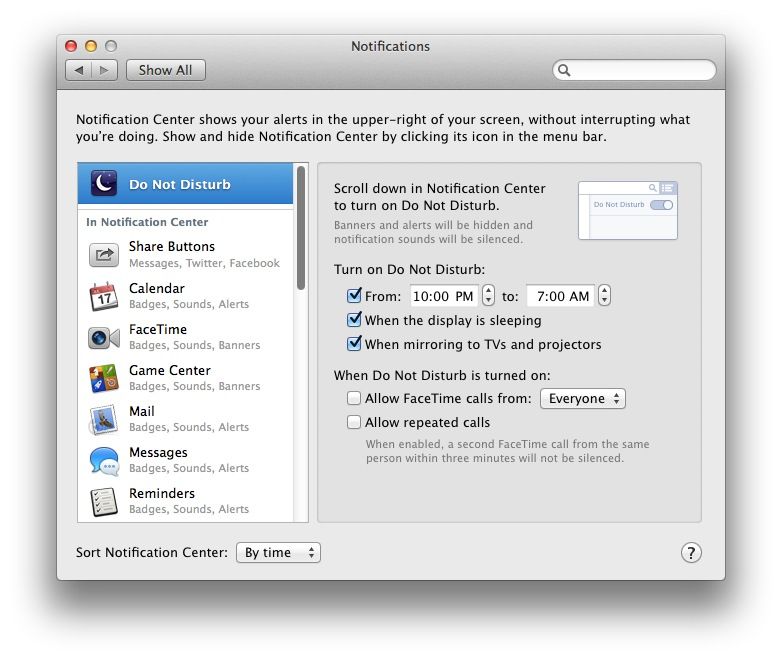
Back in OS X Mountain Lion, it took a seriously complex shell script and recurring Calendar event to schedule Do Not Disturb times. While it’s fun to dig in and mess about with scripts, I much rather like the new Mavericks beta ability to just, you know, schedule Do Not Disturb using a nice, pretty graphical user interface.
If you’re like me, and you want to schedule your Do Not Disturb times on your Mac (much the same way you can on iOS), then here’s what to do.
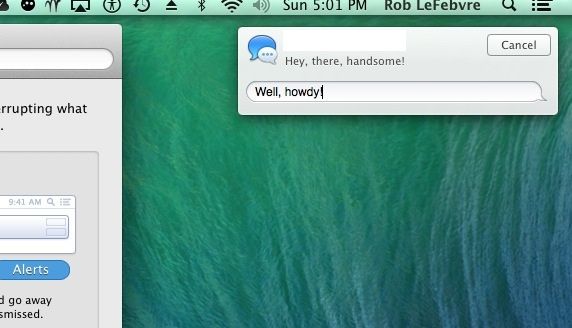
Of course you know already that you can send iMessages to your iOS or OS X using friends and family via the Notification Center, because we told you that a while ago.
Did you know, however, that you can reply to iMessages sent to you in that very same Notification Center? If not, read on and learn how to do so, and how to make sure that your Mac is set up correctly to allow it to happen.
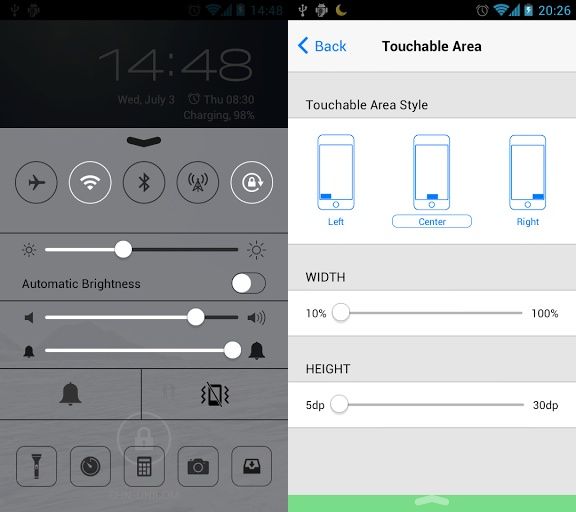
Curious to see what the next version of iOS will be like but don’t have an iPhone? Now there’s an app on Google Play called Control Center that brings the iOS 7 Control Center user experience to Android phones.
The app functions pretty much identical to the Control Center found on iOS 7 except it’s more customizable. Swipe up from the bottom of your device and you get quick access to toggles for Wifi, Bluetooth, volume, a flash light, camera, and a couple of other basic functions.
The download is free in Google Play right now so if you’ve been eyeing some of the new iOS 7 features, here’s how to get one of them with out having to spend a cent on a new iPhone.
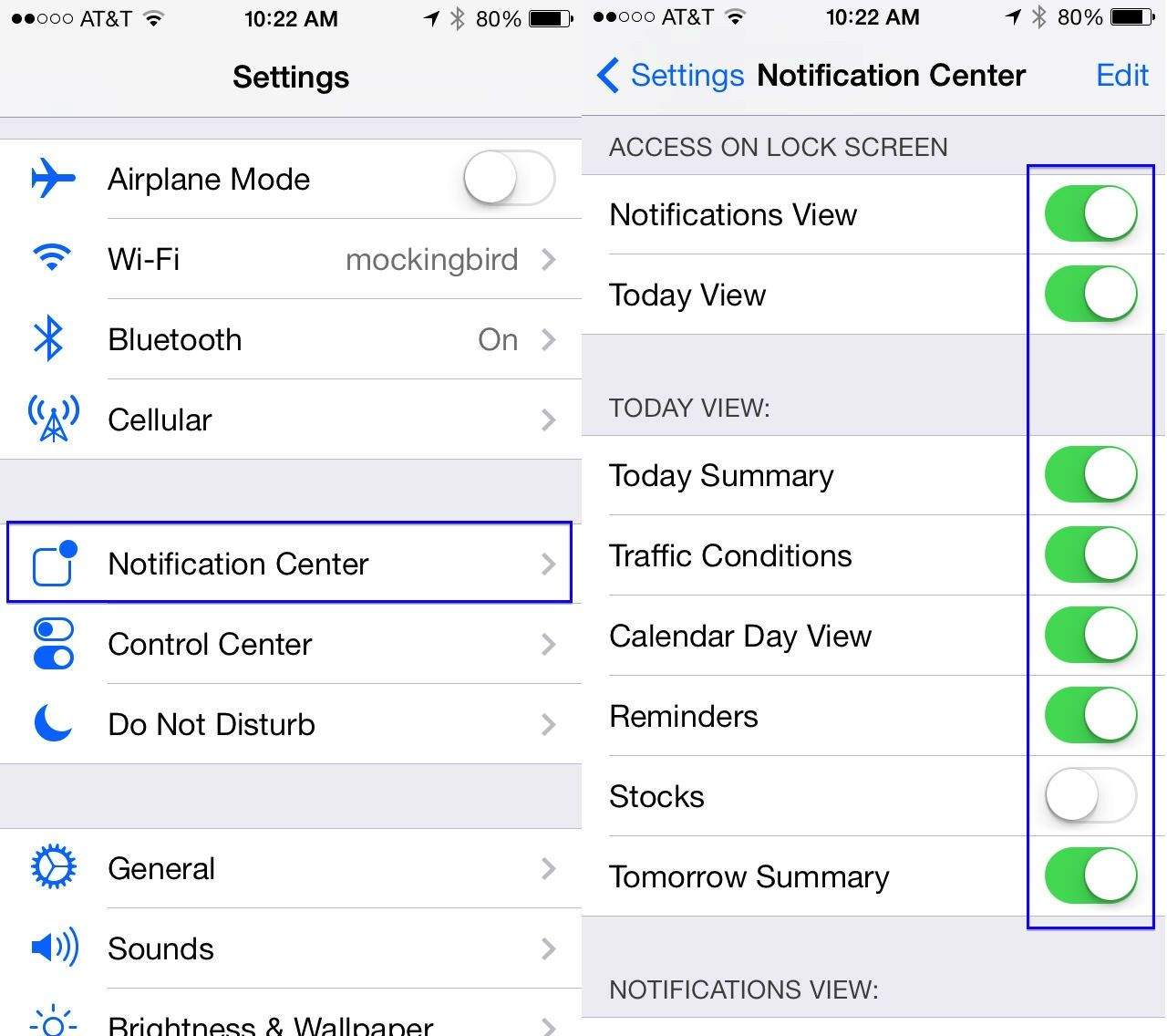
iOS 7 beta has a great new feature in the Notification Center system called Today. This is an attempt, perhaps, to counter Google Now with more useful current information available to you right on your iPhone or iPad’s lock screen.
You can enable the Summary, Traffic Conditions, Day View, Reminders, Stocks, and Tomorrow’s Summary right in the Notification Center, and make it available right on your lock screen, without having to type in your security passcode.
Here’s how to enable, and then manage, this new feature in iOS 7 beta.
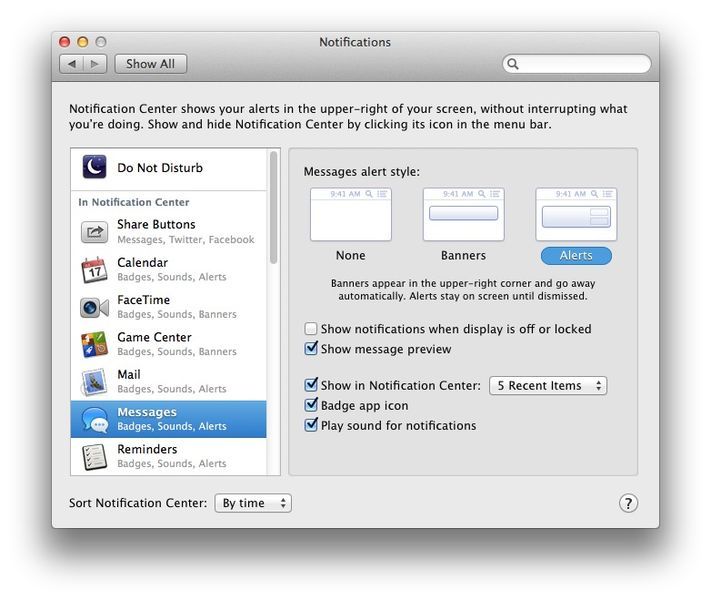
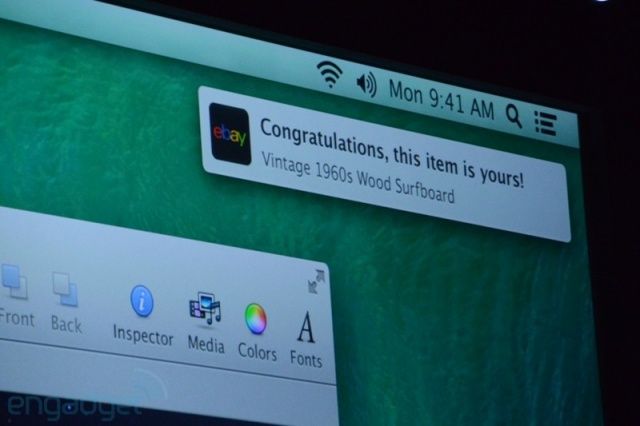
In the new OS X Mavericks beta, there’s a new Notification system in place that mimics much of the way iOS handles notifications. Your iOS notifications, in fact, can push right to your Mac desktop as well.
Much like iOS, each app that uses Notification Center can be set to a fine-grained level of customization, letting you show them in Notification Center (activated with the icon in the upper right corner of your Mac’s screen), decide whether to let them use a Badge app icon, and whether or not to play a sound for each app’s notifications.
If, however, you value your privacy, you may want to disable the default setting that has your notifications showing up even when the display is off or locked.
One of the coolest things about Messages is the cross-device functionality, in that you can send messages to and from your Mac and your iOS devices. I use it while at work to chat with folks who text me from their iPhone; it’s a really handy way to avoid using a tiny screen while at work, not to mention letting you keep your iPHone in a bag, instead of beeping or vibrating on your desk.
Now, though, you can send an iMessage in the Notification Center in OS X Mavericks beta. Here’s how.
OS X Mavericks (named after a hot surfing spot in California) was released last week, and even though it may have been overshadowed by the iOS 7 announcement at the same time, there are bound to be some new things in the operating system we can tip you about.
Remember, though, that as with all beta software, OS X Mavericks isn’t a final version–it’s meant to be used by developers to ensure that when it’s released this fall, all the devs with apps on OS X will have had time to make tweaks to their current Mac software, and start integrating Mavericks stuff into their next bits of software.
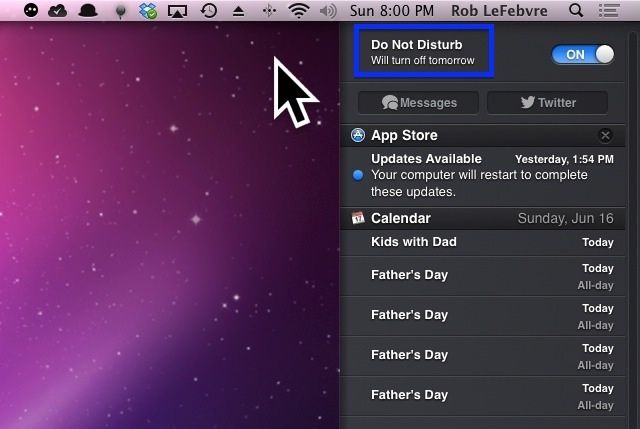
That said, let’s take a look at how to enable the new Do Not Disturb toggle in OS X Mavericks beta.
Apple made a lot of significant changes in iOS 7, and some of those will be instantly familiar to those who are running the latest versions of Android. As is often the case, Apple has “borrowed” certain features from rival operating systems, and we’ve counted at least seven that were part of Android first.
I’ve given iOS 7 a lot of hate this morning — just because I hate its icons — so I thought it was about time I showed it some love. It may not look the best, but the next-generation of iOS is packed full of awesome new features that should greatly improve the user experience.
A lot of those were detailed during Apple’s keynote at WWDC yesterday, but some got left out. So here’s ten awesome features in iOS 7 that didn’t get a mention at the event.
Apple has been using ideas that originated in the jailbreak community for years. A jailbreak tweak called MobileNotifier enhanced push notifications in iOS 4, and Apple hired the guy who made it and released Notification Center in iOS 5. Jailbreakers were doing multitasking and tethering before Apple too.
Looking ahead at iOS 7, I honestly have no idea what to expect from Apple. Jony Ive has never really been a big fan of skeuomorphism, so flatter and more minimalist graphics wouldn’t surprise me. Some truly innovate ideas for enhancing the iOS experience have arisen in the past year, and I think it would be foolish for Apple to not at least draw inspiration from these three.
While I think I’m finally coming to terms with Notification Center, and it’s becoming a normal part of my daily work routine, there are some folks out there who may not like it at all.
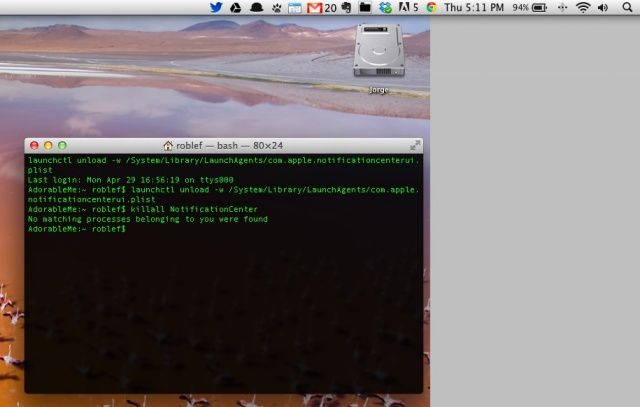
For those people, here’s a pretty simple way to get rid of the Notification Center from your Mac, menu bar icon and all.
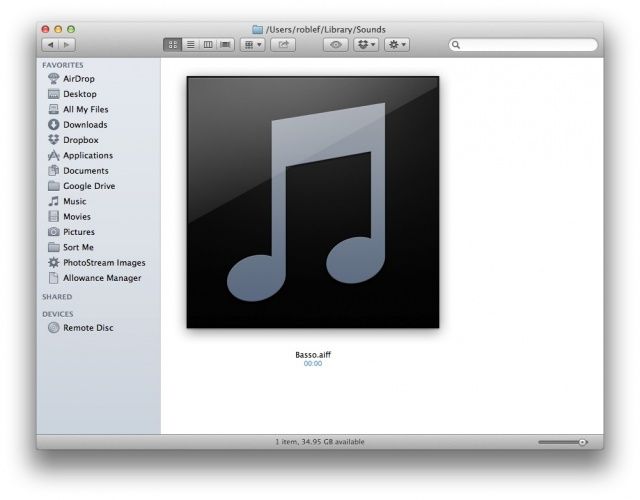
The default Notification Center sound, Basso, is not one that makes anyone super happy. It kind of sounds like a digital fart, to be honest. Why an operating system that’s had the ability to switch alert sounds since at least OS 7 doesn’t have that option here is beyond me, but luckily there’s a way to change it.
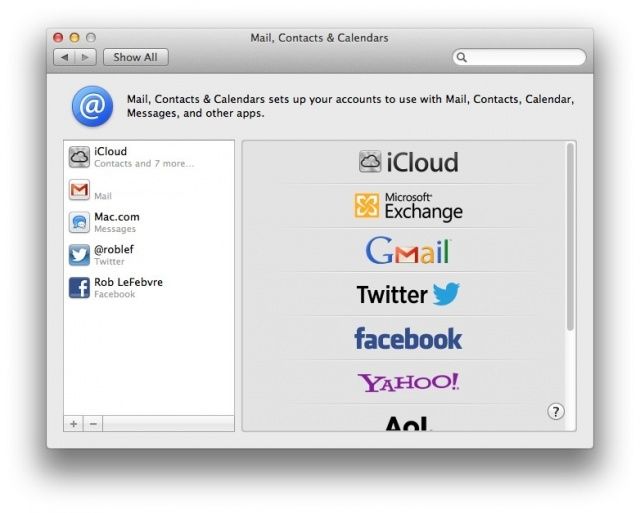
As Twitter reduces broad spectrum support for third-party apps, you may be looking for a way around using special apps to send out a Tweet from your Mac. Or, maybe you want to just send out a quick Facebook status update about something, but want to avoid the hassle of launching Facebook.com in a browser. Either way, you can send out tweets and update Facebook from Notification Center, starting with OS X Mountain lion.
You will have to enable these services, though, to make it all work. Here’s how.
In OS X Mountain Lion, you can set a Calendar notification for a repeating event on your iPhone, then get that notification on your Mac. Heck, you can even set a Calendar event on your Mac and get it when you’re out and about with your iPhone or iPad. It’s all a part of Apple’s iCloud integration, and it works pretty well, most days.
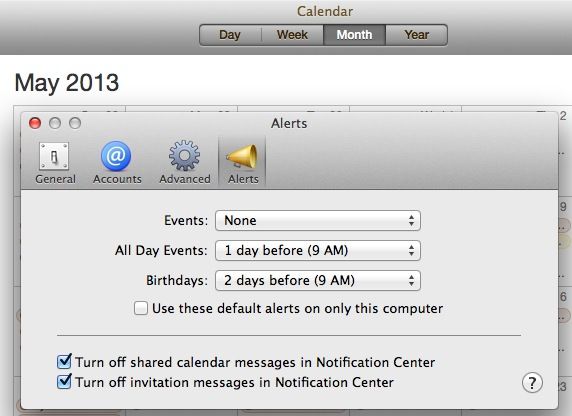
But what if you really don’t want to be notified of a certain type of event when you’re on your Mac? With OS X Mountain Lion, at least, you have a few more options for notifications that come from Calendar. Check it out.