A new Apple white paper helps IT manage FileVault 2.
Apple has released a new white paper for CIOs, IT leaders, and IT professionals. This one targets FileVault 2, which was introduced in Lion and remains present as a high security feature in Mountain Lion. The 42 page document joins a growing collection of white papers and guides available from Apple that detail the mechanisms and best practices for integrating Macs into Windows-centric enterprise environments.
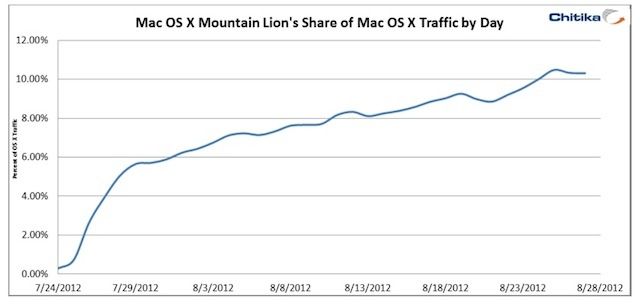
Apple’s latest desktop operating system, OS X 10.8 Mountain Lion, launched just over a month ago, but its usage is spreading like a raging forest fire. 48 hours after its release the OS was already running on 3.2% of all Macs, but new data is showing that 10% of all Mac users are now running Mountain Lion on their machines.
Chitika has been tracking the adoption of Mountain Lion via their ad network, and says that the usage of Mountain Lion has been increasing steadily with no sign of letting up. The new OS is on track to outpace OS X Lion, which took three months to gain 14% use on all Macs.
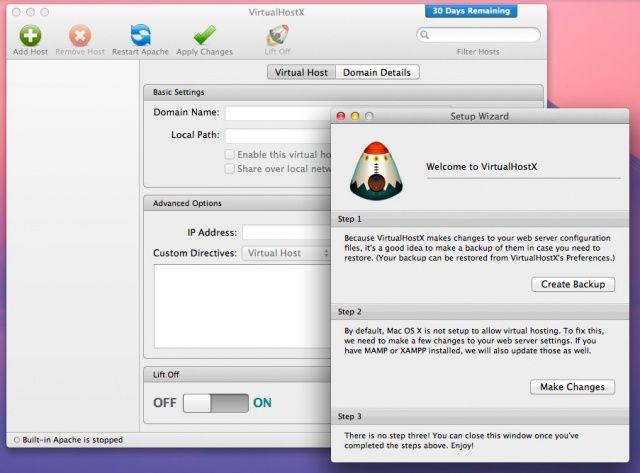
You may have noticed that in addition to all the things Mountain Lion adds to OS X, its also taken a few away. If you run a web server on your Mac, or develop websites on your local machine, you’ll also have noticed that the option to turn the local web server on or off is missing from System Preferences. Apache, the industry-standard web server that has come bundled with OS X since the first version, is still there, but there is no longer a way to enable the actual server.
Until now, that is, with a third party app called VirtualHostX.
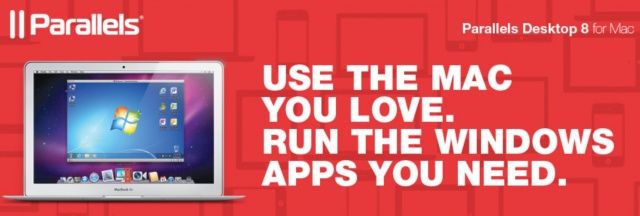
We knew it wouldn’t be long before VMware’s Fusion 5 had a competitor. Today Parallels has announced the release of Parallels 8 for Mac, the latest edition of its flagship virtualization software, which includes support for Windows 8, and boasts Retina-ready visuals for the new MacBook Pro. Other improvements include support for Mountain Lion Dictation, Bluetooth sharing, and Launchpad integration.
AirPlay Direct would easily win fans in business, education, and even IT.
One of the first thoughts I had when Apple announced AirPlay Mirroring as a feature in Mountain Lion was that it would make an excellent mobile presentation tool and one that would be far easier to bring to business meetings, trade shows, or client-site training events than hauling a projector. With just a MacBook Air and Apple TV, you can plug into any HDTV, display, or projector that supports HDMI and be ready to go. That’s a great combination for any business traveler.
If Apple does announce AirPlay Direct, a new version of AirPlay that doesn’t require a Wi-Fi network, the company will have made the lives of business travelers, trainers, and educators even easier. It will probably also make network administrators in both business and education a bit happier as well.
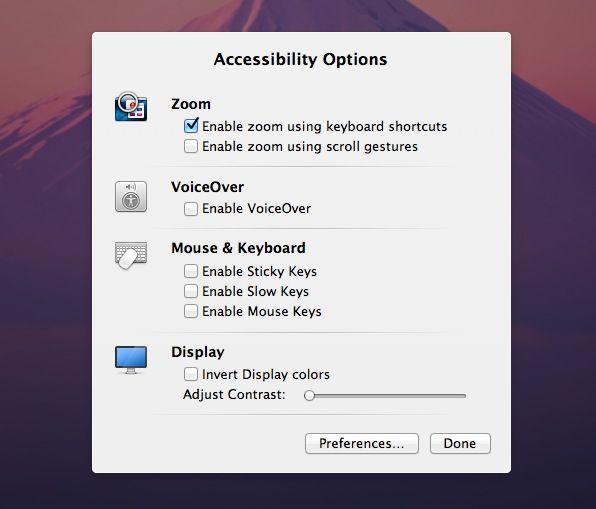
Built into every Mac are a host of accessibility options. People with visual disabilities may need to zoom into the screen, making everything on it bigger in order to see enough to use the Mac. Individuals who experience blindness can use VoiceOver, which has the Mac speak everything on screen, including menus and dialog buttons. Other people with visual impairments may need to invert the Display colors and adjust the contrast to help them with eye fatigue as well as seeing the items on screen.
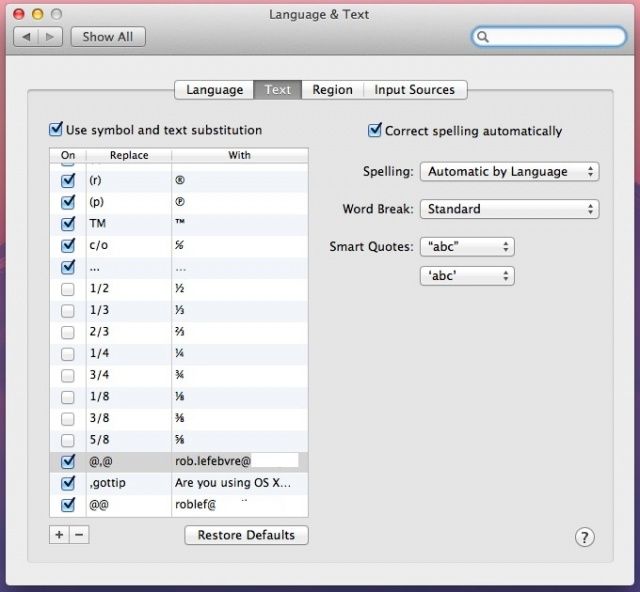
One of the 200 new features touted by Apple for OS X Mountain Lion is a boon to those of us who have to type the same text string or phrase over and over, including email addresses, phone numbers, addresses, and the like. It’s also a great way for people with motor disabilities to be able to type at a much faster rate than otherwise. Here’s how to set it up.
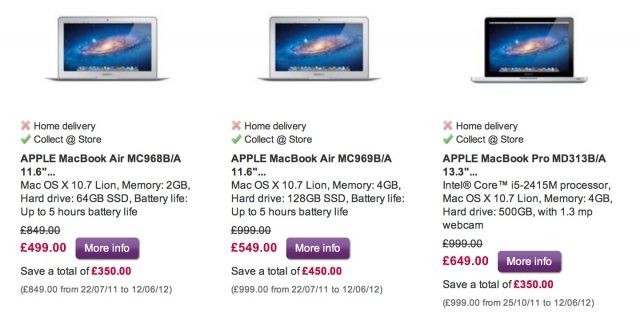
U.K. retailer PC World has made some incredible reductions to Apple’s last-generation Macs, with prices starting at just £379 (about $670) for a refurbished Mac mini. It also has MacBook Airs starting at £499 (about $790), and MacBook Pros starting at £649 (about $1,028) — that’s £350 (about $554) off the original price tag.
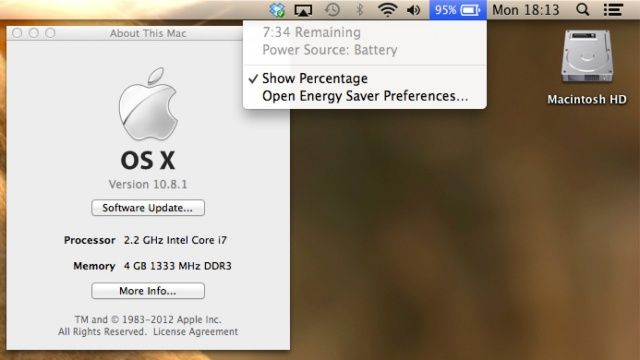
Apple just released OS X 10.8 Mountain Lion a month ago, and now it’s already got an update. If you click “Software Update…” from your Apple icon menu, 10.8.1 should be ready to download. The update weighs only 24.2MB, and is mostly just a bunch of bug fixes, but you can read the full notes here:
Fusion now supports features introduced in OS X Mountain Lion.
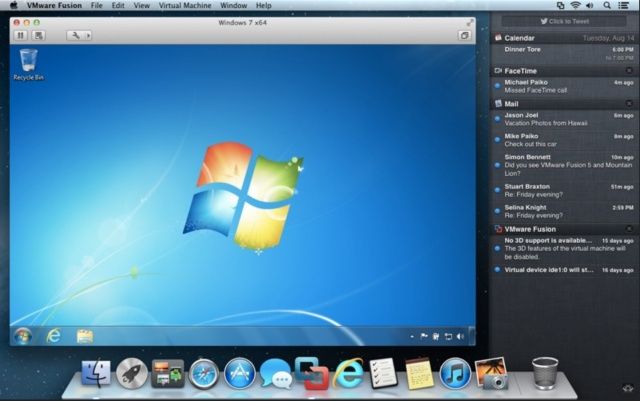
VMware has announced the latest version of its popular virtualization tool, VMware Fusion. Version 5 is optimized for the latest technologies found in OS X Mountain Lion, Windows 8 and the latest Macs — including the Retina MacBook Pro — and includes more than 70 new features “for a Windows on Mac experience never seen before.”
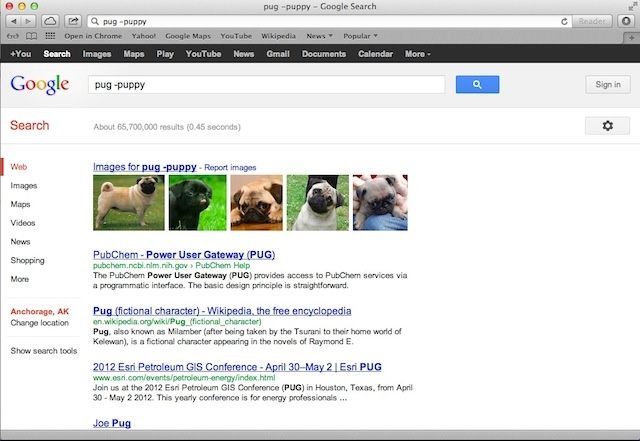
The most noticeable change in the way Safari works in its latest version is in the way it allows you to search. Just like Google’s Chrome web browser, Safari now includes an integrated search in the previously URL-only address bar at the top of the browser.
There are some tricks to narrow down search results, as well as a couple neat ways to save specific searches for later use. Let’s check them out together, shall we?
Now Playing is now in your Notification Center, where it belongs.
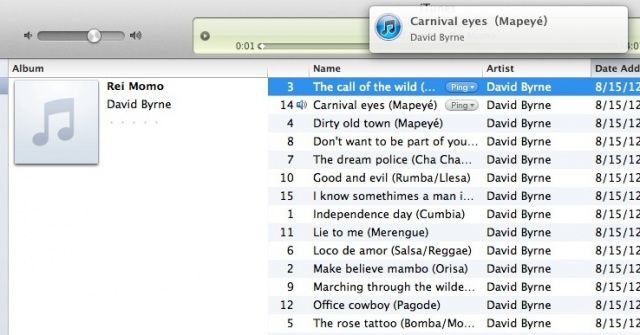
Back in April, we told you about a nifty way to bring a “Now Playing” message from iTunes to your Dock. Now that Mountain Lion is out, that feature is missing. Luckily, there’s another slick way to get a notification of the track name and info right in Notification Center. Which sort of makes sense, since that’s where notifications go.
Using a third-party app from MediaFire, NowPlaying, you can make this happen on your own Mac running OS X 10.8, more commonly known as Mountain Lion.
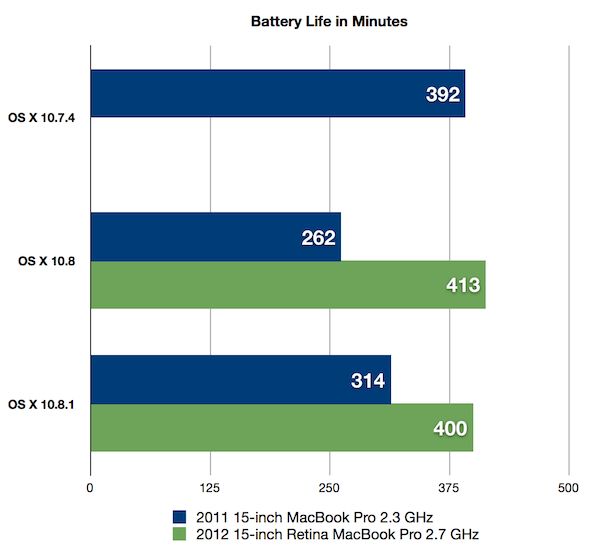
OS X 10.8.1 could give your MacBook another 4 hours of playtime.
When Apple released OS X 10.8 (Mountain Lion) back in July, one of the few things users complained about was its impact on MacBook battery life. The software seemingly contains a frustrating bug that causes some of Apple’s notebooks to lose around 38% of their normal charge.
Apple has been working on a fix that will be distributed with the OS X 10.8.1 update. And according to one registered developer who’s currently testing the beta, it significantly improves battery life by adding up to four hours.
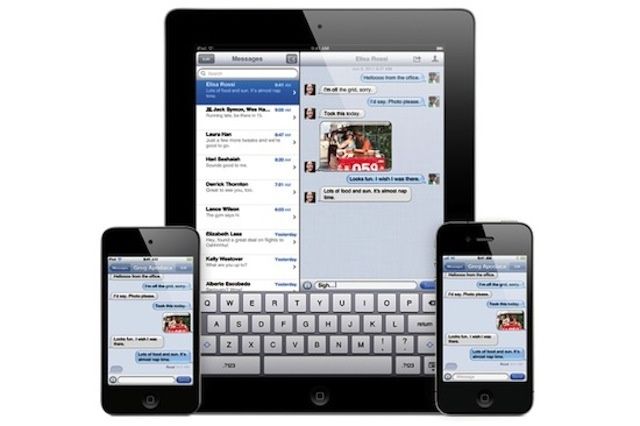
iMessage has a lot to offers a secure messaging platform, but it isn't without flaws.
When Apple unveiled iMessage, one of the first thoughts for many IT professionals and business users was that Apple had come up with a secure messaging platform that could rival RIM’s BlackBerry Messenger. While iMessage has a lot going for it as a secure messaging platform, there are still some reasons that it may not be an ideal business solution.
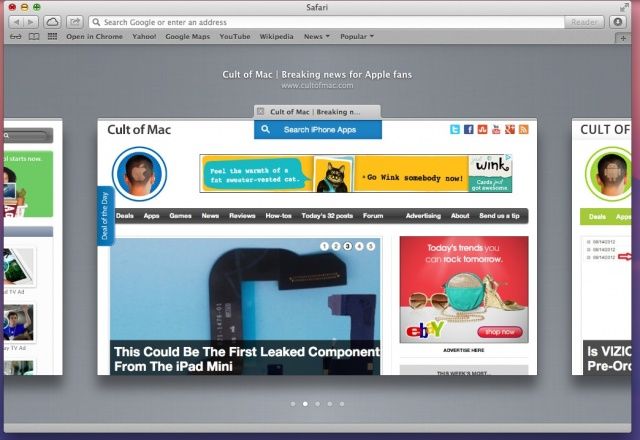
Now here’s a slick new way of interacting with tabs in Safari. When you open a bunch of tabs in Safari, it gets a little hard to figure out which tab is which, right? You can, of course, use Command-Shift-Arrow (right or left) to move between tabs, but that’s only reliable if the site you’re tabbing over to doesn’t auto-focus your cursor to a search field, like YouTube or Google does.
Luckily, it urns out that Apple has again made things a bit more iOS like in its flagship Mac operating system, OS X Mountain Lion. To check this tip out on your own, launch Safari on your Mac (be sure you’re running OS X 10.8 Mountain Lion) and open a few tabs.
FileWave's new free app makes deploying Lion/Mountain Lion incredibly easy.
FileWave launched a new free app called Lightning this week. The new app makes quick and easy work of deploying Mountain Lion (and Lion) to multiple Macs, particularly recent Macs with Thunderbolt. It can be used to roll out existing master images that a business or school has already created as well as a base OS X install that can be customized with a range of files and applications.
Users say this looks "crap" and "very fuzzy" on the Retina MacBook Pro.
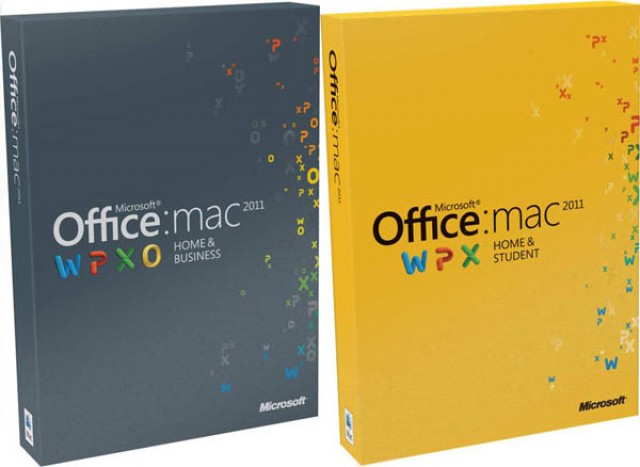
Microsoft Office 2011 looks awful on the new MacBook Pro’s Retina display. But unfortunately for its customers, it seems Microsoft has no plans to add high-resolution graphics. While Outlook 2011 does have Retina graphics, the company has confirmed that the rest of the suite will have “the same viewing quality as on any non-Retina device.”
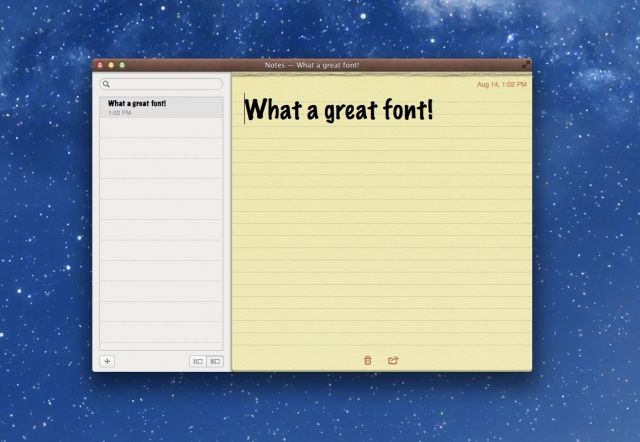
If you’re a fan of the new Notes app in OS X Mountain Lion as I am, you’re probably annoyed by the sparse list of three default fonts included with the app, just like in iOS. Sure, you can choose a different, note-specific font with a little work, but until now, there’s been no easy way to set a good default font for all of your notes. Luckily, it’s now possible to add fonts to iPad to customize your notes just the way you want.
Thanks to the easy little workaround I’ll show you in this video, you’ll finally be able to ditch Marker Felt once and for all, and choose the font of your choice within Notes.
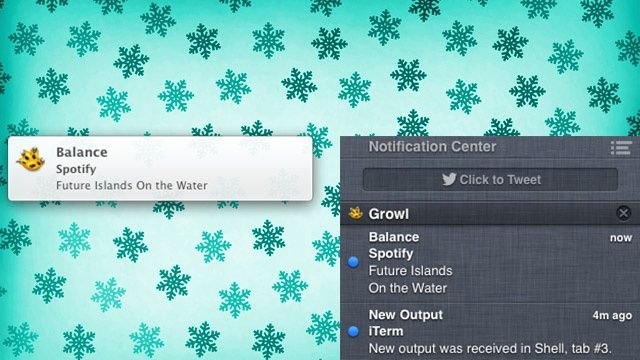
For years, Growl was the good old, third-party standby when it came to OS X notifications, but with Mountan Lion, Apple’s ported Notification Center to OS X, giving everyone a built-in drawer for keeping up with all the little messages their apps send burbling up for attention. Unfortunately, while a lot of apps still use Growl for notifications, these don’t show up in Notification Center.
Growl will eventually be updated with Notification Center support, solving the problem, but in the meantime, here’s another great way to do the same thing: Mountain Growl. Not only will it push all your Growl notifications to Notification Center, but you keep full Growl support, allowing you to continue using remote notifications or Prowl, as well as a lot of granularity of control over the notifications you see.
If you’ve been having a hard time waiting for Growl to get proper Mountain Lion support, this is a good app to try.
I really liked the RSS Visualizer screensaver from OS X Lion and earlier, but for some reason, Apple’s taken it out of the install of OS X Mountain Lion. Luckily for all of us who enjoy watching an RSS feed swirl around the screen in a fun 3D style, there’s hope. The screensaver file works just fine in Mountain Lion – you just need to grab it from an earlier OS X install, like OS X Lion, and move it to your current machine. Here’s how.
I’ve always had a lot of love for Things for iOS, ever since I began using it on my iPhone 3G. But lately I’ve felt the iOS version has been lacking a few key features, and struggling to compete with rival solutions. Today, however, Things has received a massive update packed full of new features, including a fresh new look, and Things Cloud syncing. But does it do enough?
Just a blurb: according to Macrumors, Apple is starting to get ready to seed builds of OS X 10.8.1 to developers. That means it won’t be long until we have it in our hands.
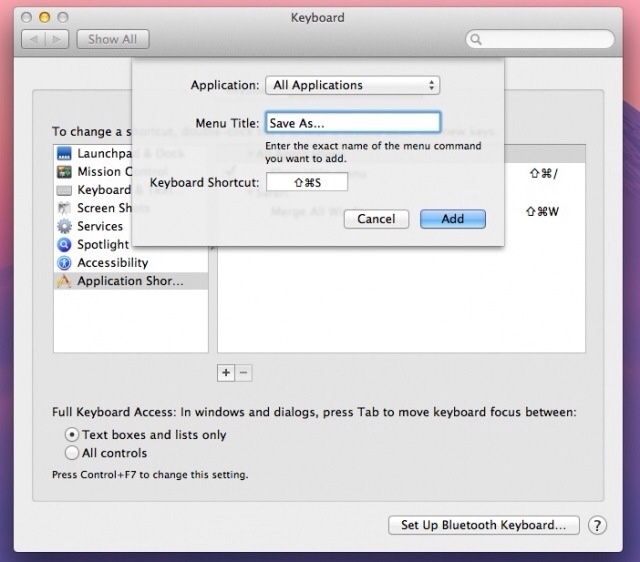
Fingers crossed that 10.8.1 addresses Mountain Lion’s bizarre way of handling “Save As…” functionality as well as the massive battery life hits many users are seeing on their Mac laptops. What bugs do you hope Apple squashes in 10.8.1?
CandyBar for Mac is now free, but its days may be numbered.
Panic’s terrific CandyBar tool has just been updated to support OS X Mountain Lion, and if you don’t already own it, you can now pick it up for free. Panic will no longer be charging for the app because of the new restrictions Apple has introduced to Mac OS X, which means CandyBar’s future is now unclear.
Remember that neat little hack to bring the Save As command back to Mountain Lion? It turns out that it’s not quite as handy as we first thought. Sure, you can now “Save As” instead of being forced to “Duplicate” the file and then save it, but Mountain Lion will not only save your changes in the new document, but write them to the original at the same time.