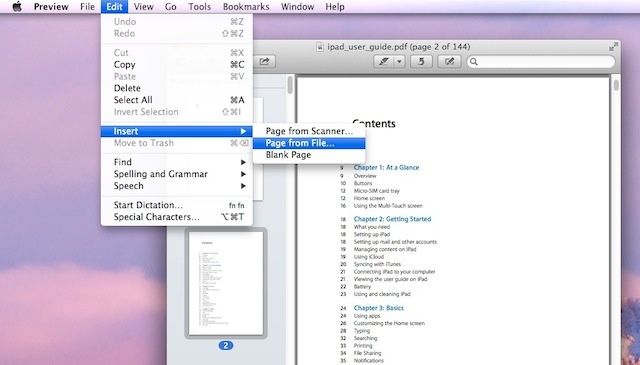
Preview is a catch-all file viewer, handling a variety of image formats as well as the ubiquitous portable document format, otherwise known as the PDF, which was introduced by Adobe in 1993, and was released as an open standard in 2008. One thing Preview has had trouble with, until now, has been adding extra pages to a PDF document.
Not anymore, as the Mountain Lion version of Preview will let you add pages to PDF documents on the fly. Here’s how.
Safari 6 came out just before Mountain Lion did, and it’s bundled with Apple’s latest operating system. For many Mac users, Safari is the end of the line when it comes to web browsing, as well as a super fast modern, accessible web browser for the rest of us.
We took a look at several new features of this latest iteration of Safari, including security tips and tricks, as well as how to use Reading Lists and sync tabs from your Mac to your iOS devices, and vice versa.
I got really used to using Chrome on my desktop and laptop Macs before Mountain Lion came out with Safari 6 at its heels. I try to use Chrome on my iOS devices, for the history and bookmark synching, I really do, but more often than not, I end up using mobile Safari, because a) it’s the default for all clicked links in other apps and b) I really, really like Reader.
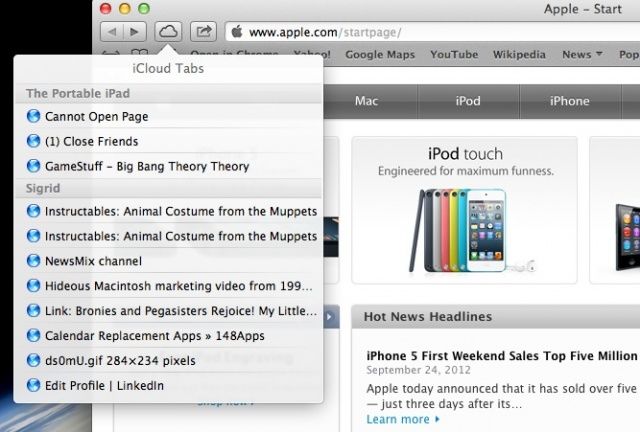
Now, if you’re using Safari on both your Mac and your iPhone, iPad, or iPod touch, you’ll be pleased to know that you can access the tabs you’ve opened on your iPhone on your Mac, and vice versa, as long as you’re using iCloud. Let’s take a look at how we do this.
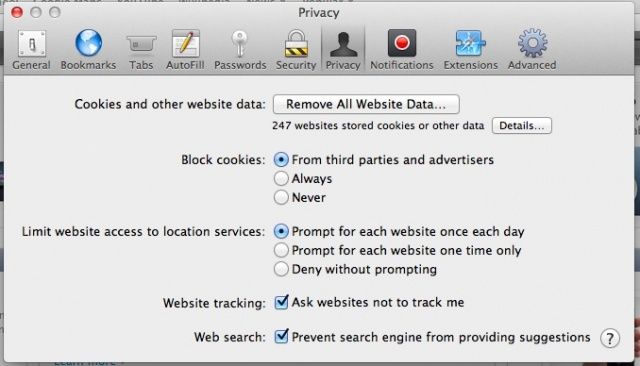
There are some new privacy settings in Safari 6 that potentially prevent a couple of security issues from plaguing you as you roam about the internet.
Some websites may track your browsing activity when they send you web pages to view, which allows those sites to tailor what is presented to you on a specific web page. In addition, when you type search words into the new integrated search bar in Safari 6, Safari will send those words to the search engine itself so that it can send you a list of common searches that are similar to yours. Both of these issues are potential privacy issues, and here’s how you can disable both of them.
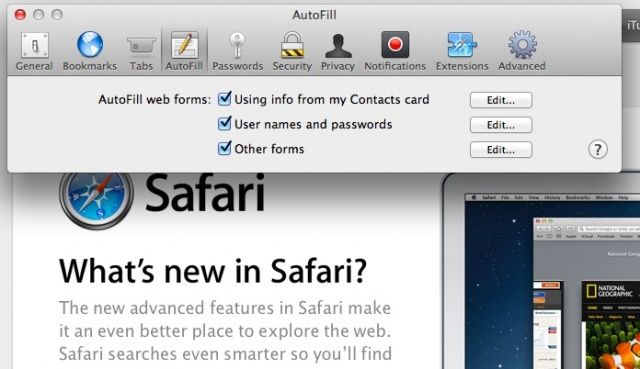
Yesterday, we showed you how Safari 6 keeps track of the passwords you use when you visit websites that require them. They’re kept in a list in the background, so that when you connect to a secure website, you don’t have to enter in your user name or password every time. This is enabled (or disabled) in the Safari Preferences window, under the Auto-Fill tab, for some reason.
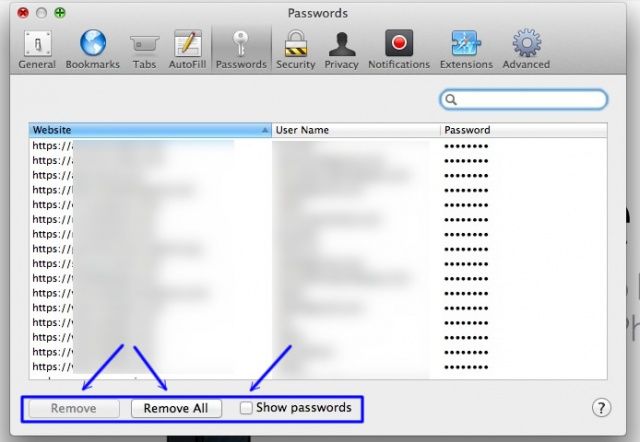
Disabling this feature makes your Mac more secure, if you are sharing the Mac or other folks have access to it. If you do use the saved password feature, however, there’s a cool little way to see what those passwords are right in Safari.
If you’ve been wanting to play The Witcher, CD Projekt’s well-regarded RPG based on the book series by Polish author Andrzej Sapkowski, now might be a great time to do so. The game has just been patched with support for Lion and Mountain Lion, letting more modern Macs join in the fun.
Here’s a hidden little piece of OS X Mountain Lion: you can view your friends’ tweets from within the Contacts app, provided you’ve added your Twitter account to OS X, and then updated your Contacts with the social networking service. Now that Twitter is directly integrated within OS X, you can connect to the service with many different apps, like the Notification Center and Contacts.
So, when you use OS X Dashboard widgets for a while, chances are you’ll download a few of them that might fit together into categories. In OS X Mountain Lion, Apple set the “Add More Widgets” screen to look a lot like iOS, as we showed you in a previous tip. The cool thing is that you can create iOS-Style folders in here, too, and add a bunch of apps to one slot, thereby organizing your Dashboard in a similar way to that of an iOS device screen.
Given Twitter’s recent history of slowly locking down its service for developers and third-party apps, you may be looking for a way around using a special app to send out a Tweet from your Mac that doesn’t include logging into your web browser, logging in to Twitter, then adding your message. Maybe you want to just send out a quick tweet about something, but want to avoid the hassle of launching Tweetbot or the official Twitter app. Either way, you can send out tweets from Notification Center in OS X Mountain Lion.
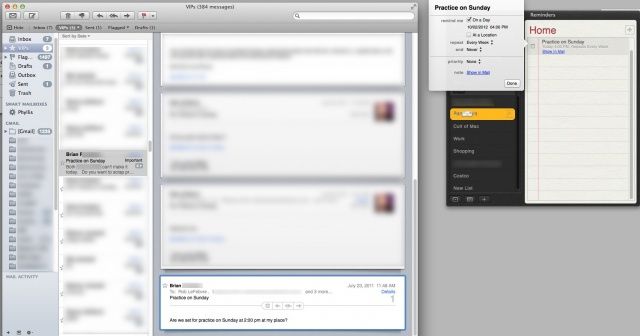
Lots of folks might like to remember to follow up on specific emails. I know my life is full of email that, honestly, I don’t care much about, but really need to get back to at a certain point. Or that one email that needs a return reply but gets forgotten in the deluge of other, equally important emails during the day.
Unfortunately, there’s no “official” way to do this in Mail. There should be, of course, but there isn’t. Outlook has this functionality within a contextual menu, and there is a service for Gmail that lets you do something similar, but Apple’s Mail does not.
Luckily with a little ingenuity, we can get around this missing feature in Mail.
There are many third-party apps out there that let you dictate on your Mac. Dragon Dicate is one, but it costs $199, and includes a ton of extra stuff, like controlling your Mac with your voice. If you just want to talk instead of type, say in an email, Tweet, or Facebook status update, you already have what you need built right in to your Mac running OS X Mountain Lion.
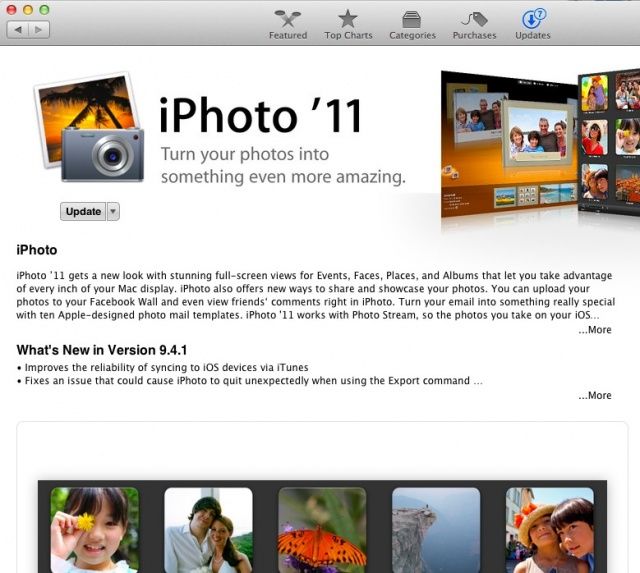
Apple updated iPhoto ’11 today to version 9.4.1, which includes several bug fixes, including an issue with downloading or viewing photos synched from Facebook albums, a new feature in OS X Mountain Lion. The update can be found in the Mac App Store directly, or pulled up in the Software Update item in the Apple Menu.
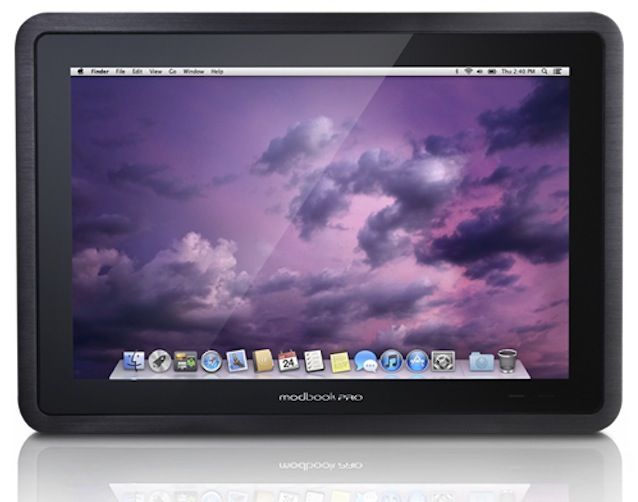
Have you ever looked at your iPad and wished it ran OS X, Apple’s desktop operating system? I have — like when I attempted to use WordPress in mobile Safari. But a Mac-powered tablet is no longer just a dream, thanks to the Modbook Pro. The Modbook Pro comes with all the benefits you get with an iPad, such as a touchscreen and excellent portability, but it runs Mountain Lion. And you can pre-order yours from October 3.
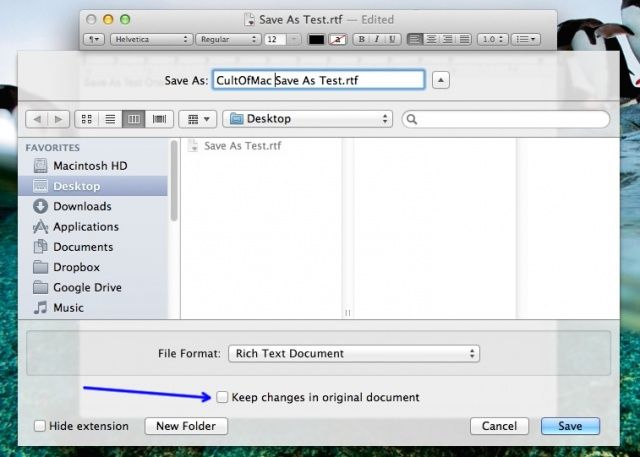
Remember, way back in July, when we told you how to bring Save As… back to OS X Mountain Lion? Basically, we showed you how to add an Application shortcut to the Edit menu, and then create a keyboard shortcut to invoke it.
The problem with that helpful advice, though, is that it modified both the original file and the newly saved file if you’ve changed stuff before invoking the Save As function.
However, now with OS X 10.8.2, you can fix this behavior. It’s really quite easy–here’s how.
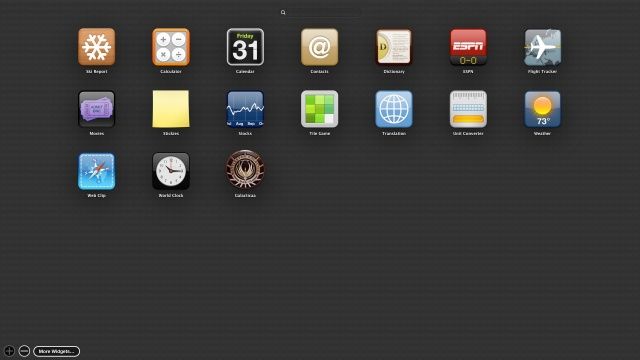
Widgets aren’t new to OS X Mountain Lion, but the way they are presented surely is. If you’re new to the OS X Dashboard, you’re in luck, because adding Widgets is a lot easier than it used to be, and there are a whole lot more of them to choose from.
Notice the screenshot above? That’s what the new Add More Widgets screen looks like. Here’s how to add to the list, until you have more than you can even handle on your Mac, and you need to use that handy-dandy Search field at the top just to find the one you want.
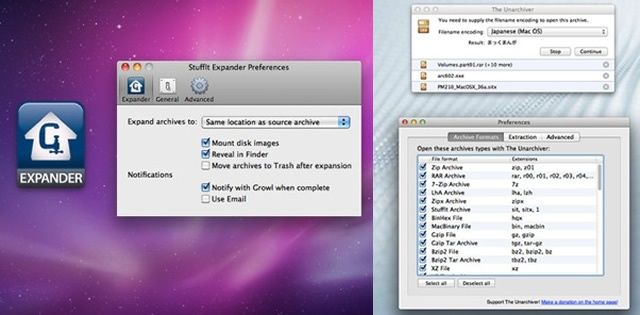
While I was researching an OS X Tips column for later this week, I came across a .sit file. Now, if you’ve been working with Macs as long as I have (my first Mac was a Performa 638 CD, just before PowerMacs showed up), you’ll know all about .sit files and how to open them.
For those of you new to Macs, especially Mountain Lion, which only seems to handle .zip file archives, you might be a bit stumped as to how to open a .sit file. Well, luckily this old guy is here to tell you how.
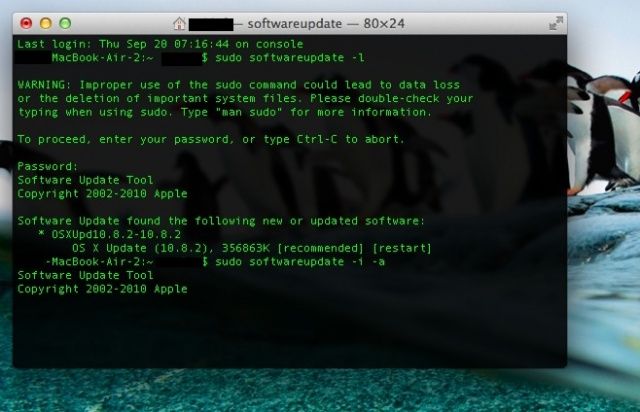
The Mac App store provides a nice, simple, graphical way to keep your Mac updated with the latest software, letting you know when system updates as well as Apple and third-party apps have a new update to be downloaded and installed.
If you don’t want to use the Mac App store, though, you can use the Terminal app along with some Terminal commands to do the same thing. When would you use this? Well, maybe when the Mac App store gets wonky, or if you’re not at the current Mac, and want to securely and remotely administer the Mac in question, that’s when.
Update: Some of you have let us know that episode 32 is not showing up in iTunes yet. We’re not sure why, but if you subscribe via iTunes or Apple’s Podcasts App, it downloads fine.
Two HUNDRED new features — that’s what Apple claims they stuffed into iOS 6, and on this week’s CultCast, we’ll tell you which of those new additions delight us, and which lesser-known features we positively love.
Then, back by popular demand, direct from our Facebook page, we answer your listener questions, and boy, are some of you guys weird imaginative.
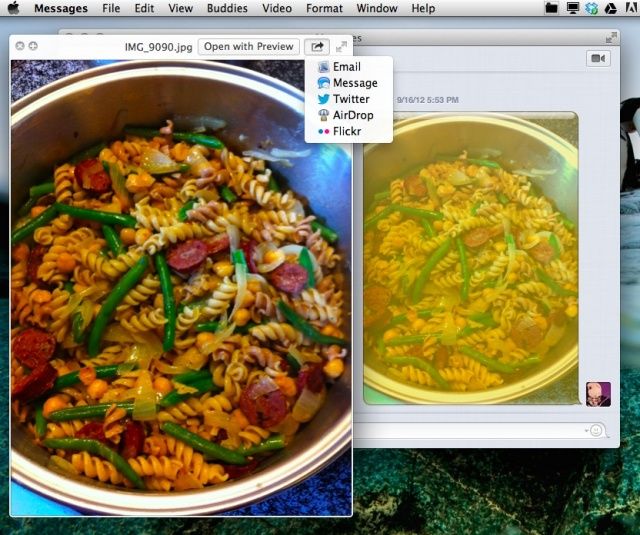
It used to be that in order to see images sent along to you in iChat, you’d open up the File Transfers window, click on the graphic, and hit the spacebar on your keyboard to see the image full size, just like you can in the Finder or Open/Save dialogs.
If you’ve migrated to Mountain Lion, however, you’ll know that iChat is no longer, and the replacement app, Messages, has a File Transfers window, but Quick Look won’t work in it any more. How do you see your images full size within the Messages app, then? Lucky you, we’re here to tell you.
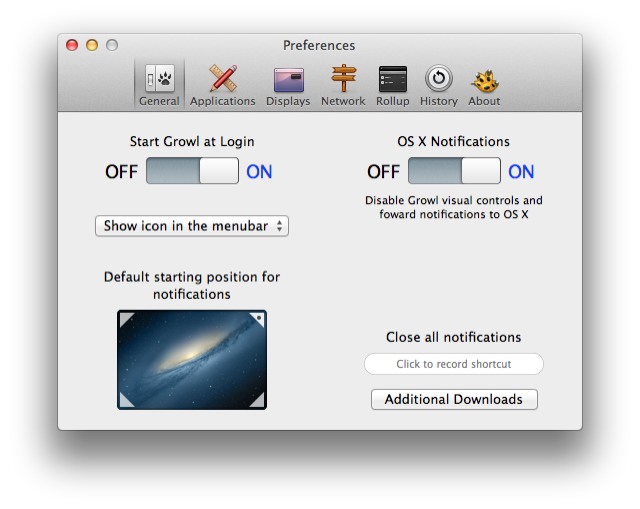
Great news for notification junkies: you can throw out all the third-party hacks which let you pipe your Growl alerts into Mountain Lion's Notification Center. Now Growl itself has been updated to V2.0 and had native integration with OS X's notifications. Better yet, it adds support for forwarding alerts to iOS services Prowl and Boxcar.
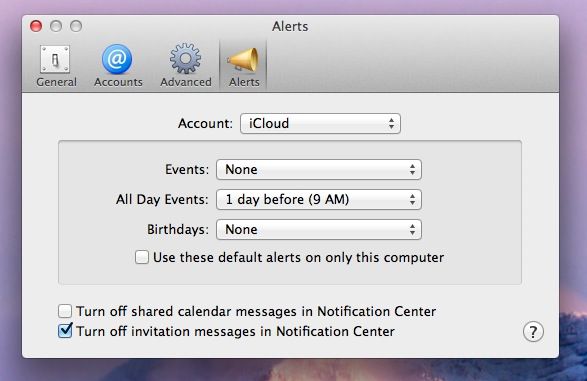
In OS X Mountain Lion, you can set a Calendar notification for a repeating event on your iPhone, then get that notification on your Mac. Conversely, you can set a Calendar event on your Mac and get it when you’re out and about with your iPhone. Pretty slick, right? It’s all a part of Apple’s new iCloud integration, and it works pretty well.
But what if you really don’t want to be notified of a certain type of event when you’re on your Mac? In OS X Mountain Lion, you now have a few more options for notifications that come from Calendar.
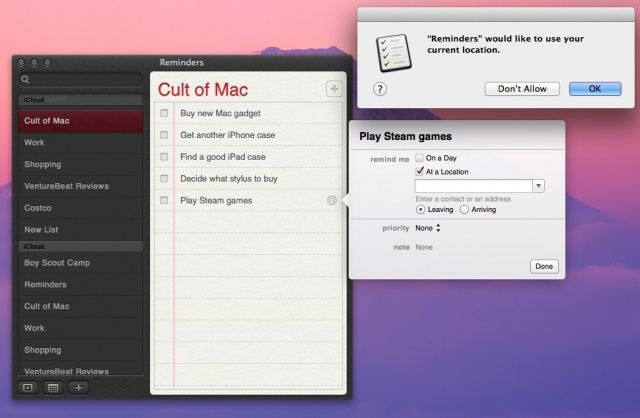
Sure, you’ve used location-based Reminders on your iPhone, iPod touch, and iPad, but did you know that you can create them from your Mac, as well? If you’re running OS X Mountain Lion and have iCloud enabled on both your Mac and your iOS devices, you can have a seamless location-based Reminders system right out of the box. Here’s how.
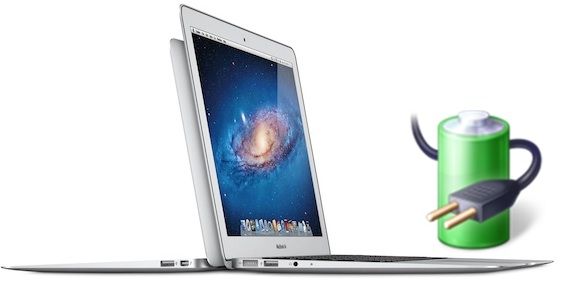
Everyone knows that the “upgrade” to OS X Mountain Lion severely reduced the battery life in Mac laptops by up to 38%. And while OS X 10.8.1 helped things some, the fix was still meager compared to the oceans of juice you comparatively got on the same machine running OS X Lion.
OS X 10.8.2, though? Much, much better. In fact, according to The Mac Observer, in the latest Build 12C35 of OS X 10.8.2, not only does the latest development version of Mountain Lion give users a bigger upgrade in battery life than OS X 10.8.0 or OS X 10.8.1, but their test system — a 2011 15-Inch MacBook Pro 2.0GHz i7 — now has more battery life than it did running OS X 10.6.8 Snow Leopard, the previous champ Mac operating system when it came to conserving juice.
In fact, while their test system lost 105.5 and 80.5 minutes of battery life compared to 10.6.8 in OS X 10.8.0 and OS X 10.8.1, respectively, it actually gained eight minutes against OS X 10.6.8 in OS X 10.8.2. Now those are some impressive results. Results I’m now off to test for myself.
OS X Mountain Lion comes with 35 great wallpapers pre-installed, but what if that’s not enough to satisfy your computer’s cravings for more cosmic landscapes and jaw-dropping scenery straight out of National Geographics? Some of use need more. Like, at least 43 more.
Apple actually includes 43 incredible wallpapers with a 3200×2000 resolution that are hidden inside OS X Mountain Lion. They include stuff like scenery from National Geographics, nature patterns, and cosmic photos from the Hubble telescope. Finding the wallpapers and unlocking them is actually really easy too, here’s how to do it:
Dictate now supports Mountain Lion's new Notes and Reminders apps.
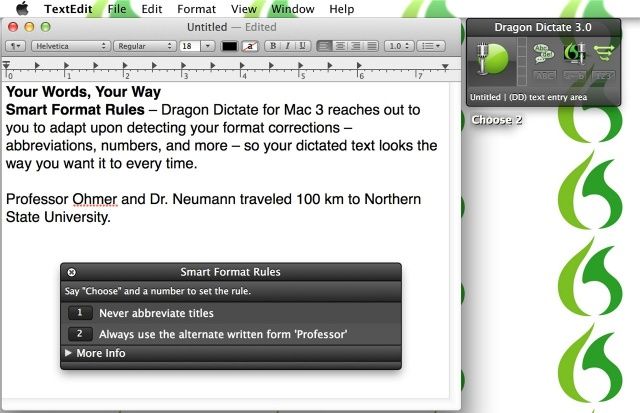
Nuance has today announced Dragon Dictate for Mac 3, the latest version of its popular dictation software. In addition to being faster and more accurate than the previous Dragon Dictate 2.5, this release also boasts “more features than ever before,” including new Smart Format Rules, wideband Bluetooth support, new correction capabilities, and more.