Gameloft has made Gangstar Rio: City of Saintsand N.O.V.A. 3, two of its high-end mobile games, free for a limited time on iOS. Both titles are universal releases that can be played on iPhone, iPad, and iPod touch, and they’re usually priced at $4.99 and $6.99 respectively — saving you $11.98.
Do you present a lot? Maybe PowerPoint or Keynote presentations in front of lots of busy professionals? Have you ever had that nightmare where you get to your hotel and realize that you forgot to make the presentation you give the next morning? Yeah, me neither.
However, if I did wake up to that horrifying reality, I’d grab Stitch, an iPhone app that lets you make video presentations using your own pictures and text in minutes, right from your iPhone. Here’s how.
Dropbox is a great service, and I use it both professionally and personally. I share files with friends, presentations and documents with co-workers, and I upload my iPhone photos as well as a secondary backup to PhotoStream, which can be touchy at times. Problem is, I need to ask people if they’re Dropbox users, get the email they’ve associated with the service, then log in to Drobpox and create a shared folder with that person’s email. It’s useful, and not too difficult, but it can be tedious.
That’s where ProxToMe comes in. This free app does all the discovery for you, letting you share any file from your Dropbox account with any other ProxToMe user nearby. Slick!
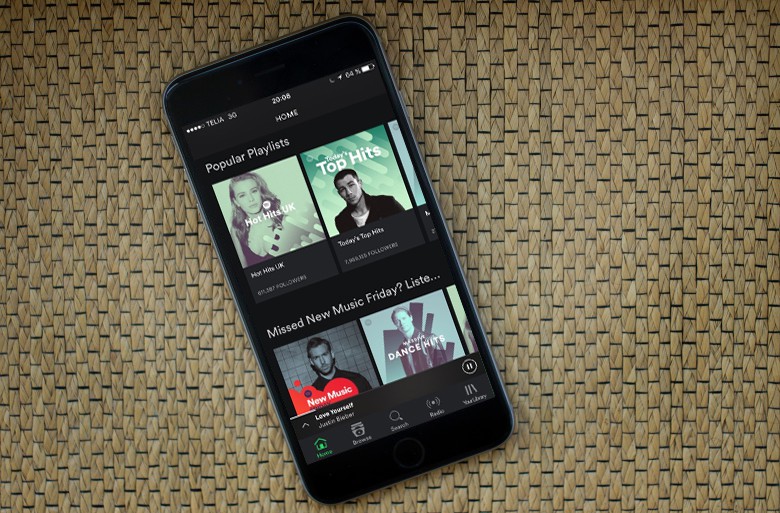
Spotify is one of the best music services available now and practically negates the need to ever buy music from iTunes. Being able to stream almost any song to your iPhone whenever you want is a dream for most people; the only problem is you have to pay a monthly fee for the app to work.
A new report claims that Spotify is trying to change all that by renegotiating deals with record companies so that you can get Spotify on your iPhone for free.
There are many times you might want to knock out the background of a particular image on your Mac. Typically, I pop into Photoshop or Fireworks to use the Magic Wand tool to select all the white space of that image, and delete from there. These programs cost hundreds of dollars, though. Isn’t there a free way to do this?
It turns out that Preview, the free image & PDF viewing (and now editing) app that comes with OS X will do the very same thing, without you having to spend an extra dime on image editing software. Here’s how to do it.
Moves is that rare thing on the modern App Store — a free app that has an enormous amount to offer. It’s magical in its simplicity, an app that asks no more than you switch it on and forget about it.
All you have to do is carry on with life. Moves tracks your movements, intelligently works out whether you’ve been walking, running, cycling or using transport of some kind, and provides you with a helpful summary at the end of each and every day.
Best of all, though, it does so without any need for input from you. You don’t have to tell it that you’re going out for a run. You don’t have to tell it you’re walking from A to B.
Infinity Blade, the spectacular sword slinger from Epic Games studio ChAIR Entertainment, has gone free for the first time since making its App Store debut back in December 2010. The title, which is available for iPhone, iPad, and iPod touch, has been chosen by Apple as its free App of the Week.
We say this often here at Cult of Mac: “This new whatsagizbob will change your life!” Perhaps we say it too often. But I can think of very, very few things I’ve seen where the phrase would ring as true as it does with Rabbit.
Rabbit is a videochat app and platform for Mac unlike anything you’ve seen, designed for immersive video socializing in groups, created by four ex-videogame developers, with mind-boggling attention to detail. You can even screencast movies, and share images and webpages over Rabbit.
And today, it’s been released as a closed beta (but read on to find out how to get your hands on a copy).
Hands up if you remember Dial-a-song. You don’t? Man, those were the good days. Even if you don’t remember them, now’s the time to re-live them on your iPhone. Like it’s an old phone. A dial-a-song phone.
While we’ve been looking at various new ways to interact with sheet music on the iPad at the 2013 NAMM show this week, here’s an app that takes sheet music and brings an entire orchestra along for the ride.
You can take this free iPad app out for a spin and it will turn the page for you as well as let you play along with Piano, Cello, Violin, Viola, Guitar, Flute, Oboe, Bassoon, Recorder, Clarinet, Trumpet, Saxophone, Horn, or Voice. Calling this “augmented sheet music,” the app brings the same service from the Weezic website to your iPad in a native app.