AT&T has confirmed that it is going to acquire satellite television operator DirecTV for $48.5 billion.
With a customer base of more than 35 million subscribers (as of December 2012), DirecTV is the second-largest pay TV provider in the United States. AT&T notes that the move will create “a unique new competitor with unprecedented capabilities in mobility, video, and broadband services.”
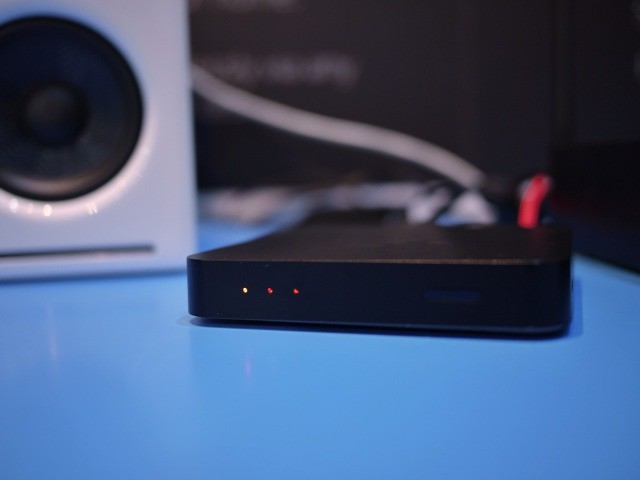
BARCELONA, MOBILE WORLD CONGRESS – Excito is an AppleTV-a-like puck which hooks up to your home network and lets you stream TV, music and movies to any stereo or screen in the house.
So what, right? The Apple TV already does that? The difference is that the Excito only uses your phone as a remote, and streams the content either direct from the internet, or from your own local media server. Oh, and it costs around half the price if the already-cheap Apple TV.
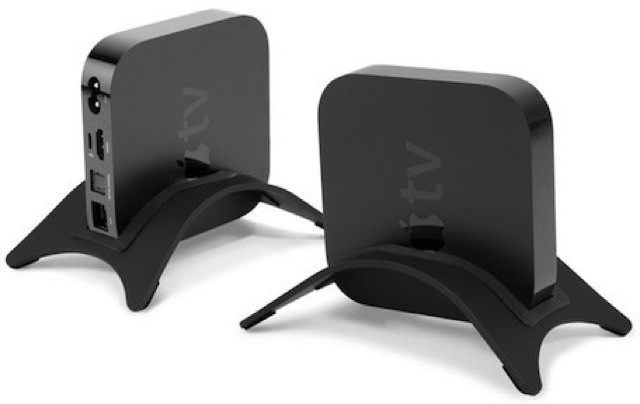
Hate, nay loathe the horizontal? Does laying down leave you feeling unseemly? Does landscape orientation drive you crazy? Would you rather live in a tiny apartment at the top of a skyscraper than in a luxurious two-story country home? Then NewerTech’s new NuStand Alloy stands are for you.
This one looks like the early Apple TV interface, doesn't it?
The US Patent Office has awarded Apple another patent tonight, this one for the Cover-Flow interface that showed up in iTunes 7.0 in 2006, and then in the Finder as a view option in 2007 with Mac OS X Leopard and the iPhone itself.
US Patent Number 8,230,360 is credited to Jeffery Ma, Gregory Dude, Rachel Clare Goldeen, Justin Henzie, and Fainer Broderson, with Apple as the assignee. This patent was filed on January 14, 2008, which is a far less amount of time than the mouse cursor one granted today as well, but still – four years?
Hopefully this universal remote will be more reliable than the real Sonic Screwdriver.
This replica is probably the closest you’ll ever get to having a real Doctor Who Sonic Screwdriver. What does it have to do with Apple, you ask? After all, this is the Cult of Mac.
The Screwdriver is also a universal remote, which means that it will not only control your TV and VHS VCR, but also you Apple TV and – via the Universal Dock – your iPhone or iPod.
At last, here’s the Apple TV everyone is waiting for. Well, kinda. Bang & Olufsen’s new V1 is a 32 or 40-inch 1080p TV with a hole in the back where you can hide your little puck-sized Apple TV. This, combined with a remote that can be used to control Apple’s set-top box, means that the V1 is the closest you’ll get to an actual HDTV from Apple.
What a world we live in. The things we can do with our iOS devices are world changing, and would make a person visiting from just a few decades ago squeal with delight or shiver with fear, depending on their philosophical bent.
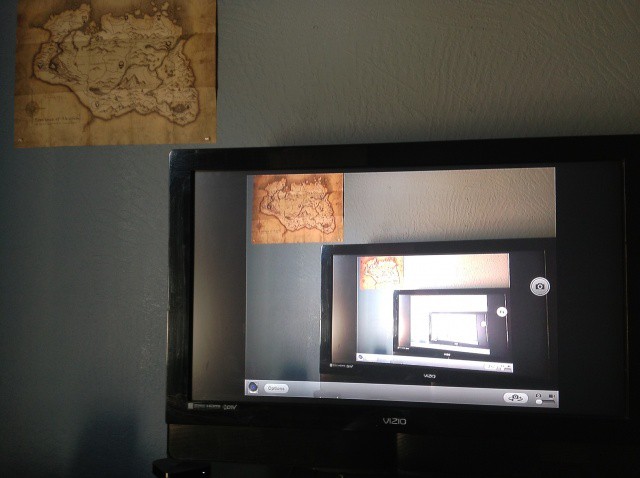
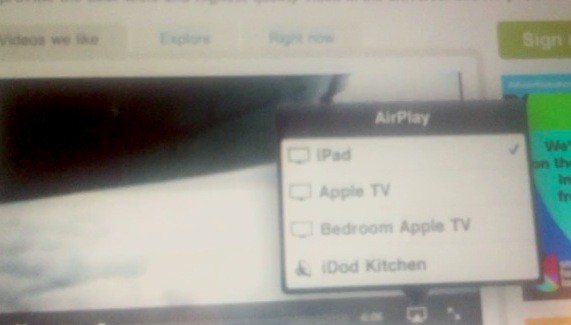
Today’s tip is one of those “obvious if I’d thought about it” kind of tips that, well, is pretty obvious when you think about it. Here’s how to live stream the camera from your iPad 2, New iPad, or iPhone 4S to a big screen TV via AirPlay and an AppleTV.
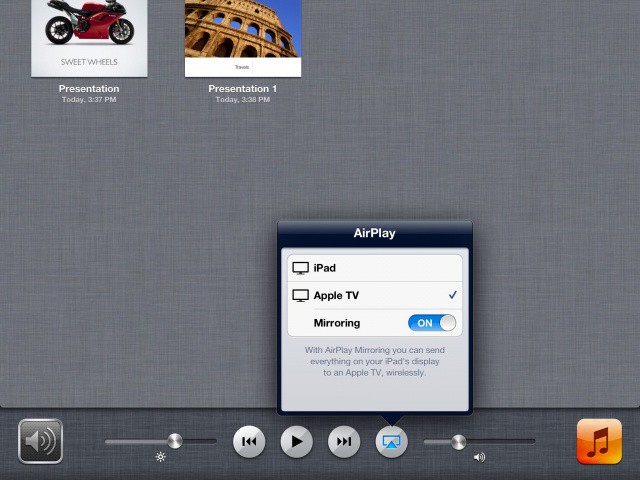
Here’s a scary scenario: you’ve spent hours and hours creating the perfect Keynote presentation for your job, and you show up to the room you’re going to show it off, only to find that you’ve forgotten your little white dongle that connects the iPad to the big screen TV in that room. Uh oh. Luckily, there IS an Apple TV sitting there (conveniently). Lucky you, you get to keep your job. Getting the iPad signal up to the big screen isn’t quite as intuitive as connecting it to a HDMI cable, but it is pretty simple.
It appears that Apple has had a Hulu Plus app for the Apple TV cooking in Cupertino for over a month, and the app is running on prototype Apple TV units inside Apple’s headquarters.
According to 9to5Mac’s sources, a Hulu Plus app is “ready to roll out” to current Apple TV users right now. Apple hasn’t pulled the trigger yet due to “political” reasons, like the fact that Hulu Plus directly competes with the TV section of iTunes.
Bringing your own equipment with you while on the road often requires some planning ahead. If you plan to use an AppleTV while traveling you might want to bring some ethernet cables or a WiFi router along with you:
Since I travel a great deal, I have been wondering if there is a way I can use AppleTV and the hotel’s WiFi network to stream video from my laptop to their television. In looking at the Apple Support Discussions, it appears that a similar question has been raised by those in college dorms.
I realize that this requires a HDMI cord and port on the television. But is there a way that the Mac can then “talk” to the AppleTV?
References in Apple’s iOS 5 software sparked speculation over the weekend that suggested an upcoming refresh to the Apple TV could introduce the company’s latest dual-core processor. While that would allow the device to playback content in 1080p, it could also pave the way for a Siri assistant on our TVs.
Social networking giant Facebook is secretly working on a way to put their own App Store on tens of millions of iOS devices. It’s called Project Spartan, and it’s an aggressive attempt to build an HTML5 front end for all of Facebook’s existing apps on any Apple device, even without Flash installed.
ipswDownloader is a great new tool that makes the process of finding and downloading iOS firmware releases incredibly simple. Developed by Vitaly Parovishnik, and available for both Mac and Windows, the app supports every iOS device there is – including AppleTV – and features iOS firmware from version 1.0.1.
What’s great about ipswDownloader is that once you’ve selected your device and the firmware version you want to download, it provides additional details on the release that jailbreakers in particular will find incredibly valuable; such as the baseband version, whether the firmware can be jailbroken and unlocked, and the size of the download.
ipswDownloader is completely free to download and use. The full list of supported devices can be found after the break.
The iOS 4.3 update enabled third-party applications to take advantage of AirPlay and stream content to the AppleTV and other compatible devices. Since it went live, developers have been updating their apps to include AirPlay support, and we’ve put together a list of the top 10 iOS apps that are currently AirPlay ready. We’ve chosen apps to keep you entertained, up to date with the latest news, and even one to help you workout.
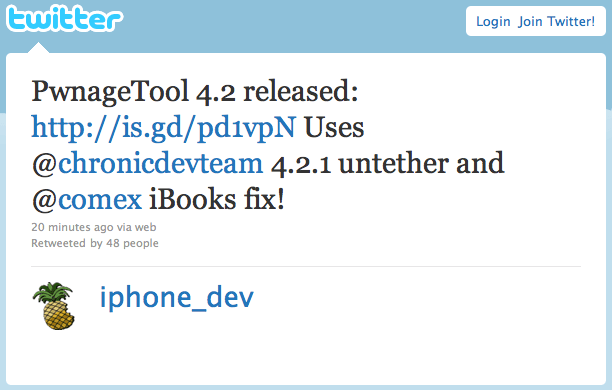
The latest update to PwnageTool from the iPhone Dev-Team is now available to download, and version 4.2 brings with it untethered jailbreaking for devices running iOS 4.2.1 and fixes the recently discovered iBooks issue that prevents a user opening an iBookstore purchase on their jailbroken device.
PwnageTool uses the “feedface” untether developed by the Chronic Dev Team to allow for untethered jailbreaking in the latest release, and supports all 4.2.1 devices other than the iPod touch 2G. Another issue fixed in this version is the Wi-Fi problem that some users had with the second-generation AppleTV.
If you’ve already jailbroken your device and you’re desperate to gain access to your iBookstore purchases, don’t think you need to restore and jailbreak again with the latest version of PwnageTool. On their blog, the iPhone Dev-Team have stated that fixes for both the iBooks issue, and the Wi-Fi issue for AppleTV, will be available in an upcoming Cydia package that you’ll simply be able to download and install on your device.
The recently released Greenpois0n jailbreak tool has been updated to release candidate 6 today, and this particular version will allow you to jailbreak your second-generation AppleTV and install the popular NitoTV software, adding a few great new features to your device.
The process is exactly the same as that used for release candidate 5, and just as before, this will provide an untethered jailbreak for all devices, meaning you won’t need to plug them in to your computer when you want to boot them.
Greenpois0n RC6 is available for both Mac and Windows, and you can download it now from here.
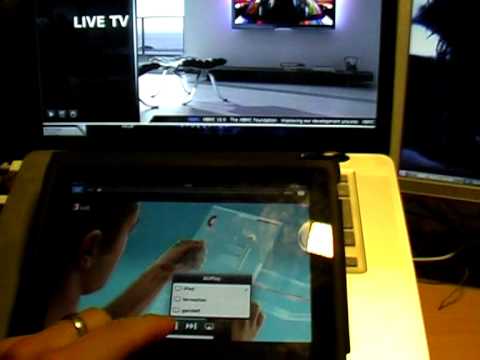
In defiance of Apple’s will, you can already stream AirPlay media to your Mac and Ubuntu… and now, if you’re on a Windows machine, the trifecta is complete.
The one guy at Apple who programs their fantastic iOS Remote.app seems to have been busy before Christmas break: a new update was pushed live yesterday, adding AirPlay control on the AppleTV to the app’s already great list of features.
The new Remote.app is now at version 2.1 and, as usual, is available on the App Store as a free download. You can now use it to control iTunes on your Mac to stream videos directly to your new AppleTV, as well as play rented Movies and TV shows on your Mac without ever getting up from a supine position.
Internet Radio support is also new, and there are a slew of new stability and performance improvements as well, as well as some bug fixes for issues connecting to an iTunes library or Apple TV.
Here was the problem, as we summarized it at the time:
Basically, iTunes streaming content is hosted by Akamai, which uses different local servers to route downloaders to the fastest available connection. Services like Google DNS, or other generic DNS providers, are trying to route all users the same way… the equivalent of trying to cram a few thousand people through a single door at the same time.
OpenDNS has just reached out to us, though, to assure both Cult of Mac and its readers that users of their service that they can expect fast AppleTV streaming, all the time.
Laura Oppenheimer of Open DNS writes:
OpenDNS has arrangements with a number of CDNs that make this a non-issue for the vast majority of OpenDNS + Apple TV users. That said, with Akamai, especially internationally, it’s still suboptimal. It’s entirely workable, but not as optimal as it could be.
In general, North America isn’t really an issue since we have a sufficiently dense network topology. That said, we’re very open to working to improve end-user CDN routing with Akamai, just as we have with other large CDNs.
In short, if you’re having problems with your AppleTV and you live in North America, give OpenDNS a try. If you’re an international user, though, Apple’s Akamai hosting isn’t what it could be… and you might experience problems no matter what DNS provider you use.
AirPlay may have been a little bit of a disappointment upon arrival, but TUAW’s Erica Sadun just keeps on managing to make it better. Just a week after her release of AirPlayer, an app that tricks AirPlay into thinking your Mac’s an AppleTV, comes her brand new tool, called AirFlick… and it’s everything that AirPlay should have been out of the box.
What does AirFlick do? It allows you to stream video content from your Mac to your AppleTV: AVIs, MP4s, even streaming video files on the Internet. You name it! “It” being non-Flash video.
There’s already a few hacks out there to allow you to extend the admittedly rather limited AirPlay functionality of iOS 4.2 to run on non-iOS devices: last week, for example, TUAW’s Erica Sadun released AirPlayer, an app that tricks AirPlayer into think your Mac’s an AppleTV.
Now, though, plucky and ingenious hackers are figuring out how to do the same thing on non-Apple hardware, and the first fruit of those labors has now been released for Linux.
Although the second generation AppleTV is certainly sexy, it’s not quite as “magical” a device as we’ve come to expect from the wizards at Cupertino. Not only are the media offerings a bit limited compared to the competition, but the new AppleTV is prone to some technical problems… most notably reports of bog slow downloads.
It looks like a potential cause for those tortoising downloads on the Apple TV has been identified, though, and it’s not Apple’s fault: it’s Google’s.