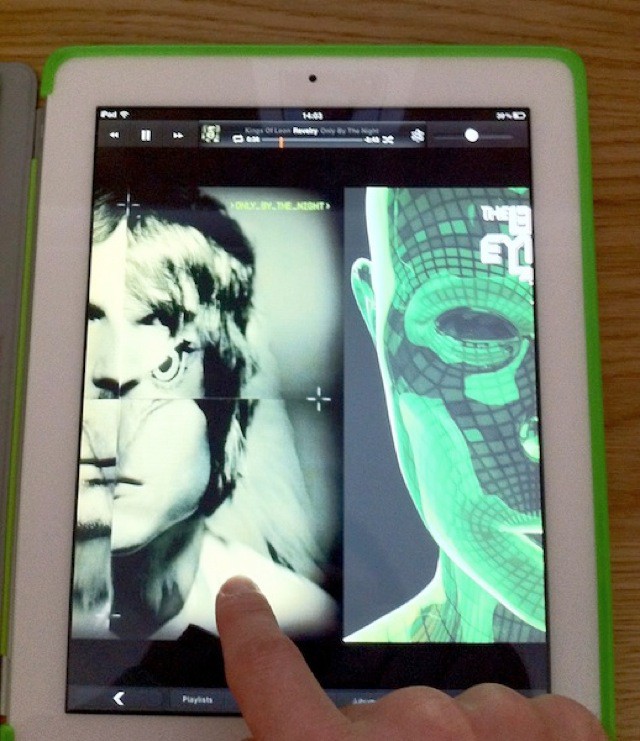
Here’s a nice little feature we’ve discovered in the first iOS 5 beta – a great way to skip tracks in the iPad’s new Music app.
While listening to your music in the iPad’s terrific new Music app, you can swipe left or right on the album art to skip between tracks. Now you now longer have to tap to display the controls and navigate between tracks using the little buttons in the corner.
Unfortunately the feature doesn’t work from the lock screen, but I hope this changes in future releases – it would be even more useful from there.
23 responses to “Swipe to Skip Tracks in iPad’s New Music App [iOS 5]”
Any idea where I could get that green case in the screenshot?
Hey Chris. It’s a HyperShield from HyperShop.com.
Killian
I guess the MusicRemix guy should have patented that feature when he made his player for the Pre.
I wish it would be on the iPhone as well
How did you get the dark look to the app? Mine is white and I’d prefer how yours looks.
I would guess it’s the artwork mode, it’s dark on the old music app too.
Hmm, don’t know if that will be all to useful…
Makes me wonder though, can you swipe in safari to go back and forward? I mean the did add it on the desktop version.
Me too!
Finally! This feature is already implemented in the Spotify app, and when I occasionally use the iPod/Music app – I tend to swipe the album art – until I realize that the feature is missing..!
Nope you can’t…I wish you could though it is really nice in safari in Lion
Thanks you.

