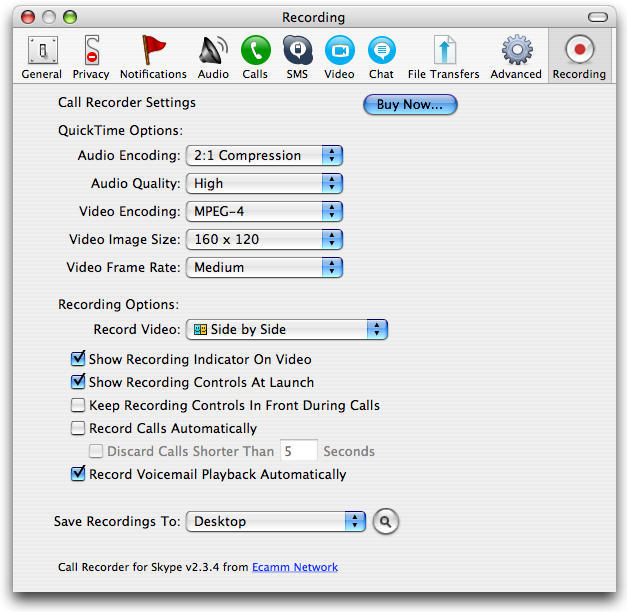
Ecamm’s Call Recorder plug-in for Skype is an easy-to-install, easy-to-use solution for enabling voice and video call recording in Skype, well worth the $15 cost – a highly recommended plug-in for anyone with a Mac who wants to keep records of their Skype voice and video calling history.
I ran into a situation over the weekend where I had scheduled what I knew would be a long interview, something I wanted to be able to refer to later this week when I’m writing up a profile of my subject for a project I’m working on.
The thought of once again trying to cobble something together using a cassette recorder with my iPhone on speaker had finally become too much to bear: how many times in the past had a conversation been too garbled to interpret, or had I forgot to press the record button until several minutes into the conversation? Once I even did an entire interview having forgotten to put batteries in the cassette recorder, and had to face the ignominy of asking my interview subject to let me re-conduct our whole conversation the next day.
Of course, the simplest thing might be for Apple to enable (or at least approve) a comprehensive recording mechanism for iPhone calls, but since that’s not the case at present – and may or may not be grist for another post – I decided to use Skype for our call once I found Call Recorder and installed it.
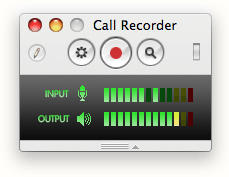 Ecamm’s Call Recorder has been around for a while, but gets it right with this lightweight (2.3 MB) plug-in that installs in minutes and runs automatically within Skype – with the advantage of being highly configurable and supporting fully manual operation as well. The current version 2.3.4 also handles recording and archiving of video calls, though I’ve not yet personally done one of those.
Both sides of a voice call are recorded to separate tracks in a QuickTime movie, which can be easily converted to MP3 format and then emailed or posted to a website. Call Recorder can handle completely uncompressed recording for highest fidelity, or compress recordings at a 2:1 ratio or using AAC encoding. Video encoding can be done as JPEG, MPEG-4 or H.264.
For any journalist, podcaster, online instructor, even for business people looking to ensure accountability and corporate audit trails, Call Recorder adds easy, indispensable value to Skype on the Mac.



4 responses to “Review: Mac Call Recorder for Skype”
You may also want to try MX SkypeRecorder
http://skyperec.com/ which seems quite stable. Well, at least it never let me down unlike other apps. Hope it’ll help.
there is a nice skype calls recorder i usually use http://www.imcapture.com/IMCapture_for_Skype/, i’d recommend it!) but thanx for info)