It may take Microsoft three tries to get things right, but the same is also sometimes true of Apple.
The iPhone 3.0 OS — a free update available on Wednesday for all iPhone owners — is a good example. Finally the iPhone has several must-have features it previously lacked, especially tethering, making the 3.0 software an essential upgrade.
But the real pleasure is in the details. The 3.0 software includes a bunch of tweaks and small improvements that makes the iPhone experience extremely slick and polished. It seems silly, but I got as big a kick out of UI tweaks in the iPod interface as show-stoppers like cut-and-paste.
Still, overall, the iPhone 3.0 OS turns the iPhone from a nifty gadget into a real computing device. The iPhone is now truly a pocket Mac for the twenty-first century.
I’ve been playing with a pre-release version of the iPhone OS for a few days, though the build is exactly the same as the one available Wednesday.
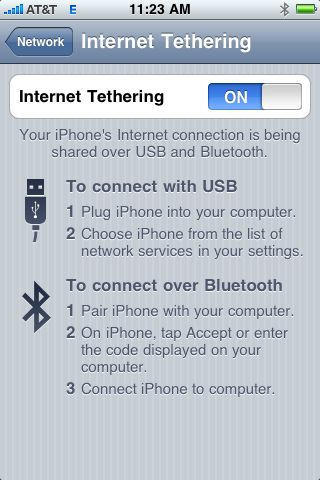
We tested a bunch of features, including tethering — a really killer feature that AT&T won’t officially support until later this summer — but can be enabled now via a hack. (Likewise MMS. It can be enabled, but we didn’t have a chance to test it.)
Tethering
Tethering was dead easy to set up. Simply turn it on in Settings>General>Network>Internet Tethering.
Then as soon as you plug the iPhone into your computer, the machine detects a new network interface, which you enable in System Preferences. Hit “Apply,” and the computer can now use the iPhone’s data connection.
In my tests, the connection speed wobbled from passable to painfully slow, but that has more to do with AT&T’s piss-poor network in my part of town. Others report surprisingly fast tethering speeds.
Still, it was fast enough to work with, and I’m very grateful for the freedom. No more overpriced hotel Internet charges for me, although I will be paying AT&T overpriced fees for the feature.
Cut, Copy and Paste
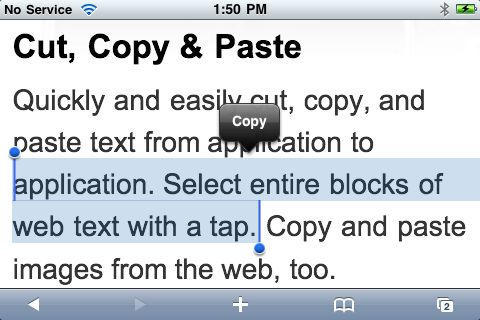
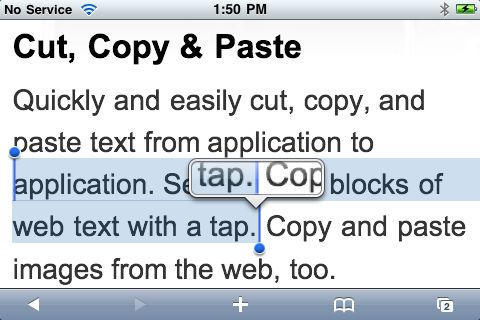
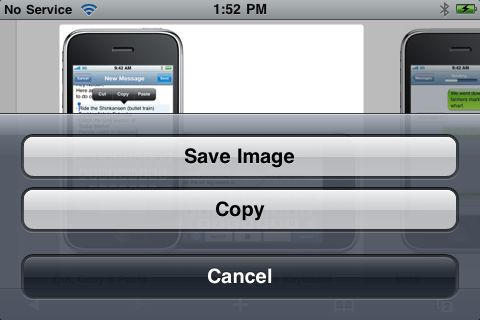
Cut, copy and paste is surprisingly very easy to use. I did zero research how to use it before just jabbing my finger at some words on the screen. Low and behold, up came the cut/paste dialog when I held on a word, allowing me to select a block of text by sliding a pair of markers to the beginning and end of the text I wanted. Switch applications, and the paste dialog comes up when you double tap in an empty space. Cutting and pasting pictures is just as easy.
Apple was right to delay cut/paste until it got it right, I guess. And it did get it right. It couldn’t be easier, especially “select all.”
The best thing? Shake to undo — a small and insignificant thing, but one those little touches that make 3.0 a real joy to use.
Landscape Keyboard
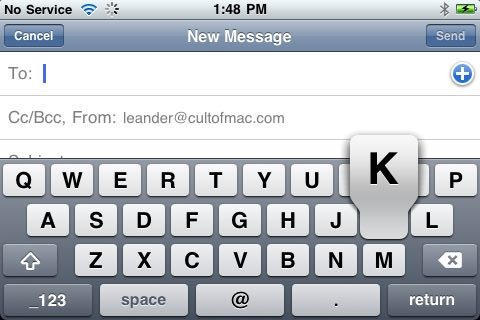
I’ve been waiting two years for the landscape keyboard in email, and now thank Zarg it’s finally here. Writing is so much easier with the wider keyboard. And it now works across all writing apps — notes, SMS and Safari.
Universal Search and Voice Memos
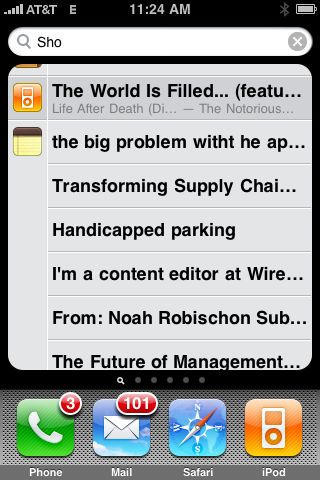
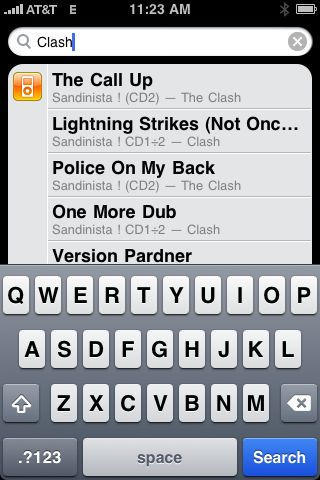
Features like Universal Search and the new Voice Memo app work as advertised. On the Home Screen, slide the screen all the way to the right and universal search pops up, allowing you to search across apps, email, notes, songs, videos, and so on. I’ve yet to find a real use for this — quickly finding email, I suppose — but it works fast and appears to find everything appropriate to the search.
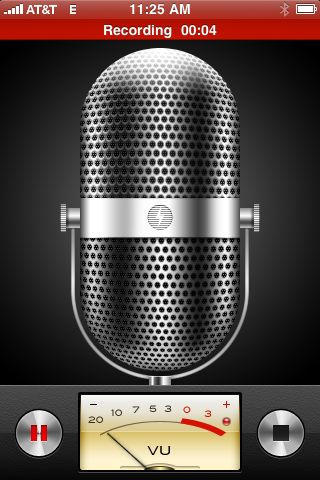
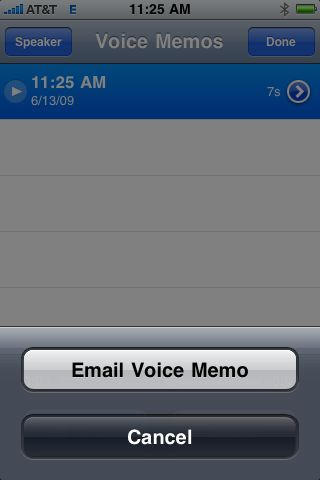
The Voice Memo App is also nicely implemented and works well. Hit the Record button and yack away. But like search, I’ve not yet discovered a good use for it. Maybe email myself a little reminder when driving the car and can’t tap out an email.
The Little Touches
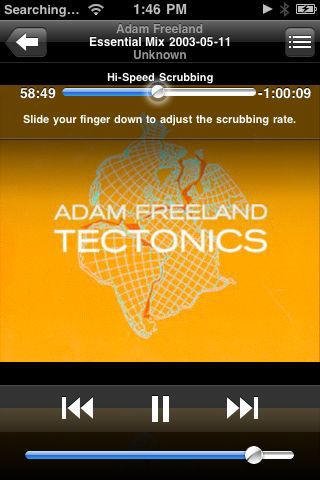
Here’s that little UI tweak I mentioned earlier — a little glowing spot when you scrub through a long track on the iPod. It’s so much more polished than the plain dot and bar.
Likewise, I really enjoy the shake to shuffle. Don’t like what’s playing? Just shake the iPhone to shuffle another random track.
Autofill for usernames and passwords in Safari is another small but useful and time saving feature. Filling out forms on the iPhone is a royal pain, now made a little less painful.
Why You Should Upgrade
The iPhone 3.0 OS is an incremental but important update. Many of the iPhone’s previous pain points have been eliminated, and the many small tweaks make the familiar iPhone experience just that bit more pleasurable.
It all adds up to a full-featured operating system that makes the iPhone a truly capable computing device. I wrote half of this review on it (and would have posted the entire review if I could have easily uploaded the screenshots). Just wait until developers start to roll out their new software apps.
Score: Nine out of ten black turtlenecks.


Leander Kahney is the editor and publisher of Cult of Mac.
Leander is a longtime technology reporter and the author of six acclaimed books about Apple, including two New York Times bestsellers: Jony Ive: The Genius Behind Apple’s Greatest Products and Inside Steve’s Brain, a biography of Steve Jobs.
He’s also written a top-selling biography of Apple CEO Tim Cook and authored Cult of Mac and Cult of iPod, which both won prestigious design awards. Most recently, he was co-author of Cult of Mac, 2nd Edition.
Leander has been reporting about Apple and technology for nearly 30 years.
Before founding Cult of Mac as an independent publication, Leander was news editor at Wired.com, where he was responsible for the day-to-day running of the Wired.com website. He headed up a team of six section editors, a dozen reporters and a large pool of freelancers. Together the team produced a daily digest of stories about the impact of science and technology, and won several awards, including several Webby Awards, 2X Knight-Batten Awards for Innovation in Journalism and the 2010 MIN (Magazine Industry Newsletter) award for best blog, among others.
Before being promoted to news editor, Leander was Wired.com’s senior reporter, primarily covering Apple. During that time, Leander published a ton of scoops, including the first in-depth report about the development of the iPod. Leander attended almost every keynote speech and special product launch presented by Steve Jobs, including the historic launches of the iPhone and iPad. He also reported from almost every Macworld Expo in the late ’90s and early ‘2000s, including, sadly, the last shows in Boston, San Francisco and Tokyo. His reporting for Wired.com formed the basis of the first Cult of Mac book, and subsequently this website.
Before joining Wired, Leander was a senior reporter at the legendary MacWeek, the storied and long-running weekly that documented Apple and its community in the 1980s and ’90s.
Leander has written for Wired magazine (including the Issue 16.04 cover story about Steve Jobs’ leadership at Apple, entitled Evil/Genius), Scientific American, The Guardian, The Observer, The San Francisco Chronicle and many other publications.
Leander has a postgrad diploma in artificial intelligence from the University of Aberdeen, and a BSc (Hons) in experimental psychology from the University of Sussex.
He has a diploma in journalism from the UK’s National Council for the Training of Journalists.
Leander lives in San Francisco, California, and is married with four children. He’s an avid biker and has ridden in many long-distance bike events, including California’s legendary Death Ride.
You can find out more about Leander on LinkedIn and Facebook. You can follow him on X at @lkahney or Instagram.

