Review: I Want To Love The Magic Mouse, But I Can’t
1:20 am, October 30th, 2009, Leander Kahney

I’m a multitouch junkie. Everything I touch has to be multitouch, or it just ain’t right. I can no longer use a regular laptop trackpad — there’s no two-finger scrolling. It irritates me no end if I can’t point, scroll and double-click with my fingers.
How long will it take then, to get used to the Apple’s new Magic Mouse? So far, it’s been frustrating. It seems like the Magic Mouse would be perfectly natural to use, but it isn’t.


The big problem is that the Magic Mouse doesn’t operate completely like a little trackpad. Instead, it’s a hybrid between a regular mouse and a multitouch trackpad.
To move the cursor onscreen, you move the entire mouse, just like a traditional mouse. And when you want to scroll up or down a webpage, you swipe your finger across the multitouch surface.
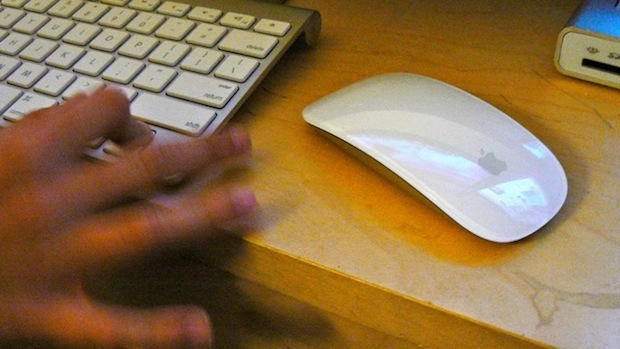
So far, it’s been awkward. I keep wanting to scroll my finger across the top of the mouse, and have the cursor track across the screen — the way it does on the trackpad of my MacBook. I also keep trying to use two fingers to scroll up and down webpages, but I only need to use one.
My muscle memory is working against me. I keep making the wrong gestures, and getting frustrated as a result.
It’s obviously a question of getting used to it. But do I really want to? I would like to use the surface of the Magic Mouse like a MacBook trackpad. But then why have a mouse at all? I’d be better off with a multitouch trackpad like Wacom’s new Bamboo Touch Pad.

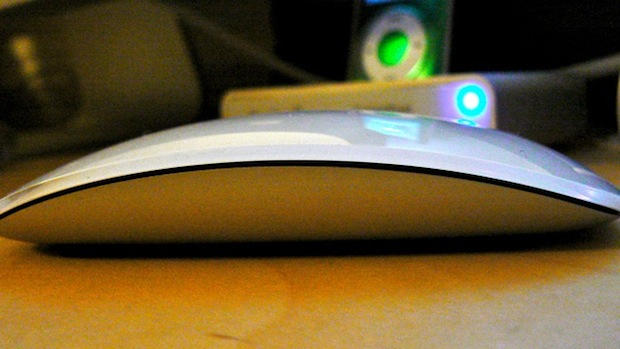
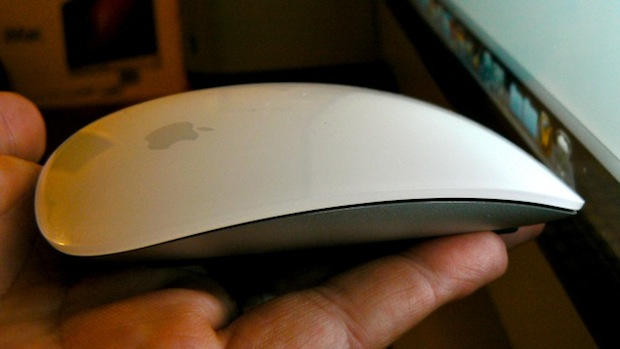
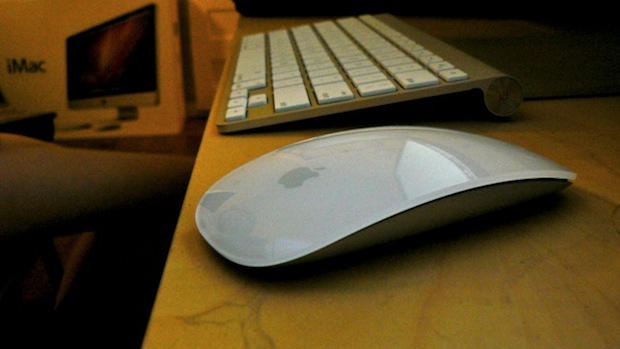
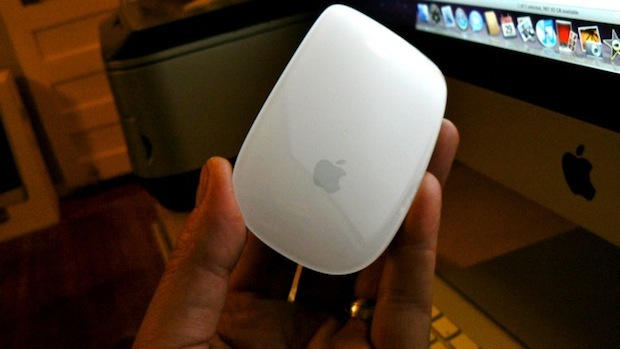
The build quality of the mouse is excellent. It’s a beautiful piece of aluminum and plastic that resembles a highly-polished stone. The seamless top surface reminds me of an inductive cooktop for some reason — perhaps because it hides its nature.
It has a nice, satisfying clickiness when pressed, and moves buttery smooth because it’s so light.
Because it is so light, it sometimes moves when you scroll, especially if you make a sideways swipe to go back or forth through web pages. Then the cursor moves on screen, and has to be moved back again to hit a link.
But, who’s kidding who here? What do you guys care if I find it slightly awkward?
It’s a new Apple product! It may be expensive, but it’s utterly intriguing. It’s flying off shelves (I had to call a ton of stores to score one). It’s beautifully made and fascinating to pick up and play with, even if using it is not immediately natural. Pay no attention to my silly opinions, go out and buy it right now.

Posted by Leander Kahney in Apple, Hardware, Reviews, Top stories | Comment on this article


I wonder if the reviewer was having trouble specifically because the mouse might be designed not to be a trackpad, but to resemble a button-less two button mouse?
I don’t use my trackpad unless I’m mobile. When I’m in my office, I use a logitech MX (which I really like but it’s losing it’s battery life). So all the issues mentioned here might be a little less of an issue if one already has a mouse like the Logitech, a two-button and scroll device?
Will look forward to testing it in a store soon. Won’t buy without a run-through!
daver, on October 30th, 2009 at 1:42 am
I actually hate the room a mouse takes up on the desktop.
Back in the beige Mac days I had an ADB Alps trackpad.
After the USB transition I got a Cirque Easycat.
In the multi-touch age, I was wondering about the Bamboo Touch Pad you referenced. Have you done a review of it previously?
MacRat, on October 30th, 2009 at 1:47 am
This mouse is a work of art. It’s beautiful, hands down. But it’s so far from being ergonomic that Donald Norman must be waking up with night terrors regularly.
First off, you need to cup the hand around a mouse. The insanely thin design sure helps with the notions, as you pancake your hands on the pearl, but it does nothing to support the thumb. The natural resting position of a hand is not flat anymore than the natural resting position of the head is 90 degrees straight. This mouse forces the hands to open, thus exposing too much of the thumb against the desk (or surface).
Secondly, a roller provides haptic feedback. Sliding your fingers over polished plastic does nothing for your tactile senses. Push buttons and separate button clicks (rather than pressing and depressing the whole mouse) are also far more intuitive feedback responses.
Lastly, there is a lot to gestures. Cramming movements left and right interfere with the natural motions performed by a mouse. As you have figured out, tasks are colliding with themselves. A part of that is most certainly your implicit memory of how a mouse “ought” to behave, but it also shows the difficulties of making such a product.
It’s a good effort but it’s too much. A lot of usability testing needs to go into these revolutionary products. Remember the MS keyboard debacle? They finally admitted, after saturating the market with ergonomic keyboards, that they went far too aggressive with the split design. This is just another example of technology being put to use for technologies sake.
Apple needs to do a lot more testing to get this one to be magnificent. Sure some may really dig it, some may really hate it, but it’s a far cry from a tool that even a baby can use… and that’s ultimately what you want out of technology.
WS, on October 30th, 2009 at 2:27 am
I suspect Apple will release in the future more software updats with support for more gestures. To me, it only makes sense to better utilize the multi-touchness of this new device.
Idan, on October 30th, 2009 at 3:11 am
I just sold my Bamboo, It is horrible, I put up with it for as long as I could stand. Please do not even consider the Bamboo.
I am really enjoying the new Magic Mouse, It feels good in my hand and I do like the feel and the sound of the click. I miss not being able to activate Expose with the mouse, I really hope Apple do something about this soon.
derekaw, on October 30th, 2009 at 4:28 am
I love the idea of a multitouch mouse.
I also love the design – to look at it.
But: that thing doesn’t feel good in my hand. It has too much width… I can do what I want: I wouldn’t want to work a whole day with this thing.
There’s also another thing: I desperatly miss the exposé and pinch gestures i got used to on my MBP – and why do I still have to lift my index finger to click?!?
If it was a bit smaller and exposé gestures would have worked on it, I had it purchased right off the spot.
mike, on October 30th, 2009 at 4:57 am
Everyone I know with this device has come to the same conclusion as Leander—they want to love it, but can’t. And those with Wacom’s new tablets are singing their praises higher, despite Wacom being less successful than Apple when it comes to multitouch.
Craig Grannell, on October 30th, 2009 at 5:16 am
I tried one in my local Apple store and ran into the same issues as Leander. The mouse is too light, and as a result when you try to do gestures on it, the thing slides around, which forces you to use your other fingers to pin it into place. The result is awkward finger-gymnastics that were horribly uncomfortable.
This review neglected to mention the loss of the 3rd and 4th buttons, which I find essential to my workflow and are a total deal-breaker for me. I would also be interested in the Wacom tablet solution, but it uses a slightly different set of gestures from the laptops and has received mediocre reviews. I would love to get one, but it needs to be native and elegant.
WHAT WE NEED: Apple needs to make a product similar to Wacom, but one that uses the standard drivers and keeps gestures universal across all peripherals. You shouldn’t have to learn a different system of gesturing depending on which device you’re using; that’s completely asinine, and I’m pretty astonished that Apple thought this was a good direction to go in.
Scott, on October 30th, 2009 at 5:26 am
Sounds to me they just need to update the mouse with two-finger scrolling and we’re golden.
Cowicide, on October 30th, 2009 at 5:57 am
Played around with it in an Apple store, I like the one finger scrolling, but I can’t do multitouch gestures without feeling incredibly clumsy. I also wonder if there’d be a bit of an orientation problem with the lack of physical features to know that you’re holding it the right way around? Not as bad as the hockey puck, obviously.
Moot point for me anyway, I only ever use the touch pad or a wacom, I’m just annoyed that with the recent release of the new Intuos we’ve probably got to wait another year for a multitouch version! Or possibly two years for one with good enough multitouch, who knows.
Pete, on October 30th, 2009 at 6:11 am
Apple mouses alway sucked an they continue to suck (even if the are beautyful)!
Maybe some kind of curse. (Rembemer the puck?)
The first thing I did when I switched at work two years ago, was make my Admin buy me a cheap Logitech mouse.
Erik, on October 30th, 2009 at 6:13 am
Hi,
I went to the Apple store in central London KNOWING that I MUST HAVE ONE!!!! I had already put my old single button Bluetooth mouse of about 4 years in its box and taken photos for ebay trading purposes!
I came out of the shop empty handed as I too could not seem to combine the multi touch of my macbook pro and the normal mouse movement. I ALWAYS buy stuff like this as soon as apple release it. I just can’t resisit the latest £50 Apple thing but I did manage to resist this. Don’t get my wrong this thing is awsome to look at I just knew I would not manage to make it work for me.
Sticking with the old school single button mouse for use as remote control and multi touch trackpad for every day I think! Hey who needs another gadget
Paul Wright, on October 30th, 2009 at 6:38 am
There is no mouse in existence that requires two fingers to scroll. Ever since the scroll wheel was introduced over a decade ago, you only use one finger to scroll on any mouse. The Magic Mouse is no different. I don’t see how anyone who currently uses a mouse would be stymied by a single-finger scroll on the Magic Mouse.
If switching from any other mouse to a Magic Mouse suddenly changes one’s involuntary reflexes, that’s a powerful product, indeed!
If you have never used a mouse before, if you have never used a computer before the MacBook Pro came out, if you have never used any computer other than the MacBook Pro, and if you have never used anything but the MacBook Pro’s trackpad, then I could see the problem. Even then, the difficulty would not the gesture, but unfamiliarity with computer mice in general.
For people who have been using mice since 1985, the single-finger scroll is intuitive.
Ken, on October 30th, 2009 at 7:10 am
@ken, what about the 2-finger swipe on the mouse vs. the 3 finger swipe on the trackpad and other gesture inconsistencies…
Scott, on October 30th, 2009 at 7:50 am
@Scott
The mouse is a mouse, the trackpad is a trackpad. Most people use both and don’t get them confused. The mouse has a single-finger scroll, the trackpad has a two-finger scroll. You move the mouse to move the cursor, you do not move the trackpad to move the cursor, you use a single finger. There is no inconsistency because these are two different devices. It has been that way ever since long before there was a Magic Mouse.
No one has ever had a problem with this. The only reason it is suddenly a problem now is that Leander had to write a column and couldn’t think of anything. And I’ve taken the bait, apparently.
It’s “Magic Mouse,” not “Movable Trackpad.” If one uses it as a mouse, it works exactly as expected. In other words, intuitively.
Ken, on October 30th, 2009 at 8:21 am
I found this to be the nicest mouse I’ve held in years. It has a really nice weight to it, smooth tracking and scrolling, the whole thing. It was a joy to use. I am looking forward to getting one for the office now.
I use a trackpad exclusively while on my MacBook Pro at home and on the road. So I am extremely comfortable using a trackpad. At work I use a mouse exclusively on my iMac. I had absolutely none of these issues with the MagicMouse. I didn’t – not even once – forget that I was using a mouse and accidentally start using the mouse as a track pad. I can certainly understand how frustrating that would be for those that are having this issue. But the problem is not with the mouse: it’s with your internal conceptions of this mouse. You are manufacturing this problem out of thin air.
I have to agree with Ken, here. If you are confusing a mouse with a trackpad, I think we’ve gotten to the root of your problem, and it’s not the “gesture inconsistencies”.
I’m actually very surprised that even a handful of people are somehow able to have “muscle memory” for trackpad use WHILE moving a mouse around the desktop. One would think that with all of that movement of the mouse triggering years (decades) of mouse manipulation muscle memory, that it would trigger muscle memory for mouse moving, not trackpad using. So I’m quickly lead to one very interesting conclusion: you heard “multi-touch surface” and though “trackpad”. And now you’ve got this idea in your head that every “multi-touch” surface should act like your MacBook Pro’s trackpad.
But even that is presumptuous. The MBP isn’t the only – or even the first – multi-touch interface from Apple, of course. The iPhone screen’s scrolling gestures would be “inconsistent” with your MBP as well. But the MBP’s trackpad and the iPhone’s screen are two very different human interfaces, with their own limitations on use. The MBP’s trackpad simply can’t use one-finger scrolling because it’s also a cursor moving input device. The mouse IS a cursor moving device. So why make someone use two fingers to scroll when every other mouse on the market uses ONE finger to move their scroll wheel or ball?
If you’re having this issue, drop the concept that you’re using a MBP trackpad glued to a mouse and just go back to using the mouse the way you have been your entire life. If you can learn to use an iPhone’s gestures, you can learn to use this far more simple and intuitive mouse.
Andrew, on October 30th, 2009 at 9:36 am
Count me in as one of the “Please don’t get the Bamboo” crowd.
I bought it (at a 60% premium because I’m in Singapore), and after 4 days, I connected my MS Wireless Laser Mouse again. Now, the only time I reach for the Bamboo is when I’m in iPhoto or the like. The main problem, like what is being reported for the Magic Mouse, is that you’re required to hold your hand in an unnatural, unsupported position, which becomes tiring. I also REALLY wish they’d textured the work area and border area differently, so I could simply reach for the surface and not have to look at it – just like every notebook trackpad ever made. Yes, it’s beautiful. Yes, it gets oohs and aahs from visitors. Yes, it lets me test multitouch-aware software that I’d otherwise have no way of testing on my iMac. BUT… for familiar ease-of-use during normal workflows, it’s an absolutely epic fail. (Would it be asking too much if I could turn it 90 degrees and use it that way?)
I liked the Mighty Mouse, but I share this desktop with two other people who simply could not “figure it out”. Neither of them was even willing to try the Bamboo. I wonder what the reaction to a Magic Mouse is going to be…
Jeff Dickey, on October 30th, 2009 at 9:53 am
@MacRat We should have a review of the Wacom Bamboo shortly. The company is sending us a review unit to test.
@everyoneelse I’ve used a Logitech MX for years. I especially use the top scrolling wheel for shooting up and down webpages. Oddly, my instincts in using the Magic Mouse was not to use it like the MX — which uses a very similar finger movement to flick the scroll wheel — but rather as a trackpad.
I was overthinking it. After a few more hours of using the MM, I’m getting used to it. I’ll update the review.
Leander Kahney, on October 30th, 2009 at 9:55 am
That Bamboo pad is enormous. Had it been a tiny little thing, I’d have been game for sending my new Magic Mouse back.
Instead, I’m just enjoying the Magic Mouse. After dealing with the constant gunking up of the trackball on my previous Apple laser mouse, I’m already relieved.
JAYnLA, on October 30th, 2009 at 10:00 am
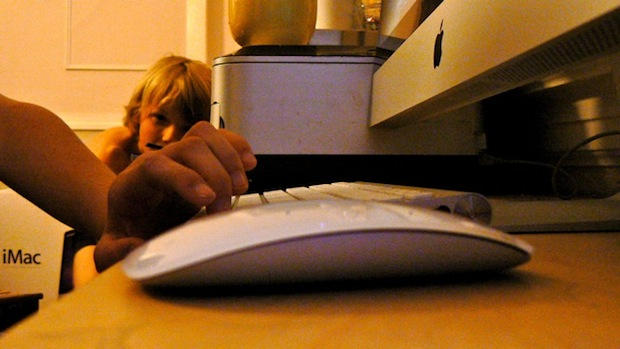
I notice in the bottom picture you have also kept the box your iMac came in.
Is this something which just Apple users do, because i’ve kept mine too, though i have no need for it.
Im going out to buy the Magic Mouse tomorrow. Cant wait to get it.
Andrew Macdonald, on October 30th, 2009 at 10:01 am
My Magic Mouse was just delivered. Two-fingered scrolling works just fine.
Ken, on October 30th, 2009 at 10:02 am
@derekaw
I use Expose all the time, if i get the Magic Mouse am i unable to use Expose? Right now i simply put my mouse curser at the top left of my screen, can you not do that with the new mouse?
Andrew Macdonald, on October 30th, 2009 at 10:05 am
Hint…
It’s NOT A TRACKPAD!
Trackpads don’t move. This is just a mouse with a scrolling mechanism that doesn’t get gummed up and has some nice extra features.
Stop expecting it to provide world peace.
GQB, on October 30th, 2009 at 10:39 am
@WS
I totally disagree about the ergonomics.
Clutching a mouse in the palm of the hand is what is non-ergonomic.
The Magic Mouse encourages you to use your fingertips on the device and lightly tap on the surface. (Yes you can brute-force click but why would you want to?)
The complaints about one vs two fingered scrolling is just silly. Again, a mouse is not a trackpad.
I’m not sold on the sideways swiping, but I don’t see it as a critical feature anyway.
GQB, on October 30th, 2009 at 10:48 am
I agree with Ken. See it for what it is and use accordingly. Leave your trackpad mindset elsewhere and see mouse-ability in a whole new light.
Kahney is a silly dweeb. Should become a barista if you cannot change mindset as you change device.
chano, on October 30th, 2009 at 10:57 am
Bought a magic mouse yesterday. Gotta say, I actually like it a lot. It doesn’t have all of the features of the multitouch trackpad, but it’s definitely a step forward in terms of usability. I’m certainly impressed.
ElectroBoy, on October 30th, 2009 at 11:30 am
As a trackpad, (which it clearly isn’t), it does not work.
As an improved mouse, (Apples Mighty Mouse’s tiny trackball is always getting dirty, gummed up, and needs it’s own cleaning cloth), it’s great!
Too bad Apple decided to sell it for $69! For that price it should at least include the wireless keyboard! Oh well, it’s new and shiny!
BeachDude, on October 30th, 2009 at 12:01 pm
I tried the Magic Mouse at the store. I loved everything about it except: It doesn’t have a Middle-Click. I find that clicking the middle button (or wheel or ball) to open a link in another tab is critical to my web-surfing experience.
Holding down a key while clicking is not an acceptable workaround because it requires two handed web surfing. Right clicking and selecting “Open link in new tab” is cumbersome as hell.
I won’t be buying this mouse until there’s a way to configure an equivalent for a middle-click.
Don Pope, on October 30th, 2009 at 1:56 pm
I can’t tell you how unhappy you will be with the Bamboo. After getting used to the glass trackpad the rough surface of the Bamboo is untenable.
I’ll trade you my Bamboo for your magic mouse…..
jkahan, on October 30th, 2009 at 2:10 pm
I have to agree with Don Pope: the lack of a Middle-Click is kind of a dealbreaker for me, even though I really loved everything else about the Magic Mouse while I was playing around with it at our local Apple Store…!
MILE, on October 30th, 2009 at 3:24 pm
maybe you should multitouch your camera, and lower the ISO
katiepea, on October 30th, 2009 at 3:56 pm
How is this screwing with your muscle memory?
You’re moving a cursor around with the mouse and using one finger to scroll up/down/left/right?
You *have* used a Mighty Mouse before, right?
In that sense, it works identically, right down to the primary/secondary clicks being mappable to left/right or right/left front corners.
It just does all those things better.
Then there are the extra features beyond what Mighty Mouse offers.
New device, new feature set. Gots you some learnin’ to do, some new memories to make in your muscles.
Nothing new there.
God of Biscuits, on October 30th, 2009 at 4:23 pm
Are you nuts or are you just seeking publicity ?
You have to actually move the mouse to point on screeen ? Waow, what a bad point for a mouse
I received mine yesterday and I cherish it already so much that I think I can’t bear such dishonesty at the moment…
This is a really incredible piece of hardware, especially delightful regarding Apple’s awful mices we had to bear for the last 10 years.
No a leap as big as the iphone, but on a daily basis, a real improvement IMHO
netking, on October 30th, 2009 at 4:55 pm
FedEx delivered my Magic Mouse at 8:45am and by 9am, I was up and running and happy as a clam.
For the people having problems scrolling and keeping the mouse from sliding around… are you heavy handed or using your mouse on a slick desktop? I use the typical mousepad and it works fine. Scrolling on the Magic Mouse only needs a very light touch. If your mouse is scooting all over, try easing up. I found it easy to get used to, very similar to the same movements as scrolling on the Mighty Mouse.
And I agree w/others re. this is NOT a trackpad, it’s a mouse. While I would love it to be exactly like the trackpad on my MBook Pro, it’s not. But it’s way more enjoyable and nicer to use as a mouse then many others I’ve used.
Nightwriter927, on October 30th, 2009 at 8:55 pm
Thanks for your honesty. I think though that this is exactly what Apple had in mind since many people can barely use a normal mouse, and would really have had an issue with a trackpad-type mouse. As mac users we’ve become quite comfortable with the trackpad, 2 finger scrolling etc… but non-mac users (poor buggers) aren’t used to that kind of technology.
I’d love to buy one, but at £55 it’s kind of steep and I don’t think I can afford it at the moment.
Daniel, on October 31st, 2009 at 4:51 am
OK I couldn’t wait for your offer to exchange my Bamboo for your magic mouse, and picked one up at the KOP store yesterday.
This is by far the best mouse ever.
For the size of my hand (and this is very user specific) it is perfectly ergonomic. It fits perfectly and I don’t feel awkward using it – even with the multi gesture.
I understand the complaint about feeling like you have to hold your hand and fingers in an unnatural way, but have also found the solution. Those that have complained have been steadying the mouse with their pointer & pinky fingers while trying to use the swipe gesture – don’t do this. Just hold the mouse steady with the palm of your hand and let your fingers fall where they may. The touch sensors seem to be able to identify moving points vs. steady points, so you don’t have to levitate your hand while gesturing.
The slides on the bottom were actually a brilliant idea. Instead of the traditional 4 points holding the mouse up, the slides will even allow you to use it on uneven surfaces. My desk at home is old, very distressed, wood with alot of bumps and crevices. I hate mouse pads but have had no choice until now. With the magic mouse the pad is unnecessary. I’ll try it on a glass surface Monday when I get back to my corp office.
And BTW, the Bamboo will still be going on Ebay today, nice idea Wacom – bad execution.
jkahan, on October 31st, 2009 at 9:29 am
I haven’t used it yet, but I’m thinking about buying one without testing it at the Apple store. Currently I’m using a wireless Mighty Mouse and my MacBook Pro’s MultiTouch trackpad. Do you think it’ll be a good upgrade or should I test it first?
Samuel, on October 31st, 2009 at 11:01 am
I had hoped that the new Magic Mouse would have the same functionality as my old (but still in use) Kensington ADB “ThinkingMouse.” Although there is no scroll wheel, the four symmetrical buttons give me six programmable clicks. For me it’s the best time saver since learning how to type.
With the Magic Mouse, I had envisioned a touch surface that could, since it knew where your finger was, be programmed for 1, 2, 3, 4 or 6 buttons and yet still have vertical and horizontal scrolling. The Kensington ‘MowseWorks’ software has had that functionality (6 buttons + scroll) for years now, but no touch surface mouse, or even a mouse that even resembled the old ThinkingMouse.
Apple now has a touch surface mouse but, Alas! no proper software to take advantage of the mouse.
Barbarossa, on October 31st, 2009 at 12:36 pm
played with magic mouse at the local apple store. i like it, and to me it’s an improvement over the horrible little easily breakable ball in the mighty mouse. i’ve never had any issues with appe mice, really, other than the mighty mouse. it’s the desktop keyboards i mostly don’t like, including the recent ones on the new imacs. i almost always end up using a third party keyboard, usually from a pc.
firesign3000, on October 31st, 2009 at 12:41 pm
This is exactly what I wanted to read. It makes me want to buy it. I loved the Mighty Mouse, but I hated when the ball got dirty. I even tried cleaning it weekly. It still gums up.
This is exactly what I want in a mouse. Part of why I don’t buy really nice mice for home is that I have a regular scrolly wheel one at work, so it’s just frustrating going from one to the other. Like Windows to OS X. Which I do.
Scabby, on October 31st, 2009 at 2:22 pm
I have to say that this is the most bizarre product review I have ever read. You spend the entire post talking up the shortcomings of the product, and conclude with “but never mind my opinion, buy it anyway!” I mean, come on. How am I supposed to take this seriously? The review reads like a parody of the Apple fanboy who buys everything Steve puts out, whether it’s good or not.
I’m sort of neutral toward the mouse itself, which seems ok but not great. This review, however, needs serious work.
Sean Peters, on November 1st, 2009 at 7:55 am
@Sean Peters – but the author IS a fanboy!
IMHO, after a weekend of using it, the Magic Mouse is much better than the Mighty Mouse – scrolling works beautifully, it’s light and looks pretty good too! Swiping to move left/right when browsing requires only a gentle motion with the fingers and IMO (using the mouse on a wooden table) works well.
Gary BigM, on November 1st, 2009 at 8:34 pm
This post sucks, the magic mouse is the best mouse ever. It’s easy to use, I don’t understand why you think it’s awkward. You just like to hate. So easy (windows 7 commercial going on on the background on tv) Windows sucks and all their users too. Long live Apple!
Raul, on November 2nd, 2009 at 8:10 pm
MM looks lovely, will have to try it, wish there was a wired version.
Tim H., on November 3rd, 2009 at 9:54 am
I recently bought a Magic Mouse for fun and I can say its like most Apple products, EYE CANDY. But when it comes down to ACTUALLY using it, it FAILS. Sure its FUN AT FIRST using the touch screen but all it can do it scroll. This is the kind of thing that makes me hate Apple (its a HATE SO MUCH but try to love relationship) they are probably going to be DOUCHE BAGS about this product and release it again next year with some SOME features. I have slight carpel tunnel in my wrists and this flat thing doesn’t help. Sure it’s nice to have flat screens, keyboards and laptops but not MICE!
My main mouse is a Razer Lachesis and for only $10 more this thing BLOW MAGIC MOUSE AWAY. For starters it’s not flat as a pancake so it feels good with my wrists, it as an anti slip rubber coating, it has onboard memory to save the setting for your SIX programable BUTTONS, it also is WAY more accurate and lights up. The main reason I even went for the Magic Mouse is because I had this crazy idea that you could assign different sections of the mouse for different keys (Apple fails they could have done SO much more).
But its not like that at all I guess Apple makes you dream.
My name is Tony and I’m a PC.
Tony, on November 4th, 2009 at 2:35 am
Bought it today. Decide to give it a week AND have the other mighty mouse also plugged in and grab it once in a while:
* Massively not ergonomic. Doesn’t seem like it wants to be grabbed. I don’t need one of those mouses that looks like a someone took a clay impression of a hand at rest, but the other rounder one at least had some height. This seems awkwardly low.
* I LOATHE the mechanical scroll ball on my other mouse because it gets gunky and can’t be cleaned, so I looked forward to this. BUT the scroll ball had TOTAL CONTROL of the screen and I felt more in charge. The latencey of the MM makes me feel like I’m trying to get my keys out of my car with a coat hanger more than picking up a purse with the hook of a cane.
We’ll see. I’m keeping the receipt handy. The iMAC 27 is stunning and to die for, though.
Karl Messner, on November 7th, 2009 at 1:28 am