Bare Bones released a Yojimbo update this afternoon, which adds a handful of nice new bits and pieces.
Among the changes:
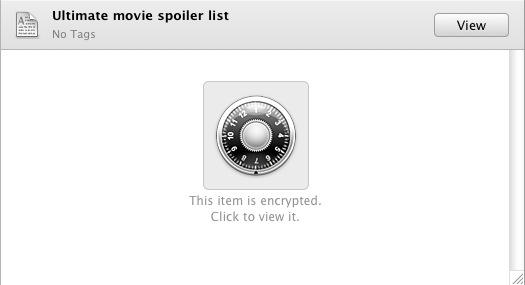
- You can now view encrypted items by clicking on the large combination lock symbol that covers them up in the viewing pane.
- AppleScript fans might be pleased to hear that Yojimbo’s Quick Input Panel can now be opened via AppleScript, opening up some new possibilities for automagically bringing in data from elsewhere.
- There’s better support for iTunes URLs – if you drag one in, Yojimbo will automatically and always store it as a bookmark, even if your standard preference for importing URLs is to have them saved as web archives.
- If, like me, you often use Exposé’s Show Desktop mode (where all currently open windows get swept to the edges), you’ll be pleased to know that the Yojimbo Drop Dock now remains visible and available.
All this follows on swiftly from the release of Yojimbo 2.0 just a couple of months ago, which itself introduced a better Quick Input Panel and the new Tag Explorer feature.
For those unfamiliar with Yojimbo: it’s a super-simple information manager app. You throw stuff into it that you wouldn’t normally know what to do with. Random bits of text, notes about stuff, things you need to remember but you don’t know why, haphazard web clippings, you know the kind of stuff I mean. It’s the stuff that, if you had to save each item as a separate file, you’d hit Command+S and you wouldn’t have a clue where on your computer to save it. Yeah, that stuff.
The beauty of Yojimbo is that it takes that decision out of your hands. All you need do is throw stuff in, and you can be confident that you’ll be able to find it again when you need it, using a combination of search, collections and tags. (In Yojimbo, a collection is like a folder, but different in that individual items can be assigned to several different collections. One chunk of research can be in the Project X collection and the Things to Read collection.
Information organizer apps come and go, and I always like to have a look at all the new releases. But so far nothing (not even the gorgeous minimalism of Notational Velocity) has tempted me away from Yojimbo.

Giles Turnbull is a freelance writer in England. He also writes for the Press Association and The Morning News. You can find out more at his website, and follow him on Twitter @gilest.

