Top stories

Apple Now Accepting iPad Apps, Planning “Grand Opening” of iPad App Store

Apple is now accepting iPad apps for a “grand opening” of the iPad App Store, according to an email just sent to registered developers.
“iPad will begin shipping soon and your opportunity to be part of the grand opening of the iPad App Store starts today,” the email says.
There’s no details about when the store’s grand [...]

Security Expert: “Mac OS X Is Safer, But Less Secure”

20100319-ipwned.jpg

Tech site H-Online has an interesting story today, quoting security expert Charlie Miller about his forthcoming talk at the CanSecWest conference next week.
He says OS X is full of security holes. There are lots more than in Windows, he claims.
And yet: OS X is a safer system to use. Why? Because, in the words [...]

Apple Devotes Entire Home Page To Jerome York Obituary

20100318-york.jpg

If ever you needed a sign that Apple was a different kind of technology company, this is it.
What other computer manufacturer would remove its top-selling, hype-inducing, industry-altering new product from the prime spot on its website home page, and replace it with an obituary to an investor?
This is one of those “Here’s to the [...]

Coming Soon: Steve Jobs, the Sitcom

Fake Steve creator Dan Lyons just signed a deal to bring Steve Jobs to another small screen near you.
The half-hour series called “iCon” is billed by the presser as “a savage satire centering on a fictional Silicon Valley CEO whose ego is a study in power and greed.”
Making sure the barbs prick will be the [...]

Icon Porn: Feast Your Eyes On Snow Leopard’s Beautiful Icons

Windows PC and Jar Launcher

Windows_PC

Jar Launcher

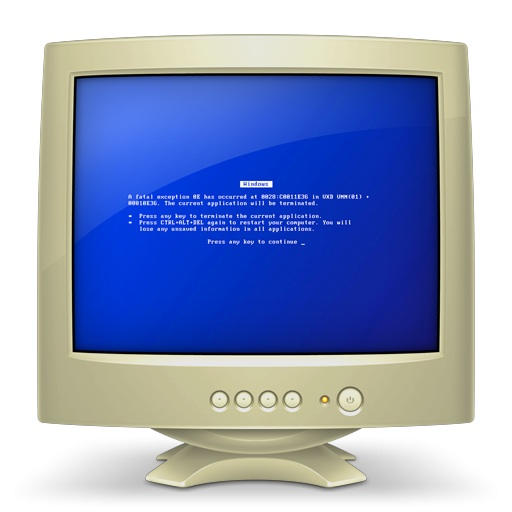
When browsing a network, this is the icon for a Windows PC — an old, beige CRT monitor with the Blue Screen of Death. Pundit Anil Dash said it was arrogant, ugly and smug.

The icon for Jar Launcher, an app for loading Java files, contains real code.

If you enjoyed this article:
Subscribe via RSS or email, or follow us on Facebook and Twitter

About the author

Leander Kahney

Leander Kahney is the editor of Cult of Mac, and author of three books about technology culture: Inside Steve’s Brain, the New York Times bestseller about Steve Jobs; Cult of Mac; and Cult of iPod. Leander has written for Wired, MacWeek, Scientific American, and The Guardian in London. Follow Leander on Twitter @lkahney and Facebook.

Email the author | Read more posts by Leander Kahney.

77 comments

    staggering!
    just when you think you love everything there is to love about your mac… there’s always something you missed out.

    Eye-Candy for the service pack?

    [...] this page was mentioned by Graham_Ellis (@graham_ellis), KatsuMooMoooo (@katsumoomoooo), Leonidas Tsekouras (@leotsekouras), classic2mac (@classic2mac), Kara DeMaeyer (@_karabanana) and others. [...]

    These posts, where you split across 10 pages just for what could be advertising profit really sucks and just put me off coming back to this site.
    So, possibly re-think your greedy marketing strategy? If a proportion of people are of similar mind to me then they wont even bother reading or returning to your site…so short term profit will lead to long term slump.
    Think about it…

    Does a compass have minutes? Surely it’s degrees? Who knows, but these are beautiful icons. Any chance of uploading some of Micro$haft’s latest offerings for comparison, and hilarity?

    Oh, the whole point of my original post (which I forgot, again) was that I hate the new folders which we first saw in Leopard – Really really dislike those flecks. There’s something wishy-washy and insipid about them.

    Totally agree with sooper8, I was thinking about not coming back to this site after halfway through the 10 pages.

    I agree with sooper8, its pretty cheap to split the post in TEN different pages. Its not enough that I am clicking my RSS feed and coming to your site, now you have to make me go through 2 icons a page? Pretty ridiculous.

    sooper8 and chaosboi, these icons are huge! it they were all on one long page it would have been a ridiculous scroll fest. multiple pages is simply much more efficient… he could have put a pop up gallery in here, but still, this is probably faster and fit his workflow better. give it a rest…

    nice website. nice design. thanks for the porn…

    sooper8, chaosboi

    I’m sure COM and their “greedy marketing strategy” will do just fine without you so please do the rest of us a favor and take your bitching and moaning elsewhere.

    wow. CoM provides a completely free service, full of great op:ed pieces, helpful tips, and bits like this. FREE. for you. you don’t pay a dime.

    and you jackassess complain about them being greedy. you’re right. i’d rather them take all the ads down so this just becomes a huge moneypit and in six months its offline because they couldn’t pay the bills. [major sarcasm]

    Interesting, but reminds me of a previous article by Pete Mortensen: http://www.cultofmac.com/snow-leopards-beautiful-giant-obsessive-icons/15245

    I also hated the number of pages to the article. But I also wanted to letHelius know that bearings and azimuths typically consist of degrees, minutes, and seconds rather than simply degrees. And yes, the icons are awe inspiring.

    Sometimes I understand the gripes made by this site’s commenters. Not this time. Bitching about layout? Really? Would you have done so if you weren’t anonymous? Methinks not.

    I like seeing these icons up close-n-personal, even if it meant a bit of clicking and scrolling.

    The icons are beautiful!

    Beautiful icons… Except the folders. No matter how large and detailed you make these, they are TERRIBLE icons. Just because you add lovely detailed nuances doesn’t make them nice and easy to use.

    The Keynote icon contains lyrics to a song on iTunes given free, and the title is “Q4 2009″. Doesn’t anyone think this is a nod to the up-coming Wednesday “Rock & Roll” event?

    Thats Apple. The details are quality are mind blowing. Something Windows and its trolls running around the net yelling Service Pack will never get. To them a beat up chewed on pencil that broke in half and held together with tape is good enough. Yeah it comes apart, but you can tape it more to start again. Yeah the lead point wears out, but I can grind it over and over to sharper it again. Thats Windows and thats their users.

    Apple the pencil is made of machined aluminum, perfectly proportioned and the lead used is of the best quality and always sharp. To advance more lead, it takes one click and your good to go. Thats Apple products, easy, elegant and exemplarily for what it does, compared to Windows.

    What the! These icons have been 512px since Leopard! Can’t believe someone like Kahney would make such a mistake. Or maybe he just wants to prove his point about SL being a touchscreen OS.

    This got me thinking, it’s really about time to update the iTunes icon. I mean, CD, really? How many of you still rip or burn your music? In fact, how many of you still use your optical drive on a regular basis? I do about once in two monts.

    Nice……………

    Bitchin and a moanin?

    Not really..just pointing out a fact that to split posts over 10 pages as has been done a few times lately is a pain in the ass.
    No need ,and smacks as greedy and ruins the whole look and feel of an article.
    No matter how big the pics, do they need to be just 2 per page…?

    I love how Leander talks us through the BLATANTLY OBVIOUS.

    (Picture of a radar)

    And here we see a picture of a radar. I love how it’s a radar. Radars are cool. I like radars. It’s a radar everyone.

    “Pundit Anil Dash said it was arrogant, ugly and smug.”

    I think that was the point. I love that icon.

    Need better navigation for us iPhone useres. Large next and back would be nice.

    Only one other person here knows that they have been 512px since 10.5? How on earth do you miss that?!

    Theve been that big since 10.5… Leander, your articles suck….

    you guys are all idiots, all the icons shown are the same as in leopard os x 10.5.
    fags

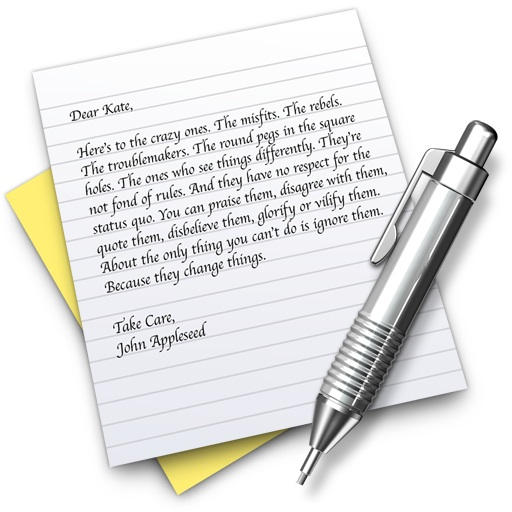
    you could have always seen the textedit poem in previous OSes

    Helius – Deg., Minutes, Seconds … not that that is what is on the icon. Still beautiful tho

    So the question is which version of Windows OS is going to copy the look and feel of these icons? LOL

    Try opening the Applications folder in Leopard and enabling the huge Cover Flow. Same thing.

    [...] CultOfMac references the genuinely artistic icons found in Snow Leopard.  Talk about attention to detail!  Take a look! [...]

    would be nice if the pic of the continent changes depending on your location….

    pornography |pôrˈnägrəfē|
    noun
    printed or visual material containing the explicit description or display of sexual organs or activity, intended to stimulate erotic rather than aesthetic or emotional feelings.

    From my Apple dic(-tionary).
    So they are not ‘porn’ and degrading to call them so.
    How ironic?
    Sharpen up CoM!!

    “Icon Porn” is the most clever (and apt!) teaser I’ve heard in a long while.

    Gorgeous mini works of art indeed! Absolutely excites me for the launch of Snow Leopard.

    And for those who don’t approve of the PC icon…there’s a reason the phrase “Blue Screen of Death” has become commonplace.

    I politely second the request to keep things on one page; the icons are indeed large, which means I am scrolling regardless of how many you place on one page. I understand others may find a different user experience more pleasing, but I’d like to express my preference.

    Nice icons, but I can’t do ELEVEN pages. Sorry.

    @Marian,
    Yes, I do use my optical drive on a regular basis, and I do rip and burn music lent to me by friends and collegues, and from my own large CD colletion. As soon as I get the software, I’m gonna start ripping DVD’s, too. So please do not assume that everyone else has adopted your lifestyle or workflow.

    @sooper 8
    Dude, the bills must be paid, and you’re not paying them, so quit yer bellyaching and just click the link to the next page.

    @ged
    We all know the technical definition of “porn,” thank you very much for the information, and for your indignation. However, porn in this context merely means something which provokes lust. I’m sure you knew that, though. I doubt if anyone here besides you is feeling very degraded.

    I’m sure he could have called them “pinups” or something like that but it wouldn’t generate any hits. And besides, if you’re below a certain age, you probably don’t even know what a pinup is.

    Looks like they were produced with Pixar RenderMan, using custom shaders.

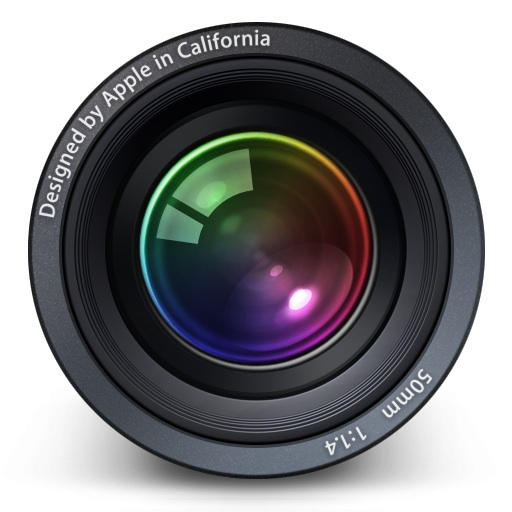
    Also to be noted on the Aperture icon is the 50mm 1:1.4. The defacto lens for portraiture work.

    These are JPEGs! ewww! Icon Porn #FAIL!

    Adam: “Only one other person here knows that they have been 512px since 10.5? How on earth do you miss that?!”
    Quite easily; after Leopard was released, everyone tried Coverflow in Finder about once, then decided it was totally pointless and even remembering this feature was a waste of brain capacity, and so forgot about it and the pretty icons that enabled it.

    I may be a bit too harsh on Coverflow, but the point is that compared to the live previews and the size slider in Snow Leopard, Coverflow (in Finder) is not really worth remembering :)

    As someone who values my screen real esate, the most important thing to me with large icons is how well do they work when scaled down to 24px X 24px or even smaller. I like eye candy like the best of them, but I always customize my OS myself too as I tend to apply the philosophy of “the default is always wrong for me”, so I don’t particularly care what icons an OS ships with. It’s more important to know how easy is it to change the icon set, and how vibrant is the community generated content I can draw on to use, or how easy is it to create my own content.

    On these points, I find Windows tends to edge out Mac OS as Windows users historically have HAD to create their own sexy new icon sets, and also because the windows icon mechanisms works better for supporting small/low colour icon sizes.

    Personally, I’ve been enjoying the ability to use 512×512 icons on Windows for at least 5 years – OK it needed a 3rd party add on, but that’s the Windows philosophy. DIY.

    As for the analogy made about an Apple pencil being highly engineered and beautiful – very true – but it would also cost much more, need returning to Apple at great expense when it breaks or runs out of lead, and at the end only puts the same marks on the page. Sometimes a chewed up broken pencil is adequate for the job, and sometimes you want to spoil yourself and flash the bling with a fancy over engineered pencil. Of course the latter is pretty, but the functional minimalism and independant nature of the former is also beautiful and powerful in it’s own way. :)

    Brillant! — Thanks for making us aware of Apple’s attention to detail, again. There is something deep (pun intended) especially about the miniature-like text put in the depth of the icon. As if the world go on, monade-like (cf. Leibniz), for ever in ever more small scale, reflecting itself. I really dig this.

    The visual quality of the columns in the Numbers icon, to me–this ist art.

    Notice the bottom “adding numbers”? It seems like a derivative of “64″, “128″ and, maybe, “160″. Maybe I’m justing seeing things.

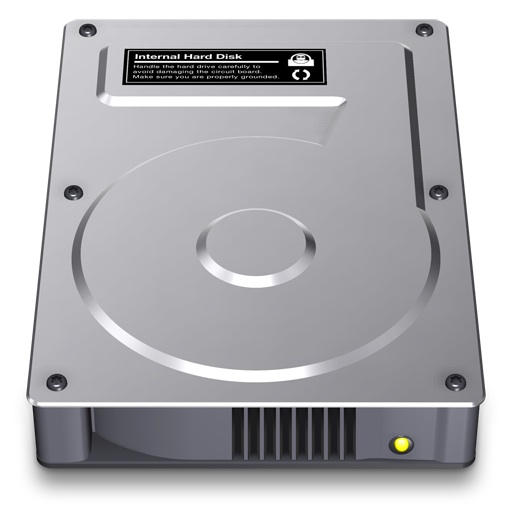
    [...] Looking at the icons at that size is not always useful, but it turns out that some of them are fantastically beautiful and detailed.  For example, on the hard drive icon below, you can actually read the drive [...]

    Right.

    And you expect us to click through a dozen “pages” of this blog post just so you can sell a few more ads, i.e., one more ad per hundred thousand?

    Let me ask a serious question: Do you know the first thing about blogging?

    am I only the second commenter to write that the icons already were 512px in Leopard?! the micros~1 analogy would be: behold! transparent windows in win7! :P

    This is really great! The attention to detail is really outstanding here.

    But apple also makes mistakes! Look at the compass: The shine of the glass is actually underneath the needle. Shouldn’t it better be on top of it?

    And, a mistake in the authors comments:
    The windows “blue screen of death” icon isn’t a blue screen of death! Yes, it’s blue, but if you press “any key”, you’ll be able to continue to work without rebooting the system.

    dartrax

    Loving the CSSEdit Icon…with a note saying “ie sucks”:

    http://twitpic.com/gpmln

    Nice touch!

    One thing that allways bugged me regarding these, otherwise flawless, icons is the Maill.app icon. How can it be possibly stamped/sealed and with shadow underneath it, with no break of seal lines? It’s absurd.

    If there is a shadow, icon is above its background and the seal marks should be discontinued on the stamp edge. Otherwise, seal mark displayed as in the icon means that the stamp lies right on a surface and there should not be any shadow on that side of the stamp.

    It’s only nitpicking, but we like it.

    The Windows or “Other” computer icon is th eheight of Mac douchebaggery (yes, that’s a word). I own a Mac and a PC and have problems with both, but I haven’t had a blue screen in years. Not to mention that the vast majority of blue screens are caused by poor drivers (not Microsoft’s fault) or failing hardware. Last time I checked Apple buys the same memory, CPUs, hard drives, GPUs used in Windows PCs. So, unless they sprinkle magic fairy dust that makes them impervious to failure Apples will have the same issues.

    Fantastic icons, all of them. But to nit-pick the article text, those tick marks on the compass are in 5 degrees apart. A minute is 1/60th of a degree (and a second 1/60th of that).

    Snow Leopard has stunning icons, you’re right. Nice mini article you linked some of the best.

    The dashboard icon, is almost exactly a copy of the dashboard instruments and counters of a newbeetle… Very surprised Volkswagen didn’t sue them yet !…

    see a picture here : http://l.yimg.com/dv/izp/volkswagen_new_beetle_convertible_gls_2.0l_2005_dashboard_instrumentcluster.jpg

    Welcome to 2006, us icon and UI designers been doing 512×512 pixels icons for over 3 years now, and they’ve been on the system since 10.5

    [...] Fantastic piece from cultofmac.com on the intricacy of Apple’s icons in OSX – not a lot more, but to let these images speak for themselves. These are the actual icons that ship with the OS blown up to their maximum size. Click through for the full run down… [...]

    I agree with others. Trying to make me click through 11 pages, with two icons on each page is ridiculous. I won’t be returning to your site, and will ignore any mention of you on TUAW’s RSS.

    Is it not hilarious that we complained about only two icons per page (and were told it would have been too long a page if it hadn’t been broken up) yet here we are, a gazillion scrolls down to the comments?

    LOL. Oh the irony :)

    IMO, the keynote text is about the Designer’s dilemma within himself. Any artist will tell you what incredible amount of hours it takes to really design something and sweat evey detail. Every single time, it can be like pushing a boulder up a hill. And more often than not, most designers will tell you that the design is never really done, instead they they just chose a stopping point and accepted what they had.

    Lorem ipsum is not Latin. *Looks* Latinnish, but is actually completely made up. A fiction. A typographers work tool, because they want people looking at the beauty of their fonts, not quibbling about meaning. Fail.

    11 pages is not unreasonable if it is the ‘price’ we have to ‘pay’ for ‘free’ content.

    A few things:

    1. As others have said, 512px icons are in Leopard. Even by using Quicksilver I can see all of the nuances of the icons pointed out above. Including the visual effects on Numbers and the detail on Keynote. Also, the “letter” on TextEdit is readily visible under…you guessed it…10.5.

    2. Mac icons are pretty, no doubt about that. However I see folder flecks and think my screen is dirty. I’d much rather have an in-folder preview like Vista/7 have. Having a 512px icon for a mere folder is an egregious waste of space.

    3. Eleven pages is a bit overkill for an article that probably took thirty minutes to write, tops. So you grabbed icons and put captions on them. The last multipage document online I viewed was a complete informational/benchmark piece about the new Core i7/i5 procs (which Apple STILL doesn’t have on the desktop). That took a lot more work…a LOT more. It’s rather fitting that both ads I’m seeing are PSAs. Gotta love using “porn” in your title…FAIL.

    this is nice, but will have to wait until third party apps also create some 512px icons.
    I ahve to admit, the Windows Vista/7 folder thumbnail previews are quite hot compared to the stagnant Mac OS icons, but it’s the attention to detail that brings Max OS X over the edge of competitors.

    I really like the article and i really appreciate the attention and therefore the respect you (author) have given to the icons and their designers. Maybe its my because of my english knowledge, but did i get it right: there are people complaning about this article seperated on 11 pages, oh my god are you serious. Thats not a reason for complaining unless you have been forced to pay for each page and the single clicks, but wait, no its the internet and a free page.

    Never want to come back, hm, this is my first visit and i will definitely return, because of this article.

    Ciao G who doesn´t care wheter scrolling or clicking for 11 worthy pages ;-)

    [...] This isn’t just for the default Apple applications but third party too. Inspired by this post at Cult of Mac we’ve put together our favourite icons on the Mac. Be sure to view them at full size – [...]

    [...] at his blog Cult of Mac, writer Leander Kahney published a post this morning featuring full-size 512 x 512 pixel screenshots of Mac icons. As he notes, the highly detailed [...]

    [...] that Apple has put into their icons until you see them in the blown up version. They even put reflections in the columns for Numbers that are only visible in the larger versions. No good reason other than attention to [...]

    [...] Also, you can see some some system icons here. Especially pay attention to the one for Windows computers on your [...]

    [...] Cult of Mac Leer más: Icono, iTunes, john gallagher, Keynote, Mac OS X, the bitch of living Enviar a [...]

    [...] Vía: Cult of Mac Disfrutado leyendo este post? Suscribete por RSS feed y podrás tener al intante los nuevos post, Gracias! Publique su comentario aquí: [...]

    [...] gets you one of those cool launch bars you see at the bottom of a Mac screen. Then you can go to Cult Of Mac to get some Appley looking desktop icons. Apple centric wallpaper can be found here, and of course [...]

    [...] gets you one of those cool launch bars you see at the bottom of a Mac screen. Then you can go to Cult Of Mac to get some Appley looking desktop icons. Apple centric wallpaper can be found here, and of course [...]

Add your comment

Name(Required)

Mail (required, but not published)

Website

Comment

Buy Inside Steve's Brain Buy from Amazon.com Buy from Barnes & Noble