Top stories

Apple Now Accepting iPad Apps, Planning “Grand Opening” of iPad App Store

Apple is now accepting iPad apps for a “grand opening” of the iPad App Store, according to an email just sent to registered developers.
“iPad will begin shipping soon and your opportunity to be part of the grand opening of the iPad App Store starts today,” the email says.
There’s no details about when the store’s grand [...]

Security Expert: “Mac OS X Is Safer, But Less Secure”

20100319-ipwned.jpg

Tech site H-Online has an interesting story today, quoting security expert Charlie Miller about his forthcoming talk at the CanSecWest conference next week.
He says OS X is full of security holes. There are lots more than in Windows, he claims.
And yet: OS X is a safer system to use. Why? Because, in the words [...]

Apple Devotes Entire Home Page To Jerome York Obituary

20100318-york.jpg

If ever you needed a sign that Apple was a different kind of technology company, this is it.
What other computer manufacturer would remove its top-selling, hype-inducing, industry-altering new product from the prime spot on its website home page, and replace it with an obituary to an investor?
This is one of those “Here’s to the [...]

Coming Soon: Steve Jobs, the Sitcom

Fake Steve creator Dan Lyons just signed a deal to bring Steve Jobs to another small screen near you.
The half-hour series called “iCon” is billed by the presser as “a savage satire centering on a fictional Silicon Valley CEO whose ego is a study in power and greed.”
Making sure the barbs prick will be the [...]

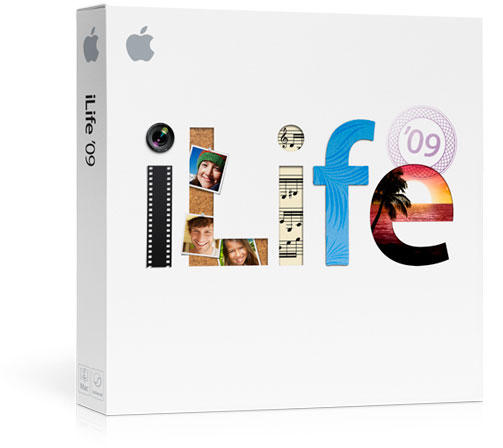
Groundless Speculation: iLife Will Be iPad’s Killer App

Steve Jobs will never pitch a product more effectively than he did at the announcement of the iPhone. He said he was introducing three products: “A revolutionary phone, a widescreen iPod, and a break-through internet device. And they’re all one product: The iPhone.”

I thought back to that legendary pitch when I saw Steve affix one of his weakest lines ever to the iPad, a device I think actually has remarkable potential:
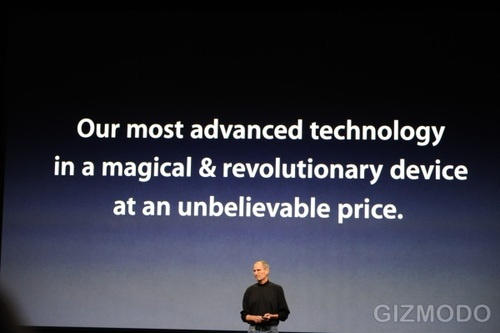
Image via Gizmodo

That’s right, the selling point is that it’s “Our most advanced technology in a magical & revolutionary device at an unbelievable price.” Really? Your selling points are advancement, magic, revolution, and cheapness? The best thing that line has going for is that device and price rhyme. First of all, almost no one buys magic. More importantly, Apple should never make price a central selling point; other companies can make cheaper knock-offs and then Apple has to re-convince people that that higher prices are justified. Once you try to become the price leader, you can’t really try to go premium again.

But the tagline was also a summation of the one problem that kept coming up for me as I watched the iPad announcement: the device simply does not have a killer app. A killer app, is the use that shows why a new technology is worth buying. For example, microwaves didn’t start selling until microwaveable popcorn was introduced and PCs didn’t sell until spreadsheet software was launched. The iPhone’s killer app, quite honestly, was Safari; the iPhone could certainly do a lot more than browse the web, but for many people, seeing the New York Times home page in multitouch made the sale.

The iPad? Well, I’ll say that the most impressive thing I saw today was the New York Times home page all over again. It’s even better than mobile web browsing than the iPhone. So what? That’s not enough to get me to spend $500. But not to worry. I believe the killer app for iPad is on the way, and possibly by launch. It’s called iLife.

Now, I don’t think that personal media apps are the key use for every tablet computer. The Kindle does just fine with “Amazon’s book collection from anywhere” as a central selling point. If Netflix ever made a tablet, it had better be optimizing for watching movies. But for Apple, and Apple alone, this is the way to go. The brand story, the relentless focus on usability, and most of its software development in the last 10 years, has been on letting you do more with your personal media. That was the original premise of iLife, and it’s still true today.

And when I think about relative advantages of the iPad, things that it could do better than either other tablets or existing platforms like laptops and smartphones, I think about pretty much everything included in the iLife suite (web design and development possibly excepted). Why did Macs start selling better than ever about five years ago? It was iLife. What Apple offered with iMovie, iPhoto and iTunes, in particular showed something a Mac could be that a PC couldn’t. And the reason for that is that we’re talking about personal media. My music feels far away on my MacBook — I can’t touch it. The iPad’s music player already feels more intimate, just because I could be scrolling lyrics with my fingers or looking at near full-sized album art via iTunes LP.

Now think about what could happen if the rest of the iLife suite were brought along to this standard. Take the same premise and same applications, and let me touch them The photo library app on the iPad is fine, but it’s not iPhoto, it’s a better version of a photo viewer in one of those digital picture frames they sell at Sears. How much better would it be to lay out photo books with your hands? To edit them, apply visual effects, get them just right and then e-mail a digital card to your parents or kids? Take the same use as on the Mac, and put it on the iPad.

Or take video. Apple could easily make the best version of iMovie ever. Shuffling a bank of clips around into a perfect sequence, adjusting the audio tracks, adding transitions, placing text perfectly with your fingers, and then shooting it up to YouTube. And I wouldn’t be shocked to see Final Cut Pro get even more amazing with iPad’s help.

Another Cultster has a killer take on the possible music-making capabilities, so I won’t talk about iPad’s possibilities as a live music tool (note to samplers and “laptronica”: your game has changed). I will, however, note, that this could instantly become the greatest home recording studio in history if Apple simply made Garage Band for iPad. It would in an instant become every high school band’s favorite tool.

Honestly, today I have trouble saying why someone who owns both an iPhone and a Kindle would buy an iPad, and I even have hesitations about why one would do so if they just own an iPhone. But that could easily change — and before product launch, even — if iLife for iPad isn’t too long in coming. The intimacy is the selling point here. And it’ s already where Apple has invested 9 years of work so far. Set iLife free, Apple. Send it to the iPad!

If you enjoyed this article:
Subscribe via RSS or email, or follow us on Facebook and Twitter

About the author

Petemortensen

Pete Mortensen is a design strategist for consulting firm Jump Associates and the co-author of Wired to Care: How Companies Prosper When They Create Widespread Empathy, a book and blog that are significantly more interesting than you might initially think. Pete's particular Apple avocations are both around design--interface and industrial. Follow him on Twitter!

Email the author | Read more posts by Pete Mortensen.

50 comments

    Pete, I respectfully disagree. How are we supposed to use iLife properly with the crippled iPhone OS? It’s been so long since I’ve put together a power point without grabbing images, stats, quotes from the web. I do think writing on the iPad might be nice, but how many people really write these days? iLife needs more thought into the nature of our digital media, and not just our digital media owned by Apple.
    What you’re saying about media being more intimate on the iPad is probably true, though. The iPad was meant to be a multimedia device, and that’s what it is. On Apple’s side, it’s really about viewing that media (note: not creating it). It gives you the space to focus 100% on what you’re consuming. In some cases this is not as desirable (music and web), but in other cases (books and video), definitely so.

    I agree that doing Powerpoint in iWork is a waste of time, which is why I’m so puzzled about it being the first thing Apple trotted out as a sign of advanced apps. But video editing, music editing and photo editing seem like no-brainers to me.

    “For example, microwaves didn’t start selling until microwaveable popcorn was introduced”. Nice summary of the periodistic level of the article.

    I sure hope iLife will make it to the iPad, I’ll for sure buy it then. To Nina, above, how do you know they won’t surprise us with multi tasking? And I’m SURE that this device will be hacked (Jailbroken) in months, which will allow you to get multi tasking, just like you can do with the iPhone. It has a 1GHz processor, it has a lot of potential. It can also play HD videos and what not, the LED screen looks awesome!

    I actually have thoughts on the front of multitasking, which I’ll be writing up later. In brief, I think Apple needs to classify certain applications (Safari, Calendar, Address Book, audio players, etc.) as “services” that can be called within other apps to enable multitasking but multitasking optimized to use, such as crafting powerpoint while listening to music and looking stuff up online.

    Hey guys chek this out rihanna is talking about getting an ipad , can u post it on the front home page?

    http://www.youtube.com/watch?v=NWawzqhYUNU&feature=player_embedded

    Pete, there’s a subtle difference between CHEAP and INEXPENSIVE.

    Steve Jobs never said it was CHEAP, he said it had an ‘unbelievable price’.

    I’d say we need to learn to read… not between lines, just READ.

    Pete, I was with you almost the whole way except:

    Final Cut Pro.. PRO? really?

    Also, anyone, and I mean ANYONE who tries to tell me that ANYTHING about PowerPoint is better than Keynote is flat-out deceived! I like Pages and Numbers better as well, but I can concede that Word and Excel may be superior, but PowerPoint has NOTHING on Keynote. Not even close.

    Agree with Conrad. Keynote is FAR BETTER than PowerPoint. Besides, I personally think that being able to create and/or edit iWork files is much more productive than editing video or music on an iPad. That is a task that definitively requires attention and dedication, and you don’t do that on an airport or on the go, you do it on a studio, at your work site. But you definitively want to tweak a presentation before you lecture.
    People see life through different eyes. It’s all about your needs. Some people see how they’d use an iPad in terms of music, videos and fun, because that’s how they see life. Some others see a great potential for productivity, because that’s how they see life.
    I’d say this little thing seems to have enough under the hood to keep everybody entertained.

    I interpreted the “… Final Cut Pro get even more amazing with iPad’s help.” statement in a different way. Imagine iPad as an INPUT device on your iMac or Mac Pro. Imagine editing in FinalCut, Photoshop, Illustrator et cetera — touch-based editing à la Wacom but without the stylus. Wow!

    “For example, microwaves didn’t start selling until microwaveable popcorn was introduced”.

    Untrue. Microwaves had been adopted by 60% of American homes by 1976; microwave popcorn was not introduced until 1982.

    http://www.gallawa.com/microtech/history.html

    I don’t know about iLife, but iPhoto for sure. iMovie might require too much horsepower.

    The iPad is nearly my dream machine for vacation travel.
    I can read my email, read books, listen to music, watch movies, surf the web, load the photos from my camera and share them instantly. iPhoto would make it even better.

    Along this vein, but decidedly off-topic:

    iPhoto needs to be administrable by multiple users on multiple machines. That way you could have iPhoto on your main machine, or maybe a home RAID server attached to your network… hear me out.

    Then you could edit/organize them on your home network and the changes would sync up automatically to the other machines that have authorized access to that same photo database.

    THEN, enter the iPad. You’re on Vacay and you pop out your always-on iPad and you upload the photos you took that day to your iPad, organize and touch them up, and as you’re doing this it would sync up via WiFi through MobileMe to your RAID at home and then all your photos are backed up wirelessly and you can have access to the photos already on your home network to show off to others.

    This type of functionality would make up for limited storage ability and truly carve out a niche for the iPad as light-duty machine for casual/recreational use.

    This is exciting… Apple, are you listening?

    People don’t buy Magic?! Please see http://www.disney.com for another perspective on the value of Magic.

    I completely agree with this. I was thinking the same thing when I was watching the keynote.

    iLife has been the main selling point of consumer Macs for years, and I think an optimized version for the iPad would have me sold.

    The new version of iMovie in iLife 08/09 never really worked for me… I got Final Cut Express instead. Now that I think of it though, iMovie would work great on a touchscreen. Dragging the clips in the “precision editor” would feel so much more natural on a touchscreen.

    I saw some elements of iPhoto in the new iPad, such as the slideshows, as well as the inclusion of Events, Faces, and Places. Using iPhoto (probably a lighter version) would be fun on the iPad.

    Garageband seems like the most suited app in iLife to be put on the iPad. Garageband for the Mac has a built in Piano for recording as a software instrument. With the touchscreen on the iPad, you would be able to play piano like an actual piano. Apple could also include other instruments in Garageband for iPad, such as a virtual drum set, or even a DJ turntable-style controller. Which brings me to my next point.

    The iPad could make a great controller for a Mac. Playing the piano on the iPad while it is connected to a Mac, and record the piano in Garageband for the Mac. Or for the program “djay” for the Mac, there could be a companion iPad app with a virtual turntable setup to control the Mac program.

    I think that Apple is already working on some kind of iLife version for the iPad. With the iPhone, there was the YouTube app that made its way into the iPhone OS before the launch, and although it was a pretty minor added feature, Apple may do a similar thing with iLife and the iPad. If Apple isn’t working on this, I think they have overlooked a huge oppurtunity. Hopefully they didn’t

    Once you have that browser, your Apps can be in the cloud. Maybe Apple will introduce a cloud-based iLife accessed via iPad apps – to take on ChromeOS and its cloud apps. Maybe that is what Apple is up to with its NC data center?

    My take on the iPad is that it follows in the footsteps of the original Mac, the original iMac, and the original iPod by making technology and media more accessible to regular people. The iPhone and iPod Touch were our multi-touch training wheels.

    Pages cinched it for me. I’ll basically be using it to have the web & books by my couch, because I don’t like having a laptop or stacks of books there. But the ability to create documents was CRUCIAL for this customer — and it has that.

    I’m mostly pleased.

    I’m not sure that ilife would be a killer app for the ipad, I’m not sure anyone really knows what that is yet. But personally. I’ve been waiting for Apple to do a tablet so I can draw. I’m a professional artist and sometimes I’ll lug my much loved Macbook to a cafe, hook up my little bamboo graphics tablet and sketch away. It’s all a bit cumbersome and restrictive.

    I’ve mouthed off to my friends for years about waiting for Apple to make a tablet computer that I can load Photoshop or a paint program onto so I can sketch or paint away while not tethered to a laptop or desktop.

    I tried that paint program they demonstrated yesterday, on the iphone, but I could never make it work for me. I’m hoping for greater success on the iPad when I do get one. And since then I’ve found some app called `Layers’ which I think might work even better. (Plus I hope someone makes a stylus that will work on the iPad – I just don’t dig on drawing with my fingers).

    It seems lots of people are mouthing off against the iPad, but really. What did they expect? The iPad seems an utterly logical thing for Apple to do and the way they’ve done it. I’m really excited about the potential for books and magazines on this device. I can imagine Wired Magazine doing amazing animated layouts of their articles. And I think we’ve only seen the tip of the iceberg as far as the potential for apps on this device. I was going to hold off buying one for several years until maybe it’s second or third generation but I reckon I’ll get one now and enjoy it until then.

    So a good painting and sketching program will be my killer app.

    Who are we kidding ? The iPad’s target buyer is the person who needs a computer with training wheels. The kind who finds sending emails with attachments challenging or changing the homepage on their browser just about impossible. You’ve seen them at Apple Store being led around by a salesperson who tells them what to buy even though they don’t know what do to do with it once the bring it home.

    For those people the iPad will be ideal its limited functions and capabilities wont even be noticed and the fact it has no usb port is no problem either and it will save you form having to explain what it is to them.

    The iPad will do for computing what the Jitterbug did for mobile phones…

    That’s a little glib and short-sighted. Are you ALWAYS running Photoshop or ProTools?

    This seems a great invention for casual use or if you want to take a computer on vacation, but don’t want to be tempted by too much work. This is excessively portable. And that’s just out of the box.

    Let’s see what Devs come up with for this potential-laden iPad.

    For me the main selling point of iPad is iWork. It looks like a powerful and comfortable to use office suite on the go. And most importantly 1000% better then iPhone QuickOffice etc. I travel a lot, but often MacBook is just too big and bulky to take around. I want to use iPad not just to consume media. iPad version of some iLife apps would be great. I particularly really want to see iWeb. iWeb is meant to be easy to use website building/blog tool. But it still puzzles me why we can’t update out iWeb blogs on the go. Only one way to do so is on the Mac. iPad has large enough screen that will allow to use iWeb on the go.

    As a college student, I’d love to see an app that lets you create multiple “notebooks,” and allows for easily mixing typed text with hand/stylus drawn illustrations. Having all of my notes for all of my classes, personal projects, and job in one digital collection would be fantastic.

    “No one buys magic”? Tell that to Coca Cola, Nike, BMW and the top brands that don’t lead by price, but by the promise and the it-factor of their brand. Idiot!

    @CoBrit

    Disney literally sells magic sometimes (they’re selling dreams right now). They’re the only company that does. So I was wrong to make such a broad statement, but not by much.

    Coke’s tagline is “Open Happiness.” Their brand promise is that their beverages will make you happy. That’s not magic.

    Nike’s “Just Do It” promises achievement and self-confidence, not magic.

    BMW promises “The Ultimate Driving Machine”. What does that have to do with magic?

    You’ll notice that the more intangible the offering (movies, theme parks, sugar water+brand), the more emotional you can become instead of speaking to what you will get out of it, as Nike and BMW do.

    The iPad is positioned, more or less as the Ultimate SOMETHING Machine. And the launch lacked what that SOMETHING is. Period.

    Half the people that walked in to my store today(coffee), where going to buy it. $200 is cheap for the stock. Its going to sky rocket. Period.

    We forget it took the ipod a while to take off, no one wants to admit this but it is true. No one thought the iphone would be anything until it came out. So let’s not be surprised if in a little while the ipad seems just as obvious. Time will tell.

    The iPad that was unveiled is the thin end of a very fat wedge!!! When one looks at it from a holistic view it has a lot of potential to grow both in terms hardware and software. The iPad more a low-priced version of the MacBook Air. It has ARM Chip that has not yet reached its limits. Most probably, the next generation of MacBooks will have this chip in them to bring down their prices and increase their performance. Further, the applications for the new MacBooks will have a large library of low-priced applications that perform the myriad functions that now require expensive products from Adobe, Microsoft and others. One only has to look at the types of business applications (spreadsheets, word processors, graphics etc.) that are currently available for the iPhone/iPod Touch. Scaling these apps to iPad should be a cake walk.

    Storage: 16, 32, or 64GB. No way to add an SD card or thumb drive. You can’t have killer app if you can’t store your work. There’s just not enough room for iLife.

    This is the Achilles heel – funny I haven’t seen this mentioned more.

    IF there is ilife for the ipad I suspect it won’t be as powerful as the desktop one. the iphoto bits would be adding info like geotagging,perhaps cropping and redeye editing. no imovie, garageband. iweb is the only one that might come out more or less the same since mobile blogging is plausible.

    remember this ain’t no full computer. no matter how much folks want to talk like it is. and most of ilife needs the power of a full computer to work (not to mention you can fill 64 GB of imovie footage too dang fast)

    There was mention of a low cost add-on for a card reader and USB connectivity.

    “I have nothing constructive to add to the debate,” notes Chano.

    Think before you post, people. Abusive comments will be deleted every time here.

    “Cheapshot from a 10-year-old,” says Chano.

    In case anyone is wondering, we tolerate disagreement and rigorous debate. Abuse doesn’t stand around here. We will delete and edit all such comments, as we have this one.

    You’re on notice. Keep it together.
    -Pete

    Hi Pete,

    I’m an Apple addict, and I completely agree that what the iPad needs is iLife (though I was delighted to hear that iWork would be available).

    Come on, how cool is it to say that you can edit movies easily on 10.6 OS iMovie and upload them. Or to record or mix songs?

    The spokespersons for iPad say that everything has been revolutionised.

    In the burgeoning world of social media, how can you not have the facilities make or edit music and movies for the prices that Apple charges?

    I’ve owned 4 Macs and all of them have had iLife bundled in. You want to hit newbies? That’s fine — go with what you have. But you want to hit the die-hards? Give them what they’re used to. Apple owes them at least that.

    Sharon Nelson

    Your right, iLive in full is the way to go. But Apple already has done part of iPhoto.
    I’m sure the rest will follow. It pretty clear I think that Apple knows that iMovie and GarageBand could be huge.
    But there is only 24 hours in a day, even for apple’s software makers.
    So, I don’t think this software will be released within two month.
    But it could be there near the end of the year.

    repeat after me loudly, keep the rhythm and tempo up perhaps if we all say it loud enough Apple might hear it

    ‘we want iLife , we want iWeb , we want iphoto,we want iMovie , on the ipad’

    Charli – it depends on the video. The iPod nano video is 1 hour per GB. Plenty of space to edit.

    This is a good example of why the iPad could be so great.

    It will be the same story as the iphone, when that first came out, it did some good things, and missed a lot, and nothing else, so people hated it. Once people started making apps that were insanely good (facebook, shazam, remote, ebay, ardvark, flixter etc) it became so much more than a rubbish fancy apple phone, and a whole new device completely.

    Once some good apps and features make their way to the iPad, this thing could explode! (not literally i hope)

    Excitement diminished here: Need audio and video editing apps (to support STP and FCP but iLife/iMovie would be a start!) – no IEEE either. I suppose we cannot expect this to function as a macbook pro – why not? Half the size therefore, half the mac ‘capability’ omitted?

    Guess I’m delaying my desire for iPad until it can truly function as a go anywhere ‘proper’ replacement for the pro laptop.

    Apple, your “most advanced technology” doesn’t multitask? Huh?

    I’m primarily a Windows guy. BUT I believe the best tool for YOU is the tool that works best for you. I have a Mac also – so don’t go there.

    I was so hoping this would be more than what it is, but I’m feeling quite disappointed now. No card slot for using this to view photos I’ve just taken out in the field. No camera for video chatting. No Flash for watching videos posted on daily blogs. Locked into the App Store. No multitasking? Welcome to 1992.

    Hey Apple, I’ll be buying the HP Slate later this year instead of the 3 iPads I was planning on buying.

    Hey, Fishous! Have fun with your HP Slates!

    ;-)

    I will buy an iPad the minute iLife is available – iPhoto in particular. Without iLife I will not buy it.

    iLife may have to wait for the camera, lack of which is made glaring with the presence of their ocular oriented software. Their built-into the display camera tech may be in the wings, which would another big deal should it happen.

    But Pete-Services? Thank You! Single most insightful thing I’ve seen about the aftermath, as I’ve had to agree a lot of nitwits naysaying on the news with lack of multitasking as being a big deal problem. I hate agreeing with nitwits. And for years I’ve been wondering when Services would be dusted off and made a key part of the workflow. Steve Jobs made a point of showing it off in his NeXT demo video from 91, and I’ve awlays wondered why they haven’t made it more central to their thinking.

    All these geniuses comparing the iPad to the iPhone just because they look similar and have touch screens … “The iPad doesn’t have this and it doesn’t have that … yakkity yak” and yet you haven’t even tried one.

    Take a step back, pause for a minute and THINK. No, an iPhone user probably will not need an iPad. No, a MacBook owner probably will not need an iPad. But techno-geeks who don’t have a clue about marketing easily forget the masses of consumers out there who don’t “know about computers”.

    These are the people to whom NetBooks are being sold at WalMart. They’ll drop $300-$500 for a plastic piece of crap just so they can check email and surf the internet. These are the people who get frustrated with Windows but won’t buy a Mac because they’re “too expensive”.

    So now Apple offers to this demographic “advanced technology in a magical & revolutionary device at an unbelievable price”. You put one of these on display at BestBuy and that’s what the average technophobe consumer will believe.

    Steve Jobs doesn’t CARE if a computer snob complains about multi-tasking. Last time I checked, I could make a phone call on my iPhone while checking my email or listen to music while I look up an address on a map. So yeah … it multi-tasks.

    But for all those who hate AT&T and love their iPods, or those who have Kindles but don’t wanna carry a bag full of gadgets, then this is for them. One device they can take to Starbucks and read a book, chat with friends, or surf the internet without the hassles of Windows 7,8,9,10 … and if you’re new to computers all you gotta do is touch it.

    A truly advanced device is one that doesn’t require any education to benefit the user.

    This has got to be the first tech product that should not be commented upon by tech people. Tech people are looking at this product with the wrong eyes. It seems like no one gets it. It needs a Killer App?! it needs to multi-task? Every (quasi)negative tech post is based on the notion that the iPad is not modeled after a desktop or laptop computer.

    The killer app is hiding the complexity of computing that will instantly invite everyone to the party. iWork was a demo for app developers. This is not a product for 1 really bright 4 year old who can email pics to grandma, this is a product for every child, their grandma’s and everyone in between.

    Once this product is in full swing, computing as we know it will never be the same. There will be a lot more computer literate people, and less of a need for geek squads, tech gurus and smug I.T. Department experts. That’s what’s happening here, and quite a few people (and companies) in tech are not happy about.

    I would love to see Aperature on the iPad. And Final Cut, but mostly Aperature.

    For several people above: There are plenty of stylus devices for the iPhone that will work just fine with the iPad. Here’s a popular one: http://tenonedesign.com/stylus.php

    What would be the point of iMovie without a Firewire port?

    iMovie, let alone FC or FCP, and other video processing apps are VERY CPU/GPU intensive… Do any of you really believe that the A4 chip has enough horsepower to handle these processes?

    Notice that while they introduced an iPad-specific version of the iWork apps, including Keynote – they didn’t demo a typical, transition-laden presentation run from an iPad. I am skeptical that all of the transition currently available on the desktop version of Keynote will be available on the iPad version – I think the graphic intensive transitions will fall back to some simpler default transition if you choose to run it from an iPad.

    Just my opinion.

    Its interesting that the iPad is said to be an unbelievable price.

    Apple do indeed have a breakthrough price of $499 for the iPad which companies like Amazon are worried about. Amazon are falling over themselves to add a touch screen to Kindle, especially with their recent acquisition of Touchco.

    However, most of my friends, who already have iPhones, agree that the iPad does not live up to their own expectations in terms of included features and value for money.

    There is no front facing camera. (but there are rumors that the iPad has an empty space inside for one)

    There is no mention of iLife yet. (but we certainly apple to offer it in the future)

    The magical secret is that the iPad will soon offer ‘everything you want’.

    A camera is coming, yes! At a price
    iLife is coming, yes! At a price.

    Let us consider our future iPad purchase:

    The 16GB base model of iPad is $499
    The 3G upgrade is $120
    The iWork apps are $29.97 ($9.99 each)
    The iLife programs will likely be $39.96 ($9.99 each) – iPhoto, iMovie, Garageband, iWeb
    The iPad with camera (when it launches) will likely cost $80 or more, possibly with some other minor hardware or memory upgrade.

    Total price of 16GB iPad with everything = $768.93

    The problem is, with all these demanding apps you will definately need more storage, so the base 16GB model is not going to be good enough.

    Add the upgrade to a 64GB version of the iPad @ $200.

    Total price of 64GB iPad with everything = $968.93

    The reality is that an iPad with killer apps and hardware is going to be nearer the $1000 price tag, this is the price that the pundits predicted.

    Way to go Apple! This truly is an unbelievable price and a magical profit margin for you too…

    Who would pay $1000 for an ipad? No-one.

    Who would pay $499 for a half-baked one… Well, before i realised Apple’s pricing strategy….

    me and plenty others….

    I TOTALLY AGREE! I would only buy it if I could take video, use it for video chatting, and use ilife!!!

    I’ve owned Macs since 1984, when the first one came out, and had a German-made AppleII clone before that. So I’m not a computer newbie, but I am attracted to the iPad, and I agree that iLife would be the killer application(s) for it. I’m especially interested in GarageBand. I’m no musician, but I would like to learn how to play the piano. Imagine propping an iPad up on our piano’s music holder and following the GarageBand piano lessons. It would actually be pleasant, rather than the almost impossible task of using a laptop for the same job.

Add your comment

Name(Required)

Mail (required, but not published)

Website

Comment

Buy Inside Steve's Brain Buy from Amazon.com Buy from Barnes & Noble
