Top stories

Apple Now Accepting iPad Apps, Planning “Grand Opening” of iPad App Store

Apple is now accepting iPad apps for a “grand opening” of the iPad App Store, according to an email just sent to registered developers.
“iPad will begin shipping soon and your opportunity to be part of the grand opening of the iPad App Store starts today,” the email says.
There’s no details about when the store’s grand [...]

Security Expert: “Mac OS X Is Safer, But Less Secure”

20100319-ipwned.jpg

Tech site H-Online has an interesting story today, quoting security expert Charlie Miller about his forthcoming talk at the CanSecWest conference next week.
He says OS X is full of security holes. There are lots more than in Windows, he claims.
And yet: OS X is a safer system to use. Why? Because, in the words [...]

Apple Devotes Entire Home Page To Jerome York Obituary

20100318-york.jpg

If ever you needed a sign that Apple was a different kind of technology company, this is it.
What other computer manufacturer would remove its top-selling, hype-inducing, industry-altering new product from the prime spot on its website home page, and replace it with an obituary to an investor?
This is one of those “Here’s to the [...]

Coming Soon: Steve Jobs, the Sitcom

Fake Steve creator Dan Lyons just signed a deal to bring Steve Jobs to another small screen near you.
The half-hour series called “iCon” is billed by the presser as “a savage satire centering on a fictional Silicon Valley CEO whose ego is a study in power and greed.”
Making sure the barbs prick will be the [...]

Excellent Menu Bar App XMenu Updated

xmenu-20090708.jpg

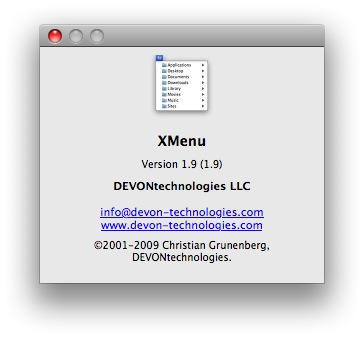
XMenu from the Devonthink people is one of those freeware apps that I recommend to every Mac user I meet. The latest update, version 1.9, is newly released and boasts visual refinements and a helpful new feature.

For the uninitiated, XMenu is a Menu Bar widget for getting to stuff quickly without leaving the app you’re in. What I like most about it is its flexibility. You can have six different shortcuts in your Menu Bar if you like, or just one if you prefer to keep things simple.

That’s what I do. I use the user-defined widget and throw aliases for useful files and folders into ~/Library/Application Support/XMenu – that way, I keep my Menu Bar uncluttered but XMenu still gives me quick click access to stuff like my todo.txt, my income and expenses records, and a handful of use-them-every-day folders.

If your Dock is overcrowded with folders or stacks that you don’t use because, well, because it’s overcrowded, then you should have a look at XMenu. This latest update adds a text snippets manager that works just the same as the user-defined widgets. Put some plain or rich text files in the right place, and XMenu will let you insert them into any app with two clicks.

If you enjoyed this article:
Subscribe via RSS or email, or follow us on Facebook and Twitter

About the author

gilest

Giles Turnbull is a freelance writer in England. He is a columnist for PA, and has written for the BBC, Guardian, Daily Telegraph, MacUser, Macworld, and The Morning News. He has a blog you can ignore and a Twitter account you needn't follow.

Email the author | Read more posts by Giles Turnbull.

6 comments

    WARNING: Don’t double click the XMenu icon from the volume. I made a terrible mistake and did that. Now I can’t get the volume off my desktop (won’t eject because it’s running) and have found no way of controlling the program.

    Got control of it through Command-clicking the icon. The people at DEVON were great in helping me and very fast. Taught me some new ways of quiting an app. XMenu looks like a great little app. and should be very helpful for quickly getting to my programs, now that I properly installed it.

    I’m a big fan of XMenu also; I use the user-defined folder to maintain a list of over a dozen folders containing symlinks (preferred to aliases as they’re much smaller; I use the Symbolic Linker CMI to make them) to my second-tier apps as well as various kinds of documents. I had all this in the Apple menu in the classic Mac OS; when I switched to OS X 10.2 I got FruitMenu to do the same, but it was always a little slow building/showing its menu, and when it wasn’t updated for 10.5 I tried XMenu instead, and like it fine.

    Mark: indeed, don’t double click *any* app in its installer volume. Always drag it to your Applications folder first, and launch it from there.

    @Mark: Why is that?

    it’s very good

Add your comment

Name(Required)

Mail (required, but not published)

Website

Comment

Buy Inside Steve's Brain Buy from Amazon.com Buy from Barnes & Noble

