Top stories

Journalists Cover Microsoft, Using Macs

It’s not an easy time for Microsoft — with Steve Ballmer having to field questions about being “buffoons” and an “evil empire”  at the shareholder’s meeting (.doc) — so when they get together “the world’s most influential technology pundits and online writers” (nb: we weren’t invited) for Mobius to discuss super-secret mobile tech you’d think [...]

Guide To Black Friday Apple Bargains: Cheap MacBooks, iPods and Accessories Galore

Here’s a guide for finding the best bargains on Apple-related gear during the infamous Black Friday sales on November 27. We’ve compiled a comprehensive list of gear from leaked photos of sales flyers and descriptions of sales.
The bargains include a 2.26 GHz MacBook + $150 gift card at Best Buy for $999.99 ; a 32GB [...]

Review: Voices Is Today’s Best Thing Ever, Grab It Now While It’s Cheap

New on the App Store is Voices from the clever folk at Tap Tap Tap. You can guess what it does.

Open it up, pick a silly voice. Helium is pretty silly. A microphone appears and the app even clears your throat for you (try it, you’ll see what I mean). Now speak your brains, and [...]

Review: Sony Walkman S540 Series Video MP3 Player

Press releases, you will hardly be surprised to hear, are rarely very interesting. But one arrived in my inbox a couple of weeks ago that made me double-take.
“Sony’s S Series Walkman,” it chattered, “is a serious challenger to the iPod Nano.” Gosh, really? Perhaps the Cult had better have a look at one, then, despite [...]

Cult of Mac Favorite: Daisy Disk Makes Disk Forensics Fun

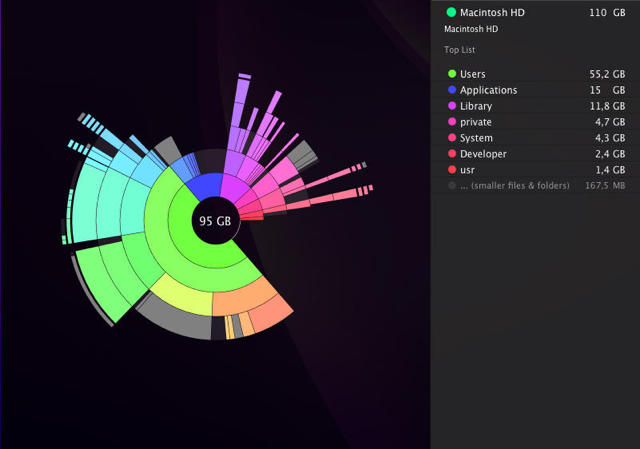
Daisy Disk has a super awesome UI

Daisy Disk has a super awesome UI

What it is: Daisy Disk is Mac utility software that, sadly works only on machines running OS 10.5 and later, because it’s the kind of thing that could make you want to investigate your hard disk daily.

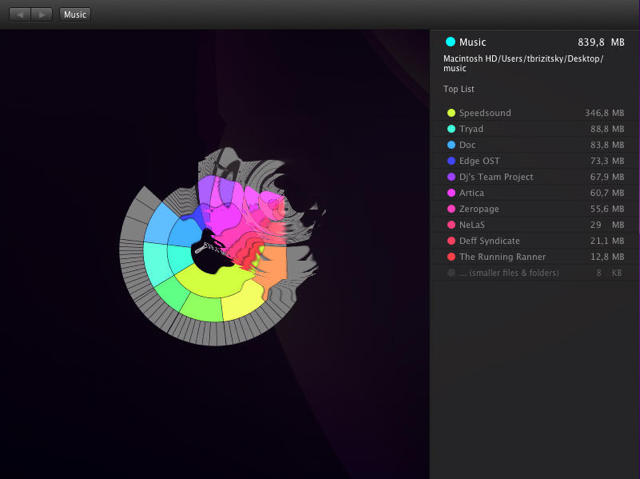
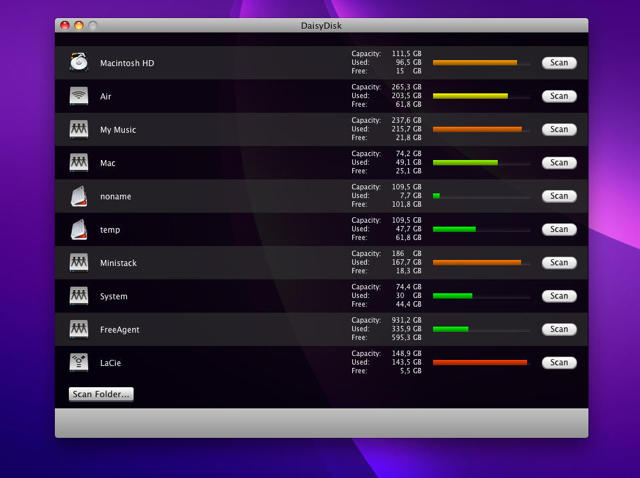
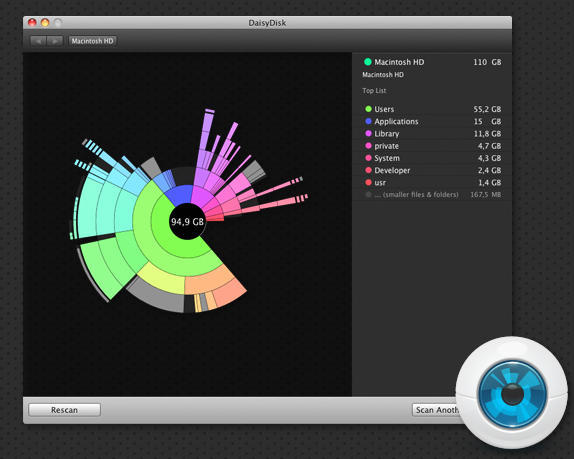
Why it’s cool: The interface is just plain awesome. Daisy Disk scans any mounted disk and displays it on a beautiful sunburst map, where segments mean files and folders, and are displayed proportionally to their sizes.

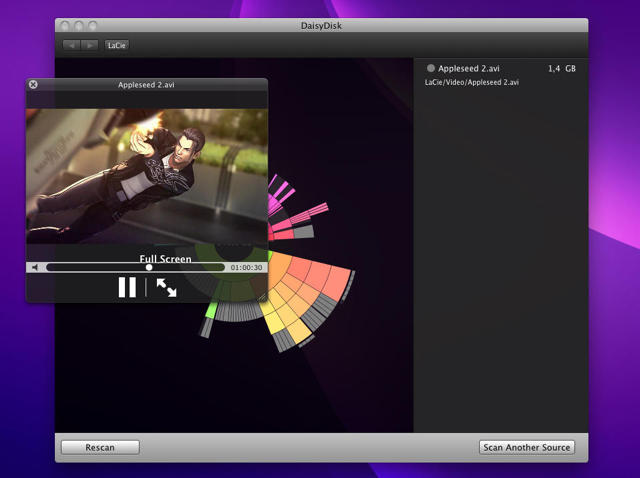
The map is easy to read and navigate and lets you quickly preview any file and reveal it in Finder to delete.

It’s essentially like running the Mac’s built-in disk utility on your volume, but where’s the fun in that?

Where to get it: Download a free 15 day trial version or buy it outright for $19.95 from the secure online Daisy Disk store.

Screenshots after the jump.

[Thanks mustardhamsters]
daisydisk_visualizer.png

daisydisk_animation.png

screenshot1_sources.jpg

screenshot4_preview.jpg

About the author

Lonnie Lazar

Lonnie Lazar is a writer, musician, web designer attorney. He writes about Apple for Cult of Mac and Mac|Life, and about VoIP and telecommunications for Voxilla. Follow Lonnie on Twitter @LonnieLazar, join the Cult of Mac on Facebook, and find Lonnie's photos on Flickr.

Email the author | Read more posts by Lonnie Lazar.

2 comments

    I use Disk Inventory X. It’s free and does basically the same thing. Its blocks of squares though instead of a radial map.

    Forensics? Like in “using techniques adapted from the natural sciences to obtain criminal or other legal evidence”? Meh.

Add your comment

Name(Required)

Mail (required, but not published)

Website

Comment

Buy Inside Steve's Brain Buy from Amazon.com Buy from Barnes & Noble