MobileMe went down for some ‘scheduled maintenance’ last night, and when it came back up it included a whole host of new features. As well as the Mail web application now out of beta, Apple’s list of improvements includes:
Widescreen and compact views.
Rules to keep your email organized everywhere.
Single-click archiving.
Formatting toolbar.
Faster performance.
Increased security with SSL.
Support for external email addresses.
Improved junk mail filtering.
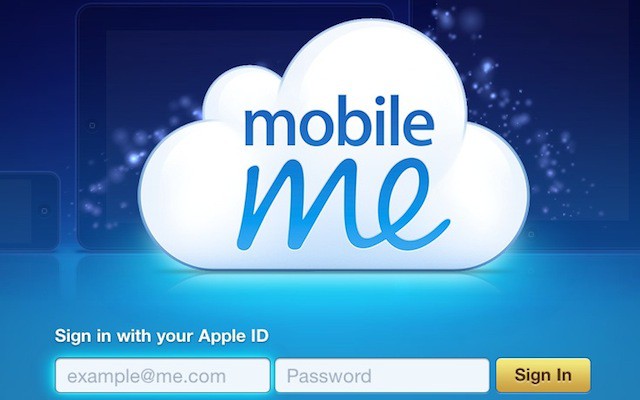
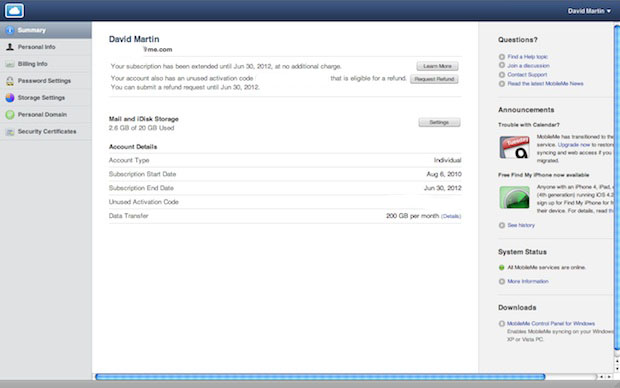
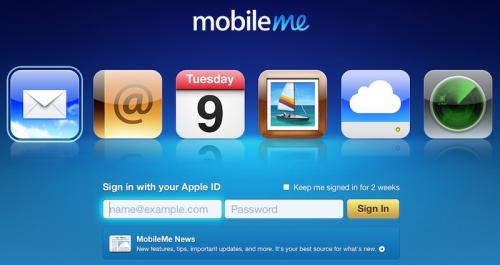
In addition to the new features, Apple has updated the login page (above) and introduced a fancy new application switcher (below) that provides a nice new way to navigate between the MobileMe web applications.
Apple have also released a Find My iPhone app that now provides you with quick and easy access to the Find My iPhone service from each one of your iOS devices. All of the web application features are included like sending a message to your device or playing a sound, locking the device and even wiping your data remotely.
Apple has been busy releasing a few of their own iOS applications this week, and as well as Find My iPhone, we’ve also seen iTunes Connect Mobile which gives application developers the ability to monitor their app’s success in the App Store from their iPhone, and the Apple Store application allowing customers to make purchases from their iPhones and schedule reservations at an Apple Retail Store.
You can claim your invitation by logging into MobileMe through me.com. The invite should be on the bottom left corner. MobileMe Mail beta is currently only available in English.
Steve Jobs is at it again — emailing Apple customers with answers to their questions.
This one was sent to CultofMac.com by reader Paul Greenberg, who asked Jobs about a missing MobileMe feature that’s been bugging him for three years: the inability to sync notes via MobileMe.
For years I’ve been shuttling movies and TV shows between Macs at home and work using a portable hard drive.
But now that same drive is hooked to the internet thanks to the Pogoplug, a nifty $129 device that turns any USB hard drive into your own little cloud server accessible over the Internet.
Sitting on a bookshelf at work, the Pogoplug serves up all my files over the Net, even to my iPhone. It’s also going be a great complement to the iPad (arriving Saturday), storing all my media and streaming music and movies over the net without eating up the iPad’s limited memory.
A couple of weeks ago I canceled my MobileMe account. Why? Because it didn’t do the one thing I wanted it to do: share my calendar with my wife so we could coordinate our busy lives. That’s all.
I love MobileMe’s email, calendar, contact syncing (especially on the iPhone) and even iDisk. I gave Apple a year to improve it, but nothing happpened, so I switched.
Here’s how to recreate all of MobileMe’s features for FREE (except one) and how I use it to sync my iMac, MacBook and two iPhones.
Aerial footage of Apple’s massive data center in rural North Carolina clearly show how large the $1 billion complex is.
Shot recently by a local realtor, the footage shows a massive facility the size of a shopping mall.
Experts note that Apple’s data center will be among the largest in the world, rivaling centers run by internet giants like Microsoft and Google. The unusual size of the data center suggests that Apple is investing heavily in cloud computing. At 500-000 square feet, the facility is five-times the size of Apple’s West Coast center in Newark, Calif.
Apple has said little about the complex, except that it’ll be its east coast data hub.
For all of its problem, $60 for a MobileMe account is still a great deal if you need to store a lot of photos or movies online… the only problem is there hasn’t yet really been a good way to take your photos or movies with you on the road.
Apple’s latest MobileMe app, MobileMe Gallery, plugs that hole. It’s a companion to the other recently released MobileMe, app, iDisk, allowing you to browse and share the photos store on MobileMe from your iPhone and iPod Touch.
It works great, with snappy performance and local cashing which allows users to view photos even when offline. All of the usual multitouch functions are supported, including pinch zooming and landscape orientation.
If you have a MobileMe account, there’s no reason not to pick MobileMe Gallery up: it’s a free download on the iTunes App Store.