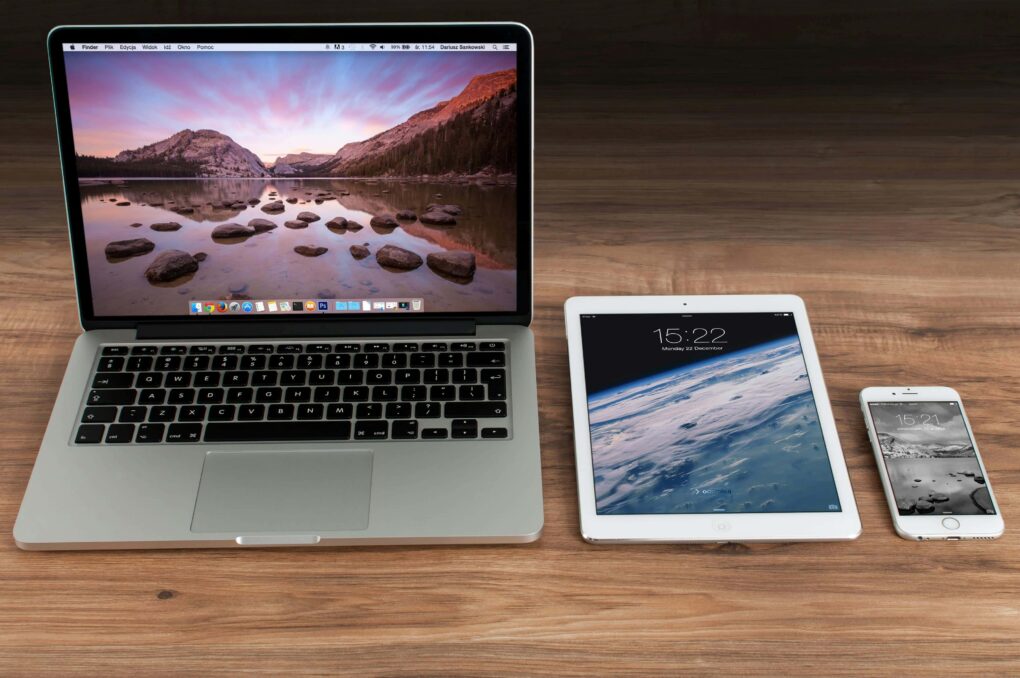
iPad is a line of tablet computers from Apple Inc. running the iPadOS mobile operating system. These are low-cost products designed to appeal to young students, and anyone looking for a light-duty tablet.
iPad computers continue to be popular. Apple is the 500-pound gorilla of the global tablet market, shipping twice as many units as any of its rivals.
The lineup begins with a basic entry-level model made for budget-conscious buyers. The midrange features the Air and mini models, which offer a balance of modern features at a moderate price. These two models come in three total screen sizes: small, medium and large. At the highest-end, the Pro model offers the latest and greatest technology for power users — those who depend on the tablet to get their work done every day.
iPad 11
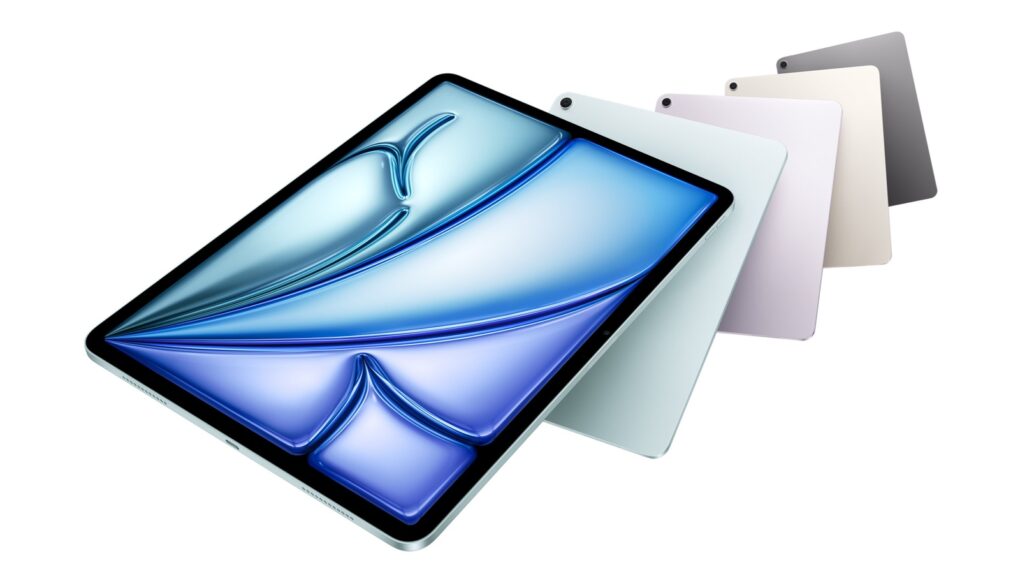
The basic model comes in a bunch of fun colors.
Apple’s makes a budget model called simply “iPad.” The most recent is the 11th-generation model from early 2025. It come with a relatively modern A16 processor and 11-inch screen. It offers impressive performance and portability for a budget tablet.
The A16 chip means that it lacks support for Apple Intelligence and the ability to plug in an external display. However, its 128GB of storage, USB-C port and Touch ID button means that it has plenty of space with convenient charging and daily usage.
The tablet’s excellent front-facing camera and long battery life further add to its appeal.
iPad Air
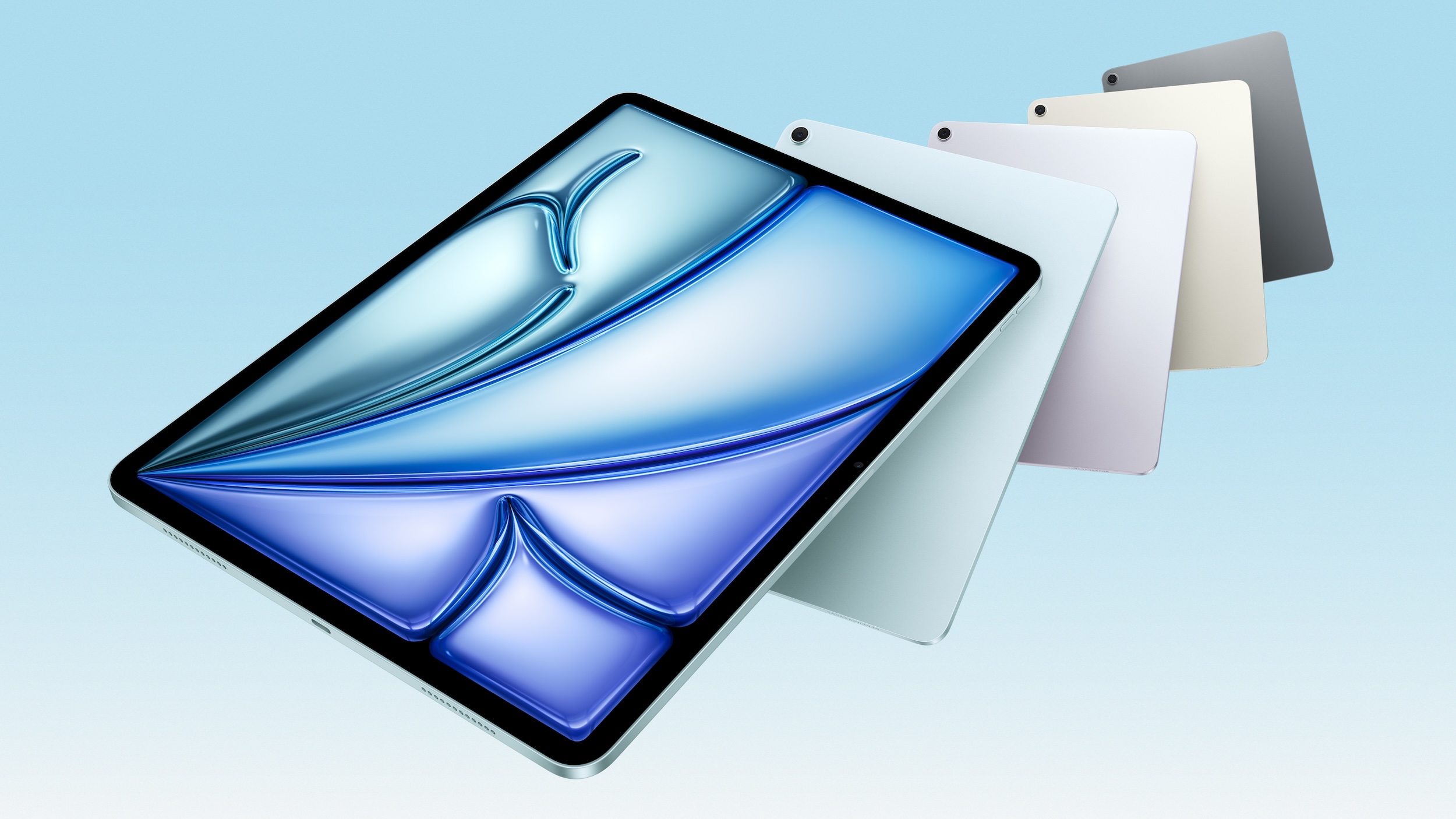
The 2025 iPad Air is all about its M3 chip.
The “middle of the road” option runs on a speedy M-series Mac processor, but not the latest. It comes in both 11-inch and 13-inch sizes, too, so you can opt for a larger screen.
The current version is the M3 model from early 2025. It is a powerful and versatile tablet, capable of handling both casual and professional tasks. While it lacks Face ID and some advanced features of the iPad Pro, it offers a great balance between performance and price.
It’s an especially capable computer when you pair it with the Magic Keyboard, which adds a laptop-style keyboard and trackpad. With the Apple Pencil, it’s also a note taking device and drawing tablet.
In Cult of Mac’s review, our biggest draw against it was the limited multitasking capabilities compared to a Mac — but the upcoming iPadOS 26 update with app windowing, coming this September, alleviates many of those concerns. Its versatility makes it a compelling alternative to a laptop with more diverse use cases.
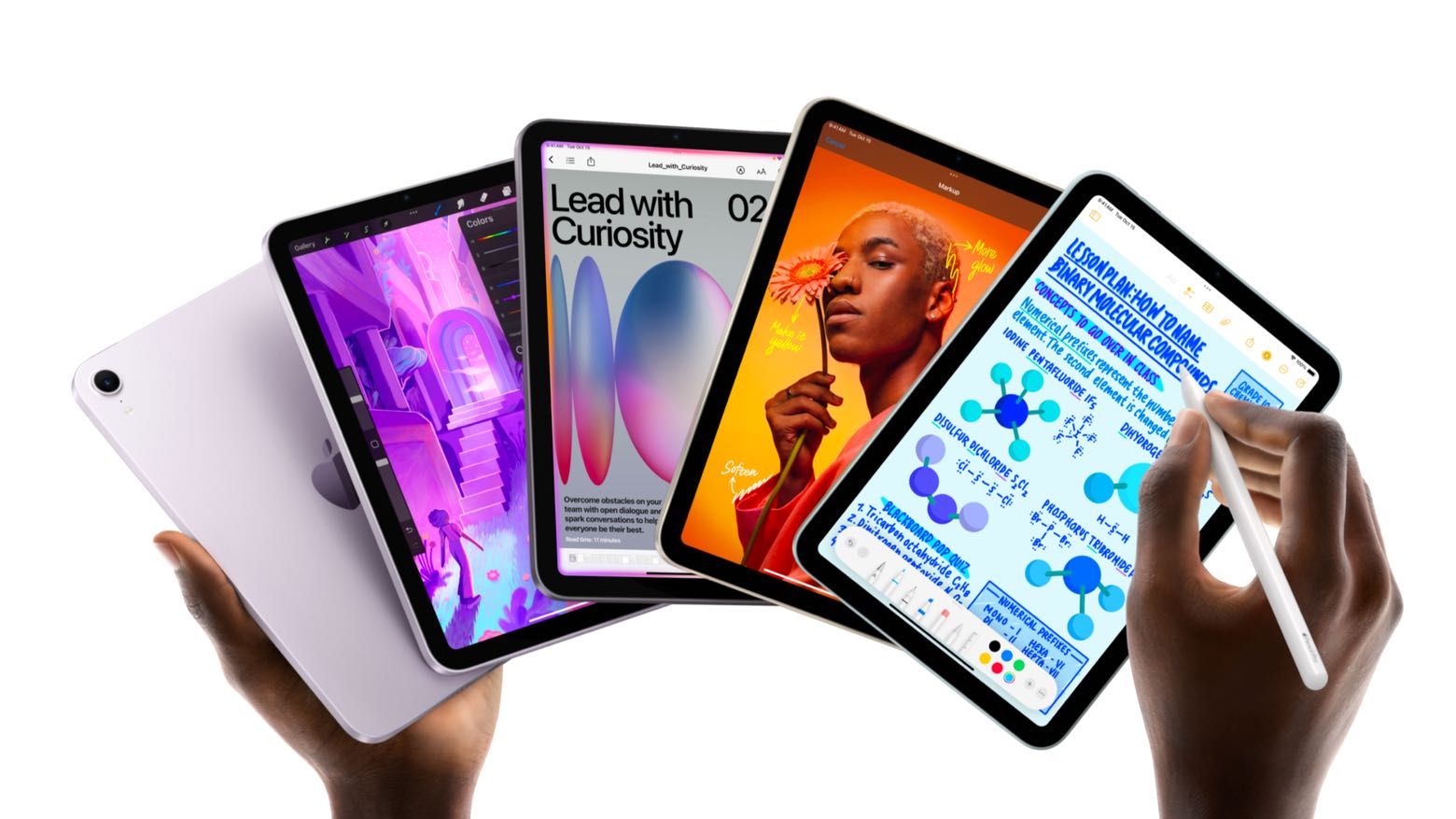
Its fast processor, 128 GB of storage, and support for Apple Intelligence AI features make it a smart choice that will last you for many years. The tablet retains its compact 8.3-inch display but fixes the “jelly-scrolling” issue from the previous model.
Initial reviews noted that it lacked Stage Manager, a multitasking feature. However, the upcoming iPadOS 26 update will take it above and beyond with Mac-like app windowing. This will make Apple’s tiniest tablet a truly capable machine.
It’s also compatible with the Apple Pencil Pro and Apple Pencil USB-C for drawing. While Apple doesn’t make a keyboard and trackpad case for the iPad mini, you can pair a keyboard and trackpad via Bluetooth.
The iPad mini proves that a small tablet doesn’t have to skimp on features.
iPad Pro
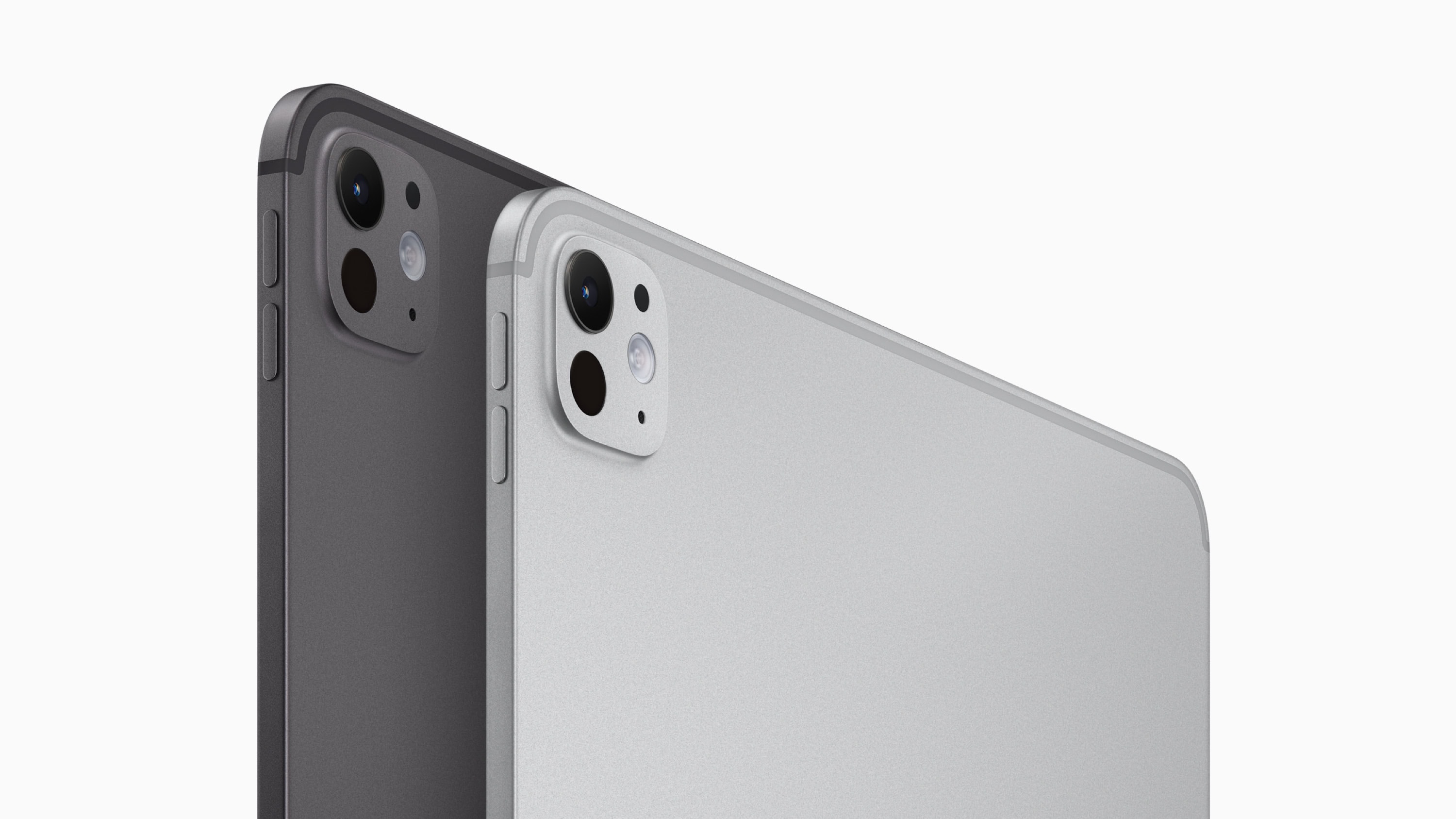
Get the M4 iPad Pro if your wallet allows for it.
The premium version boasts Apple’s latest Mac processor, an OLED display, and other advanced features. It comes in 11-inch and 13-inch variants. The current model, released in early 2024, comes with Apple’s latest M4 chip.
The latest iPad Pro is far lighter and thinner than previous models, thanks to the M4 chip’s efficiency. It is Apple’s thinnest computer ever. The new tandem OLED display offers perfect blacks, infinite contrast, and improved brightness, especially in challenging lighting conditions. By stacking two OLED panels in a single display, it can overcome the typical limitation of OLED, its brightness, while still offering incredibly accurate colors.
The M4 chip, with its powerful CPU and GPU, enables advanced AI capabilities, enhanced gaming performance, and drives the new display technology.
Its redesigned Magic Keyboard accessory is also made of premium materials, with a new enclosure that’s partially made of aluminum. It features a larger trackpad and function keys, just like a laptop, while shedding some weight and thickness.
It’s compatible with both the Apple Pencil USB-C and the Apple Pencil Pro, for drawing and note taking.
iPad for kids
The best iPad for kids would probably be the entry-level model, purchased used for a good deal. Kids don’t need a tablet with a tandem OLED display — the basic tablet will do.
I would recommend a bulky and sturdy case, to prevent it from getting damaged.
Features
You can run many iPhone apps at once.
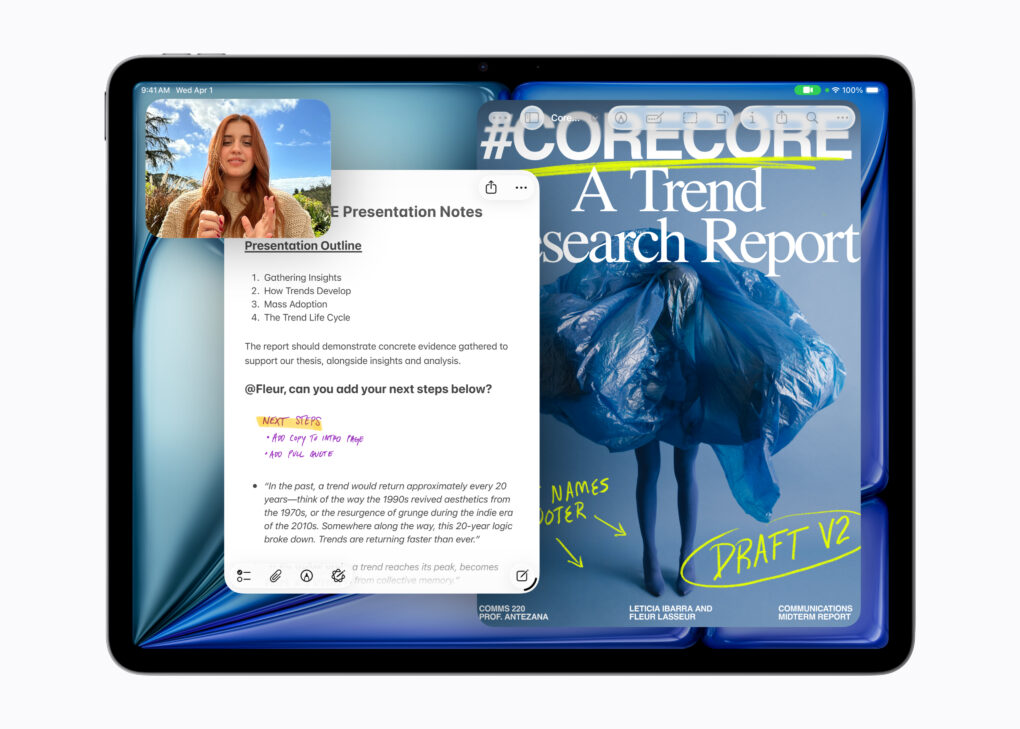
Compared to an iPhone, you have many extra features on account of the bigger screen. You can run a bunch of apps simultaneously with Stage Manager — and, in iPadOS 26, free app windowing, just like a Mac. Resize app windows from the bottom corner and rearrange them on screen.
Another unique feature is support for pen input. The Apple Pencil lets you draw on the screen in supported apps. You can also use it for note taking, or writing anywhere you can type in the system. The Apple Pencil can also be used a cursor, tapping and scrolling through the interface.
You can also connect a keyboard and trackpad accessory like a laptop. The iPad supports an on-screen cursor that can point and click.
iPad with cellular
Optionally, you can order one with a cellular connection. This gives you a persistent connection to the internet, no matter where you go, just like an iPhone. You can browse the web, use apps, watch videos all the same — anywhere your iPhone can connect, too.
A cellular model costs an extra $150 on the entry-level models and $200 on the pro models. Cellular models require extra hardware for the internal eSIM and antennas, so they are separate models from the Wi-Fi only models. You cannot add cellular to a Wi-Fi only iPad; it has to be ordered as a cellular model.
Adding a secondary device to a cellular plan typically costs an extra $10/month in the United States on all the main cell providers.
iPad engraving
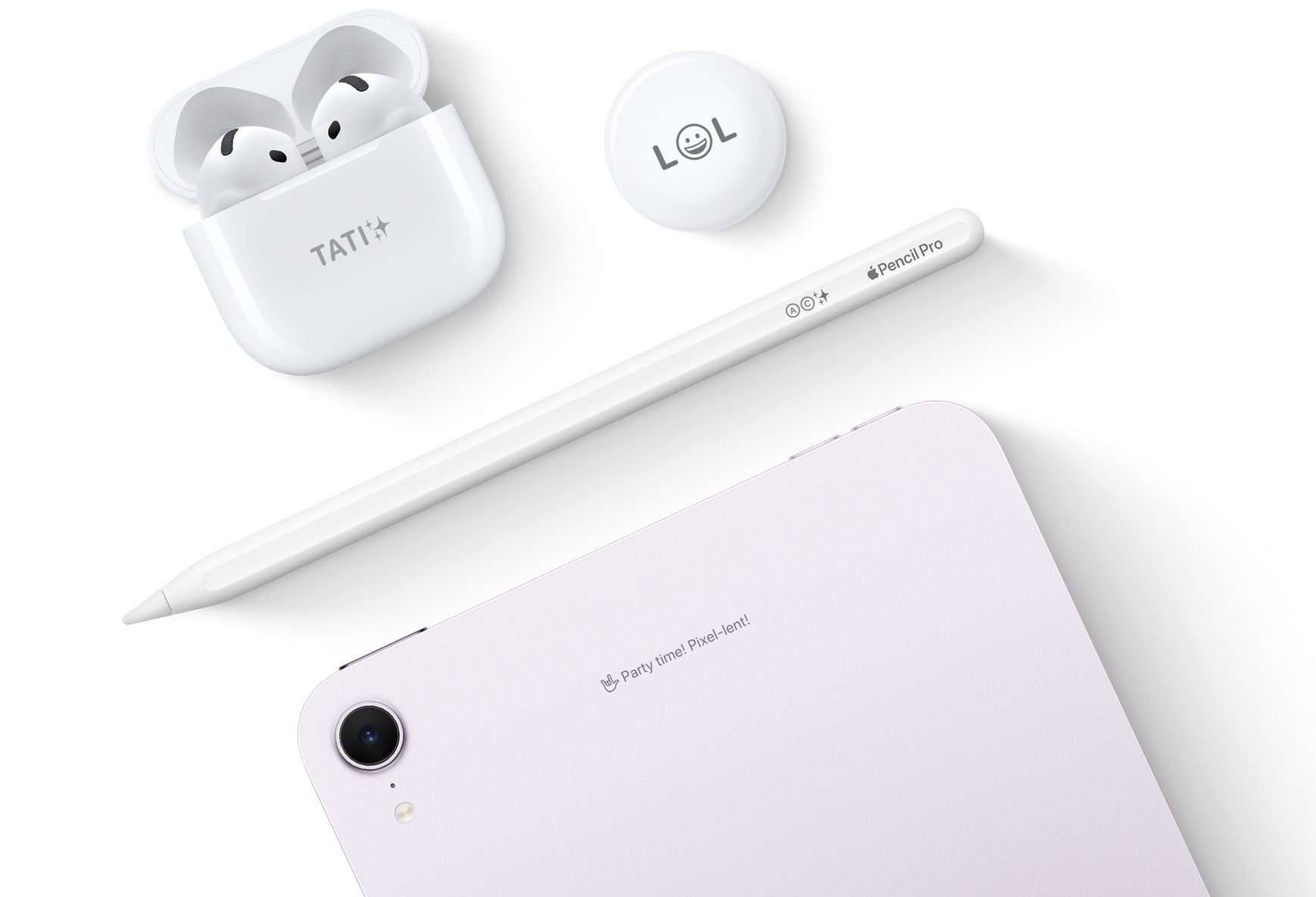
Engrave your AirPods, AirTags, Apple Pencil, iPad and more.
When ordering an iPad new from the Apple online store, you can add an engraving to the back for free. You can add two lines of text, of about 30 characters. Type your name, some basic contact information, or something unique to identify the device. You can also add emoji or circled letters for fun.
You can only order an engraved iPad from Apple online. It’s not available from third-party retailers nor from an Apple Store. That’s because it’s engraved at the factory. However, you can still have it shipped in a similar amount of time when you order it.
iPad wallpaper
The iPad has similar built-in wallpapers from Apple as the iPhone. You can customize the Lock Screen using all the same features.
There are a few extra considerations, though. The iPad has a much bigger and squarer screen, with a 4:3 aspect ratio, instead of a 2.2:1 aspect ratio. It can also freely rotate between portrait and landscape orientation, whereas an iPhone wallpaper is only portrait.
The biggest 13-inch model has a display resolution of 2752 × 2064, so a 4K wallpaper is big enough to fill the screen.
iPad accessories
There’s a wide world of accessories that can extend and enhance the functionality of your tablet. A keyboard (or keyboard case) can transform your tablet into a laptop for real work, especially with an external monitor or storage. If you just want to prop it up somewhere, a stand can come in handy. And if you’re a bit clumsy, you’ll want a screen protector. Finally, for traveling, you’ll want a charger you can take in your bag.
iPad keyboard
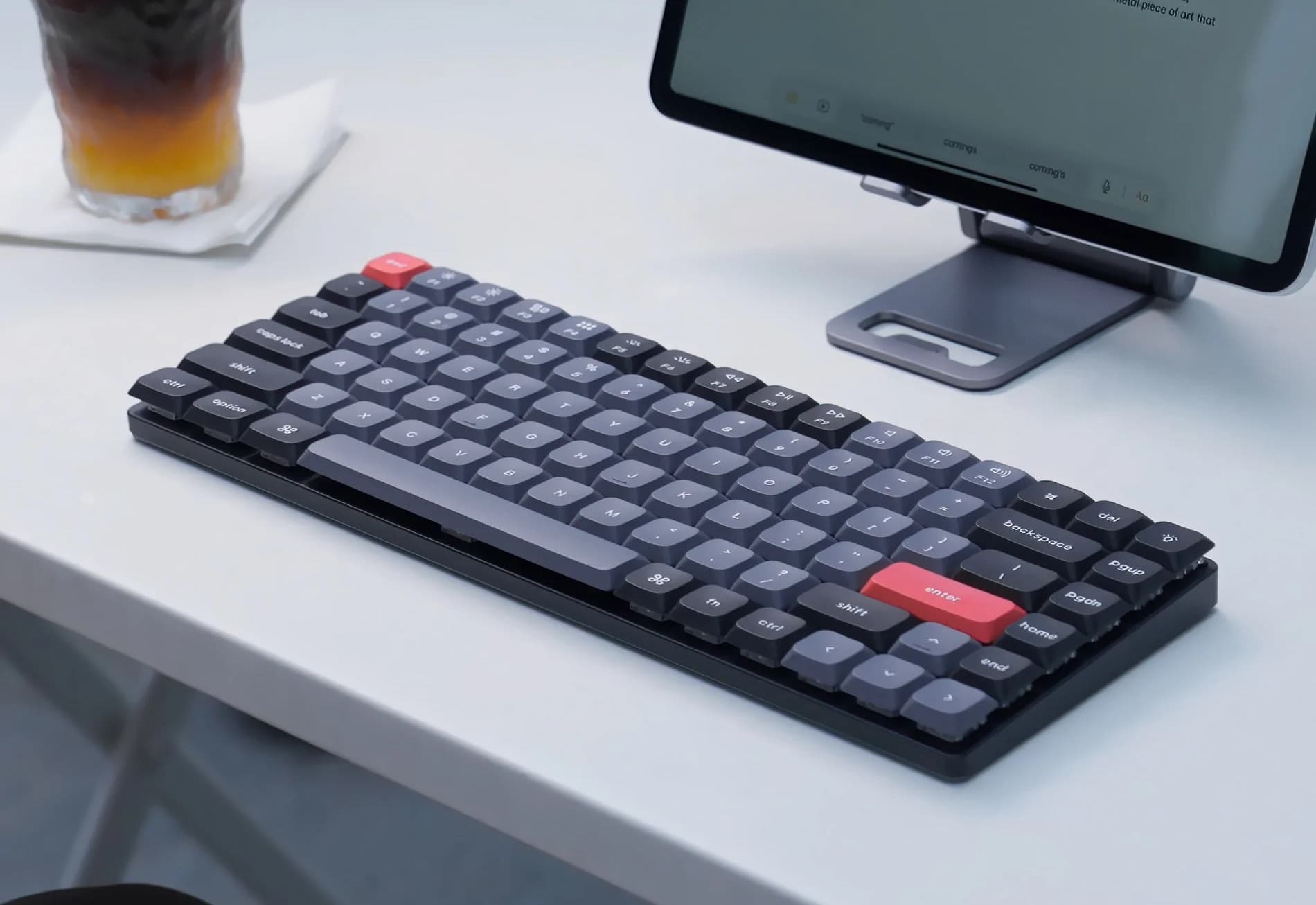
The “low-profile” keyboard is shorter than your average mechanical keeb.
The iPad can work with most keyboards, either wired over USB-C or over Bluetooth. That makes keyboard shopping easy — just about any Bluetooth keyboard will work.
The Keychron K3 Pro is an excellent pick if you want a mechanical keyboard for your iPad. It’s a low profile mechanical keyboard, and it’s highly customizable to match your taste. Mechanical key switches mean the typing feel is far more comfortable (and tactile) than an ordinary keyboard. Find it on Amazon here.
Logitech Keys-to-Go 2 is a slim and lightweight portable keyboard for iPad users who prefer a separate case and keyboard. It offers a full QWERTY layout with multimedia controls, but sacrifices key travel and backlighting for its compact design. It’s an optimal choice to keep in a travel bag for typing on the go. Read our review or check it out on Amazon here.
iPad keyboard case
A popular accessory for iPad is a keyboard case. They offer a laptop-style keyboard and trackpad with protection built-in.
Apple makes the Magic Trackpad for the Air and Pro models. They feature a cantilever design that raises the iPad up like a laptop, with a full-size keyboard and laptop-style trackpad. Both are rather pricey, but are each very high-quality accessories. The Pro version features an aluminum palm rest and Force Touch trackpad, just like a MacBook.
For the entry-level iPad 10 and 11, Apple makes the Magic Keyboard Folio. It features a detachable keyboard with full-size keys, a trackpad, and a function key row. The keyboard costs $249 and is only available in white. Find it on Amazon here.
ESR’s Rebound Magnetic Keyboard Case 360 offers a protective case, keyboard, and trackpad. It allows typing in both portrait and landscape mode, a feature lacking in Apple’s Magic Keyboard. While it is more affordable and functional, it is heavier and thicker than Apple’s product. Check it out on Amazon or read our review.
Logitech’s Combo Touch for the M4 iPad Pro offers a detachable keyboard and trackpad, a built-in kickstand, and a larger trackpad compared to Apple’s Magic Keyboard. While Logitech’s case provides more protection and a lower price, Apple’s Magic Keyboard is lighter and includes a USB-C port for charging. Shop on Amazon or read our review.
iPad external monitor
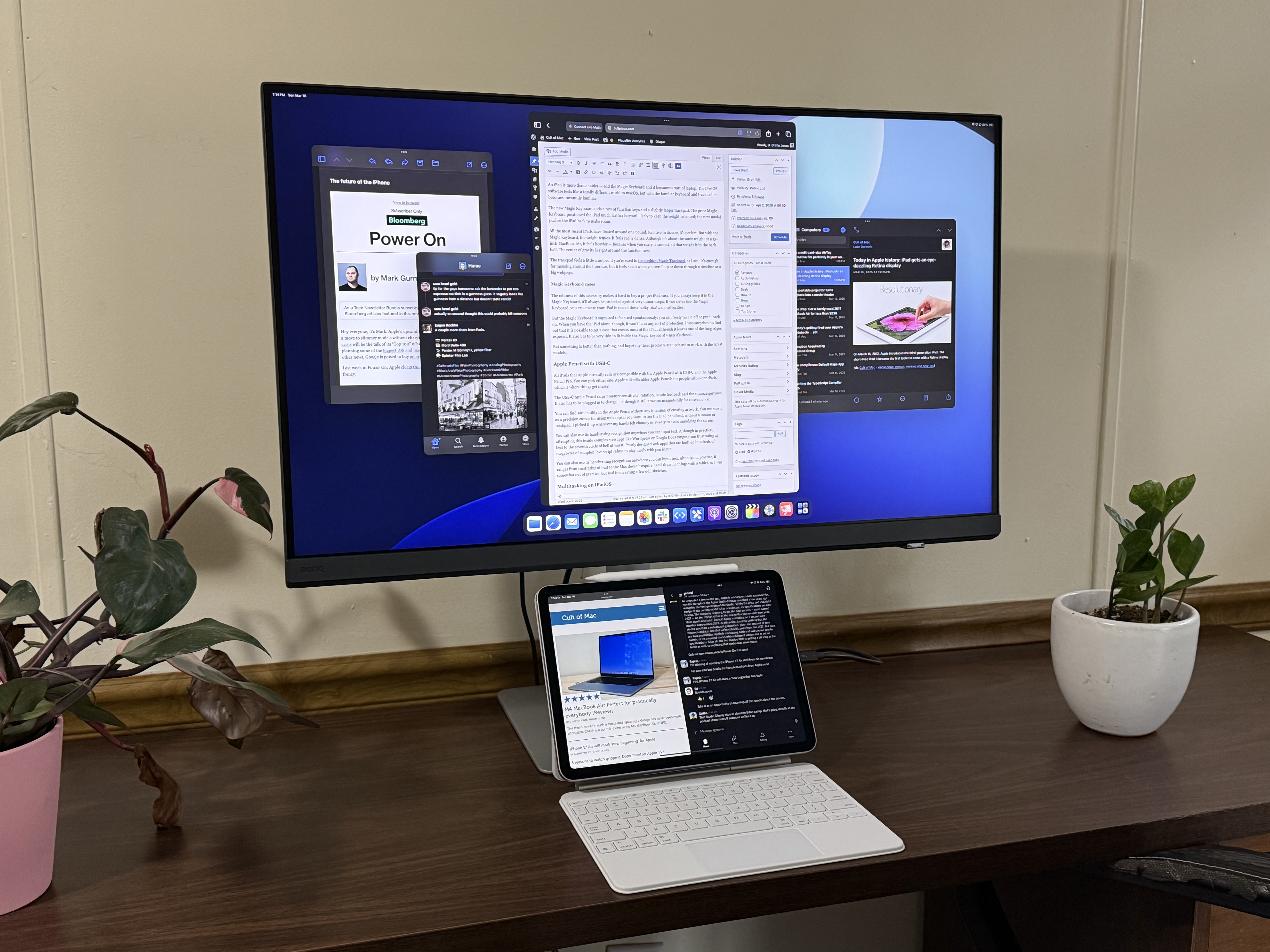
Connect to an external display for Mac-like multitasking.
KYY’s external monitor, with good screen quality and USB-C/HDMI connectivity, is a budget-friendly option at $105 — and it’s often on sale for far cheaper. It’s compact and portable, fitting easily in carry-on luggage. Find it on Amazon here or read our review.
Most portable monitors are 1080p, but Topmonitor makes one that’s higher resolution. The Topmonitor 15.6-inch 4K offers both USB-C and HDMI ports, and comes with a similar 3:2 aspect ratio to your iPad. It’s slightly more expensive at $140 — though frequently on sale for less. Find it on Amazon here.
For a desktop display, Sceptre makes a 4K 27-inch screen that works with iPad. You can connect to it using an HDMI to USB-C cable. It’s a full-size monitor for real multitasking, just like a desktop computer or laptop. You’ll need a keyboard and trackpad (or mouse). It’s only $180; check it out on Amazon.
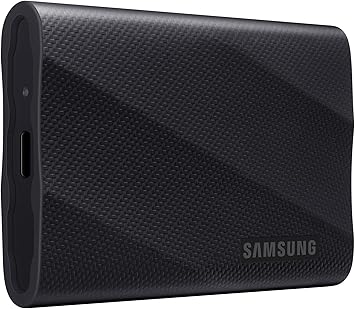
The Samsung T9 solid-state drive is small enough and tough enough to go almost anywhere. Connect it to your Mac, iPad or even iPhone via its USB-C port to transfer data at up to 10Gb/s. Available in a range of capacities from 1TB to 4TB.
The Samsung T9 solid-state drive is small enough and tough enough to go almost anywhere. And it’s available in capacities up to 4 terabytes. It’s 3.5 inches by 2.4 inches by 0.6 inches, and covered in a layer of rubber. That allows it to survive drops up to 9.8 feet (3 meters), and it’s much less slick than aluminum. Read our full review or buy it on Amazon.
Move your files in a flash with speeds up to 1,000MB/s Read, 900MB/s Write. And the portable SSD includes a convenient one-handed sliding cap, an LED status indicator and functional keyring loop.
Those who need a bit less storage capacity can appreciate the Kingston DataTraveler Max. It’s the smallest option on this “Best SSD” list, and the only one to come with a built-in USB-C connector so it plugs directly into a Mac or iPad, no cable necessary. Buy it on Amazon here.
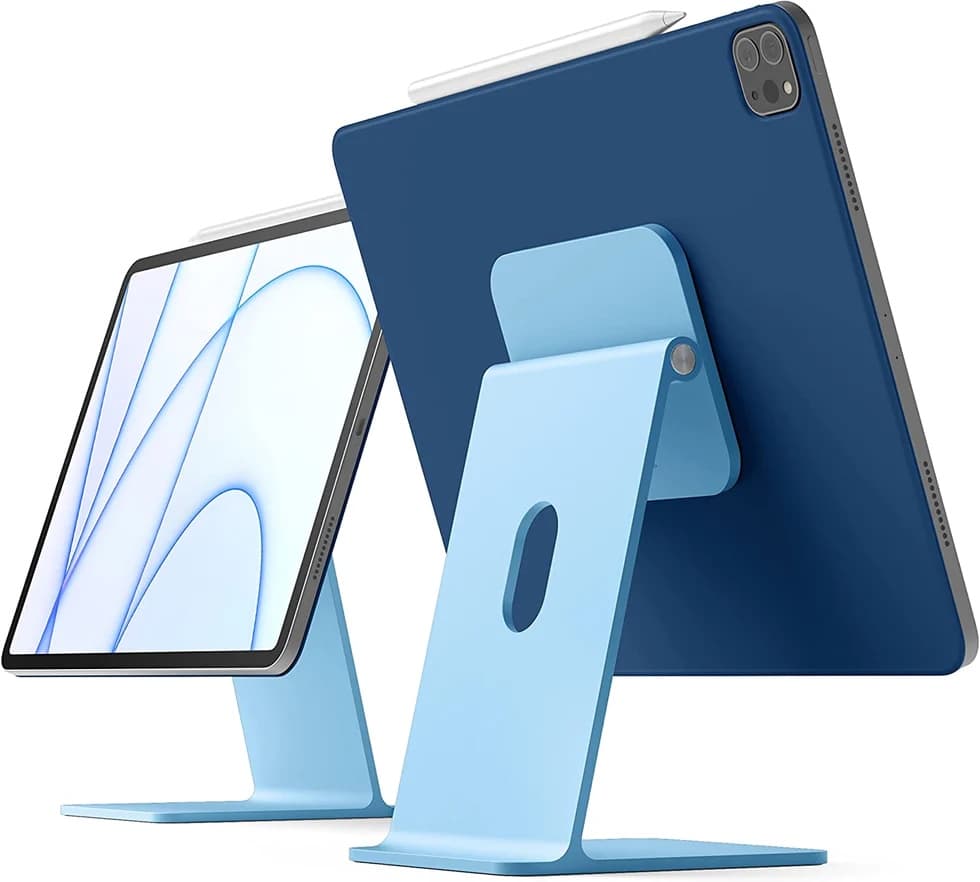
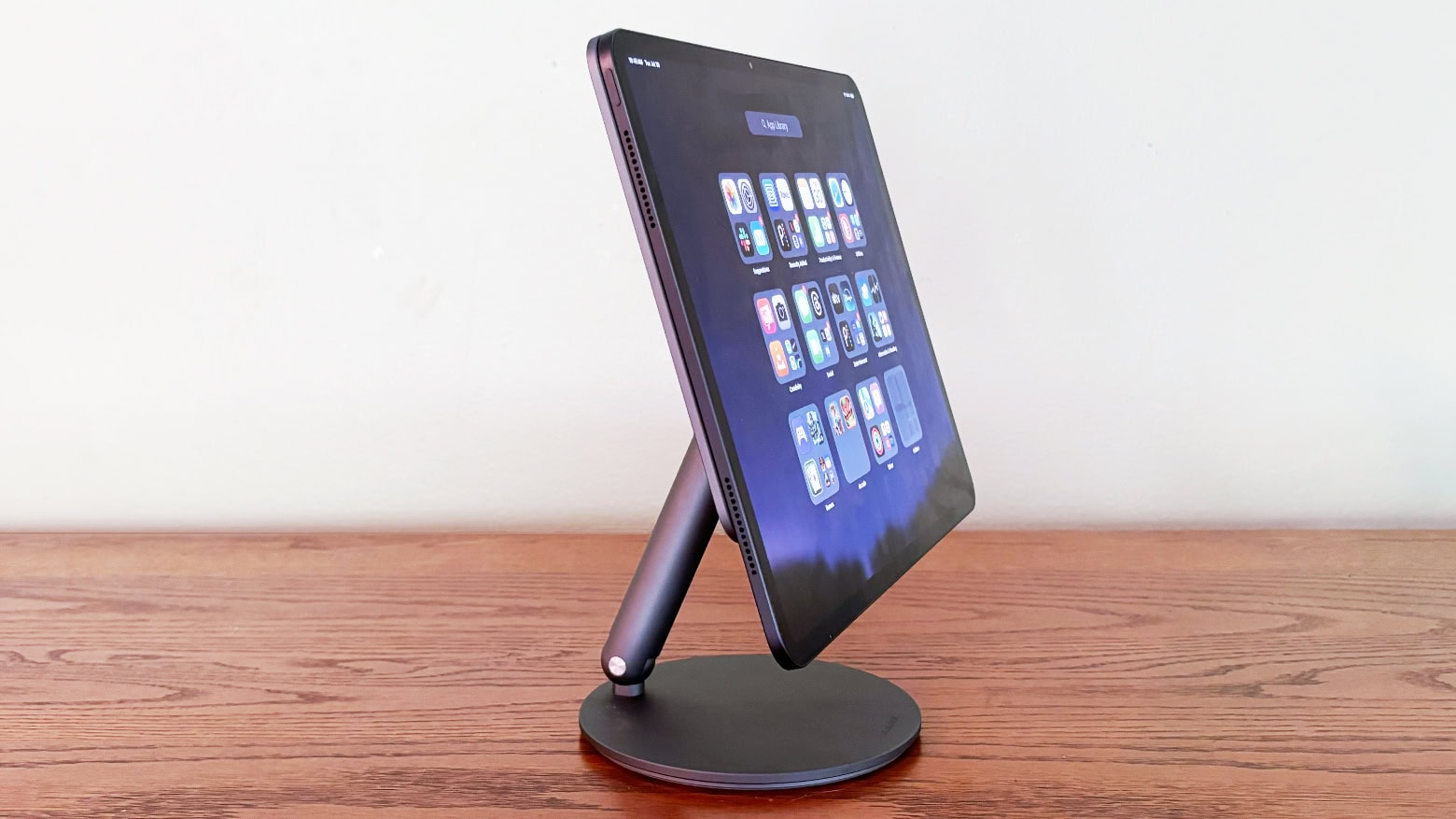
The sturdy magnetic stand is a perfect iPad companion.
The Elago Magnetic Stand for iPad, available in a bunch colors from gray to blue to pink, mimics the design of the iMac and turns an iPad into a small desktop. It features a magnetic connection, adjustable hinge, and is priced at $110.99 from the Cult of Mac Store.
Lululook’s charger stand looks great.
The Lululook 360 Rotating Foldable Magnetic iPad Charging Stand is a versatile accessory that supports various Pro and Air models. It features a magnetic connection, allowing for cable-free charging and leaving the iPad’s USB-C port open for other accessories. While charging speed is limited to 17–18W, the convenience of wireless charging and the stand’s flexibility make it a worthwhile investment for iPad users. Check it out on Amazon.
iPad charger
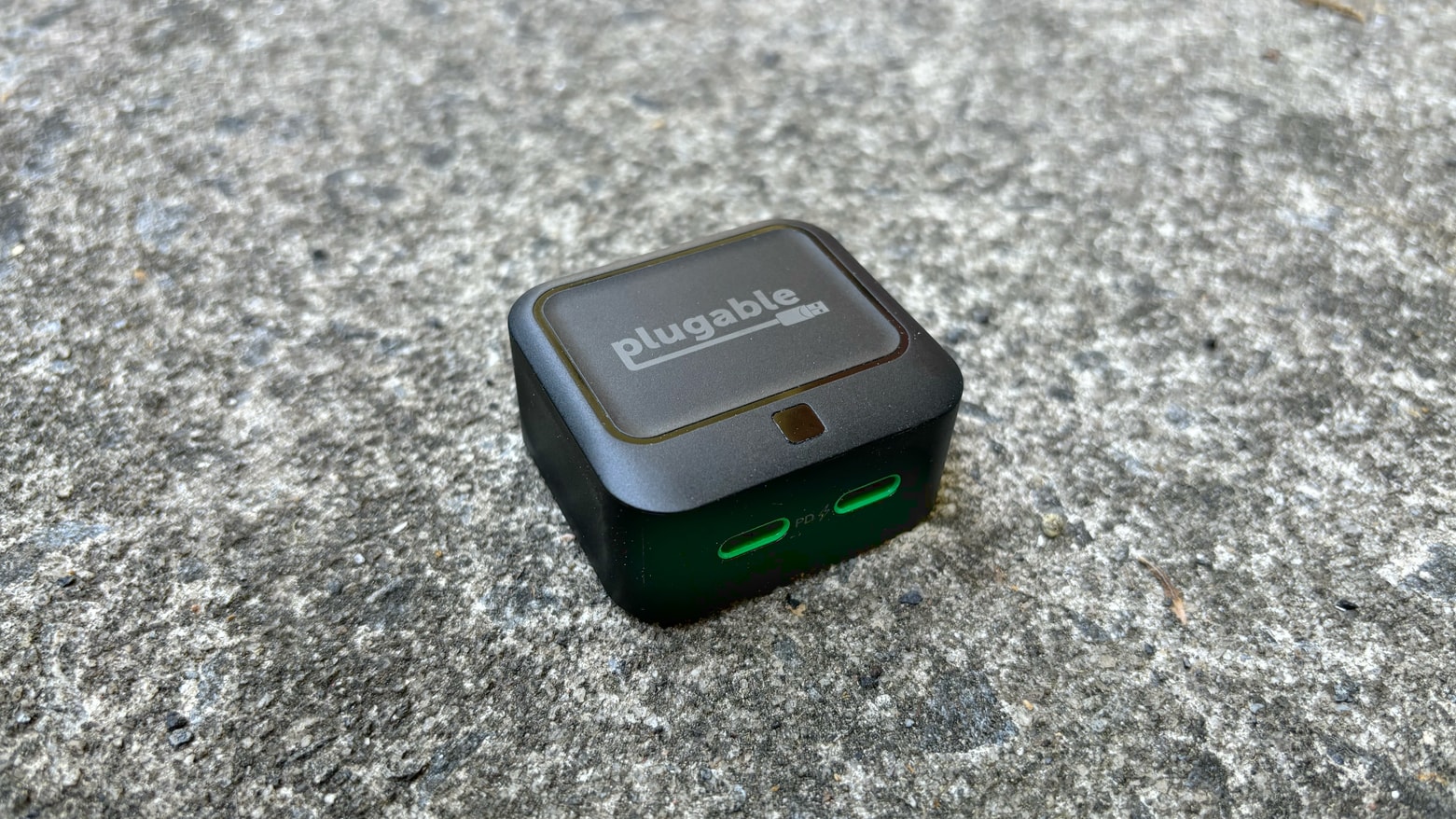
Plugable 40W Dual USB-C Charger: Powerful enough to be useful, small enough to go anywhere
The Plugable 40W Dual USB-C Charger is a super compact and powerful charger. It features two USB-C ports, a foldable AC plug, and a convenient LED indicator. While it offers enough power for most devices, the 40W output is split between ports, with the first port receiving priority — so you can top up your tablet and your phone at once. Find it on Amazon.
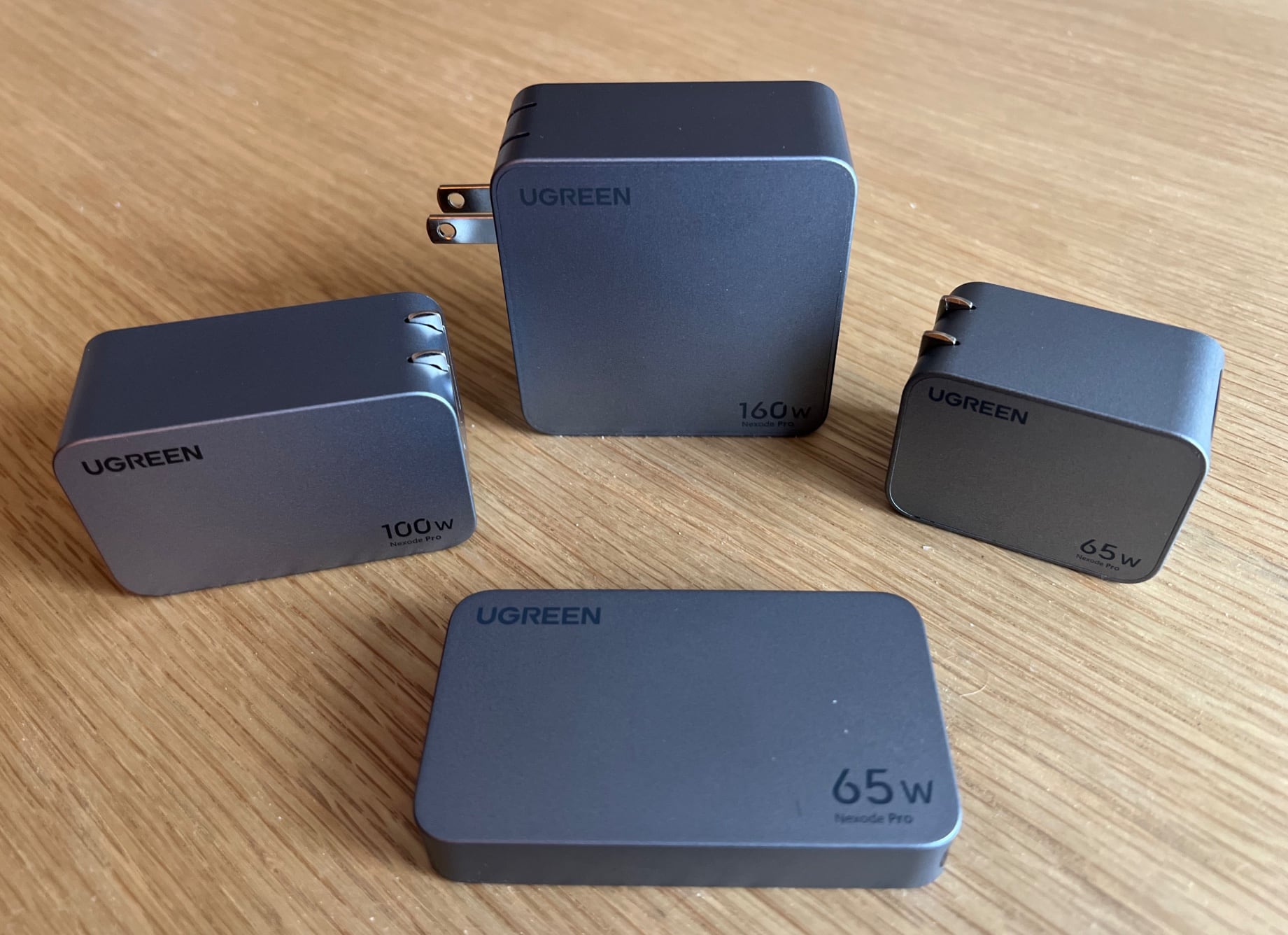
Ugreen’s four potent Nexode Pro GaN chargers can cover most of your charging needs.
Ugreen’s new Nexode Pro lineup of four gallium nitride (GaN) wall chargers offers powerful charging options in small sizes. The chargers, ranging from 65W to 160W, feature multiple USB-C and USB-A ports, making them suitable for charging various devices simultaneously. The compact 65W version can quickly top up any device, and the 100W version is recommended for its solid power, medium size, and versatility. Check it out on Amazon or read our review of the whole lineup.
For charging all your devices at once, the Zens 4-in-1 charging station is capable of charging an iPhone, Apple Watch, AirPods, and iPad simultaneously. The station features a MagSafe wireless charger, Apple Watch stand, AirPods charging mat, and an adjustable USB-C connector. It is for sale on Amazon.
iPad Comparison
Is an Apple tablet the best thing for you to buy? You may also want to consider a MacBook if you have more advanced needs, a Samsung tablet if you’re limited on your budget, or an Amazon Kindle if you plan on reading a lot of books. Here’s how they all stack up vs the iPad.
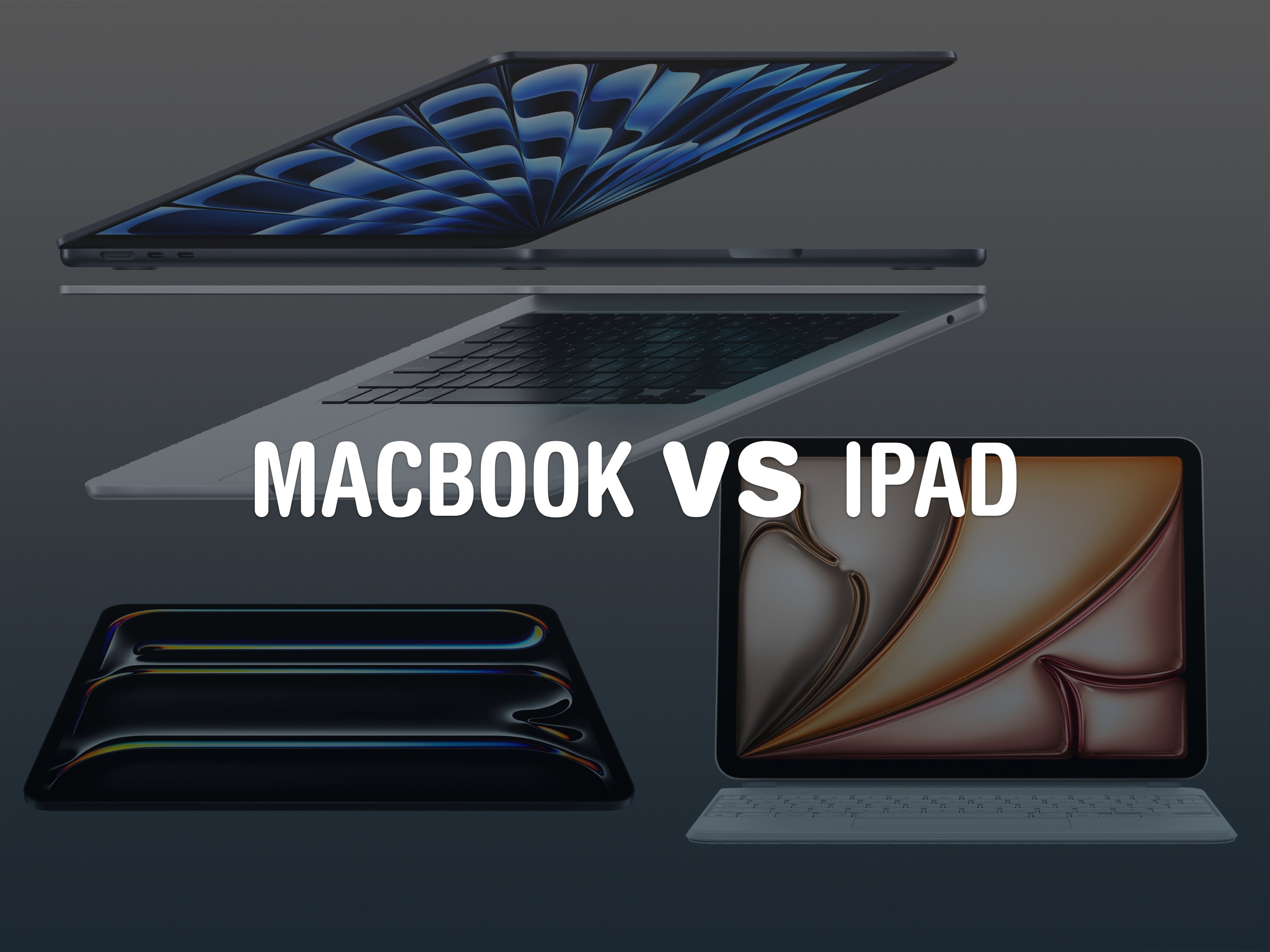
iPad vs MacBook
Which is the better choice these days?
The iPad and MacBook run similar apps made by Apple, like Safari, Messages, Mail, Photos and more. A lot of third-party apps run on both, like Microsoft Word, Google Docs, Notion, Slack. Even advanced apps like Photoshop, Final Cut Pro and Logic Pro have iPad versions, although they aren’t as advanced as their MacBook counterparts.
While the iPad can handle the basics in much the same way, like web browsing and working on documents and files, a MacBook can do more advanced tasks. While iPadOS 26 brings some power features like app windowing, local audio and video recording and the Preview app, there will still be some features only possible on a MacBook.
An iPad is still a single-user device, while a MacBook supports multiple users. Only a Mac can write code with Xcode or the Terminal.
However, the iPad has exclusive features as well — it’s also a touchscreen tablet you can take with you, and it supports drawing and interaction with the Apple Pencil.
iPad vs Samsung tablet
The iPad and Samsung Galaxy tablets have somewhat similar capabilities — both can handle multitasking and both support pens, keyboards, trackpads and mice.
Like all Apple products, they support Apple services and sync with your other devices. You can take phone calls and reply to your texts, use it as the screen for your MacBook, sync your photos and videos and more. It runs all the same apps as your other Apple devices, too.
Apple tablets have a more powerful chip inside, thanks to Apple silicon. The M-series chips are the same chips that go in the MacBook Air and MacBook Pro. With that much speed, Apple’s tablets will last much longer without feeling slow.
Samsung Galaxy tablets, however, are cheaper. The starting price for the latest model is around $220. At that price, you would have to buy a refurbished or older model iPad.
iPad vs Kindle
The Kindle is a dedicated eBook reader, as opposed to a tablet. It has limited connection to the internet and won’t distract you with all your notifications.
The Amazon Kindle has an e-ink screen. It isn’t shiny and bright, it’s soft and paper-like. It’s much easier to read in broad sunlight and less harsh on the eyes at night. Although, the e-ink screen means it doesn’t display comic books as well as a tablet, and can’t play videos well.
The Amazon Kindle also has fewer apps. If you use a specific eBook app on your iPhone or iPad, it may not run on the Kindle.
So while the Kindle is a better dedicated book reading experience with fewer distractions, its limitations may prevent you from using it in the same way.
Apple's entry-level tablet gets a solid upgrade, with a welcome boost to the base model's storage. It's a great option for watching videos, checking emails, surfing the web and more.
Pros:
A16 processor
Ultra Wide 12MP front camera supports Center Stage
The midrange and powerful iPad Air is on sale at Amazon as well. This tablet has the same chip that you can get in the MacBook Air and MacBook Pro, so it’s a powerful device that’ll last you a long time. You can get $50 off the 11-inch model, taking it down to $549; or get a whopping $100 off the 13-inch model. Check out the best deal here.
You can get the biggest deals on the iPad Pro, on sale with up to $250 off on Amazon. This tablet has a gorgeous tandem OLED display in a remarkably thin and modern design. It’s the only model with Face ID and all the other advanced features. See the best deal here.
iPad battery replacement
You can check whether your battery is in good health in Settings. Open Settings > Battery > Battery Health to see what the maximum battery capacity is. If you’re over 85 percent, your battery is solid. If your maximum capacity is between 80 – 85 percent, you should take a look at a battery placement or possibly trading your device in.
iPad repair for battery replacement is notoriously tricky. While Apple runs the self-service repair program, all repairs begin with carefully removing the big, millimeters-thin display, which takes an expert hand to remove and replace.
iPad reset
You need to properly reset your iPad before you trade, sell or pass it down. That way, the new owner will be able to set it up as brand new, with none of your data left on it.
First, make sure that a recent iCloud backup is in place. You can check this in Settings by tapping on your name at the top, then tapping iCloud > iCloud Backup. Make sure that “Last successful backup” is a recent date and time. Otherwise, tap Backup Now.
After setting up your new device, go to Settings > General > Transfer or Reset iPad and tap Erase All Content and Settings.
Don’t worry about packaging — put your device in the box you’ll get in the mail and use the included return label to send it back for free. You don’t have to send back your charger, either; keep it for yourself.
You can get your money back by a printable e-check, ACH deposit or even a check through the mail.
iPad apps
iPad has apps well suited for a variety of uses: browsing the web, checking email, playing games, reading books and magazines, and watching movies and TV shows. Students use them to attend class virtually and for homework, while professional users turn to them for email, editing documents and viewing PDFs.
Any iPad comes with a suite of useful apps written by Apple, and there are millions more available in the App Store.
There’s a wide array of accessories on the market. There are even an attachable keyboard cases with a trackpad to turn the tablet into a notebook.
iPad drawing apps
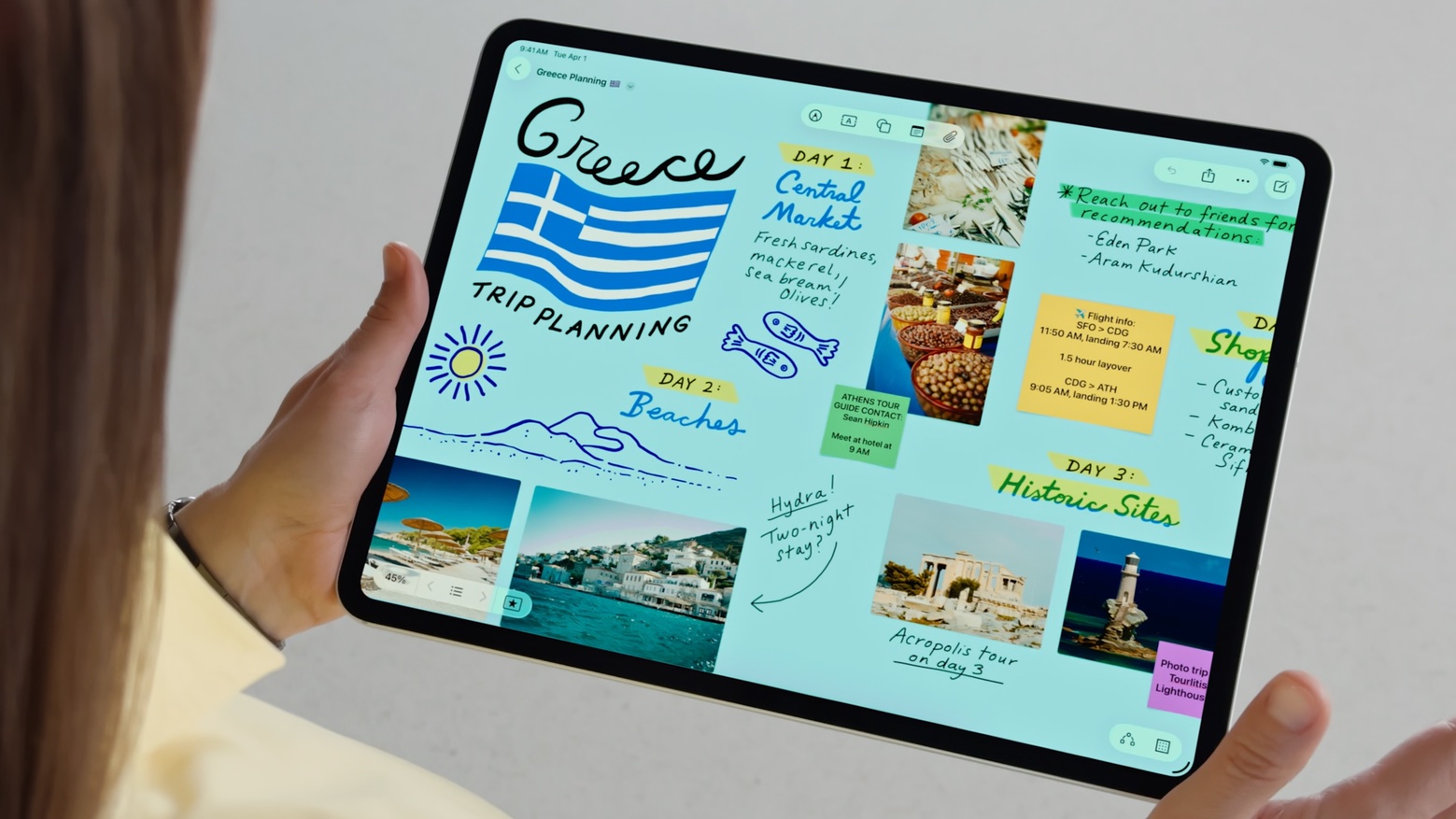
Drawing on the iPad using Freeform.
There are a bunch of great drawing apps for iPad that take advantage of the Apple Pencil:
Notes lets you mix simple drawings with typed notes. It’s perfect for adding the occasional sketch to your meeting or school notes. You can also use Math Notes to write out formulas and create graphs. (App Store)
Procreate is an advanced drawing tool. You can use dozens of advanced brushes to create line art sketches, paintings, watercolors, photorealistic drawings or cartoony flat artwork. It has an advanced layer system, just like Photoshop. It’s an iPad-exclusive app. It’s available as a one-time purchase for $12.99. (App Store)
Affinity Photo 2 is a professional graphics application for iPad, Mac and Windows. It’s very similar to (and compatible with) Photoshop, except there’s no expensive subscription — you can buy it once and own it forever. (There’s also a seven day free trial.) (App Store)
iPad introduction
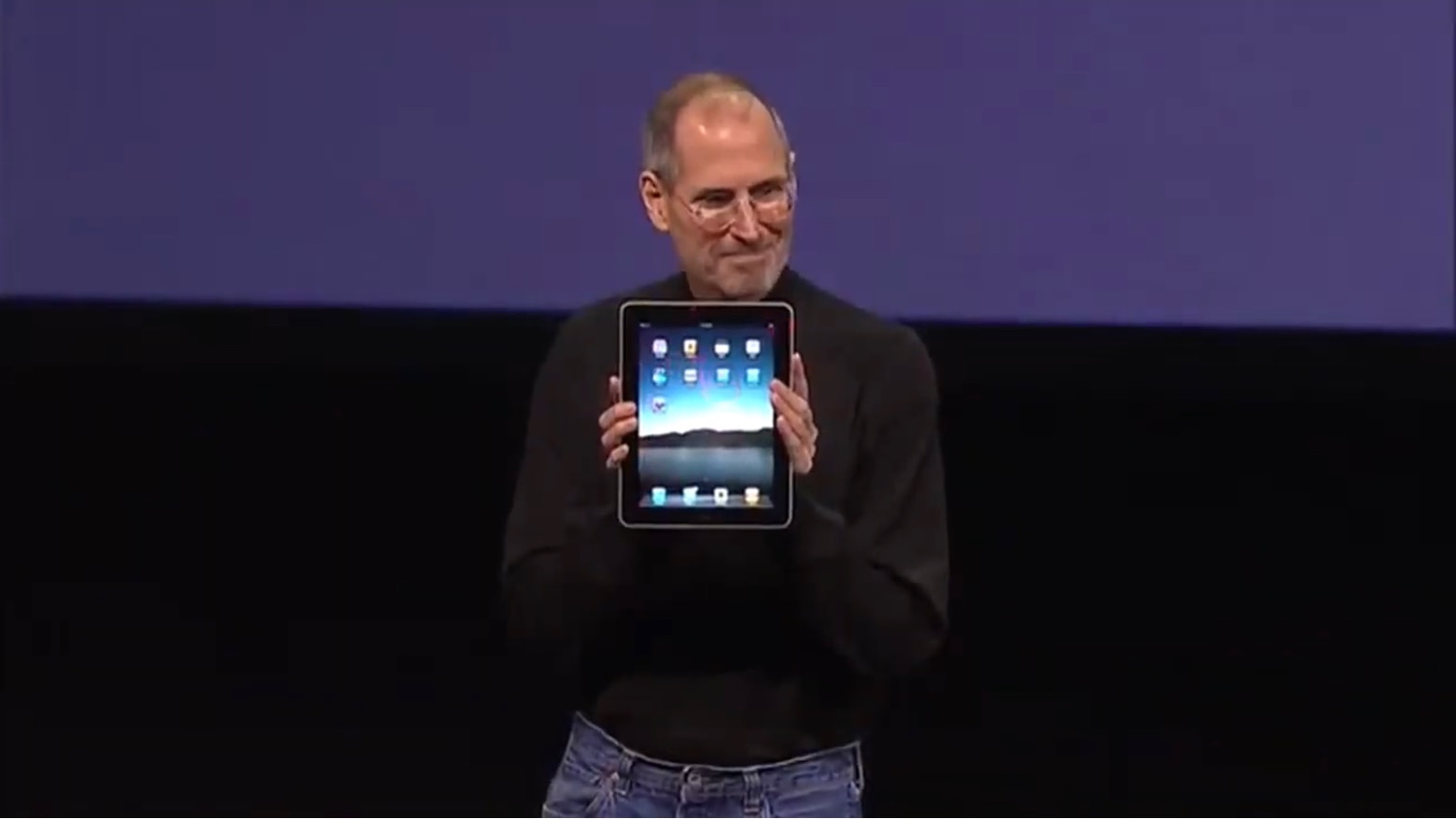
Steve Jobs showing off the original iPad.
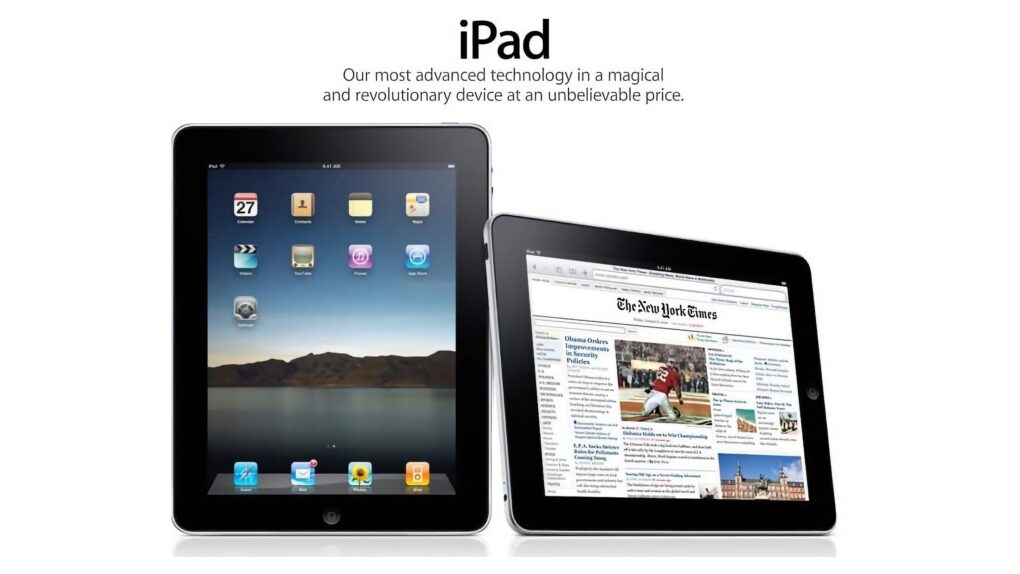
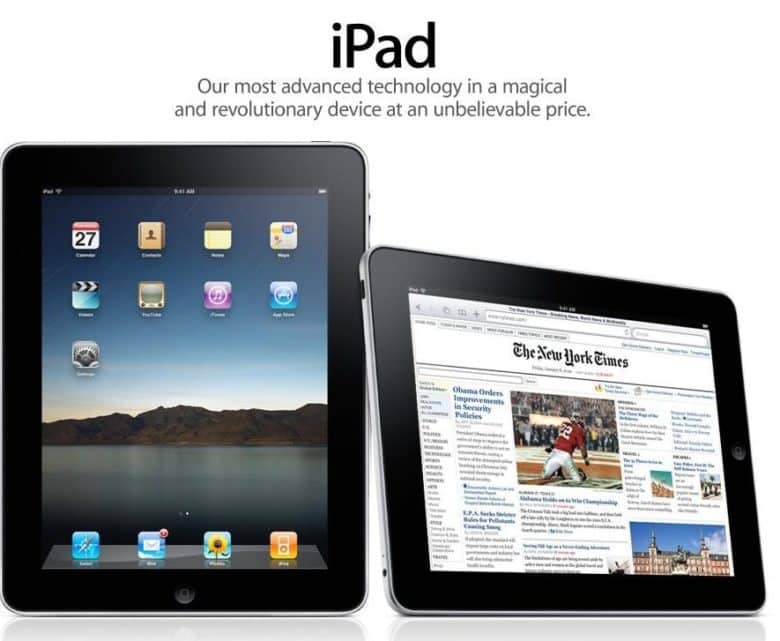
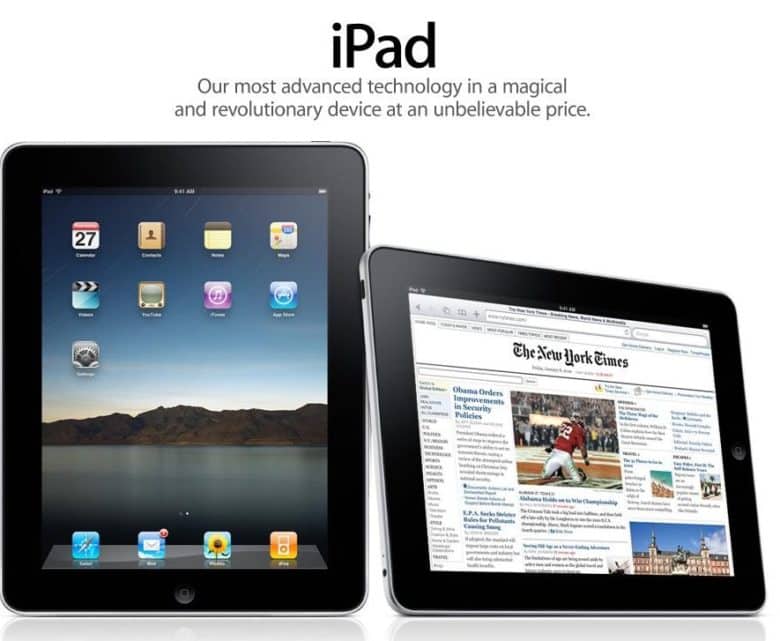
The first Apple tablet was announced on January 27, 2010 and launched on April 3, 2010, as a larger version of the iPhone and iPod touch. That original model had a 9.7-inch screen, a 1GHz Apple A4 chip, and it debuted at $499, a considerably lower price than typical Windows tablets of the time. The product was an immediate success. Over a million units sold in less than a month — half the time it took Apple to sell that many iPhones. In iPad’s first year, Apple sold around 25 million of them.
The product line has gone through many successive generations since then, with the price dropping while the screen got larger. The iPad 11 has an 11-inch display and a powerful A16 chip, for example.
We're not saying any of these tech executives would go to jail, but the UK may target anyone whose products let kids see nudity on their devices. AI image: ChatGPT/Cult of Mac
The UK government plans to compel Apple, Google and other technology companies to block children from encountering any nudity on their devices like iPhones and iPads — and to imprison executives who fail to act for up to 5 years, according to a new report Friday about policy changes in the works.
Seems like the sort of thing that could make incoming Apple CEO John Ternus a little nervous.
Rumors of iPadOS 27 give iPad users so much to be excited about. Image: Cult of Mac
With Apple’s WWDC26 keynote just days away, the latest iPadOS 27 rumors should give iPad owners plenty of reasons to pay close attention. Beyond the new artificial intelligence features for all Apple devices, tablet users can look forward to Monday’s keynote unveiling of iPadOS 27 enhancements that should make tablets easier to use in multiple ways.
Here are four reasons for iPad users to be eager for these announcements, whether you use your tablet for writing, creative projects or daily multitasking.
The iPad finally went international on this day in 2010. Image: Apple
May 28, 2010: Customers across Europe and Asia queue up to buy the iPad when the international launch date for Apple’s original tablet finally arrives.
The reason for the gap between the iPad’s U.S. launch in early April and its international debut more than a month later? Unexpectedly strong demand for the groundbreaking device.
Students use iPad to study the Cherokee language. They write out words and phrases in Notes and record themselves speaking them aloud to practice good pronunciation. Photo: Apple
In the hallways of the Cherokee Immersion School in Tahlequah, Oklahoma, a quiet revolution is underway. Students from pre-kindergarten through eighth grade are learning to speak a language that fewer than 1,500 people in the world still speak fluently — and Apple technology is helping make it happen as iPad and Mac revitalize Cherokee language, the iPhone giant reported in a new feature story Thursday.
“The technology that we utilize with Apple has allowed us to take everything that we really are trying to achieve here, which is the perpetuation and the revitalization of Cherokee language and culture, and use that same technology to make it relevant to the young people that are learning here,” said Chuck Hoskin Jr., Cherokee Nation’s principal chief.
Most Apple devices saw increases in trade-in value. Photo: Pixabay CC
If you’ve been sitting on an older Apple device, now might be a good time to put it toward something new. The iPhone giant has quietly updated its U.S. trade-in estimates, boosting values across most of its current iPhone, iPad, Mac and Apple Watch lineup.
The new M4 iPad Air added significantly to Apple tablet shipments last quarter. Photo: Apple
The M4 iPad Air that launched in March contributed strongly to robust growth in Apple’s tablet shipments.
As a result, the iPad’s share of the global tablet market increased. Approximately 2.5 times as many Apple tablets sold last quarter as the iPad’s biggest rival.
This user's setup changed a lot since the one we showcased in early 2024. Photo: [email protected]
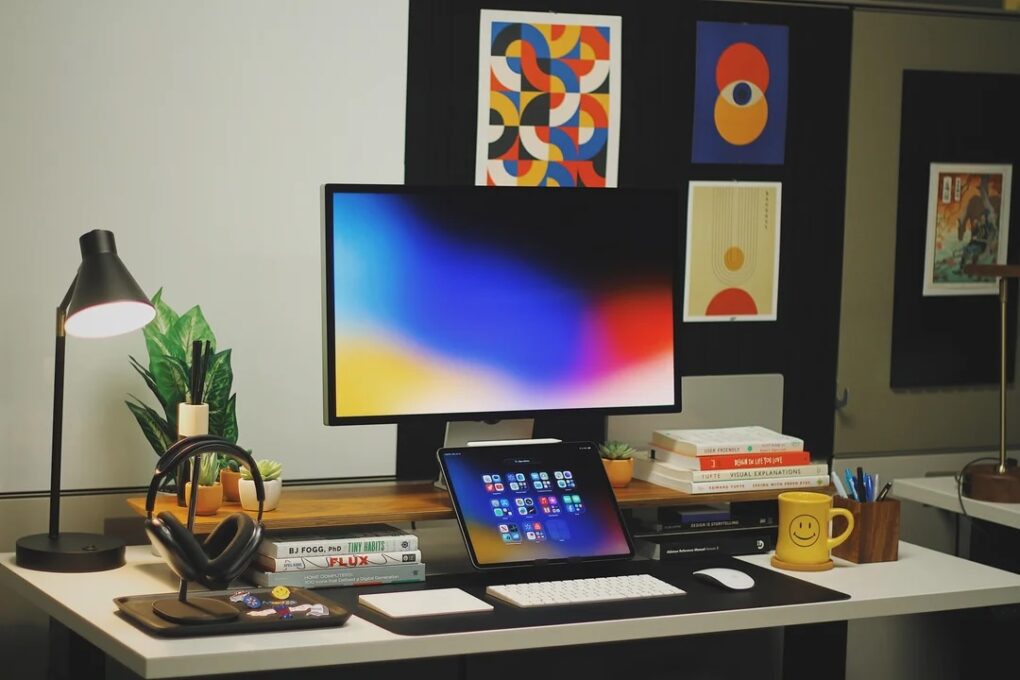
In some ways, iPad is the most versatile computer Apple makes — which makes it an unusually rich ingredient in a Mac workstation. And as iPadOS grows ever more capable, more users find new, smarter roles for their tablet. The following 10 examples drawn from the Cult of Mac Setups archive represent the best uses of iPad in Mac setups. They show just how many ways the tablet can earn its place on a desk.
You can't beat a bargain on a tablet that just launched this spring! Photo: Apple
Apple upgraded the iPad Air with a faster M4 processor this spring, and the speedy new version is already available at a discount. A deal knocks 13% off the cost of a brand-new 11-inch M4 iPad Air, lowering the midrange model to a very affordable price: $519.99. It’s never been cheaper!
Maybe you need one to finish out the school year. The tablet is also great for anyone needing a light-duty productivity and entertainment computer. If you want a bigger Apple tablet, you can snag a deal on the new 13-inch iPad Air at 6% off.
The iPad was the fastest-selling new product line in Apple history. Photo: iPad
April 30, 2010: Almost a month after the first-gen iPad went on sale, the first Wi-Fi + 3G iPads arrive in the hands of U.S. customers.
The devices ship in boxes identical to the Wi-Fi-only models, but with an additional sticker noting their cellular connectivity capability. The tablets come preloaded with micro-SIM cards branded AT&T, the only wireless carrier that initially supports the iPad.
You don’t have to be a Photoshop master to edit things out of your photos. Image: D. Griffin Jones/Cult of Mac
You can easily remove any object from a photo using Apple Intelligence’s free Clean Up tool on your iPhone, Mac or iPad. It works fairly well — but it’s good to know its limitations.
As the only graphic designer among my friends, I’ve frequently been asked over the years to Photoshop unwanted elements out of pictures. Take, for example, a romantic shot of a couple in a gazebo, with a phone sitting on the handrail in an obvious spot. The image might look a lot better if you delete that stray device.
Or imagine a group photo from a fun night out, with someone’s dumpy tote bag sitting by their feet, or a picture from a big conference that shows an ugly lanyard around someone’s neck. With Apple Intelligence’s free Clean Up feature, anyone can make the tote bag and the lanyard disappear, right from their iPhone.
Now, you have the power to clean up your own photos — a chance to make your almost-perfect shots perfect in an instant.
Update your iPhone today to get rid of bugs. Screenshot: Cult of Mac
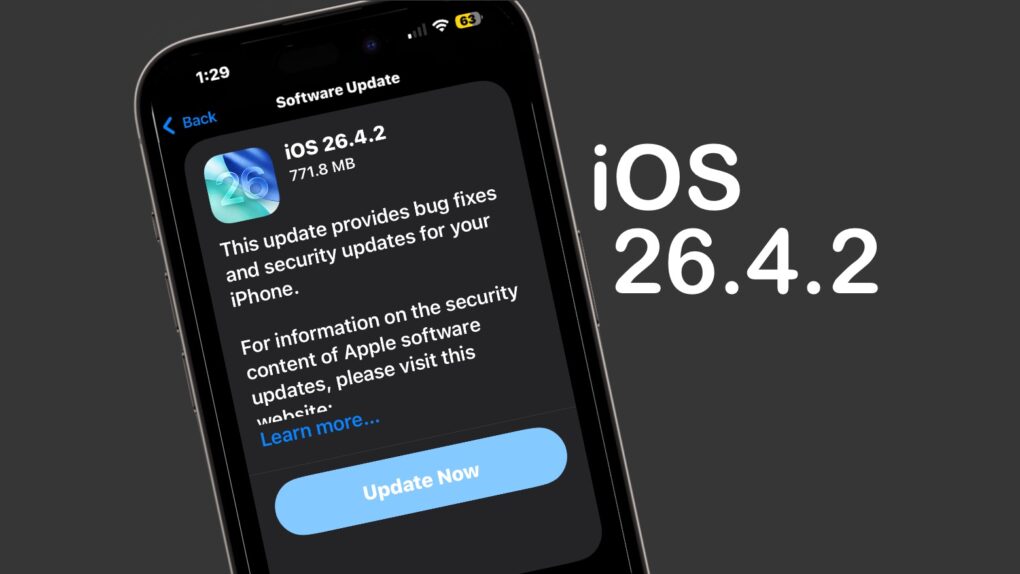
Apple on Wednesday released iOS 26.4.2 to fix a bug that allowed messages deleted by a user to remain on the iPhone.
“Notifications marked for deletion could be unexpectedly retained on the device,” Apple said in its security notes about the update. “A logging issue was addressed with improved data redaction.”
Beyond that, it seems like a minor update that focuses on various bug fixes and incremental performance improvements rather than new features. Tablet users got iPadOS 26.4.2 at the same time.
Plus, those not yet willing to make the jump to iOS 26 got their own update — iOS 18.7.8 also appeared on Wednesday, along with iPadOS 18.7.8.
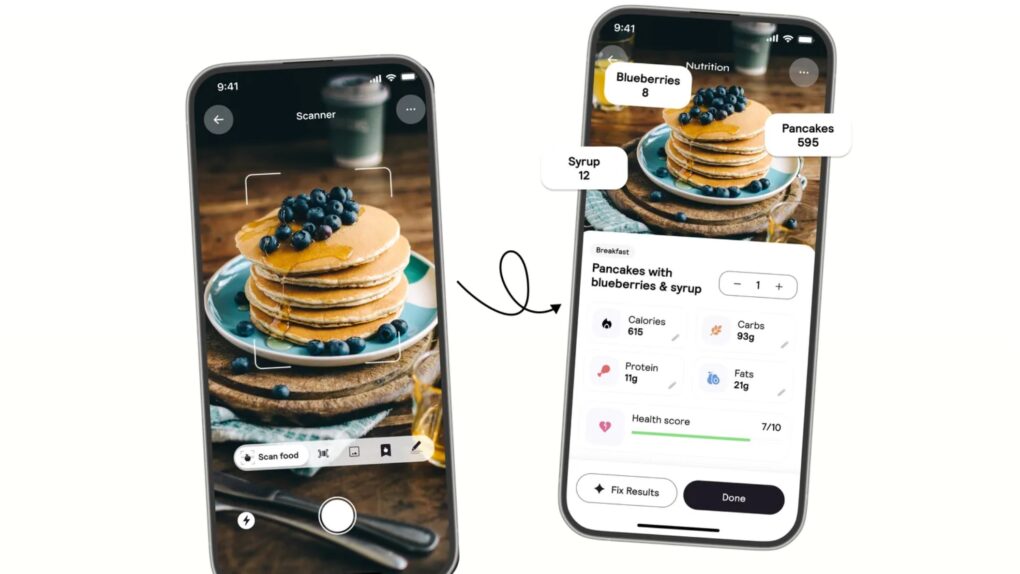
The popular Cal AI app violated a handful of App Store guidelines, according to Apple. It's still keeping a close eye, apparently. Photo: Cal AI
Apple briefly removed the popular calorie-counting app Cal AI from the App Store last week. The episode offers a clear message to developers everywhere, according to a new report: The company is still very much in charge of how apps handle payments — even in the wake of a landmark court ruling that loosened some of its long-standing rules.
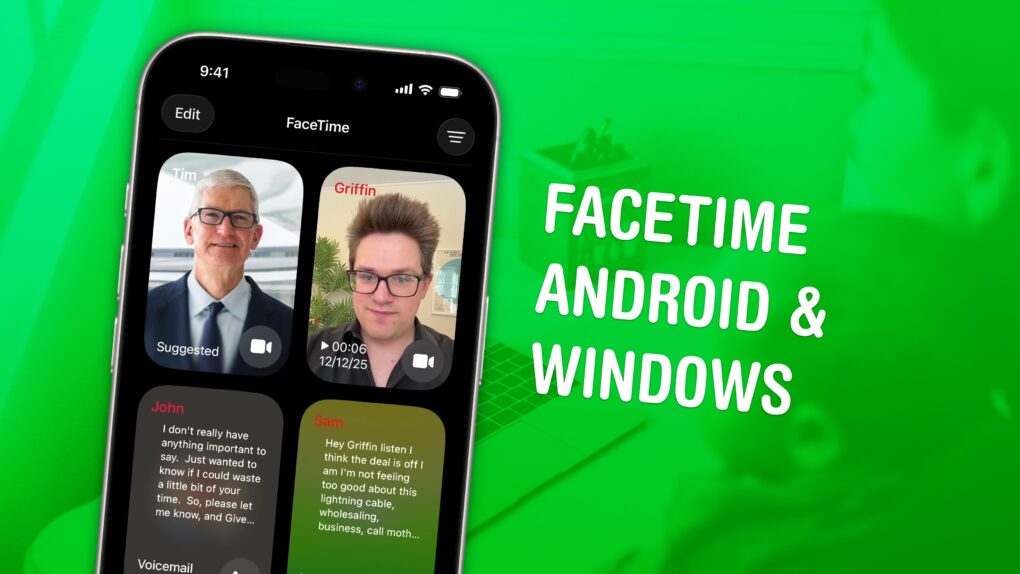
FaceTime everyone, not just your best iPhone friends. Image: D. Griffin Jones/Cult of Mac
You can FaceTime with Android and Windows friends, too — you don’t need to leave them out of the loop. You need to jump through some extra hoops, naturally, but you can video chat with your whole family and friend group.
While there’s no FaceTime app for Android or Windows, if you have an iPhone, you can initiate a group call by creating a link. Others can join the call from their web browser. It will be end-to-end encrypted, just like regular FaceTime calls, for maximum privacy.
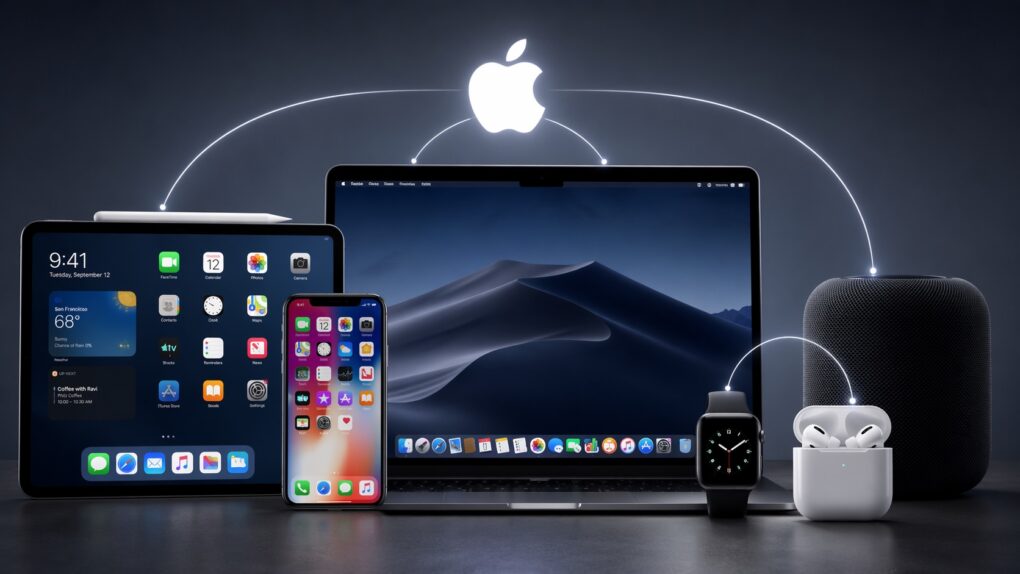
Can you leave Apple's ecosystem? AI image: ChatGPT/Cult of Mac
What makes the Apple ecosystem so alluring? Individually, the iPhone, iPad, Mac or Apple Watch might not be the best devices in their respective categories. Yet, when combined, they form one of the best ecosystems in the world.
It’s this Apple ecosystem — the so-called walled garden — that makes it almost impossible to ditch Apple devices. But what makes it so good?
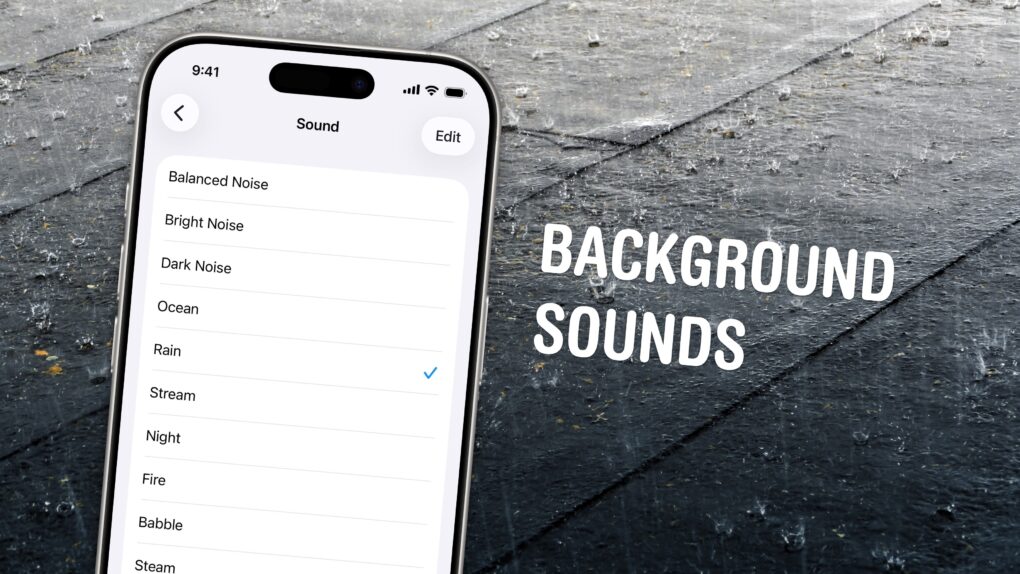
Chill out and silence the sounds of your environment with the sounds of rain, the ocean, a fireplace and more. Photo: W.carter/Wikimedia Commons/D. Griffin Jones/Cult of Mac
If you’re working in an office or in the city, you’re probably inundated with noise from people chattering, cars running and nearby music. Your iPhone has a built-in feature called Background Sounds for playing rain noises or white noise to tune it all out.
Or, if you work at home and want some of that office or coffee shop ambiance, you can add some of those chatter sounds back in. You can even simulate a commute, with sounds of a bus, train, airplane or even boat.
You don’t need to download any apps or pay a cent. Background Sounds is a free feature on your iPhone, iPad and Mac. Let me show you how it works.
According to a 2005 rumor, Apple planned to launch a 15-inch tablet. Photo: Ste Smith/Cult of Mac
April 13, 2005: The tech world gets excited when a sketchy rumor suggests Apple is building a tablet computer.
The Chinese-language report claims Quanta will build a 15-inch touchscreen tablet PC with a detachable keyboard. Apple will supposedly ship the device in the first quarter of 2006. Things don’t turn out quite like that, but the rumor offers the first hint about Apple’s secret iPad project.
Keep your distractions at bay with Focus modes — easier to set up than ever now. Image: D. Griffin Jones/Cult of Mac
Apple’s Focus modes are a powerful way to change how your iPhone, iPad and Mac look and feel whether you’re driving, sleeping, relaxing or working. It’s all about fully immersing yourself in whatever you’re doing.
You can change all kinds of things: from who can reach you and which apps send notifications to custom Lock Screens, Home Screens and more. The tools can totally transform how your phone looks and works based on context. You don’t need all the same apps and widgets on your Home Screen while you’re at work or yoga as you do at home.
Setting up a Focus with rich customization makes your phone more personal. Keep reading to find out how.
Sort out your digital library of tasks and notes. Image: D. Griffin Jones/Cult of Mac
I have a bunch of pro tips to help you organize the Notes and Reminders piling up in your iPhone. Apple has added tons of powerful new features over time, making them comprehensive tools for all the goings-on in your life.
With tagging, you can quickly filter and search through a big folder of notes or a long to-do list. You can easily put together a bunch of filters by date, location and tag to create a smart list of everything that needs your attention in Reminders. You can even set up template Reminders lists that you can copy at any time.
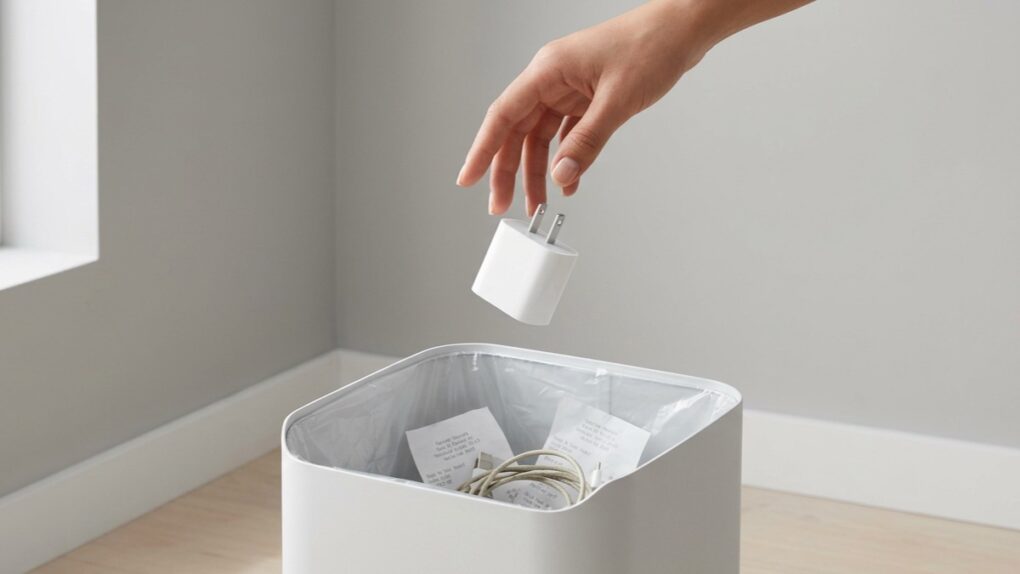
Apple's iPad charger is bit rubbish. You can get a far better one. AI image: Apple/Perplexity/Cult of Mac
The charger that came with your iPad Pro or iPad Air is wasting your time. Your tablet could be charging almost twice as fast (up to three times as fast for the latest iPad Pro). Plus, the included charger is not well-designed for travel.
Here’s what’s going on, along with recommendations for better options.
On launch day, people were very excited about the first iPad. Photo: Leander Kahney/Cult of Mac
April 3, 2010: The first iPad hits store shelves after months of anticipation. The tablet Apple CEO Steve Jobs called “magical and revolutionary” at its unveiling earlier in the year quickly becomes a major success.
Following years of rumors, Jobs initially showed off Apple’s first tablet on January 27, 2010. But now, the wait for the iPad is finally over … at least for people in the United States. (The iPad’s international debut won’t happen until May.)
It’s a big birthday for the fruit company. Image: Apple/D. Griffin Jones/Cult of Mac
As Apple turns 50, it’s worth looking back on the company’s greatest accomplishments and lowest moments through history. If you don’t have time for David Pogue’s 600-page epic, Apple: The First 50 Years, maybe you can spare eight minutes to relive the single biggest piece of Apple news every year.
March 31, 2010: When the first iPad reviews hit the internet, the world gets a sense of how Apple’s new tablet measures up.
The consensus? That there’s no Flash, no USB, no multitasking — but Apple’s tablet offers an exciting new computing experience all the same. As USA Today writes, “The first iPad is a winner.”
Some of the most important products from Apple's first 50 years might surprise you. Image: Midjourney/Cult of Mac
Apple produced an amazing string of hit products over its 50 years, but to paraphrase Napoleon the pig: Some are more important than others.
Here are the most important products in Apple’s 50-year history. And no, this list is likely not what you were expecting. They’re not necessarily the biggest or the most well-known.
So many iconic Apple products came after rivals made unsuccessful versions. AI image: Apple/ChatGPT/Cult of Mac
Looking back over Apple’s first 50 years, it’s clear what the company’s greatest talent is: turning rivals’ niche products into mainstream hits.
Apple proves adept at releasing new products in categories that looked like failures because customers simply lacked interest. But then Apple figured out what its competitors were doing wrong and released its own versions that quickly became iconic.
Here are five examples of Apple turning other companies’ fiascos into triumphs.
Would an iPad by any other name smell as sweet? Photo: Apple
March 26, 2010: Apple pays up to settle a trademark dispute with Japanese multinational Fujitsu over the name “iPad” in the United States.
It comes two months after Apple CEO Steve Jobs first showed off the iPad, and around a week before the tablet will land in stores. As it happens, it’s not the first time Apple battled over the name for one of its new products.










 May 28, 2010: Customers across Europe and Asia queue up to buy the iPad when the international launch date for Apple’s original tablet finally arrives.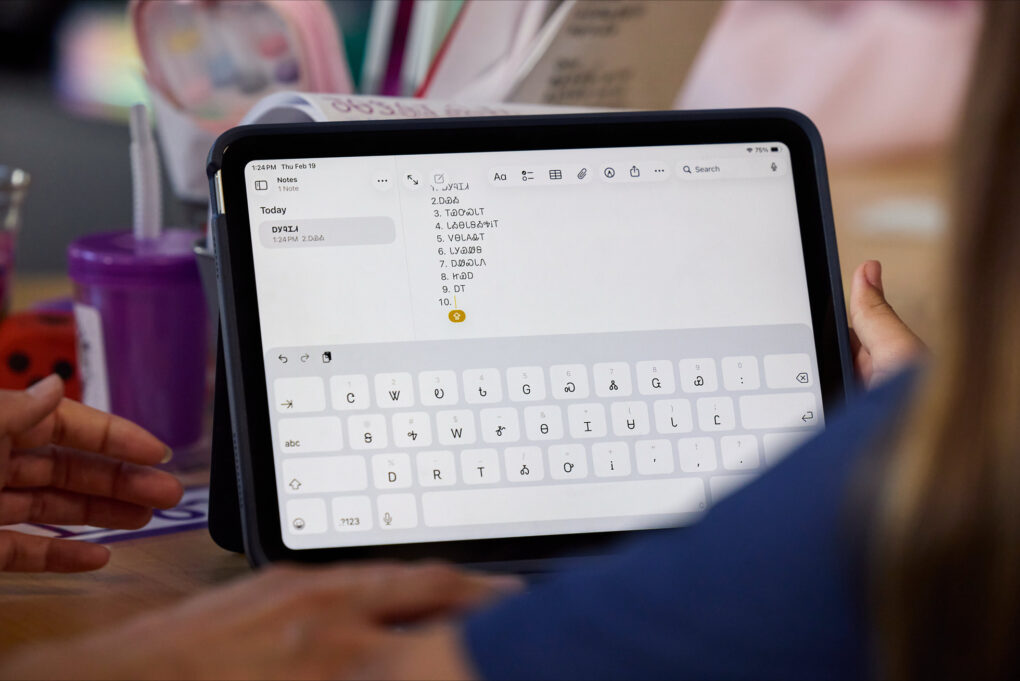
 April 30, 2010: Almost a month after the first-gen iPad went on sale, the first Wi-Fi + 3G iPads arrive in the hands of U.S. customers.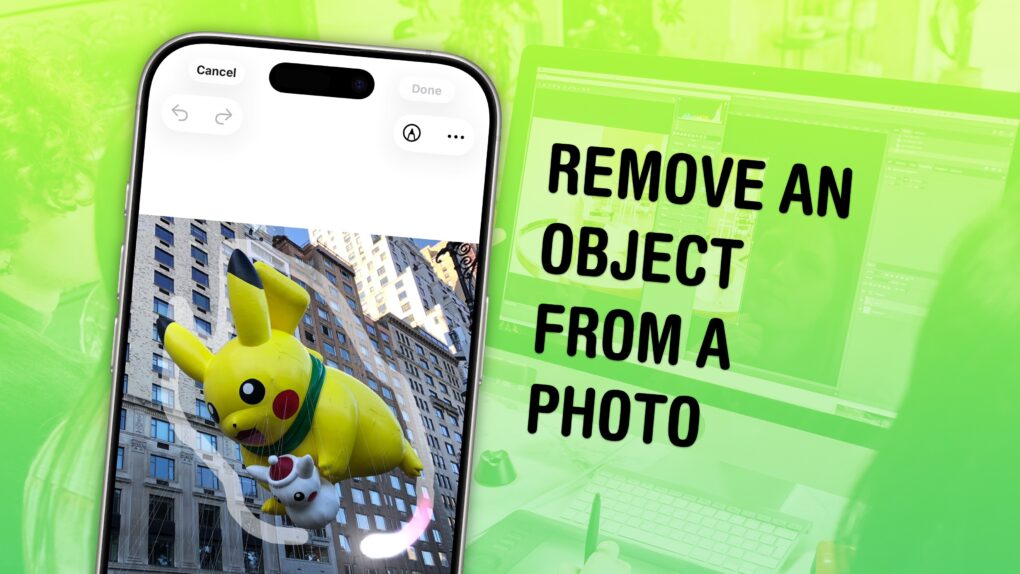

 April 13, 2005: The tech world gets excited when a sketchy rumor suggests Apple is building a tablet computer.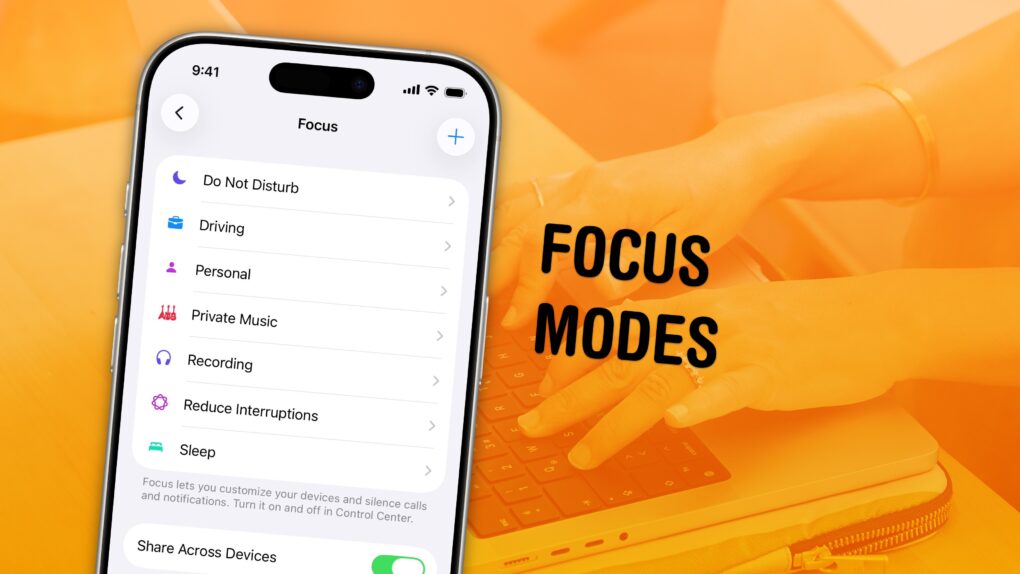

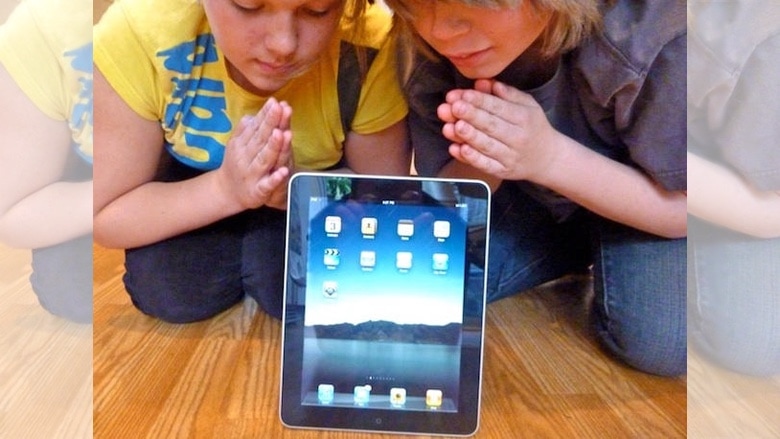
 April 3, 2010: The first iPad hits store shelves after months of anticipation. The tablet Apple CEO Steve Jobs called “magical and revolutionary” at its unveiling earlier in the year quickly becomes a major success.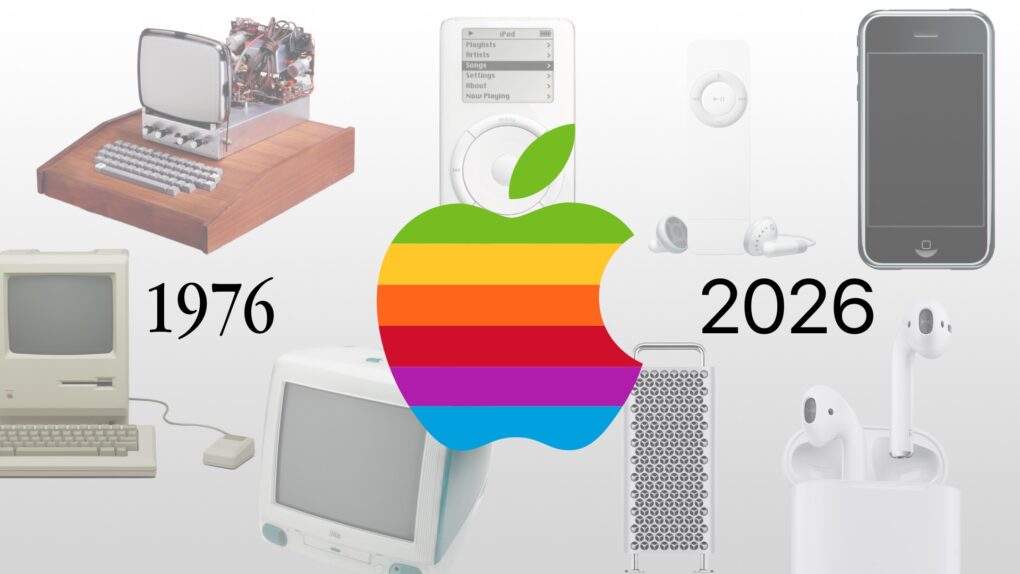
 March 31, 2010: When the first iPad reviews hit the internet, the world gets a sense of how Apple’s new tablet measures up.
 March 26, 2010: Apple pays up to settle a trademark dispute with Japanese multinational Fujitsu over the name “iPad” in the United States.